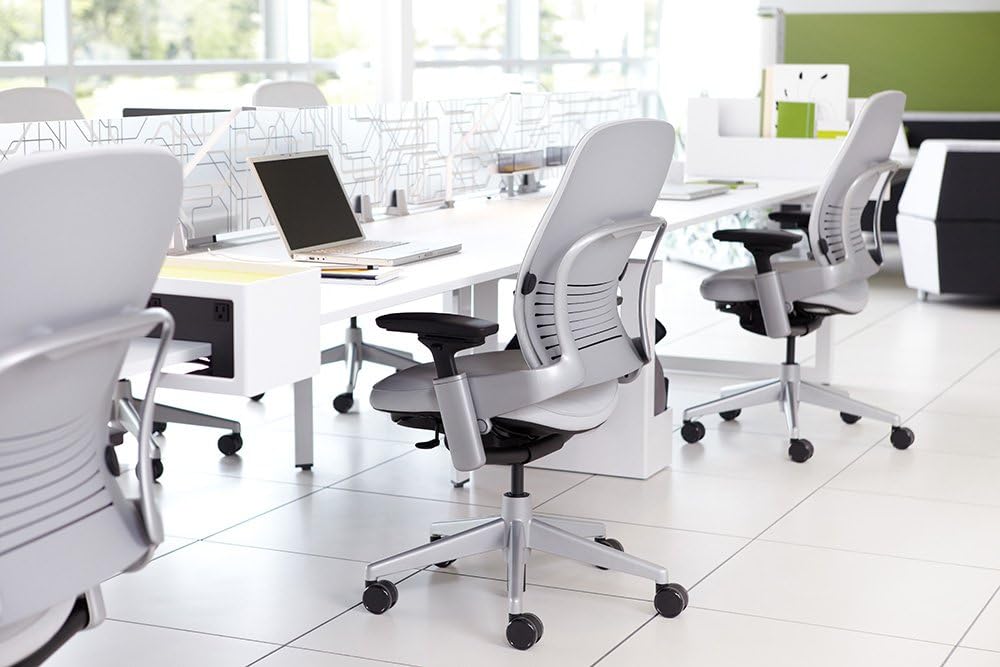
Finding the best office chairs for lower back pain is less about choosing the most expensive chair and more about finding a good fit for your body, desk, and working position. Seat depth, lumbar support, seat height, recline, and armrest adjustment can all affect how comfortably you sit during a long workday.
An office chair cannot diagnose or treat the underlying cause of back pain. However, a properly adjusted chair can provide a more supportive sitting setup and may make everyday desk work more comfortable. The right configuration depends on your body dimensions and how you use the chair.
This 2026 guide compares five office-chair options across different price and design categories, with particular attention to lumbar support, seat fit, adjustability, recline, and long-hour sitting.
Looking for more back-support options?
This guide is part of our
Office Chairs for Back Pain Hub
,
where you can find guides for lower back pain, sciatica, upper back pain, neck and back discomfort, and tailbone-related seating concerns.
Quick Answer: What Is the Best Office Chair for Lower Back Pain?
There is no single office chair that is best for every person with lower back pain. The most useful features to compare are:
- Adjustable lumbar support that can be positioned appropriately for your lower back.
- Adjustable seat depth or a seat that matches your leg length.
- Seat-height adjustment that allows a comfortable relationship between your feet, seat, and desk.
- Recline and tilt adjustment so you are not required to stay completely upright all day.
- Adjustable armrests that help position your arms without unnecessarily raising your shoulders.
- A seat and backrest that fit your body rather than simply having a large number of features.
Why the Right Office Chair Matters for Lower Back Comfort
When you work at a desk for several hours, your chair becomes part of the overall workstation. A chair that is too deep, too high, poorly supported, or difficult to adjust can make it harder to maintain a comfortable sitting position.
For lower back comfort, the important question is not simply whether a chair has “lumbar support.” You also need to consider where that support sits, whether the seat fits your thighs, how far the backrest reclines, and whether you can position your arms and feet comfortably.
A Good Chair Is a Fit Problem, Not Just a Feature Problem
Two people can use the same chair and have very different experiences. Height, leg length, hip width, torso length, desk height, and preferred sitting position all affect whether a chair feels supportive.
What to Look for in an Office Chair for Lower Back Pain
1. Adjustable Lumbar Support
Lumbar support is one of the first features to examine. The goal is not simply to find the chair with the largest lumbar pad. What matters is whether the support can be positioned comfortably for your lower back.
Some chairs provide height adjustment, while others provide additional depth or tension adjustment. More adjustment can be useful, but excessive pressure is not necessarily better. Start with a comfortable position and adjust gradually.
2. Seat Depth
Seat depth is particularly important for shorter users. If the seat is too deep, you may have difficulty sitting back against the backrest while keeping a comfortable amount of space behind your knees.
If you are under average height, our
Best Office Chairs for Short People
guide provides a more specific look at seat height, depth, and overall fit.
3. Seat Height
Your feet should have a stable relationship with the floor or an appropriate footrest, while the chair should allow you to work at your desk without unnecessarily raising your shoulders.
Do not judge seat height only by the minimum number listed on a product page. Compare the chair’s adjustment range with your own desk height and body dimensions.
4. Recline and Tilt
A chair that allows some recline can provide more than one comfortable working position. Instead of forcing yourself to remain rigidly upright, you can adjust the backrest and tilt tension to suit different tasks.
5. Adjustable Armrests
Armrests should support a relaxed arm position without pushing your shoulders upward or forcing your elbows too far away from your body. Height adjustment is useful, while width, depth, and pivot adjustments can provide additional flexibility on some models.
6. Seat Cushion and Front Edge
The front edge of the seat should not feel unnecessarily restrictive when you sit normally. Seat material also affects comfort, particularly if you work for several hours at a time.
5 Office Chairs to Consider for Lower Back Pain
The following chairs represent different approaches to ergonomic seating. They are presented as options to investigate rather than as a universal ranking. Always check the current manufacturer’s specifications, configuration, availability, and return policy before buying.
| Chair | What to Look At | Potential Fit | Amazon |
|---|---|---|---|
| Herman Miller Aeron | Mesh suspension, multiple sizes, ergonomic adjustment | Users who want a premium ergonomic design and size options | Check Price → |
| Steelcase Leap | Seat and back adjustment, flexible ergonomic setup | Users who want extensive adjustability | Check Price → |
| Sihoo Doro C300 | Feature-focused ergonomic design | Users looking for a more accessible ergonomic option | Check Price → |
| Branch Ergonomic Chair | Adjustable ergonomic workstation design | Users balancing ergonomic features and workspace design | Check Price → |
| Ticova Ergonomic Office Chair | Adjustable ergonomic features at a lower price point | Users comparing feature-rich budget-oriented chairs | Check Price → |
Herman Miller Aeron: Multiple Sizes and Mesh Construction
The Herman Miller Aeron is notable for its suspension-style seat and back and its availability in three sizes. That sizing system can be useful when chair fit is a major concern.
Rather than selecting a size based only on the chair’s overall dimensions, compare your height and weight with the manufacturer’s current sizing guidance. The appropriate size also depends on how the chair feels when you sit against the backrest and use the seat normally.
For buyers who prefer a mesh chair and want more than one size to choose from, the Aeron is worth investigating. It is also a premium purchase, so check the current configuration and price before ordering.
Steelcase Leap: Extensive Adjustment Options
The Steelcase Leap is designed around adjustability, including seat and back-related adjustments. This makes it particularly relevant for users who want to fine-tune the chair rather than rely on a fixed seating position.
When evaluating the Leap, focus on whether its adjustment range matches your body dimensions and preferred working posture. A chair with many adjustments is only useful if you can configure those adjustments comfortably.
Sihoo Doro C300: Feature-Focused Ergonomic Option
The Sihoo Doro C300 is aimed at users looking for a feature-focused ergonomic chair without moving into the highest-priced premium category.
Before buying, pay particular attention to the seat dimensions, adjustment range, lumbar-support configuration, and current product version. Manufacturer specifications can vary between versions and listings.
Branch Ergonomic Chair: A Home-Office Focused Option
The Branch Ergonomic Chair is designed for modern home-office setups and provides several adjustments intended to help users customize their sitting position.
For lower-back comfort, compare the chair’s seat depth, lumbar-support position, armrest configuration, and recline behavior rather than choosing it solely because it is marketed as ergonomic.
Ticova Ergonomic Office Chair: Budget-Oriented Features
Ticova offers ergonomic office-chair models that are commonly considered by shoppers looking for adjustable features at a lower price point.
If you are comparing budget options, pay close attention to the actual seat dimensions and adjustment range. A lower purchase price does not compensate for a poor fit if the seat is too deep or the lumbar support cannot be positioned comfortably.
How to Adjust an Office Chair for Lower Back Comfort
Buying an ergonomic chair is only the first step. The way you adjust it can be just as important as the feature list.
Step 1: Set the Seat Height
Adjust the seat so your feet have stable support and your working surface is at a comfortable height.
Step 2: Adjust Seat Depth
Sit back against the backrest and check whether the front edge of the seat feels restrictive. Shorter users often need particular attention to seat depth.
Step 3: Position the Lumbar Support
If the chair allows lumbar adjustment, move it gradually until the support feels appropriate for your lower back. More pressure is not automatically better.
Step 4: Set Recline and Tilt Tension
Choose a recline setting that lets you change position without feeling that the backrest is constantly pushing you forward or falling backward.
Step 5: Position the Armrests
Set the armrests so your arms can rest comfortably while your shoulders remain relaxed.
Common Office Chair Mistakes That Can Affect Lower Back Comfort
- Choosing a chair because it has a large lumbar pad.
A larger support area is not necessarily a better fit. - Ignoring seat depth.
A seat can be comfortable in the store or in photos but still be too deep for your legs. - Buying based only on price.
The most expensive chair is not automatically the best match for every body type. - Ignoring the desk.
A well-adjusted chair can still feel wrong if your desk is too high or too low. - Staying in one position all day.
Changing position and taking regular movement breaks can be useful parts of a desk-work routine.
Best Office Chair Features for Long Hours of Sitting
If you regularly spend several hours at a desk, prioritize adjustability over a long list of cosmetic features. Seat depth, lumbar positioning, recline, armrests, and seat height are more relevant to everyday fit.
You should also consider the rest of your workstation. Monitor height, keyboard position, desk height, and foot support all interact with your chair.
If you regularly work long hours, see our related guide:
Best Office Chairs for Long Hours
.
If Your Lower Back Is Not Your Only Concern
Lower back discomfort is not the only reason people search for ergonomic seating. Your ideal chair may change depending on whether you are also concerned about the hips, neck, upper back, sciatica, or tailbone area.
Lower Back + Hip
Sciatica
Short Users
Narrow Hips
Lower Back Pain Office Chair Buying Checklist
- ☐ Check the chair’s seat-height range.
- ☐ Compare seat depth with your leg length.
- ☐ Check whether lumbar support is adjustable.
- ☐ Look at the recline and tilt mechanism.
- ☐ Check armrest adjustment.
- ☐ Confirm the chair’s maximum supported weight.
- ☐ Check the manufacturer’s dimensions.
- ☐ Review the return policy and warranty.
- ☐ Consider whether replacement parts or service are available.
Explore the Back Pain Chair Hub
This article focuses specifically on lower back pain. For other back-related seating needs, visit our main
Office Chairs for Back Pain Hub
.
FAQ: Best Office Chairs for Lower Back Pain
What is the best office chair for lower back pain?
There is no single best office chair for everyone. Look for a chair that fits your body and provides useful adjustment options for seat depth, seat height, lumbar support, recline, and armrests. The right fit is more important than simply choosing the chair with the longest feature list.
Is lumbar support good for lower back pain?
A properly positioned lumbar support can make a chair feel more supportive, but the ideal amount and position vary between users. Avoid assuming that stronger or larger lumbar support is automatically better.
Is a firm office chair better for lower back pain?
Not necessarily. Cushion firmness is a personal fit factor. Instead of choosing solely by firmness, consider whether the seat supports you comfortably and whether its dimensions allow you to sit in a natural position.
Are ergonomic chairs good for long hours?
An adjustable ergonomic chair can make it easier to customize your sitting position during long work sessions. However, chair adjustment is only one part of a comfortable workstation. Regular movement and an appropriately configured desk setup also matter.
Is the Herman Miller Aeron good for lower back support?
The Aeron provides an adjustable ergonomic design and is available in multiple sizes. Whether it is a good fit for you depends on your body dimensions, preferred sitting position, and the chair configuration you select.
What should shorter people look for in a chair for lower back pain?
Shorter users should pay particular attention to minimum seat height and seat depth. A chair that is too deep can make it harder to sit against the backrest comfortably. See our
office chairs for short people guide
for more detail.
Can an office chair cure lower back pain?
An office chair should not be presented as a treatment or cure for lower back pain. If pain is persistent, severe, or associated with other concerning symptoms, consider discussing it with a qualified healthcare professional rather than relying on a chair alone.
Final Takeaway
The best office chairs for lower back pain are not defined by one feature or one brand. The most important factors are how well the chair fits your body and how effectively you can adjust the seat, lumbar support, backrest, armrests, and recline.
Before purchasing, measure your available workspace and compare the manufacturer’s current specifications with your own body dimensions. Pay particular attention to seat depth, seat-height range, lumbar adjustment, recline, weight capacity, return terms, and warranty coverage.
15 thoughts on “Best Office Chairs for Lower Back Pain in 2026”