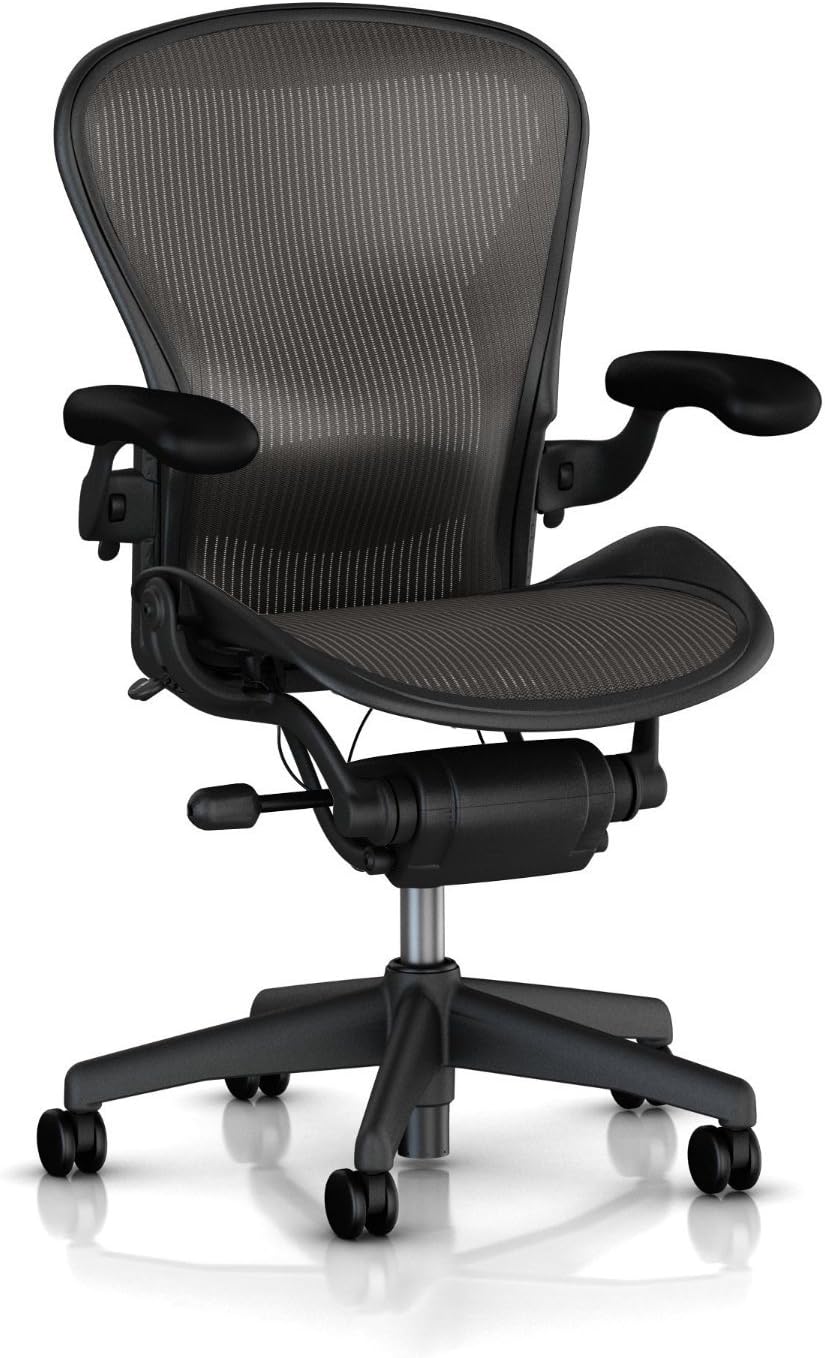
If sitting at your desk leaves your neck stiff or your lower back uncomfortable by the end of the day, your chair and workstation setup are worth reviewing. The right ergonomic chair for neck and back pain cannot diagnose or treat an underlying medical condition, but it can give you more control over your sitting position, lumbar support, seat depth, arm position, and recline.
The important thing is not simply buying a chair labeled “ergonomic.” A useful desk chair should fit your body and provide enough adjustment to accommodate your height, leg length, desk setup, and preferred working position.
In this 2026 guide, we’ll explain which chair features matter most for neck and back comfort, how to adjust an office chair, and what to check before buying a budget-friendly model such as the Ticova Ergonomic Office Chair.
Looking at other back-related chair needs?
Visit our
Office Chairs for Back Pain Hub
for guides covering lower back, upper back, sciatica, herniated discs, coccyx discomfort, and other ergonomic seating considerations.
Quick Answer
For people shopping for an ergonomic chair for neck and back pain, prioritize a good body fit and useful adjustments. Important features include lumbar support, appropriate seat depth, adjustable seat height, comfortable armrests, a supportive backrest, and a controlled recline mechanism.
A headrest can be useful if you frequently recline, but it is not automatically necessary for computer work. The right combination depends on your body dimensions, desk height, monitor position, and sitting habits.
Why an Ergonomic Chair Can Make Long Desk Sessions More Comfortable
If you’re searching for an ergonomic office chair for neck pain or an office chair for back pain, the goal should be better support and easier position changes rather than a promise of medical relief.
A poorly fitted chair can make it easier to sit too far forward, reach excessively for the keyboard, or leave your feet unsupported. Over several hours, these positions may contribute to discomfort and fatigue.
A well-adjusted chair gives you more options. You can change seat height, position the lumbar area, move the armrests, recline when appropriate, and shift your position instead of remaining in exactly the same posture for hours.
- Lumbar support:
helps support the lower-back area while seated. - Seat adjustment:
helps you find a position where your feet can remain supported. - Armrest adjustment:
can help position your arms without unnecessarily elevating your shoulders. - Recline:
gives you another sitting position instead of requiring one fixed upright posture.
Key Features to Look for in an Ergonomic Chair for Neck and Back Pain
When comparing an ergonomic chair for neck and back pain, don’t focus only on the number of adjustment points. What matters is whether those adjustments actually fit your body and your desk setup.
1. Adjustable Lumbar Support
Lumbar support should sit comfortably in the lower-back area rather than creating a hard pressure point. If the chair offers height or depth adjustment, use those controls to position the support where it feels appropriate for your body.
For shoppers comparing an ergonomic chair for lower back pain, adjustable lumbar support can provide more flexibility than a fixed cushion that cannot be repositioned.
For more detailed lower-back-specific guidance, see our
Best Office Chairs for Lower Back Pain
guide.
2. Seat Height and Seat Depth
Your feet should be supported comfortably, and the front edge of the seat should not press tightly against the backs of your knees. Seat-depth adjustment is especially useful if you are significantly shorter or taller than average.
If a chair has useful lumbar support but the seat is too deep for you, you may still have difficulty sitting fully against the backrest. That is why seat dimensions should be checked before buying.
If you’re shorter than average, our
Office Chairs for Short People
guide covers seat height, seat depth, and other fit considerations in more detail.
3. Adjustable Armrests
Armrests should allow your elbows to remain comfortably near your body while your shoulders stay relaxed. Height adjustment is useful, while additional width, depth, or angle adjustment can make it easier to match different desk setups.
4. Supportive Backrest
A backrest should support your torso without forcing you into one rigid position. Mesh can provide airflow, while padded backs may provide a softer feel. Neither material is automatically better—the shape, dimensions, and adjustability of the backrest are more important.
If your main concern is upper-back discomfort, you can also see our
Ergonomic Chair for Upper Back Pain
guide.
5. Recline and Tilt
A chair that reclines gives you another position for reading, phone calls, meetings, or short breaks. Look for a mechanism that feels controlled and allows you to change position without losing comfortable support.
6. Headrest: Useful, but Not Essential
A headrest can be useful if you frequently lean back. However, a headrest that pushes your head forward can be uncomfortable during upright computer work. If you rarely recline, a tall supportive backrest may matter more than having a headrest.
Featured Ergonomic Chair for Neck and Back Pain in 2026
Rather than claiming that one chair is universally “best,” this guide highlights a budget-oriented model that includes several of the adjustments discussed above. Product configurations, availability, pricing, and specifications can change, so verify the current Amazon listing before purchasing.
Ticova Ergonomic Office Chair – High Back Desk Chair
Budget Ergonomic Option
High-Back Design
The Ticova Ergonomic Office Chair is a budget-oriented option featuring a high-back design, mesh back, lumbar support, headrest, and flip-up armrests. It may be worth considering for shoppers who want several ergonomic features without immediately moving into premium office-chair pricing.
What to check before buying:
- Confirm the current seat dimensions.
- Check the current listed weight capacity.
- Make sure the available seat-height range works with your desk.
- Check which adjustments are included in the current configuration.
- Review the current Amazon return policy and recent customer feedback.
- High-back design
- Adjustable lumbar support
- Adjustable headrest
- Mesh back
- Flip-up armrests
- Armrest adjustment may be more limited than on premium 4D designs.
- Seat dimensions may not suit every body type.
- Budget-oriented construction may not offer the same refinement as higher-priced office chairs.
- Current specifications can vary by listing or configuration.
What Matters Most When Comparing Office Chairs
| Feature | Why It Matters | What to Check |
|---|---|---|
| Lumbar support | Provides support for the lower-back area | Height, depth, firmness, or position adjustment |
| Seat depth | Helps accommodate different leg and thigh lengths | Seat dimensions and adjustment range |
| Seat height | Helps keep your feet supported | Minimum and maximum seat height |
| Armrests | Helps position your arms comfortably | Height, width, depth, and angle adjustment |
| Recline | Allows position changes during the day | Recline range, tension, and locking positions |
| Headrest | Can provide support during reclining | Height, angle, and whether it interferes with upright use |
How to Choose an Ergonomic Chair for Your Body Type
There is no single office chair that fits every body. Height, leg length, torso length, desk height, and sitting habits all affect how a chair fits.
- Shorter users:
pay particular attention to minimum seat height and seat depth. A seat that is too deep can make it difficult to sit fully against the backrest. - Taller users:
look for sufficient seat depth and a backrest that provides enough torso support. - Broader users:
check seat width, armrest placement, and weight capacity rather than relying only on the chair’s marketing category. - Long-session users:
prioritize adjustability and the ability to change position rather than simply choosing the softest cushion.
Explore More Back Pain Chair Guides
Start with the
Office Chairs for Back Pain Hub
or explore a more specific topic:
sciatica,
herniated discs,
lower back and hip discomfort,
or
coccyx/tailbone concerns.
How to Set Up Your Office Chair for Better Neck and Back Comfort
Even an expensive ergonomic chair can feel uncomfortable if it is adjusted incorrectly. Start with the chair and then adjust your desk and monitor around your sitting position.
- Adjust seat height.
Keep your feet supported and avoid a position that leaves your legs dangling. - Set the seat depth.
Sit fully back and make sure the front edge of the seat does not create uncomfortable pressure behind your knees. - Position lumbar support.
Adjust the lumbar area until it supports your lower back comfortably without creating a sharp pressure point. - Adjust the armrests.
Keep your shoulders relaxed and position your elbows comfortably near your sides. - Set your monitor.
A monitor that is too low or too far away can encourage you to bend or reach your neck forward. - Use the recline function.
Change positions during the day rather than remaining rigidly upright for hours.
Don’t Forget to Move
An ergonomic chair is only one part of a comfortable workstation. Changing position regularly, standing up, walking briefly, and taking breaks from screen work can make long periods of desk work more manageable.
Related Reading
Office Chairs for Back Pain Hub
Explore the full back-pain chair content cluster.
Chairs Best for Back Pain
A broader guide to chair features and fit.
Office Chair for Sciatica Under $300
A budget-focused guide for shoppers researching sciatica-related seating.
Office Chair for Herniated Disc
Focuses on chair fit and adjustment considerations.
Neck and Back Pain Chair Guide
You’re already here—use this page as the main guide for combined neck and back concerns.
Frequently Asked Questions
What is the best type of office chair for neck and back pain?
There is no single chair type that works best for everyone. Look for a chair that fits your body and offers useful adjustments, especially lumbar support, seat height, seat depth, armrests, and recline. A more expensive chair is not automatically a better fit.
Is a headrest good for neck pain?
A headrest can be useful when reclining, but it is not essential for everyone. If it pushes your head forward during computer work, it may make the chair less comfortable. Adjustability and overall chair fit are more important than simply having a headrest.
Is mesh or foam better for an office chair?
Neither material is universally better. Mesh can provide airflow and a firmer feel, while foam can provide a more cushioned sitting experience. Focus first on chair dimensions, support, adjustability, and your personal comfort.
How much should I spend on an ergonomic office chair?
Budget needs vary widely. Chairs with useful ergonomic features are available at lower price points, while premium models can cost substantially more. Rather than setting a price first, identify the adjustments you actually need and compare chairs based on those features.
Can an office chair fix neck or back pain?
An office chair should not be considered a treatment for an injury or medical condition. A better-fitting chair and workstation may make prolonged sitting more comfortable, but persistent, severe, radiating, or worsening symptoms should be discussed with an appropriate healthcare professional.
How often should I change my sitting position?
Rather than trying to maintain one “perfect” posture all day, change position regularly. You can alternate between upright sitting, reclining when appropriate, standing, and short movement breaks.
Bottom Line
The right ergonomic chair for neck and back pain should fit your body, provide comfortable lower-back support, allow your arms to rest naturally, and offer enough adjustment range to change positions throughout the workday.
The Ticova Ergonomic Office Chair is one budget-oriented option to consider if you want a high-back design, lumbar support, headrest, and mesh back. Before purchasing, check the current specifications, price, availability, configuration, return terms, and recent customer feedback.
For a broader comparison of chairs addressing different back-related needs, continue to the
Office Chairs for Back Pain Hub
.
Important:
This article is for general informational purposes and is not medical advice. An office chair cannot diagnose or treat neck or back conditions. If you have persistent, severe, radiating, or worsening pain, seek advice from a qualified healthcare professional.
Affiliate Disclosure:
Some links on this page are affiliate links. If you purchase through one of these links, SitBetterLab may earn a commission at no additional cost to you.
2 thoughts on “Best Ergonomic Chair for Neck and Back Pain in 2026”