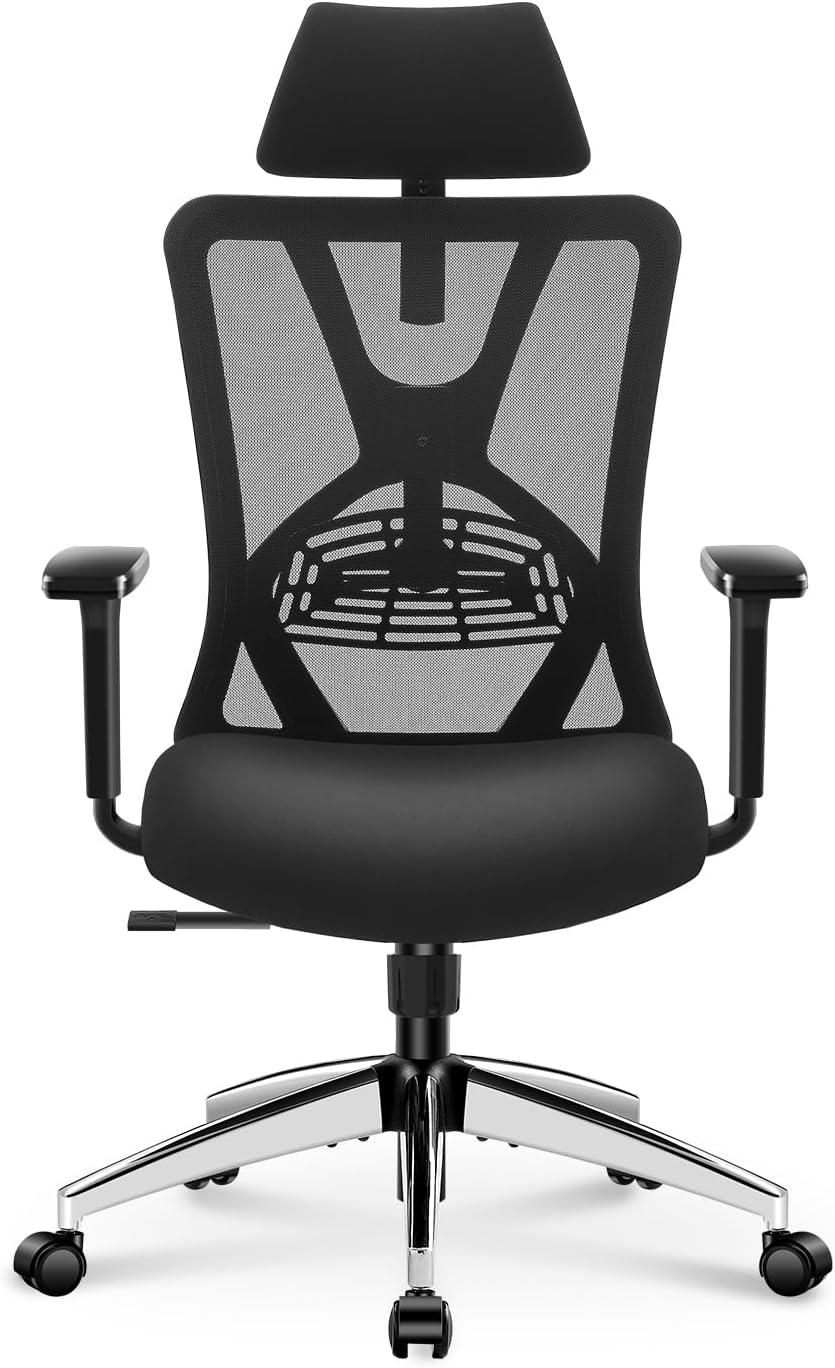
If long hours at your desk leave your neck and lower back feeling uncomfortable, the chair itself may be worth examining. The best office chairs for neck and back pain are not necessarily the most expensive models. More often, the useful differences come from adjustable lumbar support, seat depth, armrests, recline, and a backrest that fits your body.
A good ergonomic chair also needs to work with your desk and monitor. Even a highly adjustable chair cannot compensate for a monitor that is too low, armrests that force your shoulders upward, or a seat that is too deep for your legs.
This guide compares five office chairs with different adjustment profiles and price levels. The goal is not to claim that one chair works for everyone, but to help you identify the combination of support and adjustability that best matches your body, workspace, and budget.
Looking for more back-support options?
Explore the
Office Chairs for Back Pain Hub
for related guides covering lower back discomfort, sciatica, herniated discs, upper-back concerns, and other ergonomic chair topics.
Quick Answer: What Should You Look for?
There is no single office chair that is automatically the best choice for every person with neck and back discomfort. Instead, prioritize the adjustments that allow you to maintain a comfortable working position.
Lumbar Support
Look for support that can be positioned to match your lower-back curve rather than relying only on a fixed cushion.
Seat Depth
The seat should allow you to sit back without pressing uncomfortably against the backs of your knees.
Armrests
Adjustable armrests can help position your elbows without forcing your shoulders upward.
Recline
A controlled recline can provide another comfortable working position instead of keeping your torso completely upright all day.
Affiliate Disclosure: Some links on this page are affiliate links. If you purchase through one of these links, SitBetterLab may earn a commission at no additional cost to you. Product availability and pricing can change.
Why Your Office Chair Can Affect Neck and Back Comfort
Sitting at a desk does not automatically cause neck or back problems, but your workstation setup can influence how comfortable you feel during long periods of computer work. A chair that does not fit your body may make it harder to maintain a comfortable position.
For example, a seat that is too deep can encourage you to slide forward or lean against the backrest incorrectly. Armrests that are too high can raise the shoulders, while a monitor positioned too low can encourage repeated forward or downward head positioning.
This is why adjustability matters. Instead of looking only for a chair advertised as a solution for neck or back pain, look for a chair that lets you adjust the points of contact between your body and the chair.
If your main concern is lower-back discomfort, see our dedicated
office chair guide for lower back pain.
Key Ergonomic Features to Look For
1. Adjustable Lumbar Support
Lumbar support should feel supportive without forcing your lower back into an uncomfortable position. Height adjustment is particularly useful because people have different torso lengths. Some chairs also allow the lumbar element to move forward or backward.
A highly adjustable lumbar system is useful, but it is not automatically better if you cannot position it comfortably. The goal is a natural-feeling fit.
2. Headrest and Upper-Back Support
A headrest can be useful when you regularly recline for reading, video calls, or breaks. It is less important when you spend most of your time typing upright. If a chair has a headrest, height and angle adjustment can make a significant difference in fit.
The backrest itself also matters. Ideally, it should provide enough upper-back contact without pushing your shoulders forward.
3. Seat Depth and Seat Height
Seat depth is one of the easiest specifications to overlook. When you sit fully back, there should generally be some space between the front edge of the seat and the backs of your knees. The exact amount depends on your leg length and the chair design.
Seat height is equally important. Your feet should be supported rather than left dangling, and your desk should allow your elbows to reach a comfortable working position.
4. Adjustable Armrests
Armrests can help support the arms while typing or using a mouse. Height adjustment is the most important feature for many users, while width, depth, and pivot adjustment can provide additional fitting flexibility.
The practical goal is simple: your shoulders should remain relaxed instead of being pushed upward by armrests that are too high.
5. Recline and Tilt Control
A chair with controlled recline lets you change your posture during the workday. Look for a mechanism that allows smooth movement and adjustable tension rather than a chair that only locks into one upright position.
6. Material and Breathability
Mesh backs are often attractive for warm environments because they allow more airflow. Fabric and padded upholstery can provide a different feel, while leather and synthetic leather are generally easier to wipe clean.
Material should therefore be treated as a comfort and maintenance decision rather than a direct indicator of ergonomic quality.
5 Office Chairs to Consider for Neck and Back Comfort
The five chairs below represent different approaches to ergonomic seating. They are presented as options to compare rather than as a universal ranking. Before purchasing, check the current product listing for configuration, dimensions, warranty terms, and current pricing.
1. Steelcase Leap V2
Premium
The Steelcase Leap V2 is a strong option for users who want a chair with extensive adjustment potential. Its design includes adjustable lumbar support, seat-depth adjustment, armrest adjustment, recline control, and a backrest designed to move with the user.
Its main advantage is fitting flexibility. Instead of relying on one fixed lumbar position, users can make several adjustments to create a more personalized setup.
You prioritize extensive adjustability and are comfortable spending more for a premium office chair.
2. Herman Miller Aeron
Premium
The Herman Miller Aeron takes a different approach. Instead of a conventional padded seat and back, it uses a suspension mesh design. The chair is available in multiple sizes, and configurations can include PostureFit SL lumbar support and adjustable arms.
The mesh construction can be attractive for people who prefer a cooler sitting surface. Because the Aeron is sold in different configurations, check the specific version carefully before purchasing.
You prefer a mesh chair and want multiple size and adjustment configurations.
3. Sihoo Doro C300
Headrest
The Sihoo Doro C300 is worth considering if you want a modern mesh chair with a headrest and a more approachable price point than many premium office chairs. Its ergonomic design focuses on lumbar support, recline, head support, and adjustable armrests.
A headrest can be particularly useful when you recline, but it should not be treated as the main solution for neck discomfort. Monitor position, armrest height, and overall seating fit still matter during normal computer work.
You want a mesh chair with a headrest and a broad set of ergonomic adjustments without moving into the highest price tier.
4. Ticova Ergonomic Office Chair
Adjustable
The Ticova Ergonomic Office Chair is a lower-cost option for shoppers who want several ergonomic features without moving immediately into premium-chair pricing. Depending on the current configuration, the design includes adjustable lumbar support, an adjustable headrest, adjustable armrests, and a reclining backrest.
At this price level, fit becomes especially important. Before buying, check the seat dimensions and adjustment range against your height and leg length rather than assuming that a feature list alone guarantees comfort.
You are building your first ergonomic workstation and want a relatively affordable chair with multiple adjustment points.
5. Hbada Ergonomic Office Chair
Compact
Hbada offers several ergonomic office chair models, including compact designs aimed at home-office users. Depending on the model, features can include a headrest, lumbar support, adjustable armrests, and a reclining backrest.
The main reason to consider this category is budget and space efficiency. However, buyers should pay particular attention to seat dimensions, lumbar design, and the actual adjustment range of the specific model.
You need a more affordable or compact ergonomic chair and do not require the extensive adjustment range of premium models.
Quick Comparison
| Chair | Adjustment Profile | Headrest | Material | Typical Buyer |
|---|---|---|---|---|
| Steelcase Leap V2 | Extensive | Not standard on all configurations | Fabric / configuration dependent | Users prioritizing adjustability |
| Herman Miller Aeron | Extensive | No standard built-in headrest | Mesh | Users who prefer suspension mesh |
| Sihoo Doro C300 | Broad | Yes, configuration dependent | Mesh | Users wanting headrest + mesh |
| Ticova Ergonomic | Moderate to broad | Model dependent | Mesh / padded components | Budget-conscious buyers |
| Hbada Ergonomic | Model dependent | Model dependent | Mesh / synthetic materials | Compact or budget setups |
Product configurations change over time. Always verify the current manufacturer’s specifications and Amazon listing before purchasing.
How to Choose the Right Chair for Your Neck and Back
If Neck Comfort Is Your Main Concern
Start with your monitor position and armrests before focusing on the headrest. A chair headrest mainly becomes useful when reclining. During active keyboard and mouse work, your head and neck position is influenced heavily by the screen, keyboard, desk, and arm support.
If you frequently recline, a chair with an adjustable headrest may be worth prioritizing.
If Lower-Back Comfort Is Your Main Concern
Pay more attention to lumbar adjustment, seat depth, seat height, and recline. A chair that allows you to sit fully back while keeping your feet supported can be easier to fit than a chair with a large but fixed lumbar cushion.
For a more detailed comparison, see our
Best Office Chairs for Lower Back Pain guide.
If You Need a Chair for Long Workdays
Prioritize adjustability over a thick cushion alone. During a long workday, being able to change your position can be more useful than finding one chair position and staying there for hours.
You can also see our guide to
office chairs for long hours
if budget is an important consideration.
How to Adjust Your Chair and Desk
- Set the seat height. Adjust the chair so your feet are supported and your knees are in a comfortable position.
- Move the seat depth into position. Sit fully back and check that the front edge of the seat does not press uncomfortably against your knees.
- Adjust lumbar support. Position it so it supports your lower back without creating excessive pressure.
- Set the armrests. Your shoulders should remain relaxed while your forearms are supported.
- Position the monitor. Place the screen so you can view it comfortably without repeatedly bending your neck downward.
- Set the recline. Use enough tension to control the chair comfortably rather than forcing yourself to sit completely rigid.
If your workstation allows it, alternating between sitting and standing can also help you avoid staying in one position for extended periods.
Why the Chair Is Only One Part of the Setup
Even an expensive ergonomic chair cannot compensate for an entire workstation that does not fit you. Desk height, monitor position, keyboard placement, lighting, and how often you change position can all influence how comfortable desk work feels.
Try to avoid treating your chair as a passive piece of furniture. Adjust it when your workstation changes, and change your position during the day instead of remaining in exactly the same posture for hours.
Related Back Pain Guides
FAQ: Office Chairs for Neck and Back Pain
Can an office chair fix neck and back pain?
An office chair should not be considered a treatment for pain. However, a chair that fits your body and allows useful adjustments may make desk work more comfortable. Your monitor position, desk height, keyboard, and movement habits also matter.
Is a headrest necessary for neck comfort?
Not necessarily. A headrest is most useful when you recline, such as while reading or taking a video call. If you spend most of your day typing upright, monitor height, arm support, seat fit, and backrest position may be more important.
Is mesh better than fabric for an ergonomic chair?
Neither material is automatically better. Mesh can provide more airflow and a different sitting feel, while fabric and padded upholstery may provide a softer surface. Choose based on temperature, cleaning requirements, personal preference, and the chair’s overall ergonomic design.
How much should I spend on an office chair for neck and back comfort?
There is no single price that guarantees comfort. Budget chairs can provide useful adjustments, while premium models often offer more extensive fitting options, materials, mechanisms, and warranty coverage. Compare the actual adjustment range rather than assuming that a higher price automatically means a better fit.
How often should I take a break from sitting?
Rather than relying on one universal schedule, try to change position regularly throughout the workday. Short standing, walking, or stretching breaks can help prevent you from remaining in one position for too long.
What if I have sciatica or a diagnosed back condition?
A chair is not a substitute for professional medical care. If you have persistent, severe, or worsening symptoms, or you have been diagnosed with a spinal or neurological condition, discuss your seating and workstation needs with an appropriate healthcare professional.
Medical Note
This article provides general information about office-chair features and workstation setup. It is not medical advice and does not diagnose or treat neck pain, back pain, sciatica, herniated discs, or other medical conditions. If symptoms are persistent, severe, worsening, or accompanied by other concerning symptoms, consult a qualified healthcare professional.
Bottom Line
The best office chairs for neck and back pain are not defined by one particular brand or price point. The most important factor is whether the chair can be adjusted to fit your body and workstation.
For maximum adjustability, the Steelcase Leap V2 is worth investigating. For users who prefer a suspension-mesh design, the Herman Miller Aeron is another well-known option. The Sihoo Doro C300 provides a different balance of headrest, mesh, and adjustment features, while Ticova and Hbada offer more budget-oriented alternatives.
Before buying, compare seat dimensions, lumbar adjustment, armrest range, recline mechanism, and headrest configuration. Then make sure your desk and monitor are adjusted to work with the chair rather than against it.
Continue your research:
If your primary concern is back discomfort rather than neck comfort, start with the
SitBetterLab Office Chairs for Back Pain Hub
for more targeted chair guides.
5 thoughts on “Best Office Chairs for Neck and Back Pain in 2026: Expert Buying Guide”