Finding the best office chair for disabled users is less about choosing the chair with the most features and more about finding a seating setup that matches the user’s body, mobility, transfer method, and workspace.
For some people, the most important feature may be a low seat height. For others, adjustable or fold-away armrests, easy-to-reach controls, seat-depth adjustment, or a stable base may matter more.
This guide compares several office seating options for people with disabilities, limited mobility, wheelchair-transfer needs, different body sizes, and pressure-management considerations.
We focus on practical features rather than assuming that one office chair will work for every user.
Quick Picks
Steelcase Gesture
360° arm adjustment plus seat, recline and support adjustments.
Herman Miller Aeron Size A
A smaller Aeron configuration with a 14.4″–19.3″ seat-height range.
Sitmatic GoodFit
Multiple seat sizes, seat heights and arm configurations.
HBADA E3 Pro 2026
Multiple ergonomic adjustments at a lower price than premium task chairs.
This guide provides general office-seating information. People with complex positioning, transfer, pressure-management, or mobility requirements may benefit from an individualized assessment by an occupational therapist, physical therapist, or seating specialist.
What Makes an Office Chair More Accessible?
A standard ergonomic office chair is not automatically an accessible office chair.
Accessibility depends on how easily the user can sit down, transfer, reposition, reach the controls, maintain a working posture, and move around the desk.
For people with disabilities or limited mobility, seemingly small design differences can have a major practical effect.
Seat height, seat depth, armrest clearance, control placement, chair stability, and the relationship between the chair and desk should all be considered together.
Seat Height
A suitable seat height can help with foot support, transfers, and maintaining a practical working position.
Transfer Clearance
Armrest configuration and the space beside the chair can affect how easily a user transfers from another seat.
Accessible Controls
Controls are more useful when they can be reached and operated without excessive bending or twisting.
Positioning Support
Seat depth, back support, armrests and recline can help users create a more individualized working position.
How We Evaluate Office Chairs for Disabled Users
We evaluate accessible office seating around practical fit and usability rather than simply counting adjustment features.
The most useful chair depends on the individual’s body dimensions, mobility, transfer technique, workspace, and daily routine.
Seat height, seat depth, width and usable sitting area.
Height, width, movement and possible transfer clearance.
Whether important adjustments can be reached and operated comfortably.
Desk height, keyboard position, monitor position and clearance around the chair.
Best Accessible Office Chairs: Comparison
| Chair | Useful For | Accessibility-Relevant Feature | Key Dimension |
|---|---|---|---|
| Steelcase Gesture | Users needing extensive adjustment | 360° adjustable arms and reachable controls | Seat height about 16.0″–21.0″ |
| Herman Miller Aeron Size A | Smaller users and lower seating needs | Smallest Aeron size with adjustable-arm options | 14.4″–19.3″ seat height; 16″ seat depth |
| Sitmatic GoodFit | Custom-fit seating | Multiple seat sizes, seat heights and arm options | Nano seat height from about 15.5″ |
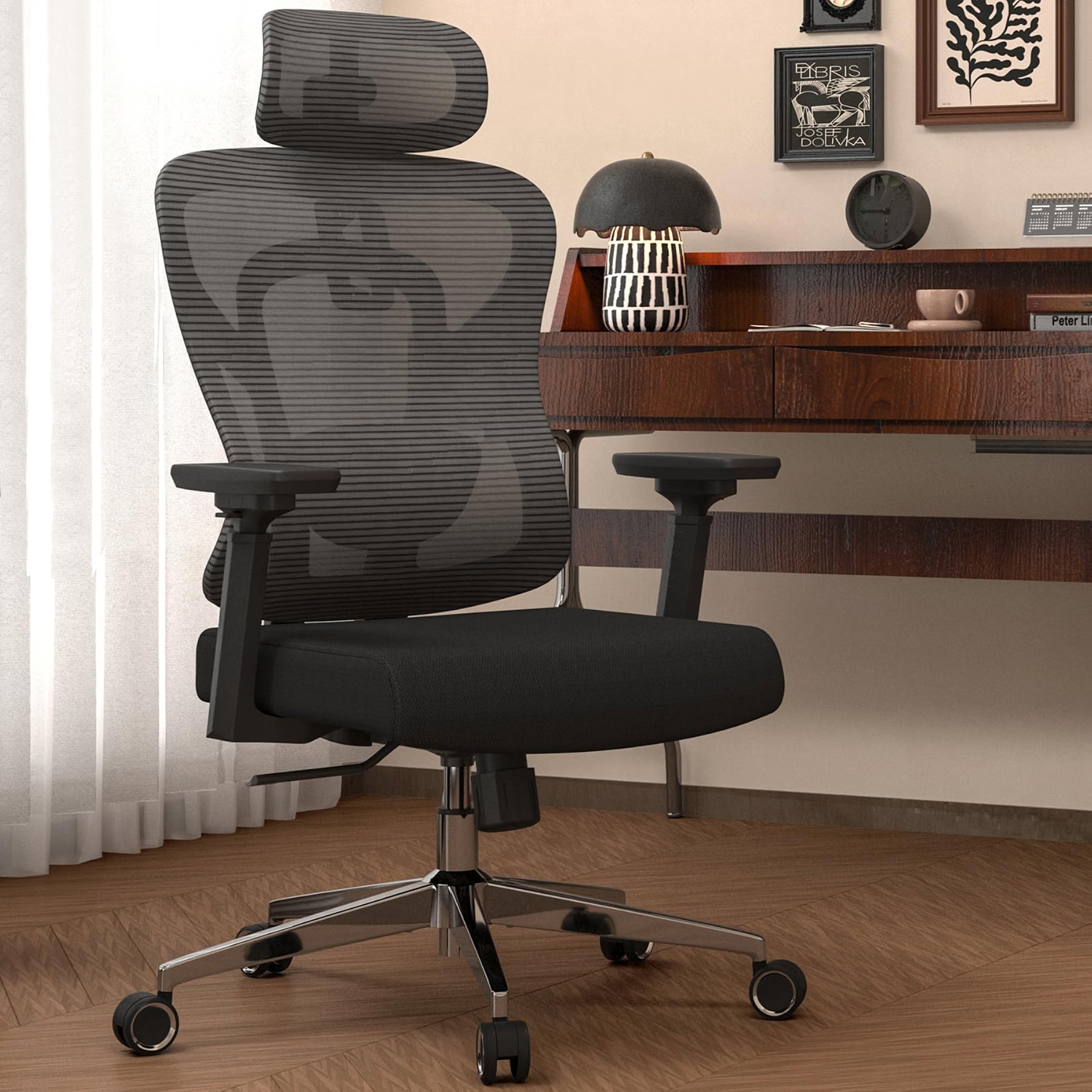
| HBADA E3 Pro 2026 | Value-focused ergonomic seating | Adjustable arms, seat depth, recline and lumbar support | 18.1″–20.4″ seat height |
Dimensions can vary by configuration. Always verify the exact chair configuration, seat height, seat depth, armrest type and weight capacity before purchasing.
1. Steelcase Gesture — Extensive Arm and Seating Adjustments
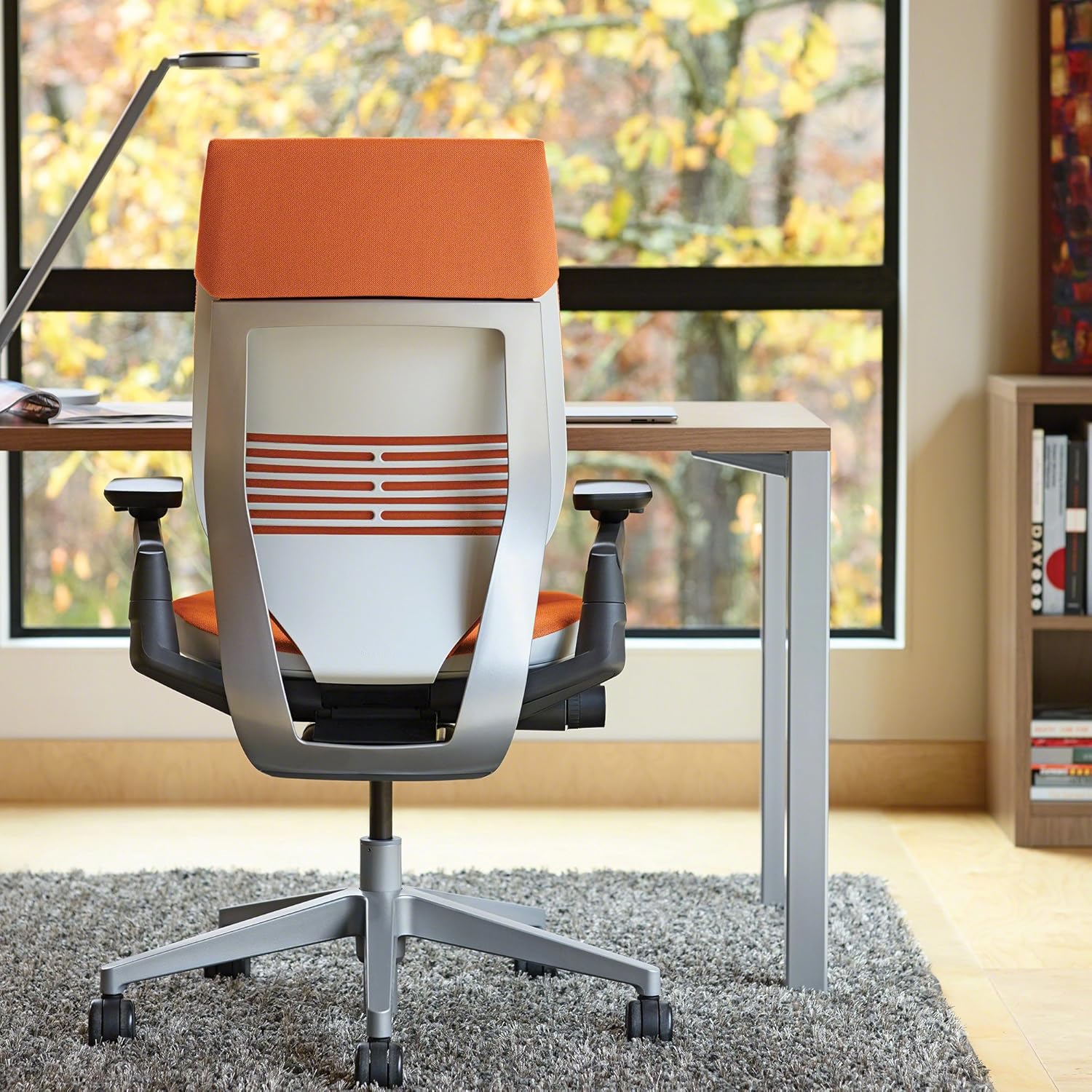
The Steelcase Gesture is worth considering for users who need a wide range of ergonomic adjustments.
Steelcase’s current specifications describe 360-degree arm movement, seat-height and seat-depth adjustment, recline controls, and lumbar support options.
For accessibility, the most relevant feature is not simply the number of adjustments but whether the user can actually reach and operate them.
The Gesture places key manual adjustments within reach on the right side of the chair, which may be useful for users who prefer to make adjustments while seated.
Highly adjustable arms and multiple seating adjustments.
Approximately 16″–21″, depending on configuration.
The armrest design should be evaluated against the user’s preferred transfer method.
2. Herman Miller Aeron Size A — A Smaller Seating Configuration
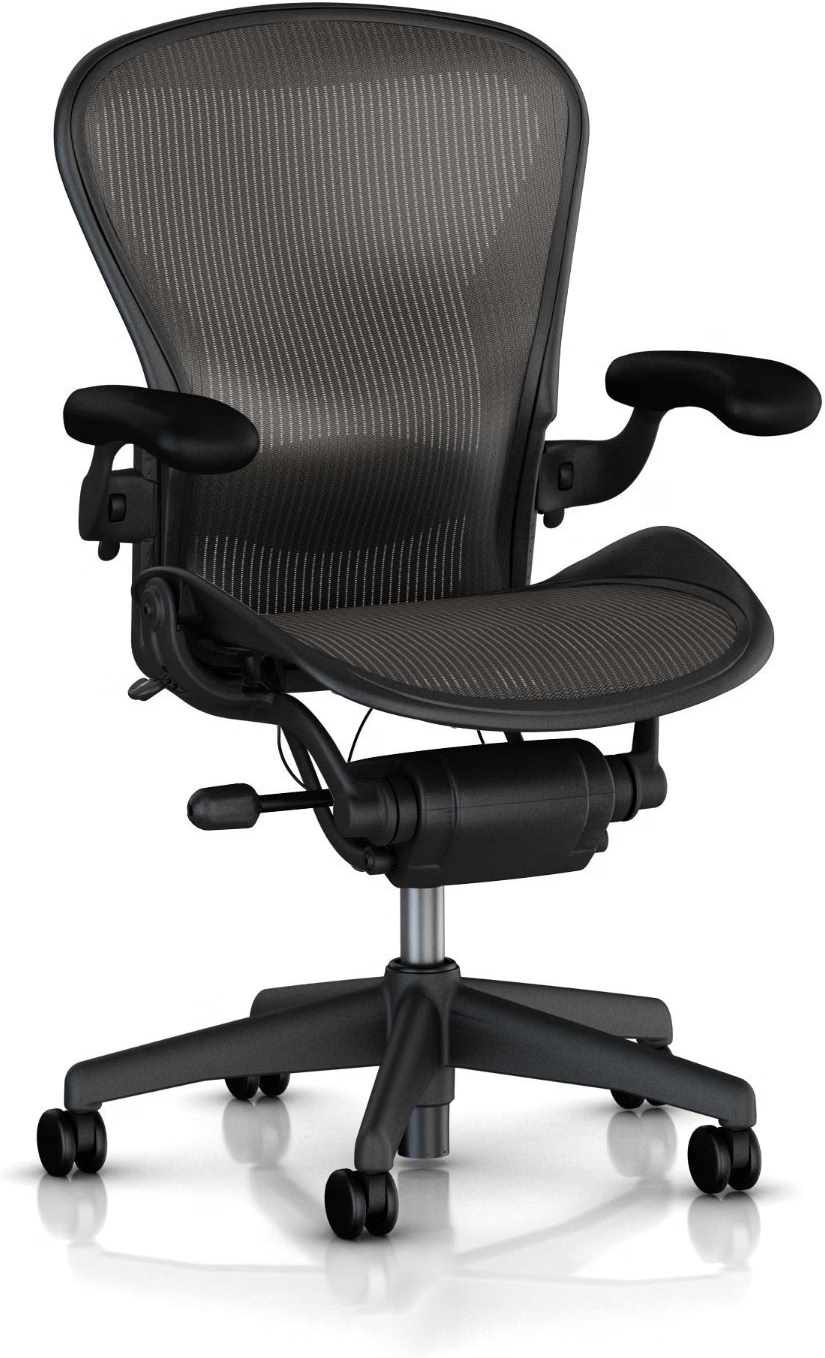
The Herman Miller Aeron is available in three sizes, and Size A is the smallest configuration.
For users who need a relatively low office-chair seat height, this makes Size A worth investigating before automatically choosing a larger chair.
Herman Miller lists a Size A seat-height range of approximately 14.4″ to 19.3″ and a seat depth of approximately 16″. Adjustable-arm configurations are also available.
Accessibility note:
A lower minimum seat height does not automatically make a chair appropriate for wheelchair transfers.
The relationship between the chair, wheelchair, transfer surface, desk and user’s transfer technique still needs to be evaluated.
3. Sitmatic GoodFit — Multiple Seat and Arm Configurations
The Sitmatic GoodFit stands out because the product family offers multiple scales and seating configurations rather than treating every user as the same size.
Sitmatic lists Small Scale and Large Scale versions, multiple seat dimensions, different seat-height options, and several armrest configurations.
For users with unusual body proportions or specific transfer requirements, this type of customization can be more useful than simply choosing a popular mainstream office chair.
Sitmatic also lists a Nano seat-height configuration that can adjust from approximately 15½” to 18¼”.
Multiple seat widths and depths are available.
Nano, standard and extended seat-height configurations.
Height-adjustable, width-adjustable, angle-adjustable and fold-away options are available depending on configuration.
A user who needs a more customized chair configuration because standard office chairs do not fit their body or workspace well.
4. HBADA E3 Pro 2026 — Adjustable Ergonomics at a Lower Price
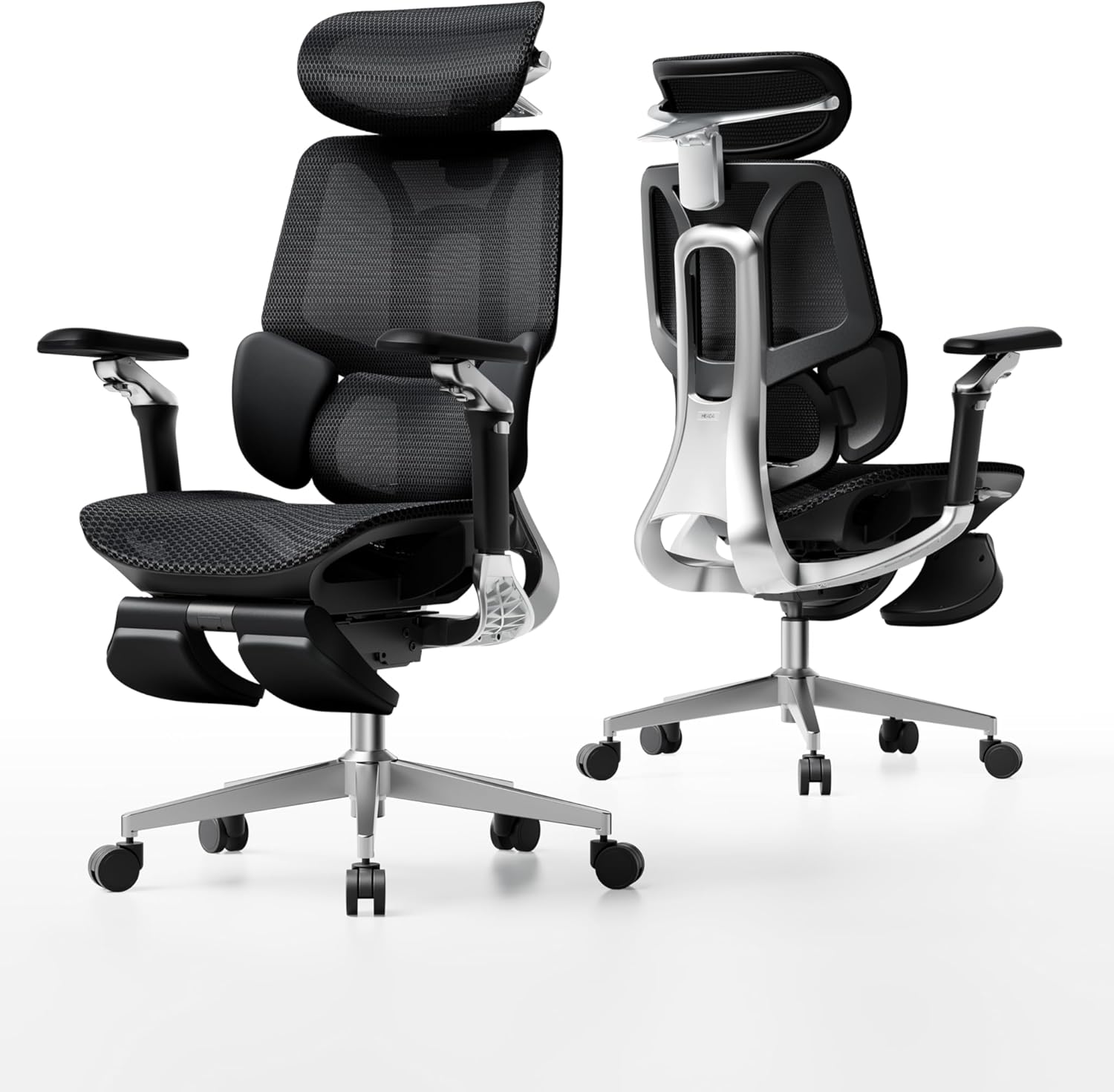
The HBADA E3 Pro 2026 is a more mainstream option for buyers who want several ergonomic adjustments without moving immediately into the premium commercial-chair price range.
The current 2026 specifications list a maximum weight recommendation of 330 lb and a recommended user height of approximately 5’1″ to 6’5″.
The published seat-height range is approximately 18.1″ to 20.4″, with an adjustable seat depth of about 17.7″ to 19.7″.
Those dimensions are important for accessibility because a chair can have many ergonomic features while still being unsuitable if the minimum seat height or seat depth does not match the user’s body.
Verify the exact 2026 configuration, seat height, seat depth, armrest position and current weight recommendation before ordering.
ROHO High Profile Cushion — Considered Separately From the Chair
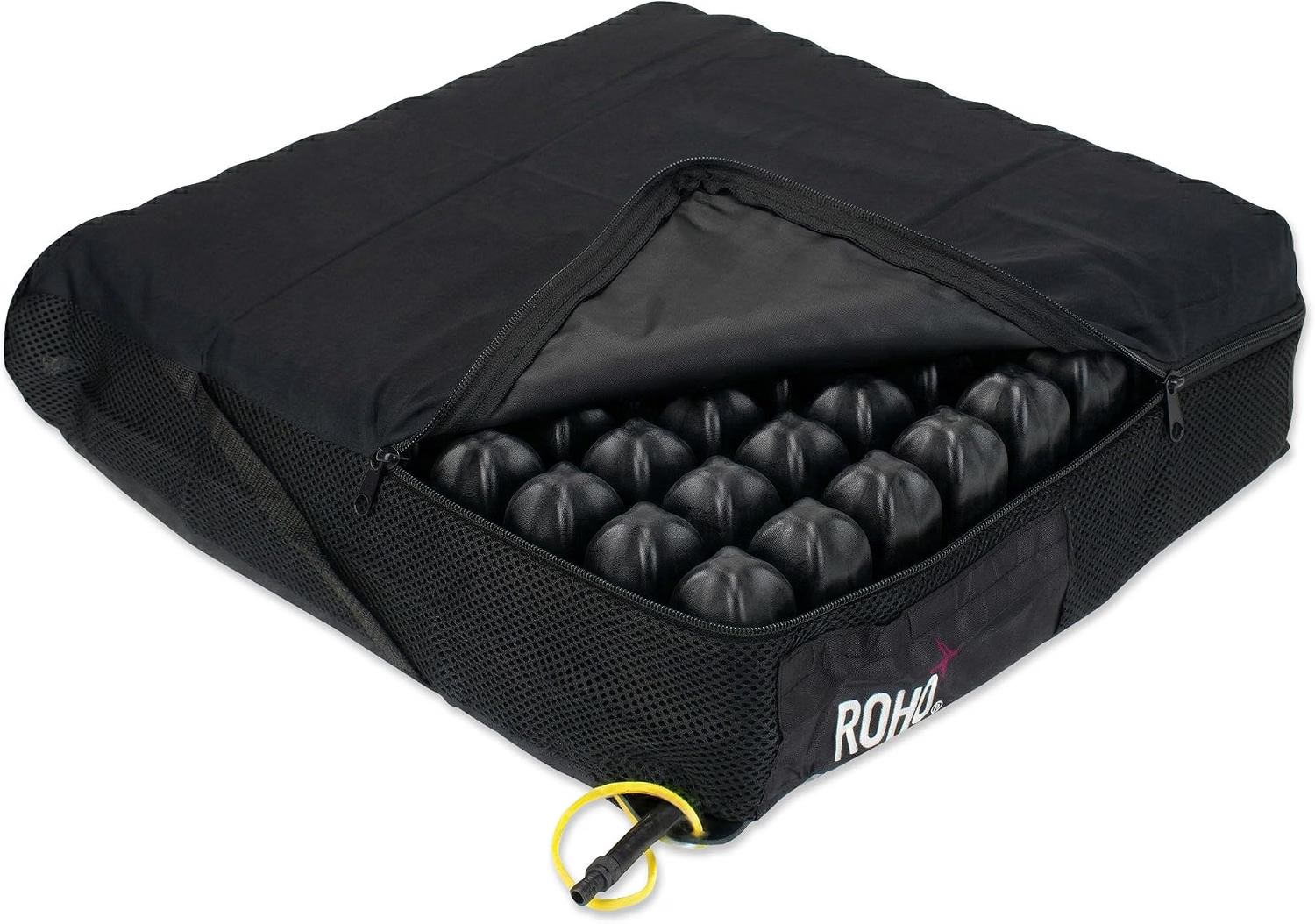
A pressure-management cushion should not be treated as another office chair.
Instead, it may be an accessory to consider when the seating surface itself is an important part of the user’s positioning or pressure-management setup.
ROHO’s High Profile cushion products use interconnected air cells designed to provide immersion and envelopment, with product configurations intended for pressure redistribution and positioning.
Because pressure-management requirements can be highly individual, a cushion should be selected based on the user’s specific needs and the compatibility of the cushion with the chair or seating system.
How to Choose an Accessible Office Chair
The right office chair for people with disabilities depends on the user’s specific requirements.
Use the following checklist before comparing brands or prices.
1. Start With Seat Height
Measure the height of the surface you are transferring from and compare it with the chair’s actual usable seat-height range.
Do not rely on the overall chair height listed by the manufacturer.
2. Measure Seat Depth
A seat that is too deep can make it difficult for a shorter user to maintain a comfortable position.
A seat that is too shallow may not provide enough thigh support.
Adjustable seat depth can therefore be particularly useful when the user’s leg length does not match a standard chair.
3. Examine the Armrests
Armrests can provide valuable upper-body support, but they may also interfere with certain wheelchair-transfer techniques.
Depending on the user, height-adjustable, width-adjustable, fold-away, removable or armless configurations may be worth considering.
4. Check Control Placement
Look at the actual location of the adjustment levers.
A chair may offer excellent adjustment on paper but still be difficult to use if the controls require excessive reaching, bending or twisting.
5. Verify Weight Capacity and Seat Width
Never assume that a chair is suitable because it is described as ergonomic, executive or heavy-duty.
Check the manufacturer’s stated weight recommendation, seat width and usable seat depth for the exact configuration.
6. Consider the Desk and Transfer Space
The chair is only one part of an accessible workstation.
Allow enough clearance around the chair for the user’s mobility device, transfer technique, desk, keyboard and other equipment.
What Should Wheelchair Users Look for in an Office Chair?
For wheelchair users, the chair should be evaluated as part of the entire transfer setup rather than as an isolated product.
The distance between the wheelchair and office chair, seat heights, armrest clearance, desk position and available floor space can all affect usability.
Compare the office chair with the height of the wheelchair seat and the intended transfer surface.
Consider whether the armrests create a barrier during the user’s preferred transfer method.
A stable base and appropriate casters can be important when moving into or out of the chair.
Make sure the chair, wheelchair and desk can be positioned without restricting the user’s movement.
There is no universal transfer setup. If transferring independently is difficult or unsafe, individualized advice from an appropriate rehabilitation or seating professional may be more useful than selecting a chair based only on online specifications.
Office Chair Measurements to Check Before Buying
| Measurement | Why It Matters | What to Compare |
|---|---|---|
| Seat Height | Transfer position and foot support | Chair range vs. transfer surface |
| Seat Depth | Thigh support and positioning | Usable seat depth vs. leg length |
| Seat Width | Lateral space and comfort | Usable width between armrests |
| Arm Height | Upper-body support and desk clearance | Armrest range and desk height |
| Overall Width | Room for transfer and wheelchair access | Chair width plus surrounding clearance |
Which Office Chair Features Matter Most for Different Needs?
| Need | Features to Consider |
|---|---|
| Limited mobility | Reachable controls, stable base, suitable seat height and supportive backrest. |
| Wheelchair transfers | Appropriate seat height, side clearance, suitable armrest configuration and enough transfer space. |
| Smaller body size | Lower seat height, shorter seat depth, narrower seat options and adjustable arms. |
| Larger body size | Appropriate weight recommendation, wider seat, sufficient depth and durable construction. |
| Long workdays | Adjustable support, suitable cushioning, recline and the ability to change position. |
| Pressure-management needs | An appropriate cushion or seating system and individualized professional guidance. |
Common Mistakes When Buying an Accessible Office Chair
A respected ergonomic brand can still produce a configuration that does not fit your body or transfer setup.
Maximum seat height is often advertised, but the minimum height may be more important for shorter users or certain transfer setups.
Armrests can help with support but can also interfere with side transfers.
A chair can look compact while having a deep seat or a relatively high minimum seat height.
Accessible Office Chair vs. Workplace Accommodation
If you are choosing an office chair because of a disability or mobility limitation at work, the chair itself is only one part of the accommodation process.
Workplace accommodation rules depend on the applicable laws, employer policies, job requirements and individual circumstances.
Instead of assuming that a particular chair automatically qualifies as an accommodation, document the functional requirements that matter to you, such as seat height, armrest configuration, transfer space, control accessibility or workstation clearance.
A qualified workplace accommodation professional or appropriate healthcare professional may be able to help translate those functional requirements into a practical workstation setup.
Related SitBetterLab Office Chair Guides
Frequently Asked Questions About Accessible Office Chairs
What is the best office chair for disabled users?
There is no single office chair that fits every disabled user. The right choice depends on body dimensions, mobility, transfer method, workstation setup and the adjustments the user can operate comfortably.
What should wheelchair users look for in an office chair?
Start with seat height, transfer clearance, armrest configuration, chair stability and the amount of space available between the wheelchair, office chair and desk.
Are flip-up or fold-away armrests better for wheelchair transfers?
They can create additional side clearance for some transfer methods, but they are not automatically better for every user. The preferred configuration depends on how the person transfers and whether the armrests are also needed for support.
What seat height should an accessible office chair have?
There is no universal ideal height. Compare the chair’s usable seat-height range with the user’s body dimensions, transfer surface and desk setup.
Can a pressure-relief cushion be used on an office chair?
Some seating cushions may be compatible with office seating, but compatibility and positioning matter. Users with specific pressure-management requirements should follow individualized seating recommendations when available.
Can an employer provide an ergonomic chair as a workplace accommodation?
Workplace accommodation requirements vary according to jurisdiction, employer and individual circumstances. Discuss the functional requirements of the workstation with the appropriate workplace accommodation contact.
Does Medicare or insurance pay for an office chair?
Coverage depends on the insurance program, medical-necessity rules and the type of seating equipment involved. A standard office chair should not be assumed to be covered simply because it is marketed as ergonomic or accessible.
How to Choose the Right Accessible Office Chair
The best office chair for disabled users depends on the individual rather than a universal ranking.
Start with the measurements and functions that actually affect your daily work: seat height, seat depth, armrest clearance, control accessibility, transfer space and desk compatibility.
The Steelcase Gesture is worth considering when extensive arm and seating adjustment is important.
The Herman Miller Aeron Size A is worth investigating when a smaller chair and lower seat-height range are useful.
Sitmatic GoodFit is particularly relevant when multiple seat, height and arm configurations are needed.
The HBADA E3 Pro 2026 provides a more mainstream option with several ergonomic adjustments.
Before purchasing, measure your body and workspace, verify the exact product configuration, and consider individualized professional seating advice when mobility, transfer or pressure-management requirements are complex.
Important:
This article provides general product and workspace information and is not medical advice.
If you have specific mobility, positioning, pressure-management or medical needs, consult an appropriately qualified healthcare or seating professional.
Product specifications, prices and availability can change, so verify current information before purchasing.
7 thoughts on “Best Office Chair for Disabled Users in 2026: 5 Accessible Ergonomic Picks”