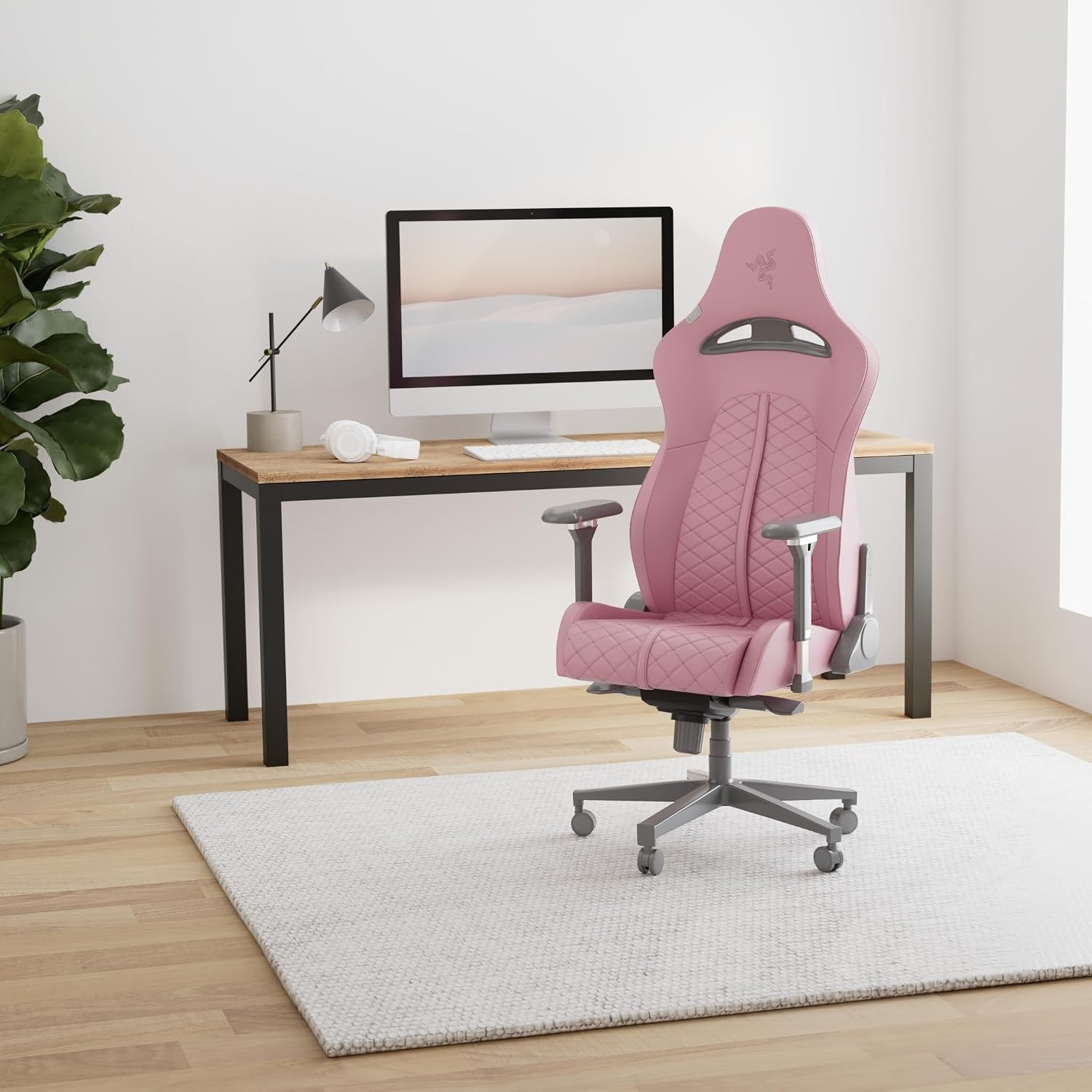
Office Chair vs Gaming Chair: Which Is Better in 2026?
The office chair vs gaming chair decision is less about which category is universally better and more about how you use your chair. Office chairs generally emphasize task-oriented adjustment and desk work, while gaming chairs often combine a high-back design, deeper recline, and gaming-focused features.
If you spend most of the day typing, using a mouse, attending meetings, or working at a desk, adjustment range can matter more than appearance. If you spend more time gaming, reclining, watching content, or moving between upright and relaxed positions, a gaming chair may offer features that fit that use better.
The important point is that neither category automatically guarantees better comfort or better posture. The chair still needs to fit your body, desk, preferred sitting position, and daily routine.
If your chair is primarily for desk work, start by comparing ergonomic office chairs. If you want a high-back chair with deeper recline and gaming-oriented features, compare gaming chairs as well. For a mixed work-and-gaming setup, compare the actual adjustment features rather than choosing based only on category.
Office Chair vs Gaming Chair: At-a-Glance Comparison
The table below describes common design tendencies rather than rules that apply to every chair. Premium gaming chairs can have sophisticated lumbar systems, while some office chairs have relatively simple adjustment systems.
| Factor | Office Chair | Gaming Chair |
|---|---|---|
| Typical design | Task-oriented, often focused on desk posture and adjustment | High-back design, often with a more pronounced seat and backrest shape |
| Lumbar support | May use integrated, adjustable, or tension-based systems | May use pillows or integrated adjustable lumbar systems |
| Recline | Usually designed around upright and task-oriented positions | Often provides a deeper backrest recline |
| Armrests | May offer height, depth, width, and pivot adjustment | Many models offer 2D, 3D, or 4D armrests |
| Materials | Mesh, fabric, knit, leather, vinyl, or combinations | Fabric, PU leather, vinyl, or hybrid upholstery |
| Best starting point for | Desk work, office setups, long keyboard-and-mouse sessions | Gaming, reclining, media use, and gaming-focused setups |
Which Chair Type Fits Your Use?
Mostly Office Work
Look first at seat height, seat depth, lumbar adjustment, armrest positioning, and recline control. These features are particularly relevant when most of your time is spent at a keyboard and monitor.
Mostly Gaming
A gaming chair can make sense if you value a high backrest, deeper recline, head support, and gaming-oriented styling. Look closely at the actual lumbar and armrest system.
Work + Gaming
Compare both categories. A well-adjusted office chair can work very well for gaming, while a gaming chair with strong lumbar adjustment can also handle desk work.
Ergonomics and Back Support: What Actually Matters?
The most useful way to compare these chairs is to look at adjustability and fit rather than the label on the chair.
A chair can provide lumbar support without having a separate pillow, and a gaming chair can have an integrated adjustable lumbar system. For example, the current Secretlab TITAN Evo uses a 4-way L-ADAPT lumbar system, while the Razer Iskur uses an adjustable lumbar support system.
Likewise, office chairs vary significantly. The Herman Miller Aeron is available in three sizes and can be configured with adjustable lumbar or PostureFit SL support, while the Steelcase Leap offers adjustable lumbar support and multiple arm configurations.
Don’t assume “office chair = ergonomic” or “gaming chair = bad for your back.” Compare the actual adjustment range and determine whether it fits your body and desk.
5 Chair Adjustments That Matter Most
1. Seat Height
Your seat should allow you to work with your feet supported and your knees in a comfortable position. Do not choose a chair solely from a generic height range because desk height and leg length also affect the fit.
2. Seat Depth
Seat depth affects how well the backrest supports you. If the seat is too deep, a shorter user may have difficulty sitting fully back without creating pressure behind the knees.
3. Lumbar Support
Look for a lumbar system that can be positioned or adjusted to a comfortable location. The exact ideal setting differs between users.
4. Armrest Position
Armrests are most useful when they let you support your arms without forcing your shoulders upward. Height is useful; additional depth, width, and pivot adjustment can provide more flexibility.
5. Recline and Tilt
A deeper recline can be valuable for gaming or relaxing, while task work often benefits from having a stable upright position as well. The ability to control tilt tension can also affect how the chair feels during movement.
Mesh vs Fabric vs PU Leather
| Material | Potential Advantages | Things to Check |
|---|---|---|
| Mesh | Airflow and a relatively open back design | Mesh tension, frame edges, cleaning, and seat material |
| Fabric | Soft feel and many color choices | Stain resistance, cleaning requirements, and foam quality |
| PU Leather | Easy wipe-down and a smooth appearance | Heat, surface durability, and long-term wear |
Office Chair vs Gaming Chair: Style and Design
Office chairs are commonly designed to blend into professional or home-office environments. Mesh backs, neutral colors, and less pronounced side bolsters are common design choices.
Gaming chairs often use a more recognizable gaming aesthetic, including high backrests, pronounced side bolsters, contrasting colors, branding, and racing-inspired shapes.
Neither style is inherently better. If your chair is in a bedroom, living room, or client-facing workspace, visual design may be an important part of your decision.
Office Chair vs Gaming Chair: Price and Value
There is substantial price overlap between the two categories. A basic office chair can cost less than a premium gaming chair, while high-end ergonomic office chairs can cost considerably more than mainstream gaming models.
Rather than using price as a shortcut for quality, compare what you are actually getting: adjustment range, materials, warranty, replacement parts, weight rating, and fit.
| Budget | What to Look For | Watch Out For |
|---|---|---|
| Under $200 | Basic height adjustment, reasonable seat fit, acceptable materials | Very limited adjustment and unclear warranty information |
| $200–$500 | More adjustment options, better materials, stronger warranty coverage | Paying for appearance without gaining useful adjustment |
| $500+ | Advanced ergonomics, premium mechanisms, stronger long-term support | Assuming a high price automatically means better personal fit |
Top Office and Gaming Chair Options to Compare
These five chairs represent different approaches to the office-chair vs gaming-chair decision. Product pricing and configurations can change, so check the current listing before purchasing.
1. Herman Miller Aeron — Premium Ergonomic Office Chair
OFFICE CHAIR
PREMIUM
The Aeron is a strong example of an office chair built around fit and adjustment. It is available in three sizes, and configurations can include adjustable lumbar support or PostureFit SL, different arm options, and tilt controls.
The three-size approach is particularly useful for shoppers who are comparing chair fit rather than simply choosing by appearance.
2. Steelcase Leap — Highly Adjustable Office Chair
OFFICE CHAIR
ADJUSTABILITY
The Steelcase Leap focuses heavily on adjustability. Steelcase lists adjustable lumbar support and multiple arm configurations, including height, depth, width, and pivot adjustment. The standard Leap is rated for users up to 400 lb and is backed by Steelcase’s 12-year limited lifetime warranty.
That combination makes it a useful reference point when comparing a traditional ergonomic office chair with a gaming chair.
3. Secretlab TITAN Evo — Gaming Chair with Adjustable Lumbar
GAMING CHAIR
DEEP RECLINE
The TITAN Evo is a useful example of how modern gaming chairs have moved beyond simple lumbar pillows. Secretlab lists 4-way L-ADAPT lumbar support, 4D armrests, multiple sizes, and a recline range reaching 165 degrees.
If you want gaming-oriented styling while still having meaningful adjustment options, this is the type of feature set worth comparing with premium office chairs.
4. Razer Iskur — Gaming Chair with Adjustable Lumbar
GAMING CHAIR
LUMBAR ADJUSTMENT
The Razer Iskur is another example of a gaming chair using integrated lumbar adjustment rather than relying only on a removable pillow. Razer’s support documentation describes adjustment of both the lumbar support position and other chair settings.
For shoppers who prefer gaming aesthetics but want more control over lower-back support, the Iskur is worth comparing against similarly priced office chairs.
5. Herman Miller x Logitech G Embody — Work-and-Gaming Hybrid
HYBRID
PREMIUM
The Logitech G Embody sits between the two categories. It retains the Embody platform’s office-oriented appearance and ergonomic approach while being designed specifically for gaming.
It is most relevant to buyers who want one premium chair for both a professional workspace and gaming setup.
How to Choose Between an Office Chair and Gaming Chair
1. Start With Your Primary Use
If most of your day involves spreadsheets, coding, writing, meetings, or other desk tasks, prioritize the adjustments that help you maintain a comfortable working position.
If gaming, watching content, or reclining is a major part of your routine, give more weight to recline range, head support, seat shape, and how the chair behaves away from the keyboard.
2. Check Seat Fit Before Branding
A chair that does not fit your body will remain uncomfortable regardless of whether it is marketed as an ergonomic office chair or a gaming chair. Check seat height, seat depth, seat width, and backrest shape before focusing on styling.
3. Look at Lumbar Adjustment
Do not simply count whether a chair has a “lumbar pillow.” Determine whether the support can be positioned or adjusted and whether it feels appropriate for your lower back.
4. Compare Armrests
For keyboard and mouse work, armrest height and position can affect how your shoulders and elbows feel. More adjustment is not automatically better, but it gives you more opportunities to find a suitable position.
5. Check the Warranty
Warranty length varies substantially by brand and model. For example, Steelcase states that the Leap is covered by a 12-year limited lifetime warranty, while other chairs have different terms. Always check the current warranty rather than assuming that an entire category has a particular lifespan.
Office Chair vs Gaming Chair for Short People
Shorter users should pay particular attention to seat height and seat depth. A tall gaming chair with a deep seat may not be a good fit simply because it has a high backrest.
The Aeron is an interesting example because Herman Miller offers it in three sizes, while the Leap also offers a wide range of adjustment options.
Which Is Better for a Pet-Friendly Home Office?
Neither category is automatically better for pet owners. Material and chair construction matter more than whether the chair is marketed for work or gaming.
- Mesh: can provide airflow but may collect hair in the material.
- Fabric: can feel comfortable but may require more frequent cleaning.
- PU leather: is easy to wipe down but is not automatically scratch-proof.
- Casters: can collect hair and debris, so periodic cleaning is useful.
Which One Should You Choose?
| If You Care Most About… | Features to Prioritize |
|---|---|
| Desk work | Seat fit, lumbar support, armrest adjustment, task-oriented recline |
| Gaming | Recline, head support, lumbar adjustment, armrests, seat shape |
| Small room | Overall footprint, caster clearance, armrest width, visual design |
| Short user | Low seat height, manageable seat depth, adjustable lumbar |
| Work + gaming | Balanced adjustment range, comfortable upright position, useful recline |
FAQ: Office Chair vs Gaming Chair
Are gaming chairs bad for your back?
Not automatically. Gaming chairs vary widely in seat shape, lumbar support, recline, and adjustability. A gaming chair with an adjustable lumbar system may provide a very different experience from a basic racing-style chair with a removable pillow.
Can an office chair be used for gaming?
Yes. An office chair can work very well for gaming, particularly for keyboard-and-mouse games. The main question is whether the chair provides the recline and sitting position you prefer.
Which is more comfortable for long hours?
There is no universal answer. For long desk sessions, compare seat fit, lumbar support, armrest positioning, ventilation, and adjustability. A high-quality gaming chair can be comfortable for long sessions, while a poorly fitted office chair can still feel uncomfortable.
Do gaming chairs recline farther than office chairs?
Many gaming chairs offer relatively deep recline. For example, Secretlab lists up to 165° of recline for the TITAN Evo. However, recline range varies by model, so check the specifications of the specific chair you are considering.
Are ergonomic office chairs worth the higher price?
The answer depends on how much you use the chair and which features you need. A higher-priced chair can provide more adjustment, better materials, longer warranty coverage, or replacement-part support, but price alone does not guarantee a better fit.
What should I look for in an office chair under $300?
Prioritize seat fit, minimum seat height, basic lumbar support, armrest positioning, tilt control, and a clearly stated warranty. Compare those features before paying extra for styling or branding.
Related Office Chair Guides
Best Office Chair for Short People
Find chairs with better fit considerations for shorter users.
Best Armless Office Chair for Small Desk
Compact chair options for narrow workspaces.
Aeron PostureFit vs Lumbar Support
Compare different approaches to lower-back support.
Final Takeaway
The office chair vs gaming chair decision comes down to the features that match the way you actually sit.
For primarily desk-based work, start with seat fit, lumbar adjustment, armrest positioning, and task-oriented recline. For gaming and reclining, consider deeper recline, head support, seat design, and gaming-specific features.
Most importantly, do not assume that one category is automatically better. Compare the actual chair, the adjustment range, the dimensions, the warranty, and how well it fits your body.
4 thoughts on “Office Chair vs Gaming Chair: Which Should You Choose in 2026?”