
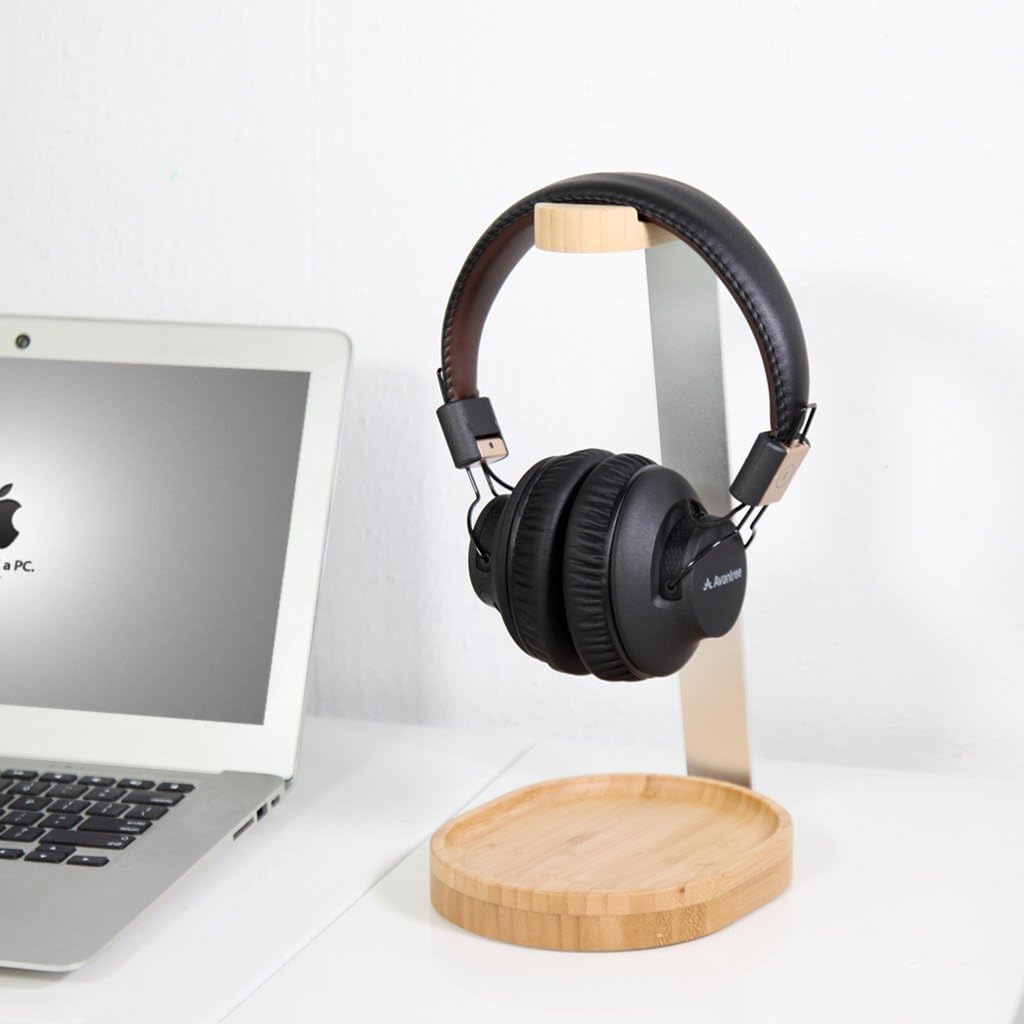
Your desk is cluttered. The keyboard, mouse, monitor, notebook, coffee mug — and now your headphones are taking up precious real estate. Leaving them flat on the desk invites scratches, tangled cables, and compressed ear pads. Hanging them on the monitor edge strains the screen and looks messy. You need a storage solution, but you only have two questions: how much space will it save, and which option actually protects your headphones?
After testing and comparing dozens of headphone storage solutions in 2026, this guide cuts through the confusion. You will learn exactly how much desk space each option reclaims, how they compare on protection and style, and which one fits your specific setup — whether you are a gamer with an RGB rig, a minimalist remote worker, or an audiophile with a premium headset. By the end, you will know exactly which storage method belongs on your desk.
Quick Answer: Which One Saves More Space?
An under‑desk hook saves significantly more space than a desktop stand. By mounting completely underneath or to the side of your desk, an under‑desk hook reclaims the entire desktop footprint of a stand, typically freeing up 15–25 square inches of surface area. A desktop stand, no matter how slim, always occupies desk space and adds visual clutter. However, space efficiency is not the only factor. Desktop stands offer better headband protection, easier accessibility, and often include extra features like USB hubs or phone holders. The best choice depends on your priorities: maximum space or maximum headphone care.
Quick Comparison: Headphone Stand vs. Under‑Desk Hook
| Feature | Desktop Stand | Under‑Desk Hook |
|---|---|---|
| Space Saved | 0 — sits on desk, occupies 15–25 sq inches | Full — reclaims entire desktop footprint |
| Accessibility | Instant — grab and go | Reach down/under — slightly less convenient |
| Headband Protection | Excellent — supports full headband, prevents flat spots | Good — but may create pressure point if hanging by center |
| Style / Display | Visible — can be a desk accent (wood, RGB, metal) | Hidden — promotes clean, minimalist look |
| Extra Features | USB hubs, RGB lighting, phone holders, cable clips | Some have cable organizers, fewer multi‑function options |
| Installation | None — place on desk and use | Clamp, adhesive, or screw‑in required |
| Weight Capacity | Typically up to 6–10 lbs | Varies; some hold up to 10 kg (22 lbs) |
Headphone Stand: The Visible, Feature‑Rich Choice
A headphone stand is a freestanding support that holds your headphones upright on top of your desk. It is designed to be seen — often made of polished aluminum, steel, solid wood, or even acrylic, and sometimes equipped with RGB lighting, USB hubs, or phone holders. A good stand keeps the headband supported and prevents the ear pads from compressing unevenly when headphones are left flat on the desk.
Desktop stands excel at three things: quick accessibility, headband protection, and desk aesthetics. Because the headphones sit at desk height, you can grab them instantly — no leaning down, no reaching under the desk. This makes them ideal for people who switch between calls, music, and focused work multiple times per hour. The weighted base and padded cradle also protect the headband from developing flat spots and prevent the headband padding from compressing unevenly, which extends the life of your headphones significantly.
The trade‑off is desktop real estate. A typical stand occupies about 4–5 inches of depth and 3–4 inches of width — roughly 15–25 square inches. On a crowded desk, that footprint can be the difference between a clean workspace and constant clutter. Some gamers consider this worth it; one reviewer noted that the Razer Base Station V2 Chroma becomes a functional hub with RGB synchronization and a built‑in USB 3.1 port, making the stand a centerpiece rather than just storage.
Desktop stands come in various types. Single‑post aluminum stands are minimalist and sturdy, often with a weighted base to prevent tipping. Wooden arch cradles provide a warm, natural look and distribute weight evenly, protecting the headband foam. Acrylic stands offer a near‑invisible look for ultra‑minimalist setups. For maximum protection, look for stands with non‑slip silicone pads, a low center of gravity, and a cradle that matches the curve of your headband.
Under‑Desk Hook: The Space‑Saving, Hidden Solution
An under‑desk hook attaches beneath the desk surface or along the side edge, providing a discreet hanging point that removes headphones entirely from the desktop. This is the ultimate space‑saving solution. Under‑desk hooks excel at maximizing workspace, promoting a clean visual layout, and keeping headphones out of sight but still within reach.
The primary benefit is the reclaimed surface area. With a hook, every inch of desktop space stays available for monitors, keyboards, notebooks, or coffee cups. This is particularly valuable for sit‑stand desks, compact workstations, or any setup where real estate is at a premium. Under‑desk mounts provide a clean, uncluttered surface, which is ideal for small desks where space is at a premium. They tuck the gear out of sight, promoting a psychological sense of order during intense work sessions.
However, hooks have downsides. Accessibility is slightly less convenient — you must reach down under the desk or to the side, which can be awkward if your chair rolls into the way. Hanging also means the headset may swing if placed near foot traffic or a rolling chair, so placement is important. Look for hooks with a rubberized or padded surface to avoid creating pressure points on the headband. Some hooks simply hang the headphones by the center of the headband, which can create a single pressure point and potentially deform the padding over time.
Installation is another consideration. Most under‑desk hooks use either a C‑clamp (no drilling, fits desks up to 1.5–2 inches thick), heavy‑duty adhesive strips (no tools, but requires careful cleaning before application), or screw‑in mounting (requires drilling but offers maximum stability). The EURPMASK rotating stand, for example, uses a spring clamp that fits desks 0.31 to 1.57 inches thick and features a 360‑degree swivel design for easy access. The Anchor by Elevation Lab uses high‑grade 3M adhesive for a tool‑free installation that holds two headphones simultaneously.
Which One Saves More Space? A Detailed Breakdown
The table below shows the exact footprint differences between a typical desktop stand and an under‑desk hook.
| Metric | Desktop Stand (Lamicall) | Under‑Desk Hook (EURPMASK) |
|---|---|---|
| Desktop Footprint | ~4″ x 4″ (16 sq in) | 0 sq in (mounts under desk) |
| Visible Area | Fully visible — becomes part of desk layout | Completely hidden — promotes clean surface |
| Desk Clearance Needed | None — sits on top | Under‑desk clearance (≥ 4–5 inches for headphones) |
| Installation Time | 0 seconds | 2–10 minutes (clamp or adhesive) |
| Weight Capacity | 6–10 lbs | 5–22 lbs (varies by model) |
How to Choose Based on Your Workspace and Priorities
Use this simple decision guide to pick the right storage solution for your desk.
- If you have a small, crowded desk (under 48 inches wide): Under‑desk hook — reclaims every inch of surface space. A clamp‑on hook like the EURPMASK or foldable models like the APPHOME save the most real estate.
- If you have a large desk and want to display your expensive headphones as desk art: Desktop stand — choose a premium wood or aluminum stand like the Lamicall or Avantree TR902. These become part of your desk aesthetic, not just storage.
- If you frequently switch between calls, music, and gaming (accessibility is key): Desktop stand — the instant grab‑and‑go convenience outweighs the space cost.
- If you want extra features like USB charging, RGB lighting, or phone holders: Desktop stand with hub — the Razer Base Station V2 Chroma or COZOO under‑desk mount with USB ports both work, but desktop stands offer more multi‑function options.
- If you rent your space or cannot drill holes in your desk: Desktop stand or clamp‑on hook — avoid adhesive hooks (which may leave residue) or drill‑in mounts. The Brainwavz Hengja and EURPMASK use adjustable C‑clamps that attach without damage.
- If you own a sit‑stand desk or frequently move between workstations: Desktop stand — under‑desk hooks can swing or snag when the desk height changes. A weighted desktop stand stays put regardless of desk position.
- If you have a glass desk or non‑standard surface: Desktop stand — glass desks cannot support clamp‑on hooks, and adhesives may fail. A desk stand is the only safe option.
Best Desktop Stands for Space Efficiency (2026 Picks)
Even though desktop stands take up surface space, some models are more compact than others. These are the best options if you prefer a desktop stand but still want to minimize footprint.
Lamicall Headphone Stand – Best Compact Desktop Stand
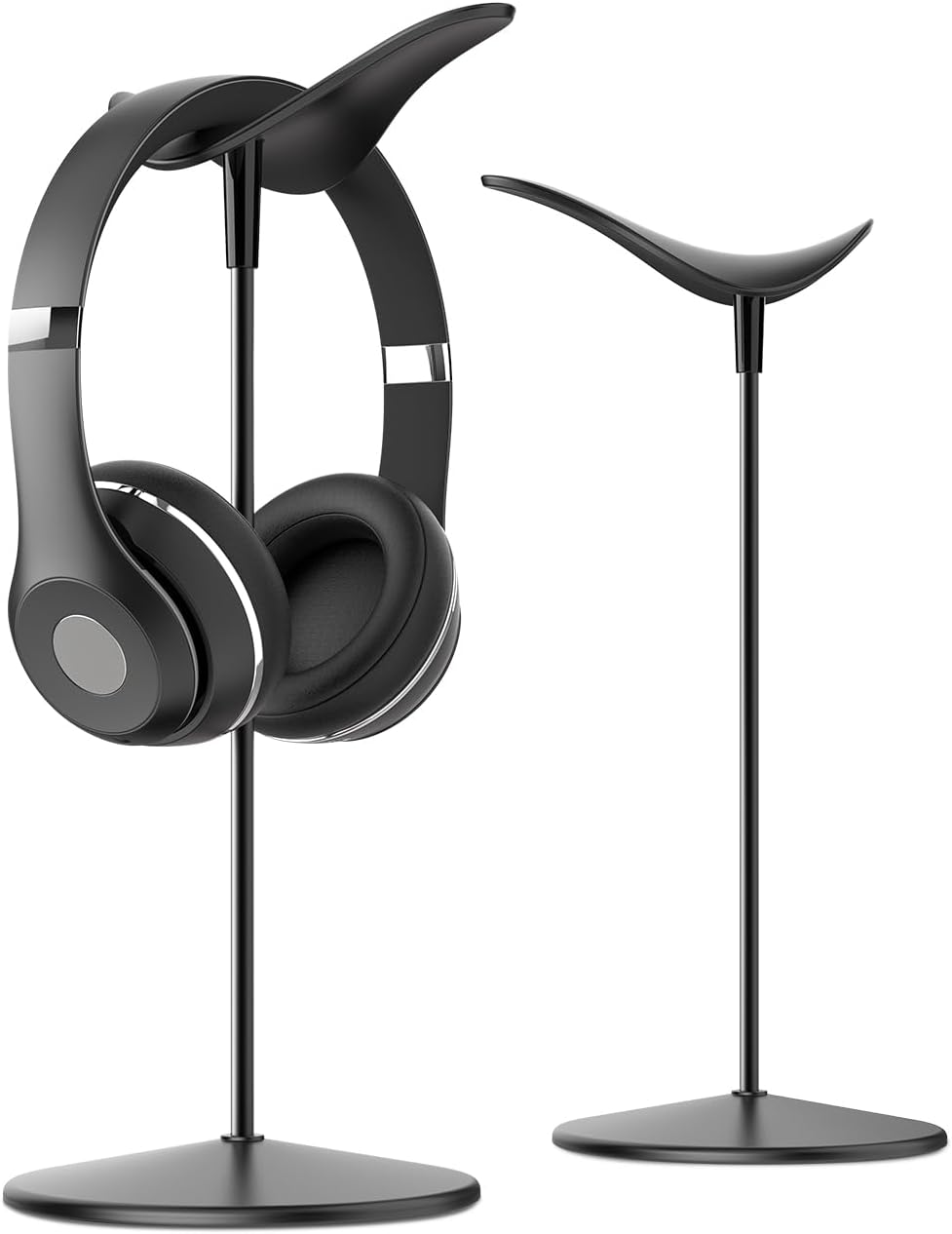

Price: ~$20–30 | Material: Aluminum + ABS | Footprint: 4.1″ x 4.1″ | Weight Capacity: 6.6 lbs
The Lamicall stand features a bird‑inspired design with a weighted base, preventing accidental tipping even with heavier gaming headsets. The low center of gravity provides exceptional stability, and the minimalist aluminum finish matches most modern desk setups. It has over 8,000 reviews with a 4.8‑star rating.
✅ Pros: Low center of gravity prevents tipping; bird‑inspired design is visually distinctive; weighted base adds stability; compact 4×4″ footprint; silicone anti‑scratch pads protect both headband and desk.
❌ Cons: No cable management; plastic components in base; limited weight capacity (6.6 lbs).
🎯 Best for: Users who want a stable, compact desktop stand that takes up minimal space.
👉 Check price for Lamicall Headphone Stand on Amazon →
New Bee Headphone Stand – Best Ultra‑Affordable Compact Stand
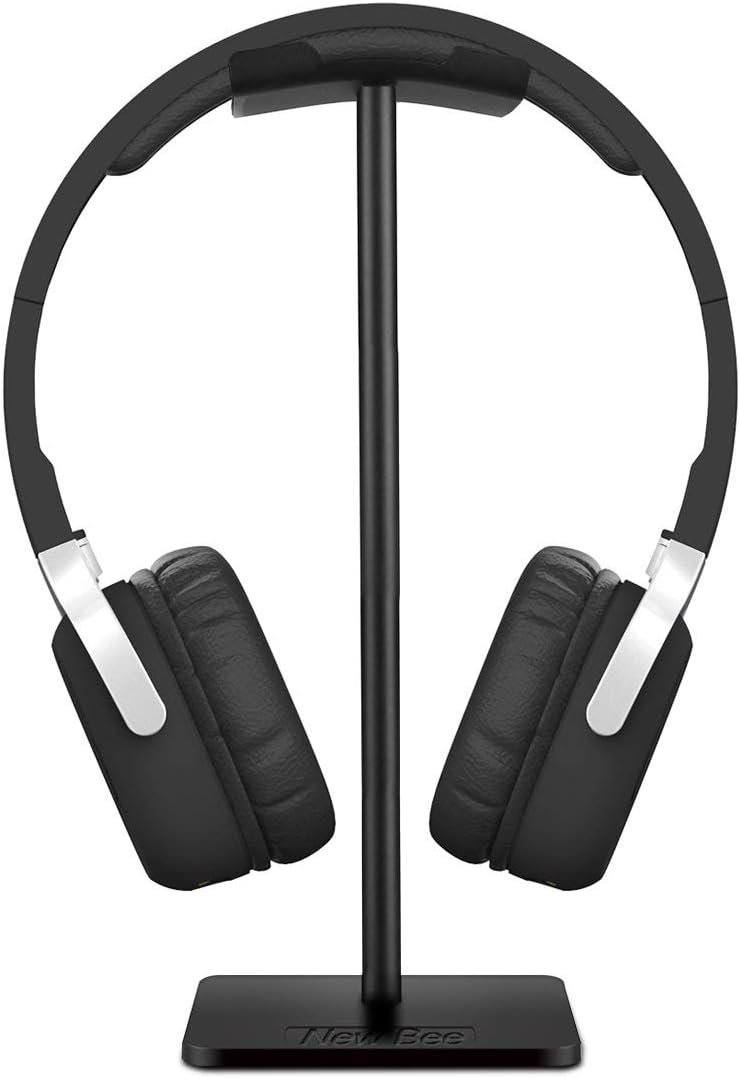

Price: ~$9–12 | Material: Aluminum + TPU | Footprint: 4″ x 3.5″ | Weight Capacity: 5 lbs
The New Bee stand is the best budget option under $10. It uses a three‑piece screw‑together design that assembles in seconds and disassembles flat for travel. The aluminum construction provides surprising stability for the price, while TPU padding protects the headband.
✅ Pros: Extremely affordable; lightweight aluminum build; disassembles for travel; compact footprint; over 33,000 positive reviews.
❌ Cons: Lightweight — may tip with very heavy headphones; no weighted base; basic design with no extra features.
🎯 Best for: Budget‑conscious users who want a compact, portable desktop stand.
👉 Check price for New Bee Headphone Stand on Amazon →
Avantree TR902 – Best Wood + Aluminum Design
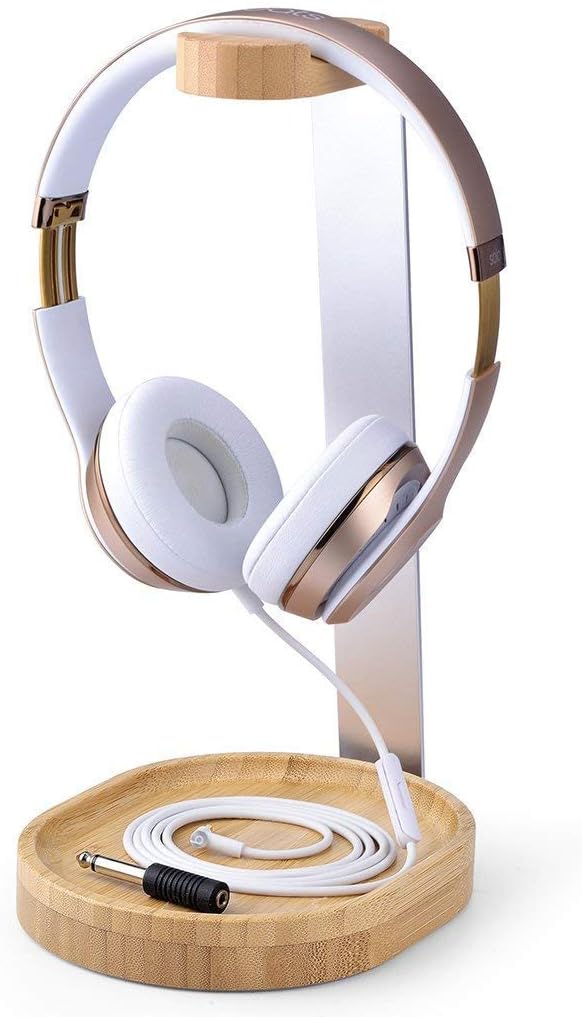

Price: ~$30 | Material: Wood + aluminum | Height: 12″ | Cable Management: Built‑in cable holder
The Avantree TR902 combines a warm wooden base with a polished aluminum post, creating a premium look that fits both professional offices and home studios. The 12‑inch height prevents the microphone from touching the desk, and the built‑in cable holder keeps cords tidy.
✅ Pros: Premium wood‑and‑aluminum aesthetic; extra‑tall 12″ height; integrated cable holder; sturdy base; easy 2‑second assembly.
❌ Cons: Taller footprint; not as compact as metal stands; limited color options.
🎯 Best for: Users who want a stylish, premium‑looking stand with cable management.
👉 Check price for Avantree TR902 on Amazon →
Best Under‑Desk Hooks for Maximum Space Saving (2026 Picks)
These hooks are designed to reclaim every inch of your desktop while keeping headphones secure and accessible.
EURPMASK Rotating Headphone Stand – Most Adjustable Under‑Desk Hook
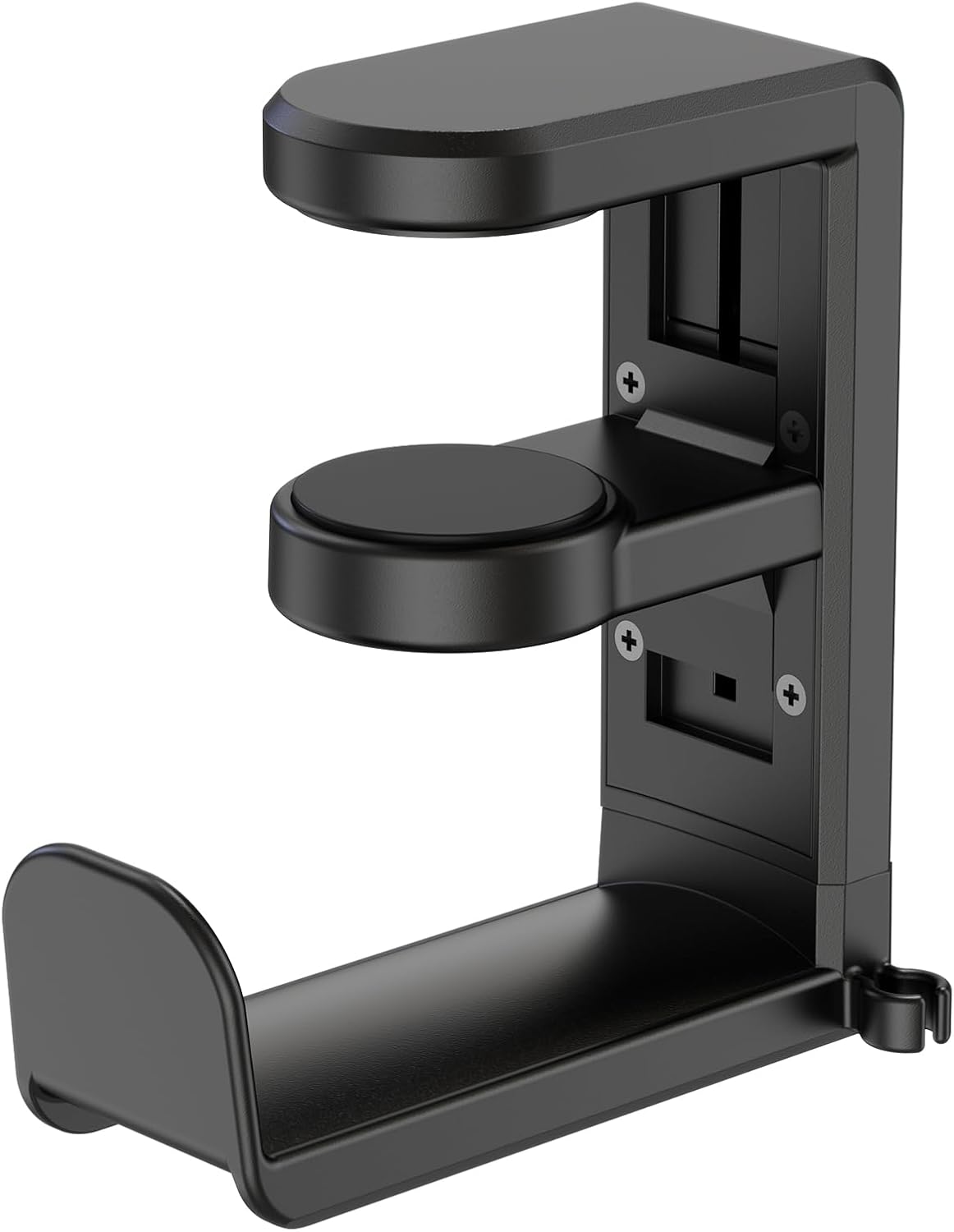

Price: ~$25–35 | Material: Aluminum + plastic | Mount: Spring clamp (0.31–1.57″ desks) | Rotation: 360°
The EURPMASK clamp‑on hook mounts to desks 0.31 to 1.57 inches thick without drilling. The 360‑degree swivel design guarantees easy access to your headphones when you need them and keeps them neatly tucked away when you don’t. Built‑in cable management prevents tangles, and soft rubber pads protect both headset and desk surfaces.
✅ Pros: 360° swivel for easy access; spring clamp fits most desks; built‑in cable organizer; soft rubber padding protects equipment; versatile for gaming desks, kitchen counters, and entryways.
❌ Cons: May not fit desks thicker than 1.57 inches; limited to lightweight items; clamping mechanism may need occasional adjustment.
🎯 Best for: Gamers and desk users who want maximum flexibility with a clamp‑on, no‑drill design.
👉 Check price for EURPMASK on Amazon →
Elevation Lab The Anchor – Best Adhesive Under‑Desk Mount
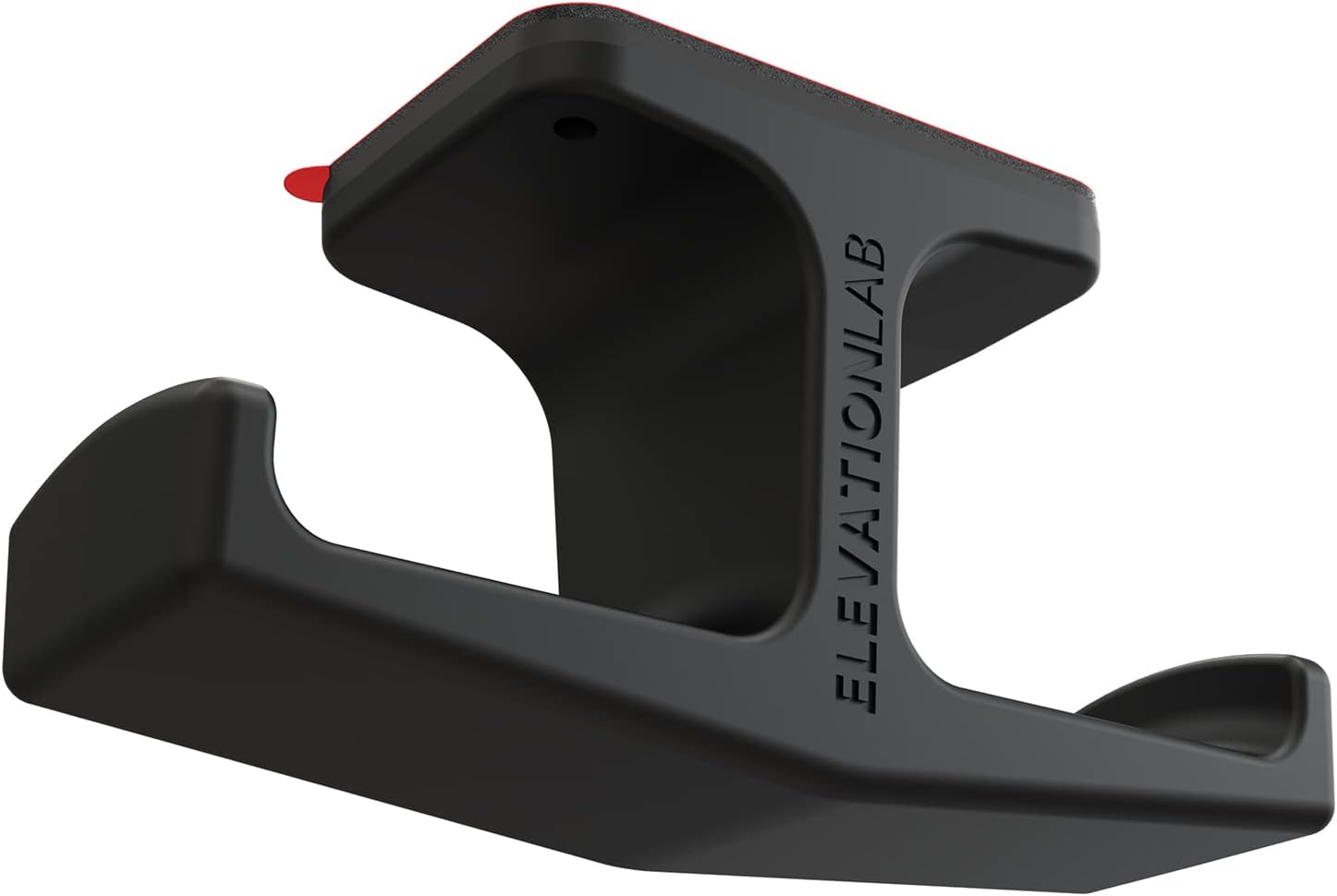

Price: ~$15–25 | Material: Silicone | Mount: 3M adhesive | Weight Capacity: 2 headphones
The Anchor uses heavy‑duty 3M adhesive to attach directly to the underside of a desk or shelf, requiring no tools. It holds two headphones simultaneously, making it ideal for multi‑headset setups. The silicone construction is flexible yet durable, and the minimalist design keeps headphones completely out of sight.
✅ Pros: No‑drill, tool‑free installation; holds two headphones; completely hidden design; strong 3M adhesive; flexible silicone material resists cracking.
❌ Cons: Adhesive may fail on textured or dusty surfaces; not easily repositionable; requires thorough cleaning before application.
🎯 Best for: Minimalists who want a hidden, no‑drill solution for a single desk.
👉 Check price for Elevation Lab The Anchor on Amazon →
Brainwavz Hengja – Best Clamp‑On for Thick Desks
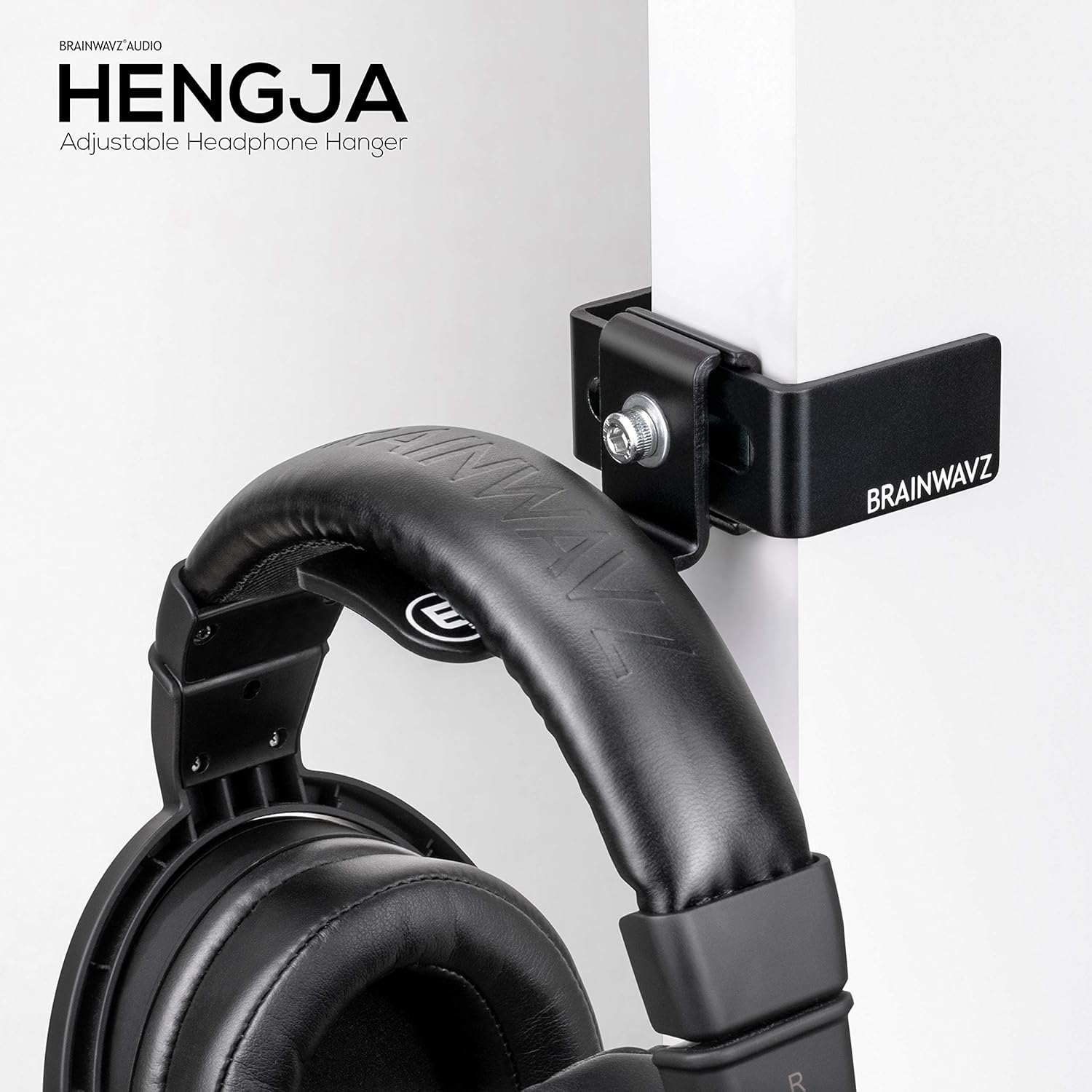

Price: ~$20–30 | Material: Metal | Mount: Adjustable C‑clamp (fits up to 2″ thick) | Padding: Rubberized
The Brainwavz Hengja features an adjustable C‑clamp mechanism that attaches to the edge of almost any desk — even those up to 2 inches thick. The all‑metal construction provides a robust, industrial feel that stands up to daily use without wobbling. It can be easily moved or repositioned if your office layout changes, leaving behind no adhesive residue or screw holes.
✅ Pros: Fits desks up to 2 inches thick; all‑metal, wobble‑free construction; repositionable without permanent marks; rubberized padding protects both headset and desk; 2‑year warranty.
❌ Cons: Requires desk edge clearance; metal design may not suit all aesthetics; clamp may mark soft wood with overtightening.
🎯 Best for: Users with thick desks who need a permanent, wobble‑free mounting solution.
👉 Check price for Brainwavz Hengja on Amazon →
Frequently Asked Questions (FAQ)
Will a headphone stand prevent headband damage?
Yes — a quality stand supports the full headband, preventing flat spots and uneven compression. Hanging headphones on a hook can sometimes create pressure points if the hook is too narrow or if the headphones are always hung in the same orientation.
Can I use an under‑desk hook on any desk?
Most under‑desk hooks use clamps or adhesive. Clamps require a flat, overhanging desk edge with sufficient clearance (typically 0.3–2 inches). Adhesive hooks require a clean, smooth surface and may fail on textured wood or glass. Glass desks require desktop stands only.
How much weight can an under‑desk hook hold?
Adhesive hooks typically hold 2–5 lbs. Clamp‑on metal hooks can hold up to 10–22 lbs — more than enough for any consumer headset, including heavy studio models.
Do desktop stands tip over easily?
Quality stands have weighted bases (or a low center of gravity) to prevent tipping. The Lamicall stand, for example, uses a weighted base designed specifically to keep heavy gaming headsets stable. Budget lightweight stands can tip if bumped.
What is the best storage solution for multiple headphones?
The Elevation Lab The Anchor holds two headphones under the desk. For desktop display of multiple headphones, consider a dual‑headphone stand like the KDD Dual Headphone Stand with Phone Holder.
Do under‑desk hooks scratch my desk?
Quality hooks include rubber or silicone padding on the clamp surface to protect your desk. Brainwavz Hengja, EURPMASK, and most reputable brands include these soft pads. Avoid cheap metal‑on‑wood designs.
Which option is better for gamers with RGB setups?
Desktop stands — specifically the Razer Base Station V2 Chroma, which includes RGB lighting that syncs with other Razer peripherals and a built‑in USB 3.1 hub. The stand becomes a functional part of the gaming aesthetic rather than just storage.
Final Verdict: Which One Should You Buy?
After comparing dozens of headphone storage solutions, here is my final recommendation:
👉 Buy a desktop stand if: You want your headphones visible and accessible, you have adequate desk space, you want to protect the headband optimally, or you need extra features like USB hubs or RGB lighting.
👉 Buy an under‑desk hook if: Desk space is extremely tight, you want a completely hidden, minimalist look, or you prioritize a clean, uncluttered surface over instant grab‑and‑go access.
Most important advice: No matter which option you choose, prioritize headband protection. Look for a padded cradle (on stands) or a broad, rubberized hook surface (on under‑desk hooks). Avoid thin metal hooks that can dent headband padding over time. And if you have a glass desk or non‑standard surface, a desktop stand is the only safe option.
👉 See today’s price for Lamicall Headphone Stand (Best Overall Desktop Stand) on Amazon →