
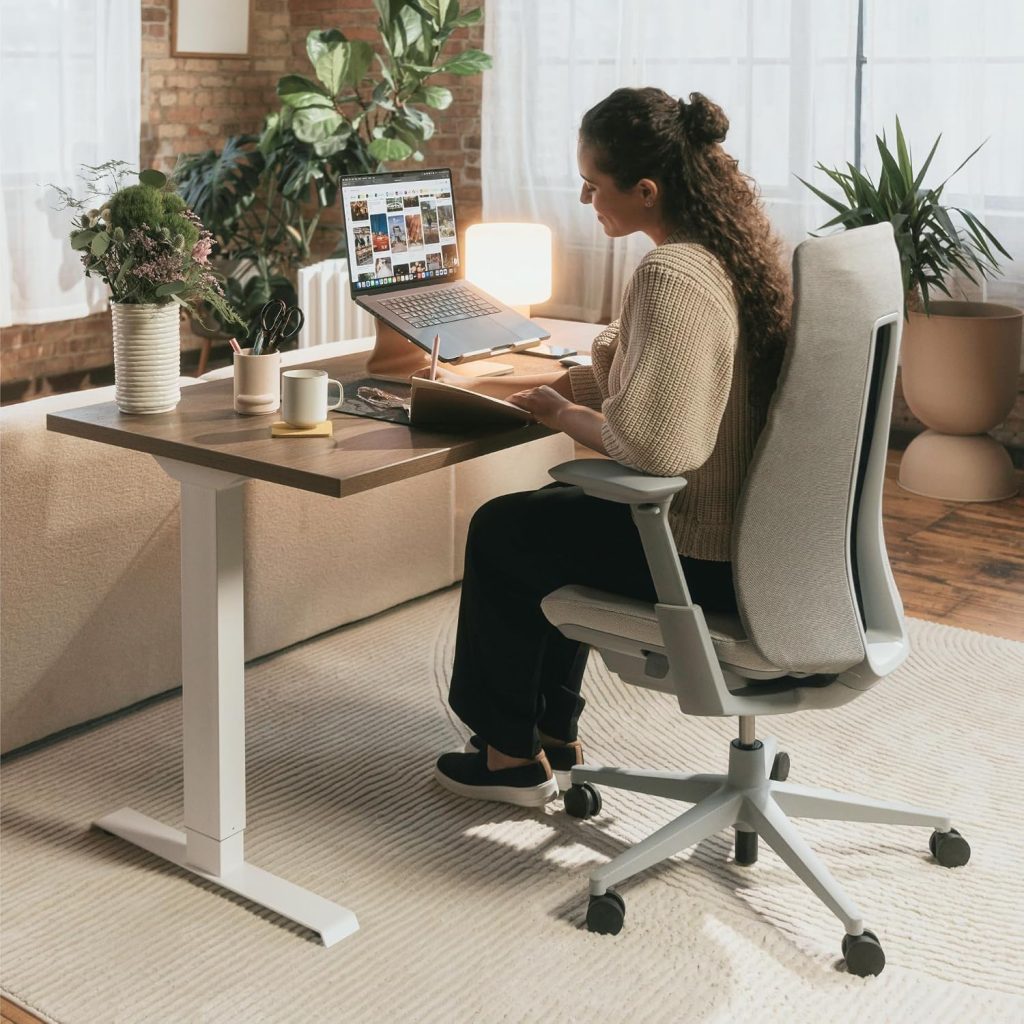
If your upper back feels tight or uncomfortable after a long day at your desk, your office chair and workstation setup are worth examining. A poor fit, unsupported arms, an awkward monitor position, or prolonged static sitting can all make desk work less comfortable.
The right ergonomic chair for upper back pain should not be viewed as a medical treatment. Instead, look for a chair that fits your body, supports your back comfortably, lets you position your arms correctly, and gives you enough adjustment to change position during the workday.
In this guide, we compare five ergonomic office chairs with different approaches to back support, adjustability, materials, and price. We also explain the chair features and desk adjustments that can make a difference when upper-back discomfort is associated with computer work.
BACK PAIN RESOURCE
Looking at chairs for a broader range of back concerns?
Visit our Office Chairs for Back Pain Hub
for related guides covering lower back pain, sciatica, herniated discs, upper-back discomfort, and other seating topics.
Quick Answer: What Should You Look For?
- Supportive backrest: Look for a backrest that provides comfortable contact through the mid and upper back without forcing your shoulders forward.
- Adjustable armrests: Proper arm support can make it easier to keep your shoulders relaxed while typing and using a mouse.
- Seat-depth adjustment: A suitable seat depth makes it easier to sit against the backrest while keeping your knees comfortable.
- Useful lumbar adjustment: Even when discomfort is higher in the back, comfortable lower-back support can make the overall sitting position easier to maintain.
- Recline and movement: A chair that allows you to change position can be more practical than one that locks you into a single sitting posture.
Affiliate Disclosure:
This article may contain affiliate links. If you purchase through one of these links, we may earn a commission at no additional cost to you.
Why Does an Office Chair Matter for Upper Back Pain?
Upper-back discomfort can become noticeable during long periods of desk work. Working toward a monitor, reaching repeatedly for a mouse, or using a laptop at an awkward height can change how your head, shoulders, and upper back are positioned.
An office chair cannot address every possible cause of upper-back pain. However, a chair that fits your body and supports your arms and back can make it easier to maintain a comfortable working position.
The goal is also not to force yourself into one “perfect” posture all day. A practical workstation should allow you to move, recline, reposition your arms, and change tasks throughout the day.
If your main concern is lower-back discomfort rather than upper-back discomfort, see our
Best Office Chairs for Lower Back Pain
guide instead.
Key Features to Look for in an Ergonomic Chair for Upper Back Pain
When choosing an ergonomic chair for upper back pain, do not focus only on the lumbar cushion. Your upper-back comfort depends on the interaction between the backrest, armrests, seat, recline mechanism, desk, keyboard, and monitor.
1. Supportive Upper-Back Backrest
The backrest should provide comfortable contact around the mid and upper back without pushing your shoulders into an awkward position. Flexible backrests can also be useful for people who prefer to move rather than sit against a completely rigid surface.
2. Adjustable Armrests
Armrests are particularly relevant for computer work because your arms spend much of the day interacting with a keyboard and mouse. Height adjustment is the basic feature to look for. Width, depth, and pivot adjustment can provide additional flexibility depending on the chair.
3. Seat Depth and Height Adjustment
If a seat is too deep, you may have difficulty sitting comfortably against the backrest. If it is too short, your thighs may not receive enough support. Look for a seat that lets you sit fully back while leaving comfortable space behind your knees.
4. Comfortable Lumbar Support
Although lumbar support is located in the lower back, it is still part of the overall seating system. Adjustable height or firmness can make it easier to find a position that feels supportive without creating excessive pressure.
5. Recline and Tilt Adjustment
A reclining mechanism gives you another way to change position during the day. This can be particularly useful for reading, meetings, phone calls, or other tasks where you do not need to stay directly over the keyboard.
6. Backrest Height and Body Fit
A taller backrest is not automatically better. What matters is whether the backrest contacts the areas you want supported without interfering with your shoulders or head position. Taller users should pay particular attention to backrest dimensions and overall chair proportions.
How to Compare These Chairs
The five chairs below are included because they represent different approaches to ergonomic seating. Rather than treating one model as a universal medical solution, compare the features against your own body dimensions, desk setup, budget, and preferred seating style.
- Backrest design: consider how much contact you want around the mid and upper back.
- Adjustability: compare seat depth, armrests, lumbar support, recline, and other available adjustments.
- Body fit: check seat width, seat height, seat depth, and backrest dimensions.
- Material: consider mesh, fabric, and other materials based on climate, cleaning, and personal preference.
- Price and return policy: a chair that does not fit you is expensive regardless of its feature list.
Product configurations, prices, availability, warranty terms, and included features can change. Always check the current manufacturer or retailer listing before purchasing.
5 Ergonomic Chairs to Consider for Upper Back Comfort in 2026
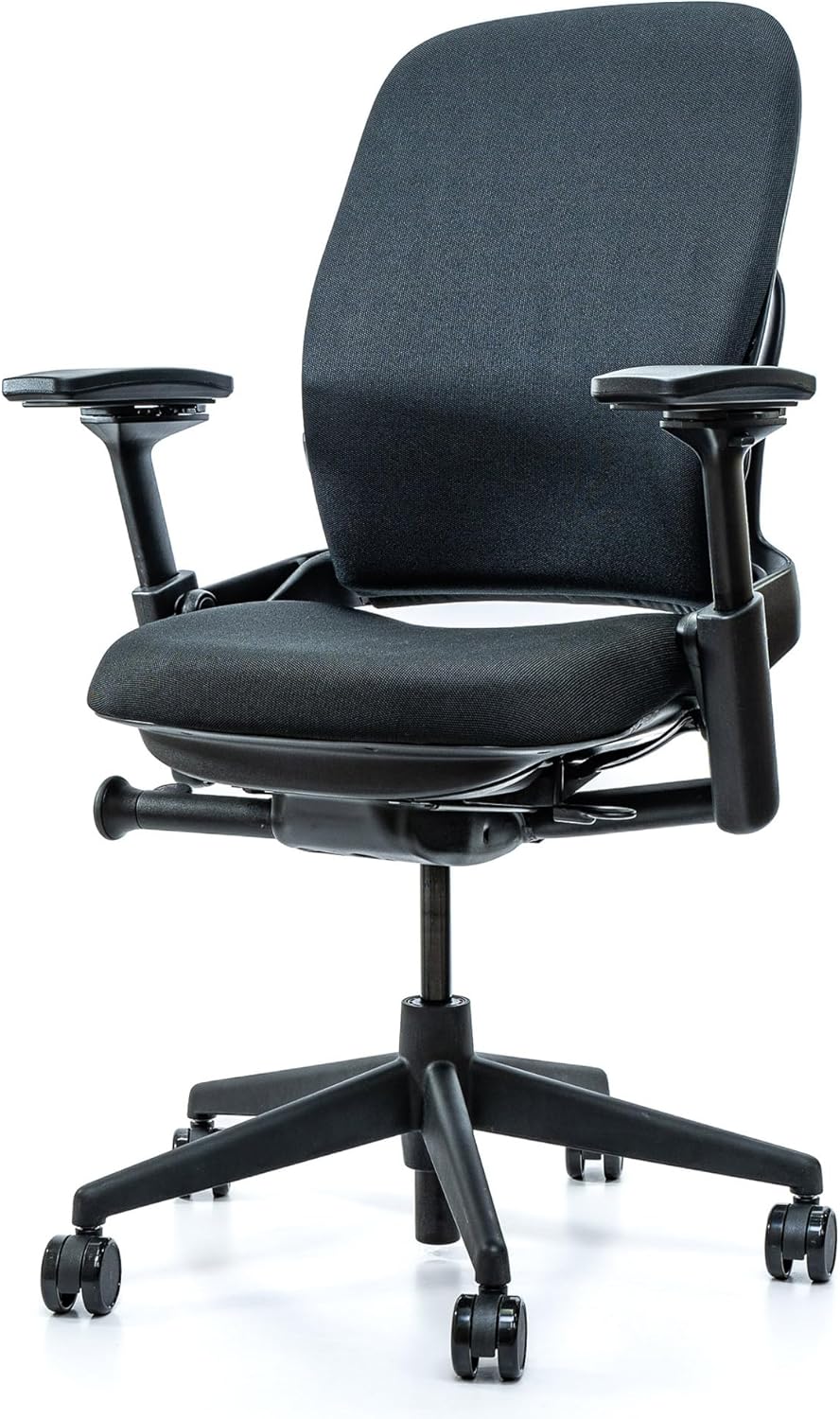
1. Steelcase Leap V2 – Extensive Adjustability

Extensive Adjustability
Premium
The Steelcase Leap is designed around a highly adjustable seating system. Its LiveBack backrest is designed to change shape as you move, while the chair offers adjustable lumbar support, seat depth, arm position, and recline settings.
That combination makes the Leap worth considering if you want to fine-tune several parts of the chair rather than relying on a fixed backrest and fixed arm position.
- Extensive adjustment options
- LiveBack flexible backrest design
- Height-adjustable lumbar support
- Adjustable seat depth and recline
- Premium pricing
- Headrest depends on configuration
- More substantial design than many mesh chairs
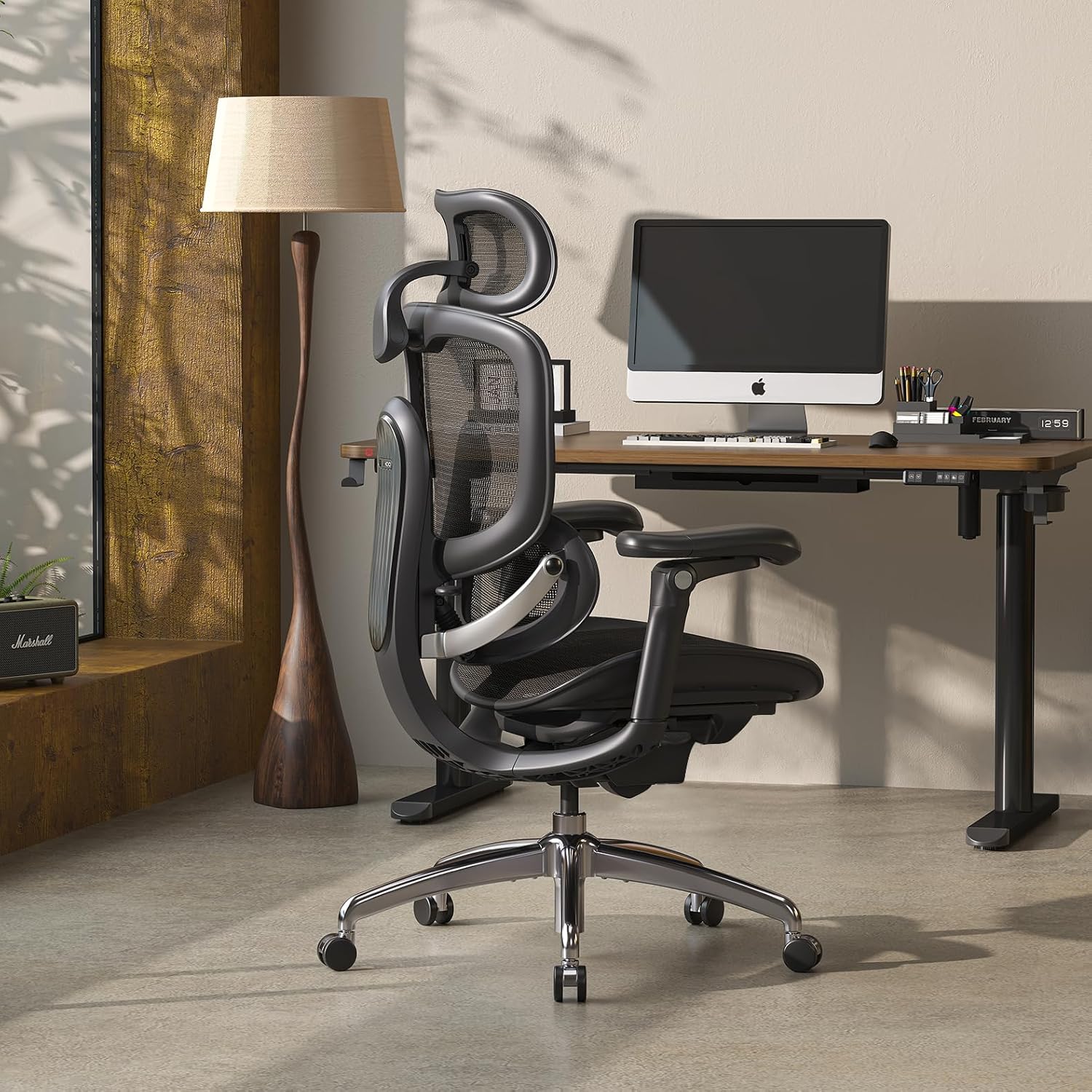
2. Sihoo Doro C300 – Feature-Focused Mesh Chair

Mid-Range
Mesh
The Sihoo Doro C300 is aimed at buyers who want a broad set of ergonomic features without moving directly into the premium office-chair category. Its design includes a mesh back, headrest, lumbar support, reclining mechanism, and adjustable armrests, although exact configuration can vary.
The mesh back can also be appealing if you prefer a more breathable material, particularly in warmer environments.
- Feature-focused design
- Adjustable headrest
- Mesh backrest
- Multiple ergonomic adjustment points
- Mesh seating feel is not for everyone
- Assembly may be required
- Fit depends heavily on body dimensions
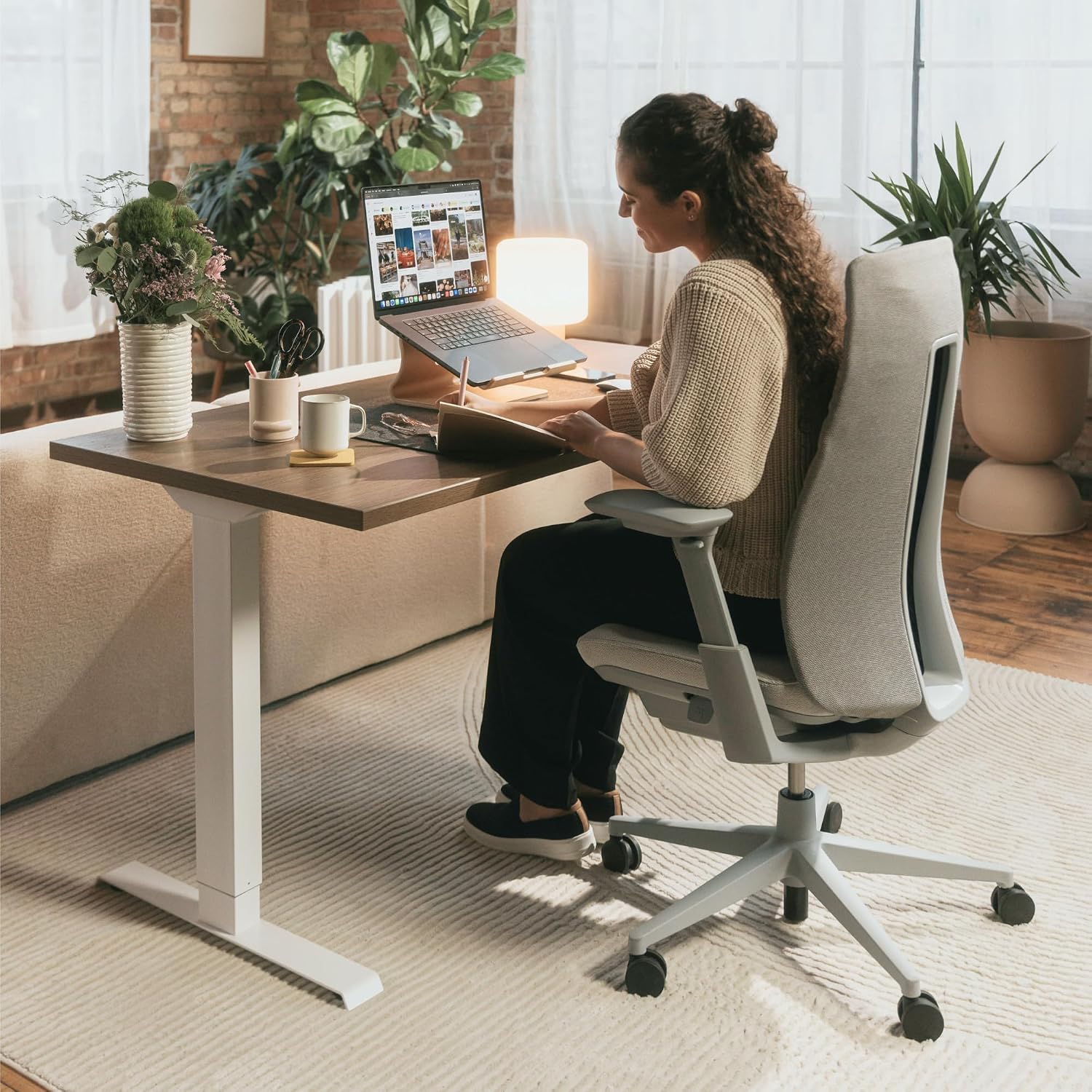
3. Haworth Fern – Flexible Upper-Back Coverage

Flexible Backrest
Premium
The Haworth Fern takes a flexible-backrest approach to ergonomic seating. Its backrest is designed to move with the user rather than behaving like a completely rigid support surface.
For people who want more contact around the upper and mid-back, the Fern is worth considering. As with any ergonomic chair, check the current configuration carefully because available options can differ.
- Flexible backrest design
- Good mid- and upper-back coverage
- Multiple configuration options
- Suitable option to investigate for taller users
- Premium pricing depending on configuration
- Headrest availability depends on configuration
- Fabric surfaces require routine cleaning
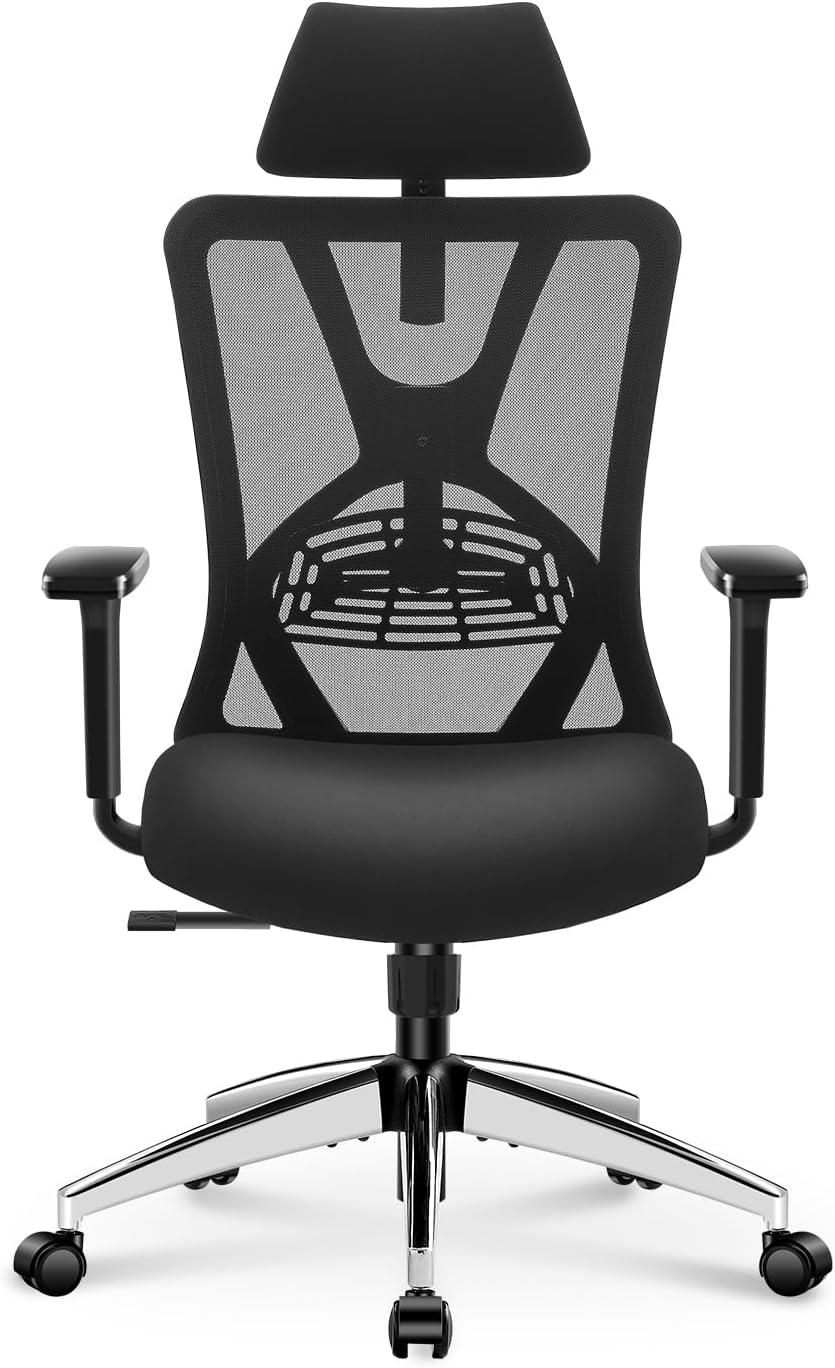
4. Ticova Ergonomic Office Chair – Budget-Friendly Option

Budget
High Back
The Ticova Ergonomic Office Chair is worth considering if you want a lower-cost chair with several commonly requested ergonomic features. Depending on the current model and configuration, features can include adjustable lumbar support, a headrest, adjustable armrests, and a reclining high-back design.
With a budget chair, fit becomes especially important. Before purchasing, compare the seat dimensions, seat height range, backrest dimensions, and available adjustment range with your own measurements.
- Lower price tier
- High-back design
- Several adjustable features
- Accessible option for budget-conscious shoppers
- Materials may feel less refined than premium chairs
- Long-term durability can vary by model and use
- Fit is highly individual
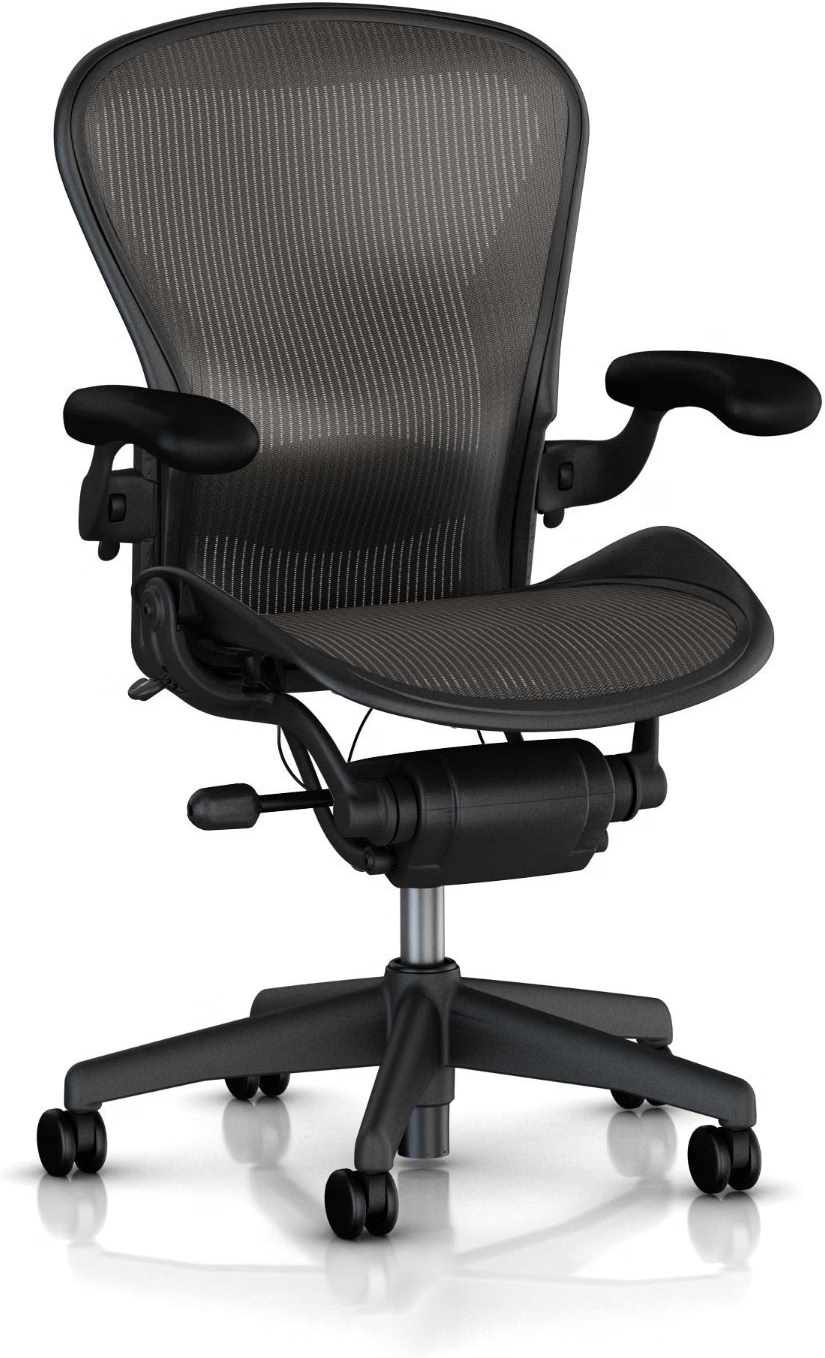
5. Herman Miller Aeron – Breathable Mesh and Multiple Sizes

Premium
Mesh
The Herman Miller Aeron uses 8Z Pellicle suspension material in the seat and back and is available in three chair sizes. Depending on configuration, it can also include adjustable PostureFit SL or lumbar support, tilt options, and adjustable armrests.
The multiple-size approach is particularly useful when body dimensions are an important part of your decision. The Aeron also has a distinctive mesh seating feel, so personal preference remains important.
- Breathable 8Z Pellicle suspension
- Three chair sizes
- Adjustable PostureFit SL or lumbar options depending on configuration
- Multiple arm and tilt configurations
- Premium purchase price
- No traditional integrated headrest
- Mesh seating feel is not preferred by everyone
Comparison: Which Chair Fits Your Setup?
There is no single chair that will suit every body type or workstation. Use this table to narrow your options, then verify the current configuration and dimensions before buying.
| Chair | Backrest Approach | Headrest | Material | Useful If You Prefer |
|---|---|---|---|---|
| Steelcase Leap V2 | Flexible LiveBack + adjustable lumbar | Configuration dependent | Fabric / upholstery options | Extensive adjustment |
| Sihoo Doro C300 | Mesh back + lumbar support | Built-in | Mesh | Feature-focused seating |
| Haworth Fern | Flexible backrest | Configuration dependent | Fabric options | Flexible upper/mid-back contact |
| Ticova Ergonomic Chair | High-back ergonomic design | Configuration dependent | Mesh / upholstered components | Lower-cost ergonomic features |
| Herman Miller Aeron | Suspension back + PostureFit options | No integrated headrest | 8Z Pellicle suspension | Breathable mesh and multiple sizes |
How to Adjust Your Office Chair for Better Upper-Back Comfort
Even an adjustable chair can feel uncomfortable if the workstation is poorly configured. Start with the basics before deciding that the chair itself is the problem.
- Set the seat height.
Keep your feet supported and choose a height that allows you to work comfortably at your desk without lifting your shoulders. - Adjust the seat depth.
Sit fully back against the backrest and make sure the seat does not press uncomfortably against the backs of your knees. - Position the lumbar support.
Set it where it feels supportive without creating excessive pressure. - Set the armrests.
Position them so your shoulders can remain relaxed while your elbows are supported during keyboard and mouse use. - Adjust the monitor.
Position the screen so you can read it without repeatedly leaning forward or looking sharply downward. - Use the recline function.
For reading, meetings, and other tasks, experiment with a slightly reclined position rather than remaining upright all day.
Remember:
There is no need to hold one rigid posture throughout the day. Regularly changing position and taking movement breaks are important parts of a practical desk setup.
Common Desk Setup Mistakes That Can Affect Upper-Back Comfort
- Monitor positioned too low:
can encourage prolonged downward viewing. - Keyboard too far away:
can encourage repeated reaching and shoulder movement. - Armrests too high:
may encourage the shoulders to remain elevated. - Seat too deep:
can make it harder to sit comfortably against the backrest. - Laptop-only workstation:
can make it difficult to position the screen and keyboard at comfortable heights simultaneously. - Staying in one position for hours:
even a well-adjusted chair does not eliminate the need for movement.
Movement Still Matters — Even With an Ergonomic Chair
One of the biggest mistakes is expecting an ergonomic chair to solve every problem associated with prolonged desk work. A better chair can improve your workstation setup, but it does not replace movement.
Try changing tasks, standing briefly, walking around, or simply changing your sitting position throughout the workday. The goal is to avoid spending hours in exactly the same position.
Gentle movement such as shoulder rolls or light stretching may also be useful for some people. Stop any movement that causes or significantly increases pain.
Related Back Pain Guides
Office Chairs for Back Pain Hub
Chairs Best for Back Pain: Ergonomic Features to Look For
Best Office Chairs for Lower Back Pain
Best Office Chairs for Lower Back and Hip Pain
Best Office Chair for Sciatica Under $300
Best Office Chair for Herniated Disc
Best Office Chair for Coccyx Pain
Best Office Chairs for Short People
When an Office Chair Isn’t Enough
An ergonomic chair is a workstation product, not a treatment for an underlying medical condition. Upper-back pain can have many possible causes, and changing chairs may not address the underlying issue. If your pain is severe, persistent, worsening, follows an injury, or occurs with other concerning symptoms, consider speaking with a qualified healthcare professional.
Frequently Asked Questions
What is the best ergonomic chair for upper back pain?
There is no single chair that is best for every person with upper-back discomfort. The Steelcase Leap emphasizes extensive adjustability, the Sihoo Doro C300 focuses on a broad feature set, the Haworth Fern uses a flexible backrest design, the Ticova provides a lower-cost alternative, and the Herman Miller Aeron offers suspension seating with multiple size options.
Is lumbar support important if my pain is in the upper back?
It can still be useful because lumbar support is part of the overall seating system. The goal is comfortable support rather than a strong pressure point. If lumbar support makes you feel worse or forces you into an awkward position, adjust it or consider a different chair design.
Is a headrest necessary for upper-back or neck discomfort?
Not necessarily. A headrest can be useful when reclining or resting, but it is not essential for everyone during active computer work. Monitor height, arm position, backrest fit, and the overall workstation can be more important considerations.
Are mesh chairs good for upper back pain?
Mesh can be a good option if you prefer a breathable backrest and a flexible seating feel. However, mesh itself does not determine whether a chair will be comfortable. Backrest shape, seat dimensions, armrests, lumbar support, and adjustability are also important.
How much should I spend on an office chair for upper back pain?
You do not necessarily need a premium chair. Some lower-priced chairs provide useful adjustment features, while premium models may offer more refined mechanisms, materials, configuration choices, or service options. Fit should come before simply increasing your budget.
Is a high-back chair better for upper back pain?
A higher backrest can provide more contact around the upper and mid-back, but higher is not automatically better. The backrest should match your body dimensions and allow your shoulders and head to remain comfortable.
How often should I take a break from sitting?
There is no single break schedule that works for everyone. A practical approach is to avoid remaining in one position for hours at a time. Stand up, walk briefly, change tasks, or adjust your sitting position throughout the workday.
Continue Your Back Pain Chair Research
If upper-back discomfort is only one part of your seating concerns, continue with the full
Office Chairs for Back Pain Hub
.
It organizes our guides by different back and sitting concerns so you can compare the relevant chair features without treating any one model as a universal solution.
Bottom Line
The right office chair for upper-back comfort depends more on fit and adjustability than on price alone. Pay particular attention to the backrest, armrests, seat dimensions, lumbar adjustment, recline, and how the chair works with your desk and monitor.
The Steelcase Leap V2 is worth considering if you want extensive adjustment options. The Haworth Fern uses a flexible backrest approach, while the Sihoo Doro C300 provides a broad feature set in a different price category. The Ticova is an option for shoppers prioritizing a lower purchase price, while the Herman Miller Aeron offers breathable suspension seating and multiple chair sizes.
Most importantly, do not judge a chair only by its marketing claims. Check the current dimensions, adjustment range, configuration, return policy, and warranty terms before purchasing.
And remember: an ergonomic chair is only one part of the setup. A properly positioned monitor, keyboard, desk, arm support, and regular movement can all matter when you spend long periods working at a computer.