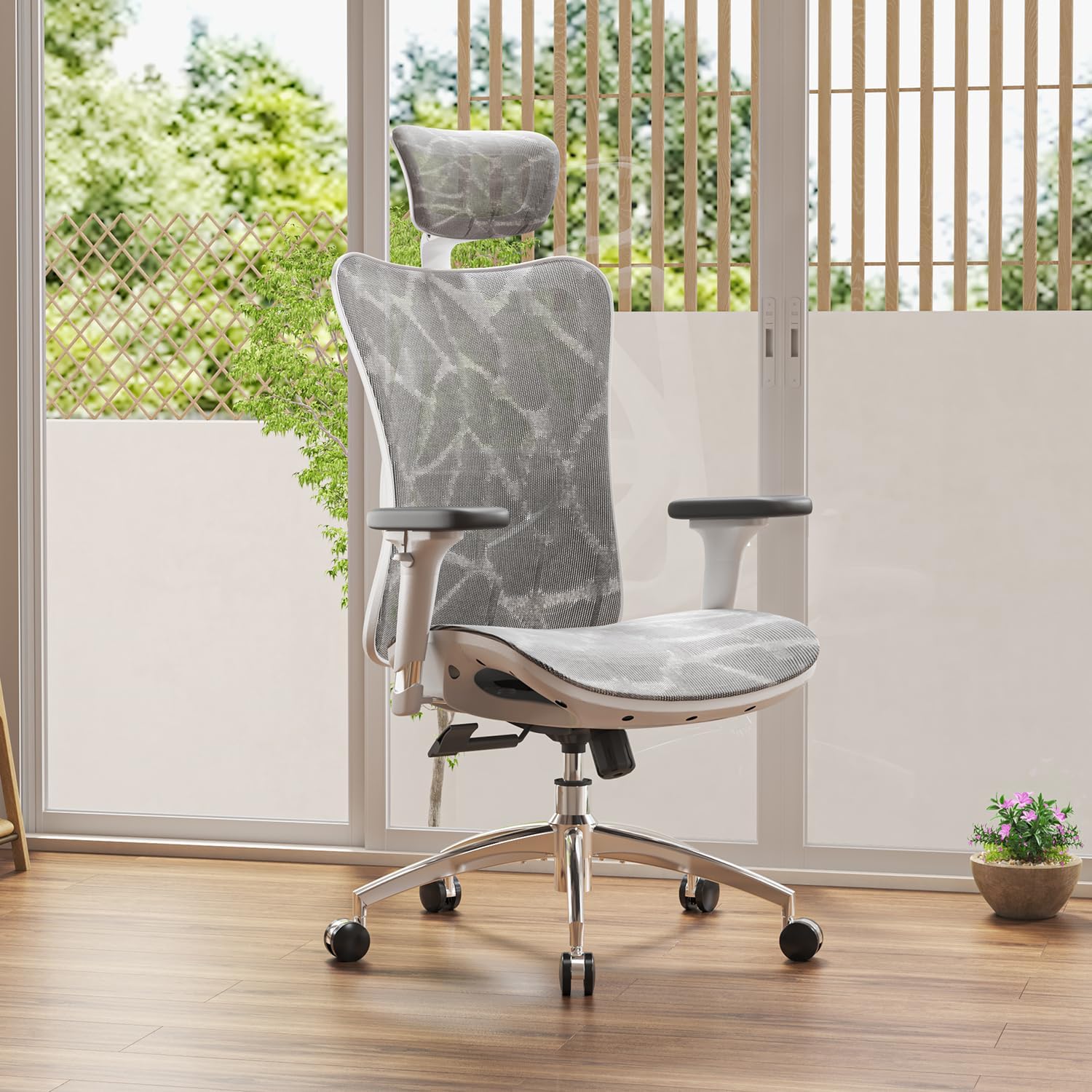
If your neck feels uncomfortable after several hours at your desk, your office chair and workstation setup are worth examining together. Seat depth, backrest support, armrest position, monitor height, and headrest placement can all affect how comfortably you hold your head and shoulders while working.
When shopping for comfortable chairs for neck pain, don’t focus only on thick padding or a built-in headrest. A better starting point is a chair that fits your body and gives you useful adjustment options for the seat, backrest, armrests, and recline.
This 2026 guide compares 10 office-chair options across different price points and designs, explains the features that matter most for neck comfort, and shows how to adjust your chair and desk for a more comfortable working position.
SitBetterLab Back Pain Hub
If you’re comparing chairs for different types of back discomfort, visit our
Office Chairs for Back Pain Hub
for related guides covering lower-back, upper-back, sciatica, herniated-disc, and other ergonomic seating topics.
Quick Answer: What Makes a Chair More Comfortable for Neck Pain?
For desk work, prioritize a chair with a supportive backrest, suitable seat depth, adjustable armrests, useful lumbar adjustment, and a headrest if you regularly recline or want additional head support. The right combination depends on your height, body proportions, desk height, monitor position, and preferred sitting posture.
Why Your Office Chair Can Affect Neck Comfort
Neck discomfort during desk work is not necessarily caused by the chair alone. Your chair, desk, monitor, keyboard, mouse, and sitting habits all interact to determine how you position your head and shoulders.
For example, a seat that is too deep may make it harder to sit comfortably against the backrest. If you then move forward toward the monitor, your upper body may gradually move away from the chair’s support. Similarly, poorly positioned armrests can leave your shoulders unsupported while typing or using a mouse.
Common setup problems include:
- A seat that is too deep for your leg length
- Lumbar support positioned too high or too low
- Armrests that force the shoulders upward or leave the arms unsupported
- A backrest that does not comfortably support your upper back
- A headrest that pushes your head forward
- A monitor that is too high, too low, or too far away
Related reading:
If your main concern is broader back discomfort, see our
Office Chairs for Back Pain Hub
.
You can also compare
office chairs for lower-back concerns
and our general guide to
chairs for back pain
.
Key Features to Look for in a Chair for Neck Pain
There is no single chair feature that works for everyone. Instead, look for a combination of fit and adjustability. A chair that allows you to change the relationship between your body, the backrest, the armrests, and the desk can be more useful than one that simply has thicker padding.
1. Adjustable Headrest
A headrest can be useful if you frequently recline, take calls, read, or want somewhere to rest your head between tasks. The important point is adjustability: a headrest should be positioned comfortably for your height and preferred sitting position.
A headrest is not automatically better simply because a chair has one. If it pushes your head forward or cannot be positioned comfortably, it may not suit your setup.
2. Adjustable Lumbar Support
Although lumbar support is located in the lower back, it is part of the overall sitting position. Useful lumbar adjustment can make it easier to sit against the backrest rather than gradually moving forward in the seat.
3. Supportive Upper Backrest
If discomfort extends from your neck into your shoulders or upper back, pay attention to the backrest’s height, shape, and flexibility. A taller backrest can provide more coverage, while a flexible backrest may make position changes feel more natural.
4. Adjustable Armrests
Armrests should allow your forearms to rest comfortably without forcing your shoulders upward. Height adjustment is particularly useful because desk height and individual body proportions vary.
5. Correct Seat Depth
A seat that is too deep can make it difficult to sit fully against the backrest. A seat that is too short may provide less thigh support. Ideally, you should be able to sit back comfortably while keeping your feet supported and avoiding uncomfortable pressure behind your knees.
6. Recline and Tilt Adjustment
A useful recline mechanism gives you another sitting position instead of requiring you to remain upright continuously. If you work for long periods, look for a backrest that feels controlled throughout its available range.
Need broader neck and back coverage?
Our dedicated
ergonomic chair guide for neck and back pain
looks at chair features that affect both areas.
10 Comfortable Chairs for Neck Pain to Consider in 2026
The models below represent different approaches to head support, adjustability, materials, recline, and price. Rather than treating one chair as universally “best,” compare the adjustment range and dimensions against your own body and desk setup.
Product configurations and Amazon prices can change. Check the current listing for the exact version, dimensions, available features, and current price before purchasing.
| Chair | Adjustment Profile | Notable Feature | Price Position | Check |
|---|---|---|---|---|
| Sihoo Doro C300 | Feature-rich adjustment package | Headrest, armrest, lumbar and recline features vary by configuration | Mid-range | Check Price → |
| Sihoo M57 | Budget-oriented adjustment | Adjustable head and lumbar support on applicable versions | Budget | Check Price → |
| Duramont Ergonomic Office Chair | Traditional ergonomic adjustment | High-back design with multiple adjustment points | Budget to mid-range | Check Price → |
| Ticova Ergonomic Office Chair | Budget ergonomic adjustment | Headrest, lumbar area and armrest adjustment on current versions | Budget | Check Price → |
| Gabrylly Ergonomic Mesh Chair | Mesh-focused ergonomic setup | Mesh back and head-support design | Mid-range | Check Price → |
| Ficmax High-Back Chair | Recline-oriented design | High backrest and reclining design | Mid-range | Check Price → |
| Dowinx Gaming Chair | Gaming-style reclining | High-back design with neck-support accessories on applicable versions | Mid-range | Check Price → |
| Flash Furniture Executive Chair | Traditional executive seating | Tall padded backrest | Budget to mid-range | Check Price → |
| Clatina Mellet | Task-chair style adjustment | Adjustable support and recline depending on configuration | Mid-range | Check Price → |
| Colamy Kirin | Head-support adjustment | Headrest height and tilt on applicable versions | Mid-range | Check Price → |
*Price categories are intentionally approximate. Amazon prices, promotions, sellers, and product configurations can change.
Which Type of Chair Fits Your Needs?
Prioritize seat fit, armrest adjustment, basic lumbar support, and a usable headrest rather than premium materials alone.
Check backrest coverage, seat depth, seat height, and whether the headrest reaches a comfortable position.
Look for a shorter or adjustable seat depth and a headrest that can be positioned without pushing your head forward.
Prioritize adjustment range and a recline mechanism that allows you to change positions throughout the day.
How to Adjust Your Chair for Better Neck Comfort
Even an expensive ergonomic chair can feel uncomfortable when it is adjusted incorrectly. Start with the chair and then adjust the rest of your workstation around it.
Step 1: Set Seat Height
Keep your feet supported on the floor or a footrest. Your knees should remain comfortably bent without forcing you into an awkward position.
Step 2: Adjust Seat Depth
Sit fully back against the backrest. You should have enough space behind your knees to avoid uncomfortable pressure while still receiving useful thigh support.
Step 3: Position the Lumbar Support
Move the lumbar support until it feels comfortable against the natural curve of your lower back. Avoid an aggressive setting that pushes you away from the backrest.
Step 4: Set the Armrests
Rest your arms lightly on the armrests while keeping your shoulders relaxed. If your shoulders rise toward your ears, the armrests may be too high.
Step 5: Adjust the Headrest
If your chair has an adjustable headrest, position it so it provides comfortable support when reclining without forcing your head forward during upright work.
Step 6: Check Your Monitor
Position the monitor at a comfortable viewing height and distance so you do not repeatedly lean toward the screen. The ideal position depends on screen size, vision needs, desk height, and personal comfort.
Step 7: Change Positions Regularly
Even a well-adjusted chair should not keep you in exactly the same position for hours. Stand, walk, stretch comfortably, or simply change your sitting position throughout the workday.
For more practical guidance, see our article on
how often to stand up from your desk
.
Ergonomic Chair vs. Regular Office Chair for Neck Comfort
The main difference is usually adjustability rather than padding alone. Ergonomic chairs often provide more ways to change the relationship between your body, the backrest, armrests, and desk.
| Feature | Basic Office Chair | Adjustable Ergonomic Chair |
|---|---|---|
| Head support | None or fixed | Often adjustable on suitable models |
| Lumbar support | Usually fixed | More adjustment options on many models |
| Armrests | Fixed or limited | More adjustment options |
| Seat fit | Limited adjustment | More options on many models |
| Recline | Basic tilt on many models | More controlled adjustment on many models |
Do You Need a Headrest for Neck Pain?
Not necessarily. A headrest can be useful, but it is only one part of the chair and workstation setup.
If you work mostly upright and rarely recline, a supportive backrest, suitable seat depth, and properly positioned armrests may matter more. If you frequently recline, read, take calls, or want to rest your head between tasks, an adjustable headrest may be more useful.
Mesh vs. Fabric vs. Leather-Like Chairs
Material is mainly a comfort, temperature, appearance, and maintenance decision. It does not by itself determine whether a chair will provide suitable neck support.
- Mesh: often provides more airflow and can feel cooler during longer sessions.
- Fabric: can provide a softer seating surface and is common in home-office task chairs.
- Leather or PU: can provide a traditional executive appearance and is generally easy to wipe clean, although some surfaces may feel warmer during extended use.
Explore More Back-Pain Chair Guides
Office Chairs for Back Pain Hub
Best Office Chairs for Lower Back Pain
Office Chairs for Lower Back and Hip Pain
Best Office Chair for Sciatica Under $300
Best Office Chair for Herniated Disc
Office Chairs for Coccyx Pain
Best Office Chairs for Short People
Best Office Chairs for Long Hours Under $500
FAQ: Comfortable Chairs for Neck Pain
Can an ergonomic chair help with neck pain?
An ergonomic chair may improve sitting comfort by providing better support and adjustment options. However, a chair does not diagnose or treat the underlying cause of neck pain. Workstation setup, screen position, movement habits, and individual health factors can also affect discomfort.
What is the best office chair for neck and shoulder pain?
There is no single chair that works best for everyone. For neck and shoulder comfort, compare the backrest, armrest adjustment, seat depth, recline mechanism, and headrest position against your own body proportions and workstation.
Are gaming chairs good for neck support?
Some gaming chairs can provide useful neck and back support, particularly models with adjustable recline and appropriately positioned head or neck support. However, appearance alone does not determine ergonomic suitability. Check seat depth, armrest adjustment, lumbar support, and headrest position.
Is a headrest better than a chair without one?
Not automatically. A correctly positioned headrest can be useful when reclining, but a poorly positioned one may feel uncomfortable. If you rarely recline, other chair adjustments may be more important for your daily work setup.
How much should I spend on a comfortable chair for neck pain?
You do not necessarily need a premium chair. Budget ergonomic models can provide useful adjustment options, while more expensive chairs may offer more refined mechanisms, materials, or adjustment ranges. Compare fit and functionality rather than price alone.
How long should I sit before taking a break?
There is no single break interval that works for everyone. A practical approach is to regularly change positions, stand up, walk briefly, or perform comfortable movement throughout the workday rather than remaining in one static position for several hours.
When should I see a healthcare professional about neck pain?
If neck pain is persistent, severe, getting worse, follows an injury, or occurs with symptoms such as weakness, numbness, significant headaches, or other concerning symptoms, consider seeking medical advice rather than relying only on a new chair or workstation adjustment.
Medical note: This article provides general information about office-chair ergonomics and is not medical advice. A chair may improve sitting comfort or help you adjust your workstation, but it should not be considered a treatment for a medical condition.
Bottom Line
The most suitable chair for neck comfort is generally the one that fits your body and gives you enough adjustment to maintain a comfortable working position.
Before buying, pay particular attention to headrest position, armrest adjustment, seat depth, lumbar support, and recline. Then check your monitor and keyboard position so that you do not need to repeatedly lean or reach toward the screen.
If you’re comparing chairs today, start with models that match your budget and body proportions. Then check the current Amazon listing for exact dimensions, available configurations, warranty information, and current pricing before making your decision.