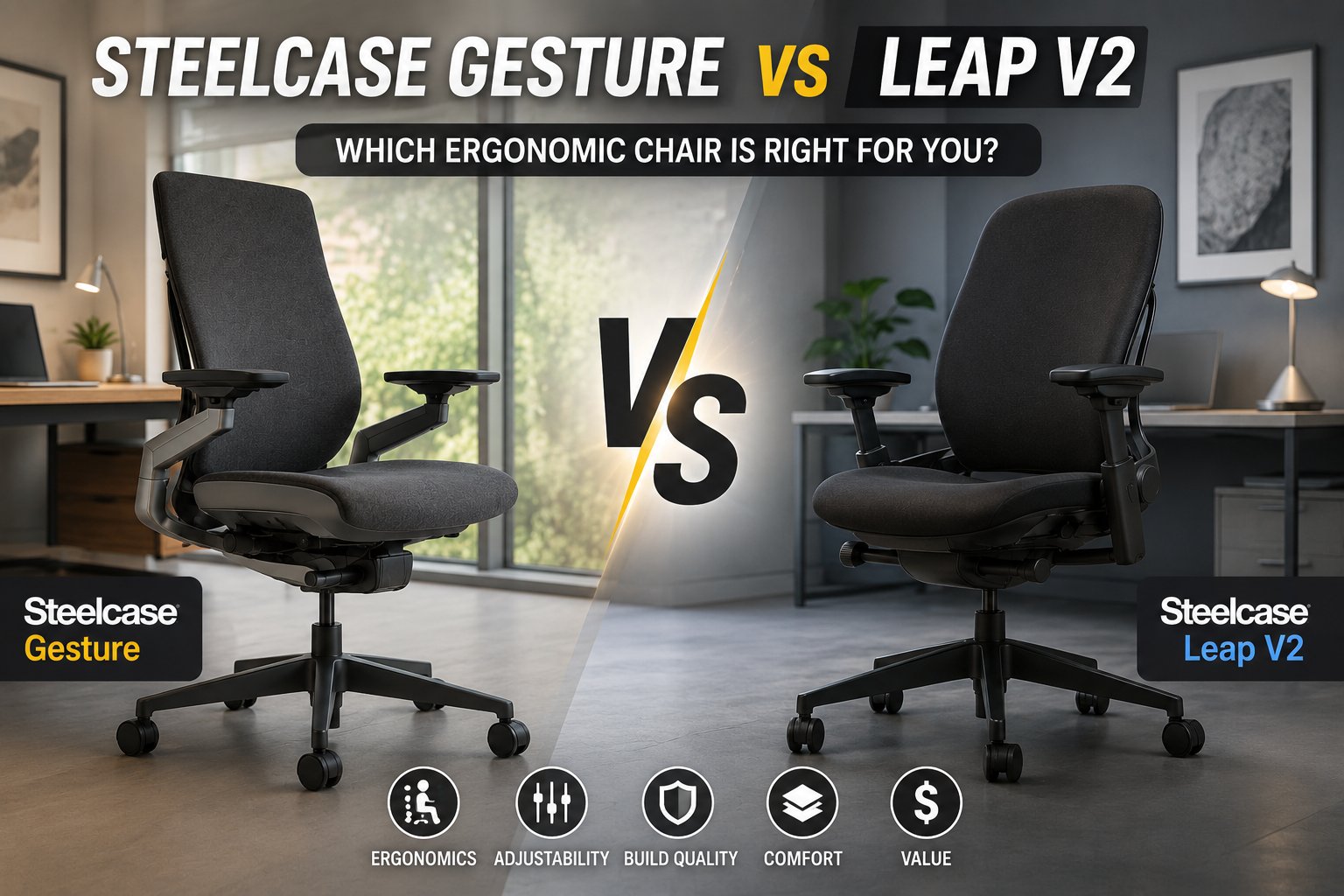
If you are comparing Leap vs Gesture seat depth, the key question is not simply which chair has the larger number. What matters is how easily you can position the seat pan so your thighs are supported without the front edge pressing behind your knees.
Both the Steelcase Leap and Steelcase Gesture offer adjustable seat depth, but they approach the rest of the ergonomic setup differently. That can matter if you are shorter or taller than average, frequently change positions, sit cross-legged, or work from home with a pet moving around your workspace.
This guide explains how the Leap vs Gesture seat depth adjustment works, what to check before buying, and how the two chairs compare for different body sizes and working styles.
Affiliate disclosure: This article may contain affiliate links. If you buy through our links, we may earn a commission at no extra cost to you.
📌 Quick Answer: Leap vs Gesture Seat Depth
Both chairs provide adjustable seat depth, so neither is limited to one fixed seating position. The practical difference is how the adjustment interacts with the rest of the chair and how you prefer to sit.
| If You Prioritize | Consider | Why |
|---|---|---|
| Precise seat-depth setup | Steelcase Leap | Its sliding seat pan provides substantial front-to-back adjustment. |
| Frequent position changes | Steelcase Gesture | The chair is designed around movement and flexible upper-body positioning. |
| Shorter legs | Compare the actual seat-depth measurements | Your usable seat depth matters more than the chair’s overall dimensions. |
| Pet-friendly home office | Either, with the right upholstery | Seat depth helps positioning; upholstery choice determines how easy pet hair and dirt are to manage. |
The most important buying rule is simple: do not choose between the Leap and Gesture based on seat-depth numbers alone. Your inseam, preferred sitting position, desk height, armrest requirements, and back-support preferences all affect the fit.
📌 Why Seat Depth Matters in an Ergonomic Office Chair
Seat depth describes how far the seating surface extends from the back of the chair toward the front edge. If the seat is too deep for your legs, the front edge can sit too close to the backs of your knees. If it is too shallow, you may lose some thigh support.
For many people, an adjustable seat pan makes it easier to find a comfortable position because you can change the amount of thigh support without changing the entire chair height. That is especially useful when two people with different leg lengths share a chair.
- Your feet should rest comfortably on the floor or on a suitable footrest.
- There should be comfortable clearance between the seat edge and the backs of your knees.
- Your thighs should receive useful support without feeling squeezed.
- You should be able to sit back against the backrest rather than constantly perch on the front edge.
If your feet cannot reach the floor after adjusting the chair for your desk, a properly sized footrest can be part of the solution. The goal is to create a coordinated chair, desk, monitor, and foot position rather than optimizing one dimension in isolation.
📌 Steelcase Leap Seat Depth Adjustment: How It Works
The Steelcase Leap uses a sliding seat pan that lets you change the front-to-back seating position. Instead of forcing every user into one fixed depth, the pan can be adjusted to provide more or less thigh support.
To adjust the Leap, use the seat-depth control and slide the pan forward or backward while seated. The exact control feel and configuration can vary by model generation and configuration, so check the chair in front of you rather than relying solely on a generic diagram or used-chair listing.
A useful starting point is to adjust the seat so you can sit fully back while maintaining comfortable clearance behind the knees. You should not need to stretch your legs forward simply to avoid pressure from the seat edge.
Buying tip: Used Steelcase Leap listings can represent different generations, configurations, and upholstery options. Before purchasing, confirm the exact model, adjustment controls, seat dimensions, condition, and return policy.
The Leap’s seat-depth adjustment also works alongside its backrest and lumbar controls. That means you can change the seat position and then fine-tune the back support rather than treating seat depth as a standalone setting.
📌 Steelcase Gesture Seat Depth Adjustment: How It Works
The Steelcase Gesture also uses an adjustable seat pan. The control allows you to move the seating surface forward or backward so you can change how much of your thighs are supported.
That adjustment can be useful when you switch between focused keyboard work, reclining, reading, or other positions. Rather than assuming one depth is ideal for every task, you can tune the seat to your current position.
The Gesture is particularly notable for its highly adjustable arms, which can move in multiple directions. If you frequently change arm and torso position, that feature may be more important to your overall fit than a small difference in seat-depth travel.
- Seat depth: Adjust the pan so your legs are supported without uncomfortable pressure behind the knees.
- Arm adjustment: Position the arms according to your keyboard, mouse, reading, and device-use posture.
- Back support: Use the available back and lumbar adjustments to complement the seat position.
- Upholstery: For homes with pets, consider a surface that is easier to vacuum or wipe clean.
The important point is that seat depth is only one part of Gesture’s ergonomic setup. If the chair feels wrong even after adjusting the seat pan, check the armrests, seat height, lumbar position, recline tension, and desk height before concluding that the seat itself is the problem.
⚡ Leap vs Gesture Seat Depth Comparison
The table below focuses on the factors most relevant when comparing these two Steelcase chairs for everyday home-office use. Exact specifications can vary by generation, configuration, and market, so verify the current product listing before purchasing.
| Feature | Steelcase Leap | Steelcase Gesture |
|---|---|---|
| Seat depth | Adjustable sliding seat pan | Adjustable sliding seat pan |
| Shorter users | Can be configured for a shorter reach to the seat edge | Adjustable, but overall fit should be checked carefully |
| Taller users | Adjustable pan can provide additional thigh support | Adjustable pan can accommodate longer legs |
| Back support | LiveBack backrest with adjustable support features | 3D LiveBack design with adjustable support features |
| Armrests | Highly adjustable arms depending on configuration | Highly flexible multi-directional arms |
| Pet-friendly consideration | Choose upholstery based on hair, claw, and cleaning needs | Choose upholstery based on hair, claw, and cleaning needs |
| Best comparison strategy | Focus on seat fit and back support | Focus on seat fit, arms, and movement |
🔍 Leap vs Gesture: What Changes With Seat Depth?
Seat Depth and Thigh Support
A deeper setting generally gives your thighs more surface support, while a shorter setting can make it easier to sit fully back when you have shorter legs. The ideal position depends on your proportions rather than your height alone.
When adjusting either chair, pay attention to the front edge. If you feel pressure behind your knees, try reducing the seat depth. If your thighs feel unsupported and you are sitting well back against the backrest, a slightly deeper setting may be more comfortable.
Seat Depth and Reclining
Your preferred seat depth can change when you recline. A position that feels comfortable while typing may not feel identical when leaning back to read or take a call. Both chairs are designed to accommodate changes in posture, so it is worth testing the seat pan at several recline angles.
Seat Depth for Shorter Users
Shorter users should pay particular attention to whether the seat can move far enough back to prevent excessive pressure behind the knees. Do not assume that a chair marketed as ergonomic will automatically fit a shorter frame.
If your chair height must be raised to match a fixed desk, a footrest may also be necessary. This is one reason why desk height and chair fit should be evaluated together.
Seat Depth for Taller Users
Taller users often need more thigh support, which makes an adjustable seat pan especially useful. Check that the longer setting still allows you to sit back comfortably without creating pressure behind the knees.
🐾 Leap vs Gesture for Pet Owners
If you work from home with a dog or cat, seat depth can matter because your sitting position may change throughout the day. You might move your legs to make room for a pet, lean sideways, or temporarily sit in a different position.
That does not make one chair universally better for pet owners. Instead, consider how much movement you make and which chair adjustments you are most likely to use.
- If your position changes frequently: prioritize easy-to-use seat, arm, and recline adjustments.
- If you have shorter legs: verify the minimum seat depth and seat height rather than relying on the chair’s overall dimensions.
- If your pet sheds heavily: upholstery that can be vacuumed or wiped easily may be more practical than a highly textured fabric.
- If your pet scratches furniture: remember that upholstery durability and scratch resistance depend on the specific material and pet behavior.
For pet owners, a small amount of workspace organization can also make a major difference. A dedicated pet bed beside the desk can reduce the need to twist or reach down repeatedly, while keeping toys and food away from cables helps protect the workstation.
🔑 How to Adjust Seat Depth Correctly
Use this simple process when setting up either a Leap or Gesture:
- Sit all the way back. Let your pelvis contact the back of the seat rather than sitting on the front edge.
- Place both feet on the floor. If they do not reach comfortably, adjust the chair height and consider a footrest where appropriate.
- Check the front edge. Make sure the seat is not creating uncomfortable pressure behind your knees.
- Adjust the seat pan. Move it forward or backward until the balance between thigh support and knee clearance feels comfortable.
- Set the back support. After changing seat depth, revisit lumbar and recline settings because your relationship to the backrest has changed.
- Adjust the armrests last. Set them according to your keyboard and mouse position so your shoulders can remain relaxed.
Simple fit test: If you can sit back comfortably, keep your feet supported, move your arms naturally, and avoid uncomfortable pressure behind your knees, your seat-depth setting is probably in a useful starting range. Small adjustments are normal.
💺 Leap vs Gesture: Beyond Seat Depth
Steelcase Leap
The Leap is worth considering if seat fit and back-support adjustment are high on your list. Its sliding seat pan gives users room to tune thigh support, while the LiveBack design changes with your posture.
Potential fit: users who want a highly adjustable traditional ergonomic office chair and prefer to spend time dialing in their seating position.
Steelcase Gesture
The Gesture takes a broader approach to movement. In addition to adjustable seat depth, its armrests are designed to support a wide range of upper-body positions, making it worth considering if you frequently switch between keyboard work, reading, tablet use, and other tasks.
Potential fit: users who change positions frequently and place a high value on flexible arm positioning.
🛒 Buying Tips for a Leap or Gesture
- Check the exact model. Used and refurbished chairs can differ in generation, controls, arms, lumbar configuration, and upholstery.
- Measure your inseam. Leg length is often more useful than height alone when judging seat depth.
- Check desk height. A great chair can still feel wrong if your desk forces your arms too high or too low.
- Verify current pricing. Steelcase pricing varies by configuration, upholstery, promotions, and seller.
- Check the return policy. Seat depth is highly individual, so a trial or generous return period can be valuable for an expensive office chair.
⚡ FAQ: Leap vs Gesture Seat Depth
Does the Steelcase Leap have adjustable seat depth?
Yes. The Steelcase Leap uses a sliding seat pan that lets you change the front-to-back seating position. This helps users fine-tune thigh support and knee clearance. Exact dimensions and adjustment characteristics can vary by model generation and configuration.
Does the Steelcase Gesture have adjustable seat depth?
Yes. The Gesture also has an adjustable seat pan. You can move the seating surface to change how much of your thighs are supported and how much clearance you have behind the knees.
Which Steelcase chair is better for shorter people?
There is no single answer based on height alone. Shorter users should compare minimum seat height, usable seat depth, armrest range, and desk compatibility. The ability to move the seat pan back can be particularly useful when a standard seat feels too deep.
Can I sit cross-legged in a Steelcase Leap or Gesture?
You can use either chair in different sitting positions, but comfort depends on your body proportions and armrest configuration. The Gesture’s highly flexible arms may be useful for users who frequently change upper-body positions. If cross-legged sitting is important to you, test the chair rather than assuming the seat-depth specification will determine the outcome.
Which is better for lower back pain, Leap or Gesture?
Neither chair should be treated as a medical treatment for back pain. Both offer multiple ergonomic adjustments, and the better fit depends on your body, working posture, and preferred support. If you have persistent or worsening pain, numbness, weakness, or other concerning symptoms, consider discussing them with a qualified healthcare professional.
Are Steelcase Leap and Gesture chairs good for pet owners?
Either can work in a pet-friendly home office. The more important factors are upholstery, cleaning requirements, armrest configuration, and how easily you can maintain a comfortable sitting position while your pet moves around the workspace.
How much seat clearance should I leave behind my knees?
Use a comfortable gap as your starting point rather than chasing one exact measurement. You should be able to sit back against the chair while avoiding uncomfortable pressure from the front edge behind your knees. If the edge feels restrictive, reduce the seat depth and reassess.
Is the Steelcase Gesture worth the extra cost over the Leap?
That depends on which features matter to you. The Gesture’s flexible arm system and movement-oriented design may appeal to users who frequently change positions, while the Leap’s seat and back-support adjustments may be more important to someone focused on dialing in a traditional ergonomic workstation. Compare the exact configurations and current prices before deciding.
🏁 Bottom Line: Leap vs Gesture Seat Depth
The Leap vs Gesture seat depth comparison comes down to fit rather than a single specification. Both chairs let you adjust the seat pan, so both can accommodate a range of leg lengths and sitting preferences.
When comparing them, start with your inseam and preferred sitting position. Then consider back support, arm adjustment, desk height, upholstery, and return policy. For pet owners, easy-clean materials and flexible positioning can also be useful, but they should be considered alongside the core ergonomic fit.
The key takeaway: adjust the seat so you can sit fully back, keep your feet supported, maintain comfortable knee clearance, and use the backrest naturally. Once that foundation is right, fine-tune the lumbar support, arms, and recline.
Chair fit is individual, and product specifications can change by model year and configuration. Always confirm the current manufacturer’s specifications and return terms before purchasing.
Ergonomic note: An office chair can improve workstation fit and comfort, but it is not a treatment for a medical condition. If discomfort is persistent, severe, worsening, or accompanied by numbness or weakness, seek appropriate professional advice.
5 thoughts on “Steelcase Leap vs Gesture Seat Depth: 2026 Ergonomic Chair Comparison for Pet-Friendly Home Offices”