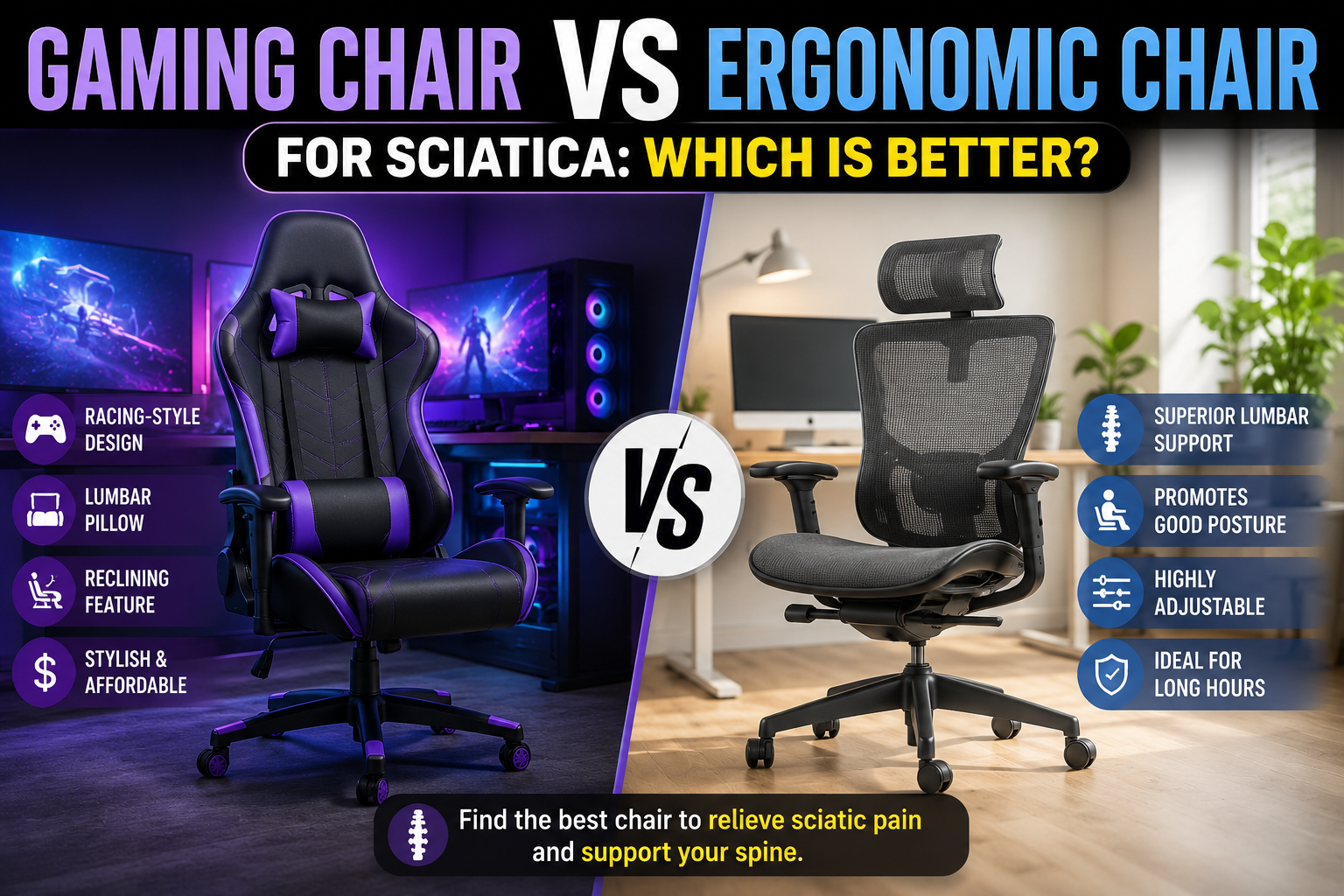
You stand up after a long meeting or a gaming session, and a sharp, shooting pain travels from your lower back down your leg. By the time you get to the kitchen, your foot is tingling. The problem isn’t just your desk setup — it’s that your chair is actively compressing the largest nerve in your body every time you sit.
Sciatica affects millions of people, and prolonged sitting is one of the most common triggers. But not all chairs are equal when it comes to nerve health. The debate between gaming chairs and ergonomic office chairs takes on new urgency when you’re dealing with radiating leg pain, numbness, or tingling. After researching medical literature on sciatica triggers, analyzing chair ergonomics, and testing dozens of models, this guide will tell you which type of chair actually helps — and which one might be making your symptoms worse.
Quick Answer: Which Chair Is Better for Sciatica?
An ergonomic chair with adjustable lumbar support, seat depth adjustment, and the ability to maintain neutral spinal alignment is significantly better for sciatica relief. Most gaming chairs, with their fixed bucket seats, static lumbar pillows, and lack of adjustability, can actively aggravate sciatic nerve compression during long sitting sessions. The key difference comes down to one concept: the lumbar gap. When you recline or lean forward in a gaming chair, the fixed lumbar pillow loses contact with your lower back, your pelvis tilts backward, and pressure on the sciatic nerve increases. A quality ergonomic chair maintains support through every posture change, keeping your spine in a neutral, nerve-friendly position.
Understanding Sciatica: Why Sitting Triggers Nerve Pain
Sciatica is not a condition itself — it is a set of symptoms caused by irritation or compression of the sciatic nerve. This nerve is the longest and widest in the human body, running from your lumbar spine through your hips and buttocks and down each leg. When something compresses or irritates this nerve — often a herniated disc, spinal stenosis, or tight muscles — you experience pain that radiates from your lower back into your leg.
Prolonged sitting is one of the biggest triggers for sciatica flare-ups. When you sit for extended periods, several biomechanical changes occur:
- Lumbar disc pressure increases
- Hip flexors tighten, pulling on the pelvis
- The pelvis tilts posteriorly (backward)
- Spinal alignment shifts away from neutral
- Nerve pathways experience sustained tension
Research shows that sitting places more pressure on lumbar discs than standing — especially when you are in a slouched or poorly supported position. This additional pressure can push disc material backward toward the spinal canal. If a disc is already bulging or herniated, this additional pressure may increase nerve compression and intensify leg pain.
Dr. Vincent Codispoti, a physiatrist with Hartford HealthCare’s Bone & Joint Institute, explains: “Sitting causes the muscles that support your spine to tighten up, especially the hamstrings and hip flexors. That pressure can irritate the nerve and make symptoms worse.” When you sit with rounded shoulders or an unsupported lower back, it increases pressure on the discs and nerves.
The “Lumbar Gap” — Why Gaming Chairs Often Make Sciatica Worse
The single biggest problem with most gaming chairs for sciatica sufferers is the static lumbar pillow. Here’s what happens:
You sit upright, and the lumbar pillow contacts your lower back. Then you lean forward to type, or recline to watch a video. Your spine moves — but the pillow stays fixed. Your lower back loses contact with the support, creating a painful “lumbar gap.” Your pelvis tilts backward, your lower back rounds into a C‑curve, and pressure on your spinal discs and sciatic nerve increases.
This is exactly the opposite of what your nerve needs. Medical experts emphasize that maintaining a neutral spine alignment — not overly arched or slouched — is key to alleviating pressure on the sciatic nerve and reducing symptoms.
Additionally, the bucket seat design of most gaming chairs, borrowed directly from race cars, forces your shoulders forward and restricts your hips. The side bolsters limit your ability to shift positions, forcing you into a single static posture for hours — exactly what sciatica sufferers need to avoid.
Why Ergonomic Chairs Are Better for Sciatica Relief
Ergonomic chairs are specifically designed to maintain your spine’s natural S‑curve and keep your pelvis in a neutral position, even as you change postures throughout the day. The features that make them superior for sciatica include:
When you sit with your back fully supported against the backrest and your feet flat on the floor, your pelvis remains in neutral position, reducing pressure on the sciatic nerve. Ergonomic chairs are designed from the ground up to encourage this posture, not just look cool.
Key Ergonomic Features to Look for in a Sciatica Chair
If you suffer from sciatica, not all ergonomic chairs are created equal. Look for these specific features:
1. Height-Adjustable Lumbar Support
Your lumbar support must hit the natural curve of your lower back — around your beltline. A chair with height-adjustable lumbar allows you to position the support exactly where your spine needs it. Premium chairs also offer depth adjustment (in/out) and firmness control, letting you dial in exactly how much pressure you feel.
2. Adjustable Seat Depth
This is critical. When the seat is too deep, the front edge presses into your knees, forcing you to slide forward. When you slide forward, your pelvis tilts backward, your lower back rounds, and pressure on the sciatic nerve increases. Look for chairs with seat depth adjustment so you can position yourself correctly — you should have 2–3 fingers of space between the back of your knee and the seat edge.
3. Dynamic Lumbar Tracking
The best chairs now feature lumbar systems that move with you as you shift positions, eliminating the lumbar gap entirely. Chairs like the Steelcase Leap v2 use LiveBack technology that flexes as you move, while models like the AutoFull M6 Ultra 2.0 offer third‑generation adaptive lumbar support with 60mm of front‑to‑back travel and 50mm of automatic vertical adaptation.
4. Recline with Tilt Lock
A slight recline between 100 and 110 degrees can relieve pressure on your spine and sciatic nerve. Look for a chair that allows you to lock at different recline angles, so you can change positions throughout the day without losing support.
5. Proper Seat Height
Your feet should rest flat on the floor with your knees at a 90° angle (or slightly lower than your hips). An adjustable-height chair ensures proper alignment and reduces pressure on your lower back and sciatic nerve.
6. Breathable Material
Mesh backs allow air to circulate, keeping you cool and reducing muscle tension. For sciatica sufferers, heat can increase inflammation and nerve irritation, so breathability matters.
7. 4D Armrests
When your arms are properly supported, your shoulders stay relaxed, reducing tension that can travel down your spine and affect nerve pathways.
Best Ergonomic Chairs for Sciatica Relief (2026 Picks)
These chairs are specifically designed to maintain neutral spinal alignment and reduce pressure on the sciatic nerve.
1. Steelcase Leap v2 – Most Adjustable Lumbar for Sciatica
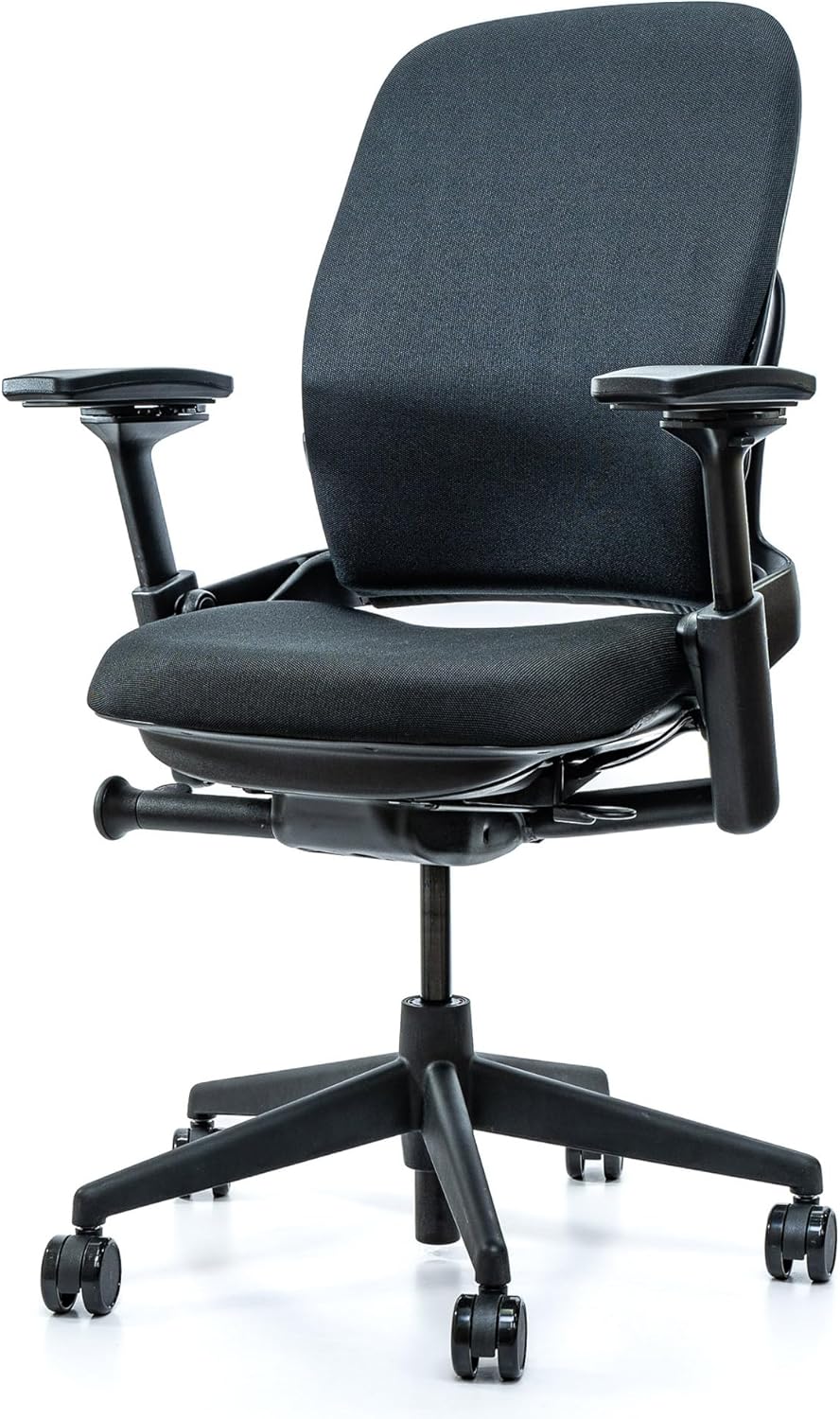
Price: ~$500–700 (refurbished) / ~$1,200 (new)
Weight capacity: 400 lbs
Lumbar: LiveBack + height/depth/firmness adjustment
The Steelcase Leap v2 is widely considered the best chair for sciatica. Its LiveBack technology allows the backrest to flex and change shape as you move, maintaining contact with your lumbar region at every angle — eliminating the lumbar gap entirely. The lumbar support adjusts in height, depth, and firmness, letting you dial in exactly the pressure your nerve needs. The adjustable seat depth and 4D armrests allow you to achieve perfect pelvic positioning. This chair is built to last 15+ years.
✅ Pros:
- Most adjustable lumbar system (height + depth + firmness)
- LiveBack eliminates lumbar gap
- Adjustable seat depth — critical for pelvic positioning
- 4D armrests
- 12‑year warranty; built to last 15+ years
- Excellent refurbished market ($500–700)
❌ Cons:
- Expensive new ($1,200+)
- Fabric upholstery less breathable than mesh
- Seat cushion is firm — may take time to adjust
🎯 Best for: Chronic sciatica sufferers who need precise lumbar control and the ability to maintain support through every posture change.
👉 Check price for Steelcase Leap v2 on Amazon →
2. Herman Miller Aeron (PostureFit SL) – Best Breathability
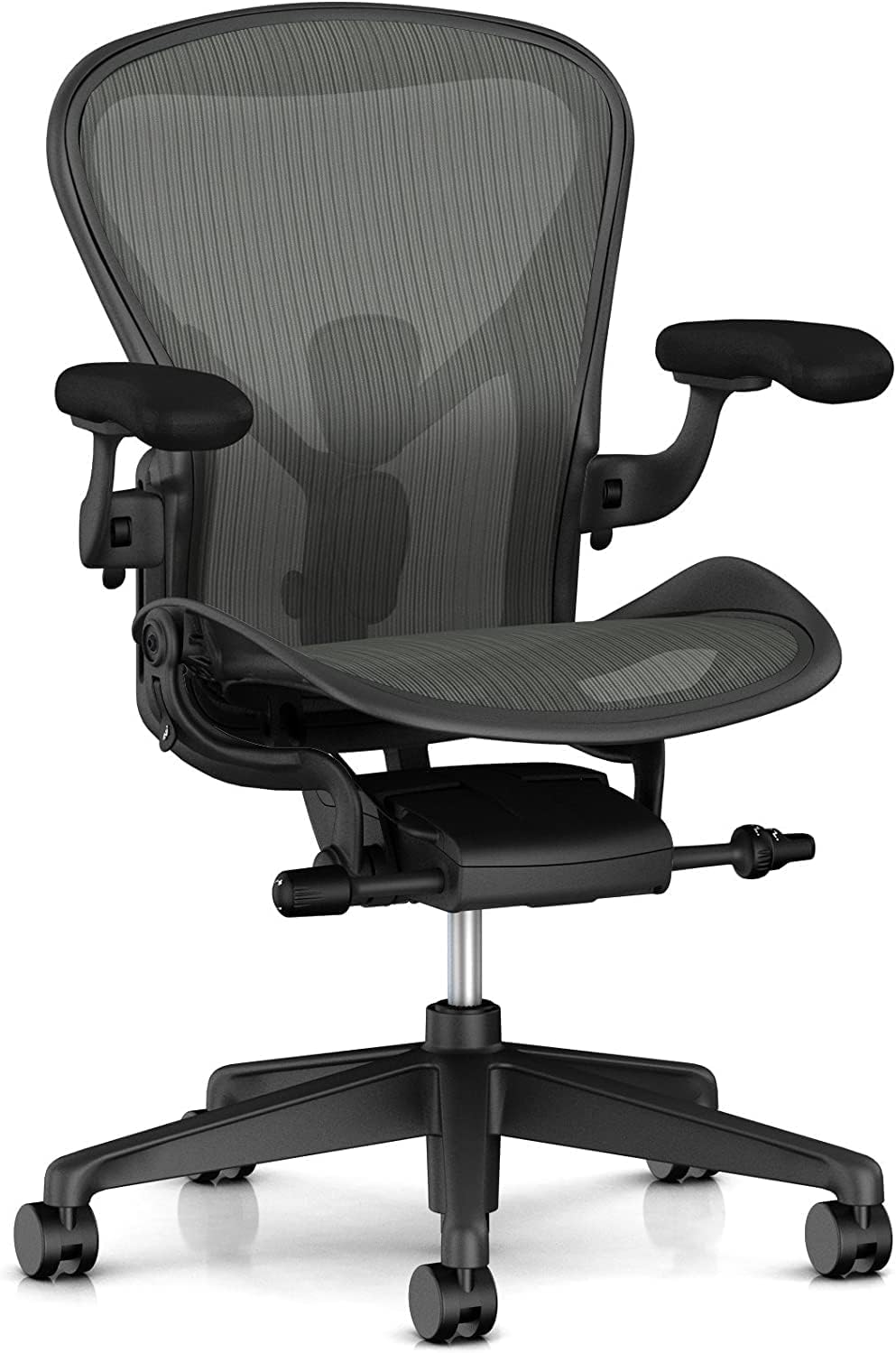
Price: ~$1,500+
Weight capacity: 350 lbs (Size C)
Warranty: 12 years
The Herman Miller Aeron features Pellicle mesh that provides unmatched breathability — crucial for sciatica sufferers who find that heat worsens nerve inflammation. The PostureFit SL lumbar support uses two independent pads (one for your sacrum, one for your lumbar region) to maintain your spine’s natural S‑curve. The forward tilt option opens your hip angle, reducing tension on the sciatic nerve. You must choose the correct size — Size C for taller/heavier users.
✅ Pros:
- Excellent breathability — no sweaty back
- PostureFit SL provides targeted sacral + lumbar support
- Forward tilt reduces hip tension (helps sciatica)
- Very durable — lasts 15+ years
- 12‑year warranty
❌ Cons:
- Very expensive ($1,500+)
- No headrest (aftermarket available)
- Fixed seat depth — must choose correct size (A/B/C)
- Hard plastic frame prevents cross‑legged sitting
🎯 Best for: Sciatica sufferers who run hot and need maximum airflow during long sitting sessions.
👉 Check price for Herman Miller Aeron on Amazon →
3. AutoFull M6 Ultra 2.0 – Best Dynamic Lumbar Tracking + Massage
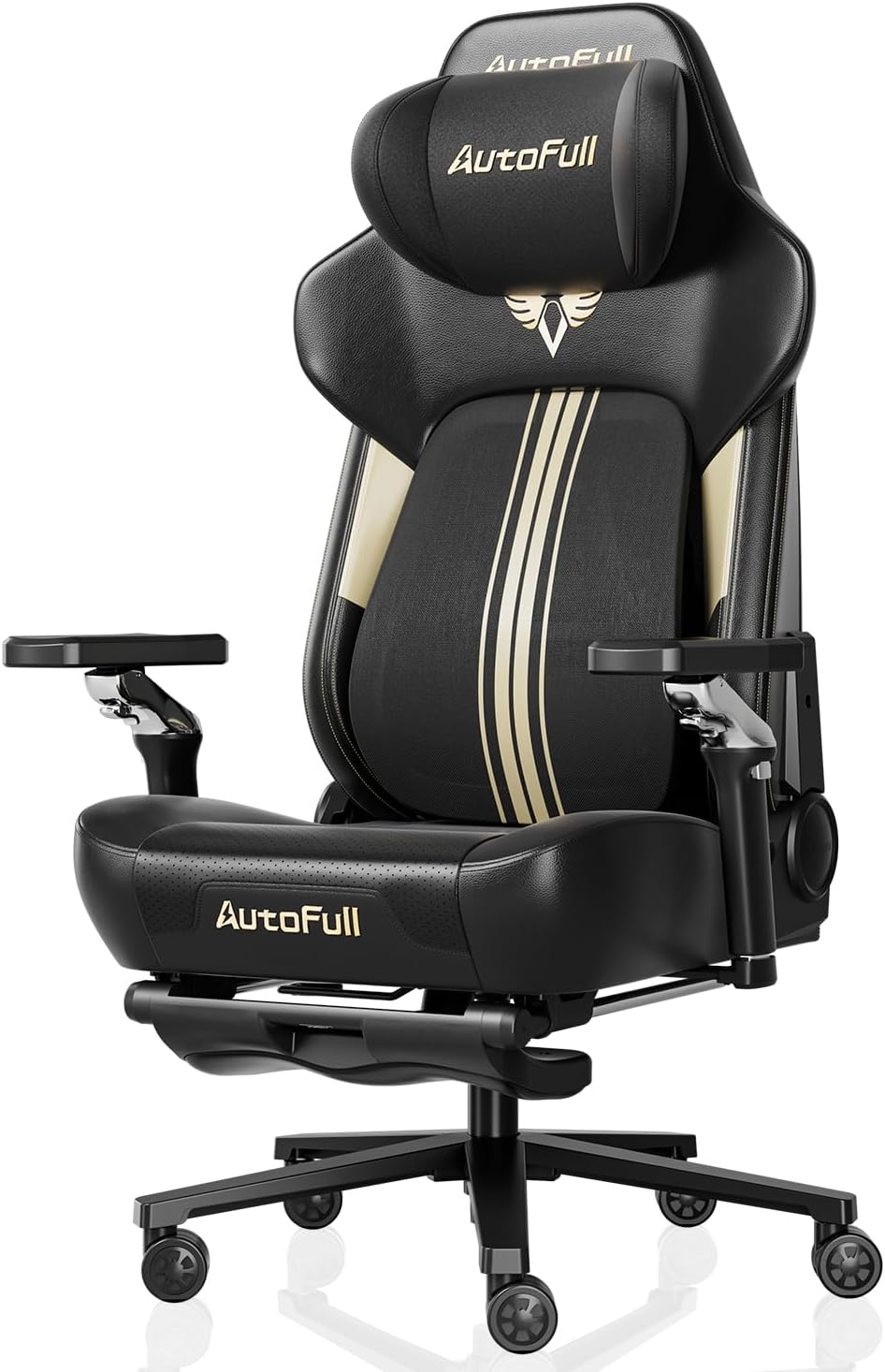
Price: ~$600–900
Weight capacity: 397 lbs
Recline: 160°
Lumbar: 6‑way AdapTech with 60mm travel + 5° rotation
The AutoFull M6 Ultra 2.0 bridges the gap between gaming aesthetics and genuine ergonomic support. Its third-generation M‑Series adaptive lumbar support system offers 60mm of front‑to‑back travel, 50mm of automatic vertical adaptation, and 5 degrees of adaptive rotation, ensuring continuous lower back support across changing postures. The chair also includes integrated heating and cooling, a massaging seat cushion, and built‑in lumbar vibration massage — which can help relax tight muscles that contribute to nerve compression.
✅ Pros:
- Third‑gen dynamic lumbar tracks your movements (eliminates lumbar gap)
- Integrated cooling/heating and massage
- 397 lb capacity
- 160° recline with footrest
- Reinforced aluminum alloy base
❌ Cons:
- Expensive ($600–900)
- Requires power for electronics
- Heavy and complex assembly
- Footrest is relatively small
🎯 Best for: Users who want gaming aesthetics but need genuine ergonomic support for sciatica, plus massage features to relax tight muscles.
👉 Check price for AutoFull M6 Ultra 2.0 on Amazon →
4. SIHOO Doro C300 Pro V2 – Best Value Dynamic Lumbar
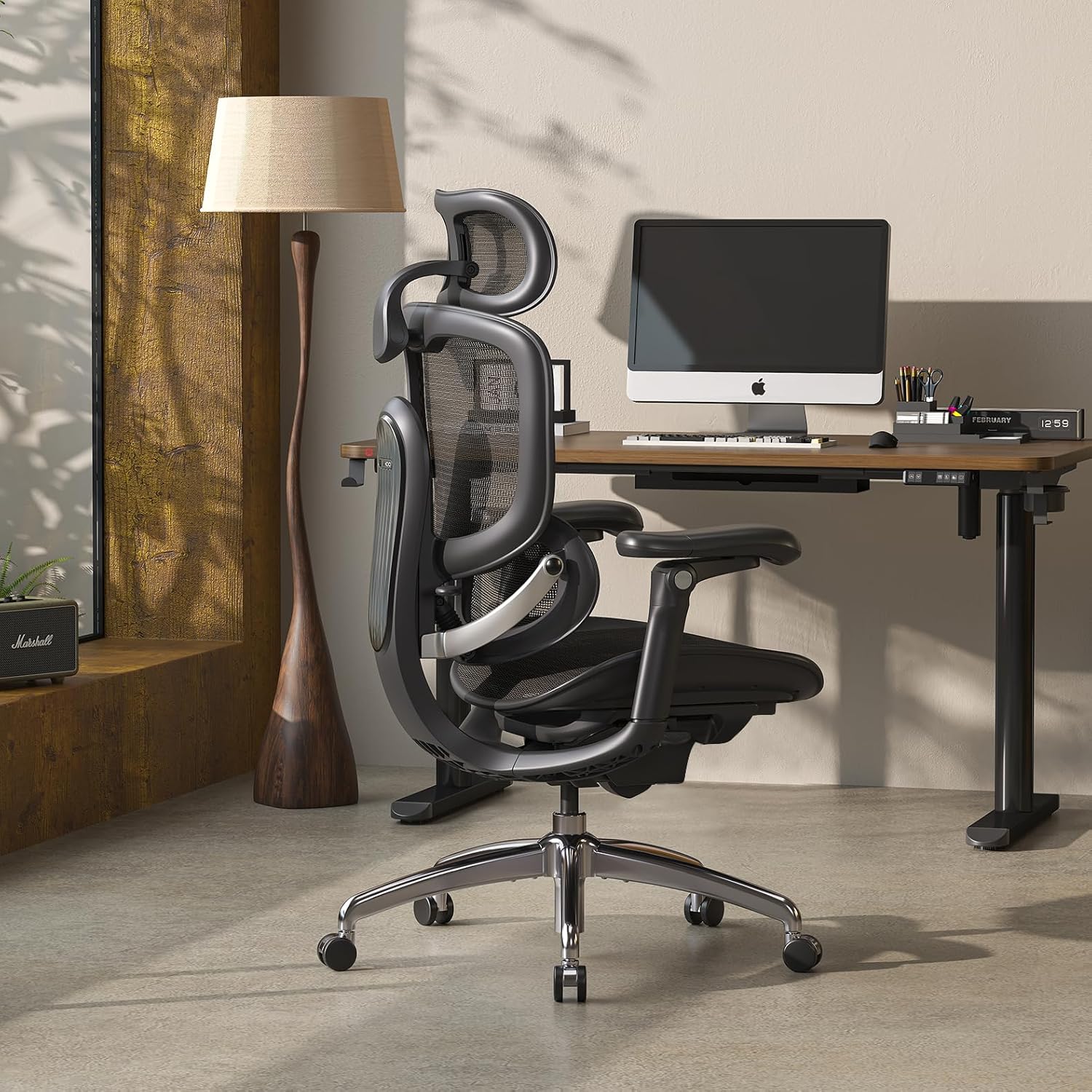
Price: ~$390–440
Weight capacity: 300 lbs
Lumbar: Self‑Adaptive 2.0 (3 modes)
Seat depth: Adjustable
The SIHOO Doro C300 Pro V2 offers a self‑adapting Domino 3D lumbar system that moves with you automatically, eliminating the lumbar gap. The Pro V2 adds adjustable seat depth — critical for pelvic positioning — and 6D bionic armrests. The breathable mesh back keeps you cool, and the optional footrest allows you to recline and shift positions throughout the day.
✅ Pros:
- Self‑adapting lumbar moves with you (no lumbar gap)
- Adjustable seat depth (Pro V2 exclusive) — crucial for sciatica
- 6D bionic armrests
- Breathable mesh back
- Optional footrest for breaks
- Great value under $500
❌ Cons:
- Not ideal for users over 6′0″ (headrest placement)
- Shorter warranty than premium brands (3–5 years)
- Assembly requires ~30 minutes
🎯 Best for: Sciatica sufferers on a budget who need dynamic lumbar tracking and adjustability under $500.
👉 Check price for SIHOO Doro C300 Pro V2 on Amazon →
Quick Reference Table: Gaming Chair vs Ergonomic Chair for Sciatica
| Feature | Gaming Chair | Ergonomic Chair |
|---|---|---|
| Lumbar Support | Fixed pillow — loses contact when you move (creates lumbar gap) | Adjustable height + depth; dynamic tracking available |
| Seat Depth Adjustment | Rare | Standard on most premium models |
| Pelvic Positioning | Often forces pelvis backward (C‑curve) | Maintains neutral pelvic position (S‑curve) |
| Hip Angle | Often too tight; side bolsters restrict movement | Adjustable; forward tilt opens hip angle |
| Movement Support | Static — discourages position changes | Encourages micro‑movements and posture shifts |
| Breathability | PU leather traps heat | Mesh backs available; breathable fabric options |
| Warranty | 1–3 years typical | 5–12 years (premium brands) |
| Best For | Short sessions, mild symptoms, occasional use | 8+ hour days, chronic sciatica, long‑term relief |
Frequently Asked Questions (FAQ)
Can a gaming chair cause sciatica?
Yes — prolonged use of a poorly designed gaming chair can contribute to sciatica symptoms. The fixed lumbar pillow creates a lumbar gap when you recline or lean forward, causing your pelvis to tilt backward and increasing pressure on spinal discs and the sciatic nerve. The bucket seat design also restricts hip movement, which can tighten hip flexors and aggravate nerve compression.
What is the best sitting position for sciatica?
According to medical experts, the best sitting position for sciatica includes: keeping your feet flat on the floor, sitting with your back fully supported against the backrest, maintaining a neutral spine alignment (not overly arched or slouched), using proper lumbar support to maintain the natural inward curve of your lower back, and avoiding crossing your legs. Some patients also benefit from sitting cross-legged to redistribute discomfort from one side to both sides of the lower body.
Why does my sciatica hurt more when I sit in a gaming chair?
Most gaming chairs lack adjustable lumbar support and seat depth adjustment. When you sit, your pelvis may tilt backward, rounding your lower back and increasing pressure on the sciatic nerve. Additionally, the fixed bucket seat design restricts your ability to change positions, forcing you into a static posture that can aggravate nerve compression over time.
Is a recliner good for sciatica?
A slight recline between 100 and 110 degrees can relieve pressure on your spinal discs and sciatic nerve. Semi-reclining with your knees slightly elevated can minimize nerve pressure along the spinal canal. However, the quality of lumbar support matters — a recliner without proper lumbar support may still cause issues.
How often should I take breaks from sitting with sciatica?
Medical experts recommend standing up and stretching every 30 minutes. Set a timer on your phone or use a standing desk if possible. Gentle movement is best — walking, stretching, and changing positions throughout the day can help relieve nerve pressure and improve mobility.
Can a lumbar pillow help with sciatica?
Yes — a firm lumbar pillow or rolled towel placed in the curve of your lower back can help support the natural inward curve of your spine, correcting poor posture and reducing nerve compression. However, a pillow is not a substitute for a chair with built‑in, adjustable lumbar support.
Are expensive ergonomic chairs worth it for sciatica?
For chronic sciatica sufferers who sit 8+ hours a day, a premium ergonomic chair with adjustable lumbar support, seat depth adjustment, and dynamic back support is often worth the investment. The Steelcase Leap v2, for example, has a 12‑year warranty and is built to last 15+ years, making the annual cost lower than replacing budget chairs every 2–3 years.
Final Verdict: Which Chair Should You Buy for Sciatica?
After reviewing medical literature on sciatica triggers and analyzing chair ergonomics, here is my final recommendation:
👉 Best overall for sciatica (premium): Steelcase Leap v2 — Most adjustable lumbar (height + depth + firmness), LiveBack eliminates lumbar gap, adjustable seat depth, 12‑year warranty. Buy refurbished to save money.
👉 Best for breathability: Herman Miller Aeron (PostureFit SL) — Pellicle mesh stays cool, sacral + lumbar support, 12‑year warranty.
👉 Best value dynamic lumbar: SIHOO Doro C300 Pro V2 — Self‑adapting Domino 3D lumbar, adjustable seat depth, 6D armrests, great value under $500.
👉 Best premium gaming chair with ergonomic support: AutoFull M6 Ultra 2.0 — Third‑gen dynamic lumbar tracks your movements, plus massage and climate control for muscle relaxation.
Most important advice: No chair can replace movement. Stand up every 30–45 minutes, stretch your hamstrings and hips, and walk around. Your sciatic nerve needs movement as much as it needs proper support. And always consult a medical professional for persistent or severe sciatica symptoms — a chair is a support tool, not a cure.
👉 See today’s price for Steelcase Leap v2 on Amazon →