Laptop Ergonomics Guide
Working on a laptop for hours can leave you looking down at the screen, rounding your shoulders, or leaning forward to read. A laptop stand can help bring the display closer to eye level, making it easier to maintain a comfortable viewing position.
The important detail is that raising a laptop screen also raises its keyboard. For a more comfortable workstation, most people will need a separate keyboard and mouse so the screen can sit higher while their hands remain near desk level.
In this guide, we compare laptop stands for different work styles, including fixed-height desk stands, adjustable models, lightweight travel options, and tall stands for sit-stand workstations. We focus on screen positioning, stability, portability, compatibility, and practical value.
Quick Picks: Best Laptop Stands for Neck Pain and Posture
The best choice depends on how you work. A stable desk stand may suit a permanent workstation, while a folding model is more practical if you move between locations.
BEST FIXED DESK OPTION
Twelve South Curve SE
A clean, fixed-height design for a dedicated workstation.
BEST FOR TRAVEL
Roost Laptop Stand
A lightweight folding option for mobile workstations.
BEST CLASSIC ALUMINUM DESIGN
Rain Design mStand
A sturdy, non-folding stand for a permanent desk setup.
BEST ADJUSTABLE DESK OPTION
Nulaxy C1
A height- and angle-adjustable design to consider for flexible positioning.
BUDGET PICK
Amazon Basics Ergonomic Laptop Stand
An option to compare if you want a straightforward stand at a lower cost.
BEST FOR TALLER SETUPS
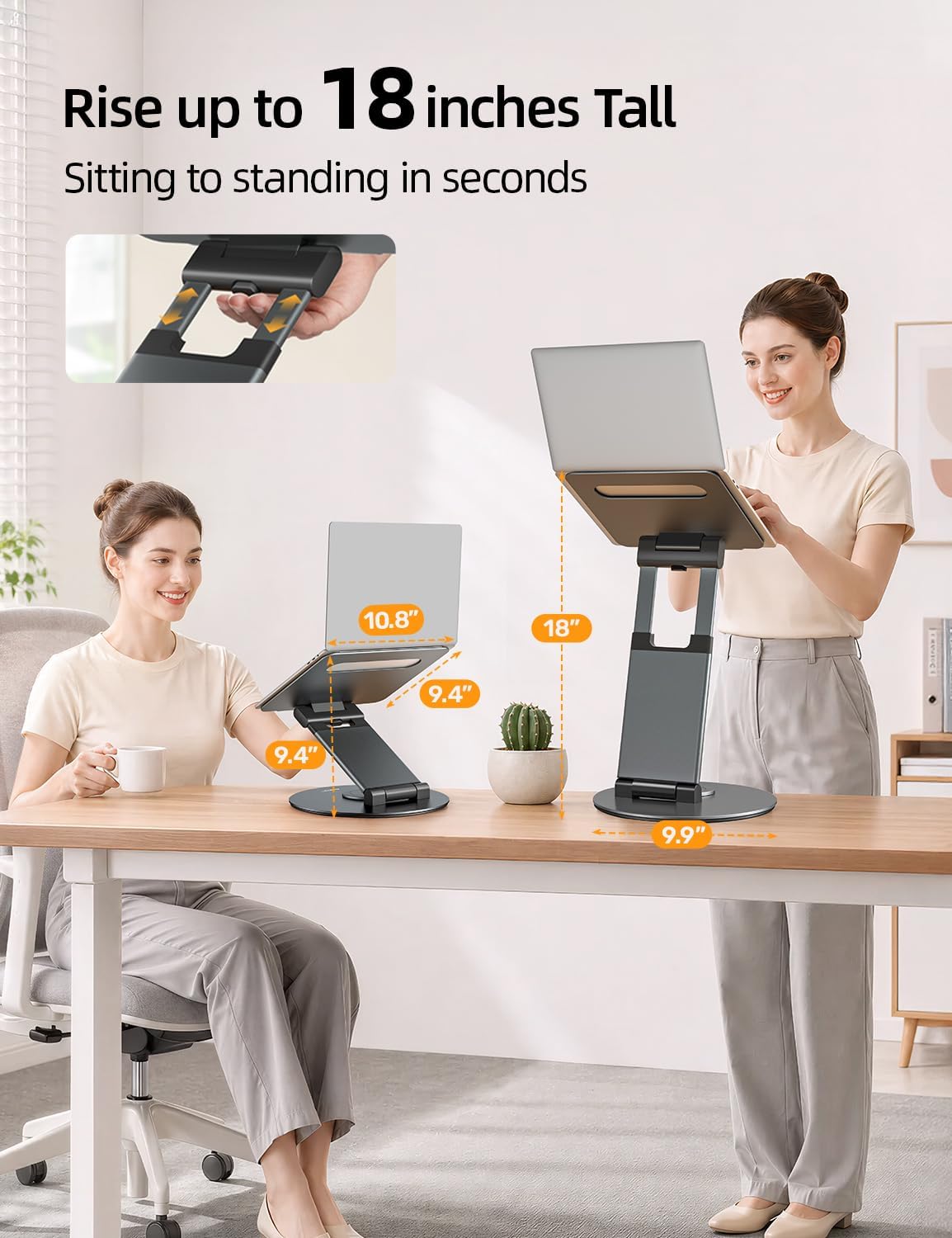
Nulaxy Telescopic 360° Stand
A taller adjustable design to evaluate for sit-stand workstations.
Product specifications, availability, and prices can change. Check the current product listing and measurements before buying.
Quick Comparison: Laptop Stands for Neck Pain
Use this table to narrow down the options before reading the individual reviews. Fixed stands prioritize simplicity, while adjustable stands offer more flexibility when your desk, chair, or working position changes.
| Stand | Best For | Adjustment | Portability | Main Trade-Off |
|---|---|---|---|---|
| Twelve South Curve SE | Permanent desk setup | Fixed height | Low | Limited height flexibility |
| Roost Laptop Stand | Travel and hybrid work | Adjustable | Excellent | Premium price; check model version |
| Rain Design mStand | Stable desk setup | Fixed height | Low | Not designed for frequent travel |
| Nulaxy C1 | Adjustable desk positioning | Height and angle adjustable | Moderate to low | Requires space on the desk |
| Amazon Basics Ergonomic Stand | Budget-conscious buyers | Adjustable | Depends on model | Verify stability and adjustment range |
| Nulaxy Telescopic 360° | Taller and sit-stand setups | Telescopic and rotating | Limited compared with folding stands | Check stability at maximum height |
| AiTodos Adjustable Stand | Basic adjustable positioning | Multiple preset positions | Generally suited to occasional moving | Verify laptop compatibility and fit |
How Can a Laptop Stand Help with Neck Discomfort?
A laptop’s screen and keyboard are attached to the same base. When the laptop sits flat on a desk, the screen may be too low for a comfortable viewing position, particularly if you spend long periods reading, writing, or attending video meetings.
To see the screen clearly, you may repeatedly tilt your head down or lean your upper body forward. Over time, this position can contribute to discomfort in the neck, shoulders, or upper back. The effect varies by person, workstation, task, and how long the position is maintained.
A laptop stand raises the display without requiring you to raise your chair or bend forward as much. It can make it easier to arrange a workstation where your head stays balanced over your torso and your shoulders remain relaxed.
Important: A laptop stand is an ergonomic accessory, not a treatment for a medical condition. Raising the screen may improve viewing posture, but it does not guarantee pain relief or eliminate neck strain. If discomfort persists, worsens, or comes with numbness, weakness, or other concerning symptoms, seek appropriate medical advice.
Why You Also Need an External Keyboard and Mouse
When the laptop screen is raised, its built-in keyboard and trackpad rise with it. Typing at that height can force your arms and shoulders into an uncomfortable position, especially if the stand places the laptop near eye level.
For most desk-based work, a more practical setup is to raise the laptop and use a separate keyboard and mouse on the desk. This allows you to position the display and your hands independently.
- Screen: Position it directly in front of you, with the top of the display around eye level or slightly below, adjusting for screen size, glasses, and visual comfort.
- Keyboard: Keep it close enough that your elbows can remain near your body and your shoulders relaxed.
- Mouse: Place it beside the keyboard so you do not have to reach far to use it.
- Viewing distance: Start at roughly an arm’s length and adjust until text is clear without leaning forward.
For more ideas, see our ergonomic desk setup tips.
What to Look for in a Laptop Stand
1. Height and Viewing-Angle Adjustment
Your ideal screen height depends on your chair, desk, body proportions, eyesight, and whether you sit or stand. An adjustable stand makes it easier to fine-tune the screen position. A fixed stand can work well if its height suits your workstation and you rarely change positions.
Do not choose a stand based on the maximum lift alone. Check whether the available height range lets you position the screen comfortably while keeping your external keyboard at a suitable level.
2. Stability and Build Quality
The platform should support your laptop securely without excessive movement during normal use. Look for a suitable base, non-slip contact points, and retaining lips or grips that help prevent the laptop from sliding.
For adjustable models, consider how firmly the hinges or locking mechanisms hold their position. A stand that becomes unstable when extended to its highest setting may not be appropriate for your workstation.
3. Portability and Storage
If you work in different locations, prioritize a folding design, low weight, and a compact packed size. Check the dimensions after folding, not just the stand’s weight. A model that fits inside your laptop bag is easier to use consistently when travelling.
For a permanent desk, a heavier fixed stand may be acceptable if it offers the stability and appearance you want.
4. Laptop Size, Weight, and Compatibility
Check the manufacturer’s compatibility information for your laptop’s screen size, weight, thickness, and bottom shape. A laptop’s screen diagonal alone does not tell you whether it will sit securely on a particular platform.
If you use a large gaming laptop or a heavy workstation, pay particular attention to the stand’s stated weight limit, platform dimensions, and stability. Never assume every model from the same brand has the same capacity.
5. Ventilation and Cable Management
An open-frame stand can leave more of the laptop’s underside exposed to air than a solid surface. Actual cooling results depend on the laptop’s cooling system, workload, room temperature, and how the stand contacts the device. Treat ventilation as a useful design feature rather than a guarantee of lower temperatures.
Cable routing can also help keep your desk organized, particularly when you connect an external keyboard, mouse, monitor, or charging cable.
6. Total Cost of Your Setup
Remember to include an external keyboard and mouse in your budget if you plan to elevate the laptop for extended desk work. A low-cost stand can be a good starting point, but a complete setup should also fit your desk space and working habits.
Best Laptop Stands for Neck Pain and Better Posture
The following options cover different needs rather than assuming one stand is right for everyone. Product details and availability can change, so use the linked product pages to verify the current version, dimensions, and specifications before purchasing.
1. Twelve South Curve SE — Best for a Permanent Desk Setup
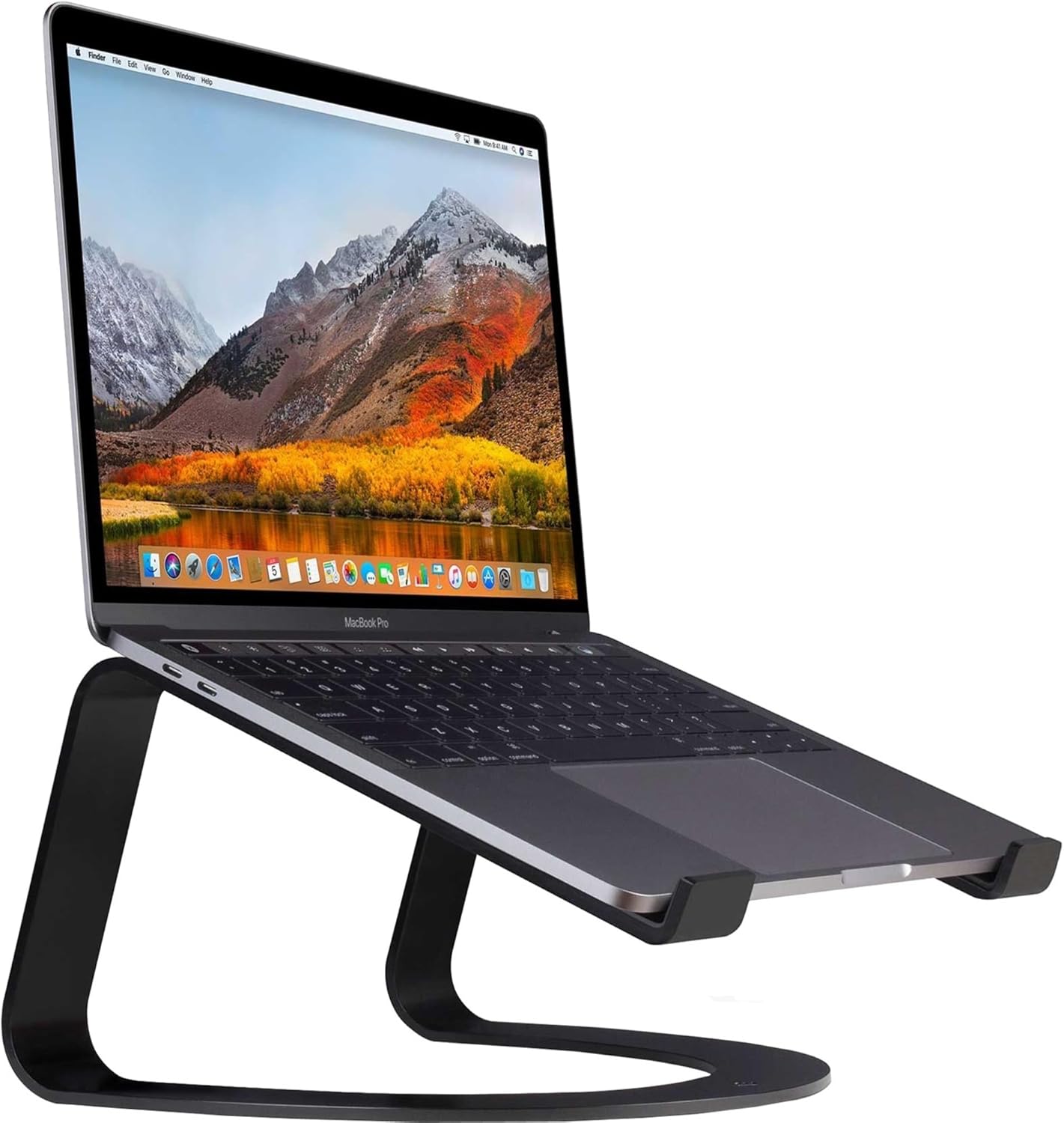
Best for: Users who want a clean, fixed-height laptop setup and do not need to adjust the stand throughout the day.
The Twelve South Curve SE is worth considering if your laptop normally stays in one place. Its curved design raises the laptop off the desk and creates a dedicated space beneath the platform. The fixed structure also avoids the adjustment hinges found on many folding stands.
Its main advantage is simplicity: once you have confirmed that the height works with your desk and chair, there is little need to change the setup. The design can also complement an uncluttered home office.
However, a fixed stand cannot accommodate every body size or desk arrangement. Before buying, check the actual lift height and confirm that your laptop screen will sit comfortably when you are seated upright.
Advantages
- Simple fixed-height design for a permanent workstation.
- Open space beneath the laptop can help keep the desk organized.
- Minimal adjustment hardware to manage.
Limitations
- Height is not adjustable.
- Less convenient for travel and shared workstations.
- May not suit every desk or user height.
Our take: Choose the Curve SE if you have a dedicated desk and have confirmed that a fixed-height stand suits your viewing position. If you are still experimenting with screen height, an adjustable model may be a safer first purchase.
2. Roost Laptop Stand — Best for Travel and Hybrid Work
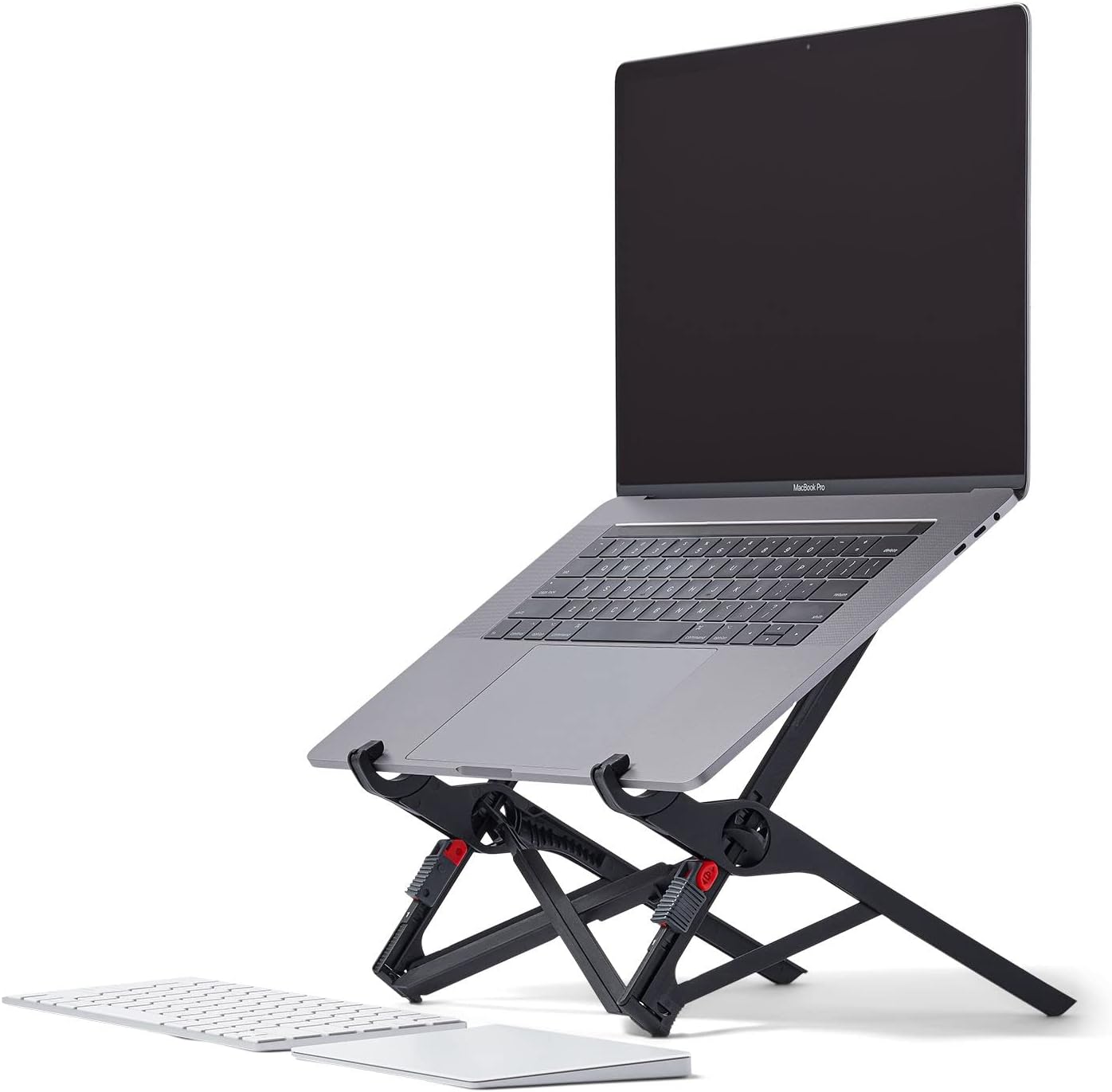
Best for: Remote workers, frequent travellers, and people who regularly change work locations.
A portable stand is useful only if you are willing to carry it and set it up. The Roost design is aimed at people who want to elevate their laptop without transporting a large metal stand. Its folding format makes it a candidate for a laptop bag or travel workstation.
For hybrid workers, portability can make a practical difference: you can raise the screen in a hotel room, coworking space, or temporary desk instead of reverting to a low laptop screen every time you leave home.
Check the exact model version before ordering. The product image currently used on this page has a V3 filename, while the review title refers to V4. Confirm that the image, product listing, and stated specifications all describe the same model before publication.
Advantages
- Designed for compact storage and portable use.
- Useful for creating a raised screen position away from home.
- Can be paired with a compact external keyboard and mouse.
Limitations
- May cost more than basic folding stands.
- Requires setup each time you move locations.
- Compatibility and adjustment range depend on the exact version.
Our take: The Roost is most relevant if portability is a priority. Confirm the current version’s supported laptop dimensions, adjustment range, and folded size before comparing it with cheaper alternatives.
3. Rain Design mStand — Best Classic Aluminum Desk Stand
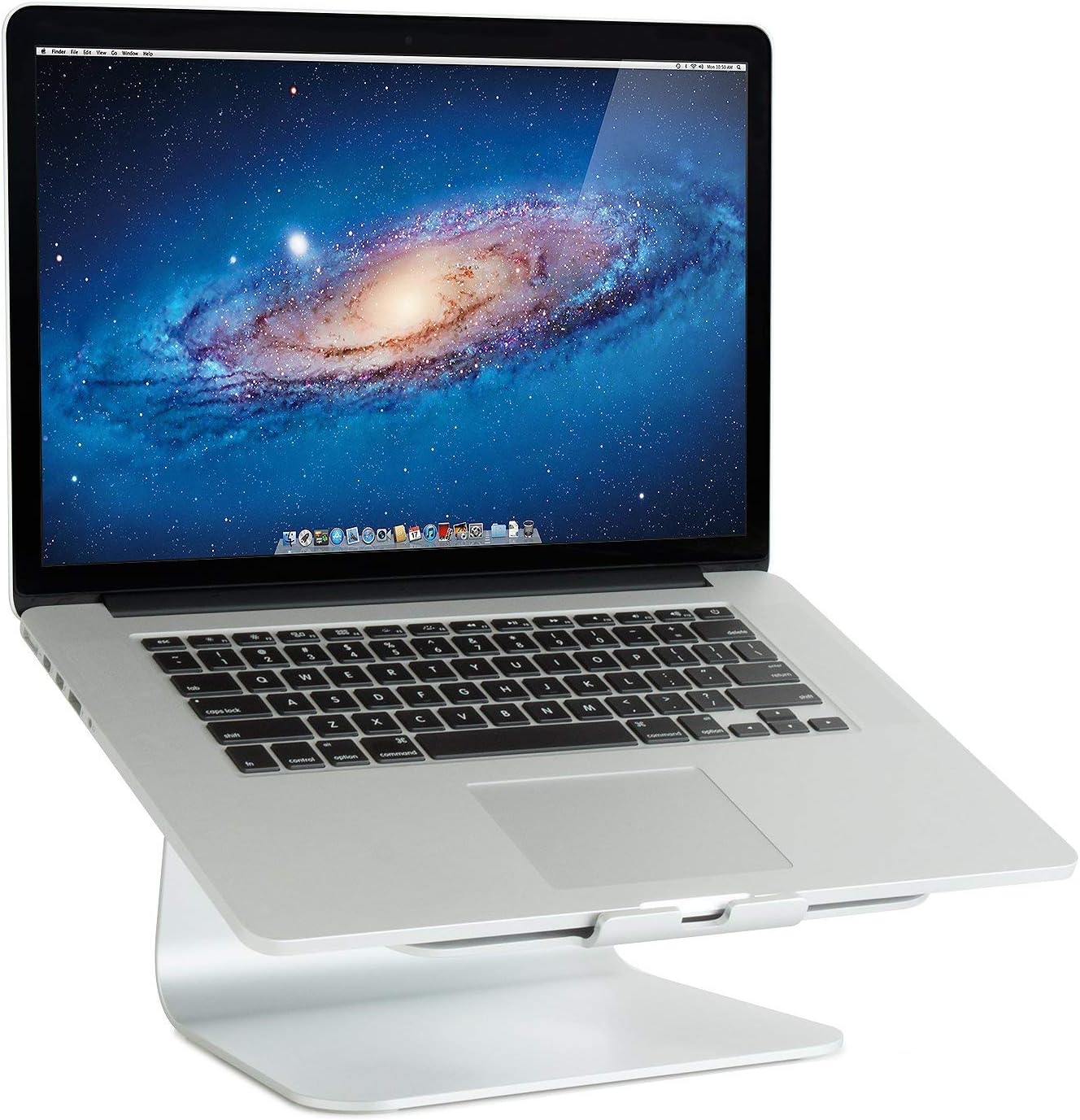
Best for: People who prefer a sturdy, non-folding stand for a dedicated desk.
The Rain Design mStand uses a simple aluminum structure rather than an adjustable mechanism. That makes it a straightforward option for users who know the screen height they need and prefer not to reposition the stand frequently.
The raised platform also leaves space beneath the laptop, which can be useful for desk organization. Cable routing may help keep charging and peripheral cables from spreading across the work surface.
The main trade-off is flexibility. Its fixed height will not suit every combination of chair, desk, and user. It is also less practical than a compact folding stand if you often work away from home.
Advantages
- Simple construction with no height-adjustment hinges.
- Suitable for a permanent desk arrangement.
- Raised platform creates additional space beneath the laptop.
Limitations
- Fixed screen height.
- Not as convenient to carry as folding designs.
- Requires checking laptop size and platform compatibility.
Our take: Consider the mStand if you value a simple aluminum design and have already established a comfortable screen height. If you need flexibility, compare it with an adjustable stand before choosing.
4. Nulaxy C1 Laptop Stand — Best for Adjustable Positioning
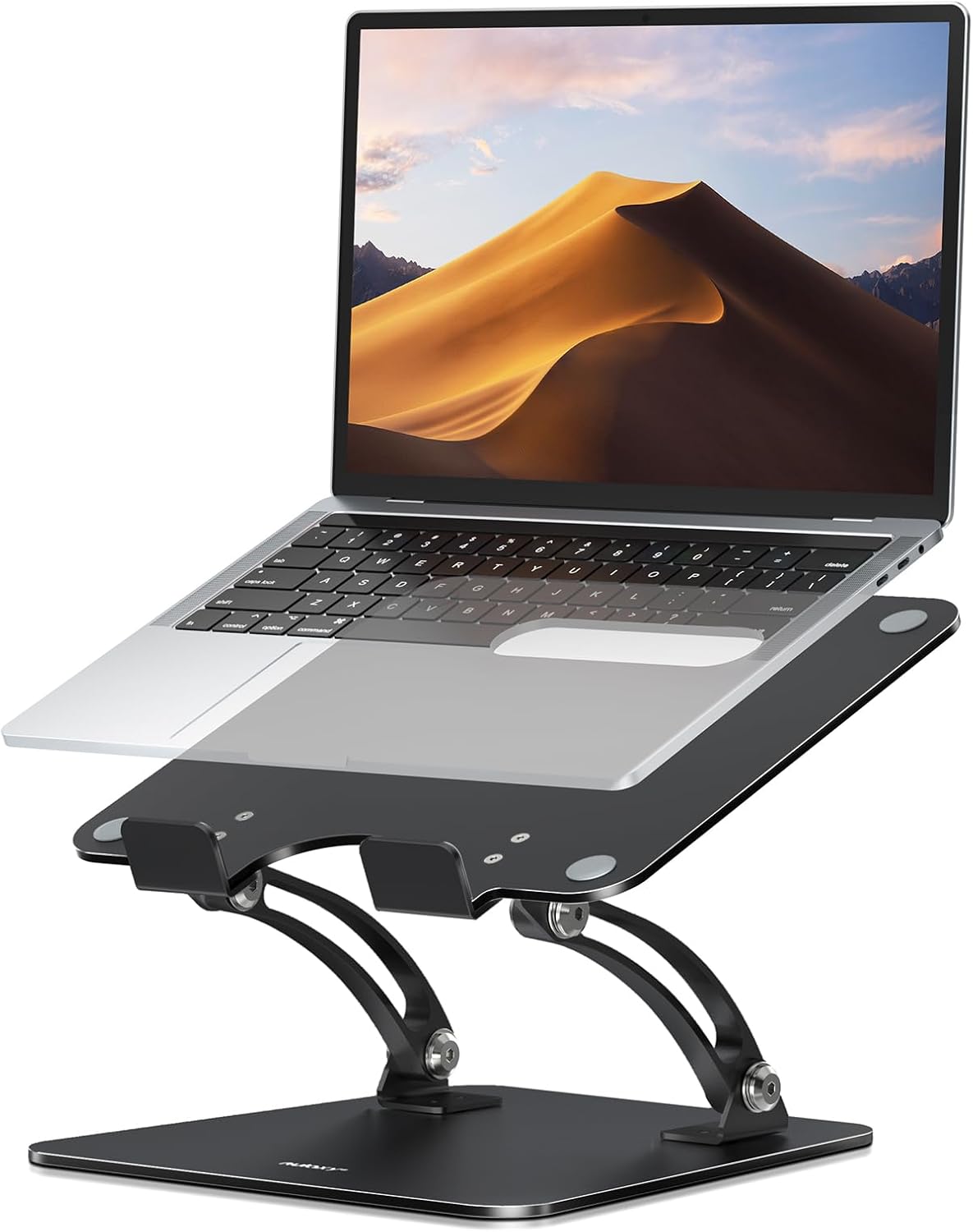
Best for: Users who want to change laptop height or angle to suit their workstation.
An adjustable stand gives you more control over screen positioning than a fixed-height model. The Nulaxy C1 is worth comparing if you want a desk stand that can be repositioned rather than permanently set at one level.
Before buying, inspect the exact listing for its adjustment range, supported laptop dimensions, weight limit, and locking design. These specifications determine whether it can support your particular laptop at the height you need.
Also consider how you will use the stand. If you regularly type on the laptop itself, a raised platform may not be the most comfortable arrangement. For extended desk work, plan to use an external keyboard and mouse.
Advantages
- More flexibility than a fixed-height stand.
- Useful for fine-tuning screen position.
- Can suit a dedicated workstation that needs occasional adjustments.
Limitations
- Adjustment mechanisms take up space and need to hold securely.
- Less compact than some lightweight travel stands.
- Actual capacity and adjustment range must be confirmed for the model.
Our take: Compare the C1 with other adjustable stands based on the usable height range and stability at your preferred setting, rather than choosing by maximum height alone.
5. Amazon Basics Ergonomic Laptop Stand — A Budget Option to Compare
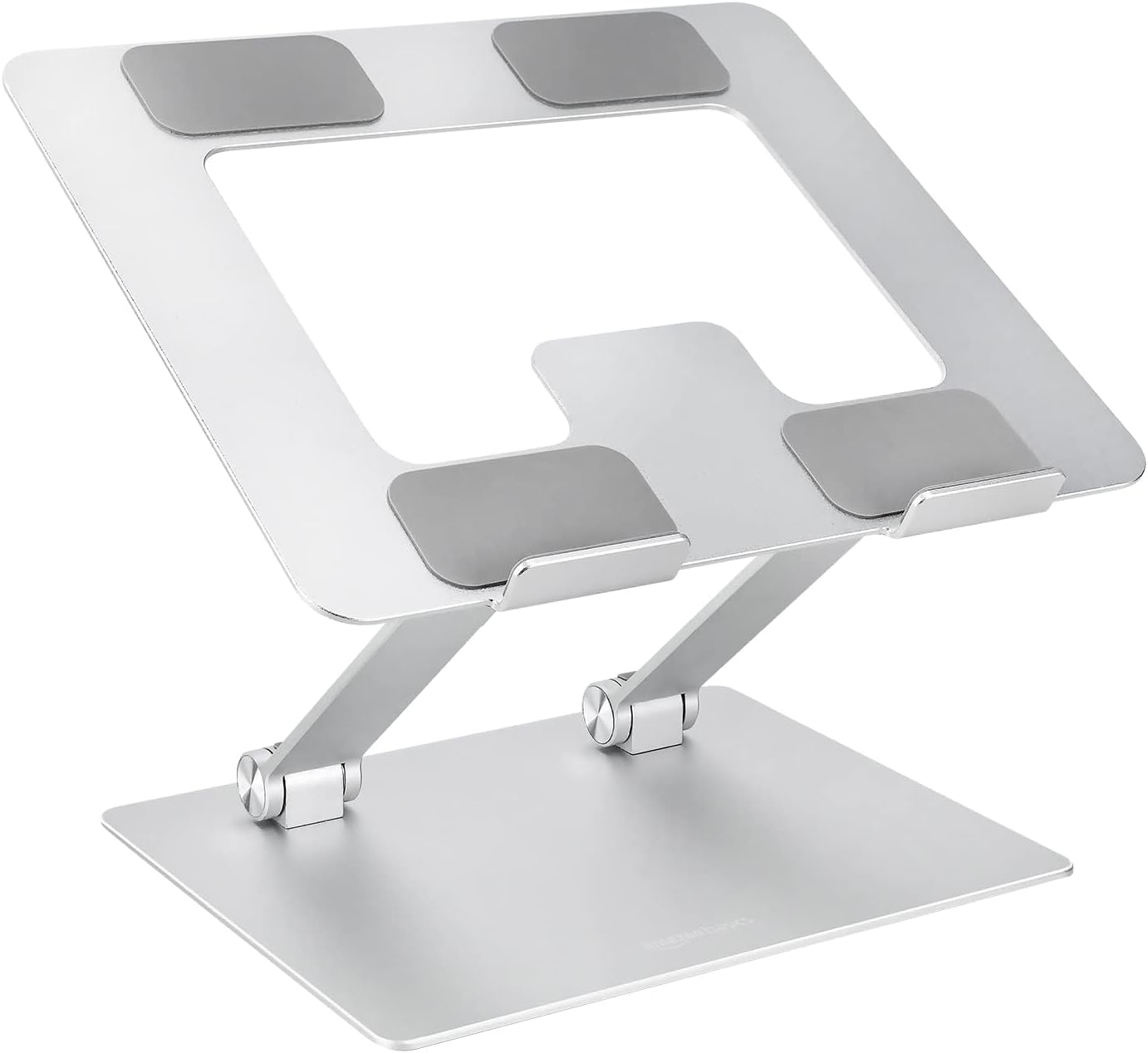
Best for: Budget-conscious buyers who want a basic laptop stand for everyday use.
A budget stand can be enough if your main goal is to raise the screen and create a more practical desk arrangement. The Amazon Basics option is worth considering alongside other entry-level stands, particularly if you do not need an elaborate adjustment mechanism.
Do not assume that every product with a similar name has the same features. Check the current listing to confirm the exact model, adjustment method, supported laptop weight, platform dimensions, and whether it folds for storage.
Stability is especially important for a budget model. Look for secure laptop contact points and a base that remains steady during normal use. If your laptop is heavy, compare the listed capacity with the laptop’s actual weight.
Advantages
- A practical starting point for a low-cost workstation upgrade.
- May offer sufficient adjustment for a straightforward desk setup.
- Can be compared with other basic stands without paying for premium travel features.
Limitations
- Features and construction depend on the exact product version.
- Verify stability and capacity before using it with a heavy laptop.
- May not offer the flexibility or portability of more specialized stands.
Our take: Choose a budget stand when its specifications match your laptop and workstation. A low price is useful, but not if the stand cannot hold the screen at a comfortable and stable height.
6. Nulaxy Telescopic 360° Laptop Stand — Best to Consider for Sit-Stand Desks
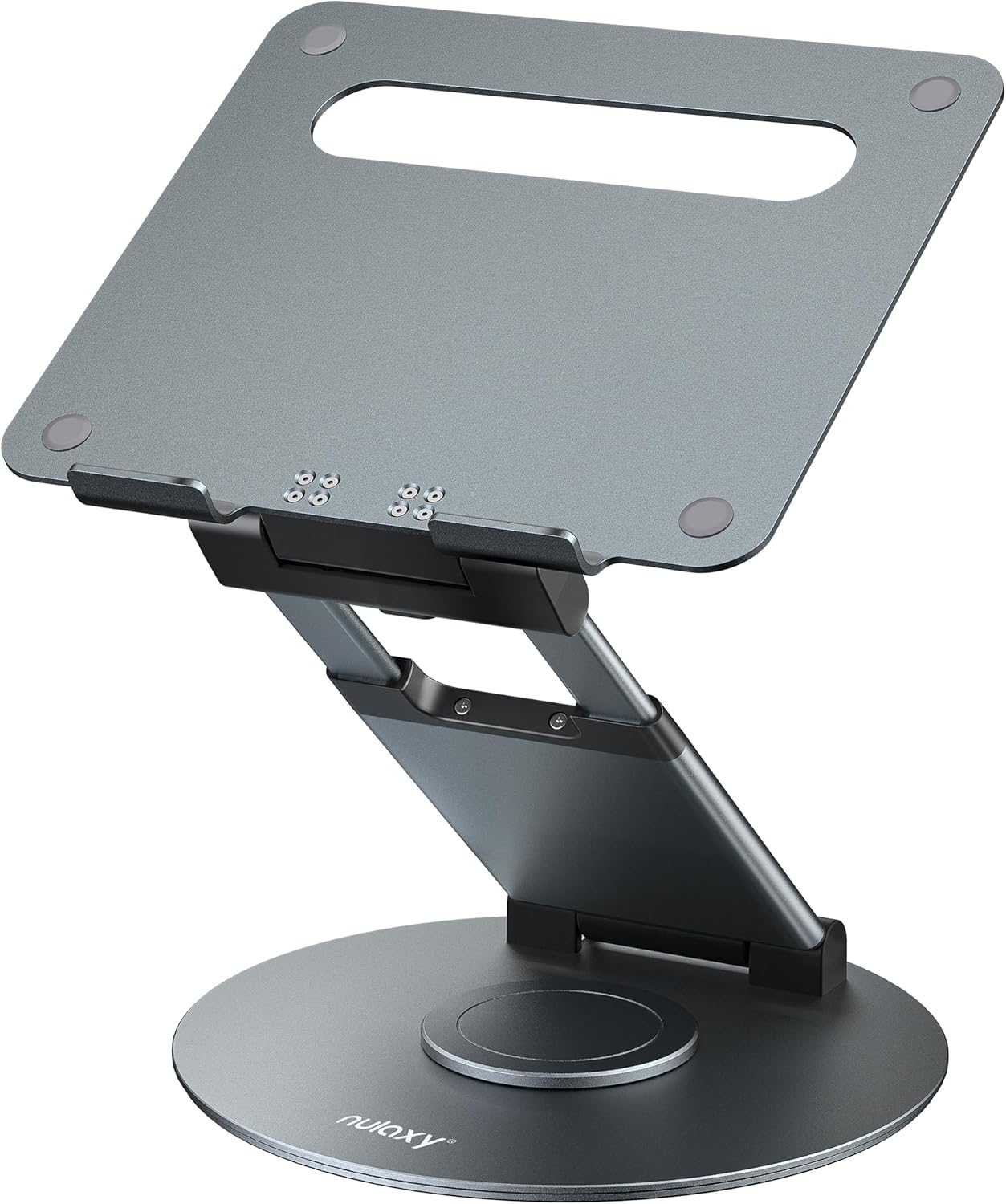
Best for: People who need a taller laptop position or want to use a laptop with a sit-stand workstation.
A telescopic stand may provide more height than a conventional desktop laptop riser. That can be useful when the workstation changes between sitting and standing, although the required height depends on your body proportions, desk height, and whether you use a separate monitor.
The rotating platform can also be convenient when you need to turn the laptop to share its screen. Rotation is a secondary convenience, however; secure support at the intended working height is more important.
Before purchasing, check the current model’s maximum height, base dimensions, supported laptop weight, and stability at full extension. A stand that reaches a tall position is not automatically suitable for every sit-stand setup.
Advantages
- More height flexibility than a low fixed stand.
- Rotation can help with occasional screen sharing.
- Worth comparing for taller workstation arrangements.
Limitations
- Requires enough desk space for its base.
- May be less portable than folding travel stands.
- Stability at maximum extension should be checked carefully.
Our take: This style is most relevant when a standard stand cannot reach the height your workstation needs. Confirm the actual working height and stability before relying on it for a sit-stand setup.
7. AiTodos Adjustable Laptop Stand — Another Option for Flexible Setups
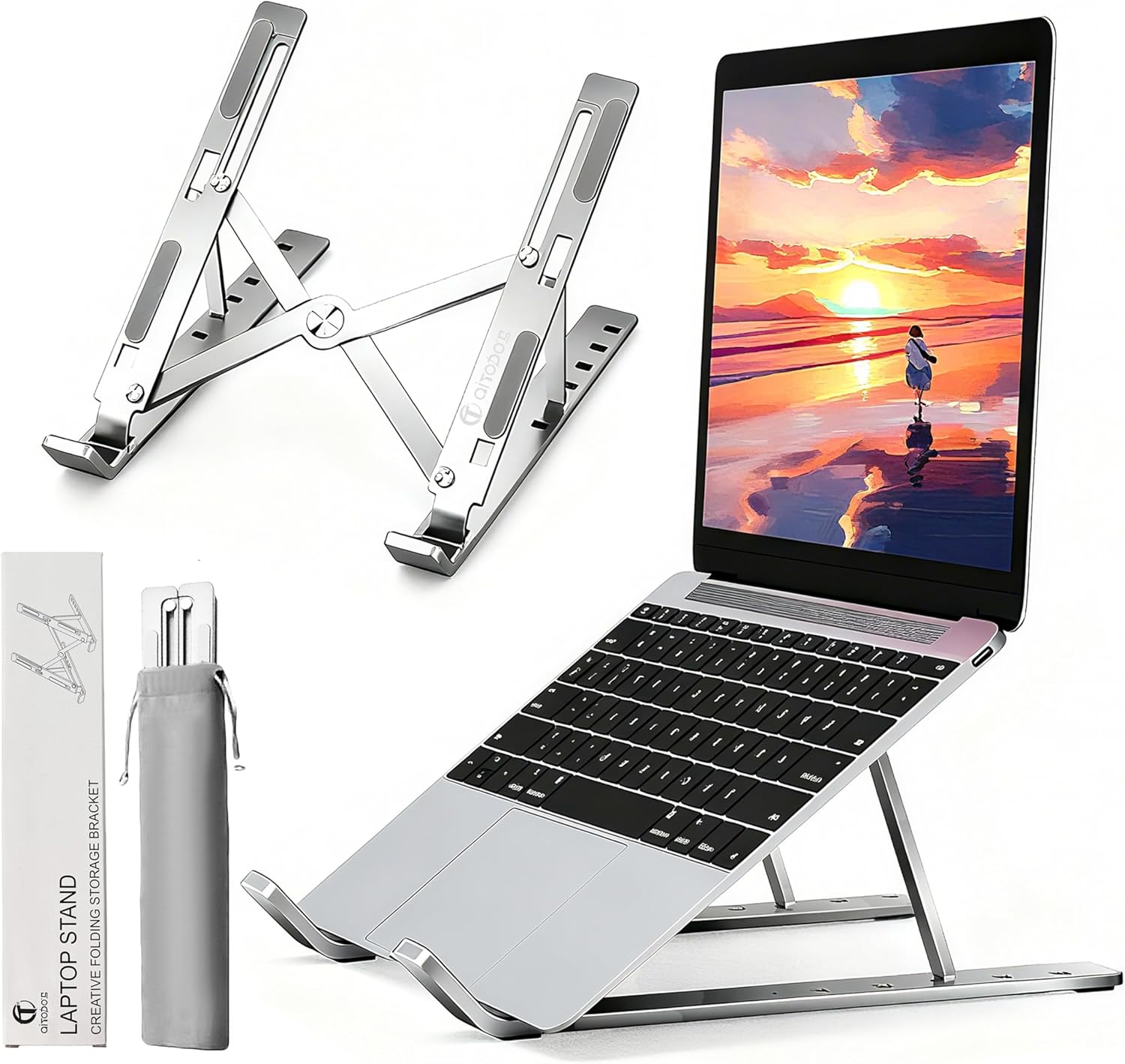
Best for: Buyers who want a basic adjustable stand with a collapsible design.
The AiTodos stand is another option to compare if you want to experiment with screen height without committing to a large fixed stand. A folding structure can be convenient when the laptop setup needs to be packed away or moved occasionally.
Compare its adjustment positions with the height you actually need. Multiple preset positions are useful only if they let you bring the screen into a comfortable viewing range. Also check that the laptop sits securely on the platform and that the stand supports the device’s dimensions and weight.
Advantages
- Adjustable positions for experimenting with screen placement.
- Collapsible design may help with storage.
- Worth comparing with other entry-level adjustable stands.
Limitations
- Verify the actual supported laptop dimensions and weight.
- Check stability at the setting you plan to use.
- May not offer the compactness of specialist travel stands.
Our take: Consider the AiTodos if its current adjustment range, compatibility, and price compare favorably with other adjustable models. Check the exact product specifications rather than relying on a generic model description.
How to Choose the Right Laptop Stand for Your Work Style
For a Permanent Desk
Compare the Twelve South Curve SE and Rain Design mStand if you want a fixed-height design. Confirm the screen height before buying.
For Frequent Travel
Start with a folding stand such as the Roost. Check folded dimensions, weight, and compatibility with your laptop.
For Adjustable Positioning
Compare the Nulaxy C1 and AiTodos based on their usable adjustment range, stability, and platform size.
For a Taller Workstation
Evaluate the Nulaxy Telescopic 360° model if you need extra lift. Confirm that it remains stable at the height you intend to use.
How to Set Up a Laptop Stand for Better Posture
Buying a stand is only the first step. Follow these practical adjustments after placing it on your desk.
- Sit in your normal working position. Adjust your chair so your feet are supported and your shoulders can relax.
- Raise the screen. Position the display in front of you, with its top around eye level or slightly below. Adjust the height to suit your vision and screen size.
- Set a comfortable viewing distance. Start at approximately an arm’s length and move the screen closer or farther away until you can read without leaning forward.
- Add an external keyboard and mouse. Keep them on the desk so you can use them without reaching up toward the elevated laptop.
- Check your shoulders and elbows. Keep your shoulders relaxed and your elbows near your body. If you have to shrug or reach, adjust the keyboard position.
- Check glare and text size. Change the screen angle, lighting, or display scaling if you find yourself leaning forward to read.
- Change position regularly. Alternate tasks and take short movement breaks instead of maintaining one posture for hours.
A stand should help your workstation fit you. Do not force yourself to use a particular height simply because a product advertises that measurement.
Frequently Asked Questions
Will a laptop stand help with neck pain?
A laptop stand can make it easier to raise the screen and reduce the need to look down continuously. Whether that helps your discomfort depends on your workstation, working habits, and the cause of the pain. It is not a guaranteed treatment, and a stand alone cannot correct every ergonomic issue.
What height should a laptop stand be?
There is no single ideal stand height for everyone. Aim to position the screen so you can view it comfortably without repeatedly bending your neck or leaning forward. Your chair height, desk height, screen size, and eyesight all affect the required lift.
Should the top of my laptop screen be at eye level?
The top of the display around eye level or slightly below is a useful starting point, but comfort and viewing angle matter. You may need to adjust the screen lower if the display is large or if the initial position makes you tilt your head back.
Can I type on my laptop keyboard when using a stand?
You can physically type on it, but once the laptop is raised to a comfortable viewing height, its keyboard may be too high for relaxed typing. For extended desk work, a separate keyboard and mouse generally make it easier to position your hands independently from the screen.
Is an adjustable laptop stand better than a fixed stand?
An adjustable stand offers flexibility when your workstation or preferred screen height changes. A fixed stand can be simpler if you have already confirmed that its height works for you. Neither type is automatically better for every user.
Can I use a laptop stand with a standing desk?
Yes, if the stand can position the screen at a suitable height in your standing position and remains stable. A taller telescopic model may be worth considering, but check the actual working height and base stability. If you switch between sitting and standing, you may need to adjust the screen or use a separate monitor.
Do laptop stands improve cooling?
Some stands leave more of the laptop’s underside exposed to air, which may help airflow depending on the device design. Cooling performance varies by laptop and workload, so do not assume a stand will resolve overheating. Check the laptop manufacturer’s ventilation guidance if temperatures are a concern.
How much should I spend on a laptop stand?
Choose based on the features you will actually use. A basic stand may be sufficient for a permanent desk, while a lightweight travel model or a stand with a greater adjustment range may cost more. Compare the current price, construction, compatibility, and return policy rather than relying on a fixed price estimate.
Final Verdict: Which Laptop Stand Should You Choose?
The right laptop stand is the one that lets you position your screen comfortably and securely within your actual workstation. There is no universal best option, so match the design to your daily routine.
The Most Important Setup Tip
Do not focus on the stand alone. Raise the laptop screen to a comfortable viewing position, use an external keyboard and mouse for extended desk work, keep your shoulders relaxed, and change position regularly. A well-adjusted workstation is more useful than choosing a product based on a single advertised feature.
Check the Twelve South Curve SE on Amazon
Related Articles
- Ergonomic Desk Setup Tips: 13 Ways to Create a More Comfortable Workspace
- Best Ergonomic Chair for Lower Back Pain
- Mesh vs Cushion Office Chair: Which Is Better for You?
- How to Choose an Ergonomic Chair: Complete Buyer’s Guide
- Best Keyboard Trays for a More Ergonomic Desk Setup
Disclosure: As an Amazon Associate, SitBetterLab may earn from qualifying purchases. Product specifications, availability, and prices can change; check the current listing before ordering. This article provides general workstation guidance and is not a substitute for individualized medical advice.