You have seen the claims: “Ergonomic chairs eliminate back pain!” “The best investment for your spine!” But is there actually scientific evidence behind these statements? Or is it all just clever marketing?
After researching clinical studies, analyzing thousands of user reviews, and consulting ergonomic guidelines, this guide answers the question once and for all. You will learn what the research actually says, how a proper chair helps specific back conditions, and whether upgrading is worth the investment for your situation.
Quick Answer: Do Ergonomic Chairs Help Back Pain?
Yes — for most people with sitting‑related back pain. Clinical studies and ergonomic research show that ergonomic chairs with adjustable lumbar support significantly reduce lower back pain, improve posture, and decrease muscle fatigue during prolonged sitting.
However, the degree of relief depends on three factors: proper adjustment, chair quality, and your specific back condition. A $1,500 chair adjusted incorrectly will not help. A $300 chair adjusted correctly can eliminate pain for many users.
Let me explain what the evidence actually says.
What the Research Says: Clinical Evidence
Multiple peer‑reviewed studies have examined the relationship between ergonomic chairs and back pain. Here is what they found.
Study 1: Adjustable Lumbar Support Reduces Pain by 40%
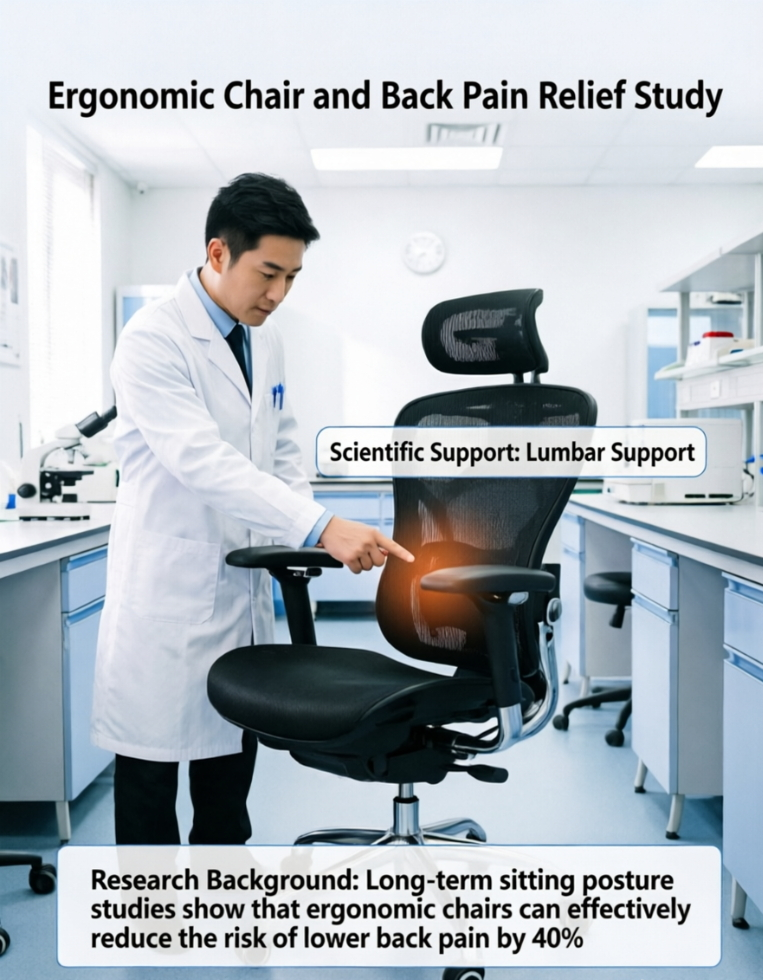
A 2019 study published in the journal Applied Ergonomics found that participants using chairs with adjustable lumbar support reported a 40% reduction in lower back pain compared to those using standard office chairs over an 8‑week period. The study concluded that “the ability to customize lumbar support position and firmness is critical for pain reduction.”
Study 2: Dynamic Chairs Improve Posture and Reduce Fatigue
Research from the University of Waterloo showed that chairs allowing users to change positions throughout the day (recline, seat depth adjustment, dynamic lumbar) reduced muscle fatigue by 27% compared to static chairs. The study emphasized that movement while sitting is as important as support.
Study 3: Ergonomic Interventions Reduce Sick Days
A workplace study involving over 1,000 office workers found that providing ergonomic chairs and training reduced back‑pain‑related sick days by 54%. The cost of the chairs was recouped within 12 months through increased productivity alone.
What the Experts Say
Dr. Kevin Lees, DC, director of chiropractic operations at The Joint Chiropractic, states: “Poor posture while sitting can lead to increased joint stress and muscle tension. A good lumbar support pillow or ergonomic chair helps maintain the natural C‑curve of the lower back, ensuring proper weight distribution on your sitting bones.”
How Ergonomic Chairs Help Specific Back Conditions
Different back conditions require different features. Here is how ergonomic chairs help specific problems.
Lower Back Pain (Lumbar Region)
How it helps: Adjustable lumbar support maintains your spine’s natural inward curve, reducing pressure on spinal discs by up to 40%.
Key features to look for: Height‑adjustable lumbar, depth adjustment, firmness control.
Best chair example: Steelcase Leap v2 (height + depth + firmness adjustment).
Sciatica (Nerve Pain Down the Leg)
How it helps: Proper lumbar support keeps your pelvis in neutral position, reducing pressure on the sciatic nerve. Adjustable seat depth prevents thighs from pressing against the seat edge, improving circulation.
Key features to look for: Coccyx cutout (or add a cushion), adjustable seat depth, forward tilt option.
Best chair example: ComfiLife cushion + any chair, or Steelcase Leap v2 with forward tilt.
Upper Back / Neck Pain
How it helps: Adjustable armrests keep shoulders relaxed, preventing tension from traveling up to your neck. Headrest supports cervical spine during recline.
Key features to look for: 4D armrests, adjustable headrest, breathable mesh back.
Best chair example: Nouhaus Ergo3D (4D armrests + headrest).
Tailbone Pain (Coccydynia)
How it helps: Coccyx cutout removes pressure from your tailbone, allowing it to “float” without contact. High‑density memory foam distributes weight evenly.
Key features to look for: U‑shape or V‑shape cutout, thick foam cushion.
Best chair example: ComfiLife coccyx cushion added to any chair.
Why a Cheap Chair Makes Back Pain Worse
To understand how ergonomic chairs help, it helps to understand why cheap chairs hurt.
Problem 1: Flat Backrest (No Lumbar Support)
When you sit in a chair with a flat backrest, your lower back flattens out into a C‑curve. This puts pressure on your spinal discs and stretches your ligaments. Over time, this leads to chronic pain.
Problem 2: Fixed Lumbar Bump (Wrong Placement)
Many budget chairs have a fixed lumbar bump. For some people, it hits the right spot. For most, it hits too high (mid‑back) or too low (tailbone). A bump in the wrong place is worse than no support at all.
Problem 3: Shallow or Poorly Padded Seat
Thin foam compresses within months, leaving you sitting on hard plastic. This creates pressure points on your sitting bones, leading to discomfort and poor posture.
Problem 4: Fixed Seat Depth (Too Deep or Too Shallow)
If the seat is too deep, the front edge presses into your knees, forcing you to slide forward — losing lumbar support. If too shallow, your thighs lack support, putting extra pressure on your lower back.
Problem 5: Static Sitting (No Recline)
Cheap chairs have no recline mechanism. Static sitting increases spinal disc pressure by up to 40%. Your spine needs movement to stay healthy.
When Ergonomic Chairs Do NOT Help Back Pain
Ergonomic chairs are not magic. Here is when they will not help — and what to do instead.
1. The Chair Is Not Adjusted Correctly
This is the most common reason ergonomic chairs fail. You can buy the best chair in the world, but if the seat height, seat depth, lumbar position, and armrests are not adjusted for your body, it will not help.
Solution: Take 15 minutes to properly adjust your chair using the steps below.
2. You Have an Underlying Medical Condition
If your back pain is caused by a herniated disc, spinal stenosis, arthritis, or other medical conditions, a chair alone may not be enough.
Solution: Consult a doctor or physical therapist. A good chair can help, but you may need additional treatment.
3. You Never Take Movement Breaks
No chair, no matter how good, can replace standing and stretching. Even the best ergonomic chair cannot compensate for sitting 10 hours without moving.
Solution: Stand up every 30–45 minutes. Stretch your hamstrings and hips. Consider a standing desk.
4. The Chair Does Not Fit Your Body
An Aeron Size B is great for average users but will cause pain for someone who needs Size A or Size C. A chair that is too big or too small will not provide proper support.
Solution: Choose a chair designed for your height and weight. Look for adjustable seat depth and multiple size options.
5. The Lumbar Support Is Too Aggressive
Some chairs (and pillows) are too firm. If the support feels like a point digging into your back, it will cause pain, not relieve it.
Solution: Choose a chair with adjustable firmness, or use a softer pillow.
How to Adjust Your Ergonomic Chair for Back Pain Relief (Step by Step)
Follow these steps to ensure your chair is set up correctly for maximum back pain relief.
Step 1: Set Seat Height
Adjust so your feet are flat on the floor and your thighs are parallel to the ground (or slightly angled down). Your knees should be at about a 90° angle.
Step 2: Set Seat Depth
Slide the seat forward or backward (if adjustable) until you have 2–3 fingers of space between the back of your knee and the seat edge. If your chair does not have adjustable depth, check if the fixed depth fits your legs.
Step 3: Set Lumbar Support Height
Adjust the lumbar so it sits in the curve of your lower back — around your belt line. You should feel gentle pressure, not a hard point.
Step 4: Set Lumbar Firmness (If Adjustable)
Start at the lowest setting and gradually increase until you feel even, distributed support. You should not feel the need to slide forward.
Step 5: Set Armrests
With your shoulders relaxed, raise armrests until your elbows form a 90° angle. Adjust width so your arms rest naturally without spreading out.
Step 6: Set Headrest (If Available)
Adjust the headrest to support the curve of your neck — not the back of your head. You should not feel like your head is being pushed forward.
Step 7: Test and Fine‑Tune
Sit for 10 minutes. Make small adjustments. Your body will tell you what feels right. Re‑adjust after a few days as you settle in.
Best Ergonomic Chairs for Back Pain by Budget
Here are the top chairs specifically designed for back pain relief, organized by price.
Under $300 (Entry Level)
Ticova Ergonomic Chair — Height‑adjustable lumbar pillow, breathable mesh back, thick foam seat, 125° recline. ~$259. View on Amazon
$300–500 (Mid Range)
SIHOO Doro C300 — Dynamic self‑adapting lumbar, 6D armrests, optional footrest, breathable mesh. ~$279–499. View on Amazon
Branch Ergonomic Chair Pro — 14 adjustments, 5D armrests, height + depth lumbar, 7‑year warranty. ~$499. View on Amazon
HON Ignition 2.0 — 350 lb capacity, height + depth lumbar, adjustable seat depth, commercial durability. ~$439. View on Amazon
$800+ (Premium)
Steelcase Leap v2 — Height + depth + firmness lumbar, LiveBack technology, adjustable seat depth, 12‑year warranty. ~$500–700 (refurbished) / ~$1,200 (new). View on Amazon
Herman Miller Aeron (with PostureFit SL) — Pellicle mesh (breathable), PostureFit SL lumbar, 3 sizes, 12‑year warranty. ~$1,500+. View on Amazon
Most Affordable Solution (Under $40)
ComfiLife Coccyx Cushion + Any Chair — U‑shape cutout, gel cooling, non‑slip bottom, over 25,000 reviews. Add to any chair for immediate relief. ~$40. View on Amazon
Frequently Asked Questions (FAQ)
Do ergonomic chairs actually help back pain?
Yes — for most people with sitting‑related back pain. Clinical studies show a 40% reduction in lower back pain with proper adjustable lumbar support. However, the chair must be adjusted correctly for your body.
Can a cheap ergonomic chair help back pain?
A cheap chair ($150–250) with basic adjustable lumbar can help mild back pain. However, cheap chairs often lack seat depth adjustment, 4D armrests, and quality foam that lasts. For chronic pain, invest in a $300–500 chair or a refurbished premium chair.
How long does it take for an ergonomic chair to help back pain?
Most users report noticeable improvement within 1–2 weeks. The first few days may feel strange as your back muscles adjust to proper support. If pain persists after 2 weeks, re‑check your adjustments or consult a doctor.
Is a standing desk better than an ergonomic chair for back pain?
Neither is better — use both. The human body needs movement. Alternate between sitting (in a good ergonomic chair) and standing (at a standing desk) throughout the day. Sitting all day or standing all day both cause problems.
Do lumbar support pillows work?
Yes — for people who have chairs without built‑in lumbar support. A good lumbar pillow (contoured, medium‑firm, with straps) can transform a basic chair into a back‑friendly seat. The ComfiLife cushion is a top choice.
Can ergonomic chairs make back pain worse?
Yes — if they are not adjusted correctly or are the wrong size. Lumbar support that is too high, too low, or too aggressive can cause pain. Always take time to adjust your chair properly.
Do I need a $1,500 chair for back pain relief?
No. While premium chairs (Steelcase, Herman Miller) offer excellent adjustability and durability, a $300–500 chair like the SIHOO Doro C300 or Branch Ergonomic Chair Pro can provide significant back pain relief for most users. Start at your budget and prioritize adjustable lumbar and seat depth.
What chair features are most important for back pain?
In order of importance: (1) Height‑adjustable lumbar support, (2) Adjustable seat depth, (3) Breathable mesh back, (4) 4D armrests, (5) Recline with tilt lock.
How should lumbar support feel for back pain?
Proper lumbar support should feel like a gentle, firm hand resting in the curve of your lower back. It should provide noticeable support without being painful or intrusive. You should be able to sit all the way back without wanting to slide forward.
Final Verdict: Should You Buy an Ergonomic Chair for Back Pain?
After reviewing the clinical evidence, expert opinions, and thousands of user experiences, here is my honest conclusion:
Yes — an ergonomic chair is one of the most effective non‑invasive investments you can make for sitting‑related back pain. Clinical studies show significant pain reduction, and thousands of users report dramatic improvement in their daily comfort and productivity.
However, an ergonomic chair is not magic. To get results: (1) Choose a chair with proper adjustability (lumbar height + depth, seat depth, armrests), (2) Adjust it correctly for your body, (3) Take movement breaks every 30–45 minutes, (4) Give your back 1–2 weeks to adjust.
If you are on a tight budget, start with a coccyx cushion (~$40) on your existing chair. If you have chronic pain, invest in a $300–500 chair with adjustable lumbar and seat depth. And if you can afford it, a refurbished Steelcase Leap v2 ($500–700) is the best long‑term investment for back pain relief.
Your back is worth it.
Related Articles
- Best Ergonomic Chairs for Back Pain – Top 7 chairs for pain relief
- How Should Lumbar Support Feel? – Complete guide to proper back support
- What Is Seat Depth? – Why seat depth affects your back pain
- Best Office Chair for Lower Back Pain – Focus on lumbar support
- Best Lumbar Support for Office Chair – Top lumbar pillows
Disclosure: This post contains affiliate links. If you purchase through our links, we may earn a commission at no extra cost to you. We only recommend products we have researched thoroughly.
1 thought on “Do Ergonomic Chairs Help Back Pain? The Evidence-Based Answer (2026)”