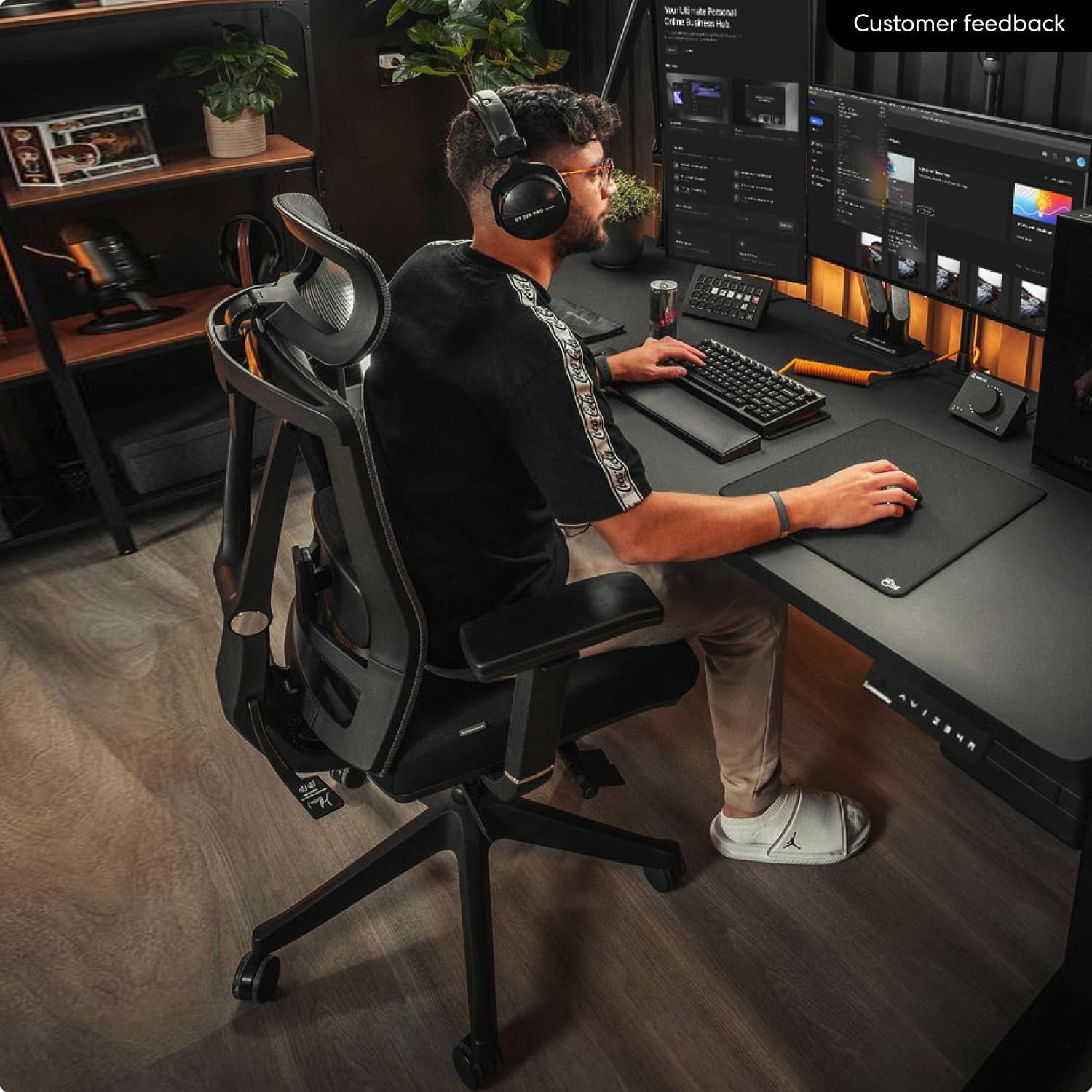
Long coding sessions can put your office chair to the test. Whether you’re debugging a complex application, reviewing pull requests, or working through a full day of software development, the right chair should support your lower back, keep your shoulders relaxed, and let you change positions comfortably.
The best office chairs for programmers combine adjustable lumbar support, a properly fitted seat, supportive armrests, and a recline mechanism that accommodates different working positions. However, the most expensive chair isn’t automatically the best choice. Your height, body proportions, budget, and preferred sitting style all matter.
In this guide, we’ll compare seven ergonomic office chairs for developers and programmers, from premium adjustable models to more affordable options. We’ll focus on the features that matter during long coding sessions and explain who each chair is best suited for.
Disclosure: As an Amazon Associate, this site may earn from qualifying purchases.
Quick Comparison: Best Office Chairs for Programmers
| Chair | Best For | Key Feature |
|---|---|---|
| Steelcase Leap | Overall adjustability | Flexible backrest and adjustable lumbar support |
| Herman Miller Aeron | Breathability | Pellicle mesh and multiple size options |
| SIHOO Doro C300 | Dynamic lumbar support | Adaptive back support |
| Branch Ergonomic Chair Pro | Mid-range ergonomics | Multiple adjustments and forward tilt |
| Autonomous ErgoChair Pro | Reclining with a headrest | Adjustable backrest and armrests |
| HON Ignition 2.0 | Everyday office work | Adjustable lumbar support |
| CLATINA Mellet | Budget-conscious buyers | Adjustable seat depth |
Quick recommendation: Start with the Steelcase Leap if you prioritize extensive adjustments, the Herman Miller Aeron if ventilation is important, or the CLATINA Mellet if your budget is limited. Always verify the specific model, available adjustments, dimensions, and current price before ordering.
What Makes a Good Office Chair for Programmers?
Programming involves more than sitting still. You may lean toward your monitor to inspect code, sit upright while typing, recline to think through a problem, or turn to a second screen. A good computer chair should accommodate these movements instead of forcing you into one rigid position.
1. Adjustable Lumbar Support
Lumbar support should fit the natural curve of your lower back without creating excessive pressure. Height adjustment is a useful starting point, while depth adjustment can help you fine-tune the amount of support. Some chairs use flexible backrests that adapt as you move.
Don’t assume that the most aggressive lumbar support is the best. The goal is a comfortable fit that allows you to sit back against the chair without feeling pushed forward.
2. Adjustable Seat Depth
Seat depth is especially important if you spend eight or more hours at a computer. A seat that’s too deep can press against the backs of your knees, while one that’s too short may not support enough of your thighs.
When sitting against the backrest, aim to leave a small gap between the front edge of the seat and the backs of your knees. Adjustable seat depth makes it easier to achieve a suitable fit across different body types.
3. Properly Positioned Armrests
Your armrests should support your forearms without forcing your shoulders upward or making you reach outward. Height adjustment is essential for many users, while width, depth, and pivot adjustments provide additional flexibility.
For programmers who switch between a keyboard and mouse throughout the day, armrests that can be positioned close to the body are particularly useful. More adjustment dimensions can help, but the actual fit matters more than the number printed on the product listing.
4. Breathable Materials
Mesh backs and seats allow more airflow than many solid upholstered surfaces. This can be helpful if you work in a warm room or tend to feel hot during extended sessions.
A mesh chair isn’t automatically more comfortable, though. Mesh tension, frame edges, seat shape, and personal preference all affect comfort. Fabric or foam seats may be preferable if you want a softer sitting surface.
5. Recline and Movement
A suitable recline mechanism lets you change your posture during the workday. Look for a backrest that moves smoothly and provides resistance appropriate for your body weight. Adjustable recline tension and a usable upright position can be more important than having many locking positions.
No office chair can eliminate the effects of uninterrupted sitting. Pair your chair with regular movement breaks, appropriate desk height, and a monitor position that lets you work without constantly reaching forward.
1. Steelcase Leap v2 — Best Overall Adjustability
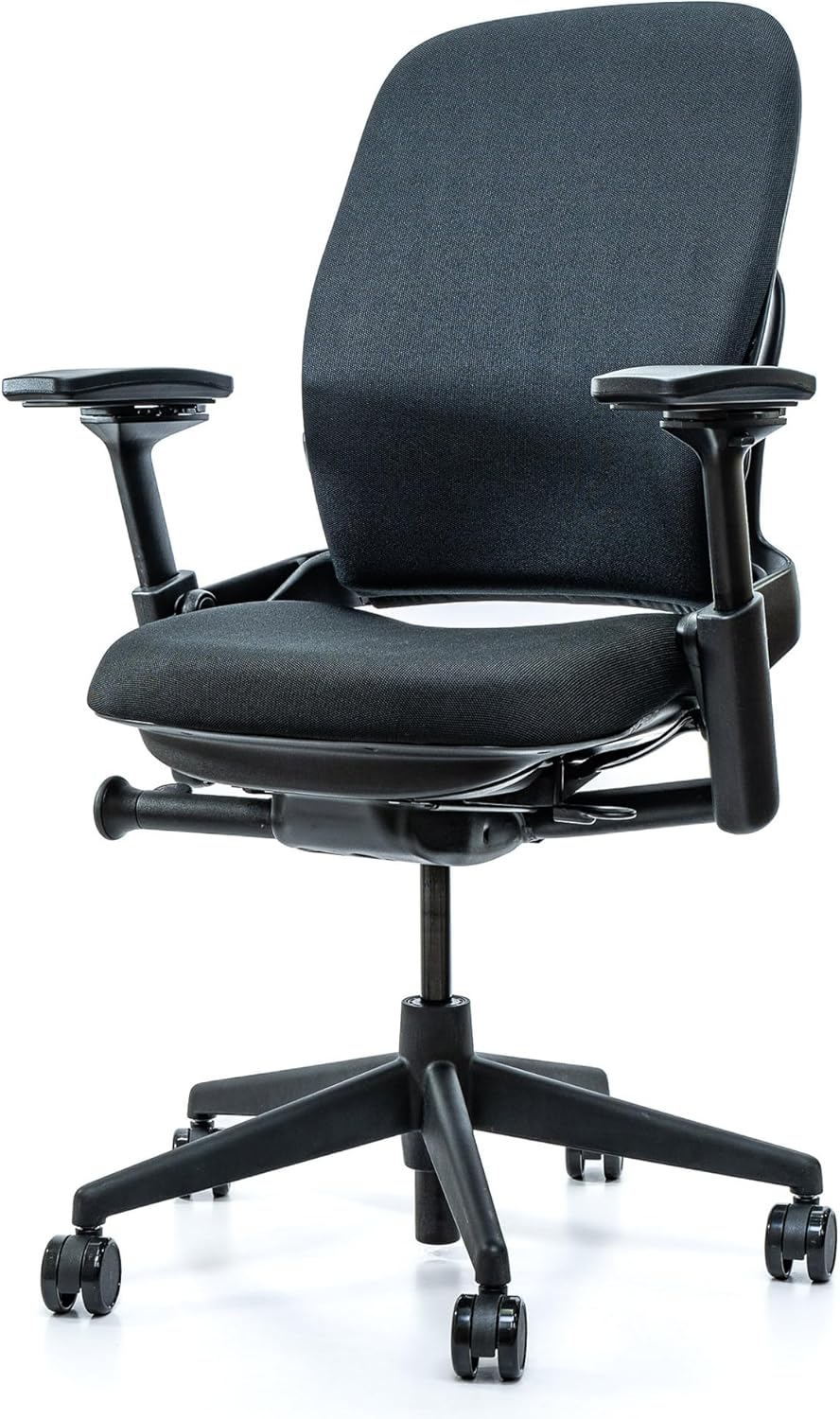
The Steelcase Leap v2 is a strong option for programmers who want to fine-tune their sitting position rather than rely on a fixed lumbar cushion. Its LiveBack backrest is designed to flex with changes in posture, while its adjustable lumbar controls let users personalize the fit.
The adjustable seat depth helps accommodate different thigh lengths, and the armrests provide multiple positioning options. Its Natural Glide System is designed to help maintain a useful relationship between the seat and backrest as you recline.
These features make the Leap worth considering if you alternate between focused typing, reading documentation, and reclining to think through difficult problems.
Pros
- Extensive backrest and lumbar adjustments.
- Adjustable seat depth for a more personalized fit.
- Multi-directional armrests.
- Supportive upholstered seat.
- Worth comparing with refurbished options when buying new is too expensive.
Cons
- Premium pricing, especially for new units.
- Fabric upholstery may feel warmer than a fully mesh chair.
- The seat firmness and lumbar feel may not suit everyone.
Best for: Developers who want extensive adjustability and prefer a padded seat over a mesh sitting surface.
Check the Steelcase Leap v2 on Amazon →
2. Herman Miller Aeron — Best for Breathability
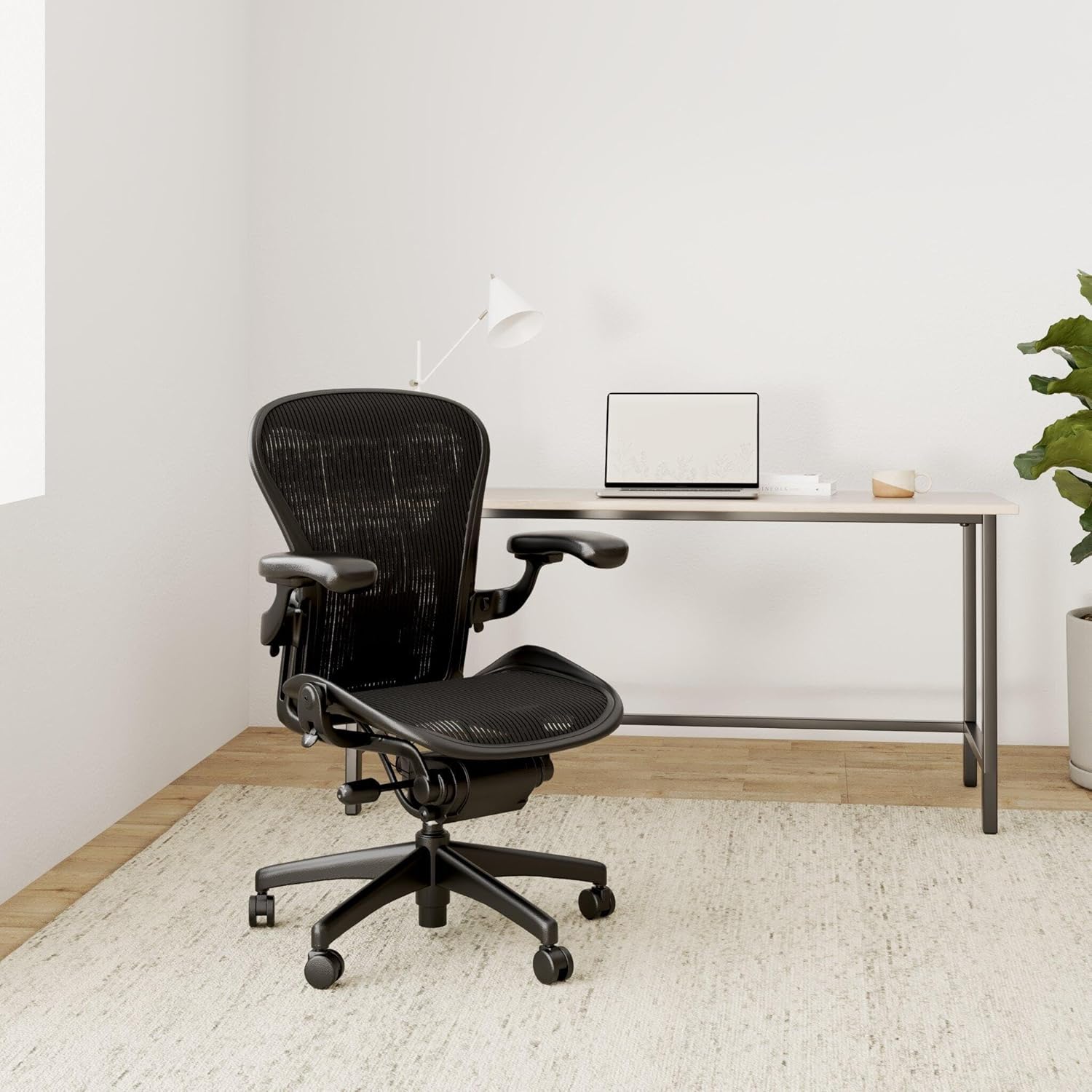
The Herman Miller Aeron is worth considering if you work in a warm environment or prefer a ventilated sitting surface. Its Pellicle suspension material is used across the seat and back, providing a different feel from conventional foam-cushioned office chairs.
Depending on the configuration, the Aeron can include PostureFit SL support, which targets the sacral and lumbar areas. Available sizes help accommodate different body proportions, but choosing the correct size is important because seat depth is not adjusted in the same way as on the Leap.
The Aeron’s forward-tilt option may appeal to programmers who prefer a slightly forward working position for certain tasks. However, you should test the fit if possible, especially if you like sitting cross-legged or frequently change leg positions.
Pros
- Highly breathable seat and back.
- Multiple size options.
- Optional targeted sacral and lumbar support.
- Distinctive suspension design.
- Premium build and manufacturer warranty, subject to applicable terms.
Cons
- Expensive compared with many conventional office chairs.
- Seat sizing requires careful consideration.
- The frame can restrict some sitting positions.
- Mesh feels firmer and different from a padded foam seat.
Best for: Programmers who prioritize airflow and prefer a structured mesh seat.
Check the Herman Miller Aeron on Amazon →
3. SIHOO Doro C300 — Best for Adaptive Lumbar Support
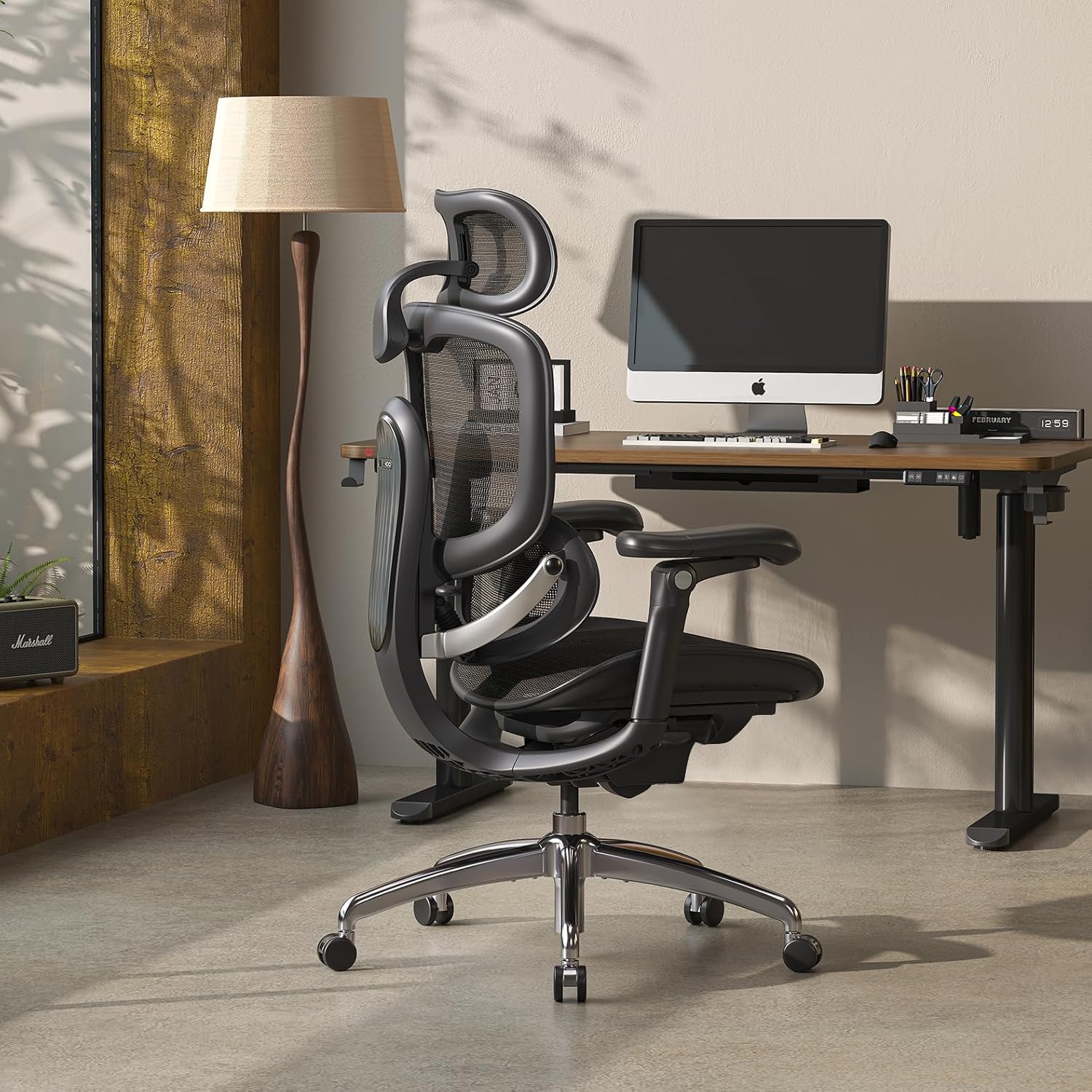
The SIHOO Doro C300 is an alternative for programmers who want a mesh chair with a lumbar support system designed to respond to movement. Its adaptive support design is intended to maintain contact as you change positions throughout the day.
Check the exact version before buying. The standard Doro C300 and Pro V2 may differ in seat-depth adjustment, armrest configuration, and other features. Don’t assume that specifications advertised for one version automatically apply to another.
The mesh construction may suit users who prefer a cooler sitting surface, while the reclining function offers an alternative to maintaining the same upright posture for hours.
Pros
- Adaptive lumbar support design.
- Breathable mesh construction.
- Potentially useful combination of recline and adjustability.
- Some versions offer additional seat and armrest adjustments.
Cons
- Feature sets vary by model and version.
- Mesh firmness and lumbar pressure are personal preferences.
- Headrest fit depends on your height and sitting position.
Best for: Programmers looking for a feature-rich mesh chair without automatically moving into the highest premium price bracket.
Check the SIHOO Doro C300 on Amazon →
4. Branch Ergonomic Chair Pro — Best Mid-Range Adjustability
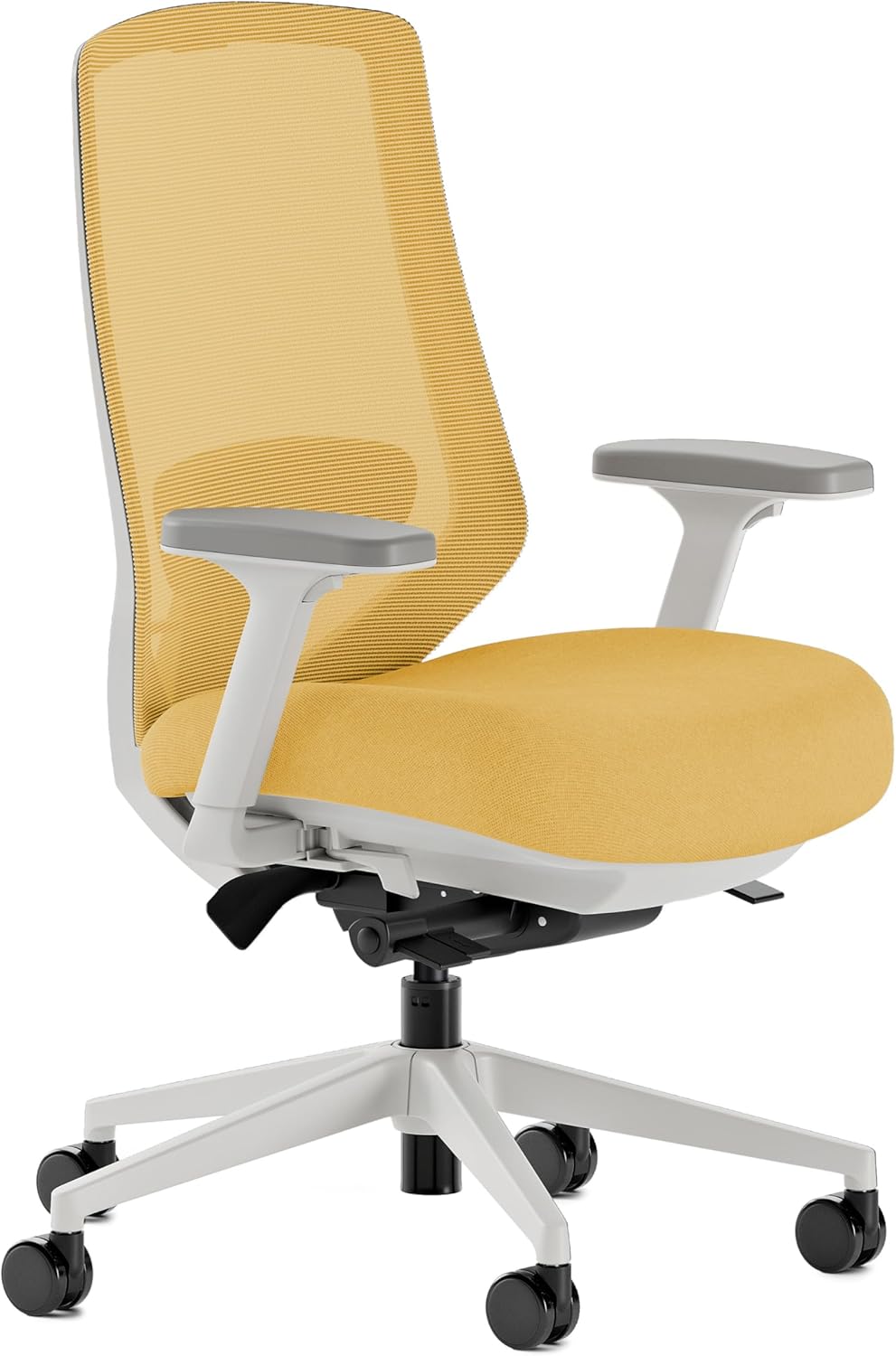
The Branch Ergonomic Chair Pro is designed for people who want more control over their seating position without choosing a traditional premium flagship chair. Its adjustment options and forward-tilt capability are particularly relevant for users who alternate between focused computer work and more relaxed sitting.
For programming, the important questions are whether the lumbar support fits your back, the seat depth matches your legs, and the armrests can be positioned comfortably alongside your keyboard and mouse.
Check the exact configuration before ordering, especially if you want a headrest or specific armrest adjustments.
Pros
- Multiple adjustment options.
- Forward tilt on the applicable configuration.
- Adjustable seat and lumbar support.
- Mesh back for ventilation.
Cons
- May cost more than basic ergonomic chairs.
- Armrest stability and fit should be assessed personally.
- Some accessories may be sold separately.
Best for: Developers who want a customizable chair for daily desk work and value adjustability over a long list of premium brand features.
Check the Branch Ergonomic Chair Pro on Amazon →
5. Autonomous ErgoChair Pro — Best for Reclining with a Headrest
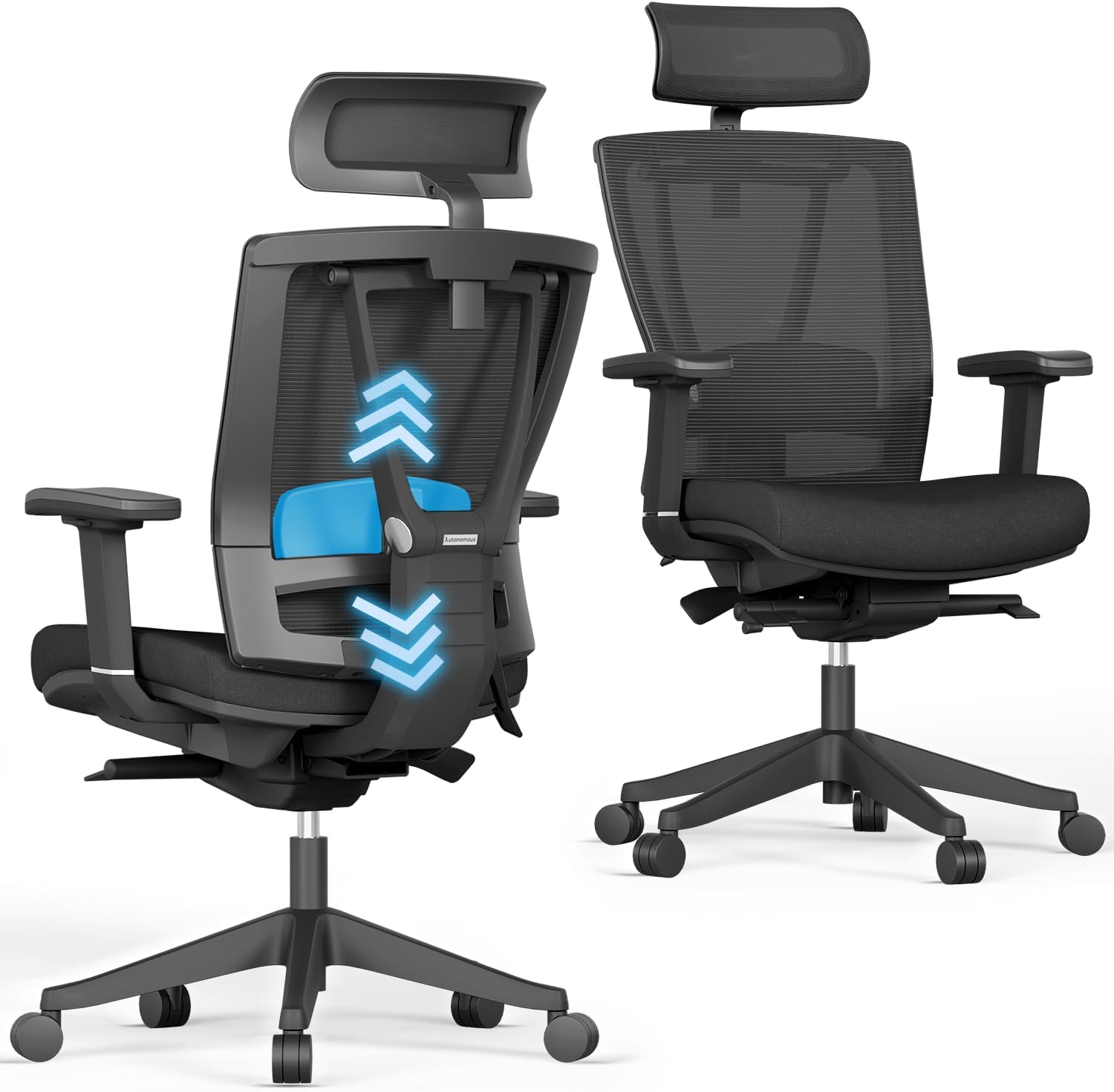
The Autonomous ErgoChair Pro may appeal to programmers who want a mesh-backed chair with an integrated headrest and adjustable recline. A headrest can be useful when you lean back to read, think, or take a break from typing, provided it fits your height and supports your head comfortably.
Seat-depth adjustment and adjustable armrests are also worth considering for a full day of keyboard and mouse work. Before purchasing, confirm the current model’s features, dimensions, and included accessories rather than relying on specifications from older product versions.
Pros
- Mesh back for ventilation.
- Reclining functionality.
- Headrest on the relevant configuration.
- Adjustments for tailoring the chair to your working position.
Cons
- Seat and armrest padding may not suit everyone.
- Headrest fit can vary with body proportions.
- Check current warranty and return conditions.
Best for: Programmers who like to alternate between upright working and supported reclining.
Check the Autonomous ErgoChair Pro on Amazon →
6. HON Ignition 2.0 — Best for Everyday Office Work
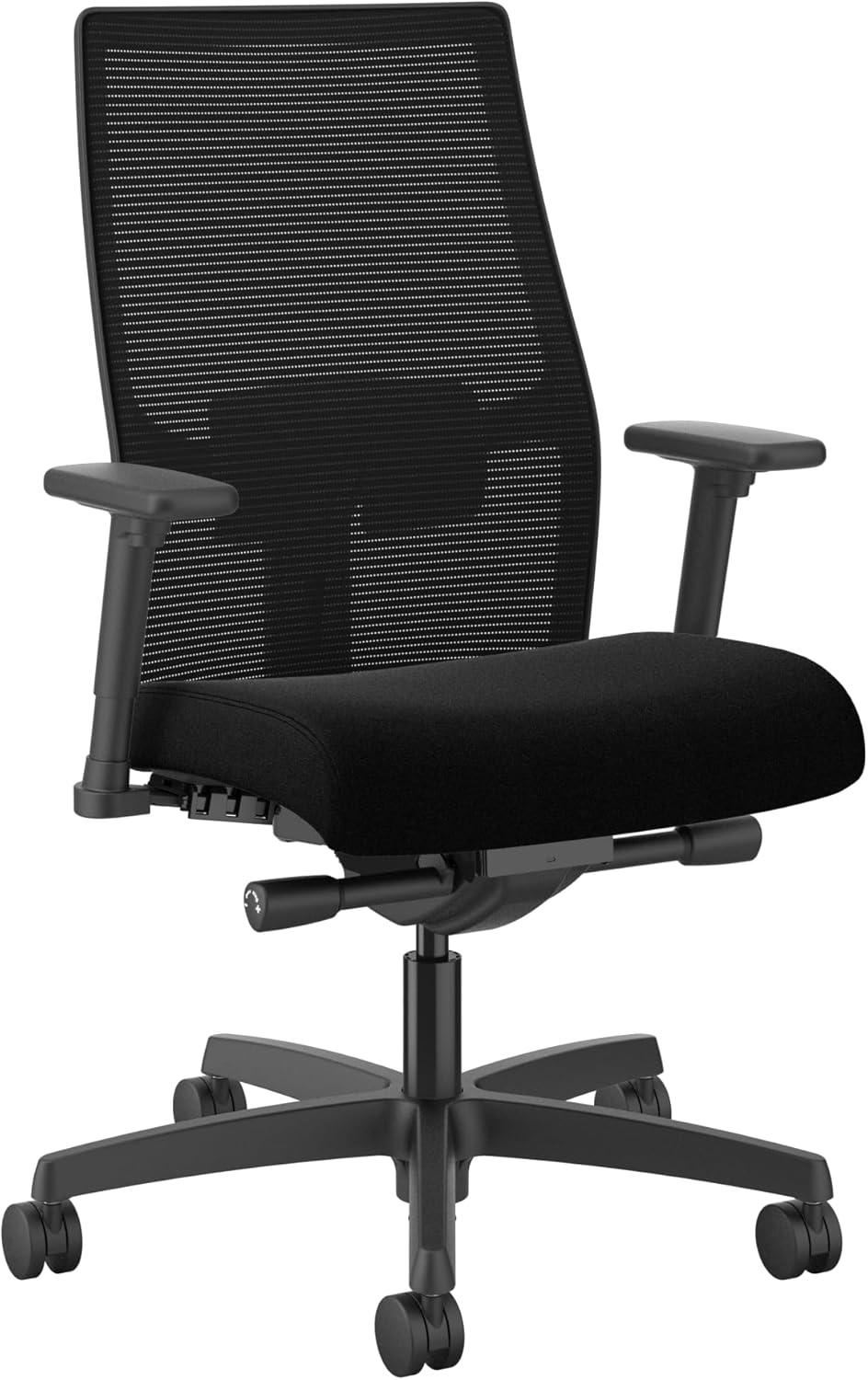
The HON Ignition 2.0 is a practical option for programmers who need a conventional office chair for daily use. Depending on the configuration, it offers adjustable lumbar support, a mesh back, and a cushioned seat.
Compared with chairs that offer extensive multi-directional armrest adjustments, the Ignition 2.0 may have a simpler control layout. That can be sufficient if you can set the seat height, back support, and armrest position to match your desk.
For shared offices or home workstations, also consider how easily the chair adjusts to different users and whether the selected configuration includes the features you need.
Pros
- Conventional office-chair design.
- Adjustable lumbar support on applicable configurations.
- Mesh back and cushioned seat.
- Useful for everyday desk and computer work.
Cons
- Armrest adjustability varies by configuration.
- Seat firmness may not suit every user.
- Verify the precise model and warranty terms before ordering.
Best for: Programmers who want a practical office chair and don’t need every premium adjustment feature.
Check the HON Ignition 2.0 on Amazon →
7. CLATINA Mellet — Best Budget-Oriented Option
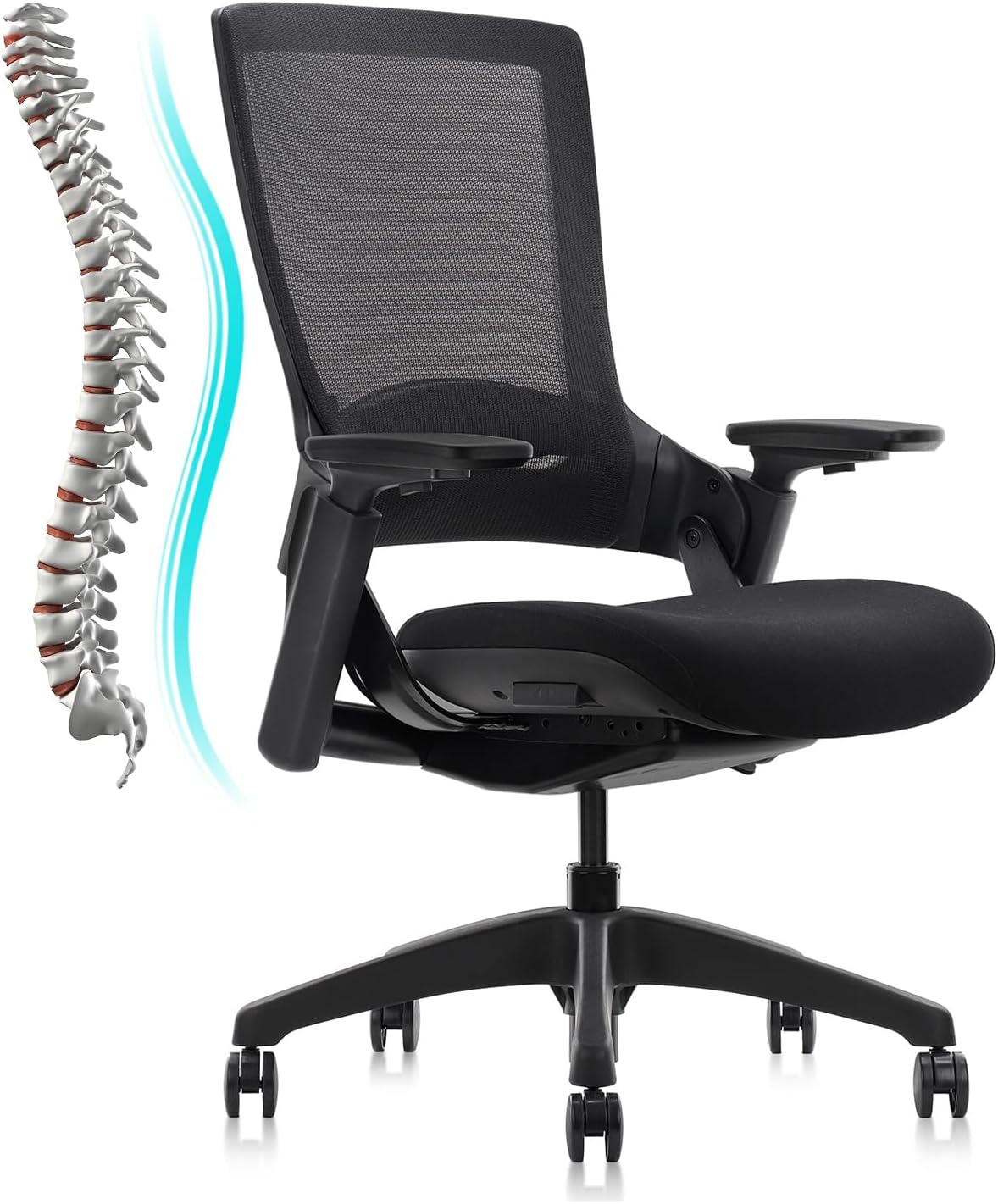
The CLATINA Mellet is worth considering if you want an ergonomic-style office chair without immediately committing to a premium model. Its appeal includes a cushioned seat, adjustable seat depth on applicable versions, and lumbar support.
For long coding sessions, prioritize fit over appearance. Check the usable seat-depth range, the distance between the armrests, the height of the backrest, and whether the lumbar cushion sits in the right place for your body.
A lower-cost chair can be a reasonable choice if it fits you well. However, don’t assume that every budget chair offers the same adjustment range or long-term durability as more expensive alternatives.
Pros
- Budget-oriented alternative to premium ergonomic chairs.
- Cushioned seat.
- Adjustable seat depth on applicable versions.
- Useful entry point for building an ergonomic home office.
Cons
- Lumbar and armrest adjustments are more limited than on some premium chairs.
- Verify seat dimensions and included features.
- Warranty coverage should be checked before purchase.
Best for: Programmers who need an affordable starting point and can confirm that the seat and backrest fit their body.
Check the CLATINA Mellet on Amazon →
How to Choose the Right Programming Chair for Your Budget
If adjustability is your priority
Start with the Steelcase Leap. Its combination of lumbar controls, seat-depth adjustment, and flexible backrest makes it worth comparing for a highly customized fit.
If you work in a warm room
Consider the Herman Miller Aeron or a suitable mesh model. Pay attention to both seat and back materials, since a mesh back alone doesn’t guarantee a cool sitting experience.
If you want adaptive lumbar support
Compare the SIHOO Doro C300 with other ergonomic mesh chairs. Confirm the exact model and whether it includes the adjustments you need.
If you want a chair for focused work and reclining
Compare the Branch Ergonomic Chair Pro and Autonomous ErgoChair Pro. Check recline comfort, headrest fit, and armrest positioning rather than choosing by feature count alone.
If you want a practical everyday chair
The HON Ignition 2.0 is worth evaluating for conventional office use. If your budget is especially tight, consider the CLATINA Mellet after checking the dimensions and adjustment range.
How to Set Up Your Chair for Long Coding Sessions
Even a well-designed chair can feel uncomfortable if it is incorrectly adjusted. Start with these steps before deciding that you need a different model.
- Set the seat height. Keep your feet supported on the floor or a footrest, with your knees at a comfortable angle.
- Adjust seat depth. Sit against the backrest and leave a small gap between the front of the seat and the backs of your knees.
- Position the lumbar support. Adjust it to follow your lower back without pushing you uncomfortably forward.
- Set the armrests. Keep your shoulders relaxed and your elbows close to your body while typing.
- Position your monitor. Place the screen so you can read it without continually leaning forward or tilting your head.
- Change positions regularly. Alternate between upright sitting, supported reclining, standing when practical, and short movement breaks.
Comfort varies between individuals. If discomfort persists despite adjusting your workstation, consider getting appropriate professional advice rather than assuming that a more expensive chair will solve the problem.
Frequently Asked Questions
What is the best office chair for programmers who code all day?
The Steelcase Leap is a strong starting point if you prioritize extensive adjustments and lumbar support. The Herman Miller Aeron is worth considering if breathability is your main concern, while the SIHOO Doro C300 offers an alternative with adaptive lumbar support. The best fit depends on your body proportions, comfort preferences, and budget.
Are ergonomic chairs worth it for software developers?
They can be worthwhile when their adjustments help you maintain a comfortable working position. Seat depth, lumbar fit, armrest positioning, and recline are often more useful than appearance or a long list of marketing features. An ergonomic chair cannot replace movement breaks or a properly arranged workstation.
Is a mesh or cushioned chair better for long coding sessions?
Mesh is often attractive for users who prioritize airflow, while cushioned fabric seats may feel softer or more familiar. Neither material is universally better. Seat shape, pressure distribution, body fit, and personal preference matter just as much.
Do programmers need adjustable armrests?
Adjustable armrests can help you position your forearms comfortably while typing and using a mouse. Height adjustment is a useful baseline, while width, depth, and pivot adjustments provide more flexibility. What matters is that the armrests don’t raise your shoulders or interfere with your desk.
Is a headrest necessary for programming?
No. A headrest is optional rather than essential for most desk work. It may be useful when reclining, but it should fit your body and support your head without pushing it forward. A well-adjusted chair without a headrest can still be comfortable for long sessions.
How often should programmers take breaks from sitting?
Try to interrupt prolonged sitting regularly with short walks, standing, or other comfortable movement. Change positions throughout the day instead of remaining fixed in one posture. Your schedule, workspace, and individual needs will determine what routine is practical.
Are gaming chairs good for programmers?
Some gaming chairs can work well, but the category varies considerably. Compare the actual seat dimensions, lumbar support, armrests, recline mechanism, and material. A well-fitting gaming chair may be suitable, but an adjustable office chair can be a better match for some users.
Final Verdict: Which Office Chair Should Programmers Buy?
The best office chair for long coding sessions is the one that fits your body and supports the way you work.
- Best overall adjustability: Steelcase Leap v2.
- Best for breathability: Herman Miller Aeron.
- Best for adaptive lumbar support: SIHOO Doro C300.
- Best mid-range alternative: Branch Ergonomic Chair Pro.
- Best for reclining with a headrest: Autonomous ErgoChair Pro.
- Best for everyday office work: HON Ignition 2.0.
- Best budget-oriented alternative: CLATINA Mellet.
Before buying, check the exact model, seat dimensions, adjustment options, current price, return policy, and warranty. If possible, test the chair in person or buy from a seller with a suitable return policy.
Finally, remember that your chair is only one part of an effective programming workstation. A suitable desk height, well-positioned monitor, comfortable keyboard and mouse, and regular movement all contribute to a more sustainable work routine.
Check the Steelcase Leap v2 on Amazon →
Related Guides
- Best Office Chairs — Compare office chairs for different workspaces and budgets.
- Best Ergonomic Chair for Lower Back Pain — Explore chair features that may help you find a more comfortable fit.
- Do 4D Armrests Matter? — Understand armrest adjustments and workstation fit.
- How to Choose an Ergonomic Chair — Learn which adjustments to prioritize.
- Mesh vs. Cushion Office Chair — Compare materials, ventilation, and sitting feel.