Standing Desk Stability Guide
Best Four-Leg Standing Desks for Stability
Compare four-leg and two-leg electric standing desks for multi-monitor workstations, heavy equipment, and demanding home-office setups.
Quick answer: A four-leg standing desk is worth considering if you want a large desktop, use several monitors, or need a workstation designed for a substantial equipment load. However, the number of legs alone does not determine stability. Frame construction, lifting-column design, desktop size, load distribution, and rigidity at maximum height are also important.
For most buyers, the best choice is the desk that remains stable at their actual working height and supports their complete setup without consuming unnecessary floor space or budget.
An electric standing desk can feel solid when lowered but become less stable as the desktop rises. This matters when you type frequently, use several monitors, mount equipment on an arm, or work at the upper end of a desk’s height range.
That is one reason some buyers look for a four-leg standing desk. Instead of relying on two lifting columns, these desks use four leg or column assemblies to support the desktop. Depending on the design, that arrangement can provide a useful platform for a large workstation, but it also adds mechanical complexity, cost, and potential interference with under-desk accessories.
This guide explains when a four-leg electric standing desk makes sense, how it compares with a conventional two-leg model, and what to inspect before paying more for additional support points.
Four-Leg Standing Desks: What to Know Before Buying
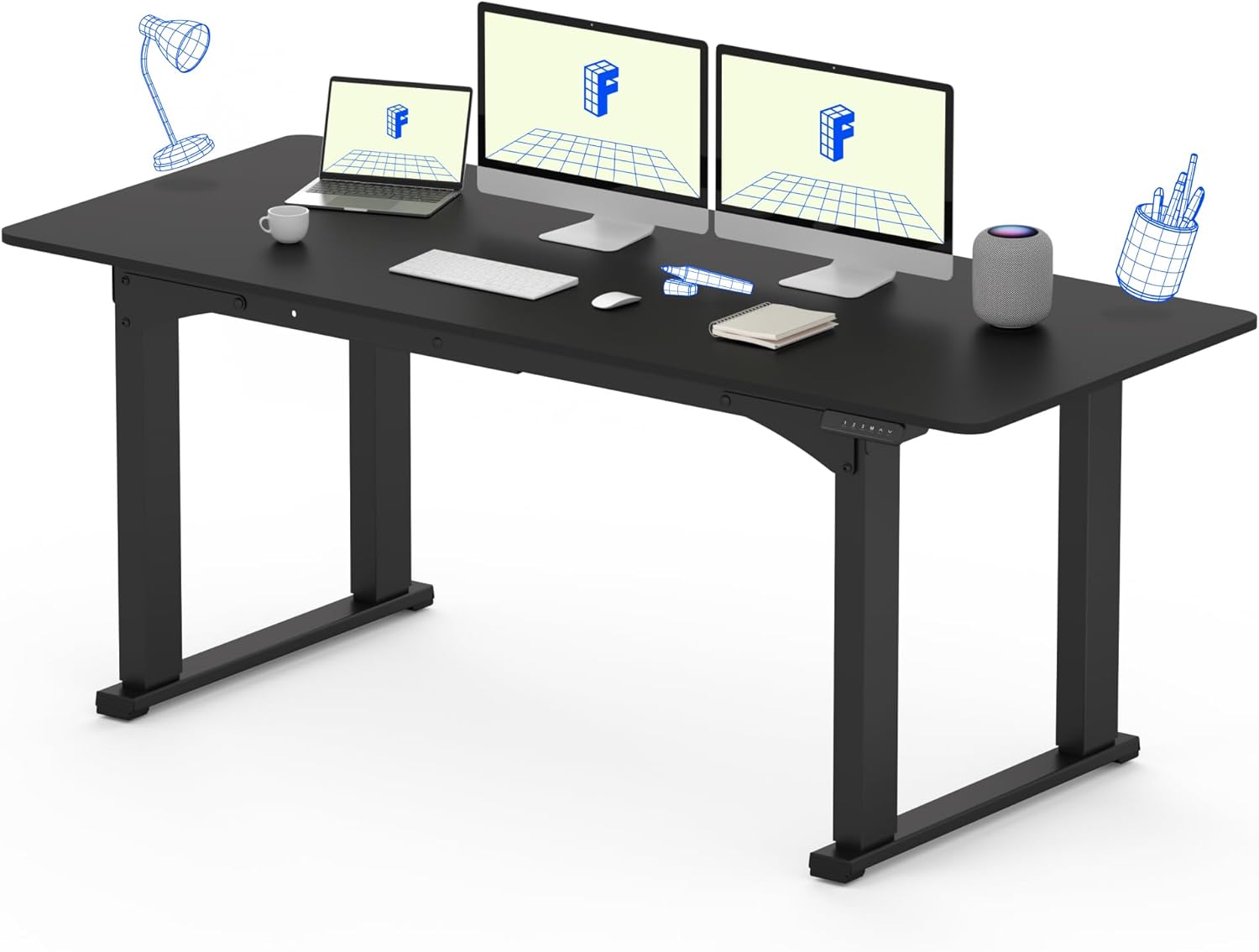
Four-leg desks are less common than conventional two-leg electric standing desks, so it is important to distinguish the frame design from the number of contact points visible in a product photo. Some desks have four feet but only two powered lifting columns. That is not the same as a desk with four lifting columns.
| Design | Typical advantages | Potential drawbacks | Best use case |
|---|---|---|---|
| Two lifting columns | More common, generally simpler, broad product selection | Stability varies considerably by frame and height | Most home offices and standard workstations |
| Four lifting columns | Can support a different load distribution and larger workstation design | Higher cost, more complex synchronization, fewer choices | Specialized or large workstation builds |
| Two columns with four feet | May offer a wider support footprint than a different base design | Still relies on two lifting columns | Buyers comparing conventional frame styles |
Always inspect the manufacturer’s technical drawings or manual. Product images alone may not reveal whether the desk has two or four powered columns, how the columns synchronize, or where the frame supports the desktop.
Four Legs vs. Two Legs: Which Is More Stable?
A four-leg configuration can distribute support across more points, but that does not automatically make it more rigid in every direction. A well-designed two-leg frame can be stable, while a poorly designed four-column desk can still exhibit movement at maximum height.
To understand the difference, consider three kinds of movement:
- Side-to-side movement: The desktop shifts laterally when you type, lean against it, or move equipment.
- Front-to-back movement: The desktop moves toward or away from you, which can be noticeable with a deep desktop or an extended monitor arm.
- Desktop flex: The tabletop itself bends or vibrates, even when the lifting frame remains relatively steady.
These are different problems and may require different solutions. Adding more lifting columns does not necessarily fix a flexible desktop, loose fasteners, an uneven floor, or a monitor arm that amplifies small movements.
What matters most for stability?
- Rigidity of the lifting columns and frame connections
- Frame geometry and the dimensions of the feet
- Desktop thickness, stiffness, and overall dimensions
- Quality of assembly and fastener tightness
- Total equipment weight and how evenly it is distributed
- How far the desk is extended at the height you use
If stability is your main concern, prioritize credible hands-on tests performed at standing height. A desk tested only in its lowest position may not represent the way you plan to use it.
Best Standing Desk Options for Stability-Focused Buyers
True four-column electric standing desks are a specialized category, and model availability can vary by market. Rather than labeling a conventional two-leg model as a four-leg desk, compare the following options according to your actual need.
1. A Purpose-Built Four-Column Electric Desk
If you specifically need four powered lifting columns, look for a product whose manufacturer documentation explicitly identifies a four-column design. Confirm that all columns are electronically synchronized and that the manufacturer publishes a clear load rating, height range, and assembly procedure.
This type of configuration may be appropriate for a large or specialized workstation, but don’t assume that four columns mean twice the lifting capacity or that every four-column frame can handle an oversized tabletop. The frame, control system, and desktop must be designed to work together.
Search Four-Leg Electric Standing Desks
Before purchasing: Verify that the product has four powered columns, not merely four feet or a four-point base. Also check replacement-part availability and the process for resetting or synchronizing the lifting system.
2. A Heavy-Duty Two-Leg Desk with a Rigid Frame
For many home offices, a well-built two-leg electric desk may be the more practical choice. These models are more widely available, and the best options can provide adequate support for a multi-monitor workstation without the cost or complexity of a four-column system.
For example, the UPLIFT V3 2-Leg Standing Desk Frame is a candidate to compare if you want a separate frame and desktop. It offers a choice of frame configurations and a published height range. It is not a four-leg desk, but it provides a useful benchmark for buyers deciding whether a specialized four-column system is necessary.
Compare its current load rating, compatible desktop dimensions, and standing-height stability with other frames before deciding. The number of legs should be only one part of that assessment.
Review the official UPLIFT 2-leg frame specifications →
3. A Wide Two-Leg Desk for Multiple Monitors
A wide two-leg standing desk can be sufficient for a workstation with two or three monitors if the frame supports the desktop and total load. This approach can be easier to source than a genuine four-column desk and may leave more flexibility for accessories underneath.
Before choosing a wide desktop, inspect the frame’s maximum supported width and the manufacturer’s recommendations for desktop depth. A large tabletop that extends too far beyond the intended support area can change how the desk behaves under load.
Compare heavy-duty electric standing desk frames
Are Four-Leg Standing Desks Better for Multiple Monitors?
Not necessarily. A multi-monitor setup increases the total weight on the desk and can make small movements more noticeable, especially when monitors are mounted on long arms. But a properly selected two-leg desk can also support multiple monitors.
Before choosing a four-leg desk, calculate the weight of the complete setup and identify where that weight will sit. Include the desktop, monitors, monitor arms, computer, speakers, keyboard tray, and other accessories. Then check the frame’s load rating and any restrictions on mounting equipment.
Multi-monitor stability checklist
- Confirm the total supported load, including the desktop.
- Check whether the frame supports your desktop width and depth.
- Place heavier equipment in accordance with the manufacturer’s guidance.
- Check monitor-arm clamp compatibility and desktop thickness.
- Look for stability tests performed with the desk raised.
- Leave sufficient room for cable movement throughout the height range.
A monitor arm can free up desktop space, but its leverage can also make movement more visible when a monitor is extended away from its mounting point. Keep the arm as compact as practical and ensure the clamp is securely attached to a suitable part of the desktop.
Does a Four-Leg Standing Desk Wobble Less at Maximum Height?
It may, depending on the frame design, but four columns alone do not guarantee less wobble. At maximum height, the lifting columns are more extended, and the stiffness of the columns, joints, and cross-supports becomes especially important.
When reading reviews, look for specific observations about movement at the desk’s upper height range rather than general claims that a desk feels sturdy. Ideally, the reviewer should describe the desktop size, approximate equipment load, and whether movement occurs side-to-side, front-to-back, or through the tabletop itself.
For a fair comparison, check the following:
- Raised-height testing: Does the desk remain stable at a height similar to yours?
- Typing behavior: Does normal keyboard use cause distracting screen movement?
- Frame synchronization: Do all lifting columns move evenly without visible tilting?
- Floor conditions: Is the desk level and placed on a suitable surface?
- Desktop rigidity: Is the movement coming from the frame or from the tabletop?
If a desk moves unevenly, makes unusual noises, or appears to tilt during operation, stop using the height adjustment and consult the manufacturer’s troubleshooting instructions. Do not try to correct a mechanical problem by exceeding the rated load or modifying the lifting system.
Four-Leg vs. Two-Leg Standing Desk: Price and Footprint
Four-column designs generally involve more lifting components and a more complex control system. They may therefore cost more than a comparable two-column desk, although the actual price depends on the model, desktop, controller, and included accessories.
| Consideration | Four-column design | Two-column design |
|---|---|---|
| Purchase cost | May be higher due to additional lifting components | Often more options across a broad price range |
| Under-desk space | Four columns may restrict legroom and accessory placement | May offer more open space between the lifting columns |
| Assembly | Potentially more involved because more columns must be coordinated | Typically fewer lifting columns to install |
| Product availability | More specialized category | More widely available |
| Best reason to choose | A specific requirement for a four-column configuration | A practical balance of cost, choice, and workspace flexibility |
Don’t compare only the frame price. Calculate the complete cost, including the desktop, delivery, mounting hardware, cable management, and any accessories needed for your setup. For four-column desks, also check whether the controller and all lifting components are included in the listed price.
How Much Space Does a Four-Leg Standing Desk Need?
The desk’s floor footprint depends on its desktop dimensions and the placement of the feet and columns. Four columns may occupy more of the space directly under the desktop, even if the outside dimensions of the desk are similar to those of a two-column model.
Measure the area where the desk will stand and consider how the frame affects the rest of the workstation.
- Desktop width and depth: Check whether the surface fits between walls or adjacent furniture.
- Foot placement: Confirm that the feet do not interfere with nearby furniture or the path of your chair.
- Knee and legroom: Consider where your legs will sit when you’re seated and whether the columns restrict movement.
- Accessories: Check whether a keyboard tray, CPU holder, cable tray, or other accessory can fit between the columns.
- Power and cable routing: Leave enough cable slack for the full adjustment range without creating a snag hazard.
If your office is small, a conventional two-leg desk may provide a better balance between stability, cost, and usable space. A four-column design is most compelling when its specific structure addresses a real requirement in your workstation.
Common Mistakes When Shopping for a Four-Leg Standing Desk
- Confusing four feet with four lifting columns: Check the technical specifications to identify the actual mechanism.
- Assuming more legs guarantee stability: Frame rigidity and performance at maximum height matter more than the count alone.
- Ignoring total load: Include the tabletop and all equipment when checking the rated capacity.
- Overlooking under-desk clearance: Additional columns can interfere with a keyboard tray or restrict legroom.
- Buying an oversized desktop without checking the frame: Confirm the approved width and depth before ordering.
- Comparing prices without accessories: Check what the price includes and whether the control system is supplied.
- Skipping warranty and service checks: A more complex lifting system makes access to troubleshooting and replacement parts particularly important.
Frequently Asked Questions
Are four-leg standing desks more stable than two-leg desks?
They can be, depending on the design, but four legs do not automatically guarantee better stability. Compare frame rigidity, lifting-column construction, desktop compatibility, load distribution, and movement at maximum height.
What is a four-leg electric standing desk?
The term can describe a desk with four supporting legs, but it does not always mean the desk has four powered lifting columns. Check the manufacturer’s documentation to confirm whether all four columns are part of the electric lifting system.
Do I need a four-leg desk for three or four monitors?
Not necessarily. A properly selected two-leg desk may support several monitors if the desktop dimensions and total load are within the manufacturer’s specifications. A four-column design is worth considering when it addresses a specific support or workstation requirement.
Why does my standing desk wobble when raised?
Movement can result from extended lifting columns, frame construction, loose fasteners, desktop flex, uneven flooring, or the leverage created by monitor arms. Check the desk at your normal working height and follow the manufacturer’s troubleshooting instructions if the movement is unusual.
Are four-leg standing desks more expensive?
They may cost more because they can require additional lifting components and a more complex control system. Actual pricing varies by model, desktop, and included features, so compare the complete workstation cost rather than the frame price alone.
Is a four-leg desk suitable for a small home office?
It can work if the desk fits the room, but additional columns may reduce usable under-desk space. Measure the entire footprint, including the feet, and check clearance for your chair and accessories before purchasing.
Final Verdict: Is a Four-Leg Standing Desk Worth It?
A four-leg standing desk can be a useful option for a specialized workstation, but it isn’t automatically the best choice for every buyer who wants greater stability. The real question is whether the frame’s design, load capacity, and performance at standing height solve a problem that matters in your setup.
If you’re building a large multi-monitor workstation, compare genuine four-column models with well-built two-leg alternatives. Check the full equipment load, the dimensions of your desktop, stability at maximum height, under-desk clearance, and the total cost of ownership before deciding.
For most home offices, a carefully selected two-leg electric desk may be sufficient. Choose a four-column configuration when its specific support design and documented capabilities justify the added cost and complexity.
Explore More Workspace Guides
Compare desk sizes and frame options before building your ideal sit-stand workstation.
Disclosure: SitBetterLab may earn a commission from qualifying purchases made through affiliate links, at no additional cost to you. Product specifications, availability, and prices can change. Verify current manufacturer details before purchasing.