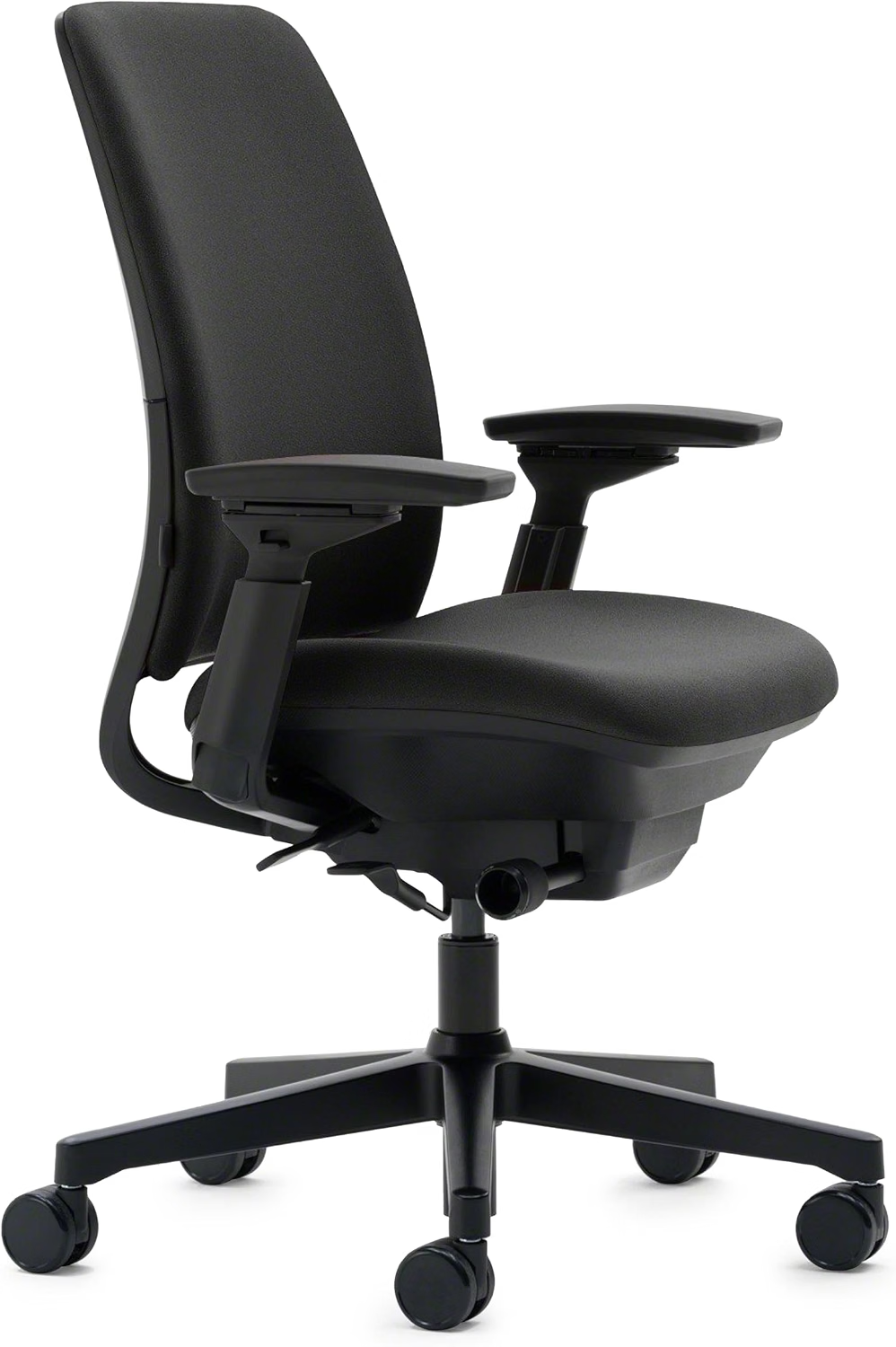
If sitting at your desk leaves your hips feeling tight, sore, or uncomfortable, your office chair may be part of the problem. A seat that is too deep, too firm, or poorly adjusted can put unnecessary pressure on your thighs and pelvis during long work sessions.
The best office chair for hip pain is not necessarily the softest or most expensive model. What matters more is whether the chair gives you enough seat-depth adjustment, balanced cushioning, supportive lumbar positioning, and freedom to change posture throughout the day. This guide explains what to look for and compares five ergonomic office chairs for different budgets and body types.
Quick Answer: What Is the Best Office Chair for Hip Pain?
There isn’t one office chair that works equally well for everyone with hip discomfort. Look for a chair that allows you to adjust seat depth and height, keeps pressure off the backs of your thighs, supports a neutral sitting posture, and lets you recline or change position easily. For many desk workers, these features matter more than simply choosing a thicker cushion.
Why Your Office Chair Can Affect Hip Comfort
Long periods of sitting can leave the hips and surrounding muscles feeling stiff or uncomfortable. A chair cannot diagnose or treat the underlying cause of hip pain, but a better-fitting workstation can reduce some of the mechanical stresses associated with prolonged sitting.
One common problem is seat depth. If the seat pan extends too far behind your knees, it can make it harder to sit back against the backrest comfortably. If it is too short, your thighs may not receive enough support.
Seat cushioning also matters. A very hard surface can create noticeable pressure points, while an excessively soft cushion may allow your pelvis to sink and make it harder to maintain a stable sitting position.
For that reason, the right ergonomic chair for hip pain should be viewed as part of a complete workstation setup rather than a standalone solution.
What to Look for in an Office Chair for Hip Pain
When comparing office chairs, focus on how the chair fits your body rather than how much padding it has. These are the features worth checking before you buy.
- Adjustable seat depth.
A sliding seat pan can make it easier to keep the backs of your knees clear of the seat edge while still supporting most of your thighs. - Waterfall or flexible seat edge.
A rounded front edge can reduce concentrated pressure underneath the thighs compared with a hard, sharply defined seat edge. - Balanced cushioning.
Look for a seat that supports your weight without immediately bottoming out. The ideal firmness is highly individual, so trying the chair is valuable when possible. - Adjustable lumbar support.
Lumbar support can make it easier to maintain contact with the backrest instead of repeatedly sliding forward or slouching. - Recline adjustment.
A chair that allows you to change your sitting angle gives you another way to vary pressure during a long workday. - Adjustable armrests.
Armrests that can be positioned appropriately may make it easier to keep your shoulders relaxed and your upper body supported. - Appropriate seat height.
Your feet should be supported rather than left dangling. If the chair is too high for you, a footrest can sometimes help.
5 Office Chairs for Hip Pain to Consider in 2026
The five chairs below represent different approaches to ergonomic seating. Instead of treating one model as universally “best,” compare the features that matter most for your body, budget, and typical workday.
| Chair | Best Match | Hip-Friendly Feature | Price Level | Check Price |
|---|---|---|---|---|
| Herman Miller Embody | Premium ergonomic seating | Pixelated seat support and 15–18″ adjustable seat depth | Premium | Check Price → |
| Steelcase Leap | Fine-tuned adjustability | Seat-depth adjustment, flexible seat edge and adjustable lumbar | Premium | Check Price → |
| SIHOO Doro C300 | Mid-range ergonomic setup | Sliding seat pan and adjustable support | Mid-range | Check Price → |
| Branch Ergonomic Chair | Everyday home office | Cushioned seat with multiple ergonomic adjustments | Mid-range | Check Price → |
| Ticova Ergonomic Chair | Lower-cost ergonomic setup | Thick seat cushion and adjustable lumbar support | Budget | Check Price → |
1. Herman Miller Embody
The Embody is designed around movement and pressure distribution rather than a traditional flat foam seat. Herman Miller says its Pixelated Support system responds to small movements while the seat uses multiple support layers. The current product specifications list a 15–18 inch seat-depth range and a 300-pound weight capacity, with a 12-year warranty.
For someone searching for an office chair for hip pain, the adjustable seat depth is particularly relevant because fit can vary considerably between users.
2. Steelcase Leap
The Steelcase Leap focuses heavily on adjustability. Its seat-depth adjustment, adjustable lumbar support, flexible seat edges, recline system, and optional 4D arms make it possible to fine-tune the chair around different body shapes and working positions.
Steelcase lists a 400-pound capacity for the Leap and a 500-pound capacity for the Leap Plus. The company also lists a 12-year, multi-shift warranty for the chair.
3. SIHOO Doro C300
The Doro C300 is worth considering if you want a more affordable ergonomic chair with a sliding seat pan and multiple adjustment points. Seat-depth adjustment can be useful when the goal is to avoid having a seat that is either too deep or too short for your legs.
Before buying, verify the current configuration and specifications because manufacturers can update product versions over time.
4. Branch Ergonomic Chair
The Branch Ergonomic Chair is aimed at everyday home-office users who want a combination of cushioned seating and ergonomic adjustments without moving into the premium price category.
If your main problem is pressure from a poorly fitting seat, compare the seat dimensions carefully rather than choosing the chair based only on cushion thickness.
5. Ticova Ergonomic Office Chair
Ticova is an option for shoppers who want to spend less while still getting basic ergonomic adjustments. Its combination of seat cushioning, lumbar adjustment, height adjustment, and recline can make it easier to build a more comfortable workstation than a basic fixed office chair.
At this price level, pay particular attention to seat dimensions and long-term comfort. A chair that feels soft for ten minutes may not necessarily be comfortable after several hours.
Office Chair Comparison for Hip Pain
| Chair | Seat Adjustment | Lumbar | Weight Capacity | Warranty |
|---|---|---|---|---|
| Herman Miller Embody | 15–18″ seat depth | BackFit | 300 lb | 12 years |
| Steelcase Leap | Adjustable | Adjustable | 400 lb | 12 years |
| SIHOO Doro C300 | Sliding seat pan | Adjustable | Check current model | Check current model |
| Branch Ergonomic Chair | Model dependent | Adjustable | Check current model | Check current model |
| Ticova Ergonomic Chair | Model dependent | Adjustable | Check current model | Check current model |
The comparison shows why chair selection should be based on fit rather than price alone. If seat-depth adjustment is particularly important to you, prioritize models that allow you to move the seat pan. If you need higher weight capacity, check the manufacturer’s current specifications before purchasing.
How to Adjust Your Office Chair for Hip Comfort
- Start with seat height.
Keep both feet supported. Your knees should not be forced significantly above your hips simply because the chair is too low. - Adjust the seat depth.
Sit back against the backrest and make sure the seat does not press directly into the backs of your knees. - Set the lumbar support.
Position it where it supports the natural curve of your lower back without pushing you aggressively forward. - Test the recline.
A slight change in recline can help you vary your posture instead of remaining in exactly the same position for hours. - Adjust the armrests.
Keep your shoulders relaxed and your elbows reasonably supported while typing or using a mouse.
Even a well-designed ergonomic chair is not intended to keep you completely still. Stand, walk, or change position regularly during a long work session.
What If You Can’t Replace Your Office Chair?
If replacing your chair is not practical, a few inexpensive workstation changes may be worth trying. A properly sized footrest can help when your chair cannot be lowered enough. A seat cushion may also change the pressure distribution, although adding a thick cushion can reduce available seat depth and alter your sitting position.
Before buying accessories, adjust your current chair first. Small changes in seat height, seat depth, lumbar position, and monitor height can sometimes make a bigger difference than adding another cushion.
Frequently Asked Questions About Office Chairs for Hip Pain
Can an office chair fix hip pain?
No. An office chair may improve sitting comfort or reduce some pressure associated with poor workstation fit, but it cannot treat every cause of hip pain. Persistent or severe symptoms should be evaluated by an appropriate healthcare professional.
What type of office chair is best for hip pain?
Look for a chair with appropriate seat depth, supportive cushioning, adjustable lumbar support, and enough recline and height adjustment to fit your body. The right combination depends on your height, leg length, sitting habits, and the source of your discomfort.
Is a soft office chair better for hip pain?
Not necessarily. Very soft cushions can feel comfortable initially but may allow your pelvis to sink too far. A supportive cushion with enough pressure distribution is often more useful than simply choosing the softest seat.
Is a mesh chair good for hip pain?
It can be. Mesh construction does not automatically make a chair better or worse for hip comfort. Pay attention to the seat’s tension, shape, edge design, support, and how it feels after extended sitting.
Should I choose an ergonomic chair for hip arthritis?
A chair with adjustable seat depth, supportive cushioning, and easy posture changes may make sitting more comfortable for some people with hip arthritis. However, chair selection should not replace medical advice or an individualized treatment plan.
How often should I change position while sitting?
Rather than focusing on one exact interval, avoid remaining in the same position for prolonged periods. Stand, walk, or change your sitting position regularly throughout the workday.
1 thought on “Best Ergonomic Office Chairs for Hip Pain (2026 Buying Guide)”