Programming is one of the few professions defined by sitting. Developers, engineers, and coders regularly spend 8, 10, or even 12 hours a day in front of a screen. While software evolves rapidly, the physical environment of coding often remains surprisingly outdated — especially when it comes to chairs [citation:1].
The result is a familiar pattern: lower back tension, neck stiffness, shoulder fatigue, and wrist strain that accumulates silently across long workweeks.
I have researched dozens of chairs specifically for programmers — analyzing back support, armrest adjustability (critical for typing), recline flexibility, and breathability. This guide covers the 7 best ergonomic chairs for programmers, from budget options to premium investments.
What Programmers Need in an Ergonomic Chair (Buying Guide)
Before jumping into reviews, here is what makes a chair good for coding specifically:
1. Armrest Adjustability (Critical for Typing)
Programmers spend most of their day interacting with keyboards. Your elbows should rest at a 90‑degree angle with your shoulders relaxed. Look for 4D armrests (height, width, depth, pivot) — they let you fine‑tune support for your exact typing posture [citation:8].
2. Lumbar Support That Moves With You
Programmers lean forward during debugging, sit upright during meetings, and recline while reviewing architecture. Most chairs have fixed lumbar support that hits the wrong spot when you change position. Look for height‑adjustable lumbar or dynamic systems that adapt to your movements [citation:1].
3. Breathable Material (Mesh Preferred)
Long coding sessions generate heat. Mesh backrests allow air circulation, keeping you cool and focused. Full mesh chairs (seat + back) are even better for hot climates [citation:3].
4. Seat Depth Adjustment
Different leg lengths require different seat depths. Look for adjustable seat depth (at least 2 inches of range) so your knees have 2‑3 fingers of space behind them while sitting fully back [citation:8].
5. Recline Capability
Static sitting increases spinal disc pressure by up to 40%. A chair that reclines allows you to shift positions throughout the day, reducing fatigue. Look for tilt lock and tension control [citation:8].
Quick Comparison: Best Ergonomic Chairs for Programmers
| Model | Best For | Armrests | Lumbar Type | Recline | Material | Price | Link |
|---|---|---|---|---|---|---|---|
| LiberNovo Omni | Dynamic movement + spinal stretch | 4D | Bionic FlexFit (16 joints) | 160° with motorized stretch | Mesh | ~$599+ (Kickstarter) | View |
| Herman Miller Aeron | Premium breathable + durable | 4D | PostureFit SL (optional) | 120° with forward tilt | Pellicle mesh | ~$1,500 | View |
| Steelcase Leap v2 | Adjustability + back pain | 4D | Height + depth + firmness | 120° with lock | Fabric | ~$1,200 | View |
| Elgato Embrace | Studio setup + streamers | 4D | Adjustable height | Multi‑lock recline | Mesh | ~$450 | View |
| Sihoo B100 Pro | Budget + Domino 3D lumbar | 4D | Patented Domino 3D system | 135° with lock | Mesh | ~$329 | View |
| Hbada E3 | Full mesh + headrest | 3D | Height adjustable | 135° with lock | Full mesh | ~$279 | View |
| Amazon Basics Ergonomic | Budget entry | Flip‑up | 3D adjustable | Tilt | Faux leather | ~$150 | View |
1. LiberNovo Omni – Best Dynamic Chair for Programmers Who Move
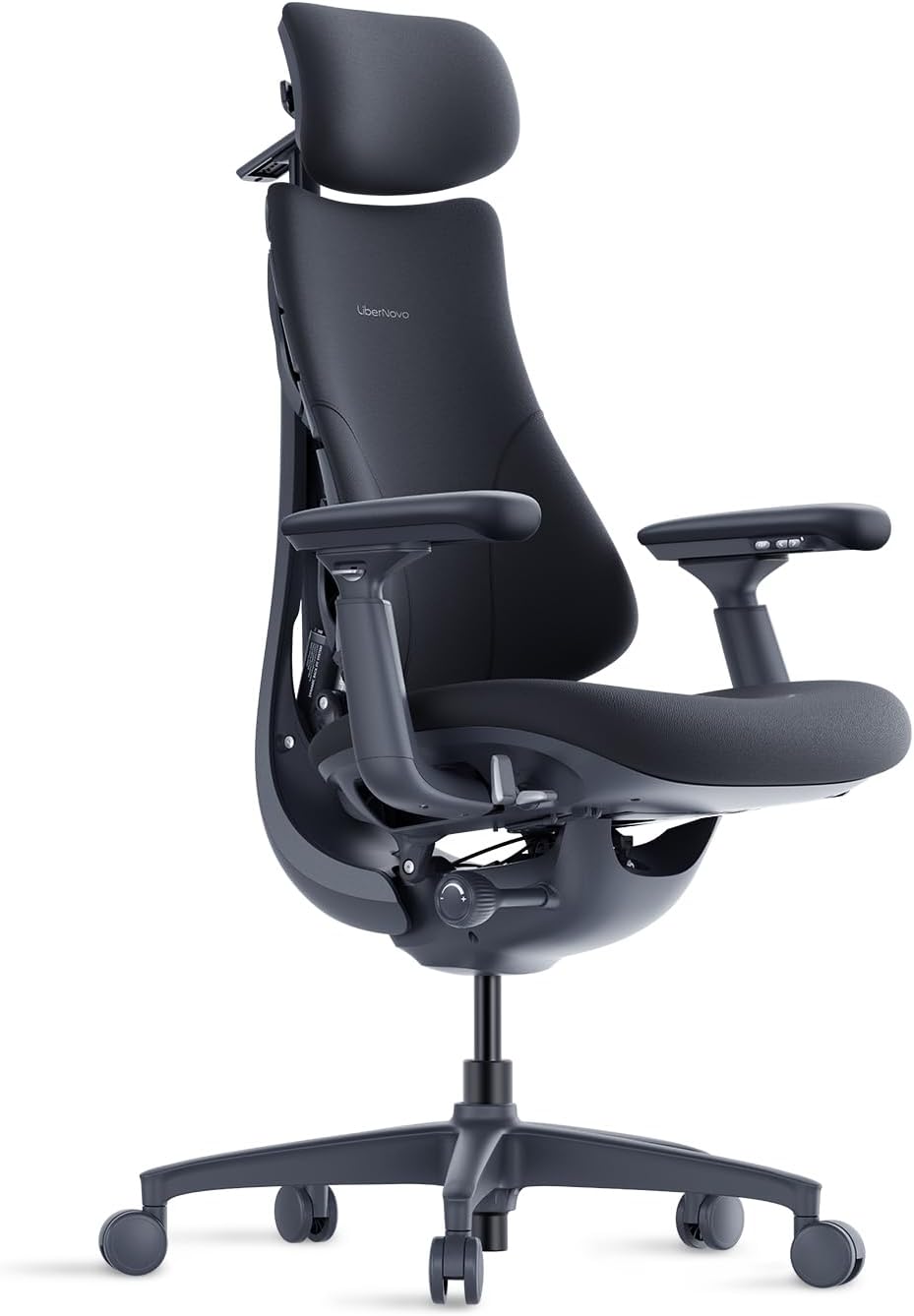
Price: ~$599+ (Kickstarter) | Best for: Active sitters, back pain sufferers
The LiberNovo Omni was specifically designed for programmers and remote workers [citation:1]. Its Bionic FlexFit backrest features 16 precision joints and 8 adaptive panels that move with your spine as you shift positions — leaning forward to debug, sitting upright for meetings, or reclining to review architecture.
The standout feature is OmniStretch, a built‑in motorized spinal stretch system. During breaks, the chair gently extends the backrest by up to 50mm, providing controlled spinal decompression — perfect for releasing tension from long coding sessions [citation:1].
Specifications for Programmers:
- 4D adjustable armrests (slide backward up to 100mm for proper typing alignment)
- Bionic FlexFit backrest with 16 joints + 8 adaptive panels
- 4 intelligent recline modes: 105° (Deep Focus), 120° (Solo Work), 135° (Soft Recline), 160° (Spine Flow)
- Zoned density foam seat (firmer rear for sit bones, softer front for leg pressure relief)
- 3D neck support
✅ Pros:
- Dynamic back support moves with you — no constant readjustment
- Motorized spinal stretch (OmniStretch) is unique in this price range
- 4 recline modes match different coding activities
- 4D armrests slide back 100mm — excellent for proper typing posture
❌ Cons:
- Kickstarter product (waiting for delivery)
- Relatively new brand — long‑term durability unknown
- Price is mid‑range but not premium
Who is this for?
The Omni is for programmers who move around a lot, suffer from back pain, and want a chair that adapts to their workflow rather than forcing one posture.
👉 Check price for LiberNovo Omni on Amazon →
2. Herman Miller Aeron – Best Premium Chair for Programmers Who Run Hot
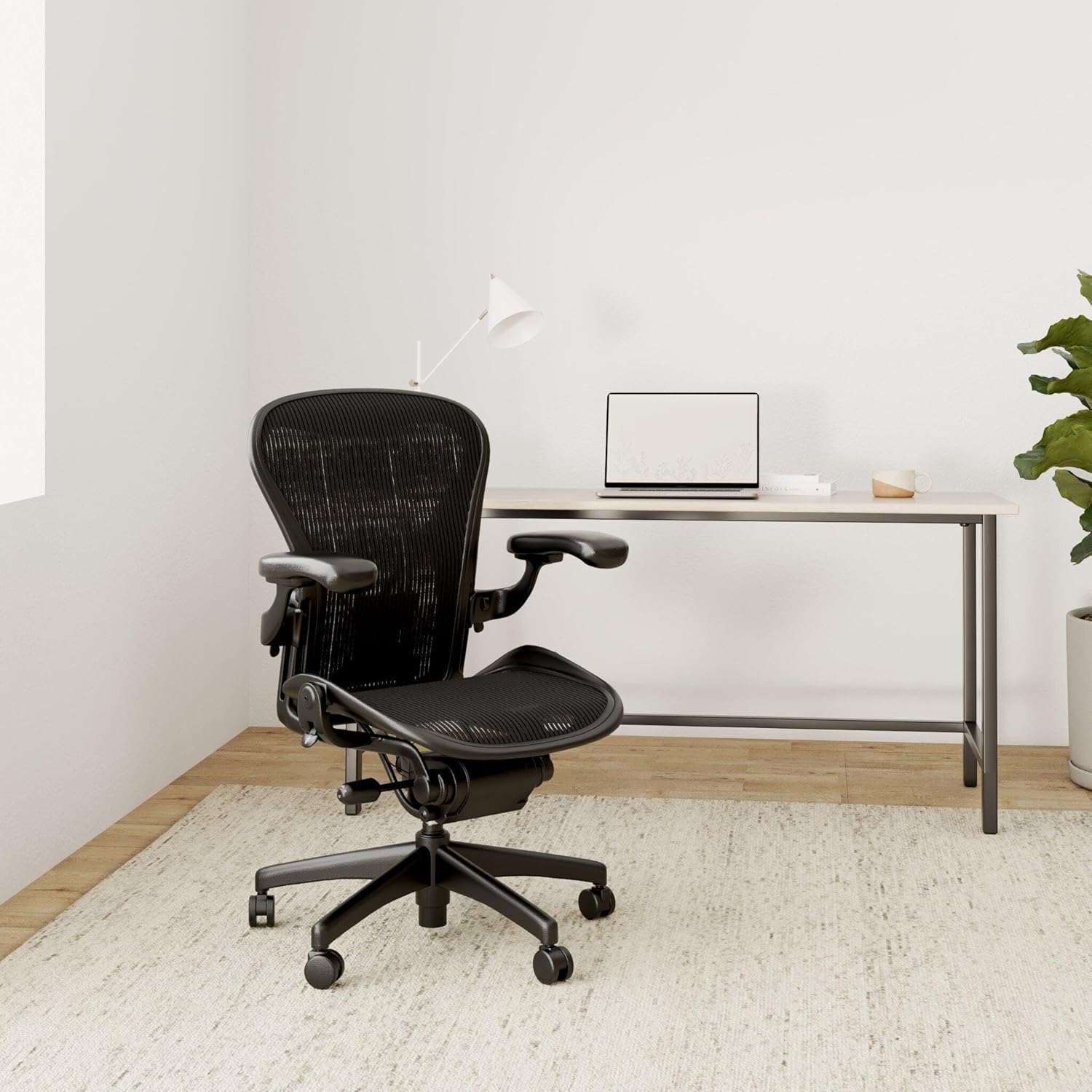
Price: ~$1,500 | Best for: Long coding sessions, hot climates
The Herman Miller Aeron is the gold standard in ergonomic seating. For programmers, it excels in breathability — the Pellicle mesh is fully open, preventing sweaty backs during marathon coding sessions [citation:10].
The optional PostureFit SL lumbar support provides excellent lower back support that hits the right spot for most programmers. The forward tilt option is particularly useful for leaning into your code during intense debugging sessions.
Specifications for Programmers:
- Pellicle mesh seat + back (best breathability in class)
- 4D adjustable armrests (height, width, depth, pivot)
- PostureFit SL lumbar (height + depth adjustable) — recommended upgrade
- Forward tilt option (great for focused coding)
- 3 sizes (A, B, C) — most programmers need Size B or C
- 12‑year warranty
✅ Pros:
- Unbeatable breathability — no sweaty back after 10‑hour sessions
- Very durable — lasts 15+ years
- Forward tilt keeps you engaged during deep focus
- Excellent resale value
❌ Cons:
- Very expensive ($1,500+)
- No headrest (aftermarket options exist)
- Hard plastic frame prevents cross‑legged sitting
- Must choose correct size (A/B/C)
Who is this for?
The Aeron is for programmers who run hot, sit 8+ hours daily, and can afford a lifetime investment.
👉 Check price for Herman Miller Aeron on Amazon →
3. Steelcase Leap v2 – Most Adjustable Chair for Programmers with Back Pain
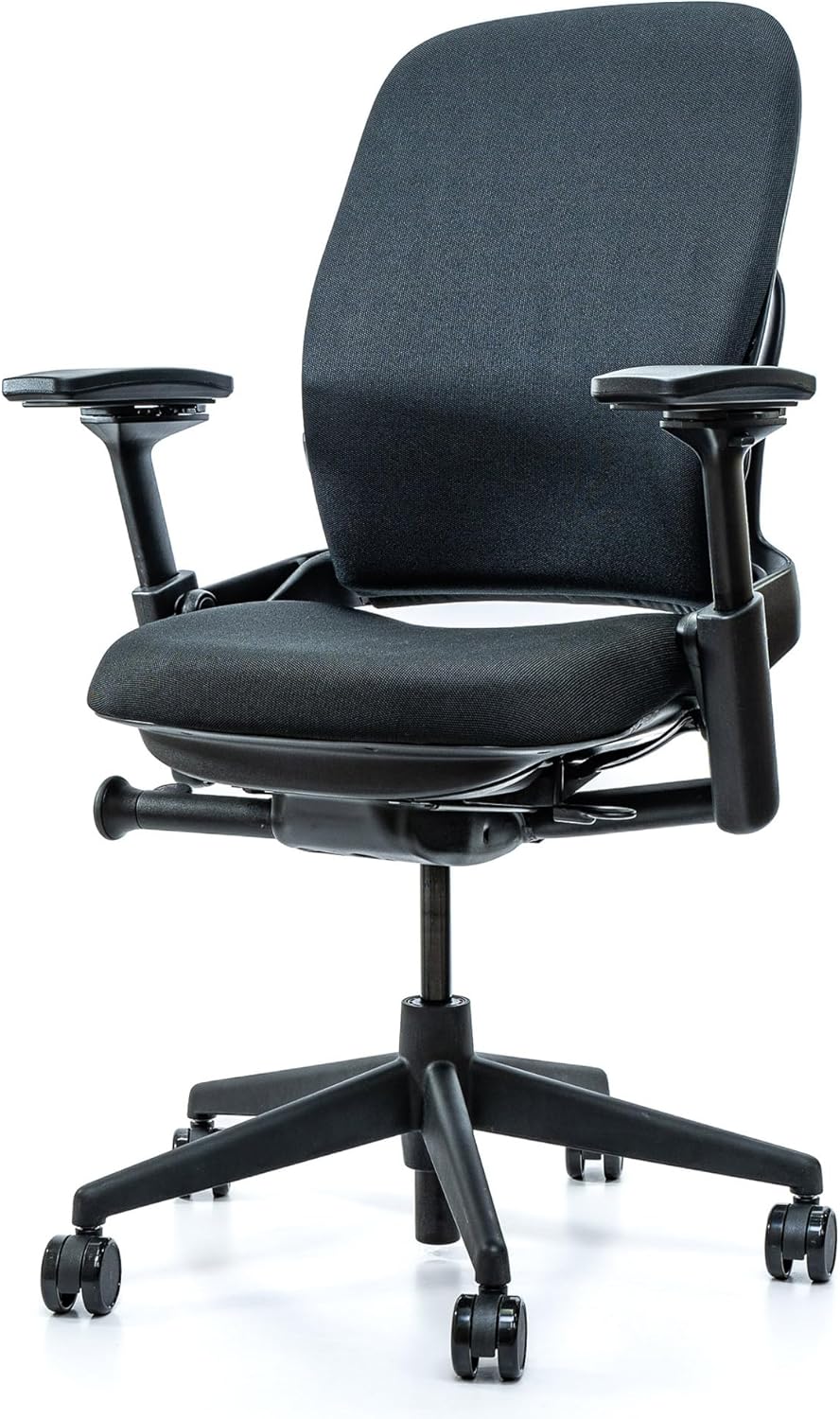
Price: ~$1,200 | Best for: Back pain, precise adjustability
The Steelcase Leap is famous for its LiveBack technology — a flexible backrest that moves with your spine. For programmers who suffer from lower back pain, the Leap’s highly adjustable lumbar (height + depth + firmness) allows you to dial in exactly the support you need [citation:10].
The adjustable seat depth is crucial for programmers with longer legs, ensuring proper thigh support without knee pressure. The 4D armrests help maintain neutral shoulder position while typing.
Specifications for Programmers:
- LiveBack technology — backrest flexes as you move
- Lumbar adjustment: height + depth + firmness (most adjustable in class)
- Adjustable seat depth (18″–20.5″)
- 4D adjustable armrests
- 12‑year warranty
✅ Pros:
- Excellent for lower back pain — highly tunable lumbar
- Adjustable seat depth fits various leg lengths
- LiveBack moves with you through different coding postures
- Strong refurbished market (save 50%+)
❌ Cons:
- Less breathable than mesh chairs (fabric upholstery)
- Seat cushion can feel firm
- Expensive new ($1,200+)
Who is this for?
The Leap is for programmers with existing back pain who need precise lumbar control and maximum adjustability.
👉 Check price for Steelcase Leap on Amazon →
4. Elgato Embrace – Best for Streamers and Programmers with Studio Setups
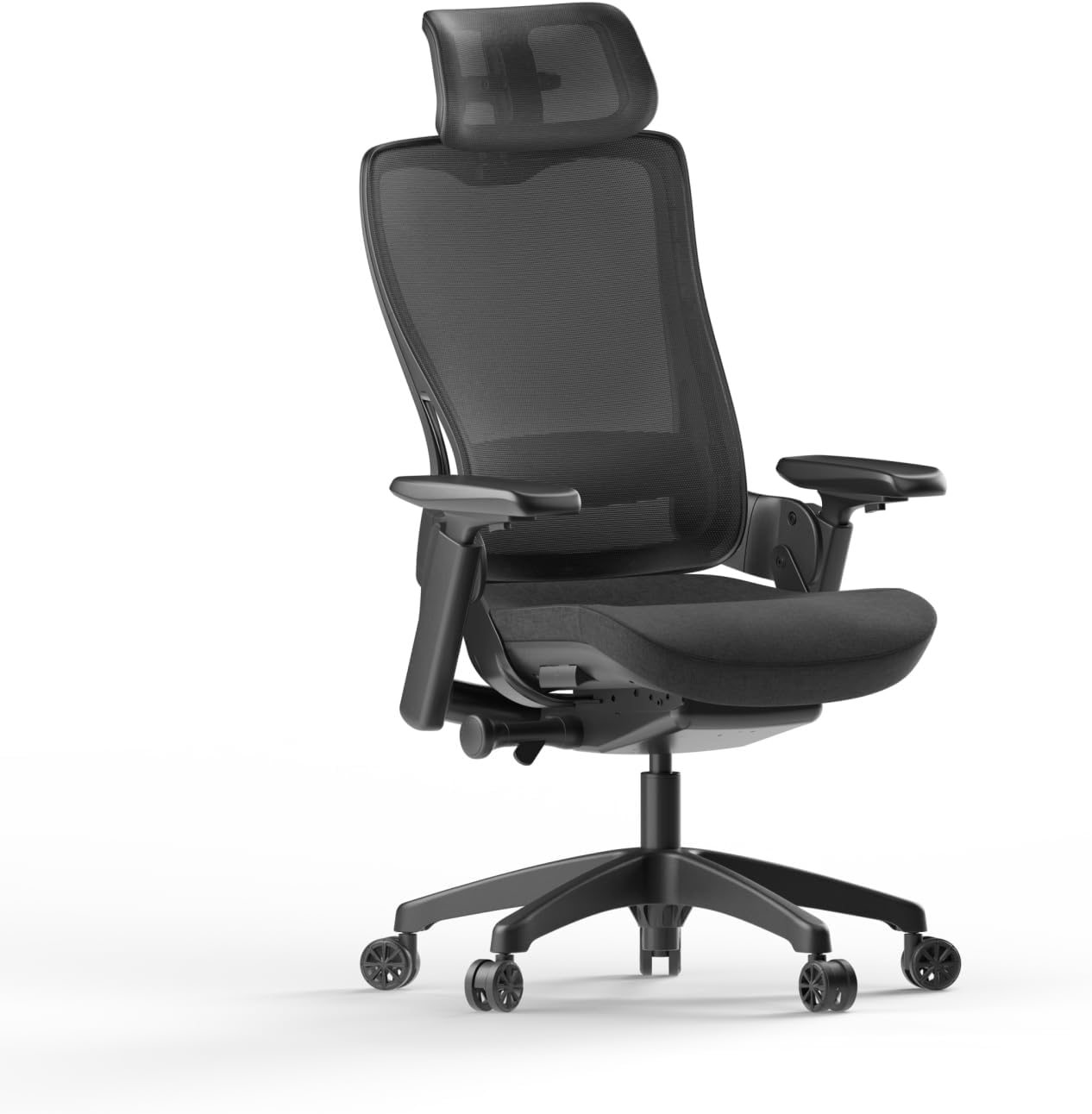
Price: ~$450 | Best for: Streamers, multi‑device users, breathability
Elgato, known for streaming gear, recently released the Embrace — a studio chair designed for creators and professionals who spend long hours at their desks [citation:3].
For programmers, the Embrace offers 4D armrests (rare at this price), adjustable seat depth, and a breathable mesh back. The waterfall seat edge improves circulation during long coding sessions. Assembly takes less than 5 minutes.
Specifications for Programmers:
- 4D adjustable armrests (height, width, depth, pivot)
- Adjustable seat depth (slide forward/backward)
- Breathable mesh back (keeps you cool)
- Waterfall seat edge (reduces leg pressure)
- Multi‑lock recline with 5 positions
- Optional adjustable headrest
- Assembly: ~5 minutes
✅ Pros:
- Excellent value — 4D armrests + seat depth under $500
- Breathable mesh back
- Quick assembly
- Clean studio design (no visible logos on front)
❌ Cons:
- Relatively new — limited long‑term reviews
- Headrest is optional (adds cost)
- Seat is mesh? (specs unclear — confirm before buying)
Who is this for?
The Embrace is for programmers who also stream, want a clean studio aesthetic, and need solid ergonomics under $500.
👉 Check price for Elgato Embrace on Amazon →
5. Sihoo B100 Pro – Best Budget Chair with Premium Lumbar
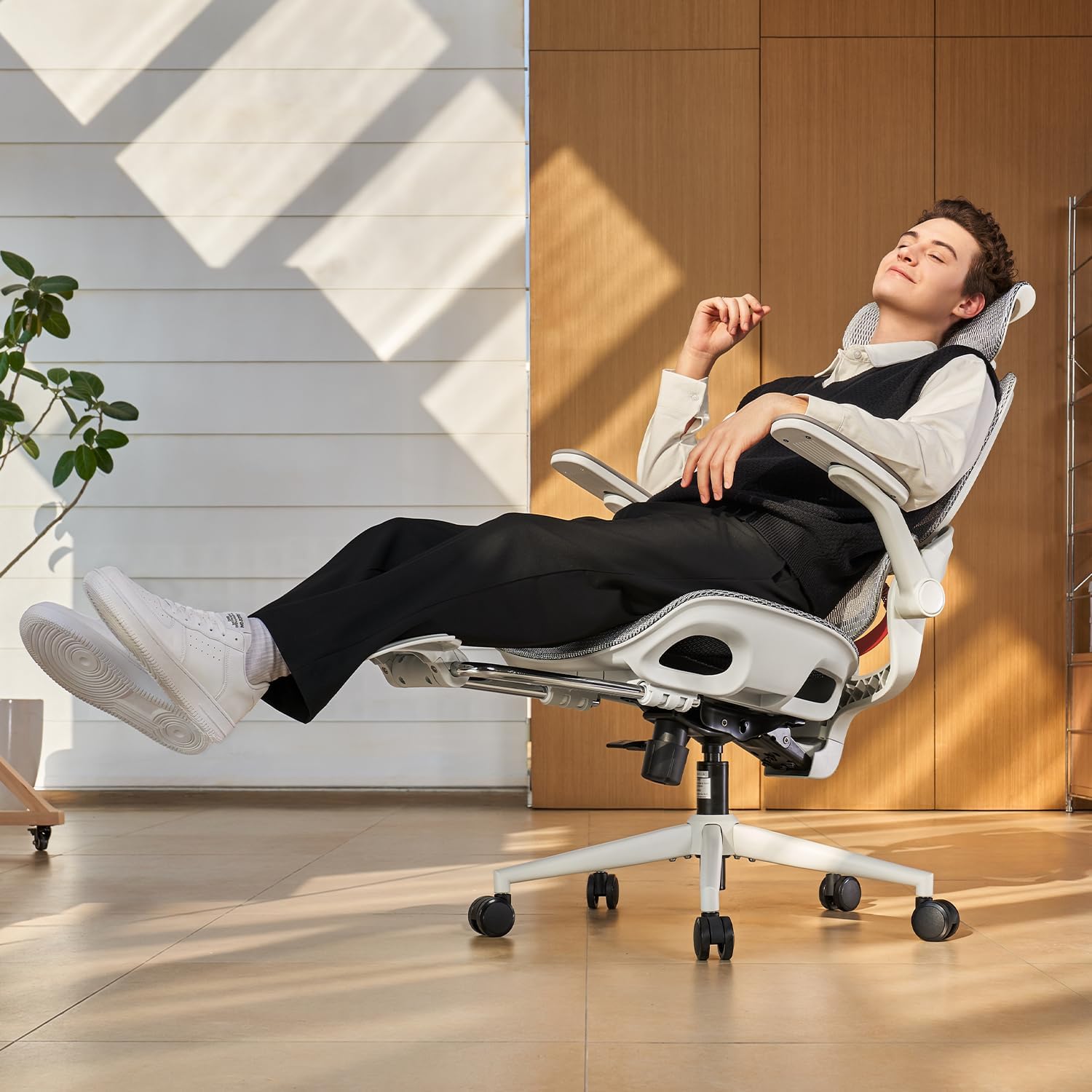
Price: ~$329 | Best for: Budget‑conscious programmers, Domino 3D lumbar
Sihoo has become a major player in the ergonomic chair space. The B100 Pro features their patented Domino 3D lumbar support system, which adjusts in multiple directions to fit your spine’s natural curve [citation:5]. For programmers on a budget, this chair offers features usually found on $500+ models.
The 4D armrests (height, width, depth, pivot) and breathable mesh back make it suitable for long coding sessions. The weight capacity is 331 lbs, accommodating a wide range of body types.
Specifications for Programmers:
- Patented Domino 3D lumbar support system
- 4D adjustable armrests
- Breathable mesh back + high‑density mesh fabric
- Adjustable seat height: 18.7″–22″
- Weight capacity: 331 lbs
- Recommended height: 5’5″ – 6’2″
✅ Pros:
- Excellent lumbar adjustability for the price
- 4D armrests — rare under $400
- Breathable mesh keeps you cool
- Good weight capacity (331 lbs)
- Strong value proposition
❌ Cons:
- Less established brand than Aeron/Leap
- Seat cushion may be firm for some
- Assembly takes ~30 minutes
Who is this for?
The Sihoo B100 Pro is for programmers who want premium features (4D armrests, advanced lumbar) without the premium price tag.
👉 Check price for Sihoo B100 Pro on Amazon →
6. Hbada E3 – Best Full Mesh Chair Under $300
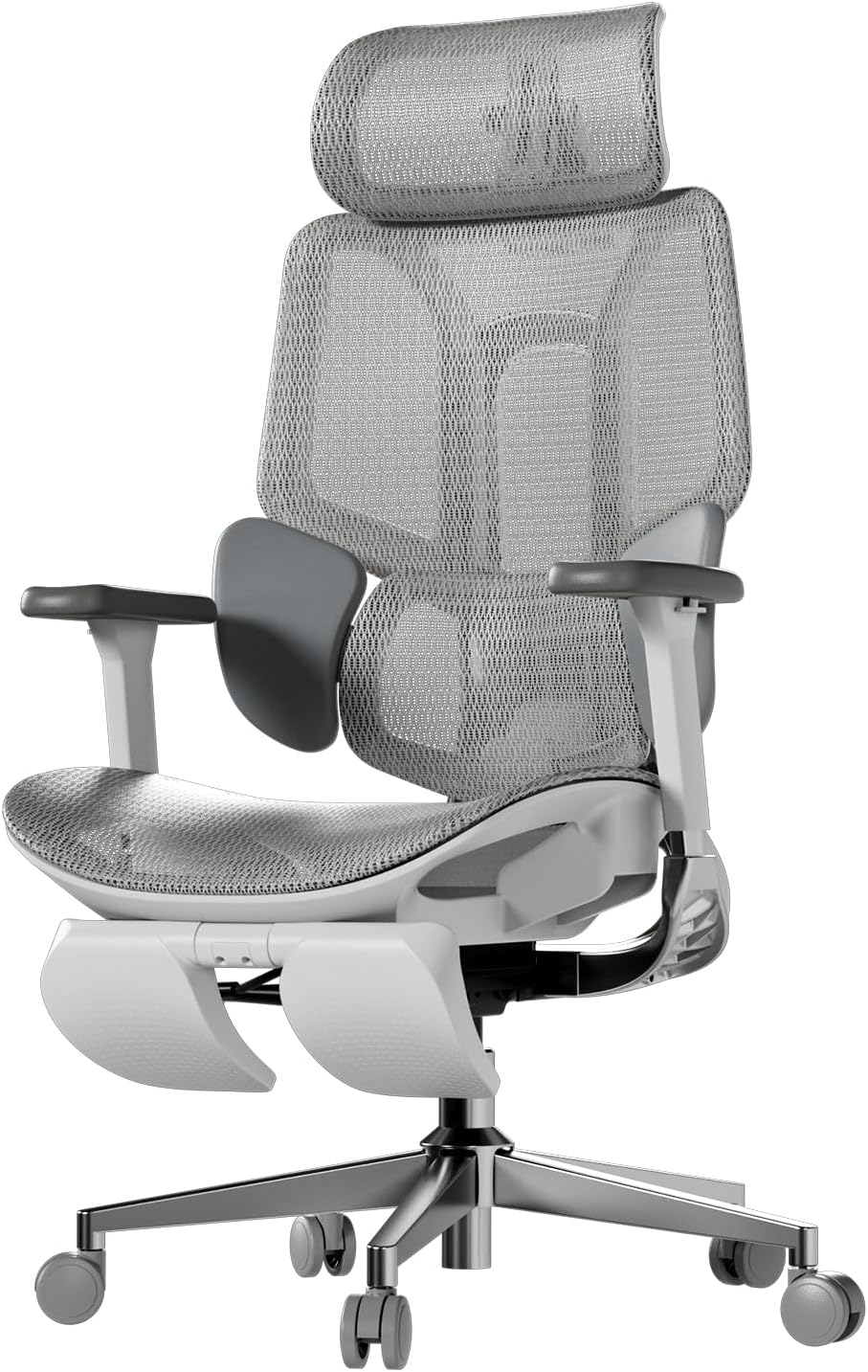
Price: ~$279 | Best for: Hot climates, budget full mesh
The Hbada E3 offers full mesh seat AND backrest — something rarely seen under $300. For programmers who run hot or live in warm climates, this chair keeps you cool during long coding sessions [citation:4].
It includes a height‑adjustable headrest and 3D armrests (height, width, pivot). The 135° recline with tilt lock is great for taking breaks between sprints.
Specifications for Programmers:
- Full mesh seat + back (excellent breathability)
- 3D adjustable armrests (height, width, pivot)
- Height‑adjustable headrest
- 135° recline with tilt lock
- Weight capacity: 275 lbs
- Recommended height: 5’5″ – 6’1″
✅ Pros:
- Excellent airflow — no sweaty back
- Headrest included (rare at this price)
- 135° recline for breaks
- Sleek modern design
- Easy assembly (under 20 minutes)
❌ Cons:
- Mesh seat is firm — may not suit those who prefer plush foam
- Armrests are 3D (not 4D — no depth adjustment)
- Shorter users may find seat too deep
Who is this for?
The Hbada E3 is for programmers on a budget who prioritize breathability and want a headrest included.
👉 Check price for Hbada E3 on Amazon →
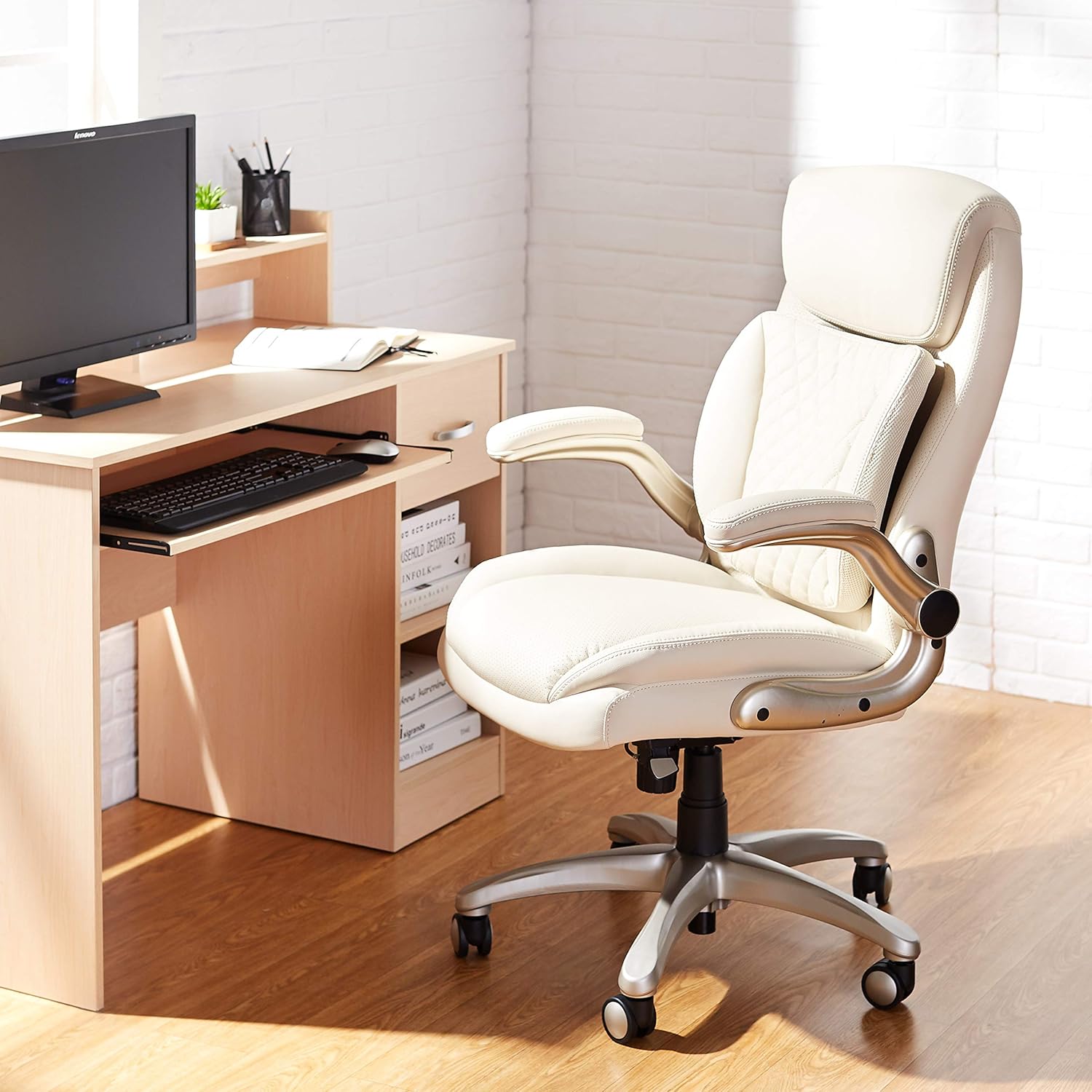
7. Amazon Basics Ergonomic Executive Chair – Best Entry‑Level Budget Pick
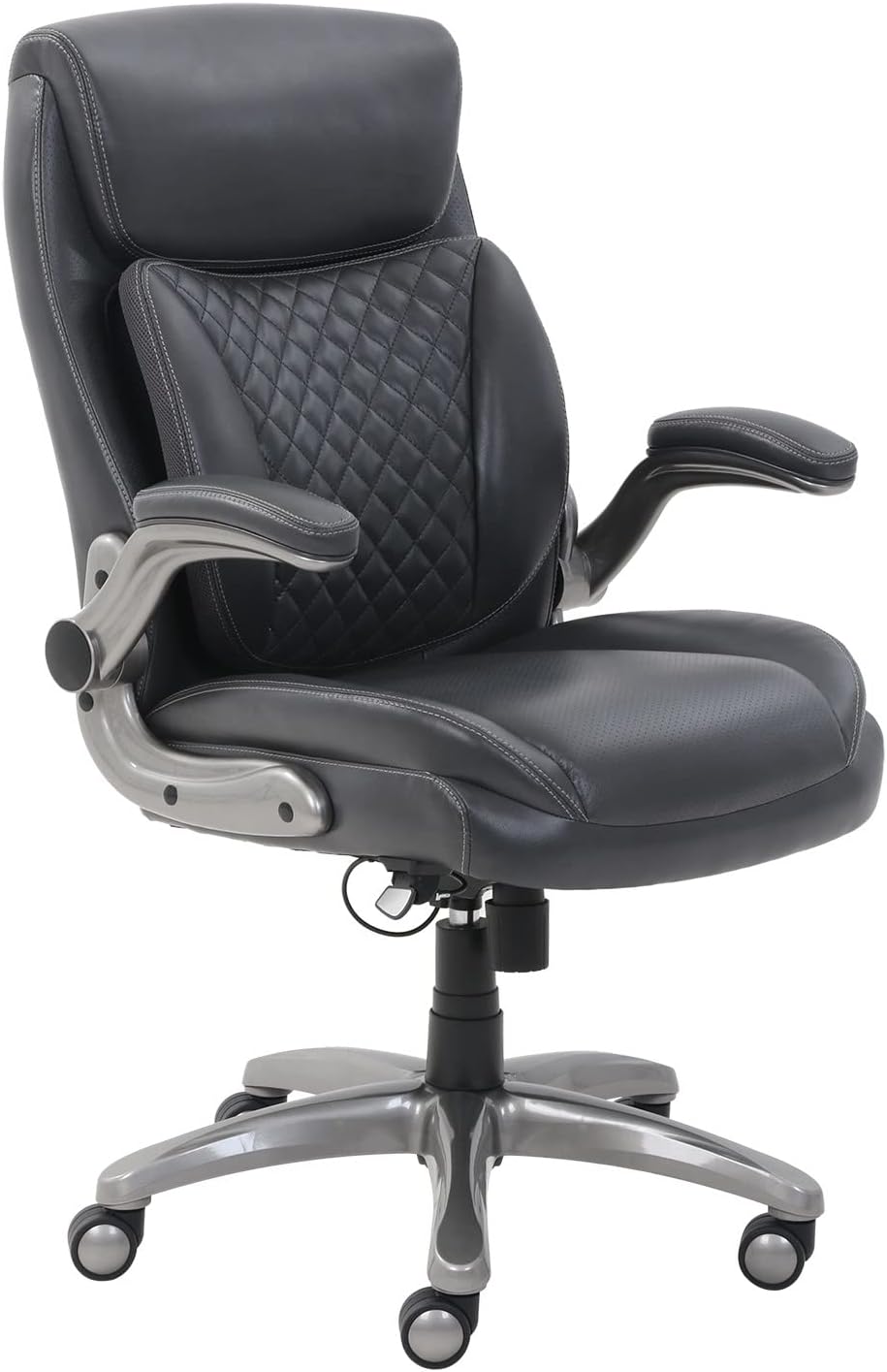
Price: ~$150 | Best for: Very tight budgets, first ergonomic chair
The Amazon Basics Ergonomic Executive Chair is not a premium chair, but for programmers on a very tight budget, it offers 3D adjustable lumbar support and flip‑up armrests at an unbeatable price [citation:2].
With over 3,900 reviews and a 4.2‑star rating, it is a proven budget option. The 275 lb weight capacity and metal base provide decent durability for the price.
Specifications for Programmers:
- 3D adjustable lumbar support
- Flip‑up armrests (great for sliding under desks)
- Bonded leather upholstery
- Weight capacity: 275 lbs
- Metal 5‑point base
- Seat depth: 21.5 inches
✅ Pros:
- Very affordable (~$150)
- 3D lumbar support is adjustable
- Flip‑up armrests for desk access
- Over 3,900 reviews — proven reliability
- Metal base (not plastic)
❌ Cons:
- Bonded leather traps heat and may peel after 1‑2 years
- Armrests are basic (flip‑up only, no 4D)
- Less breathable than mesh chairs
- Limited recline options
Who is this for?
The Amazon Basics chair is for programmers just starting out, on a very tight budget, or setting up a temporary workspace. It is not for 8+ hour daily use but works well for part‑time coding.
👉 Check price for Amazon Basics Chair on Amazon →
How to Choose an Ergonomic Chair for Programming
Here is a decision guide based on your specific needs as a programmer:
If you prioritize breathability (you run hot):
- Premium budget: Herman Miller Aeron — best breathability in class
- Mid‑range: Elgato Embrace or Hbada E3 — full mesh options
- Budget: Hbada E3 — best full mesh under $300
If you have existing back pain:
- Premium budget: Steelcase Leap v2 — most adjustable lumbar
- Mid‑range: LiberNovo Omni — dynamic support + spinal stretch
- Budget: Sihoo B100 Pro — Domino 3D lumbar
If you need armrest adjustability for typing:
- Premium: Aeron, Leap, or Gesture — all have 4D armrests
- Mid‑range: Elgato Embrace or LiberNovo Omni — 4D armrests under $600
- Budget: Sihoo B100 Pro — 4D armrests under $350
If you are on a tight budget (under $300):
- Best overall: Hbada E3 — full mesh + headrest + 3D armrests
- Cheapest acceptable: Amazon Basics — 3D lumbar for ~$150
Frequently Asked Questions (FAQ)
What is the best ergonomic chair for programmers overall?
For most programmers, the Steelcase Leap v2 or Herman Miller Aeron are the best overall choices. If you prioritize breathability, get the Aeron. If you prioritize lumbar adjustability, get the Leap. On a budget, the Elgato Embrace or Sihoo B100 Pro are excellent values.
Do programmers need 4D armrests?
Yes — 4D armrests (height, width, depth, pivot) allow you to position your elbows exactly where they need to be for neutral wrist alignment while typing. This reduces shoulder and neck strain during long coding sessions [citation:8].
Is mesh or fabric better for programming chairs?
Mesh is better for programmers who run hot or live in warm climates. It allows air circulation, preventing sweat buildup during long sessions. Fabric is softer but traps heat [citation:3].
What recline angle is best for coding?
Different activities require different angles: 105° for focused coding/debugging, 120° for sustained development, 135° for reviewing documentation, and deeper recline for breaks [citation:1].
Can a good chair prevent programmer back pain?
Yes — but only if adjusted correctly. A chair with proper lumbar support reduces spinal disc pressure by up to 40%. Combined with regular movement breaks, a good chair can eliminate or significantly reduce back pain [citation:8].
What is the best budget ergonomic chair for programmers under $300?
The Hbada E3 offers full mesh, 3D armrests, headrest, and 135° recline for ~$279 — unbeatable value. The Sihoo B100 Pro is also excellent at ~$329 with 4D armrests and Domino lumbar.
Is the LiberNovo Omni worth it for programmers?
The Omni is promising — its dynamic back support and motorized spinal stretch directly address programmer pain points. However, it is a Kickstarter product, so long‑term reliability is unknown. For early adopters, it could be a game‑changer [citation:1].
Final Verdict: Which Ergonomic Chair Should Programmers Buy?
Here is my simple recommendation based on your situation:
- 👉 Best overall (no budget limit): Herman Miller Aeron — breathable, durable, professional
- 👉 Best for back pain: Steelcase Leap v2 — most adjustable lumbar
- 👉 Best for dynamic movement: LiberNovo Omni — adapts to changing postures
- 👉 Best value under $500: Elgato Embrace — 4D armrests + seat depth + mesh
- 👉 Best value under $300: Hbada E3 — full mesh + headrest + 3D armrests
- 👉 Best budget with 4D armrests: Sihoo B100 Pro — Domino 3D lumbar + 4D arms
Still undecided? If you have the budget, the Aeron or Leap are proven investments that will last 10+ years. If you are on a budget, the Elgato Embrace or Sihoo B100 Pro offer premium features at mid‑range prices.
Your back is your most important tool as a programmer — invest in it.
👉 See today’s price for Herman Miller Aeron on Amazon →
Disclosure: This post contains affiliate links. If you purchase through our links, we may earn a commission at no extra cost to you. We only recommend products we have researched thoroughly.