
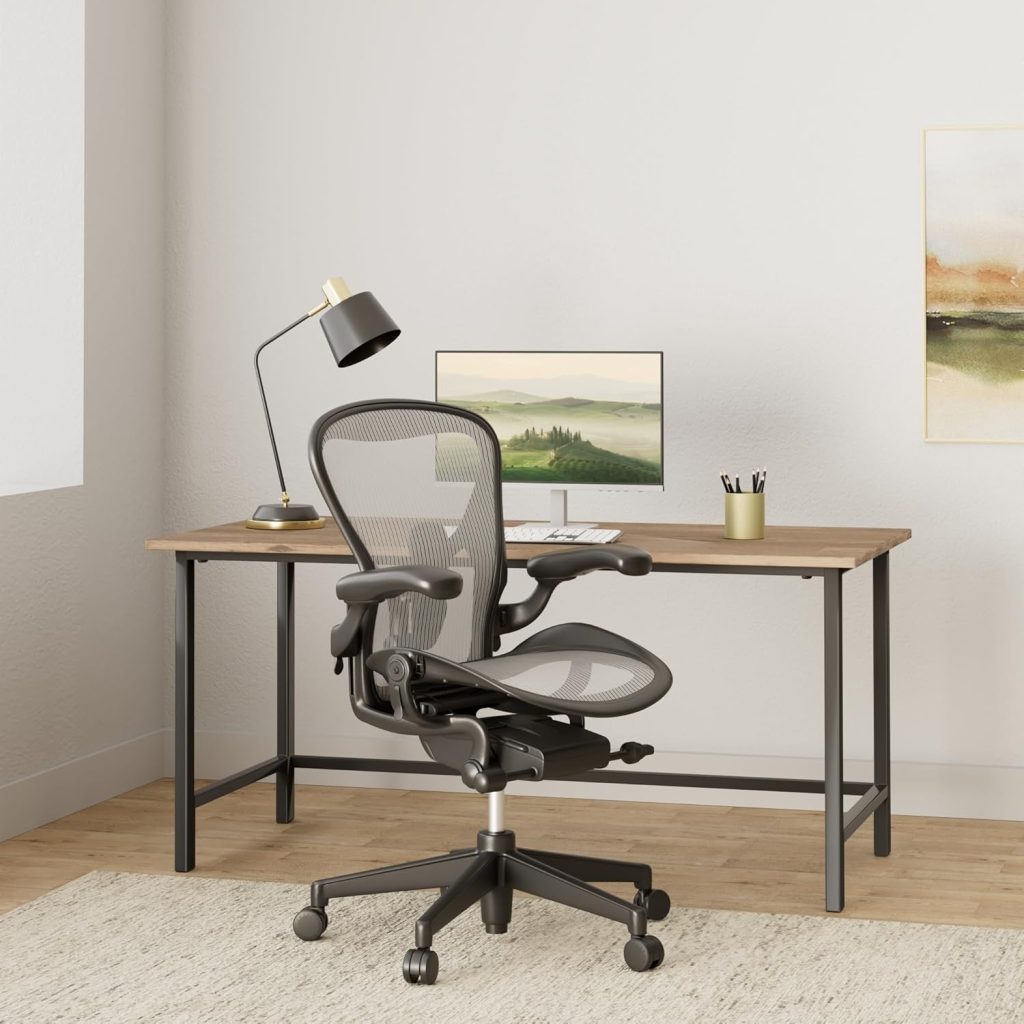
If you have a herniated disc, sitting is often the hardest part of your day. You sit down feeling “fine enough,” then an hour later you are shifting, bracing, and counting minutes until you can stand again. Sometimes it is a deep ache. Sometimes it is the “catch” when you rise. Sometimes leg symptoms creep in once your hips sink and your spine rounds.
A chair cannot medically treat a herniated disc. What it can do is remove the two most common sitting triggers: losing lower‑back support when you move, and collapsing into a posture your back cannot tolerate for long.
In this guide, I have researched the best ergonomic chairs specifically for herniated disc sitting — focusing on dynamic lumbar contact, seat depth adjustment, controlled recline, and real user feedback from people with disc bulges and herniation.
Quick Comparison: Best Ergonomic Chairs for Herniated Disc
| Product | Best For | Lumbar Technology | Seat Depth Adjust | Recline | Weight Capacity | Price |
|---|---|---|---|---|---|---|
| Steelcase Leap v2 | Most adjustable lumbar | Height + depth + firmness dial | Adjustable (15.75″–18.75″) | 120°, 4 locks | 400 lbs | ~$1,200 (new) / $500–700 (refurb) |
| SIHOO Doro C300 | Dynamic lumbar that moves with you | Self-adapting Domino 3D | Fixed (~18″) | 130°, 3 locks | 300 lbs | ~$279–499 |
| LiberNovo Omni | Motorized real‑time posture correction | Bionic Flexfit (16 joints, 8 panels) | Adjustable | 105°–160° (motorized) | ~265 lbs | ~$829–929 |
| Clatina Mellet | Best budget with adjustable seat depth | Height‑adjustable pillow | Adjustable (18″–20″) | 120°, tilt lock | 350 lbs | ~$259 |
| FlexiSpot C7 | Best budget under $200 | Height‑adjustable lumbar | Fixed (19″) | 130° | 275 lbs | ~$149–199 |
| Herman Miller Aeron (Size B/C) | Premium breathable mesh | PostureFit SL (optional) | Fixed (size‑dependent) | 120°, forward tilt | 350 lbs (Size C) | ~$1,500+ |
What Makes Sitting Painful with a Herniated Disc?
According to peer‑reviewed research, prolonged sitting in poorly designed chairs can cause misalignment of the spine, increased pressure on discs, and muscle strain. Compared to standing, sitting puts twice as much pressure on the lower back — a major reason why disc pain often flares up during the workday.
Three specific sitting mechanics are especially problematic for herniated discs:
- The “Hammock” Seat — Pelvic Roll: If the seat is too soft, too deep, or sags in the middle, your pelvis rolls backward over time. This rounds your lower back and increases disc pressure.
- The Lumbar “Gap” Moment: Many chairs feel supportive when you are upright, but when you recline, the lumbar support loses contact. Your lower back is left unsupported, forcing you to slump or brace.
- Static Sitting Without Movement: Sitting in one rigid position for hours dramatically increases disc pressure. Your spine needs regular movement — changing positions, reclining, and redistributing pressure.
Understanding these mechanics helps you appreciate why each of the following features is non‑negotiable when chair shopping for a herniated disc.
What to Look for in a Chair for Herniated Disc (Buyer’s Guide)
1. Dynamic, Not Fixed, Lumbar Support — The Most Important Feature
With a herniated disc, losing lumbar support when you move is a bigger problem than having imperfect support when you are still. Traditional fixed lumbar pads only work in one sitting position. As soon as you lean forward or recline, the support disappears — creating a painful “gap.”
Look for chairs with dynamic systems that move with you:
- LiberNovo Omni: Bionic Flexfit backrest with 16 joints and 8 adaptive panels
- SIHOO Doro C300: Domino 3D self‑adapting lumbar that automatically tracks your movement
- Steelcase Leap v2: LiveBack technology flexes as you recline, maintaining contact
2. Adjustable Seat Depth — Critical for Pelvic Position
When the seat is too deep, you slide forward, your pelvis rolls back, your lower back rounds, and disc pressure increases. Adjustable seat depth ensures you can sit all the way back against the lumbar support without knee pressure. Aim for 2–3 fingers of space between the back of your knee and the seat edge.
3. Controlled Recline with Locking Positions
Research shows that reclining to 100–110 degrees can relieve pressure on spinal discs compared to sitting rigidly upright at 90°. Look for chairs with tilt tension adjustment and multiple lock positions so you can change angles throughout the day.
4. Supportive Seat Surface — Not Too Hard, Not Too Soft
The goal is pressure spread without collapse. Too hard creates hot spots; too soft lets your hips sink unevenly. High‑density memory foam or multi‑zone padding is ideal.
5. Armrests That Actually Unload the Upper Body
When your arms are unsupported, many people hunch forward — which often makes the whole back feel worse. 3D or 4D adjustable armrests (height, width, depth, pivot) help keep your shoulders relaxed.
6. Breathable Material (Mesh Preferred)
Long sitting sessions generate heat, and muscle tension from sweating can worsen disc pain. Mesh backs allow airflow and help you stay cool.
1. Steelcase Leap v2 – Most Adjustable Lumbar for Disc Pain
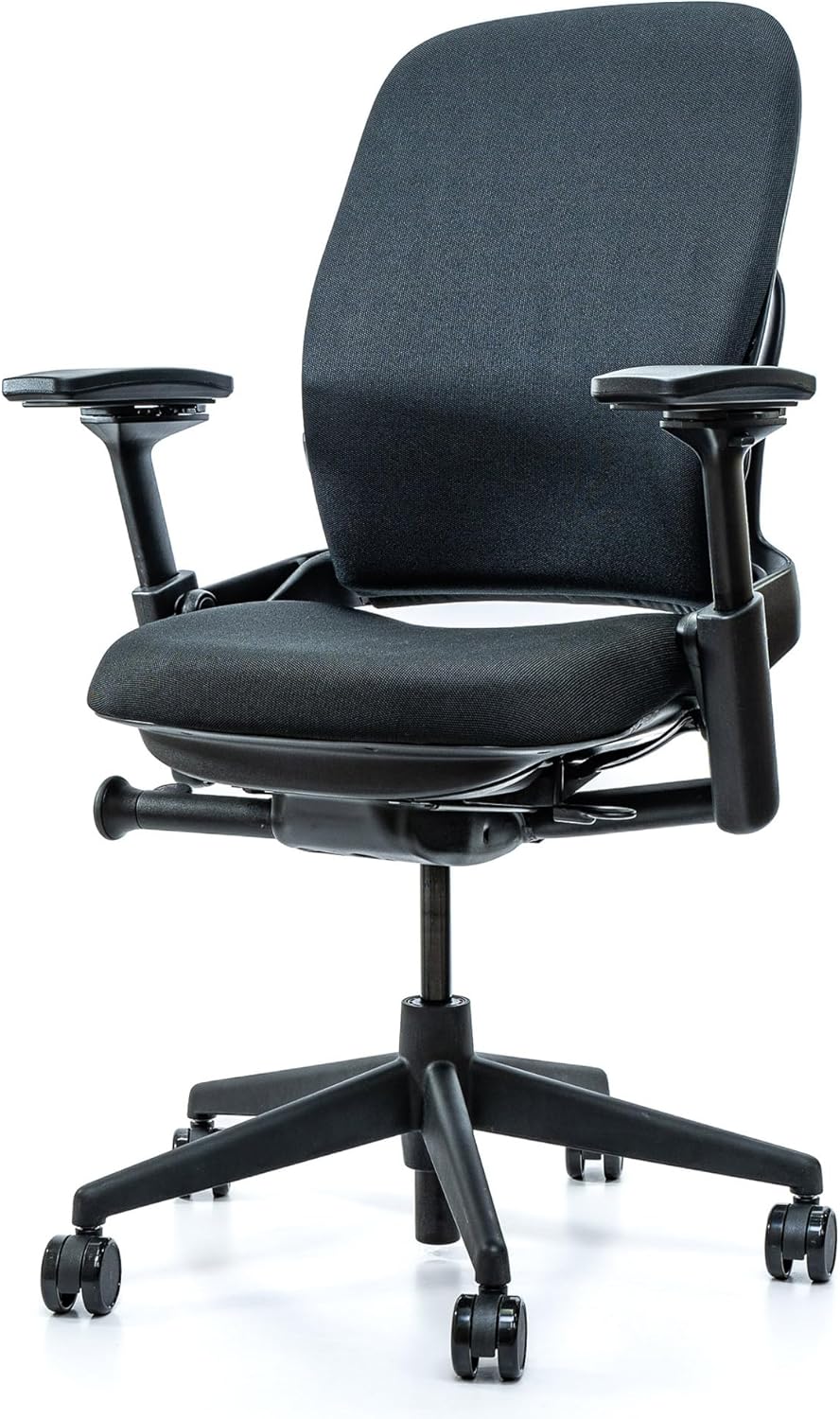

Price: ~$1,200 new / ~$500–700 refurb | Weight capacity: 400 lbs | Warranty: 12 years
The Steelcase Leap v2 is widely considered the gold standard. Its LiveBack technology allows the backrest to flex and change shape as you move, maintaining contact with your lumbar region at every recline angle — eliminating the dreaded “lumbar gap.”
The lumbar adjustment system is unmatched: it moves in height, depth, AND has a firmness dial. You can dial in exactly the pressure your herniated disc needs — gentle or more aggressive. The adjustable seat depth keeps your pelvis neutral.
✅ Pros:
- Lumbar adjustment in height, depth, and firmness — most customizable on the market
- LiveBack technology keeps lumbar contact during recline
- Adjustable seat depth prevents pelvic rollback
- 12‑year warranty, built to last 15+ years
- Excellent refurbished market ($500–700)
❌ Cons:
- Expensive new ($1,200+)
- Fabric upholstery less breathable than mesh
- Seat cushion is firm — may need break‑in period
Verdict: If you have chronic disc pain and want the most adjustable lumbar system available, the Leap v2 is the best chair you can buy. Look for a refurbished unit to save money.
👉 Check price for Steelcase Leap v2 on Amazon →
2. SIHOO Doro C300 – Best Dynamic Lumbar for Disc Sufferers
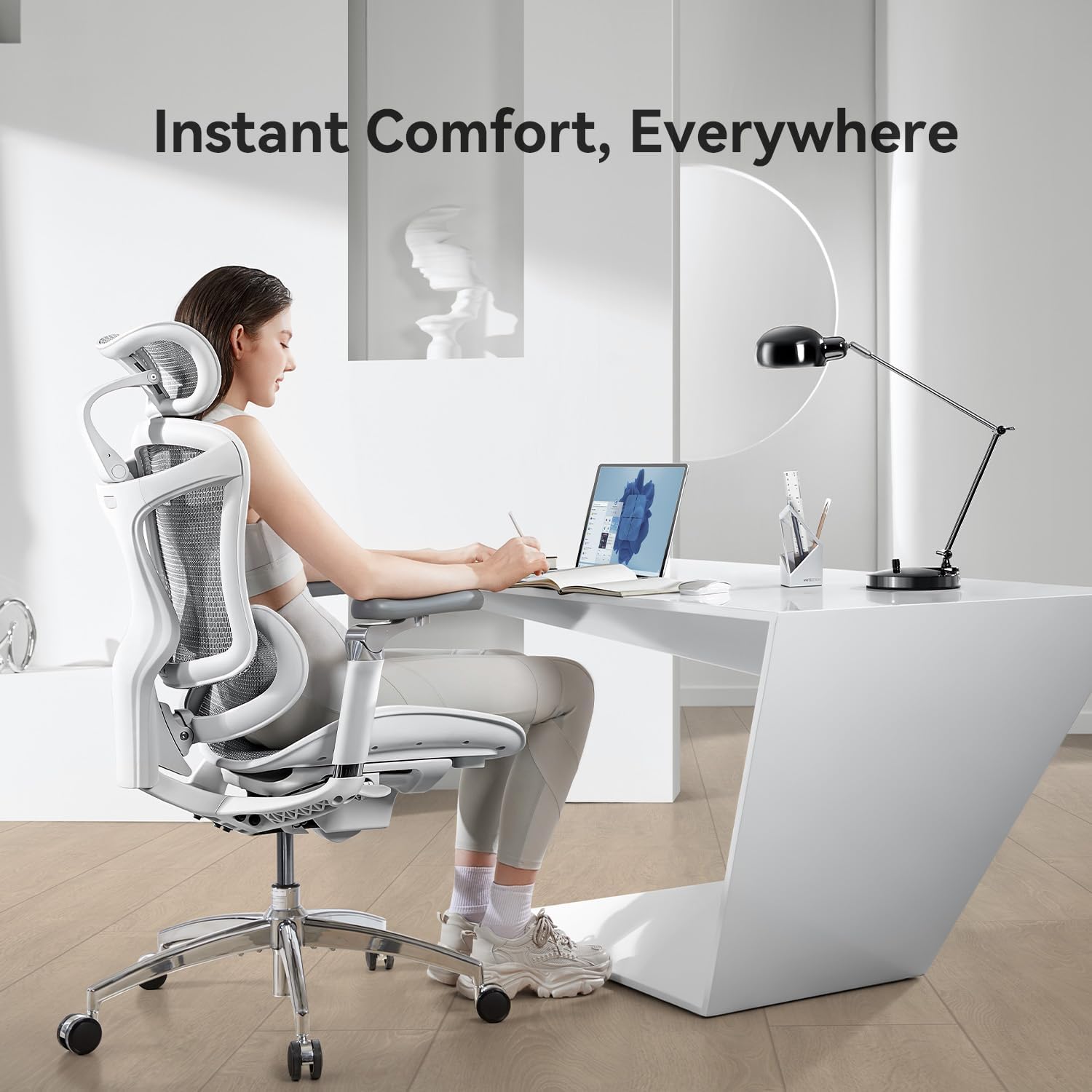

Price: ~$279–499 | Weight capacity: 300 lbs | Warranty: 3–5 years
The SIHOO Doro C300 is engineered around one idea: lower‑back support should not vanish when you shift posture. Its Domino 3D self‑adapting lumbar system automatically adjusts as you lean forward, sit upright, or recline — your disc never experiences the painful “gap.”
Key features that match disc priorities:
- Adaptive lumbar cushion that adjusts across sitting and reclining
- Self‑adaptive dynamic lumbar with BM Tracking System (continuously aligns with your spine curve)
- Intelligent gravity mechanism that adapts to the user
- Optional footrest for breaks
- 6D armrests for upper body support
✅ Pros:
- Dynamic lumbar moves with you — no “gap” when you recline
- Breathable mesh back keeps you cool
- 6D armrests for upper body support
- Optional footrest for breaks
- Great value for advanced features ($279–499)
❌ Cons:
- Seat depth fixed (~18″) — may not fit all leg lengths
- Not ideal for users over 6’0″ (headrest placement)
- Armrests can shift accidentally
- Shorter warranty than premium brands
Verdict: If you shift positions frequently and need lumbar that follows you — without spending $1,000+ — the Doro C300 is the best value for herniated disc sitting.
👉 Check price for SIHOO Doro C300 on Amazon →
3. LiberNovo Omni – Motorized Real‑Time Posture Correction
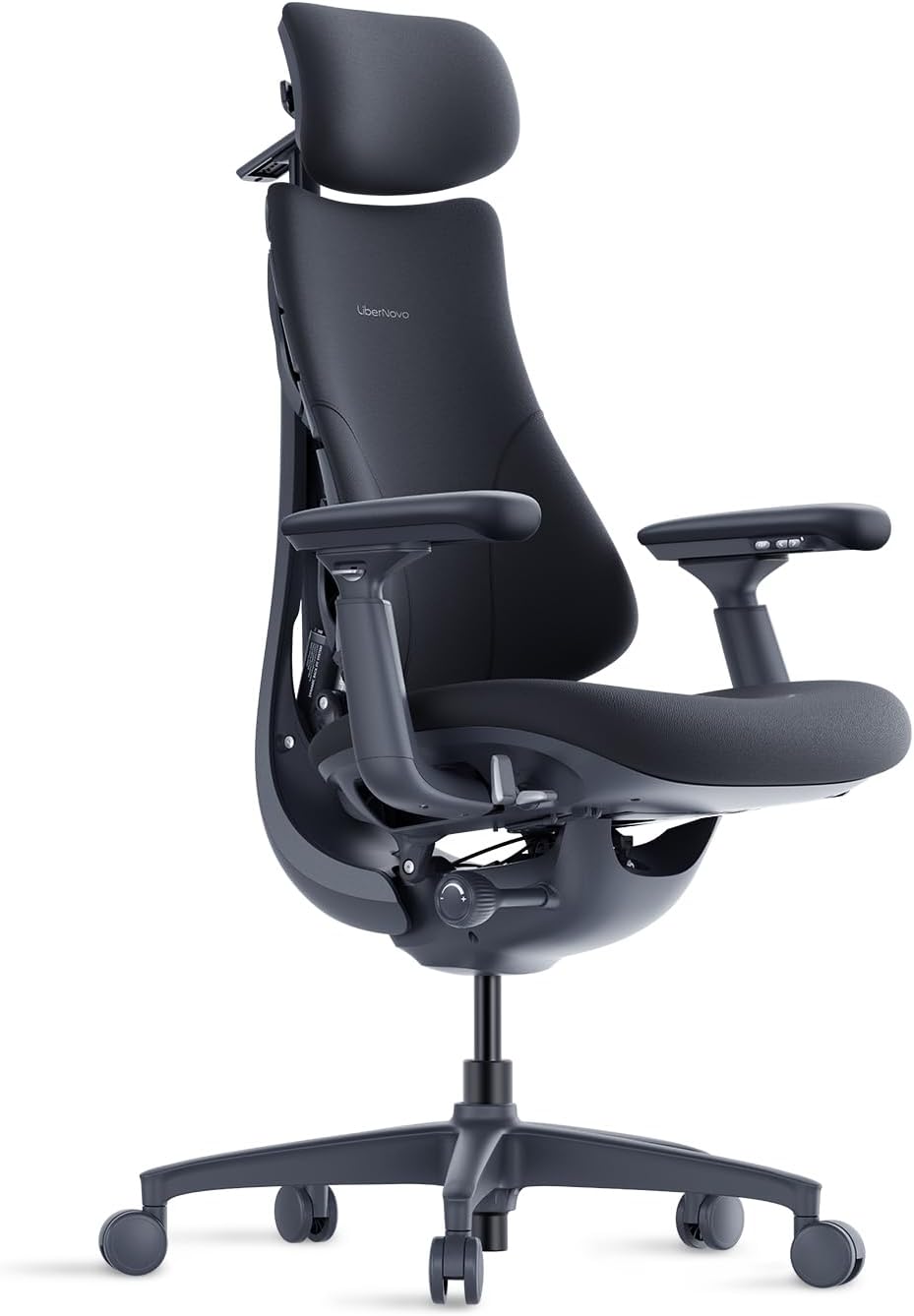

Price: ~$829–929 | Weight capacity: ~265 lbs | Warranty: Limited
The LiberNovo Omni is unlike any other chair on this list. This 2026 innovation uses a motorized Intelligent SyncroLink Mechanism System that moves in real time as you shift to help you maintain good posture. The Bionic Flexfit Backrest has 16 joints and 8 adaptive panels designed to follow your spine’s natural curvature.
Key features for disc sufferers:
- Four distinct recline modes: Deep Focus (105°), Solo‑Work (120°), Soft Recline (135°), and Spine Flow (160°)
- Motorized stretch: The chair’s spine presses into your back to stretch it out, then retracts and repeats
- Arms move with you during recline — supports shoulders
- Arms adjust inward for smaller frames
✅ Pros:
- Motorized real‑time posture adjustment — unique in the market
- 16‑joint backrest follows your spine perfectly, eliminating the lumbar gap
- Four recline modes (105°–160°) plus stretching function
- Arms move with you during recline — supports shoulders
- Arms adjust inward for smaller frames
❌ Cons:
- Expensive ($829–929)
- Requires power (corded)
- Motorized parts may fail over time
- Newer company — limited long‑term reviews
Verdict: If you can afford it and want the most advanced technology for disc protection — including built‑in stretching — the LiberNovo Omni is a breakthrough chair worth considering.
👉 Check price for LiberNovo Omni on Amazon →
4. Clatina Mellet – Best Budget with Adjustable Seat Depth (Under $300)
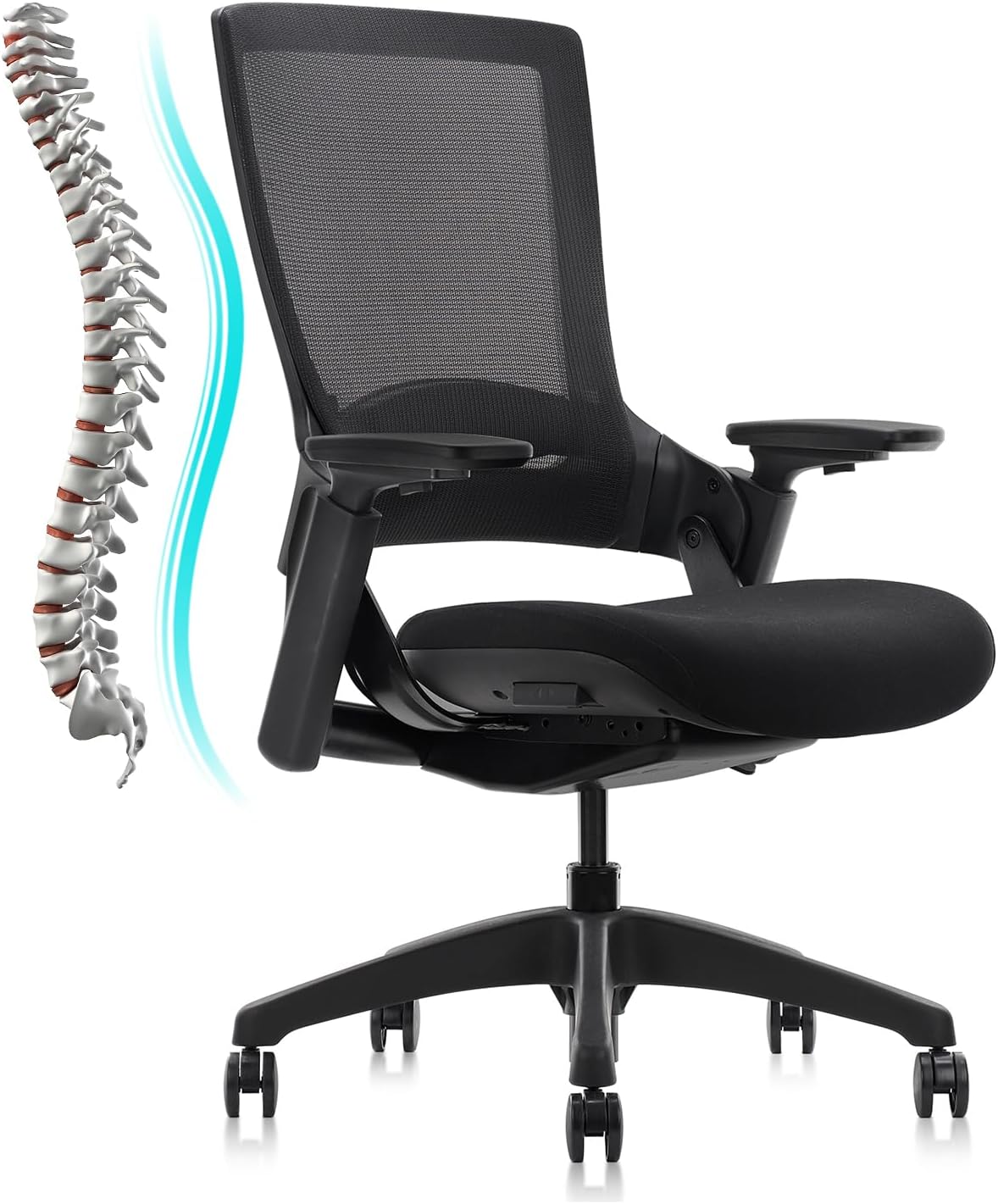

Price: ~$259 | Weight capacity: 350 lbs | Warranty: Limited
The Clatina Mellet stands out because it offers adjustable seat depth (18″–20″) — rare under $300 — which is critical for keeping your pelvis neutral. With a 350 lb weight capacity and a thick 4″ foam seat cushion, it provides good support for larger bodies.
✅ Pros:
- Adjustable seat depth — critical for pelvic position
- Very affordable (~$259)
- 350 lb weight capacity
- Thick, comfortable seat cushion (4″)
- Waterfall edge for leg circulation
❌ Cons:
- Lumbar is height‑only (no depth control)
- Armrests are basic (height only)
- Shorter backrest — less upper back support
Verdict: If you are on a tight budget but need adjustable seat depth for proper pelvic positioning, the Clatina Mellet is your best choice under $300.
👉 Check price for Clatina Mellet on Amazon →
5. FlexiSpot C7 – Best Budget Under $200

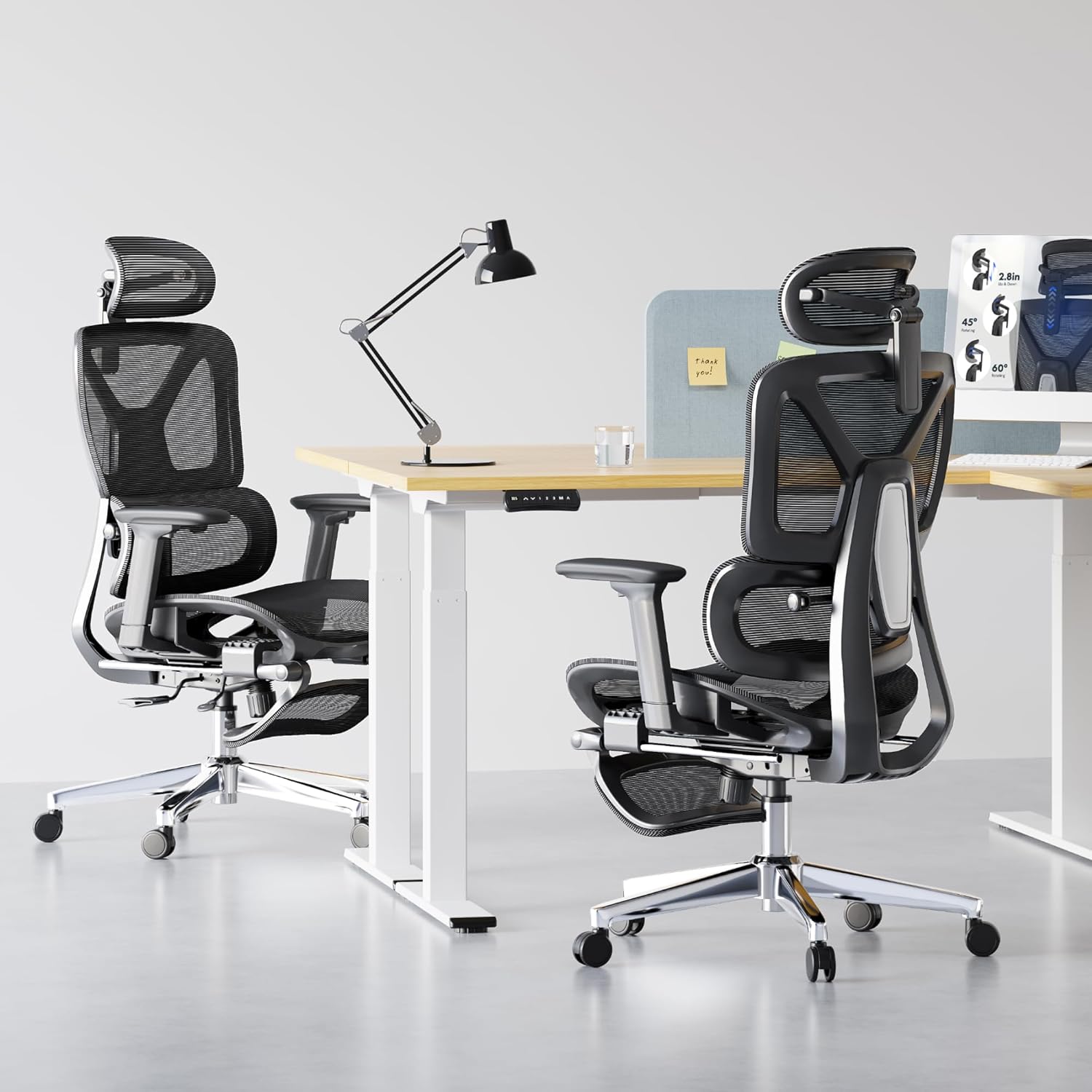
Price: ~$149–199 | Weight capacity: 275 lbs | Warranty: Limited
The FlexiSpot C7 Mesh High‑Back Office Chair is repeatedly recommended as a top budget pick for back pain — including for disc conditions. It offers height‑adjustable lumbar support, a breathable mesh back, and a 130° recline, delivering solid back support without breaking the bank.
✅ Pros:
- Very affordable (~$149–199)
- Height‑adjustable lumbar support
- Breathable mesh back
- 130° recline with tilt lock
- Solid entry‑level option
❌ Cons:
- Fixed seat depth (19″)
- Basic armrests (height only)
- No dynamic lumbar — support may disappear when you recline
- Lower weight capacity (275 lbs)
Verdict: If your budget is under $200 and you need a basic chair with adjustable lumbar, the FlexiSpot C7 is a solid entry point for managing disc pain — though it lacks the dynamic support of premium options.
👉 Check price for FlexiSpot C7 on Amazon →
6. Herman Miller Aeron (with PostureFit SL) – Premium Breathable Mesh
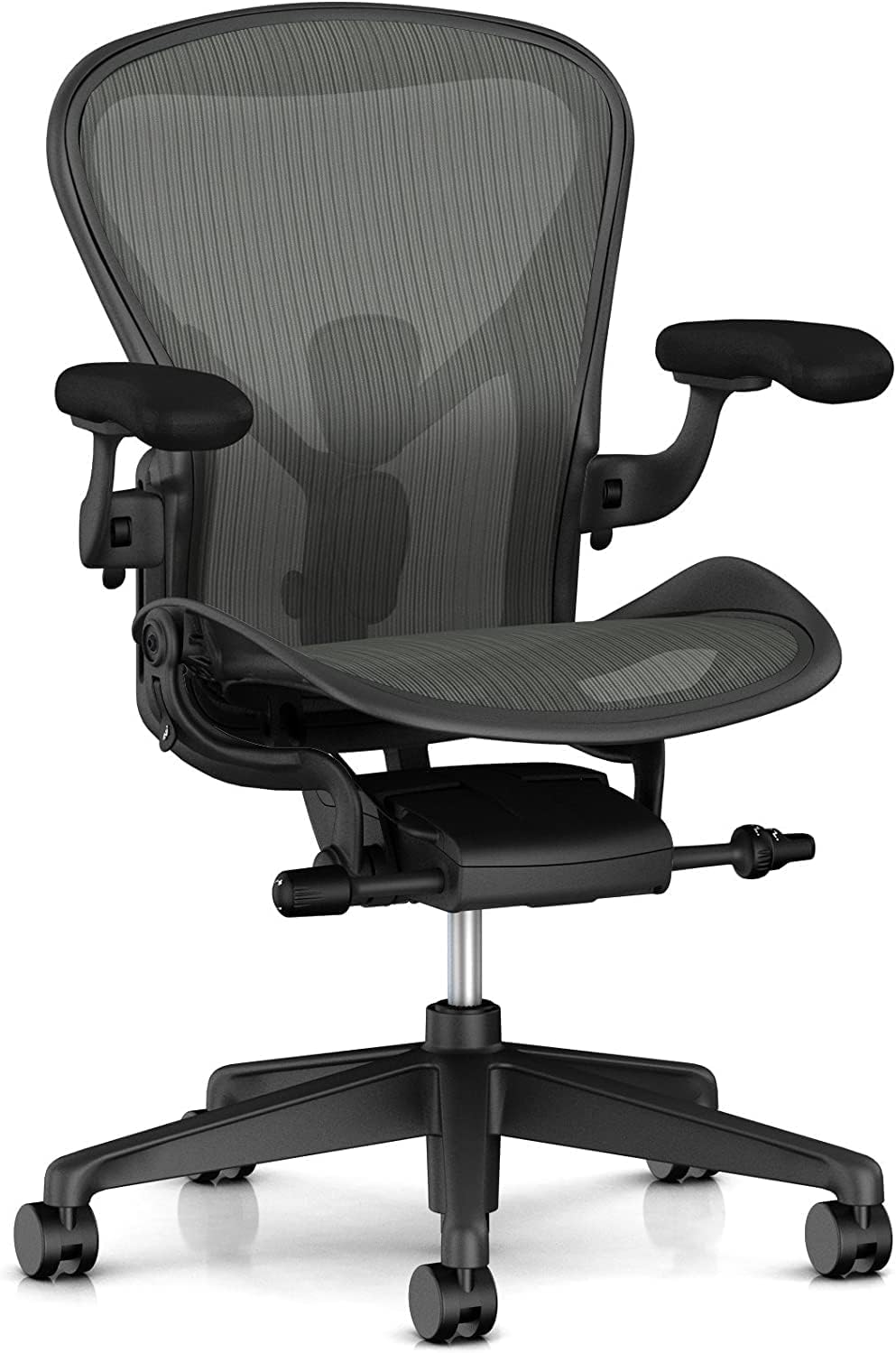

Price: ~$1,500+ | Weight capacity: 350 lbs (Size C) | Warranty: 12 years
The Herman Miller Aeron is famous for its breathable Pellicle mesh, but the PostureFit SL lumbar support is what makes it excellent for disc pain. PostureFit uses two pads — one supporting your sacrum, one supporting your lumbar region — to maintain your spine’s natural S‑curve.
Important: You must get the PostureFit SL option. The base Aeron has minimal lumbar support and is not recommended for disc sufferers.
✅ Pros:
- Excellent breathability — no sweaty back
- PostureFit SL provides targeted sacral + lumbar support
- Very durable — lasts 15+ years
- 12‑year warranty
- Forward tilt for focused work
❌ Cons:
- Very expensive ($1,500+)
- Seat depth is fixed — must choose correct size (A, B, or C)
- PostureFit SL is an expensive add‑on
- Hard plastic frame prevents cross‑legged sitting
Verdict: If you have disc pain and run hot, the Aeron with PostureFit SL is an excellent choice. The breathability is unmatched, and the lumbar support is highly effective.
👉 Check price for Herman Miller Aeron on Amazon →
How to Choose Based on Your Herniated Disc Condition
- Severe, chronic disc pain wanting the most adjustable lumbar: Steelcase Leap v2 (height + depth + firmness, 12‑year warranty). Buy refurbished to save money.
- Move around a lot and need lumbar that follows you: SIHOO Doro C300 (dynamic self‑adapting lumbar).
- Want the most advanced technology (motorized + stretching): LiberNovo Omni (real‑time posture correction, 4 recline modes, built‑in stretch).
- Budget under $200: FlexiSpot C7 (decent adjustable lumbar, breathable mesh).
- Budget under $300 needing adjustable seat depth: Clatina Mellet (adjustable seat depth, thick cushion, 350 lb capacity).
- Run hot and want premium breathability: Herman Miller Aeron with PostureFit SL.
The 60‑Second Disc‑Friendly Chair Test
Before buying any chair — or to test your current chair — run this quick test:
- Sit fully back in the chair. Notice whether your lower back feels supported without forcing you into an extreme arch.
- Recline. Check whether the lumbar support stays in contact or disappears — any gap is a red flag.
- Hold a reclined position for 10–15 seconds. See whether you can relax or whether you have to brace your core to stay there.
- Rest your elbows on the armrests. Your shoulders should drop naturally rather than creeping up.
If a chair fails those checks, it will likely fail you later in the workday too.
Frequently Asked Questions (FAQ)
What is the best ergonomic chair for a herniated disc?
For most disc sufferers, the Steelcase Leap v2 (most adjustable lumbar) or SIHOO Doro C300 (dynamic self‑adapting lumbar) are top choices. For advanced technology, the LiberNovo Omni offers motorized real‑time posture correction with built‑in stretching.
Can a chair help heal a herniated disc?
No — a chair cannot medically heal a herniated disc. However, an ergonomic chair can remove the two most common sitting triggers that cause flare‑ups: losing lumbar support when you move, and collapsing into a posture your back cannot tolerate. Proper support reduces pressure on the disc and prevents further aggravation.
What sitting posture is best for a herniated disc?
Keep your back fully supported against the backrest, your pelvis in a neutral position (not rolled back), and your feet flat on the floor. A slight recline of 100–110 degrees can relieve pressure on spinal discs compared to sitting rigidly upright at 90 degrees. Take breaks every 30–45 minutes to stand and walk.
Why does sitting make my herniated disc pain worse?
Sitting puts twice as much pressure on your lower back as standing. When you sit in a chair with poor lumbar support, your pelvis rolls back, your lower back rounds, and pressure on the herniated disc increases. Additionally, the “lumbar gap” when you recline can leave your disc unsupported.
Is a firm or soft seat better for a herniated disc?
A medium‑firm to firm support is generally better. A seat that is too soft lets your hips sink unevenly, causing pelvic tilt and spinal misalignment. A seat that is too hard creates pressure points. High‑density memory foam or multi‑zone padding is ideal — supportive but not hard.
Do I need a chair with adjustable seat depth?
Yes — strongly recommended. Adjustable seat depth is critical for keeping your pelvis in a neutral position. If the seat is too deep, you slide forward, your pelvis rolls back, and your lower back rounds, increasing disc pressure. Aim for 2–3 fingers of space between the back of your knee and the seat edge.
What is dynamic lumbar support?
Dynamic lumbar support moves with you as you change postures. Unlike fixed lumbar that only works when you sit perfectly upright, dynamic systems (like the SIHOO Domino 3D or LiberNovo Bionic Flexfit) maintain contact with your spine whether you lean forward, sit upright, or recline — eliminating the painful “lumbar gap.”
Are gaming chairs good for herniated disc sitting?
Generally, no. Most gaming chairs have flat backrests and fixed lumbar pillows that do not adapt to movement. They often lack adjustable seat depth and have stiff, unsupportive padding. Ergonomic office chairs are significantly better for disc conditions.
What is the best budget chair for a herniated disc under $300?
The Clatina Mellet (~$259) offers adjustable seat depth, a thick cushion, and a 350 lb weight capacity — rare at this price. The FlexiSpot C7 (~$149–199) is a decent entry‑level option with adjustable lumbar.
Final Verdict: Which Ergonomic Chair for Herniated Disc Should You Buy?
- 👉 Best overall for disc pain (premium adjustable lumbar): Steelcase Leap v2 — height + depth + firmness lumbar, LiveBack, 12‑year warranty. Buy refurbished.
- 👉 Best dynamic lumbar (follows your movement): SIHOO Doro C300 — self‑adapting Domino 3D, great value at $279–499.
- 👉 Best advanced technology (motorized + stretch): LiberNovo Omni — real‑time posture correction, 4 recline modes, built‑in stretch.
- 👉 Best budget under $300 with adjustable seat depth: Clatina Mellet — adjustable seat depth, thick cushion, 350 lb capacity.
- 👉 Best budget under $200: FlexiSpot C7 — decent entry‑level option with adjustable lumbar.
- 👉 Best premium breathability: Herman Miller Aeron with PostureFit SL — unmatched airflow, 12‑year warranty.
Most important advice: No matter which chair you choose, take the 60‑second test above. Sit fully back — does the lumbar contact feel consistent? Recline — does support stay or disappear? If the chair creates a lumbar gap at any point, it is not safe for your disc. Additionally, stand up every 30–45 minutes. No chair can replace movement.
👉 See today’s price for Steelcase Leap v2 on Amazon →
Related Articles
- Do Ergonomic Chairs Help Back Pain? – Evidence‑based answer
- How Should Lumbar Support Feel? – Complete guide to back support
- Best Ergonomic Chair for Lower Back Pain – More options for pain relief
- What Is Seat Depth? – Why seat depth matters for disc health
- Ergonomic Desk Setup Tips – Complete workspace guide