
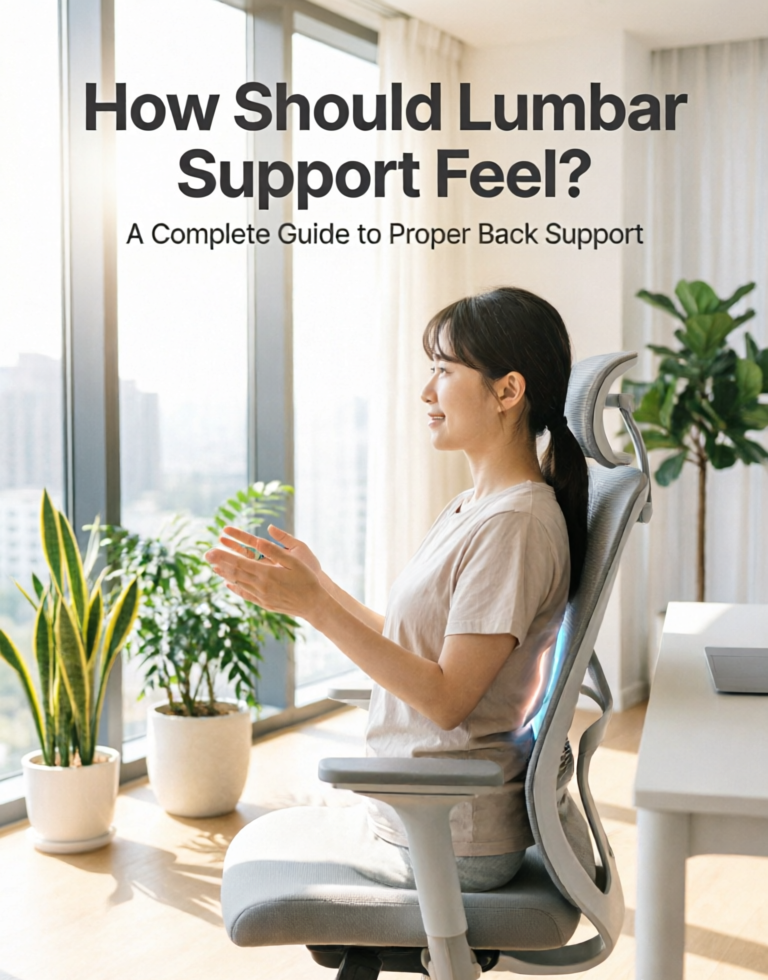
You have heard that lumbar support is important. You bought a chair with “ergonomic lumbar support” or added a fancy pillow behind your back. But something still feels off. You are not sure if it is too much pressure, not enough, or in the wrong spot entirely.
Here is the truth: lumbar support that is not properly adjusted can actually make your back pain worse. Too much pressure or the wrong placement can strain your spine rather than help it.
In this guide, I will explain exactly how proper lumbar support should feel, how to position it correctly, what to expect during the adjustment period, and how to tell if your current setup is actually helping or hurting your back.
Quick Answer: How Should Lumbar Support Feel?
Proper lumbar support should feel like a gentle, firm hand resting in the curve of your lower back. It should provide noticeable support without being painful or intrusive. You should feel the pressure concentrated on your lumbar spine (the inward curve of your lower back), not on your tailbone or mid‑back.
When properly positioned, you should be able to sit for hours without shifting constantly or feeling pressure points. The support should feel “just right” — present enough to maintain your spine’s natural curve, but not so aggressive that you want to push away from it.
What Lumbar Support Actually Does
Your spine has a natural S‑curve. When you sit in a chair with a flat backrest, your lower back flattens out into a C‑curve. This flattens your spinal discs and stretches your ligaments — leading to pain over time.
A lumbar support fills the gap between your lower back and the chair, maintaining your spine’s natural curve. This:
- Reduces pressure on spinal discs by up to 40%
- Relieves muscle tension in the lower back
- Promotes proper sitting posture
- Prevents slouching and forward head posture
However, the benefits only come when the support is positioned correctly and at the right firmness level for your body.
How Lumbar Support Should Feel by Type
Different types of lumbar support feel different. Here is what to expect from each.
1. Built‑In Adjustable Lumbar (Chairs like Steelcase Leap)
These are the best because you can control both position and firmness. When adjusted correctly, the support should feel firm but not hard. You should be able to adjust the firmness dial until the pressure feels supportive rather than aggressive.
2. Height‑Adjustable Lumbar (Most Mid‑Range Chairs)
These allow you to move the support up and down but not control depth or firmness. When properly positioned, the support should fill your lumbar curve completely. If it feels too aggressive, the lumbar may be hitting too high or too low.
3. Fixed Lumbar (Budget Chairs)
These have a fixed bump in the backrest. For some people, the bump hits exactly the right spot. For others, it misses completely. If it feels comfortable, great. If not, consider adding an adjustable lumbar pillow.
4. Lumbar Pillows (Aftermarket)
These attach to your chair with straps. You control the position and, to some extent, the firmness (by choosing a firmer or softer pillow). When properly placed, the pillow should feel like it is “filling the gap” — not pushing you forward.
How to Find the Correct Lumbar Position (Step by Step)
Follow these steps to position your lumbar support correctly.
Step 1: Sit All the Way Back
Scoot back until your lower back is firmly against the backrest. Your hips should be touching the back of the chair.
Step 2: Find Your Natural Lumbar Curve
Place your hand on your lower back, around your belt line. You should feel an inward curve. That is where the lumbar support needs to go.
Step 3: Position the Lumbar Support
Adjust the lumbar support (or reposition your pillow) so it sits directly in that curve — not above, not below. For most people, this is 1–3 inches above the seat pan.
Step 4: Adjust Firmness (If Available)
If your chair has a firmness dial, start at the lowest setting and gradually increase until you feel gentle, even pressure. You should not feel a hard “point” pressing into your spine.
Step 5: Test Your Recline
Lean back slowly. Good lumbar support should stay in contact with your back throughout the recline. If it loses contact or shifts position, adjust again.
The 7‑Point Lumbar Support Comfort Test
Use this checklist to evaluate whether your lumbar support is correctly adjusted. If you answer “no” to any of these, something needs adjustment.
| Question | What It Means |
|---|---|
| Can you sit all the way back without effort? (No slouching forward to relieve pressure) |
Support not too aggressive |
| Do you feel pressure in your lumbar curve (not your tailbone or mid‑back)? | Support positioned correctly (height) |
| Can you breathe deeply without the support digging in? | Firmness is appropriate, not too aggressive |
| Do you feel supported but not “pushed”? | Depth is correct (not too far forward) |
| Does the support stay in contact when you recline? | Support should move with you (LiveBack or dynamic system) |
| Can you forget the support is there after 10 minutes? | Perfect — support should be felt but not distracting |
| Does your back feel better after sitting than before? | Ultimate test — support is working |
What Uncomfortable Lumbar Support Might Mean
If your lumbar support feels wrong, here is what the sensation might indicate.
Too High (Hitting Mid‑Back)
Symptom: Pressure in the middle of your back, just below your shoulder blades. Your lower back feels unsupported.
Solution: Lower the lumbar support or reposition your pillow downward. The support should hit at your belt line, not above.
Too Low (Hitting Tailbone)
Symptom: Pressure on your tailbone or lower buttocks. You feel like you are sitting on a ridge.
Solution: Raise the lumbar support or reposition your pillow upward. The support should fill the inward curve, not press on your pelvis.
Too Aggressive (Too Much Pressure)
Symptom: You want to slide forward to relieve pressure. The support feels like a point digging into your back. You cannot relax.
Solution: Reduce the firmness (if adjustable) or choose a shallower pillow. Not everyone needs aggressive lumbar pressure.
Too Subtle (Not Enough Support)
Symptom: Your back feels no support at all. You still slouch. Pain persists.
Solution: Increase firmness (if adjustable), choose a firmer pillow, or reposition to fill the gap better.
Too Wide (Filling the Wrong Area)
Symptom: The support feels like it is pushing on the sides of your spine rather than the center.
Solution: Some pillows are too wide for smaller frames. Look for a narrower pillow or a chair with a more targeted lumbar pad.
The Adjustment Period: What to Expect
If you are switching from a chair with no lumbar support to a chair with proper lumbar support, your back needs time to adjust. Here is what to expect.
Days 1–3: Noticeable Pressure
The support will feel strange and possibly uncomfortable. Your back muscles are not used to being held in the correct position. This is normal. Do not adjust the support to be less aggressive yet.
Days 4–7: Gradual Adaptation
The pressure should start feeling less intrusive. You may notice less pain at the end of the day. This is your back muscles relaxing into the correct position.
Days 8–14: “I Can’t Go Back” Moment
Most users report that after 1–2 weeks, sitting in a chair without lumbar support feels wrong. The support now feels natural and comfortable.
Important: If the support still feels painful after 2 weeks, it may be too aggressive for your body. Try a shallower or softer lumbar pillow.
How Lumbar Support Feels During Different Activities
Proper lumbar support should work for different sitting postures, not just upright typing.
Upright Typing / Coding
Support should be active and noticeable. Your lower back should feel held in place. You should not feel like you are working to maintain the position.
Leaning Forward (Intense Focus)
Good dynamic lumbar (like the SIHOO Doro C300) will follow you forward. Fixed lumbar will lose contact. If you lean forward often, look for a chair with dynamic lumbar or a well‑positioned pillow that still offers some support.
Reclining / Reading
The support should move with you (synchro‑tilt) or stay in contact. You should not feel the support dig in as you recline. Chairs with LiveBack technology (Steelcase) excel here.
Relaxing / Phone Calls
You may want less pressure during relaxed activities. If your chair has adjustable firmness, dial it down. If not, consider a chair with different recline lock positions.
How to Choose the Right Lumbar Support for Your Body
Not everyone needs the same amount of lumbar support. Here is how to choose based on your body type.
By Height
- Short users (under 5’4″): Need lumbar that can go lower. Look for chairs with height‑adjustable lumbar or pillows that can be positioned lower.
- Average users (5’4″ – 5’11”): Most chairs will work. Focus on firmness and depth adjustment.
- Tall users (over 6’0″): Need lumbar that can go higher. Look for chairs with extra‑tall backrests or highly adjustable lumbar.
By Body Type
- Very slim: May need less aggressive lumbar. Look for softer pillows or chairs with adjustable depth.
- Average build: Standard medium‑firm lumbar usually works well.
- Larger body: May need firmer, deeper lumbar to fill the gap. Look for chairs with depth adjustment.
By Pain Type
- Chronic lower back pain: Prefer firmer, more targeted support. Steelcase Leap’s firmness dial is ideal.
- Mild discomfort: Medium support is sufficient. Most mid‑range chairs work fine.
- Sciatica: Focus on pelvic positioning. Lumbar support should be present but not aggressive.
Frequently Asked Questions (FAQ)
Should lumbar support be hard or soft?
Lumbar support should be firm but not hard. It needs to hold your spine’s natural curve without feeling like a rock pressing into your back. If it is too soft, it will compress and not provide support. If it is too hard, it will cause pressure points. High‑density memory foam or adjustable firmness mechanisms are ideal.
Should I feel lumbar support when sitting?
Yes — you should feel it. If you do not feel it at all, it is not doing its job. The support should be noticeable without being distracting. After a proper adjustment period, you should be able to “forget” the support is there while still benefiting from it.
Can too much lumbar support be bad?
Yes — absolutely. Aggressive lumbar support can strain your back muscles, cause pain, and make you want to slouch forward to relieve pressure. If you find yourself sliding forward or constantly aware of a “point” digging into your back, your lumbar support is too aggressive.
Where should lumbar support hit on your back?
Lumbar support should hit the inward curve of your lower back — approximately at your belt line. For most people, this is 1–3 inches above the seat pan. If you place your hand on your lower back, you can feel the natural curve. That is where the support needs to go.
How do I know if my lumbar support is in the right position?
You should feel even, distributed pressure across your lumbar curve — not a point, not a ridge. When you sit all the way back, you should not feel the need to slide forward. And after the adjustment period, your back should feel better after sitting than before.
Should my lower back touch the back of the chair?
Yes — your entire back should be in contact with the backrest. If there is a gap between your lower back and the chair, your lumbar support is not positioned correctly (or your chair lacks proper lumbar support).
Why does my new ergonomic chair hurt my back?
Common reasons: (1) The lumbar is positioned too high or too low. (2) The support is too aggressive for your body. (3) You have not given your back time to adjust (give it 1–2 weeks). (4) The seat depth is incorrect (too deep, causing you to slide forward). (5) The chair simply does not fit your body shape.
Is lumbar support necessary for everyone?
For most people who sit for long hours, yes. If you have perfect posture and never slouch, you may not need aggressive support. But research shows that most people cannot maintain ideal posture without external support. A good lumbar support helps maintain that curve without conscious effort.
What is the difference between lumbar support and a backrest?
The backrest is the entire back surface of the chair. Lumbar support is a specific feature (built‑in pad, adjustable mechanism, or pillow) designed to fill the gap in your lower back. A flat backrest without lumbar support does not maintain your spine’s natural curve.
Can I add lumbar support to any chair?
Yes — a lumbar support pillow can be added to almost any chair. Look for pillows with adjustable straps that wrap around the backrest. This is an affordable way to add lumbar support to a chair that lacks it.
Best Chairs with Adjustable Lumbar Support
If you are in the market for a new chair with excellent lumbar support, here are top options:
- Steelcase Leap v2 — Height + depth + firmness adjustable. The most customizable lumbar system. ~$500–700 (refurbished). View on Amazon
- Herman Miller Aeron (with PostureFit SL) — Height + depth adjustable. Excellent for breathability. ~$1,500+. View on Amazon
- SIHOO Doro C300 — Dynamic self‑adapting lumbar. Moves with you automatically. ~$279–499. View on Amazon
- Branch Ergonomic Chair Pro — Height + depth adjustable lumbar. 14 adjustments total. ~$499. View on Amazon
- HON Ignition 2.0 — Height + depth adjustable lumbar. Commercial durability. ~$439. View on Amazon
Final Verdict: Listen to Your Body
The most important thing to remember about lumbar support is that there is no universal “right” setting. The correct feel depends on your body shape, pain points, and sitting style.
Good lumbar support should: Hold your spine’s natural curve, feel supportive without being painful, allow you to sit all the way back, stay in contact as you move, and reduce pain over time.
Bad lumbar support feels: Like a point digging into your back, causes you to slide forward, hits your tailbone or mid‑back, or creates pressure points.
If you are experiencing back pain from sitting, check your lumbar support first. Adjust the height, depth, and firmness. Give it 1–2 weeks to adjust. And if it still hurts, try a different pillow or chair — not every lumbar support works for every body.
Related Articles
- Best Lumbar Support for Office Chair – Top lumbar pillow recommendations
- Best Office Chair for Lower Back Pain – Chairs with superior lumbar systems
- What Is Seat Depth? – Why seat depth affects your lumbar support
- How to Choose an Ergonomic Chair – Complete buyer’s guide
- Best Ergonomic Chairs for Back Pain – More options for back pain relief
Disclosure: This post contains affiliate links. If you purchase through our links, we may earn a commission at no extra cost to you. We only recommend products we have researched thoroughly.