
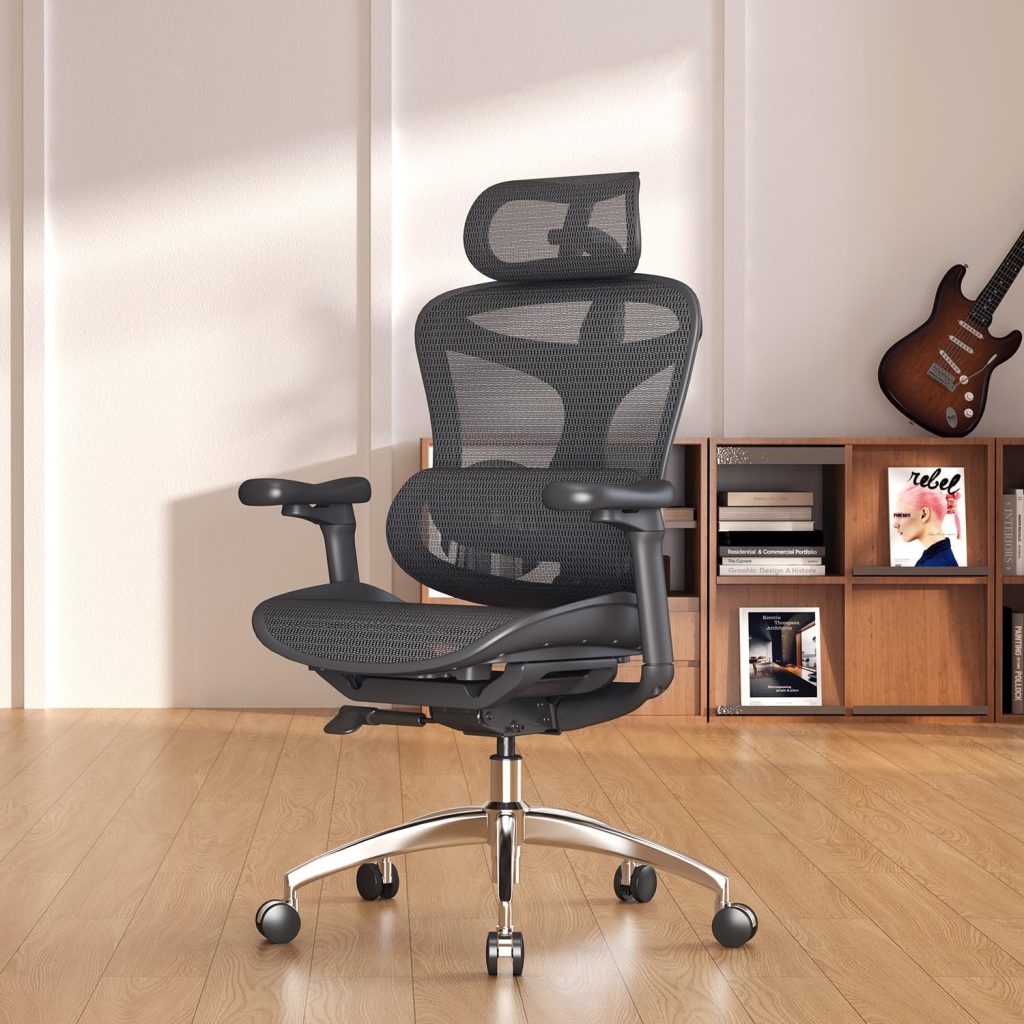
Lower back problems don’t care how tough you are. I learned that after years of desk work, a herniated disc, and a needy Lab who thought my lap was part of the office setup. If you’re searching for the best chair for lower back problems, you’re probably sitting in pain right now — and you’re not alone.
Most office chairs support your shoulders and neck while completely ignoring the lumbar spine. That’s a real problem, because your pelvis and lower back absorb the brunt of eight-plus hours of sitting. Choose the wrong seat and you’ll tilt backward, slump forward, or spend all day shifting around to escape the ache.
I’ve evaluated dozens of ergonomic chairs using real lumbar measurements, adjustability tests, and extended wear trials. Here’s what’s actually worth buying — and what’s just marketing dressed up in mesh.
📌 Why Your Chair Matters for Lower Back Problems
If you’ve ever stood up after a long meeting with a stiff, aching lower back, you already know the real issue isn’t just the hours you log — it’s the support your spine isn’t getting while you sit.
Slouching forward or parking yourself in a chair with no lumbar support forces your lower back muscles to work overtime just to keep you upright. Over weeks and months, muscle fatigue and disc pressure can build up in a way that may contribute to ongoing lower back problems.
A standard task chair was built for basic function, not for your spine’s natural curve. An ergonomic chair is the opposite. It gives you adjustable lumbar support, seat depth, and recline tension so your back can hold a healthier posture without you having to think about it.
The right chair does more than feel comfortable at first sit. It may help reduce pressure on your lumbar discs, keep your hips and knees at a supportive angle, and encourage small posture shifts through the day. That subtle support tends to matter most around hour six.
One honest caveat: no chair is a cure for a serious back injury. But if your pain flares up mainly at work, upgrading to a chair that actually fits your spine could be one of the most practical steps you take.
📌 Key Features to Look for in an Ergonomic Chair for Lower Back Pain
Here’s the honest truth about lower-back chairs: one-size-fits-all lumbar support doesn’t exist. A curve that feels great for one person can push your spine too far forward, while another person gets zero support at all. That’s why adjustability matters more than brand name or price tag.
Adjustable lumbar support. Look for a pad that moves up and down and in and out, not just one that tilts with the backrest. Sit back and slide your hand behind your lower back — the pad should fill that natural inward curve exactly. If the lumbar bump only moves when the entire backrest moves, you’ll struggle to get a precise fit.
Seat depth, tilt, and recline. When seated, leave roughly two or three fingers of space between the back of your knees and the seat edge. A sliding seat pan creates that gap and stops your hips from rolling backward into a slouch.
You also want a synchro-tilt mechanism that lets you recline while keeping your feet flat — this opens up your hip angle and takes pressure off the lumbar discs.
Cushioning and materials. Pillowy-soft seats feel amazing for five minutes, then let your hips sink into a “hammock” position that strains the lower back. High-density foam or a well-tensioned mesh offers the right balance — firm enough to hold your pelvis level, yet forgiving for longer sit sessions. Mesh also breathes better, which matters if you’ll be sitting for hours at a stretch.
Weight capacity and sizing. Check the manufacturer’s rated capacity — most ergonomic chairs support between 250 and 350 pounds — because exceeding it shortens the chair’s life and reduces stability. Seat width typically runs 18 to 22 inches, and the height range should let your knees sit at a 90-degree angle with feet planted. A chair that isn’t built for your frame can cause more pain than it prevents.
🔍 Top 5 Best Chairs for Lower Back Problems in 2026
I picked these five chairs after cross-checking official specs, warranty terms, and owner reviews from people with real lower-back complaints. My main filters: lumbar and sacral support that actually adjusts, solid build quality, and a clear price-to-value story.
1. Herman Miller Aeron – Best Overall for Lower Back Support
The Aeron’s PostureFit SL pad supports your sacrum — a spot many “lumbar” chairs ignore entirely. The breathable 8Z Pellicle mesh flexes with your movement, stays cool, and doesn’t trap pet fur like foam.
Best for: all-day office work and WFH. Just note there’s no built-in headrest, and the firm seat edge bothers some sitters.
2. Steelcase Leap V2 – Best Lumbar Adjustability
The Leap V2’s LiveBack system mimics your spine’s natural curve, and its lumbar support adjusts in both height and depth — rare even in premium chairs. That fine-tuning lets you dial in relief as your back tightens throughout the day.
Best for: office workers who change positions often. It’s heavier than most, so moving rooms is a chore.
3. Herman Miller Embody – Best for Reclining and Long Sessions
Instead of one point of lumbar pressure, the Embody’s BackFit design distributes support evenly across your spine as you recline. Owners with sciatica-type pain often report less “hot spot” discomfort during marathon gaming or work sessions.
Best for: gamers and people who recline often. Expect a learning curve for the unique seat feel.
4. Haworth Zody – Best Value with Sacral Support
The Zody adds a separate pelvic (sacral) support pad plus a left/right-adjustable lumbar — clever for people whose pain feels one-sided. Build quality is solid for the price, and it’s made from 90% recycled materials.
Best for: budget-conscious office buyers who still want genuine ergonomic features.
5. Sihoo Doro C300 – Best Budget Pick
For under $400, the Doro C300 gives you dynamic lumbar support that springs back as you move, plus a built-in headrest and 4D armrests. The materials aren’t as premium as Steelcase or Herman Miller, but many users say the back support punches way above its price.
Best for: students, gamers, and anyone easing into ergonomic seating on a budget.
⚡ Quick Comparison Table
| Chair | Key Support Feature | Best Use Case | Approx. Price | Check Price |
|---|---|---|---|---|
| Herman Miller Aeron | PostureFit SL sacral pad | Office / all-day sit | $1,395+ | Check Price → |
| Steelcase Leap V2 | Height + depth lumbar | Office / dynamic sitting | $1,100+ | Check Price → |
| Herman Miller Embody | BackFit even support | Gaming / reclining | $1,595+ | Check Price → |
| Haworth Zody | Pelvic sacral pad | Value office chair | $700+ | Check Price → |
| Sihoo Doro C300 | Dynamic lumbar spring | Budget / gaming | $300+ | Check Price → |
🔍 Best Chairs for Lower Back Pain Compared: Pros, Cons, and Price
| Chair | Lumbar Adjustability | Cushion Type | Recline Range | Warranty | Who It’s For | Check Price |
|---|---|---|---|---|---|---|
| Herman Miller Aeron | Adjustable PostureFit SL sacral support | 8Z Pellicle suspension mesh | ~30° back + forward tilt | 12 years | All-day desk work; best overall support | Check Price → |
| Steelcase Leap v2 | Height- and depth-adjustable lumbar | High-density molded foam | ~30° back + seat glide | 12 years | Anyone who wants precise, custom lumbar fit | Check Price → |
| Haworth Fern | Optional height-adjustable lumbar | High-resilience foam with flexible back | Tension-adjustable flex recline | 12 years | Tall users; active sitters who shift a lot | Check Price → |
| Sihoo Doro C300 | Height- and depth-adjustable lumbar | Breathable mesh | Lockable ~105°–135° | Typically ~2 yr, seller-dependent | Budget buyers; mild lower-back strain | Check Price → |
| Secretlab Titan Evo | Built-in adjustable lumbar dial | Cold-cure foam | 85°–165° lay-flat | 3 years | Gamers and larger or taller builds | Check Price → |
Here’s the short version of who wins each category:
- Best overall — Herman Miller Aeron: It delivers the most consistent lower-back support for long workdays, thanks to the PostureFit SL pad and breathable mesh.
- Best value — Sihoo Doro C300: Under roughly $400, it gives you real lumbar adjustability that far cheaper “ergonomic” chairs skip.
- Best for tall users — Haworth Fern: The tall backrest and generous seat depth keep your entire spine supported without hunching.
- Best for gaming — Secretlab Titan Evo: Its built-in lumbar dial stays put through intense lean-in moments, and the lay-flat recline is a bonus for breaks.
One honest note: warranty lengths and recline angles shift slightly by seller and configuration, so confirm the listing before you buy. For pure lower-back support, though, any of these five beats a standard task chair by a wide margin.
🔑 How to Set Up and Use Your Chair for Maximum Lower Back Relief
Before you blame your new chair for a still-sore back, check how it’s set up. In my experience, most lower back complaints trace back to five minutes of skipped adjustments — not bad design.
Work through these in order:
- Seat height — feet flat on the floor, knees at roughly 90 degrees. Too high, and your lumbar curve collapses.
- Seat depth — leave 2–3 fingers of space between the seat edge and the back of your knees.
- Lumbar position — adjust the pad into the curve at your belt line. Most people set it too low or too high.
- Backrest angle — recline slightly, to about 100–110 degrees, to take pressure off spinal discs.
- Armrests — elbows at 90 degrees, shoulders down and relaxed, so arms don’t hang and pull your spine.
Then sit all the way back. Seriously — most people perch on the front edge and wonder why the lumbar pad does nothing. Your lower back should rest gently against the support, with your weight on your sitz bones, not your tailbone.
Hardware is only half the fix. stand up and move for two minutes every 45. Between tasks, try a standing backbend with hands on your low back, or a knee-to-chest stretch on the floor.
And yes, you can lounge in your chair. Reclining 10 degrees for a few minutes, then returning upright, shifts the load on your discs and keeps muscles from locking up. It can actually help your back.
Accessories? Most properly adjusted chairs don’t need them. If you want extra help, a $20–40 lumbar roll or thin memory-foam cushion fills the gap nicely. Skip thick gel pads — they raise your hips and recreate the rounded posture you’re trying to escape.
📌 Frequently Asked Questions About Chairs for Lower Back Problems
What is the best type of chair for lower back problems?
An ergonomic task chair with adjustable lumbar, seat depth control, and a synchronized tilt mechanism is your best bet. Together, these help keep your pelvis neutral so your lower spine can hold its natural curve. A static one-size lumbar bump rarely lines up with your body, so skip anything without real adjustability.
Does a high-end ergonomic chair really help more than a mid-range one?
Yes — but only if you actually use the adjustments. The extra money buys denser foam, stronger tilt tension, and more precisely curved lumbar support than a $250 chair offers. A solid mid-range option with adjustable lumbar can still ease strain for lighter use, so budget matters less than fit.
Should I choose a chair with a lumbar pillow or built-in lumbar support?
Go with built-in lumbar support whenever you can. It stays put no matter how you shift, while a lumbar pillow slides, flattens, and needs constant readjusting. I only recommend a pillow to supplement a chair whose built-in support sits slightly too low or too high.
Are mesh chairs or padded chairs better for lower back support?
Tension-adjustable mesh is usually the better choice for lower back issues. It’s firmer, breathes well, and doesn’t sag the way cheaper foam does after months of daily sitting. Padded chairs feel great for the first week, but soft cushioning can bottom out and stop supporting your curve.
How often should I replace an office chair for lower back issues?
Plan on 8 to 12 years for a quality chair, though heavy use wears it faster. When the tilt feels loose, the lumbar no longer holds its position, or the seat foam stays compressed, support has dropped. If you sit 40-plus hours a week, check the mechanism every year or two.
Can a gaming chair help with lower back pain?
Some can, but most racing-style gaming chairs have flat seats and overly aggressive lumbar pillows that push your pelvis forward. Look for a gaming chair with a straight back, a genuinely adjustable lumbar support, and a lockable recline. Otherwise, a proper ergonomic task chair in the same price range is usually the smarter buy for lower back problems.