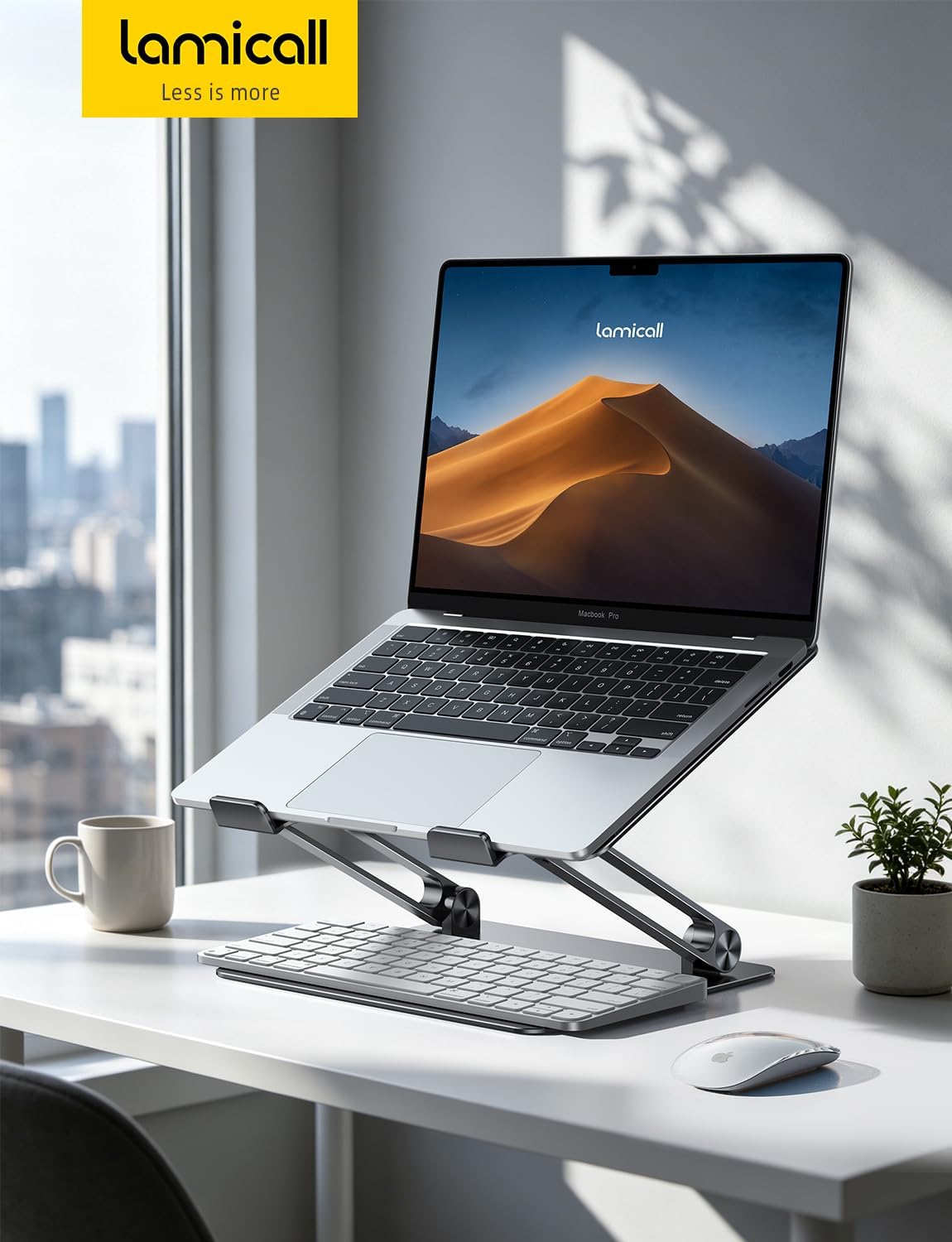
“`html
Best Adjustable Laptop Stands for Desk Setup
Find the right height, viewing angle, and desk position with adjustable laptop stands for home offices, shared workspaces, and everyday computer use.
A laptop placed directly on a desk often forces you to look downward at the screen. An adjustable laptop stand can raise the display and change its angle, helping you create a more comfortable workstation without replacing your laptop or buying a full monitor setup.
Not every adjustable stand solves the same problem. Some raise the laptop several inches while folding for storage. Others use a rotating base for screen sharing, while taller desk mounts can bring a laptop closer to standing height. The best choice depends on your desk, chair, laptop size, and working habits.
This guide compares five different options for desk use, focusing on adjustment range, stability, desk space, and practical everyday functionality. Product specifications and availability can change, so check the current listing before buying.
Quick Recommendations
- Everyday adjustable setup: Consider the Lamicall Adjustable Laptop Stand.
- Screen sharing and collaboration: Look at a rotating model such as the OMOTON LA10.
- More substantial height adjustment: Compare the Mount-It! MI-4352LT.
- Compact swivel setup: Consider the Uncaged Ergonomics Adjustable Swivel Laptop Stand.
- Budget-friendly adjustable option: Check the onn Adjustable Metal Laptop Stand.
Best Adjustable Laptop Stands Compared
| Stand | Best For | Key Feature | Main Consideration |
|---|---|---|---|
| Lamicall Adjustable Laptop Stand | Everyday desk use | Adjustable support and folding design | Check hinge firmness and laptop fit |
| OMOTON LA10 | Meetings and collaboration | Rotating base for changing screen direction | Uses more desk space than a simple riser |
| Mount-It! MI-4352LT | More substantial adjustment | Height-adjustable tray and positioning | Larger footprint than a compact stand |
| Uncaged Ergonomics Swivel Stand | Small desks and shared workspaces | Swivel functionality with adjustable positioning | Verify the available height range |
| onn Adjustable Metal Laptop Stand | Budget-conscious buyers | Adjustable design with a rotating base | Check current size and weight limits |
This comparison is organized by intended use, not by a standardized laboratory test. Confirm the exact model, adjustment mechanism, dimensions, and supported laptop weight before ordering.
1. Lamicall Adjustable Laptop Stand — Best for Everyday Desk Use
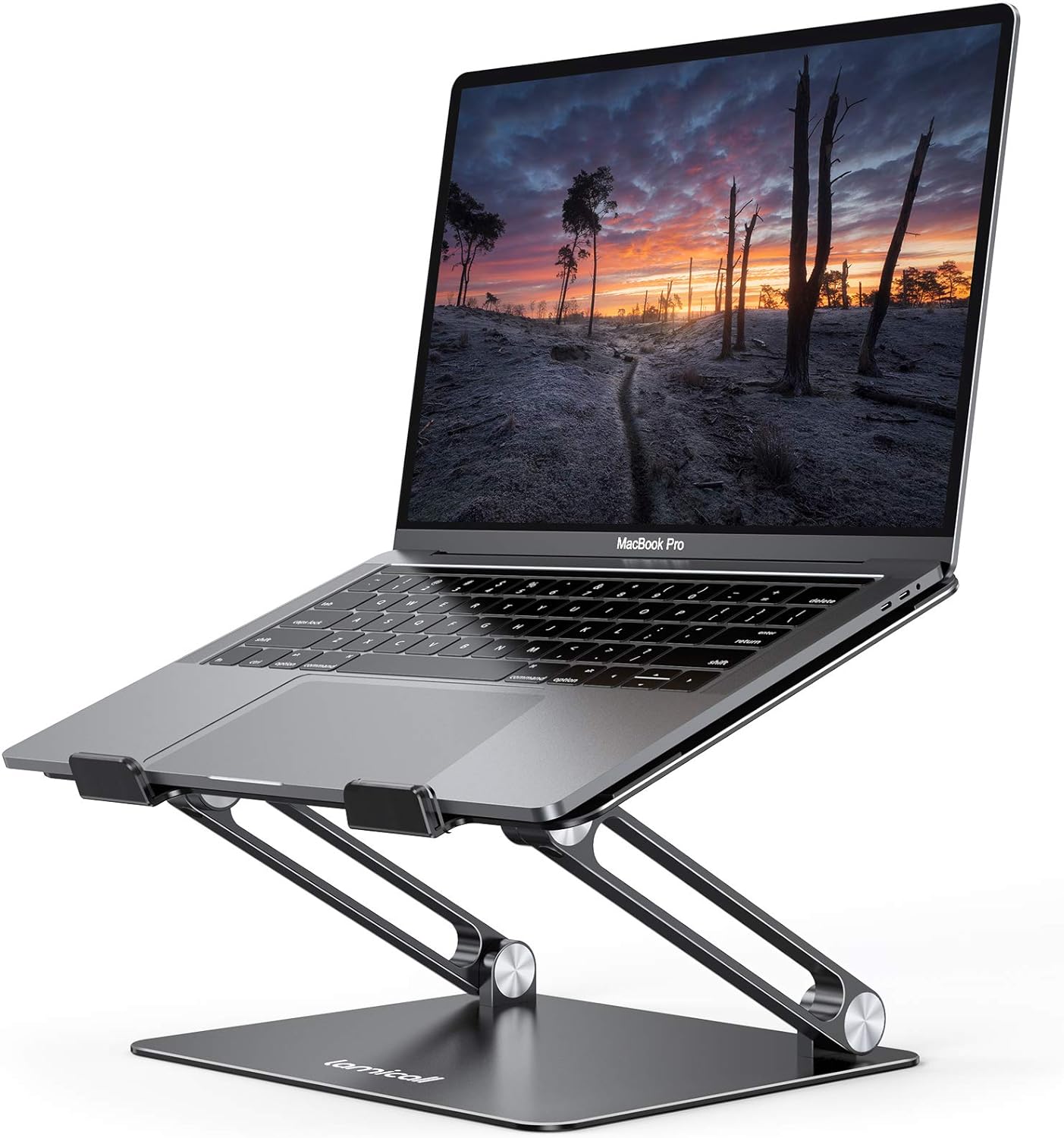
The Lamicall Adjustable Laptop Stand is a practical option for people who want to change their laptop’s viewing position without installing a permanent desk mount. Its adjustable support design makes it possible to adapt the screen position to different chairs, desk heights, and monitor arrangements.
This type of stand is especially useful when your laptop is your primary screen. Instead of placing it flat on the desk, you can raise and angle the display while keeping the keyboard separate for a more flexible work arrangement.
Why Consider It?
- Adjustable positioning gives you more flexibility than a fixed-height riser.
- Folding construction can make storage easier when the desk needs to be cleared.
- Its open design leaves space around the laptop for cables and desk accessories.
- Useful for a range of home-office and everyday desk setups, subject to model compatibility.
What to Check Before Buying
- Make sure the stand supports your laptop’s screen size and weight.
- Check how the hinges lock into position and whether the adjustment feels manageable.
- Confirm that the laptop’s base rests securely on the support ledges.
Best for: Home-office users who want an adjustable laptop riser for regular desk work without committing to a larger workstation accessory.
2. OMOTON LA10 — Best for Screen Sharing

The OMOTON LA10 is worth considering if you frequently share your laptop screen with coworkers, clients, or family members. Its rotating base allows you to turn the laptop toward another person without having to reposition the entire stand on the desk.
That feature can be useful during informal presentations, design reviews, collaborative planning, and video meetings. The adjustable support also gives you options for changing the display position when moving between individual work and shared viewing.
Why Consider It?
- A rotating base makes it easier to change the direction of the display.
- Adjustable positioning can support different desk arrangements.
- Useful for people who alternate between solo work and collaboration.
- Can help keep a laptop elevated while leaving part of the desk available for accessories.
What to Check Before Buying
- Confirm the current LA10 model’s supported laptop size and weight.
- Check the base dimensions and make sure your desk has enough room for rotation.
- Look for secure laptop contact points and a base that stays stable while turning.
Best for: People who share screens frequently and want a stand that makes changing the laptop’s direction easier.
3. Mount-It! MI-4352LT — Best for More Height Adjustment
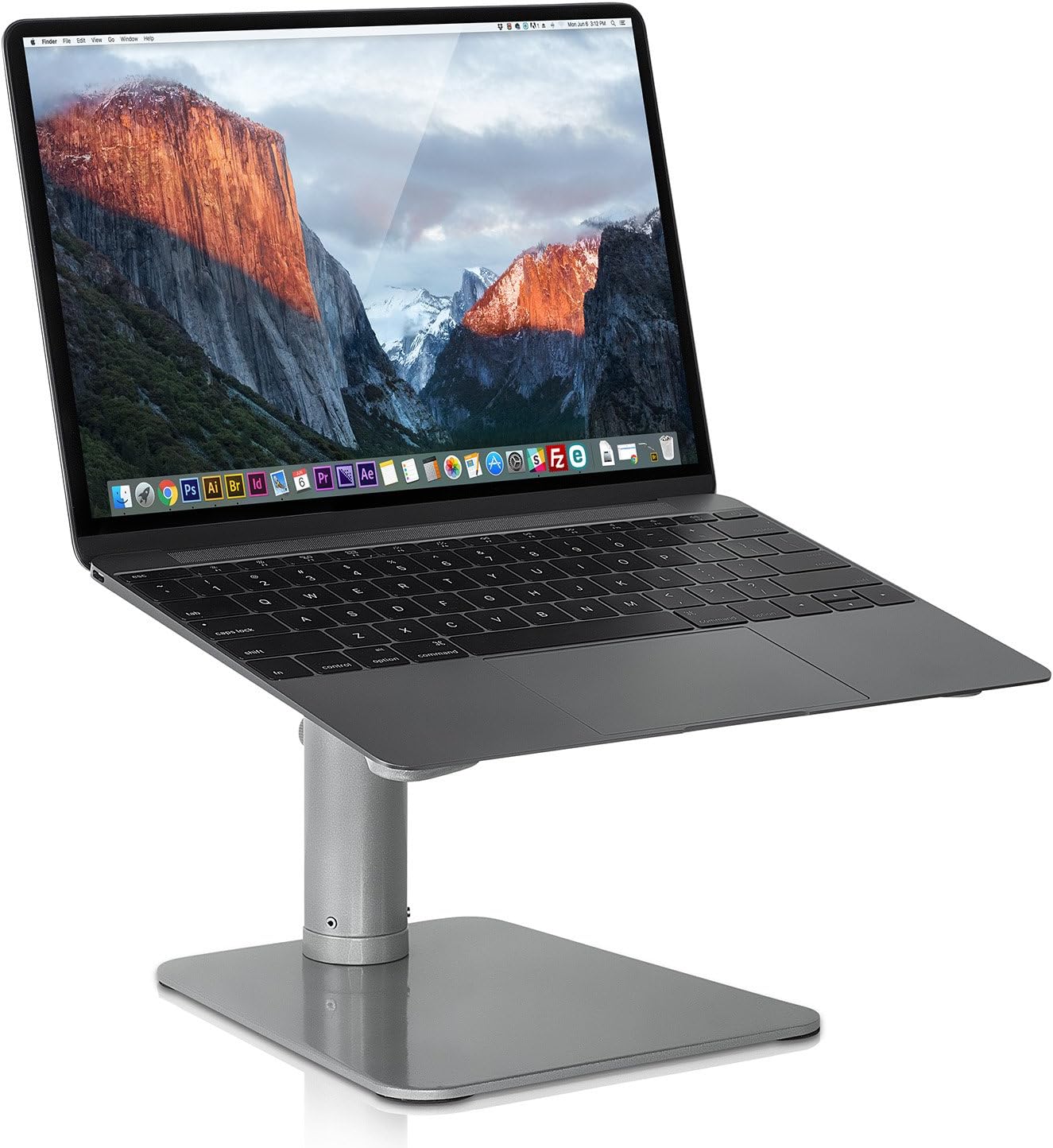
If your main concern is raising the laptop to a substantially different working height, consider the Mount-It! MI-4352LT. This adjustable laptop mount uses a larger tray and positioning mechanism than the small folding stands commonly used for travel.
A more substantial stand may be helpful if you use your laptop as a secondary display, work at a desk with an unusual height, or want more freedom to reposition the screen. The trade-off is that a larger support can take up more room and may be less convenient to move between desks.
Why Consider It?
- Designed for users who need more substantial height and position adjustment.
- A larger tray may be useful for compatible laptops that feel cramped on smaller stands.
- Can suit a workstation where screen placement matters more than compact storage.
- Offers an alternative to a small folding riser when a more substantial support is preferred.
What to Check Before Buying
- Review the current manufacturer’s specifications for tray dimensions and supported weight.
- Measure your desk to confirm that the stand’s base and adjustment range fit your workspace.
- Check whether the product provides the type of adjustment you need for sitting or standing use.
Best for: Desk workers who need more height flexibility than a compact laptop riser typically offers.
4. Uncaged Ergonomics Adjustable Swivel Laptop Stand — Best for Shared Desks
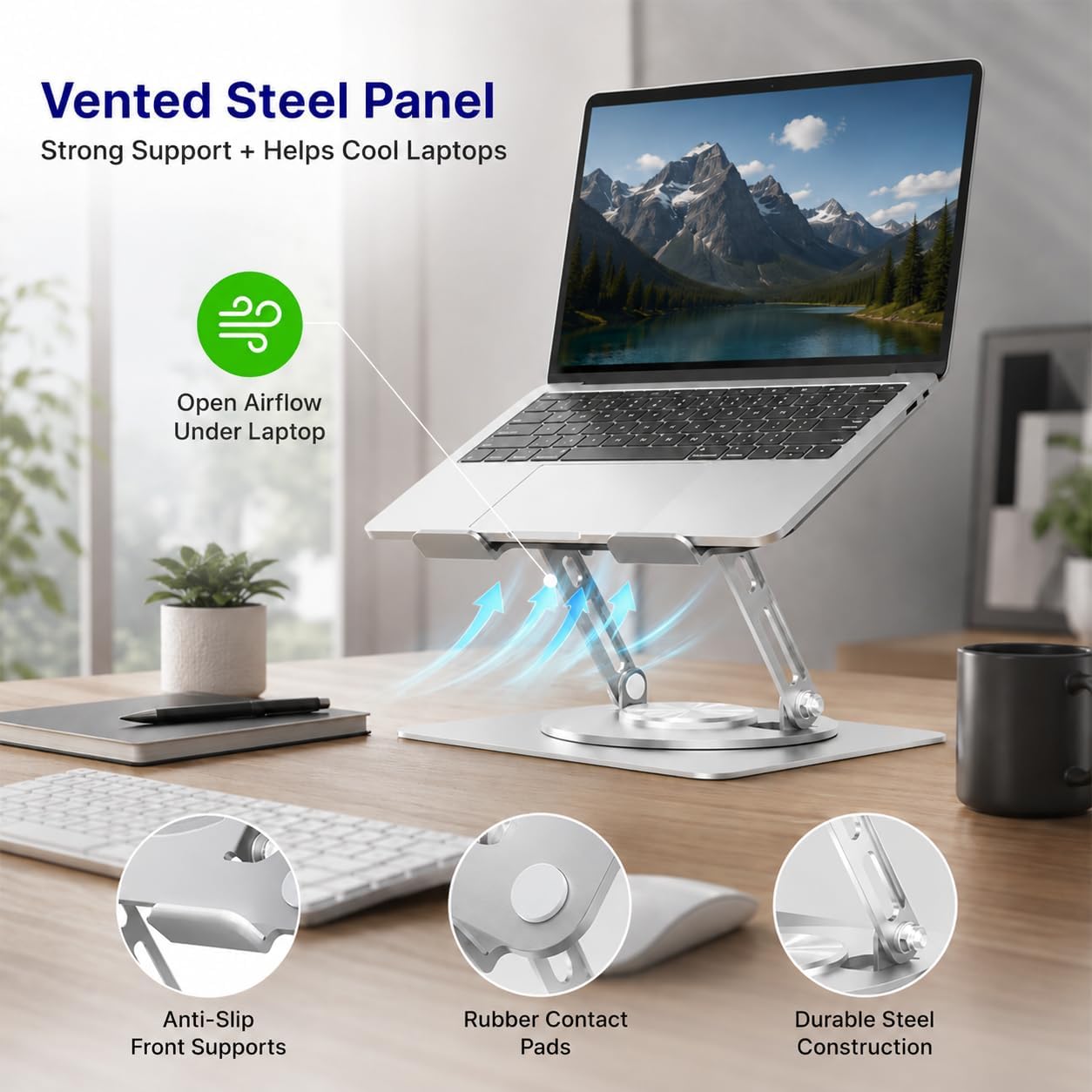
The Uncaged Ergonomics Adjustable Swivel Laptop Stand is another option for people who need to reposition a laptop throughout the day. A swivel mechanism can be helpful when a desk serves multiple purposes, such as individual computer work, quick discussions, and video calls.
Rather than moving the laptop and stand together, a swivel design lets you change the viewing direction while keeping the base in place. This can be convenient on a shared desk where available space is limited.
Why Consider It?
- Swivel functionality can simplify repositioning for meetings and collaboration.
- Designed as a desktop accessory rather than a laptop-mounted travel support.
- Can help create a more flexible desk arrangement without constantly lifting the laptop.
What to Check Before Buying
- Check the exact model’s height range and tilt options.
- Confirm that the base will fit your desk and allow the intended swivel movement.
- Make sure the stand is compatible with your laptop’s dimensions and weight.
Best for: People who regularly change screen direction while working at shared desks or in collaborative environments.
5. onn Adjustable Metal Laptop Stand — Best Budget Option to Compare
The onn Adjustable Metal Laptop Stand is worth comparing if you want a desk stand with adjustable positioning and a rotating base but do not need a premium-looking accessory. It offers another style of adjustment from simple fixed-height aluminum risers.
For budget buyers, the important question is not just the purchase price. The stand also needs to fit your laptop, remain stable during normal use, and provide a useful range of movement for your desk and chair combination.
Why Consider It?
- Adjustable positioning provides flexibility for everyday desk use.
- A rotating base can be useful for changing the viewing direction.
- Worth comparing against more expensive stands if you have straightforward requirements.
What to Check Before Buying
- Confirm the exact onn model, since product designs and specifications can differ.
- Check laptop-size and weight limits in the current listing.
- Review the base footprint and available adjustment positions.
Best for: Buyers who want an adjustable desk stand and are comparing more affordable alternatives.
What to Look for in an Adjustable Laptop Stand
1. Height Range
Height adjustment is useful only when the stand can reach a position that works with your desk, chair, and viewing preferences. Measure the difference between your current laptop screen height and your preferred display position before choosing a model. Do not rely on product photos alone to estimate the lift.
2. Tilt and Viewing Angle
Height and angle are different adjustments. Raising the laptop changes where the display sits, while tilting it changes how the screen faces you. If you frequently deal with reflections or change between sitting positions, look for a model that supports the range of adjustment you actually need.
3. Stability at Your Preferred Height
A stand may feel secure at a low setting but become less stable when extended. Check the base design, hinge mechanism, laptop support points, and manufacturer’s weight rating. A firm, level desk also matters. Avoid placing an adjustable stand on an unstable or soft surface.
4. Laptop Compatibility
Screen size alone does not determine compatibility. Two laptops with the same display size may have different weights, thicknesses, and base shapes. Verify the stand’s supported dimensions and weight, and make sure the laptop’s feet and underside fit securely on its support surface.
5. Desk Footprint
A rotating or height-adjustable stand may require more space than a compact riser. Measure the base and allow enough clearance for the laptop to move through its adjustment range. If you use an external monitor, keyboard, mouse, and desk lamp, check that the stand will not crowd the other equipment.
6. Adjustment Frequency
If your laptop stays in one position all day, you may not need a stand with multiple moving parts. If you switch frequently between solo work and screen sharing, a swivel base can be useful. Choose the simplest design that comfortably supports your daily workflow.
Before You Buy
- ☐ The stand reaches your preferred screen height
- ☐ The tilt range works for your viewing position
- ☐ The stand supports your laptop’s weight and dimensions
- ☐ The base fits your desk with enough room to adjust
- ☐ The stand remains stable at your preferred setting
- ☐ Your keyboard and mouse can sit at a comfortable height
Adjustable Laptop Stand vs. Fixed Laptop Riser
| Feature | Adjustable Stand | Fixed Riser |
|---|---|---|
| Screen position | Can be changed to suit the workstation | Determined by the riser’s design |
| Moving parts | Usually includes hinges or adjustment joints | Often has a simpler structure |
| Desk sharing | Can adapt to different users and tasks | Works best when one position suits the user |
| Best use case | Changing screen positions and work routines | A stable, consistent desktop setup |
How to Set Up an Adjustable Laptop Stand
- Start with your chair and desk. Sit in your usual working position before adjusting the stand. Your workstation should fit your body rather than forcing you to adapt to an arbitrary screen height.
- Raise the screen gradually. Move the display toward a comfortable viewing position without creating glare or forcing you to tilt your head upward.
- Position an external keyboard and mouse. When the laptop is elevated, its built-in keyboard may be too high for comfortable typing. Separate input devices let you position the screen and hands independently.
- Test the stand’s stability. Follow the manufacturer’s setup instructions and check that the laptop is securely supported before using it.
- Recheck your setup after adjustments. Changes to chair height, desk height, or monitor placement can affect the best laptop position.
For a more complete workspace, see our guide to ergonomic desk setup tips and explore our recommendations for monitor stands.
Frequently Asked Questions
Are adjustable laptop stands worth it?
They can be worthwhile if your laptop screen sits too low or if you regularly change your working position. An adjustable stand lets you experiment with screen height and angle instead of being limited to a fixed position. The value depends on how often you use your laptop and whether the stand fits your desk and input-device setup.
How high should an adjustable laptop stand be?
There is no single height that works for everyone. Adjust the screen so you can view it comfortably without repeatedly bending your neck or tilting your head upward. Your chair, desk, screen size, and viewing distance all affect the final position.
Can I type directly on a laptop while it is on a stand?
You can, but raising the laptop can also raise its keyboard and make the typing position less comfortable. For longer work sessions, an external keyboard and mouse generally offer more flexibility because you can position the display separately from your hands.
Is a rotating laptop stand useful?
A rotating stand can help when you frequently share your screen or work with people sitting beside you. If you rarely change the screen direction, a simpler adjustable stand may provide the height and angle control you need without the additional rotating mechanism.
Are adjustable laptop stands stable?
Stability varies by design, hinge quality, base size, laptop weight, and adjustment height. Check the manufacturer’s specifications and use the stand on a firm, level surface. Make sure your laptop is supported securely before typing or changing the stand’s position.
Should I choose a laptop stand or a monitor stand?
A laptop stand is useful when you want to keep using the laptop’s built-in display as part of your workstation. A monitor stand is more relevant if you work with a separate desktop monitor. Some users benefit from both, especially when using the laptop as a secondary screen.
Final Verdict: Which Adjustable Laptop Stand Should You Choose?
The best adjustable laptop stand is the one that provides the screen position you need while remaining stable on your desk. For everyday use, the Lamicall is a sensible starting point to compare. If screen sharing is part of your routine, a rotating model such as the OMOTON LA10 may be more useful. If you need more substantial height adjustment, compare the Mount-It! MI-4352LT and check whether its footprint suits your workspace.
Lamicall Adjustable
A practical option to compare for routine laptop work.
OMOTON LA10
Consider it if you frequently turn the display toward others.
Mount-It! MI-4352LT
Compare it if a larger adjustable tray suits your workstation.
Before ordering, compare current model specifications, laptop compatibility, adjustment range, and desk footprint. Pair your stand with a properly positioned external keyboard and mouse if you work for extended periods, and reassess the setup whenever your desk or chair changes.
Affiliate Disclosure: SitBetterLab may earn a commission from qualifying purchases made through links on this page, at no additional cost to you. Product availability, specifications, and prices may change. Confirm the details on the retailer’s current listing before purchasing.
“`