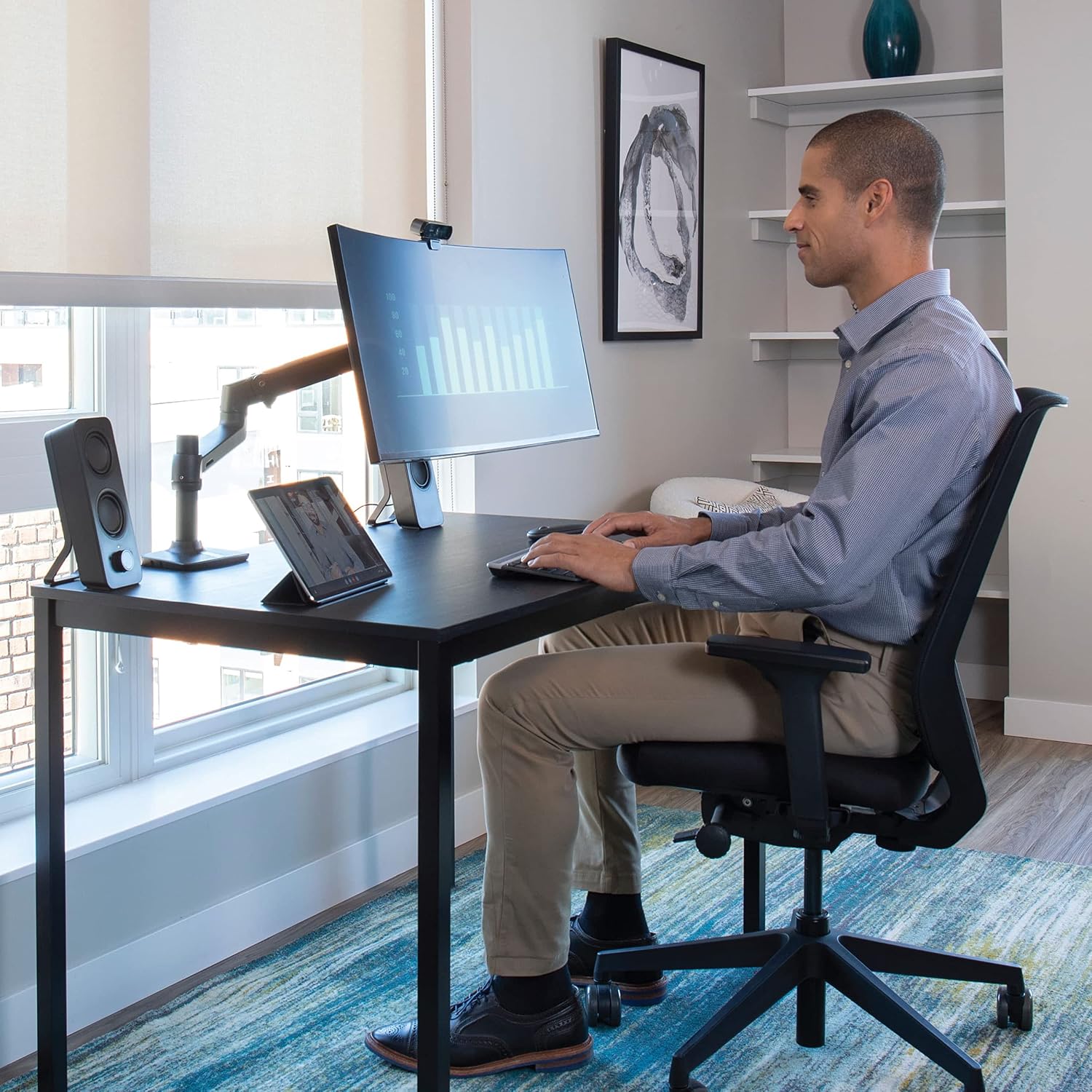
Best Monitor Arm for Small Desk: 5 Space-Saving Picks
Free up desk space without choosing a mount that is too bulky, too short, or incompatible with your monitor. Compare compact monitor arms, desk clamps, and practical setup options for smaller workspaces.
Quick Answer: What Makes a Good Monitor Arm for a Small Desk?
The best monitor arm for a small desk has a compact mounting base, enough reach to position the screen correctly, a weight rating that matches your monitor, and a clamp that fits your desktop. A gas-spring arm is useful if you frequently reposition your display, while a simpler mechanical arm may be sufficient for a fixed workstation.
- Best overall option to compare: Ergotron LX Desk Monitor Arm
- Budget option to compare: Amazon Basics Single Monitor Arm
- For heavier monitors: WALI Heavy Duty Single Monitor Arm
- For a compact desk setup: VIVO Single Monitor Desk Mount
- For frequent repositioning: HUANUO Gas Spring Monitor Arm
These are models worth comparing, not a guarantee that every version fits every desk. Confirm the current model’s dimensions, supported monitor weight, and mounting requirements before purchasing.
A small desk can feel crowded even when you own very little. A conventional monitor stand occupies the surface where your keyboard, mouse, notebook, and other essentials need to go. On a shallow desk, that lost space can make it harder to keep your screen at a comfortable distance.
A monitor arm for a small desk moves the display’s base off the desktop and gives you more freedom to arrange your workspace. But a compact setup has its own challenges. The clamp may take up too much edge space, the arm may collide with a wall, or the monitor may be too heavy for the mount.
This guide focuses on the details that matter most in limited spaces: mounting footprint, desk depth, clamp clearance, monitor compatibility, and how far the arm can actually move. If you need a broader explanation of mounting standards and arm mechanisms, see our guide to choosing a monitor arm.
Why Use a Monitor Arm on a Small Desk?
1. Reclaim usable desktop space
A monitor stand needs a stable footprint beneath the display. A desk-mounted arm replaces much of that footprint with a clamp or grommet mount at the edge of the desk. The space beneath the screen can then be used for a keyboard, small accessories, or simply a less cluttered work surface.
2. Position the screen more precisely
On a compact desk, the monitor can easily end up too close to your face or off to one side. An adjustable arm lets you move the screen forward, backward, sideways, and vertically within its supported range. That flexibility helps you arrange the display around your natural sitting position rather than around the shape of its original stand.
3. Make room for other equipment
Removing the monitor’s original base can make it easier to fit a laptop, notebook, compact keyboard, or desk lamp into the same area. If you use a laptop alongside an external monitor, a laptop stand can help organize the remaining space.
5 Monitor Arms to Consider for a Small Desk
The options below cover different budgets and mounting needs. Product names can refer to multiple generations or configurations, so use the linked Amazon search to find the exact model and check its current specifications before ordering.
Ergotron LX Desk Monitor Arm
A premium model to consider if you want a flexible arm for a primary workstation and expect to adjust your monitor regularly.
Why consider it: The LX family is designed for adjustable desktop monitor positioning. Its articulated structure can help you move the display to suit different tasks without keeping a large monitor base on the desk.
Best suited to: Users who want a more adjustable workspace and are comfortable paying more for a monitor mount.
Check before buying: Confirm the exact version’s monitor-weight range, screen-size guidance, clamp dimensions, and clearance behind the desk. A premium arm is not automatically the best fit for every shallow desk.
Amazon Basics Single Monitor Arm
A practical starting point for shoppers who want to compare a mainstream single-monitor mount before spending more on a premium arm.
Why consider it: A single-monitor mount can be all you need for a compact home office. Moving the display off its original stand may provide a noticeable improvement in usable desktop space.
Best suited to: Budget-conscious users with one compatible monitor and a desk that meets the mount’s requirements.
Check before buying: Search results may include different versions. Verify the model name, supported weight, VESA pattern, and desk-clamp range rather than relying on specifications from another listing.
WALI Heavy Duty Single Monitor Arm
Worth comparing if your display is heavier than a typical lightweight office monitor.
Why consider it: WALI offers different monitor-mount configurations, including models marketed for heavier displays. Choosing a mount based on the actual monitor weight is especially important when using a large screen on a compact desk.
Best suited to: Users who need a compatible single-monitor arm and want to compare higher-capacity options.
Check before buying: Make sure the listed capacity applies to the exact model. Also check whether the monitor’s size, center of gravity, and VESA mounting points are supported.
VIVO Single Monitor Desk Mount
A useful category to compare if you prefer a straightforward single-screen mount and want to evaluate clamp-based designs.
Why consider it: VIVO has a range of desktop mounting products. A basic single-monitor mount may be enough if you mainly want to clear the original monitor stand from your desktop.
Best suited to: Users who want a simple setup and do not need to reposition the screen constantly.
Check before buying: Some mounts use a fixed pole or a different adjustment mechanism from a gas-spring arm. Review the movement range, clamp footprint, and supported monitor weight for the specific product.
HUANUO Gas Spring Monitor Arm
An option to investigate if you regularly move your display between different positions throughout the day.
Why consider it: Gas-spring arms are designed to make repositioning easier after correct adjustment. On a small desk, that can be useful when switching between focused work, video calls, and tasks that need more open desktop space.
Best suited to: Users who value frequent height and position adjustments.
Check before buying: Verify the supported monitor-weight range and adjustment method. If your monitor is lighter or heavier than the spring’s intended range, the arm may not stay in position correctly.
Comparison: Which Monitor Arm Fits Your Setup?
| Model to Compare | Main Advantage | Best Starting Point | Verify First |
|---|---|---|---|
| Ergotron LX | Flexible positioning | Premium workstation | Price, reach, clamp size |
| Amazon Basics Single Arm | Budget-oriented choice | Basic single-monitor setup | Exact version and capacity |
| WALI Heavy Duty | Higher-capacity models available | Heavier compatible displays | Exact weight range |
| VIVO Single Mount | Simple mounting designs | Straightforward setups | Movement range and base |
| HUANUO Gas Spring | Frequent repositioning | Adjustable desk setup | Spring range and clamp fit |
There is no single winner for every small desk. A premium articulated arm may be unnecessary if you rarely adjust your monitor. A budget model may be unsuitable if your screen is outside its supported weight range. Start with compatibility and desk measurements, then compare price and convenience.
How to Choose a Monitor Arm for a Small or Shallow Desk
1. Measure desk depth before checking arm reach
Desk depth is the distance from the front edge to the back edge. A shallow desk leaves less room between you and the monitor, so you need to know where the arm can position the screen—not just how far the arm extends on paper.
Measure the available space from the intended mounting point to the wall or other obstruction. Check whether the arm’s joints and rear section can move without hitting the wall, a window sill, or a shelf. Also consider how far forward the monitor must sit for comfortable viewing.
A short arm can work well when the display should remain close to the back of the desk. A longer arm may be more useful when you need to bring the monitor forward, move it aside, or share the screen. The right choice depends on your layout.
2. Check monitor weight and VESA compatibility
Find the monitor’s weight without its original stand if the manufacturer’s specifications provide that figure. Then compare it with the arm’s supported weight range. Do not assume a mount supports your monitor simply because the screen size appears compatible.
Check the VESA mounting pattern on the monitor as well. Common patterns include 75 × 75 mm and 100 × 100 mm, but you should verify your own display. If it has no compatible mounting holes, you may need a suitable adapter or a different mounting solution.
For a more detailed explanation, visit our monitor arm buying guide.
3. Measure desk thickness and clamp clearance
One of the most common compatibility problems is buying a mount whose clamp does not fit the desktop. Measure the thickness of the desk at the exact point where you plan to install the arm, and compare it with the clamp’s stated range.
Also inspect the underside of the desk. A frame, drawer, crossbar, cable tray, or apron may block the clamp even when the desktop itself is thin enough. Check how much space the clamp needs behind and below the desk edge.
Important for thin desks
A thin, hollow-core, glass, or fragile desktop may not safely support a clamp mount just because the clamp physically fits. Check the desk manufacturer’s guidance and the mount’s installation instructions. A reinforcement plate can help distribute pressure on some suitable surfaces, but it does not make every desktop safe for clamping.
4. Choose between a clamp mount and a grommet mount
A C-clamp attaches to the desk edge, so it is often convenient if you can access the rear of the desk. Its base still occupies some edge and underside space, which matters if your desk has a thick frame or a drawer directly below the mounting point.
A grommet mount uses a suitable hole through the desktop. If your desk already has a compatible cable-management opening, this type may offer a clean installation. However, the hole’s diameter, location, desktop construction, and the mount’s hardware all need to be compatible.
Neither mounting type is universally better. Choose the one that fits the actual structure of your desk and leaves enough room for the arm to move.
5. Decide whether you need a gas-spring arm
Gas-spring arms are useful when you regularly change screen height or position. Once correctly adjusted for a compatible monitor, they can make repositioning easier. They are not automatically more compact, however, and their spring mechanism needs to match the monitor’s weight.
A simpler mechanical or fixed-style mount may be a better value if your monitor stays in one position most of the time. Consider how often you will actually adjust the screen before paying extra for movement features.
6. Check cable routing and wall clearance
On a small desk, cables can make an otherwise tidy setup feel crowded. Integrated clips or cable channels can keep power and display cables close to the arm. Leave enough slack at moving joints so that repositioning the screen does not pull on the connections.
Measure the distance between the desk and the wall before choosing an arm. Some designs need room behind the mounting pole or at the elbow joint. If the desk sits close to a wall, check the manufacturer’s diagrams for the arm’s folded position and full movement range.
Small Desk Setup Tips That Actually Help
Keep viewing distance in mind
Position the screen at a comfortable distance for its size and your vision. Do not push it too far back simply to create more room.
Center your input devices
Keep your keyboard and mouse in front of your body. Arrange the screen around your primary working position.
Tidy cables underneath
Use the arm’s cable clips where available and secure loose cables along the underside of the desk.
For a compact workstation, start by mounting the display where it can be viewed comfortably, then arrange the keyboard and mouse. Use the freed-up area for only the items you regularly need. Adding more accessories can quickly consume the space you just recovered.
If you use two monitors, do not assume that two separate arms or a dual-monitor mount will fit your desk. Check each screen’s width, combined weight, arm reach, and the space required to position both displays without hitting a wall. A single monitor may be the more practical choice on an especially narrow desk.
Common Mistakes to Avoid
- Buying by screen size alone. The monitor’s weight, VESA pattern, and dimensions all matter.
- Ignoring the underside of the desk. A support frame or drawer can prevent a clamp from fitting.
- Assuming every thin desk is suitable. Desktop strength and construction are just as important as thickness.
- Choosing an arm with insufficient reach. The monitor may end up too close to you or difficult to center.
- Overlooking wall clearance. The arm may not fold or swivel as expected when installed close to a wall.
- Paying for features you will not use. A simpler mount may be sufficient for a screen that rarely moves.
Frequently Asked Questions
What is the best monitor arm for a small desk?
The best option is the one that fits your monitor, desk, and available space. Compare the Ergotron LX for a premium adjustable option, Amazon Basics for a budget-oriented alternative, and other compatible single-monitor arms based on their current specifications. No single model is right for every compact desk.
Can I use a monitor arm on a shallow desk?
Yes, if the mount can place the monitor at a comfortable viewing distance and has enough clearance to move. Measure the desk depth and the distance to the wall, then check the arm’s reach and movement diagrams before buying.
Can a monitor arm be installed on a thin desk?
Sometimes. The desktop must be structurally suitable for the clamp or grommet mount, and its thickness must fall within the manufacturer’s specifications. Thin particleboard, hollow-core, glass, or fragile surfaces require particular care. Follow the desk and mount manufacturers’ guidance rather than assuming a reinforcement plate will solve every problem.
How much desk space does a monitor arm save?
It removes the original monitor stand’s footprint from the desktop, but the amount of usable space gained depends on the stand, clamp, arm design, and your layout. The arm still occupies space at the mounting point and may need room to move behind or beside the monitor.
Is a gas-spring monitor arm worth it for a small desk?
It can be worthwhile if you frequently adjust your monitor and want to reposition it with less effort. If your screen stays in one place, a simpler mount may be more economical. In either case, the supported monitor weight must match your display.
Should I choose a clamp or grommet monitor mount?
Choose a clamp if your desk edge and underside provide enough room for a secure installation. Consider a grommet mount if you have a compatible desktop hole and the desk construction supports it. Check the exact mounting dimensions and installation instructions for either option.
Will a monitor arm fit a desk with a drawer underneath?
It depends on the drawer’s position and the clamp’s depth. Measure the gap between the desktop and drawer, and check whether the clamp needs to extend below the desk. If the hardware cannot be installed securely without interfering with the drawer, choose another mounting location or a different mounting style.
Final Verdict: Choose for Your Desk, Not Just Your Monitor
The best monitor arm for a small desk is not necessarily the smallest or cheapest model. It is the mount that frees up desktop space while keeping the monitor secure, properly positioned, and easy to use.
For a premium adjustable setup, compare the Ergotron LX. For a budget single-monitor installation, look at Amazon Basics and compatible alternatives. If your screen is heavier or you adjust it frequently, compare the relevant WALI and HUANUO models—but verify the exact weight rating and mounting dimensions before you buy.
Most importantly, measure the desk depth, thickness, underside clearance, and wall gap first. Those few checks can help you avoid a mount that technically fits the monitor but does not work with your actual workspace.
Explore More Workspace Guides
- How to Choose a Monitor Arm — check VESA compatibility, monitor weight, mounting styles, and adjustment features.
- Monitor Arm for Desk Setup — plan monitor placement and a more functional workstation.
- Laptop Stands Guide — explore ways to organize a laptop and external monitor on a compact desk.
Disclosure: SitBetterLab may earn a commission from qualifying purchases made through affiliate links. Product availability, pricing, specifications, and included hardware can change. Confirm the current listing and manufacturer instructions before purchasing or installing a monitor arm.