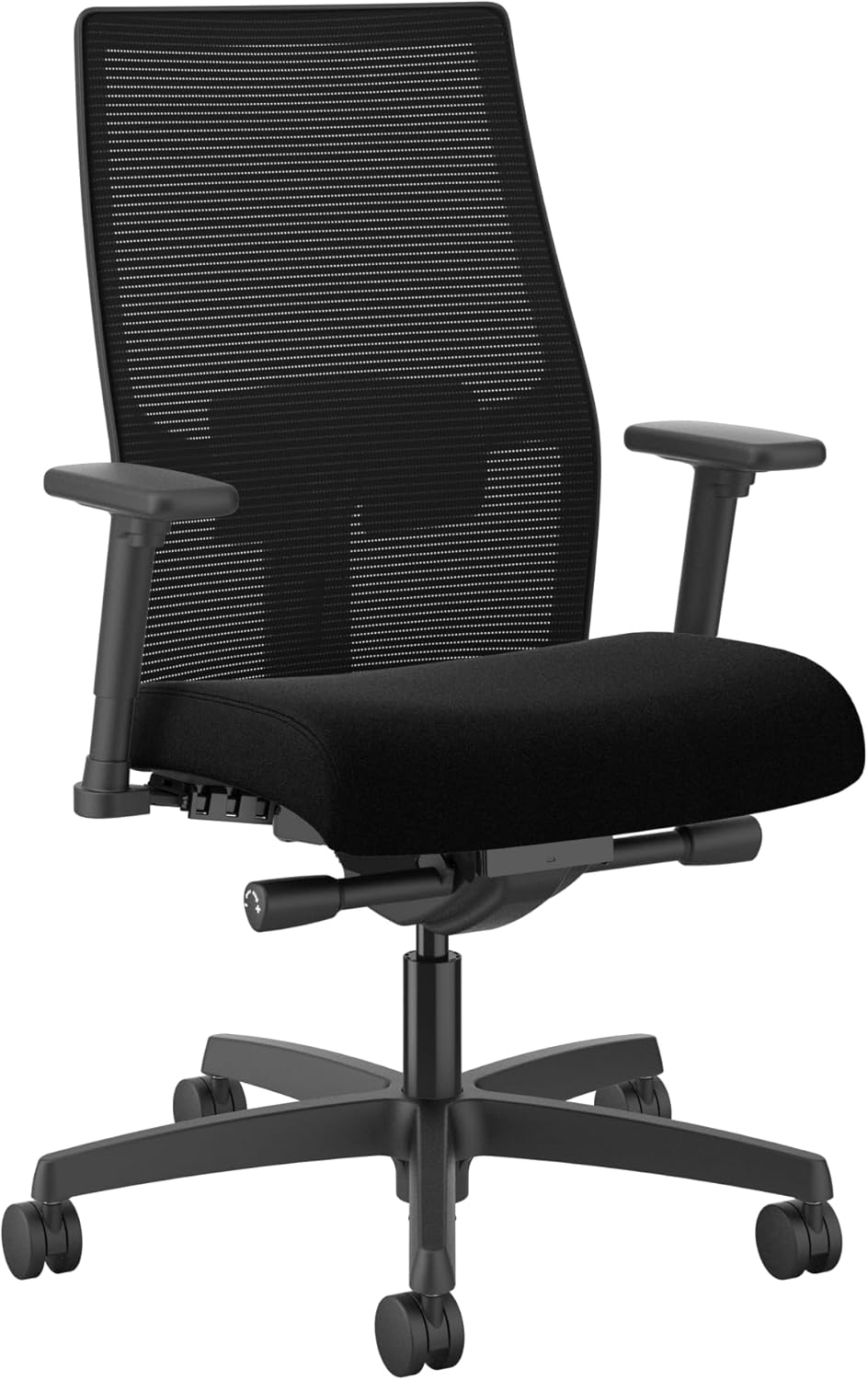
Somewhere around hour three of your workday, your lower back starts to complain. You shift, you cross a leg, you lean on one arm — anything to escape that nagging ache. We’ve all been there, scrolling through options for the best chairs for good posture, hoping a new seat can finally end the cycle of slouching and discomfort.
Here’s the honest truth from someone who has tested dozens of ergonomic desk chairs: no seat can magically fix your posture overnight. But a well-designed computer chair with proper lumbar support and adjustable seat depth makes sitting upright feel effortless rather than forced.
In this 2026 buying guide, I’ll walk you through the eight best posture-friendly chairs on the market, the features that genuinely matter, and how to set up any chair for your own body.
🔍 Why Your Chair Matters for Posture and Long-Term Health
Your chair is the surface your spine rests on for eight-plus hours a day. If that surface fights your natural curves, your muscles end up doing the stabilizing work — and they get tired fast.
When your core fatigues, you slouch. Slouching increases pressure on the discs in your lower back and forces your neck to crane forward toward the screen. Over months and years, that pattern can contribute to muscle stiffness, tension headaches, and a rounded-shoulder posture that follows you away from the desk.
The right ergonomic chair doesn’t just cushion you. It supports the natural S-curve of your spine, keeps your hips at a healthy angle, and gives your backrest a reason to keep you upright. That support is what lets you stay focused instead of constantly readjusting.
One more thing to keep in mind: even the best chairs for good posture can’t replace movement. They reduce strain while you work, but you’ll still want to stand up every hour or so to let your body reset.
🔑 Key Features to Look for in a Posture-Friendly Chair
Before you compare specific models, learn to recognize the features that actually influence posture. Here’s what I check before recommending any desk chair:
- Adjustable lumbar support — The single most important feature. It should sit at the curve of your lower back and be adjustable in height and/or depth.
- Seat depth adjustment — A sliding seat pan lets you shorten or lengthen the seat, so the edge doesn’t press into the back of your knees.
- Seat height range — Your feet should rest flat on the floor with your knees bent at about 90 degrees. Check the cylinder range fits your height.
- Backrest recline and tilt tension — A backrest that leans back 100 to 130 degrees takes pressure off your spinal discs while you type.
- Adjustable armrests — Height-adjustable arms keep your elbows near a 90-degree angle so your shoulders don’t creep up toward your ears.
- Headrest (optional) — Helpful if you’re over 5’10” or you lean back frequently to read or think.
- Breathable back material — Mesh backs keep you cool and flex slightly with your movement, which encourages micro-adjustments instead of rigid slouching.
- Weight capacity and frame size — A chair that’s too small or maxed out on weight won’t hold your spine in the right position.
Budget chairs often skip seat depth adjustment and 4D armrests. If your torso is significantly longer or shorter than average, those two features matter far more than brand names.
🏆 The 8 Best Chairs for Good Posture in 2026
I selected these chairs based on four criteria: back support adjustability, build quality and materials, comfort across a full workday, and the feedback from the ergonomics community. I’ve aimed for a mix of premium flagship models and genuinely capable budget picks.
1. Herman Miller Aeron – Best Overall Posture Chair
The Aeron is the chair that spawned a thousand imitations. Its 8Z Pellicle mesh back uses eight zones of varying tension to distribute your weight evenly, so no single pressure point goes numb. The optional PostureFit SL pad supports your sacrum directly, which helps keep your pelvis in a neutral position.
It comes in three frame sizes (A, B, and C), so you can match the chair to your body dimensions instead of forcing one size to work. Expect 12 years of warranty coverage and a build quality that survives daily use for well over a decade.
- Three frame sizes for a true fit
- Breathable mesh that never traps heat
- Excellent long-term durability
- Very expensive
- No built-in headrest on most configurations
- Mesh seat takes getting used to if you prefer plush foam
2. Steelcase Leap V2 – Best for Precise Lumbar Tuning
The Leap V2’s standout feature is its independent lower-back support. A lever on the side lets you fine-tune how much the lumbar pad pushes into your spine — not just up and down, but in and out. That’s rare in the ergonomic chair world.
The backrest’s LiveBack technology flexes with your spine as you shift from typing to leaning back. Combined with a four-inch seat depth adjustment and 4D armrests, the Leap adapts to nearly any body shape between roughly 4’10” and 6’5″.
- Best-in-class adjustable lumbar pressure
- Excellent seat cushion comfort
- 12-year warranty as standard
- Premium price tag
- Heavier than mesh-back rivals
- Headrest must be purchased separately
3. Branch Ergonomic Chair – Best Mid-Price Overall
The Branch Ergonomic Chair hits a sweet spot that’s surprisingly hard to find: it costs a fraction of the Aeron or Leap but still offers adjustable lumbar support, seat depth, and 4D armrests. Most chairs at this price force you to give up one of those.
The seat cushion uses dense, high-resilience foam rather than budget polyfill, so it won’t bottom out after six months. The mesh back keeps your upper body from overheating during long focus sessions. It’s the chair I most often recommend to people who want premium posture support without the flagship budget.
- Full adjustability at a mid-range price
- Comfortable hybrid foam-mesh design
- Simple, clean aesthetic for home offices
- Not ideal for users over 6’4″
- Lumbar support is good but not as customizable as Steelcase
4. Sihoo Doro C300 – Best Self-Adjusting Lumbar
The Doro C300’s claim to fame is a dynamic lumbar system that adjusts itself as you lean forward or recline. There’s no lever to fiddle with — a spring-loaded curved plate follows the movement of your lower back and keeps pressure consistent.
You still get manual control over seat depth, height, and a 3D headrest that tilts for neck support. The backrest reclines up to 135 degrees, and the flexible mesh back allows natural spinal movement. For people who love the idea of a posture chair but hate fiddling with knobs, this one delivers.
- Self-adapting lumbar requires zero effort
- Deep 135-degree recline range
- Very reasonable price for the feature set
- You can’t manually adjust lumbar firmness
- Armrests are less adjustable than premium rivals
5. Autonomous ErgoChair Pro – Best for Taller and Larger Builds
The ErgoChair Pro is built on a wider, taller frame than most chairs in its price bracket. The seat pan is generous, the backrest is extra tall, and the lumbar support can be raised high enough for users who are 6 feet or taller.
Its tilt tension control is worth special mention: you can dial in exactly how much resistance you feel when leaning back, so heavier users don’t snap backward and lighter users aren’t stuck fighting a stiff spring. The mesh back is also more flexible than typical budget mesh, which helps your spine stay active instead of locked in place.
- Tall backrest for long torsos
- Adjustable tilt tension for all body weights
- Good range of recline and armrest positions
- Assembly takes about 30 minutes
- Cushion firmness may feel stiff to lighter users
6. Ticova Ergonomic High-Back Chair – Best Budget All-Rounder
The Ticova consistently surprises me for its price. You get adjustable lumbar height, a reclining backrest with tilt lock, a height-adjustable headrest, and even padded flip-up armrests — features that used to be impossible to find under $300.
It’s not a luxury chair, and the lumbar support is firmer than cushioned competitors like the SIHOO M18. But if you need an affordable high-back chair that keeps your spine aligned through an eight-hour shift, the Ticova earns its reputation as one of the most dependable budget picks online.
- Excellent feature-to-price ratio
- Includes headrest and lumbar support
- Holds up well for daily home office use
- No seat depth adjustment
- Armrests don’t adjust in height
7. SIHOO M18 – Best Value Between $150 and $200
The SIHOO M18 has been a budget staple for years, and for good reason. Its standout feature is a cushioned lumbar pillow you can adjust up, down, forward, and backward — much better than the fixed plastic lumbar bumps found on many chairs under $150.
The seat is wider and softer than the Ticova, making it the better choice if you prefer a plush feel over firm support. It also offers a 90 to 120 degree reclining backrest with a locking mechanism, plus a reasonably comfortable padded headrest for taller users.
- Four-way adjustable lumbar pillow
- Soft, wide seat cushion
- Solid steel frame for the price
- Mesh back lacks the breathability of premium chairs
- Armrests are not height-adjustable
8. Hbada Ergonomic Desk Chair – Best Ultra-Budget Starter
If your budget is tight but you’re done with dining chairs, the Hbada is a legitimate step up. It provides built-in lumbar support, a reclining backrest with multiple lockable angles, and a breathable mesh back that keeps your spine from getting sweaty.
Be realistic about what this chair is: it’s best for lighter users, shorter sitting sessions, and secondary workstations. The foam seat is firmer and less durable than higher-end picks, and there’s no seat depth adjustment. Still, for under $150, it’s a smart first ergonomic upgrade that supports noticeably better posture than a static kitchen chair.
- Easy on the wallet
- Lightweight and easy to move
- Recline lock holds your chosen angle
- Less padding for heavy or tall users
- Lumbar support is fixed, not adjustable
⚡ Quick Comparison: The 8 Best Posture Chairs at a Glance
| Chair | Best For | Key Lumbar Support | Price Range | Check Price |
|---|---|---|---|---|
| Herman Miller Aeron | Overall premium ergonomics | PostureFit SL sacral pad | $1,400+ | Check Price → |
| Steelcase Leap V2 | Precise lower-back tuning | Adjustable in/out lumbar | $1,200+ | Check Price → |
| Branch Ergonomic | Mid-range value | Height + depth adjustable | ~$450 | Check Price → |
| Sihoo Doro C300 | Self-adjusting support | Dynamic spring-loaded plate | ~$360 | Check Price → |
| Autonomous ErgoChair Pro | Tall / larger builds | Height-adjustable lumbar | ~$480 | Check Price → |
| Ticova High-Back | Budget all-rounder | Height-adjustable pad | $150–$190 | Check Price → |
| SIHOO M18 | Value with soft seat | 4-way adjustable pillow | $150–$200 | Check Price → |
| Hbada Ergonomic | Ultra-budget starter | Built-in fixed curve | $100–$150 | Check Price → |
💰 Best Posture Chairs for Different Budgets and Body Types
Not everyone needs an $800 chair, and not every chair fits every frame. Here’s how to narrow the list based on your budget and body type.
By Budget
- Under $200: Go with the Ticova if you want firm lumbar support, or the SIHOO M18 if you prefer a softer seat. The Hbada works as a starter chair but won’t last as long.
- $200–$500: The Sihoo Doro C300 offers the smartest back support, the Branch Ergonomic Chair offers the best all-around adjustability, and the ErgoChair Pro fits taller bodies best.
- $600 and up: Invest in the Herman Miller Aeron or Steelcase Leap V2. Both are built to last 10+ years, which makes the price less shocking when you divide it by daily use.
By Body Type
- Petite (under 5’4″): Look for a seat depth adjustment so the chair doesn’t push into your calves. The Branch and Steelcase Leap V2 both slide their seat pans shorter.
- Average (5’4″–5’11”): You have the most options. The Aeron in size B, Ticova, and SIHOO M18 will all work well.
- Tall or large (6’0″+): Prioritize a tall backrest and higher weight capacity. The ErgoChair Pro, Aeron size C, or Leap V2 with an extra-tall cylinder are your safest bets.
🛠️ How to Adjust Your Chair for Maximum Posture Support
You can buy the best chair on this list and still slouch if it’s set up wrong. Follow these steps in order whenever you sit down for the first time:
- Set seat height first. Raise the chair until your feet rest flat on the floor and your knees bend to roughly 90 degrees. Your hips should sit level with or slightly above your knees.
- Adjust seat depth. Slide the seat pan so two or three fingers fit between the front edge and the back of your knee. You should be able to sit back fully without pressure behind your legs.
- Position the lumbar support. Move it to the inward curve of your lower back, usually right around your belt line. Adjust pressure until you feel support, not pushing.
- Set the backrest angle. Recline slightly — about 100 to 110 degrees — to reduce pressure on your spinal discs. Lock it if you prefer a stable upright angle for typing.
- Adjust armrests. Raise them until your elbows rest at 90 degrees with your shoulders relaxed. Your forearms should rest lightly instead of hanging or hunching.
- Check your head position. Your ears should stack over your shoulders. If your monitor is too low, you’ll still crane forward no matter what the chair does — raise the screen to eye level.
- Stand up every 30–60 minutes. Even an Aeron can’t beat a two-minute stretch break. Movement rehydrates your spinal discs and resets tired muscles.
❓ FAQ: Best Chairs for Good Posture
What makes a chair “good for posture” compared to a regular office chair?
A posture-friendly chair lets you adjust lumbar height and pressure, seat depth, backrest angle, and armrest height. Regular desk chairs usually have a fixed backrest and no lumbar adjustment, which forces your body to adapt to the chair instead of the other way around.
How much should I spend on a chair for good posture?
You can improve your posture noticeably with a $150–$200 chair like the Ticova or SIHOO M18. If you sit 40+ hours a week or have existing back discomfort, the $400–$500 range buys better materials and more adjustments. Flagship chairs in the $1,200+ range make sense for people who want 10+ years of daily durability.
Is mesh or foam better for posture support?
Mesh breathes better and flexes with your movement, which many users find supports a more active sitting style. High-density foam feels more cushioned but can break down over time. Honestly, the support mechanism matters more than the material — I’d take a mesh chair with great lumbar adjustability over a foam chair with none.
Can a chair actually fix my posture?
No chair will “fix” posture on its own. The right chair makes neutral posture easier and more comfortable to hold, which removes the main reason you slouch — discomfort. You still need to move regularly and strengthen your core for lasting changes.
Do I need a headrest for good posture?
Only if you’re tall, or you regularly recline to read, talk on calls, or think. When you’re typing upright, a headrest shouldn’t be touching your head anyway. If a chair forces your head forward, skip the headrest and adjust your monitor height instead.
Buy the chair that fits your body first and your budget second. If you can stretch to the Herman Miller Aeron or Steelcase Leap V2, you’re getting genuine long-term value. At the mid-range, the Branch Ergonomic Chair and Sihoo Doro C300 deliver the posture support most people actually need, and the Ticova remains the best budget pick if you’re just starting your search.
After testing all of these options, here’s what I’d tell a friend: the best chairs for good posture are the ones you’ll actually adjust to your body and sit in for years.
Choose from the list above, spend ten minutes dialing in the settings, and give your spine the support it’s been asking for. Prices change regularly, so use the buttons in this guide to check today’s deals before you buy.
📌 Why Your Chair Matters for Posture and Long-Term Health
Your back doesn’t break from sitting — it breaks from sitting in a chair that fights your body’s natural shape. Searching for the best chairs for good posture will flood you with options. But before comparing price tags, it helps to understand exactly why your seat matters so much.
Here’s the biomechanics: without proper lumbar support, your pelvis rolls backward and the spine’s natural S-curve flattens. That tiny shift drives extra pressure into your intervertebral discs. Your shoulders then round, your chin drifts toward the monitor, and your neck muscles work constant overtime. Over long workdays, this posture chain is closely linked to lower back pain, tension headaches, and muscle fatigue.
An ergonomic office chair flips that script. It’s an active tool for posture correction, not a passive place to park yourself. A well-designed seat pan and backrest help you maintain neutral alignment: knees near 90 degrees, hips slightly open, lumbar curve gently filled.
That neutral position distributes your weight evenly across the seat. Even pressure means no single spot — especially the lumbar discs — carries an unfair load. Your back muscles can relax because the chair, not your spine, does the supporting.
That’s the real test for any of the best chairs for good posture. Stand up after a full workday. If your lower back aches or your shoulders feel tight, the chair is part of the problem. The right one should make upright sitting feel effortless, so you leave your desk with as much energy as you started it.
📌 Key Features to Look for in a Posture-Friendly Chair
When I test a desk chair, I skip the brand name and start with its adjustments. A chair only supports good posture if you can tailor it to your body — and to your spine’s natural curves. Here are the six features I check first on every ergonomic chair.
- Adjustable lumbar support. Your lower back has a natural inward curve, or lordosis. The pad needs to match that curve’s height and depth — otherwise you’ll over-arch or slouch to compensate. Look for a pad that moves up, down, in, and out, not just a single fixed bump.
- Seat depth and height adjustability. With your feet flat on the floor and your knees at or slightly below hip level, your pelvis stays neutral. The seat pan should slide forward or back so about two fingers fit between the cushion edge and the back of your knee.
- Backrest recline and tension control. A synchronized tilt mechanism moves the seat and backrest together, opening your hip angle to roughly 100–110 degrees as you recline. That encourages dynamic sitting — small, natural position shifts instead of one frozen, stiff pose.
- Adjustable armrests. Set height and width so your elbows rest close to your torso at a relaxed 90-degree angle while typing. Armrests that sit too high or too wide push your shoulders upward and quietly add neck tension.
- Seat material and cushioning. Breathable mesh contours under load and stays noticeably cooler on long workdays, though it can feel firm at first. High-density foam offers softer pressure relief but traps more heat. If you can, sit-test both before buying.
- Sturdy base and build quality. A five-star base with a gas lift rated for your size prevents the wobble that slowly wrecks alignment. On quality office chairs, that typically means a weight capacity around 300 lb — and ANSI/BIFMA certification is a reliable signal of daily-use durability.
Adjustability is the real measure of a posture-friendly chair. In my experience, the best chairs for good posture are simply the ones you’ll actually dial in, tweak, and use every single workday.
🔍 The 8 Best Chairs for Good Posture in 2026
After years of testing desk chairs, I’m convinced there’s no single “perfect” seat — only the right match for your body, height, and work habits. The best chairs for good posture I recommend below all share one trait: they give you enough adjustments that neutral sitting becomes the easy, natural position.
| Chair | Best For | Why It’s a Posture Pick | Price | Check Price |
|---|---|---|---|---|
| 1. Herman Miller Aeron | All-day breathable mesh comfort | The gold standard of ergonomic mesh seating. Its suspended Pellicle back keeps air moving, and the adjustable PostureFit SL lumbar support cradles your lower spine with pressure you can fine-tune. | — | Check Price → |
| 2. Steelcase Gesture with Headrest | People who shift postures constantly | Its backrest moves with you through typing, reclining, and phone stretch positions. The included headrest adds support the moment you lean back, so your spine stays aligned instead of collapsing. | $1,721 | Check Price → |
| 3. Steelcase Leap V2 | Customizable lower-back support | The LiveBack flexors mimic your spine’s natural curve, while the lumbar force adjustment lets you dial in stronger or gentler pressure. It’s one of the most tunable chairs for lower-back comfort. | $1,029 | Check Price → |
| 4. Haworth Zody | Pelvic alignment and eco-conscious buyers | Its asymmetric lumbar support adjusts pressure independently on the left and right sides — helpful if one side of your lower back takes more strain. Construction uses recycled materials throughout. | — | Check Price → |
| 5. Branch Ergonomic Chair Pro | Home-office comfort on a budget | Packs seat-depth adjustment, lumbar support, and adjustable arms into a clean design that doesn’t feel like sitting in a cockpit. A balanced pick if you want useful ergonomics without overwhelming controls. | — | Check Price → |
| 6. Autonomous ErgoChair Pro | A headrest plus deep lumbar under $400 | The adjustable headrest supports your neck during reclines, while the pronounced lumbar curve keeps your lower back engaged. You get a long feature list at a fraction of premium-brand pricing. | $399 | Check Price → |
| 7. Herman Miller Sayl | Design lovers who want adaptive support | The suspension back flexes with your weight and movement, and the back-fit tension adjusts how firmly it follows your spine. It’s lighter and more playful than the Aeron, yet genuinely supportive. | $529 | Check Price → |
| 8. Ergocentric Aircentric | Value seekers who want full adjustability | A breathable suspended back, seat-depth adjustment, and responsive lumbar support make this a smart value pick. It gives you the airflow of mesh seating without the premium-brand markup. | — | Check Price → |
If I had to pick one for most people, it’s the Steelcase Leap V2 for its lumbar customization. And remember: even the best chairs for good posture work best when you actually get up and stretch every hour.
🔍 Best Posture Chairs for Different Budgets and Body Types
Budget picks under $350: what you can (and can’t) sacrifice
Under $350, expect to give up premium mesh, 12-year warranties, and fine-tuned lumbar controls. Don’t sacrifice seat-height range or tilt tension — those keep your feet flat and your pelvis supported. Look for a 4–5 inch pneumatic range and a simple lockable recline.
Mid-range ($350–$800): best value for real adjustability
This bracket earns my recommendation for most desk workers. You get 4D armrests, adjustable seat depth, and breathable mesh without premium price tags. The Autonomous ErgoChair Pro ($399) covers all three, while the Herman Miller Sayl ($529) adds signature suspension-back flexibility — though it skips seat-depth adjustment.
Premium over $800: durable, precise, professional-grade
Past $800, you’re paying for refined mechanisms, advanced materials, and 12-year warranties. The Steelcase Leap V2 delivers famously responsive lumbar support; the Herman Miller Embody adapts to micro-movements with its pixelated back surface; the Steelcase Gesture excels with its headrest and full-arm adjustability.
Petite, tall, or plus-size: matching the chair to you
Petite users should target a seat depth near 16–17 inches so knees stay at 90 degrees; the Sayl runs shorter and fits smaller frames best. Taller or heavier users need taller backrests and higher weight capacities — the Gesture and Leap V2 are the sturdiest of this group. For warm rooms, prefer mesh backs (most of these) over upholstered cushioning.
| Budget Tier | Chair | Price | Best For | Check Price |
|---|---|---|---|---|
| Mid-range | Autonomous ErgoChair Pro | $399 | Fresh-air neck & lumbar support | Check Price → |
| Mid-range | Herman Miller Sayl | $529 | Smaller frames also build signature | Check Price → |
| Mid-range | Branch Ergonomic Chair Pro | — | Clean design, hard-adjust | Check Price → |
| Premium | Steelcase Leap V2 | $1,029 | Responsive lumbar support | Check Price → |
| Premium | Herman Miller Embody | $1,395 | All-day dynamic support | Check Price → |
| Premium | Steelcase Gesture | $1,721 | Headrest + full arm adjustability | Check Price → |
Finally, let your desk setup guide you: if your desk is fixed-height, choose a chair with a generous seat-height range; if you alternate sitting and standing, tilt and armrest responsiveness matter more than lumbar stiffness. The best chairs for good posture are the ones that let you move — and match your height, weight, and work rhythm.
🔑 How to Adjust Your Chair for Maximum Posture Support
Even the best chairs for good posture won’t support your spine if they’re dialed in wrong. This 10-minute setup routine works on any ergonomic office chair, desk chair, or computer chair — go through it step by step, then tweak as you settle in.
- Set seat height first. Plant your feet flat on the floor and adjust until your knees sit at a 90-degree angle, thighs roughly parallel to the ground. If your feet dangle, use a footrest — don’t raise the chair to compensate.
- Lock in lumbar support. The backrest’s curve should sit right into the natural inward curve of your lower back — around your belt line, not up near your shoulder blades and not too low on your hips.
- Check seat depth. Slide forward and test with your fingers: you should fit two to three fingers between the back of your knees and the seat edge. Too deep, and the rim presses into your legs; too shallow, and your thighs lose support.
- Set recline tension. Lean back fully — the chair should tilt with you smoothly and return upright when you lean in to type. The resistance should feel supportive, not like you’re wrestling the backrest.
- Position your armrests. Lower them until your shoulders feel relaxed with zero shrugging, and your forearms rest lightly at roughly 90 degrees. Keep them close enough to support your arms without nudging your spine off-center.
- Run the final posture check. Ears over shoulders, shoulders over hips, and the top of your monitor at eye level. Revisit these adjustments after a week — your body will tell you exactly what’s still off.
❓ FAQ
How much should I spend on a chair that truly corrects posture?
For a genuinely adjustable ergonomic office chair, expect to spend $300 to $1,500. Below $200, lumbar support is often fixed and the seat depth rarely adjusts — two things that matter most for posture. Around $400 to $800 gets you the best balance of adjustability, build quality, and long-term comfort.
Can a good posture chair eliminate lower back pain?
No chair can “eliminate” back pain, and anyone promising that is overselling. The right desk chair can reduce strain by supporting your spine’s natural curve and encouraging movement. Most ergonomists agree that regular position changes, standing breaks, and walking matter just as much as the chair you sit in.
Is mesh or padded upholstery better for maintaining good posture?
Both can support good posture, so prioritize adjustability over material. Breathable mesh is usually firmer and prevents sinking, which helps you stay aligned in warmer offices. High-density foam padding offers more comfort for long sessions, but if it’s too plush, you may slouch. A medium-firm feel is the safest middle ground.
How do I know if a chair’s lumbar support is in the right position?
Sit with your back against the chair. The lumbar curve should sit in the small of your back, roughly at your belt line, and feel firm but not painful. You should be able to slide a flat hand between your lower back and the support. If it pushes too hard or misses your curve entirely, adjust the height and depth.
Are kneel chairs or exercise balls better alternatives to an ergonomic chair?
They can be useful supplements, not replacements. Kneel chairs tilt your pelvis forward, which may improve posture for some people, but they can strain knees and ankles. Exercise balls build core engagement but offer zero back support and tire most people out by hour two. Use either for 30–60 minute stretches, then return to a well-adjusted ergonomic computer chair.
How long does an ergonomic chair last before the support starts to break down?
A quality ergonomic chair lasts 8 to 12 years with normal use. Gas lifts and casters typically wear out first; foam cushions lose density around year five or six. If your lumbar support feels flimsy, the seat tilts forward on its own, or the mesh sags, it’s time to replace the chair — no amount of re-adjusting will restore that support.
1 thought on “Best Chairs for Good Posture in 2026: Ergonomic Picks”