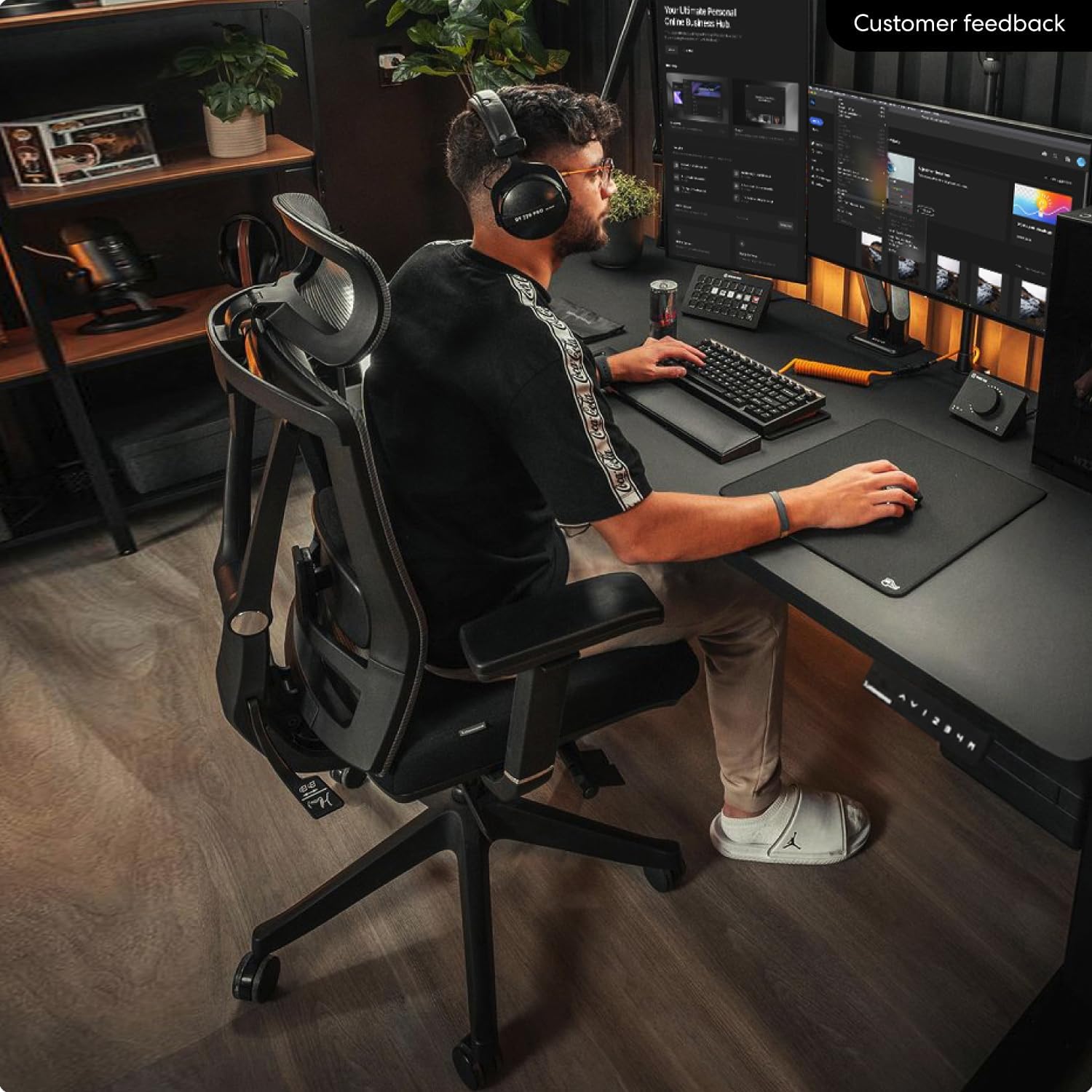
You spend 8, 10, even 12 hours a day in front of a screen—debugging, refactoring, or grinding through a pull request. By Wednesday afternoon, your lower back aches, your shoulders are tight, and you’re shifting every few minutes. The problem isn’t your discipline; it’s your chair.
Most office chairs are designed for general desk work, not for the specific needs of a programmer. You lean forward to code, recline to think, and shift postures countless times a day. That’s why you need a chair that adapts to you, not the other way around.
In this guide, I have researched the best ergonomic chairs for programmers—focusing on adjustable lumbar support, breathable materials, 4D armrests, and real user feedback from developers who sit for long hours. All picks are available on Amazon US.
Quick Comparison: Best Chairs for Programmers
| Product | Best For | Lumbar Support | Armrests | Seat Depth | Price | Rating |
|---|---|---|---|---|---|---|
| Steelcase Leap v2 | Most adjustable lumbar | Height + depth + firmness | 4D | Adjustable | ~$1,200 new / $500–800 ref | 4.7 ★ |
| Herman Miller Aeron (Remastered) | Breathability + support | PostureFit SL (2 pads) | 4D | Fixed (size‑dependent) | ~$1,500–2,000+ | 4.8 ★ |
| Sihoo Doro C300 (Pro V2) | Best value dynamic lumbar | Self‑adapting 3D | 6D Bionic | Adjustable (Pro V2) | ~$299–599 | 4.4 ★ |
| Branch Ergonomic Chair Pro | Best mid‑range adjustability | Height + depth | 5D | Adjustable | ~$499 | 4.5 ★ |
| Autonomous ErgoChair Pro | Best budget with headrest | Height‑adjustable | 4D | Adjustable | ~$399–499 | 4.4 ★ |
| HON Ignition 2.0 | Best budget durability | Height + depth | Height‑only | Adjustable | ~$439 | 4.2 ★ |
| Clatina Mellet | Best under $300 | Height‑adjustable pillow | Height‑only | Adjustable | ~$259 | 4.3 ★ |
What Programmers Need in an Ergonomic Chair
Programming isn’t just long hours—it’s hours of subtle, precise movements: typing, mousing, leaning in, sitting back, shifting postures. A good programmer’s chair must support this dynamic workflow. Here are the non‑negotiable features for developers.
1. Adjustable Lumbar Support (Height + Depth + Firmness)
At minimum, you need height‑adjustable lumbar so you can position the support exactly where your lower back curves (around your belt line). Better chairs offer depth adjustment (in/out) and firmness control. The Steelcase Leap v2 is the gold standard, with independent controls for lumbar height and firmness that let you dial in precisely the right amount of lower‑back support—a feature that’s hard to beat for programmers with existing back issues[reference:0].
2. Dynamic Lumbar That Moves with You
If you shift positions frequently throughout the day, a chair with dynamic lumbar that moves with you is a game‑changer. The Sihoo Doro C300’s self‑adjusting system subtly shifts the lumbar support as you lean forward to focus or recline to relax, maintaining consistent lower‑back support without requiring constant manual adjustment[reference:1]. The Steelcase Leap’s LiveBack technology also flexes and follows your spine as you shift position[reference:2].
3. Adjustable Seat Depth — Non‑Negotiable
When the seat is too deep, the front edge presses into your knees, forcing you to slide forward—and that means your lower back loses contact with the lumbar support. You must be able to sit all the way back against the backrest. Look for adjustable seat depth; if you cannot afford it, at least measure your thigh length and choose a chair with a fixed depth under 18″.
4. 4D Armrests — Critical for Shoulder and Neck Health
Poor arm support forces your shoulders to hunch, transferring tension up your neck. 4D armrests (height, width, depth, pivot) let you position your elbows exactly where they need to be—close to your body, at the right height, and angled to keep wrists straight while typing. The Branch Ergonomic Chair Pro even offers 5D armrests, adding lateral movement for even more precise positioning[reference:3].
5. Breathable Material
After 6+ hours, non‑breathable seats trap heat and moisture, making you restless. A breathable mesh back (or full mesh seat) allows air circulation, keeping you cool during long coding sessions.
6. Weight Capacity and Build Quality
If you spend 2,000+ hours a year in your chair, it needs to hold up. Look for chairs with 300+ lb weight capacities and long warranties (10+ years for premium brands). The Aeron and Leap are essentially BIFL (buy it for life)—they can last decades[reference:4].
1. Steelcase Leap v2 – Most Adjustable Lumbar for Programmers
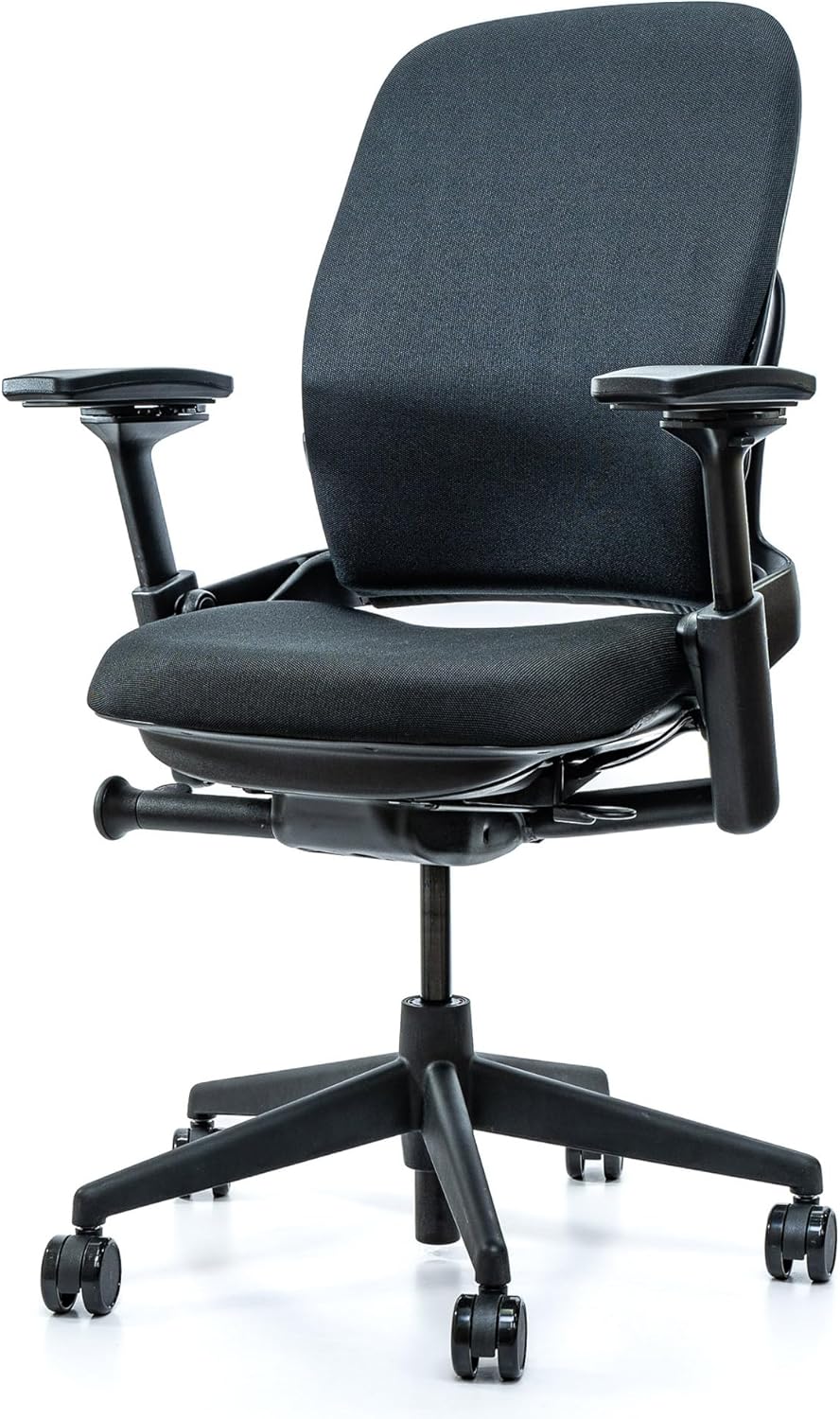
Price: ~$1,200 new / ~$500–800 refurbished | Weight capacity: 400 lbs | Warranty: 12 years
The Steelcase Leap v2 is widely considered the best chair for programmers who prioritize back support. Its LiveBack technology allows the backrest to flex and change shape as you move, maintaining contact with your lumbar region at every angle—no painful “lumbar gap”[reference:5].
The lumbar adjustment system is the most customizable on the market: height, depth, and firmness. You can dial in exactly the amount of lower‑back pressure you need—gentle or aggressive—using a firmness dial. The adjustable seat depth (15.75″–18.75″) ensures proper thigh support, and the 4D armrests provide complete upper‑body adjustability.
The Leap’s dense, supportive seat foam doesn’t bottom out, and the Natural Glide System slides the seat forward as you recline, keeping you close to your desk—a small detail that makes a noticeable difference during an 8‑hour day[reference:6].
✅ Pros:
- Lumbar support adjusts in height + depth + firmness—most customizable
- LiveBack technology flexes with your spine, eliminating lumbar gap
- Adjustable seat depth and 4D armrests
- 12‑year warranty; built to last 15+ years
- Excellent refurbished market ($500–800)
❌ Cons:
- Expensive new ($1,200+)
- Fabric upholstery traps more heat than mesh
- Seat cushion is firm—takes time to break in
Verdict: If you have chronic back pain or want the most adjustable lumbar system on the market, the Leap v2 is the best chair for programmers. Buy refurbished to save money.
👉 Check price for Steelcase Leap v2 on Amazon →
2. Herman Miller Aeron – Best Breathability + Lumbar Support
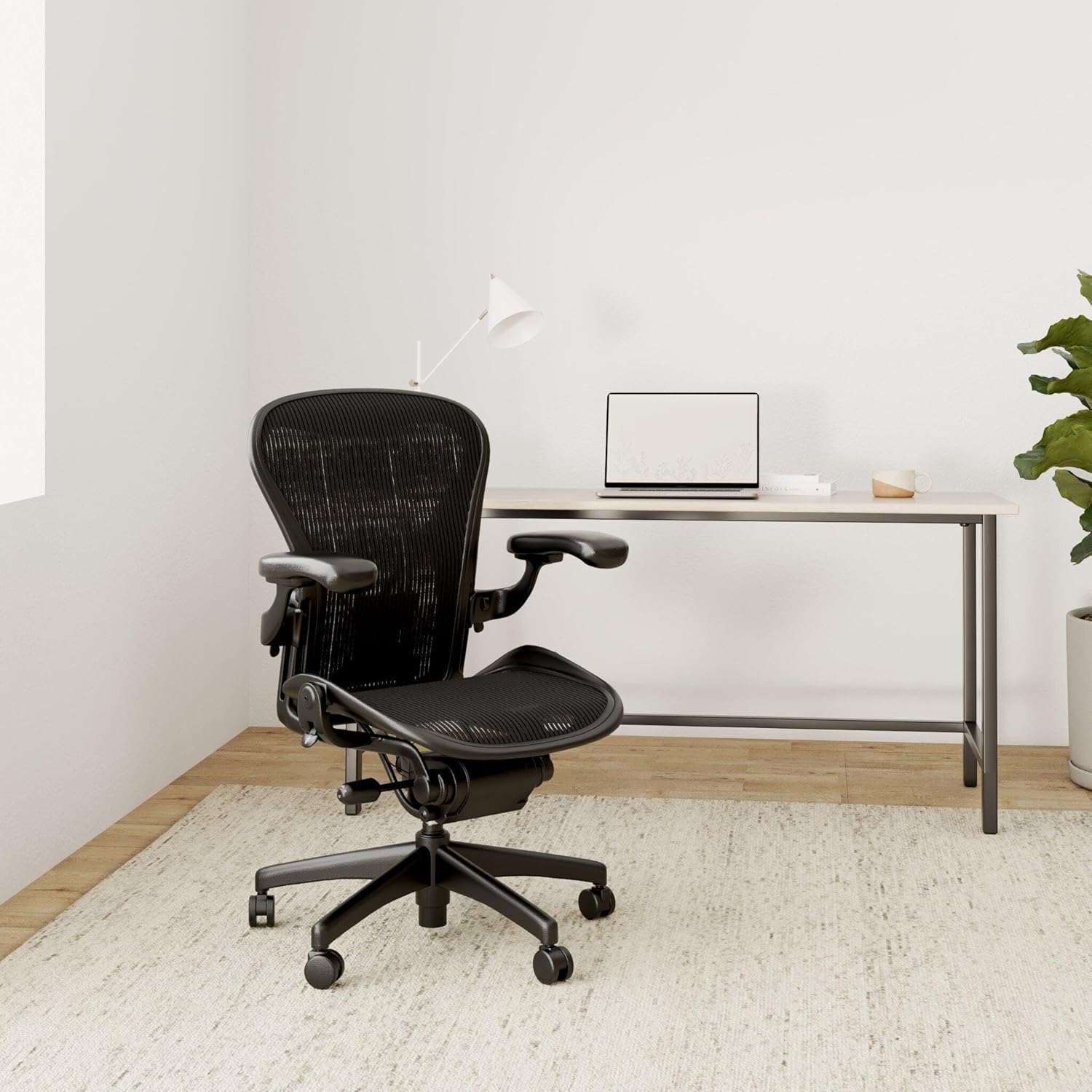
Price: ~$1,500–2,000+ | Weight capacity: 350 lbs (Size C) | Warranty: 12 years
The Herman Miller Aeron is the most iconic ergonomic chair, and for good reason. The Pellicle mesh seat and back provide breathability unmatched in the industry—no sweaty back, even after 10+ hours of coding. For programmers who run hot, this is a game‑changer.
The PostureFit SL lumbar support (optional but strongly recommended) uses two independent pads—one supporting your sacrum, one supporting your lumbar region—to maintain your spine’s natural S‑curve[reference:7]. It’s more passive than the Leap’s active system but highly effective.
The Aeron comes in three sizes: A (small), B (medium), and C (large). Most programmers need Size B or C. The forward tilt option is excellent for leaning into focused coding sessions, and the chair is built to last 15+ years with a 12‑year warranty.
✅ Pros:
- Unmatched breathability—Pellicle mesh stays cool
- PostureFit SL provides targeted sacral + lumbar support
- Very durable—lasts 15+ years with 12‑year warranty
- Forward tilt keeps you engaged during deep focus coding
- Excellent resale value; refurbished market available
❌ Cons:
- Very expensive ($1,500+)
- Seat depth is fixed—must choose the correct size (A, B, or C)
- Hard plastic frame prevents cross‑legged sitting
- No headrest (aftermarket options like Atlas exist)
Verdict: If you value breathability above all else and have the budget, the Aeron is a lifetime investment that keeps you cool and supported during marathon coding sessions.
👉 Check price for Herman Miller Aeron on Amazon →
3. Sihoo Doro C300 (Pro V2) – Best Value Dynamic Lumbar
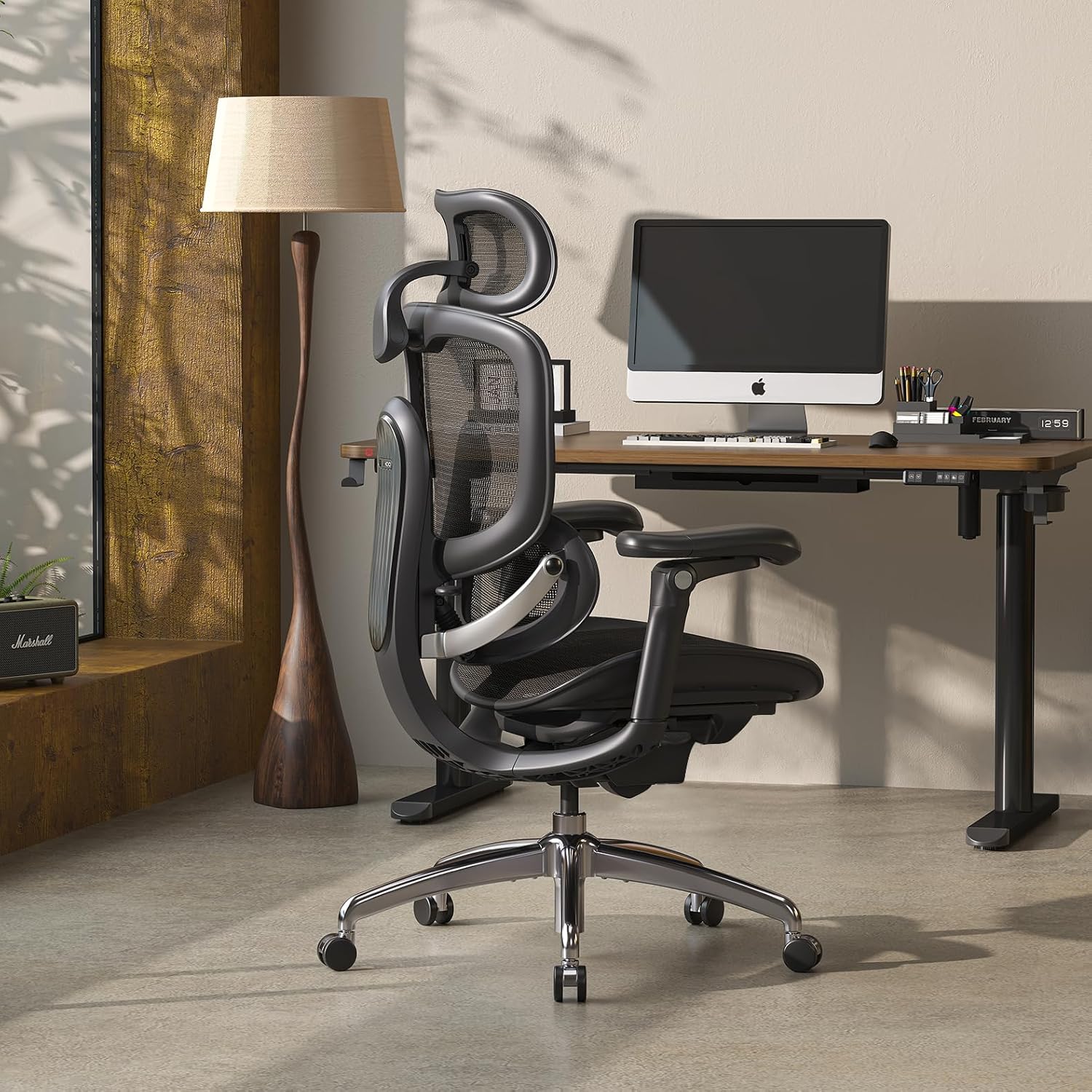
Price: ~$299–599 | Weight capacity: 300 lbs | Warranty: 3–5 years
The Sihoo Doro C300 (especially the Pro V2 model) is the best value ergonomic chair for programmers on a budget. It features a self‑adjusting Domino 3D lumbar support system that subtly shifts as you move—whether you lean forward to focus or recline to think, the lumbar stays in contact[reference:8]. It guides your posture without micromanaging it.
The Pro V2 saves you from constant readjusting by synchronizing with your body automatically: when you lean back, the lumbar support slides with you[reference:9]. The chair also offers 6D Bionic armrests, a breathable mesh back that distributes weight evenly without creating pressure points, and a waterfall seat edge that reduces pressure behind the knees[reference:10].
While assembly instructions could be improved, the chair is comfortable for long periods and offers adjustable recline options. Both the standard and Pro V2 models are attractive options for programmers[reference:11].
✅ Pros:
- Dynamic self‑adapting lumbar—moves with you automatically
- Excellent value ($299–599) for features
- Pro V2 adds adjustable seat depth and 6D armrests
- Breathable mesh back and waterfall seat edge
- Optional footrest for break‑time reclining
❌ Cons:
- Not ideal for users over 6‘0“ (headrest placement issues)
- Assembly instructions could be better
- Shorter warranty than premium brands (3–5 years)
Verdict: The Doro C300 Pro V2 is the best value dynamic lumbar chair for programmers. If you’re under 6‘0“ and want automatic support that follows your movements, this is a fantastic choice.
👉 Check price for Sihoo Doro C300 Pro V2 on Amazon →
4. Branch Ergonomic Chair Pro – Best Mid‑Range Adjustability
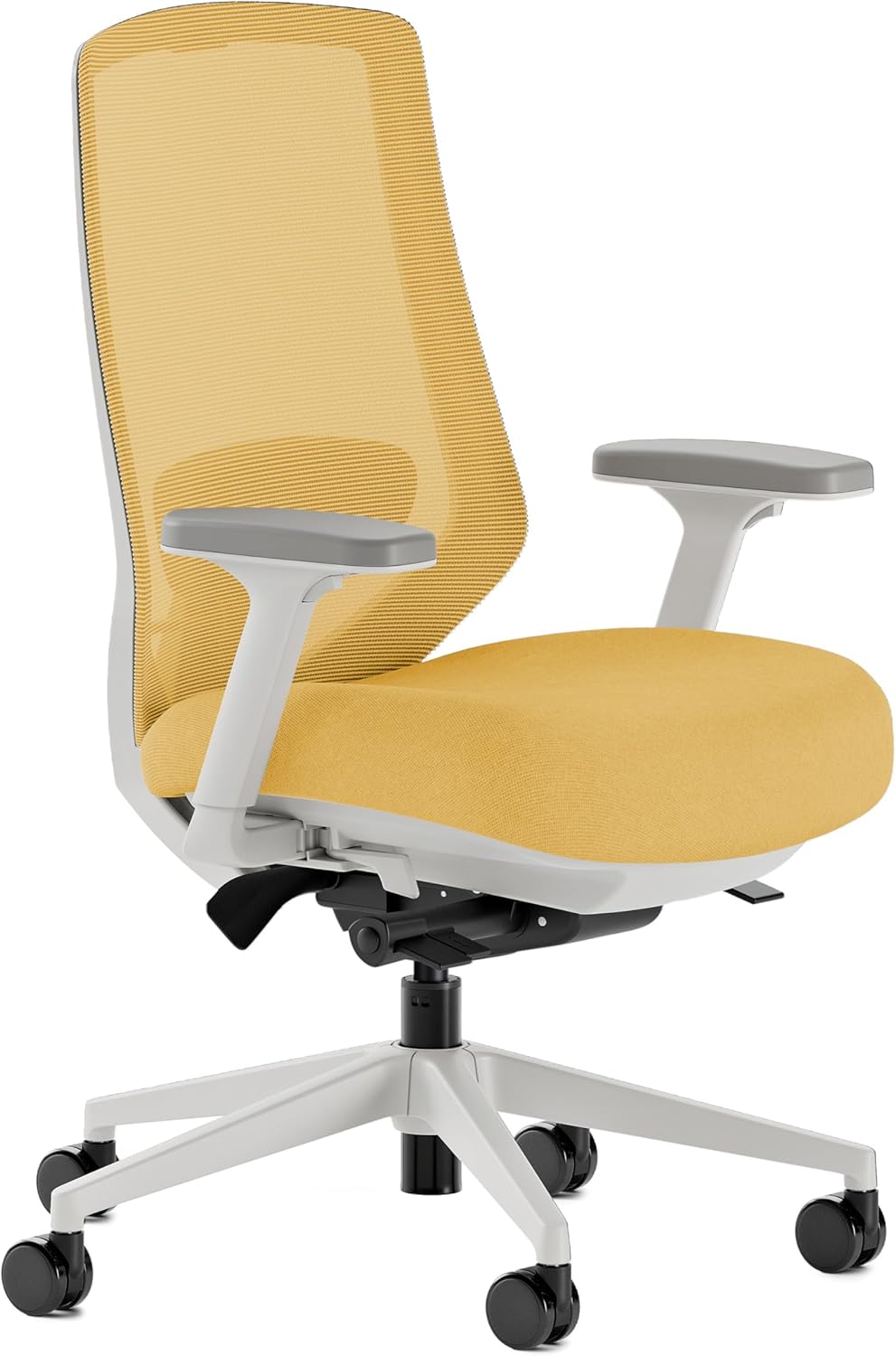
Price: ~$499 | Weight capacity: 275 lbs | Warranty: 7 years
The Branch Ergonomic Chair Pro has been recognized by WIRED, TechRadar, and Creative Bloq as one of the best mid‑priced ergonomic chairs. It offers 14 points of adjustment—the most in its class—plus 5D armrests that add lateral movement to standard 4D adjustments.
For programmers, the forward seat tilt is a standout feature: it helps you stay engaged when leaning into code[reference:12]. The chair also features height + depth adjustable lumbar, adjustable seat depth (16.7″–19.7″), and a breathable mesh back[reference:13]. The high‑density foam seat is thick and comfortable for all‑day use. Assembly takes about 15 minutes[reference:14].
The main weakness is the armrests, which some reviewers find a bit loose[reference:15]. The headrest is an additional cost.
✅ Pros:
- 14 adjustments—most in its price class
- 5D armrests (adds lateral movement)
- Forward seat tilt—great for leaning into focused coding
- Adjustable seat depth and height + depth lumbar
- 7‑year warranty and premium materials (powder‑coated aluminum base)
❌ Cons:
- Armrests feel loose to some users
- Headrest costs extra
- Weight capacity 275 lbs
Verdict: The Branch Ergonomic Chair Pro is the best mid‑range option for programmers who want premium adjustability without the premium price tag. The forward tilt feature alone is worth considering.
👉 Check price for Branch Ergonomic Chair Pro on Amazon →
5. Autonomous ErgoChair Pro – Best Budget with Headrest
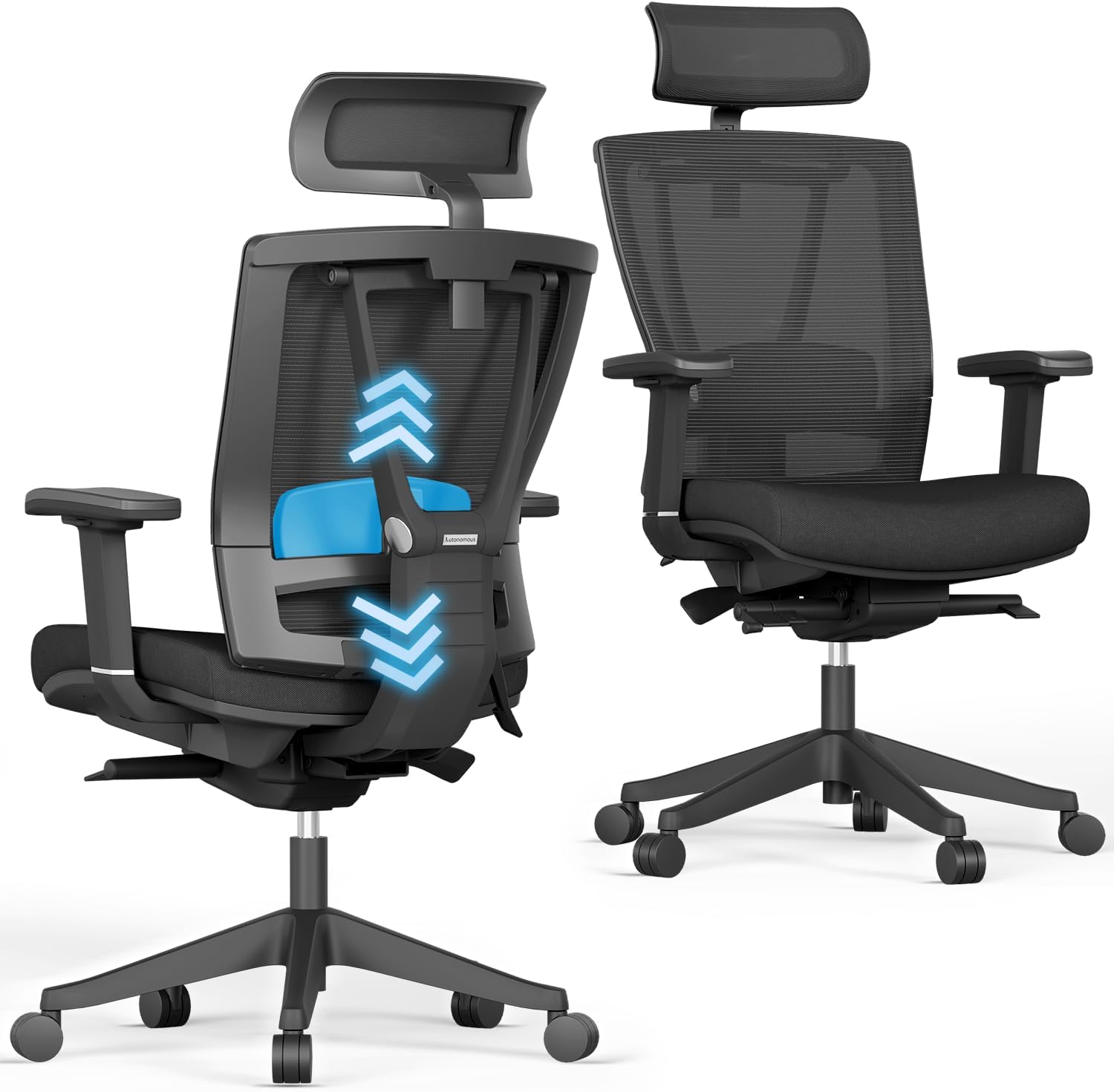
Price: ~$399–499 | Weight capacity: 300 lbs | Warranty: 2 years
The Autonomous ErgoChair Pro is a fantastic chair for programmers who want to prevent or soothe minor pain and correct posture. Its mesh back and neck padding are very comfy, and the lumbar support is great[reference:16]. The chair offers a high level of adjustability: seat depth, backrest tilt, 4D armrests, and a 5‑position lockable recline.
Important: The armrests and seat cushion aren’t well padded—thin padding and a lack of specialized ergonomic shaping mean this chair may not suit those with chronic pain[reference:17]. It also may not be the best for very tall users.
That said, for programmers just starting out or those on a tighter budget, the ErgoChair Pro offers great back and upper‑body support at a fair price. Build quality is mostly fine, and assembly is quick and easy[reference:18].
✅ Pros:
- Great lumbar support and breathable mesh back
- High level of adjustability (4D armrests, seat depth)
- Included headrest—rare at this price
- 5‑position lockable recline
- Good value for programmers on a budget
❌ Cons:
- Thin padding on armrests and seat
- Not ideal for very tall users
- Shorter 2‑year warranty
- Some users report quality control issues
Verdict: If you’re on a budget under $500 and want an included headrest, the Autonomous ErgoChair Pro is a solid choice. Just be aware of the thin padding and shorter warranty.
👉 Check price for Autonomous ErgoChair Pro on Amazon →
6. HON Ignition 2.0 – Best Budget Durability
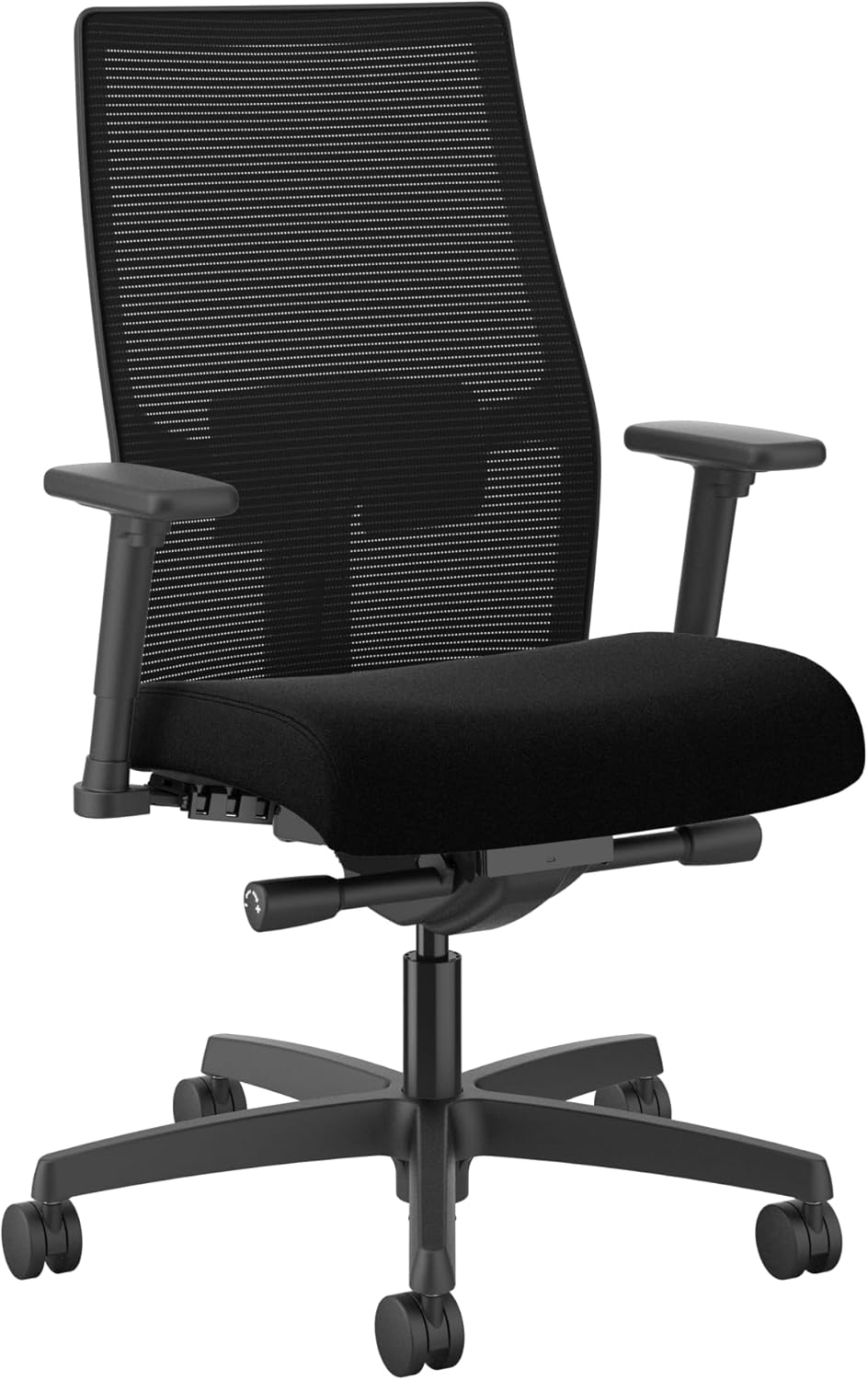
Price: ~$439 | Weight capacity: 350 lbs | Warranty: Limited lifetime (5 years on parts)
The HON Ignition 2.0 is a commercial‑grade chair used in corporate offices across the United States[reference:19]. It’s built to survive daily use for years, with a 350 lb weight capacity and adjustable lumbar support (height + depth). It also offers synchro‑tilt recline and adjustable armrests.
Customers say the chair is incredibly comfortable, with customizable lumbar support that helps reduce back pain. The mesh back keeps you cool, and the cushioned seat provides just the right amount of firmness. The chair is recommended for professional use 8–10 hours per day.
However, some users report that the seat padding is stiff upon arrival, and assembly instructions may be outdated. The armrests are height‑only (not 4D).
✅ Pros:
- 350 lb weight capacity—best under $500
- Height + depth lumbar adjustment
- Adjustable seat depth
- Commercial‑grade durability
- Breathable mesh back
❌ Cons:
- Armrests height‑only (no 4D)
- Seat cushion is firm—may need break‑in
- No headrest
- Outdated assembly instructions reported
Verdict: The HON Ignition 2.0 is the best budget durability choice for programmers who need a tough, reliable chair and can live without advanced armrest adjustability.
👉 Check price for HON Ignition 2.0 on Amazon →
7. Clatina Mellet – Best Under $300 for Programmers
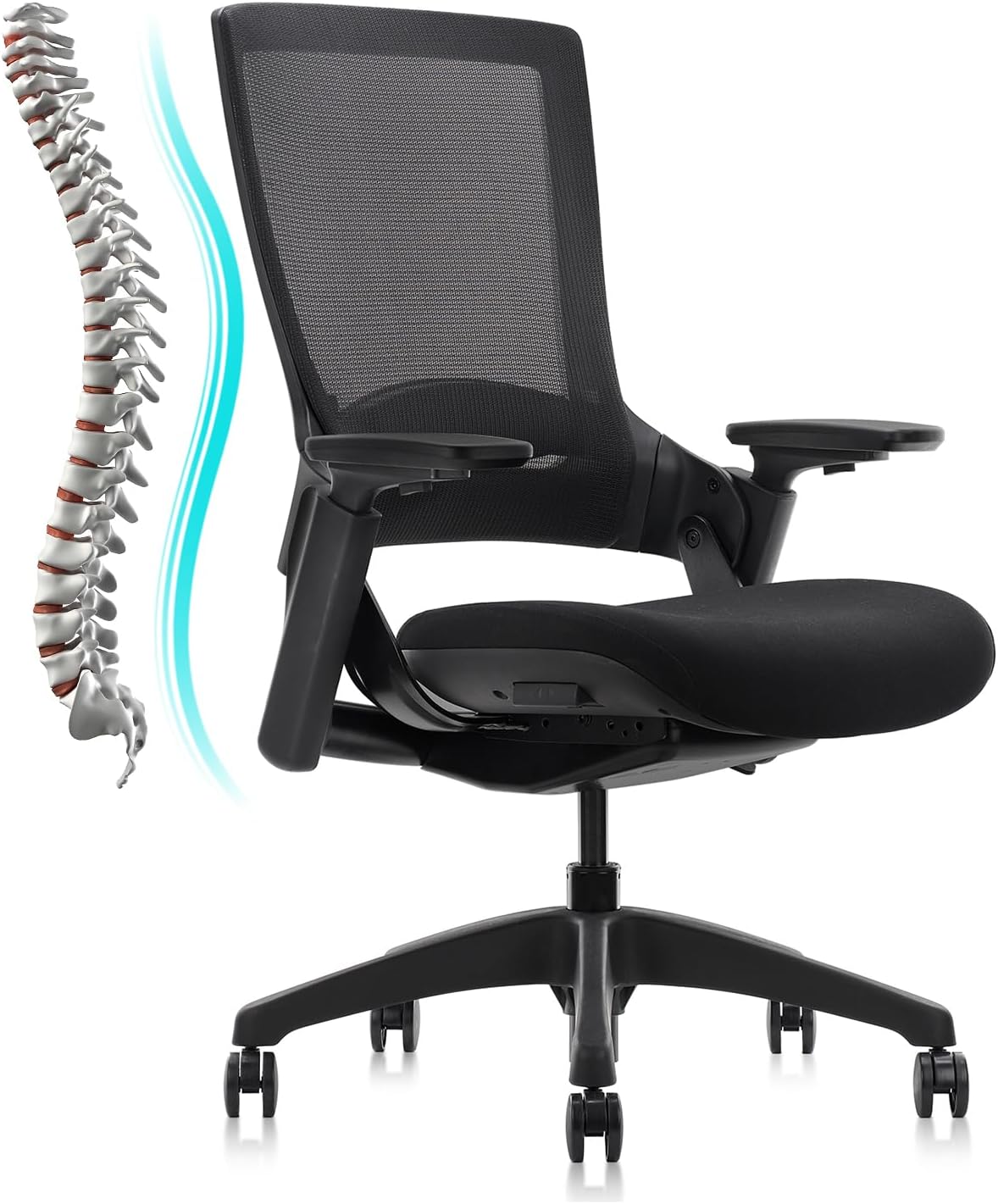
Price: ~$259 | Weight capacity: 350 lbs | Warranty: Limited
The Clatina Mellet is the lowest‑cost chair on this list that still offers genuine ergonomic features. It provides adjustable seat depth (18″–20″)—rare under $300—a thick 4″ foam seat cushion, and a height‑adjustable lumbar pillow.
The waterfall seat edge reduces pressure behind your knees, and the wide, flat seat allows cross‑legged sitting—a plus for programmers who like to shift positions. The 350 lb weight capacity is impressive at this price.
✅ Pros:
- Very affordable (~$259)
- Adjustable seat depth—rare under $300
- 350 lb weight capacity
- Thick, comfortable seat cushion (4″)
- Waterfall edge for leg circulation
❌ Cons:
- Lumbar is height‑only (no depth control)
- Armrests are basic (height only)
- Shorter backrest—less upper support
- Shorter warranty
Verdict: If you’re on a very tight budget (under $300), the Clatina Mellet is the best value. Just know that the lumbar is basic and the armrests lack advanced adjustability.
👉 Check price for Clatina Mellet on Amazon →
How to Choose Based on Your Budget
Use this simple decision guide to pick the right chair for your wallet and coding style:
👉 Unlimited budget / best lumbar adjustability: Steelcase Leap v2—most adjustable lumbar system (height + depth + firmness), LiveBack technology, 12‑year warranty.
👉 Unlimited budget / best breathability: Herman Miller Aeron—Pellicle mesh stays cool, PostureFit SL lumbar, 12‑year warranty.
👉 Mid‑range ($400–600): Branch Ergonomic Chair Pro—14 adjustments, 5D armrests, forward tilt. Best bang for your buck.
👉 Budget ($300–400): Sihoo Doro C300 Pro V2—dynamic self‑adapting lumbar, adjustable seat depth, 6D armrests.
👉 Tight budget ($300): Clatina Mellet—adjustable seat depth, 350 lb capacity, thick cushion. Best under $300.
Frequently Asked Questions (FAQ)
What is the best chair for programmers who code 8+ hours a day?
The Steelcase Leap v2 is the best overall for long coding sessions. Its LiveBack technology moves with your spine, and the adjustable lumbar (height + depth + firmness) allows you to dial in exactly the support you need. For breathability, the Herman Miller Aeron is the best choice. For budget, the Sihoo Doro C300 Pro V2 offers dynamic lumbar at a fraction of the cost.
Why do programmers need adjustable lumbar support?
Programmers constantly shift between leaning forward (to focus on code) and sitting upright (for meetings or reading). A fixed lumbar pad only works in one position; adjustable lumbar ensures your lower back stays supported in every posture. This reduces disc pressure and prevents chronic lower back pain over time.
Is mesh or fabric better for programmers?
Mesh is generally better for programmers who run hot or live in warm climates. It allows air circulation, preventing sweaty backs during long sessions. The Herman Miller Aeron’s Pellicle mesh is the gold standard. Fabric is softer and may be preferred in climate‑controlled offices.
Do programmers need 4D armrests?
Yes—programmers spend hours typing and mousing. 4D armrests (height, width, depth, pivot) let you position your elbows exactly where they need to be, keeping your shoulders relaxed and wrists straight. The Branch Ergonomic Chair Pro offers 5D armrests, adding lateral movement for even more precise positioning.
What is the best budget ergonomic chair for programmers under $300?
The Clatina Mellet is the best under $300. It offers adjustable seat depth (critical for proper back support), a thick 4″ cushion, and a 350 lb weight capacity. The lumbar is height‑only, not dynamic, but it’s excellent value for the price.
Are gaming chairs good for programmers?
Generally, no. Most gaming chairs have flat backrests and fixed lumbar pillows that do not adapt to movement. They also lack seat depth adjustment and can trap heat. Ergonomic office chairs from brands like Steelcase, Herman Miller, Sihoo, and Branch are significantly better for back health during long coding sessions.
How long do ergonomic chairs last for daily programming use?
Premium chairs (Steelcase Leap, Herman Miller Aeron) last 10–15+ years with daily use. Mid‑range chairs ($400–600) like the Branch Pro last 5–7 years. Budget chairs ($200–300) typically last 3–5 years. Refurbished premium chairs offer the best value—$500–800 for a chair that will last a decade.
Final Verdict: Which Chair Should Programmers Buy?
After researching dozens of chairs and analyzing programmer‑specific needs, here is my final recommendation:
👉 Best overall for programmers (unlimited budget): Steelcase Leap v2—most adjustable lumbar system, LiveBack technology, 12‑year warranty. Buy refurbished to save money.
👉 Best breathability for hot coders: Herman Miller Aeron (with PostureFit SL)—Pellicle mesh stays cool, targeted sacral + lumbar support, 12‑year warranty.
👉 Best value dynamic lumbar: Sihoo Doro C300 Pro V2—self‑adapting lumbar moves with you, adjustable seat depth, 6D armrests, great value at $400–600.
👉 Best mid‑range adjustability: Branch Ergonomic Chair Pro—14 adjustments, 5D armrests, forward tilt, 7‑year warranty.
👉 Best budget under $300: Clatina Mellet—adjustable seat depth, thick cushion, 350 lb capacity.
Most important advice: No matter which chair you choose, take the time to adjust it correctly. Set seat height so your feet are flat on the floor (use a footrest if needed). Adjust seat depth so you have 2–3 fingers of space behind your knees. Set lumbar support to hit the natural curve of your lower back (around your belt line). Position armrests so your shoulders stay relaxed. And stand up every hour—no chair can replace movement, even the best ergonomic chair.
👉 See today’s price for Steelcase Leap v2 on Amazon →
Related Articles
- Best Ergonomic Chairs for Programmers – More programmer‑specific picks
- Best Ergonomic Chair for Lower Back Pain – Focused on lumbar support
- Do 4D Armrests Matter? – Complete guide to armrest adjustability
- How to Choose an Ergonomic Chair – Complete buyer’s guide
- Mesh vs Cushion Office Chair – Material comparison for hot climates