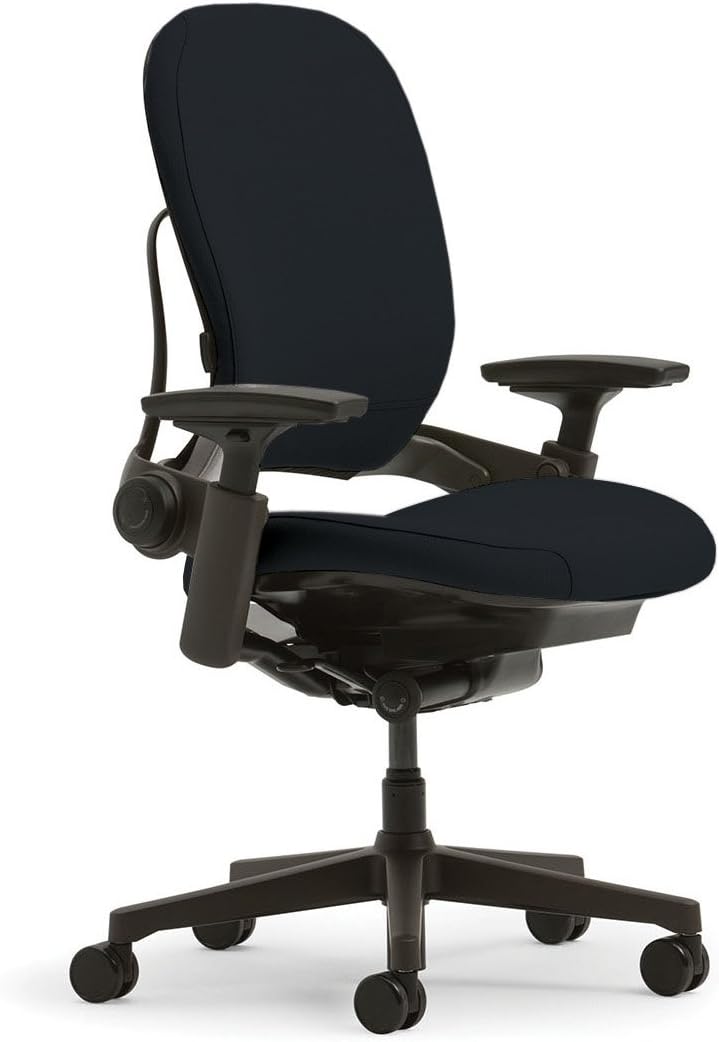
The Steelcase Leap is widely regarded as one of the best ergonomic office chairs ever made. For over two decades, it has competed head‑to‑head with the Herman Miller Aeron for the title of “best office chair.” But while the Aeron is famous for its breathable mesh and iconic design, the Leap is known for something arguably more important: dynamic back support that moves with you.
After researching hundreds of user reviews, analyzing technical specifications, and comparing the Leap against its top competitors, this review covers everything you need to know: design, adjustability, comfort, durability, pricing, and whether you should actually buy one in 2026.
Quick Verdict: Is the Steelcase Leap Worth It?
Yes — especially if you have back pain. The Leap’s LiveBack technology is genuinely different from any other chair on the market. Instead of forcing you to sit in one “correct” posture, the backrest flexes and moves as you shift positions throughout the day. The chair adapts to you — not the other way around.
The Leap offers exceptional adjustability: seat depth, 4D armrests, lumbar height/depth/firmness, and a recline that feels natural and smooth. Many users report that the Leap eliminated their back pain within weeks of switching .
However, the Leap is expensive (around $1,200+ new), the seat cushion can feel firm to some users, and the fabric upholstery traps more heat than mesh chairs like the Aeron. If you sit 8+ hours daily and value back health above all else, the Leap is a lifetime investment worth making.
👉 Check today’s price for Steelcase Leap on Amazon →
Steelcase Leap: Overview
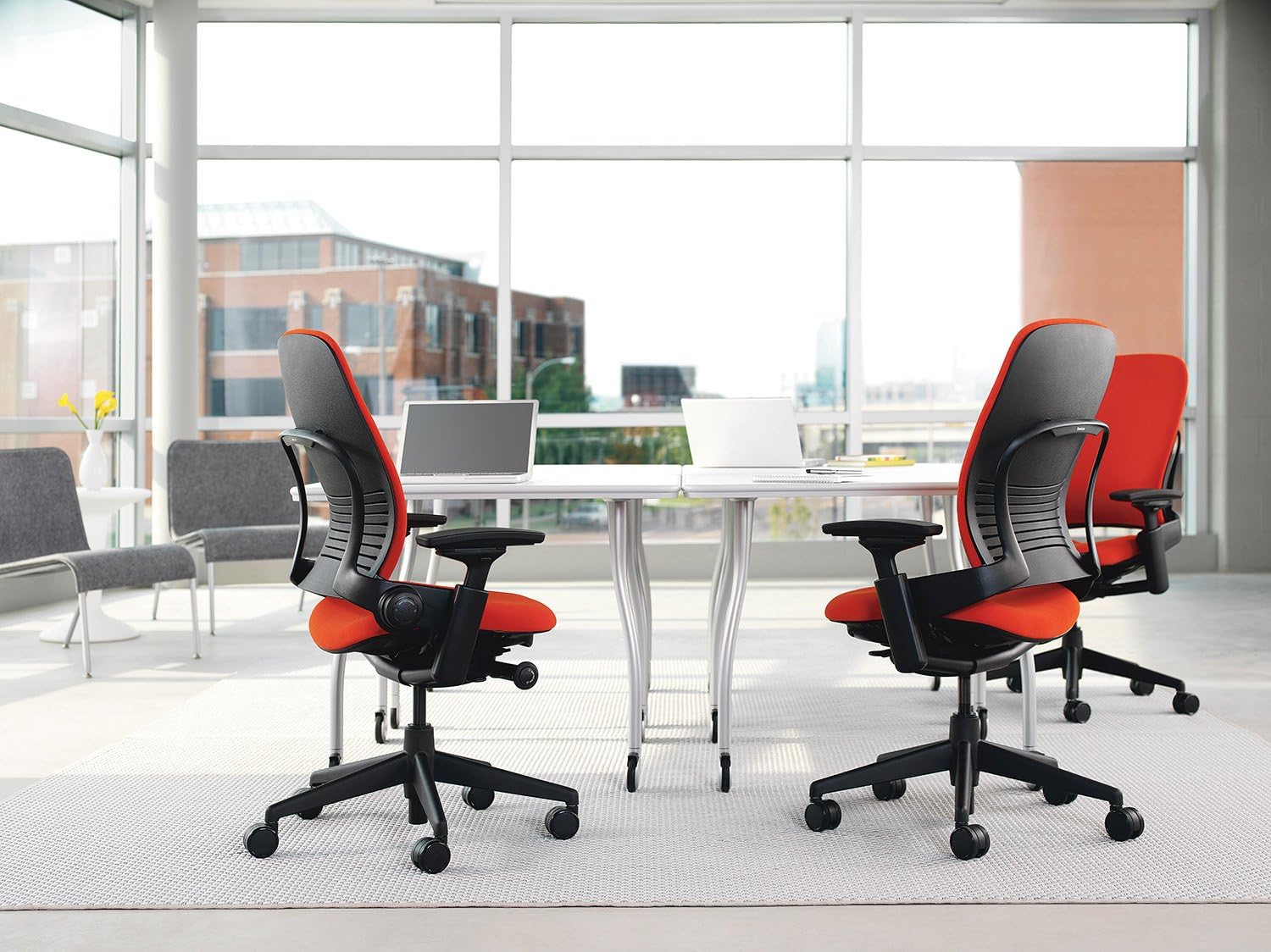
The Steelcase Leap was first launched in 1999 and has been continuously improved through multiple generations (the current version is often called the Leap v2). It was designed around a revolutionary concept: instead of forcing users into a single “correct” posture, the chair should support natural movement throughout the day .
This philosophy led to the development of LiveBack® technology — a flexible backrest that mimics the natural motion of the human spine. As you recline, the backrest flexes and changes shape to maintain contact with your back at every angle. This is the Leap’s signature feature and the main reason people choose it over competitors.
Specifications at a Glance:
- Price: $1,200 – $1,700 (depending on configuration)
- Weight capacity: 300 lbs (standard), up to 400 lbs with optional kit
- Sizes: One size fits most (adjustable, unlike Aeron’s multiple sizes)
- Seat material: High-density foam with fabric upholstery
- Back material: LiveBack flexible polymer with fabric cover
- Lumbar support: Height + depth + firmness adjustable
- Armrests: 4D adjustable (height, width, depth, pivot)
- Seat depth: Adjustable (continuous slide)
- Recline: Synchro-tilt with adjustable tension + multiple lock positions
- Warranty: 12 years
Design and Build Quality (4.5/5)
The Leap is built for commercial use. It’s designed to withstand years of daily use in corporate environments, and that durability shows. The frame uses reinforced polymer and metal components, the gas lift is commercial‑grade, and the casters roll smoothly on both carpet and hard floors .
Unlike the Aeron’s futuristic mesh aesthetic, the Leap looks more like a traditional office chair — professional and understated rather than flashy. It’s available in dozens of fabric colors and finishes, allowing you to customize the look to match your office.
One notable advantage over the Aeron: the Leap comes in one size that fits most users through extensive adjustability. You don’t need to worry about choosing the wrong size (A/B/C) — the chair adjusts to you. However, very tall users (over 6’4″) may find the backrest height insufficient, and very short users (under 5’2″) may need a footrest .
A real user on BTOD.com shared their experience after extensive research:
“I can say with 100% certainty that the comfort of the seat was better than the chairs that I tested… The upholstery work is excellent and beyond expectations. The fabric is perfectly installed with clean edges and no wrinkles. The attention to detail in the upholstery is remarkable.”
Comfort and Ergonomics (5/5)
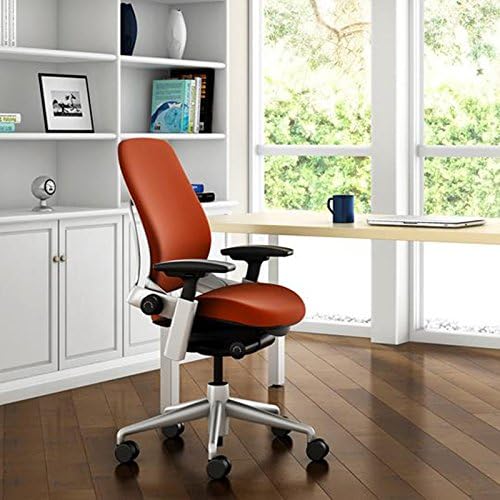
This is where the Leap truly shines. The LiveBack technology is not marketing hype — it genuinely works differently from any other chair.
LiveBack Technology: The Game Changer
The Leap’s backrest is made of flexible polymer ribs that move independently. When you sit upright, the backrest is firm and supportive. As you recline, the ribs flex and the point of maximum support moves up your spine, maintaining contact with your lumbar region at every angle .
This is fundamentally different from chairs with fixed backrests (like most budget chairs) or even the Aeron’s tension‑based recline. The Leap moves with your spine instead of against it.
One reviewer described the experience:
“The way the back moves with me when I lean back feels like it’s holding my spine in place. I don’t have to ‘remember’ to sit correctly. The chair adapts.”
Lumbar Support: Highly Adjustable
The Leap features adjustable lumbar support that can be customized in three ways: height, depth (how far it pushes into your back), and firmness. This level of lumbar control is rare even among premium chairs .
For users with existing lower back pain, this adjustability is essential. You can dial in exactly the amount of pressure and support your spine needs.
Steelcase’s own store reviews confirm the back pain relief benefits:
“Before this chair I had a chair that would make my back hurt after 1-2hrs which led me to sitting on my couch or laying in bed when I WFH. Now I can sit at my desk all day with no back pain. Truly worth the investment.” — Adriana L., verified buyer
Seat Comfort: Firm but Supportive
The Leap uses high‑density foam rather than mesh. This means it feels more like a traditional “cushioned” chair than the Aeron’s mesh seat. However, some users find the foam too firm — especially if they’re coming from a plush executive chair.
One user review noted:
“The chair cushion is not supportive enough. I am 5ft 10 and weigh 180lbs. It needs more padding for me.”
Another user disagreed:
“The seat feels excellent. It has supportive base padding combined with a softer comfort layer. Since I often sit for nine to ten hours a day, this upgrade was important to me.”
Note: Some refurbishers (like BTOD) offer upgraded seat padding with an extra half‑inch of foam. If you’re concerned about firmness, this may be worth considering .
Breathability: Not the Leap’s Strength
Because the Leap uses foam and fabric upholstery (rather than mesh), it traps more heat than the Aeron. Users in warm climates or those who tend to sweat may find the Leap too warm during long workdays .
Steelcase has improved breathability in newer models with perforated foam and better airflow channels, but it still can’t match the Aeron’s open‑weave Pellicle mesh. If breathability is your top priority, the Aeron is a better choice.
Adjustability (5/5)
The Leap is one of the most adjustable chairs on the market. Here’s everything you can adjust :
- Seat height: Pneumatic lift with a wide range
- Seat depth: Continuous slide adjustment (rare and valuable — ensures proper thigh support without knee pressure)
- Armrests: 4D adjustment (height, width, depth, pivot) — some of the best in the industry
- Lumbar support: Height, depth, and firmness adjustable
- Recline tension: Dial under the seat adjusts resistance
- Recline lock: Multiple positions including an upright lock
- Backrest height: The LiveBack system provides natural height adjustment through its flex zones
The seat depth adjustment is particularly valuable. Many chairs (including the base Aeron) have fixed seat depths, which can cause problems for shorter or taller users. With the Leap, you can slide the seat forward or backward to ensure proper thigh support and proper space behind your knees .
Note on upright lock: Some users report that the “upright back lock” doesn’t fully lock — there is still some give. One reviewer wrote: “The upright back function won’t hold. I bought this chair because I hate leaning back. I wish it would stay upright and not lean back” .
This appears to be by design — the Leap is meant to move with you, not lock completely rigid. If you need a chair that locks perfectly upright, this may be frustrating.
Durability and Longevity (4.5/5)
The Leap is built to last. Steelcase offers a 12‑year warranty, and many users report owning their Leaps for 10+ years with minimal issues. The chair is constructed with commercial‑grade components designed for continuous use in office environments .
However, there are some durability considerations:
- Foam compression: Like all foam cushions, the Leap’s seat foam may compress over time, especially for heavier users (over 220 lbs). This typically happens after 7‑10 years of daily use .
- Fabric wear: The fabric upholstery can show wear over time, particularly in high‑friction areas.
- Mechanical parts: The gas lift and tilt mechanism are replaceable, extending the chair’s lifespan.
Compared to the Aeron’s mesh (which doesn’t sag), the Leap requires more maintenance attention over a 10+ year ownership period. However, replacement parts are available, and many refurbishers can restore a worn Leap to like‑new condition .
Leap vs Aeron: How Do They Compare?
Since the Leap’s main competitor is the Herman Miller Aeron, here’s a direct comparison:
| Feature | Steelcase Leap | Herman Miller Aeron |
|---|---|---|
| Back Support | LiveBack dynamic — moves with you | PostureFit SL — fixed, supports sacrum |
| Seat Material | Foam + fabric (cushioned) | Pellicle mesh (breathable) |
| Seat Depth | Adjustable (continuous slide) | Fixed (choose size A/B/C) |
| Lumbar Adjustment | Height + depth + firmness | Height + depth only (PostureFit) |
| Armrests | 4D adjustable | 4D adjustable |
| Breathability | Good | Excellent (best in class) |
| Sizing | One size fits most | 3 sizes (A, B, C) |
| Tall Users (6’2″+ ) | May lack upper back support | Size C works well |
| Cross‑legged Sitting | Yes (wide flat seat) | No (hard plastic frame) |
| Price (new) | $1,200–$1,700 | $1,300–$1,800 |
| Warranty | 12 years | 12 years |
Which one wins? It depends on your priorities:
- Choose the Leap if: You have back pain, want dynamic support that moves with you, prefer cushioned seats, or like to sit in multiple positions (including cross‑legged).
- Choose the Aeron if: You run hot, want the most breathable chair, prefer firm mesh seats, or like the iconic design.
One user who tested both shared their experience:
“Initially drawn to the Aeron’s sleek look and cooling mesh, I found that after four hours of coding, my lower back started to fatigue — particularly when leaning forward. Switching to the Leap, I noticed immediate improvement. The LiveBack system maintained support even when reclining to brainstorm or leaning forward to debug code. Within two weeks, my back pain decreased significantly.”
Who Is the Leap For? (And Who Should Avoid It)
✅ Buy the Leap if:
- You have existing back pain (especially lower back pain)
- You move around a lot in your chair — shift positions, recline, lean forward
- You prefer cushioned seats over mesh (Aeron’s mesh is too firm for some)
- You like to sit cross‑legged or in multiple positions
- You want extensive adjustability (seat depth, full lumbar control, 4D arms)
- You don’t want to worry about sizing (one size fits most)
- You work in a climate‑controlled office (breathability isn’t a top concern)
❌ Avoid the Leap if:
- You run hot or live in a warm climate (fabric traps heat)
- You prefer very firm mesh seats (the Aeron is better)
- You are very tall (over 6’4″) — may need more upper back support
- You want a chair that locks completely upright (Leap has some give)
- You are on a tight budget — many good chairs exist under $500
New vs Refurbished: Which Should You Buy?
The Leap is expensive new ($1,200+), but there is a robust refurbished market. Refurbished Leaps typically cost $500–$800 from reputable sellers like BTOD or Crandall Office Furniture.
New Leap Advantages:
- Full 12‑year warranty
- Brand new foam and fabric (no wear)
- Latest version with all improvements
- Choose any color/fabric combination
Refurbished Leap Advantages:
- Much lower price (often half or less than new)
- Many refurbishers add upgraded padding (extra foam)
- Environmentally friendly (keeps chairs out of landfills)
- Often includes new casters, gas lift, and arm pads
A word of caution on cheap deals: One investigative report found that “new open‑box” Leaps on eBay for $299 were actually refurbished chairs from 2007 with spray‑painted frames and stapled‑on upholstery — definitely not worth it. Always buy from reputable refurbishers with good return policies.
A detailed refurbished buyer review shared their positive experience:
“I spent a significant amount of time researching refurbished chairs… The customer service was honestly exceptional. The upholstery work is excellent and beyond expectations. The fabric is perfectly installed with clean edges and no wrinkles. If I did not know the chair was refurbished, I would assume it was new.”
Pros and Cons Summary
✅ Pros:
- LiveBack technology provides dynamic back support that moves with you — best in class
- Highly adjustable: seat depth, 4D armrests, lumbar height/depth/firmness
- Excellent for back pain relief — many users report elimination of pain
- One size fits most — no need to worry about A/B/C sizing
- Wide flat seat allows cross‑legged sitting (unlike Aeron)
- Commercial‑grade durability (12‑year warranty)
- Smooth, natural recline mechanism
- Strong refurbished market offers more affordable options
❌ Cons:
- Very expensive new ($1,200–$1,700)
- Less breathable than mesh chairs (can get warm)
- Seat cushion firmness is polarizing — some find it too firm
- Upright lock doesn’t fully lock (some give remains)
- Tall users (over 6’4″) may find backrest too short
- Fabric may show wear over time
- Heavier than mesh chairs (more difficult to move)
Frequently Asked Questions (FAQ)
Is the Steelcase Leap worth the money?
Yes — if you sit 8+ hours daily and value back health. The Leap is an investment in your spine that will last 10‑15 years. For people with existing back pain, many users report that the Leap eliminated their discomfort within weeks . However, if you only sit a few hours a day, a $300‑500 chair like the Ticova may be sufficient.
Is the Leap good for back pain?
Yes — this is the Leap’s primary strength. The LiveBack technology provides dynamic lumbar support that moves with you, and the adjustable lumbar (height + depth + firmness) allows precise tuning for your spine. Many physical therapists and ergonomists recommend the Leap for clients with chronic back pain.
Leap vs Aeron: which is better?
There is no universal answer — it depends on your preferences. The Leap wins on back support (dynamic/moving), seat cushioning (plush foam), and adjustability (seat depth). The Aeron wins on breathability (mesh), durability (mesh doesn’t sag), and iconic design. Try both if possible before buying.
Does the Leap come with a headrest?
No — Steelcase does not sell a factory headrest for the Leap. However, aftermarket headrests are available from third‑party manufacturers. Some users don’t miss it, while others consider it a necessary add‑on for neck support during recline.
Can I sit cross‑legged in a Leap?
Yes — unlike the Aeron (which has a hard plastic frame that digs into your legs), the Leap has a wide, flat seat with no hard edges, making cross‑legged sitting comfortable .
How long does the Leap last?
With proper care, 10‑15 years. The 12‑year warranty covers defects, and replacement parts are available. The foam cushion may compress after 7‑10 years, but many refurbishers offer replacement foam upgrades .
Is the Leap good for tall people?
For users up to about 6’2″ — yes. For users over 6’4″, the backrest may be too short to provide adequate upper back support. Taller users often prefer the Aeron Size C, which has a taller backrest.
Is the Leap good for short people?
Yes — the extensive adjustability (including seat depth) allows the chair to fit shorter users well. Users as short as 5’2″ have reported good experiences. You may need a footrest if the lowest seat height is still too high .
Can I buy a Leap on Amazon?
Yes — Steelcase sells through authorized dealers on Amazon. However, be careful with third‑party sellers. Many “open box” or “new” Leaps on eBay and other marketplaces are actually poorly refurbished old chairs . Stick with authorized dealers or reputable refurbishers.
What is the difference between Leap v1 and v2?
The current version is the Leap v2 (often just called “Leap”). The v2 has improved armrests, a redesigned backrest, and better upholstery attachment methods. Unless you’re buying used, you’ll likely get a v2. Avoid very old v1 models (pre‑2005) unless they’ve been fully refurbished.
Final Verdict: Should You Buy the Steelcase Leap in 2026?
The Steelcase Leap is one of the best ergonomic chairs ever created. Its LiveBack technology is genuinely innovative and provides back support that no other chair can match. For people with back pain, those who move around throughout the day, or anyone who simply wants the best, the Leap is an excellent choice.
However, the Leap is not for everyone. The high price, fabric upholstery (which traps heat), and firm seat cushion are real drawbacks for some users. If you run hot or prefer mesh seats, the Aeron is a better fit. If you’re on a tight budget, a $300‑500 chair like the Ticova or Sihoo Doro C300 may serve you well.
My recommendation: If you can afford it and you prioritize back health above all else, buy the Leap. Get the 4D armrests, consider upgraded padding if you’re sensitive to firm seats, and buy from a reputable dealer (or a trusted refurbisher like BTOD or Crandall). Your back will thank you.