Beginner’s Ergonomic Guide
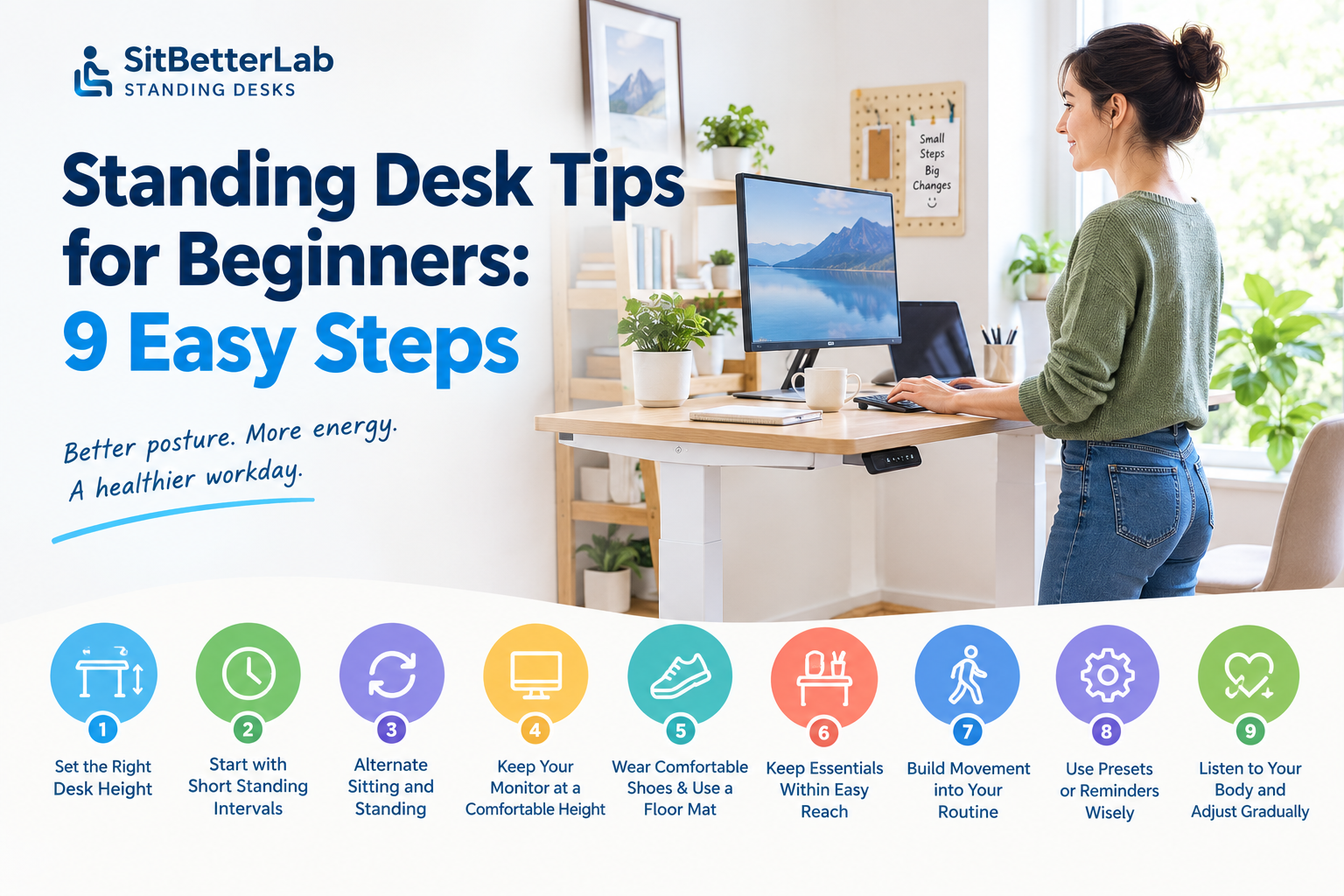
9 Standing Desk Tips for a More Comfortable Workday
A standing desk can make it easier to change positions throughout the workday, but simply raising your desk and standing for hours is not the goal. The best results come from a comfortable workstation, regular movement, and a routine you can maintain.
Start with these three basics
1. Set the keyboard and mouse near elbow height.
2. Alternate between sitting and standing instead of standing all day.
3. Change positions regularly and pay attention to discomfort.
1. Adjust Your Desk to the Right Height
The first step is setting the desk to a comfortable working height. A desk that is too high can cause your shoulders to rise, while one that is too low may encourage you to lean forward or bend your wrists.
When standing, relax your shoulders and bend your elbows to approximately 90 degrees. Adjust the desktop so your keyboard and mouse sit around elbow height. Your wrists should remain relatively straight as you type.
- Keep your shoulders relaxed rather than raised.
- Position your keyboard close enough that you do not need to reach forward.
- Keep your mouse beside the keyboard to reduce unnecessary reaching.
- Recheck the setup after changing shoes or moving to a different workstation.
For more detailed measurements, see our guide to standing desk height and ergonomic setup.
2. Start with Short Standing Intervals
If you are used to sitting for most of the day, do not force yourself to stand for several consecutive hours. Start with short, manageable intervals and increase them gradually as your body adapts.
For example, you might begin by standing for 10–15 minutes at a time, then sit again before fatigue builds. This is a starting point rather than a medically established rule; your comfortable interval may be shorter or longer.
Beginner tip
The goal is not to hit a particular number of standing hours. It is to reduce long, uninterrupted periods in one position and find a sustainable pattern of movement.
3. Alternate Between Sitting and Standing
A standing desk is most useful when it gives you another comfortable working position. Standing all day can cause fatigue in your feet, legs, and lower back, just as prolonged sitting can leave you feeling stiff.
Try linking position changes to natural breaks in your workday, such as after finishing a meeting, completing a task, or returning from lunch. A timer or desk reminder can help until the routine becomes automatic.
There is no single sit-to-stand ratio that suits everyone. Adjust your schedule based on comfort, workload, and any guidance you have received from a healthcare professional.
4. Keep Your Monitor at a Comfortable Height
Raising the desk changes your relationship with the monitor, keyboard, and mouse. Check the whole workstation each time you change from sitting to standing rather than adjusting only the desktop.
- Place the monitor directly in front of you to reduce repeated neck turning.
- Position the screen so you can view it without repeatedly bending your neck forward or tilting your head upward.
- Keep the screen at a comfortable distance, usually about an arm’s length as a starting point.
- Increase text size or display scaling if you find yourself leaning toward the screen.
- If you use a laptop for long work sessions, consider an external keyboard and mouse when the laptop is raised to eye level.
If your monitor is difficult to position, a monitor stand or adjustable monitor arm may help. Make sure any accessory is compatible with your desk and does not exceed its load limits.
5. Wear Comfortable Shoes and Consider a Floor Mat
Standing on a hard floor for long periods can make your feet and legs uncomfortable. Supportive footwear may help, and an anti-fatigue mat can provide a softer surface for some workspaces.
Choose a mat that lies flat, does not slide easily, and does not create a tripping hazard. A mat is optional rather than essential, and it should not be used to justify standing through discomfort.
You can also shift your weight gently and take brief walking breaks. Avoid locking your knees or remaining completely still for long stretches.
6. Keep Frequently Used Items Within Easy Reach
Good ergonomics is not just about the desk height. If you frequently reach for a phone, notebook, mouse, or other accessory, the placement of those items affects your posture too.
- Keep the keyboard and mouse near the front of the desk.
- Place frequently used items within easy reach.
- Keep cables organized so the desk can move safely through its full height range.
- Avoid piling heavy equipment on a narrow edge or an accessory tray that is not rated for the load.
Before raising or lowering an electric desk, check that cables are not caught and that nearby furniture will not obstruct movement.
7. Build Movement into Your Routine
Changing from sitting to standing is one way to vary your posture, but standing still is not the same as being physically active. Brief movement breaks can complement a sit-stand routine.
Depending on your space and comfort, you might walk to refill your water, take a short break between meetings, or do a few gentle shoulder rolls. Small, regular opportunities to move are often easier to maintain than an ambitious routine that interrupts your work.
If you want to add stretching or exercises, choose movements appropriate for your ability and stop if they cause pain, dizziness, or other concerning symptoms.
8. Use the Desk’s Presets or Reminders Wisely
If your electric standing desk has programmable height presets, save a comfortable sitting height and a comfortable standing height. This makes transitions easier and reduces the need to guess your settings each time.
Some desks also include reminder functions or app-based controls. These can help establish a routine, but they are not necessary. A calendar reminder or simple timer can work just as well.
Do not assume all desks use the same controls or reset procedure. If the desk stops moving, displays an error, or becomes uneven, consult the manufacturer’s instructions rather than forcing the lifting mechanism.
Need help with a malfunctioning desk? Read our standing desk reset guide.
9. Listen to Your Body and Adjust Gradually
Some initial adjustment is normal when you change your work routine, but persistent pain is not a goal to push through. If standing causes increasing foot, knee, hip, or back discomfort, shorten the interval, sit down, and reassess your setup.
Check whether the desk is too high or low, whether your shoes are supportive, and whether you are remaining in one position too long. If pain persists, worsens, or interferes with normal activities, seek appropriate medical advice.
People with existing medical conditions, balance difficulties, or specific mobility needs may need an individualized approach to alternating between sitting and standing.
A Simple Beginner Standing Desk Schedule
Use this example as a flexible starting point, not a strict prescription. Shorten or lengthen the intervals according to your comfort and work demands.
Common Standing Desk Mistakes to Avoid
Standing all day
Alternate positions and move regularly rather than replacing one prolonged posture with another.
Ignoring monitor height
Recheck screen position after raising the desk to avoid unnecessary neck bending.
Locking your knees
Keep a relaxed stance and shift position naturally instead of standing rigidly.
Using an unsuitable desk height
Set the keyboard near elbow height and keep shoulders relaxed.
Ignoring discomfort
Sit down, reassess the setup, and seek advice if pain persists or worsens.
Forgetting cable clearance
Check cables and surrounding objects before operating an adjustable desk.
Frequently Asked Questions
How long should a beginner stand at a standing desk?
Start with short intervals that feel comfortable and adjust gradually. There is no universally correct duration for everyone. The aim is to vary your posture throughout the day, not to achieve a fixed number of standing hours.
Should I stand all day if I buy a standing desk?
No. Prolonged standing can also cause discomfort and fatigue. A sit-stand desk is designed to make position changes easier, so use both sitting and standing positions and take movement breaks.
Should my arms be straight when using a standing desk?
Your elbows should generally remain bent and close to your sides, with your shoulders relaxed. Keep your wrists relatively straight when typing and adjust the desk until the keyboard feels comfortable.
Do I need an anti-fatigue mat?
No. An anti-fatigue mat is optional, but it may improve comfort for some people standing on hard floors. Supportive shoes, regular movement, and sensible standing intervals also matter.
Can a standing desk improve posture?
It can make it easier to change positions and adjust your workstation, but simply standing does not guarantee better posture. Desk height, screen placement, movement habits, and individual comfort all influence your setup.
Final Takeaway
The best standing desk routine is one you can maintain comfortably. Start with the right desk height, use short standing intervals, alternate positions, and keep your monitor and keyboard properly aligned.
If you are still choosing a desk, browse our Standing Desks Hub for buying guides and practical advice on creating a more flexible workspace.