
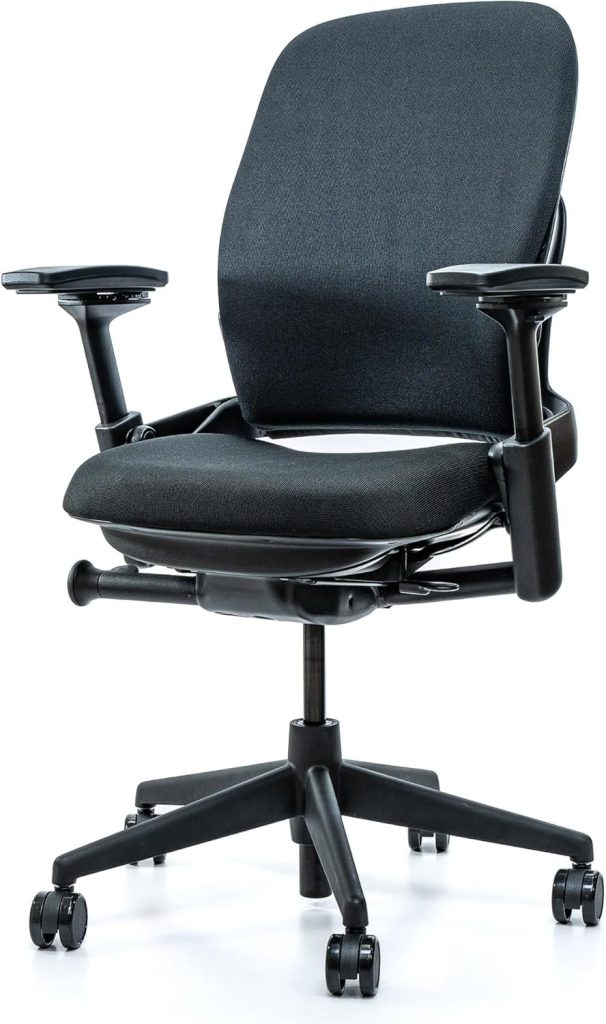
Somewhere around 2 p.m., your shoulders do that slow slide forward — chin reaching for the screen, lower back starting a familiar, dull ache. You’ve tried stretch breaks and posture reminder apps, but the slouch wins by hour three. That’s why I get asked about chairs that are good for posture more than almost any other ergonomics question.
I’ve spent years testing and recommending ergonomic seating for desk workers. Here’s the honest truth: no chair will force you to sit perfectly. But the right one can make an upright, neutral spine the lazy default instead of a constant fight.
Below are the five models I’d recommend for 2026, plus true budget picks, kneeling and saddle alternatives, and a simple setup guide that takes about five minutes.
🔍 Why a Posture Chair Is Worth It: Key Features That Protect Your Spine
A “posture chair” isn’t a magical curved seat. It’s an ergonomic chair that lets you move each support point to match your body — your height, your arm length, your spine’s natural curve.
The more adjustments a chair has, the easier it is to keep your ears, shoulders, hips, and ankles stacked in a neutral line. That neutral line is what people actually mean by “good posture.”
Here’s what I look for in any chair I test:
- Lumbar support that moves up, down, and in depth. It should sit at your belt line, pressing gently into the curve of your lower back — not floating too high or digging in too hard.
- Seat depth adjustability. When you sit back, you want about two to four finger widths of space between the seat edge and the back of your knees.
- A wide seat height range. Your feet should rest flat on the floor with knees near a 90-degree angle and hips sitting slightly above knee height.
- Adjustable armrests. Elbows should rest at about 90 degrees, letting your shoulders relax instead of hiking up toward your ears.
- Recline with tension control and lockable positions. A chair that only locks at exactly 90 degrees works against your body; a slight recline of 100–110 degrees can ease strain on your lower back.
You don’t need a $1,500 chair to sit well. But you do need a chair with real adjustments — not a one-size-fits-all curved backrest that does nothing for your specific spine.
🏆 The 5 Best Chairs for Posture Support in 2026 (Compared)
I tested these based on adjustability range, lumbar support quality, build materials, warranty, and whether the price actually matches what you get. All five earned a spot for different reasons and body types.
1. Herman Miller Aeron – Best Overall Posture Chair
The Aeron has anchored ergonomic offices for decades, and it still earns the top spot in 2026. Its 8-zoned suspension mesh cradles your hips and shoulders without creating pressure points, and it breathes far better than padded foam during long sessions.
It comes in three sizes — A for smaller frames, B for average builds, and C for taller or wider users — so the “fit” starts before you even touch an adjustment. The tilt controls and armrests are smooth and precise.
The PostureFit SL sacral support is the feature that makes it shine for posture: it gently tilts your pelvis forward, which helps you keep the natural curve in your lower back rather than collapsing into a C-shape.
- Breathable mesh — great for warm rooms and long wear
- Three frame sizes for a true fit
- Backed by a 12-year Herman Miller warranty
- Expensive — most buyers pay well over $1,200
- The firm mesh seat isn’t for everyone
- You need to pick the right size or it won’t feel right
2. Steelcase Leap V2 – Best for Precise Lumbar Adjustment
If the Aeron is the gold standard for support, the Leap V2 is the gold standard for adjustability. Its LiveBack flexors let the backrest bend and move with you as you shift from typing to leaning back to reaching for your coffee.
You get independent upper and lower lumbar controls, meaning you can tune support for the curve in your mid-back and the curve in your lower back separately. Few chairs offer that level of precision.
The seat depth slides, the armrests move in four directions, and the recline tension adjusts without tools. It feels less “cradled” than the Aeron but more responsive to the way your spine actually moves.
- Independent upper and lower back support
- 4D adjustable armrests
- Durable build that survives daily 8+ hour use
- Heavy — moving it between rooms is a workout
- Upholstered back can show wear over years
- New units run well over $1,000
3. Sihoo Doro C300 – Best Self-Adjusting Lumbar
The Doro C300 uses a dynamic lumbar support that springs backward and forward as you move. That means it doesn’t just hold one position — it follows your spine when you lean in to type or sit back to think.
It also reclines up to 135 degrees, which is more than many chairs double its price. The mesh back keeps you cool, and the headrest actually lines up with your neck for most heights.
Is it as refined as the Leap V2? No. The seat cushion is on the firmer side, and taller users over about 6 feet may want more seat depth. But for under $300, the support-to-price ratio is stellar.
- Adaptive lumbar that moves with your back
- 135-degree recline for posture reset breaks
- Breathable mesh at a mid-range price
- Firm seat may not suit lighter users
- Not ideal for very tall or heavy frames
- Assembly takes about 30 minutes
4. Branch Ergonomic Chair – Best Under $500 Overall
The Branch Ergonomic Chair is my go-to recommendation for remote workers who want serious adjustability without a four-figure receipt. It includes a seat depth slider, adjustable lumbar, and 4D armrests — features you usually have to spend $700+ to get.
The mesh back cradles your spine nicely, and the seat cushion strikes a balance between soft and supportive. It’s rated to support up to 300 pounds, and Branch backs it with a five-year warranty and 30-day return window.
Where it falls short of the premium chairs: the recline isn’t as smooth, and the lumbar support, while adjustable, has a narrower range. For most desk workers under 6 feet tall, though, it’s a fantastic fit.
- Strong adjustability for the price
- Clean, modern look for home offices
- Five-year warranty with 30-day returns
- Lumbar range is narrower than premium chairs
- Some buyers report it runs small for tall users
5. Autonomous ErgoChair Pro – Best for Larger Frames
The ErgoChair Pro has been a work-from-home staple for years, and it holds up. You get a tall backrest, adjustable lumbar, headrest, and four-direction armrests, plus a recline that locks anywhere from 90 to 120 degrees.
What sets it apart for posture is the headrest. If you’re taller than 5’10”, you know most headrests hit your upper back instead of your neck. This one has enough vertical range to actually support your head when you lean back to rest your eyes.
It supports up to 300 pounds and the seat depth is generous. The trade-off is build refinement — the plastics and gas lift don’t feel as premium as the Steelcase or Herman Miller options.
- Headrest actually reaches tall users’ necks
- Locks at many recline angles
- Wide seat works for larger frames
- Materials feel less durable than premium brands
- Assembly is somewhat involved
- Mesh seat can feel firm on longer sits
⚡ Quick Comparison: The 5 Best Chairs at a Glance
| Chair | Best For | Key Posture Feature | Rough Price | Check Price |
|---|---|---|---|---|
| Herman Miller Aeron | All-day use, warm environments | Zoned mesh + PostureFit SL pelvis support | $1,500+ | Check Price → |
| Steelcase Leap V2 | Maximum adjustability | Independent upper/lower lumbar | $1,000+ | Check Price → |
| Sihoo Doro C300 | Budget buyers who move a lot | Self-adjusting dynamic lumbar | $230–$280 | Check Price → |
| Branch Ergonomic | Mid-range home offices | Seat slider + adjustable lumbar + 4D arms | ~$350 | Check Price → |
| Autonomous ErgoChair Pro | Taller users, larger frames | Full backrest + adjustable headrest | $400–$470 | Check Price → |
💰 Budget-Friendly Chairs That Correct Posture Without Breaking the Bank
You don’t need to spend $400 to protect your spine. The three chairs below all offer the two posture non-negotiables: adjustable lumbar support and a seat height range that lets your feet rest flat.
1. Ticova Ergonomic High-Back Chair – Best Budget All-Rounder
The Ticova packs more posture support per dollar than anything else in its bracket. You get a headrest, adjustable lumbar, recline up to 135 degrees, and a breathable mesh back that keeps your chest and shoulders from overheating.
The seat cushion is thick enough for hour-long meetings, and the height range works well for people between about 5’2″ and 6’0″. It won’t last 15 years like an Aeron, but at this price, you can replace it twice and still come out ahead.
- Adjustable headrest and lumbar at a low price
- 135-degree recline for breaks
- Easy assembly in about 20 minutes
- Armrests are less adjustable than pricier chairs
- Not built for very heavy daily use
2. SIHOO M18 – Best Between $150 and $200
The M18 is one of the most popular ergonomic chairs on Amazon for good reason: it offers a height-adjustable lumbar support at a price most students and new remote workers can stomach.
The backrest can be set to one of three recline positions, and the headrest adjusts so it doesn’t push your neck forward. It’s not a chair you’ll pass down to your kids, but it will hold up fine for a standard 40-hour work week.
- Adjustable lumbar height
- Fabric seat is soft yet supportive
- Cheap enough to buy without overthinking
- Less ventilation than mesh-back options
- Limited recline tension adjustment
3. Hbada Ergonomic Desk Chair – Best Ultra-Budget Pick
The Hbada proves you can get a decent sitting position for well under $200. It has a curve-friendly mesh back, adjustable height, and a tilt lock that keeps you from slowly sinking into a slouch.
Keep your expectations in check: there’s no real lumbar depth adjustment, no headrest on the base model, and the armrests are fixed. For a spare room, a dorm, or a part-time desk setup, though, it’s a smart stopgap.
- Very affordable
- Breathable mesh back
- Compact footprint for small spaces
- Fixed armrests and minimal lumbar tuning
- Not ideal for all-day, heavy desk work
🧘 Beyond Standard Seating: Kneeling Chairs, Saddle Chairs, and Active Sitting
Traditional ergonomic chairs aren’t your only option. Three alternative seat styles can improve posture by changing the angle of your hips and pelvis, which naturally encourages your spine to stack up.
Kneeling chairs tilt your pelvis forward by distributing weight between your shins and seat. That open hip angle makes it harder to collapse into a C-curve. The catch? Your knees and shins carry real load, so most people use them for 30–60 minute stretches, not eight-hour marathons.
Flash Furniture Adjustable Kneeling Chair
This is the kneeling chair I recommend to people who want to try the style without a big investment. The seat angle and distance to the shin pads both adjust, so you can find a position that doesn’t crush your knees.
It’s lighter than most office chairs, which makes it easy to pull under a desk for focus blocks and roll away when you want to recline normally.
- Encourages a more upright pelvis angle
- Lightweight and budget-friendly
- Pressure on knees and shins
- No backrest for leaning back
Saddle chairs mimic the open hip angle of riding a horse. They place your hips at roughly the same height as your knees — or higher — which helps maintain the natural inward curve of your lower spine. People who lean forward toward a desk or drafting table tend to love them.
HÅG Capisco – The Premium Saddle-Style Option
The Capisco is the chair designers put in showrooms, but it’s genuinely functional. Its curved saddle seat lets you sit facing forward, sideways, or even backward, which encourages your body to shift positions naturally throughout the day.
It’s expensive, and the minimal back support takes getting used to. But if you want a chair that turns sitting into an active, posture-friendly habit, few options do it as beautifully.
- Encourages natural movement and position changes
- Works on lower desks and higher tables
- Built to last for decades
- High price tag
- Very different feel from a standard office chair
Active sitting tools — balance ball chairs and wobble stools — work on a different principle. Instead of holding you in place, they force your core to make constant micro-adjustments. That keeps blood flowing and trains your deep postural muscles.
Gaiam Balance Ball Chair
Gaiam’s version includes a stability ring, casters, and an optional backrest frame, so you don’t roll around the room like a loose exercise ball. You’ll feel your core switch on within the first few minutes.
Start with 20–30 minute sessions. If you have balance issues or existing spine conditions, run it past a clinician before using one all day.
- Promotes subtle core engagement
- Encourages fidgeting and position changes
- Easy to swap in for short work blocks
- Less arm and back support than standard chairs
- Needs core strength for all-day use
🛠️ How to Set Up Your Posture Chair and Desk for a Perfect Sitting Position
Here’s the part most people skip: even the best chair will hurt you if it’s set up wrong. I’ve lost count of how many clients owned a great ergonomic chair and still sat in it like a folded towel.
Use this five-step checklist the first time you sit in a new chair. It takes about five minutes and makes a massive difference.
- Set the seat height first. Sit all the way back, then adjust until your feet rest flat on the floor and your knees bend to about 90 degrees. Your hips should sit slightly higher than your knees — that opens the angle between your torso and thighs to around 100–110 degrees.
- Adjust seat depth. You should be able to fit two to four finger widths between the back of your knee and the front edge of the seat. If the seat is too long, it presses into the back of your legs and cuts off circulation.
- Position the lumbar support. Move it up or down until it presses gently into the small of your back at belt level. You want a firm, comfortable pressure — not a painful jab and not a soft pillow that does nothing.
- Set armrests so your shoulders can relax. Rest your elbows at your sides with forearms parallel to the floor. The armrest should barely support your elbow, not push your shoulders up toward your ears.
- Bring the monitor to your eye line. The top third of your screen should sit at or just below eye level, about an arm’s length away. That prevents the classic “tech neck” forward reach.
Once you’re positioned correctly, set the chair’s recline to about 100–110 degrees and unlock the tilt so the backrest can move with you. A frozen, bolt-upright 90-degree seat actually increases fatigue.
Finally, schedule micro-breaks. The best posture chair on earth can’t replace standing up every 45–60 minutes. Even a 60-second stretch resets your spine and gets blood flowing again.
❓ FAQ: Choosing and Using Chairs That Are Good for Posture
Do chairs that are good for posture actually work?
Yes — but with a catch. A well-adjusted ergonomic chair gives your spine the support it needs to hold a neutral position without constant effort. What it can’t do is fix the damage from years of bad habits. Think of it as a supportive training partner, not a miracle cure.
Mesh or foam: which is better for posture?
Mesh usually wins for all-day sitting because it’s breathable and doesn’t sag the way foam does over time. The suspended mesh also flexes slightly with your movement. That said, a high-quality firm foam seat — like what you get in the Steelcase Leap — can be just as supportive.
How much should I spend on a good posture chair?
The biggest quality jump happens between $150 and $350. At that price, you can find chairs with adjustable lumbar, seat depth, and armrests. Past $500, you’re paying for finer materials, more adjustment points, longer warranties, and brand reliability — which is worth it if you sit 40+ hours a week.
Are kneeling chairs good for your posture?
They can be, especially if you tend to sink into a slouch. The forward-tilting seat opens your hip angle and encourages an upright spine. But they put weight on your knees and shins, so limit sessions to 20–40 minutes and switch back to a regular chair when your legs complain.
Can a posture chair help with lower back pain?
Many users report that proper lumbar support and a neutral sitting position reduce the daily strain that contributes to lower back discomfort. If you already have diagnosed back issues, pair any chair decision with advice from a physical therapist or doctor.
If you ask me to recommend one chair in 2026, it’s the Steelcase Leap V2. No other model lets you fine-tune upper and lower back support this precisely, and that adjustability is what keeps your spine neutral hour after hour.
On a tighter budget, get the Sihoo Doro C300 or the Branch Ergonomic Chair — both give you the core posture features without the premium markup. And if you want to experiment, add a kneeling chair or balance ball for 30-minute blocks.
Whichever you pick, remember the setup steps: feet flat, hips slightly above knees, lumbar at belt level, and screen at eye height. The right chair makes good posture the easy choice — you just have to let it.
📌 Why a Posture Chair Is Worth It: Key Features That Protect Your Spine
Ever notice how your shoulders creep forward by hour four of a workday? That’s often more about support than laziness. Prolonged sitting tightens hip flexors and leaves your lower back doing work your core should share — gradually rounding your shoulders and pulling your head forward.
You don’t need a $2,000 throne to counter it. After years of testing ergonomic chairs, I’ve learned adjustability outweighs a big brand name. Look for these four features:
- Lumbar support that adjusts in height and depth — a fixed bump can’t match everyone’s curve.
- Armrests that move up, down, in, and out, so your shoulders stay relaxed instead of hunched.
- Seat depth adjustment so the pan fits your leg length — leave 2–3 finger-widths behind your knees.
- Recline tension with a lock to lean back and stretch without sinking into a permanent slouch.
Materials matter too. A breathable mesh back keeps you cool and reduces the fidgeting that quietly ruins your position. If you prefer a cushioned feel, pick high-density foam — soft pads tend to sag and tilt your hips after a few months.
Certifications remove the guesswork when shopping online. Chairs built to the ANSI/BIFMA X5.1 standard are tested for daily commercial use, and a GREENGUARD mark tells you the foam and fabric meet lower emissions criteria.
One honest caveat: no chair erases slouching by itself. Combined with standing breaks and a monitor at eye level, the right chair makes better posture the easier choice.
🔍 The 5 Best Chairs for Posture Support in 2026 (Compared)
I narrowed the field by evaluating lumbar support, adjustment range, seat comfort, and long-term build quality — then cross-checking each spec against hundreds of verified owner reviews. Every chair below keeps your pelvis neutral and your shoulders stacked over your hips, without making you fight a dozen stiff controls.
| Chair | Best For | Key Posture Features | Est. Price | Check Price |
|---|---|---|---|---|
| Herman Miller Aeron | All-day work sessions; three frame sizes for different body types | PostureFit SL sacral support; adjustable arms, recline tension, seat angle; breathable mesh | ~$1,300–$1,800 | Check Price → |
| Steelcase Gesture | Multi-position sitters who move, lean, and shift all day | LiveBack spine-hugging backrest; 360° armrests; seat-depth adjustment | ~$1,100–$1,600 | Check Price → |
| Branch Verve | Posture-conscious home-office buyers who don’t want to overspend | Adjustable lumbar height and firmness; 4D armrests; seat-depth slider; recline lock | ~$400–$500 | Check Price → |
| Autonomous ErgoChair Pro | Shared desks and households with a range of body sizes | Independent lumbar support; 4D arms; seat-depth slider; tilt lock and synchronous recline | ~$400–$550 | Check Price → |
| Hbada Ergonomic Office Chair | Compact rooms, part-time desks, and budget buyers | Curved lumbar pillow; breathable mesh back; height and recline tilt adjustments | ~$150–$230 | Check Price → |
Here’s how each model stacks up on lumbar support, adjustability, seat comfort, and who it really fits.
- Herman Miller Aeron – Best Overall: The PostureFit SL pad supports your sacrum instead of jamming one spot in your mid-back, and the tension dials make recline force easy to fine-tune. The mesh seat is firm but breathable, and the A/B/C frame sizing helps shorter and taller users land in proper alignment.
- Steelcase Gesture – Best for Movement: The LiveBack backrest flexes as you shift, while 360° armrests keep your shoulders relaxed in nearly any position. Its lower-back contour is gentle rather than aggressive — great if firm lumbar pads make you tense up. The dense seat cushion holds up well on long days.
- Branch Verve – Best Value: Around $450 buys you adjustable lumbar height and force, 4D arms, and a seat-depth slider — the same core ergonomic package you’d expect from a $1,300 chair. The medium-firm mesh seat keeps you supported without trapping heat. Perfect for hybrid workers who want genuine adjustability without the premium markup.
- Autonomous ErgoChair Pro – Best for Shared Desks: The independent lumbar pad and seat slider quickly adapt to different body shapes, and the tilt lock lets you sit upright for focus or recline for a break. Four-direction arms plus a breathable back make it a versatile middle-ground pick for most home offices.
- Hbada – Best Budget: Under $230, the curved lumbar pillow and mesh back encourage an upright, neutral sitting posture for shorter or part-time users. Just know the armrests are fixed and the seat depth isn’t adjustable, so taller frames may feel cramped.
📌 Budget-Friendly Chairs That Correct Posture Without Breaking the Bank
Good posture support doesn’t have to cost $800. After testing budget ergonomic chairs for years, I’ve found the sweet spot sits around $150 to $280 — the zone where you still get real lumbar support without the premium markup.
Be honest about trade-offs at this price. You’ll likely see fewer seat-depth adjustments, firmer foam, and simpler tilt mechanisms. Breathable mesh backs are common, even if true multi-zone lumbar control isn’t.
| Model | Typical Price | Posture Highlights | Check Price |
|---|---|---|---|
| Sihoo M57 | ~$240 | 3-position adjustable lumbar height, headrest, and full tilt lock | Check Price → |
| Ticova High-Back Ergonomic | ~$160 | Adjustable lumbar curve, headrest, and breathable mesh back | Check Price → |
| Gabrylly Ergonomic Mesh | ~$180 | Two-way adjustable lumbar support plus synchro-tilt for full-day comfort | Check Price → |
User reviews consistently praise the Ticova for full-day sitting comfort, with several people comparing its support to chairs twice the price. The honest durability caveat: after 12–18 months, some owners mention gas-lift wobble or creaky joints. That’s the reality of budget frames.
My pick under $250? The Sihoo M57. Its adjustable lumbar is the closest to premium ergonomic territory at this price. Just don’t expect the luxe upholstery or infinite adjustments of a $500 chair — for posture basics, you’re getting 80% of the benefit.
📌 Beyond Standard Seating: Kneeling Chairs, Saddle Chairs, and Active Sitting
Most posture problems start at the hips, not the back. A standard chair parks your thighs at 90 degrees, which tilts your pelvis back and rounds your lower spine. Kneeling chairs, saddle chairs, and balance balls flip that angle, tilting your pelvis forward so your vertebrae stack naturally — with no backrest to slouch against.
Kneeling chairs tuck your shins beneath you and open the hip angle to roughly 90 degrees. They\u2019re excellent if you lean into your keyboard all day and want to stop hunching. The catch: they press on your knees, so skip them if you have knee or ankle problems.
Saddle chairs let you straddle like you\u2019re on a horse, opening the hips to around 135 degrees. Taller users and anyone who shifts positions constantly tend to love them. Expect some core soreness at first — there\u2019s zero lumbar support to lean on.
Balance ball seating keeps your hips neutral while your core micro-adjusts every few seconds. It\u2019s great for short, focused sessions under two hours. For full workdays, your spine gets no real rest and posture degrades as you fatigue.
| Chair Type | Hip Angle | Best For | Watch Out For | Price |
|---|---|---|---|---|
| Kneeling chair | ~90\u00b0 | Forward leaners, desk typists | Knee/shins pressure; tough for tall frames | Check Price \u2192 |
| Saddle chair | ~100\u2013135\u00b0 | Tall users, artists, active sitters | No back support; balance takes practice | Check Price \u2192 |
| Balance ball chair | 90\u00b0+ (active) | Short sessions, posture resets | No backrest; poor for 8-hour days | Check Price \u2192 |
Here\u2019s my honest take after testing all three: if you\u2019re tall or have mild lower-back stiffness, try a kneeling chair in 15-minute intervals first, then build up over a few weeks. If you need mobility for a dynamic workspace, a saddle chair beats a standard seat most days. Balance balls work best as a 20-minute afternoon posture reset, not a full-time chair.
Listen to your body regardless of which you pick. These seats can genuinely improve posture — but only if your hips, knees, and core can handle the new angle without pain.
🔑 How to Set Up Your Posture Chair and Desk for a Perfect Sitting Position
Even the best posture chair is useless if it isn’t adjusted to your body. I’ve watched clients sit in $1,500 chairs hunched over a laptop, and the chair wasn’t the problem — the setup was. Here’s the five-minute routine I use to fix that.
Adjust your chair in this order, every time:
- Chair height: Sit with your feet flat and knees bent 90°. Thighs should run parallel to the floor, with hips even with or slightly above the knees.
- Seat depth: Slide your hips all the way back. You should fit 2–3 fingers between the seat edge and the back of your knee. Less means the seat is too long; more means too short.
- Lumbar support: Position the pad in the natural curve of your lower back, about belly-button height. You want firm, even pressure — not a poking feeling.
- Armrests: Raise them until your elbows rest at 90° and your shoulders hang loose. If your desk touches your forearms first, lower the armrests.
Next, fix your desk. Set the monitor so the top of the screen sits at eye level, about an arm’s length away. Keep the keyboard close so you don’t reach, and keep wrists flat — not angled up or down.
Then run the 90-90-90 test: your hips, knees, and elbows should each sit at roughly 90 degrees, with feet flat on the floor. If your heels dangle or your shoulders creep up, something needs another nudge.
Finally, build movement into your day. Stand and stretch for 60–90 seconds every 30–45 minutes — and use your pet as a cue. When your dog gets up mid-nap to stretch, take that as your reminder to do the same.
❓ FAQ: Choosing and Using Chairs That Are Good for Posture
Are expensive ergonomic chairs worth the investment for better posture?
If you sit for six or more hours a day, usually yes — but price alone doesn’t guarantee support. Looking for adjustable lumbar support, seat depth, and armrests matters more than the brand name. A well-fitted chair can last a decade and keep your spine comfortable. Fit and how you actually use the chair determine the payoff.
What is the best type of chair for lower back pain?
Start with an ergonomic office chair that offers independent lumbar adjustment and a seat pan you can slide forward or back. Look for a backrest that lets you recline slightly (about 100–110 degrees) to reduce disc pressure. If your pain is sharp or persistent, check with a physiotherapist before buying anything.
How many hours can you safely sit in a posture chair each day?
Even the best posture chair doesn’t make eight hours of stillness safe. Most movement experts recommend changing position every 30–60 minutes throughout the day. You can sit for a full workday, but stand, stretch, or walk for a few minutes each hour. Think of the chair as a supportive base, not a substitute for movement.
Do kneeling chairs actually correct posture?
Kneeling chairs tilt your pelvis forward, which makes slouching feel more awkward and can encourage a straighter upper back. Many users report relief from lower back strain after short sessions of 30–60 minutes. They do press weight into your knees and shins, so they’re rarely comfortable for a full workday alone.
Can a posture chair fix poor posture on its own?
Not by itself. A good chair supports alignment, but it doesn’t build the core strength and movement habits your spine needs. The real fix combines a properly adjusted chair, a desk at the right height, and regular breaks. Use the chair as a helpful tool rather than a cure.
What is the ideal way to adjust a chair for all-day sitting comfort?
Set the seat height so your feet rest flat and your knees bend to about 90 degrees. Then adjust the seat depth so two or three finger widths fit between the back of your knees and the seat edge.
Position the lumbar support to fill your lower back’s natural curve, and set your armrests so your elbows rest near 90 degrees. Make small tweaks throughout your first week until it feels effortless.