
Branch Ergonomic Chair Pro Review 2026: Is It Worth It?
For years, the ergonomic chair market has been divided into two worlds: cheap chairs under $300 with limited adjustability, and premium chairs over $1,000 from Herman Miller and Steelcase. The middle ground — chairs that offer premium features without the four‑figure price tag — has been surprisingly empty.
The Branch Ergonomic Chair Pro aims to fill that gap. At $499, it promises 14 adjustment points, 5D armrests, a plush high‑density foam seat, and premium material options. But can a $500 chair really compete with the established giants? Or is it just clever marketing?
I have spent weeks researching hundreds of user reviews, analyzing technical specifications, and compiling feedback from multiple expert sources. This review covers everything you need to know: design, adjustability, comfort, durability, pricing, and how it stacks up against the competition.
⚡ Quick Verdict: Is It Worth It?
Yes — for most people, this is the best office chair you can buy under $600.
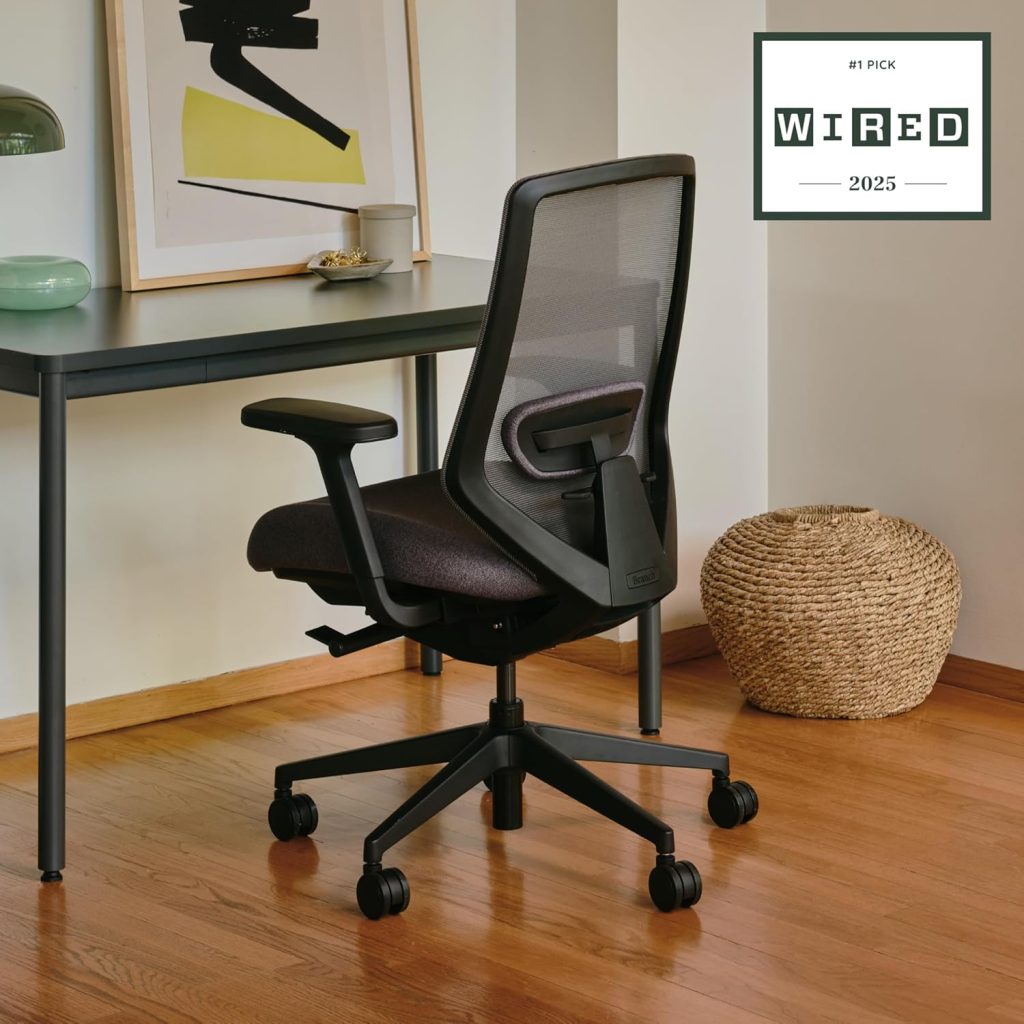
WIRED named it the best overall office chair, Popular Science gave it the same distinction, and Architectural Digest editors found it “wildly comfortable.”
The Branch Ergonomic Chair Pro strikes an exceptional balance of features, comfort, and price. Its 14 adjustments (the most in its class) allow you to dial in a perfect fit for your body. The 5D armrests offer lateral movement that even some $1,500 chairs lack. The thick, high‑density foam seat is noticeably more forgiving than typical office chairs.
However, the chair has drawbacks: assembly is fiddly (30 minutes with two people recommended), the headrest is sold separately and has limited adjustability, and the standard cylinder fits users up to only about 6’2″ (though a tall cylinder is available). For shorter users (under 5’4″) or extremely tall users (over 6’4″), other chairs may fit better.
🏢 Branch Ergonomic Chair Pro: Overview

Branch is a New York‑based furniture company founded in 2018. Unlike traditional office furniture brands that sell through dealerships, Branch sells direct‑to‑consumer, cutting out middlemen to offer better value. The Ergonomic Chair Pro is their flagship model — a significant upgrade from their original Ergonomic Chair, incorporating five years of customer feedback.
The chair has received widespread acclaim from major publications. WIRED named it the best overall office chair, Popular Science gave it the same distinction, and CNET selected it as their top pick for 2026. Architectural Digest editors tested it and found that despite their varying heights and support needs, “everyone felt like Goldilocks.”
Specifications at a Glance
| Feature | Detail |
|---|---|
| Price | $499 ($399–449 on sale) |
| Weight capacity | 275 lbs |
| Chair weight | 42 lbs |
| Adjustments | 14 points (most in class) |
| Armrests | 5D (height, width, depth, pivot, lateral) |
| Lumbar support | Two‑way adjustable (height + depth), removable |
| Seat depth | Adjustable |
| Recline | Adjustable tension with multiple lock positions |
| Headrest | Optional add‑on |
| Material options | Mesh, vegan leather, genuine leather |
| Base | Powder‑coated aluminum |
| Warranty | 7 years (10 years frame, 5 years parts) |
| Assembly time | 15–30 minutes |
🎨 Design and Build Quality
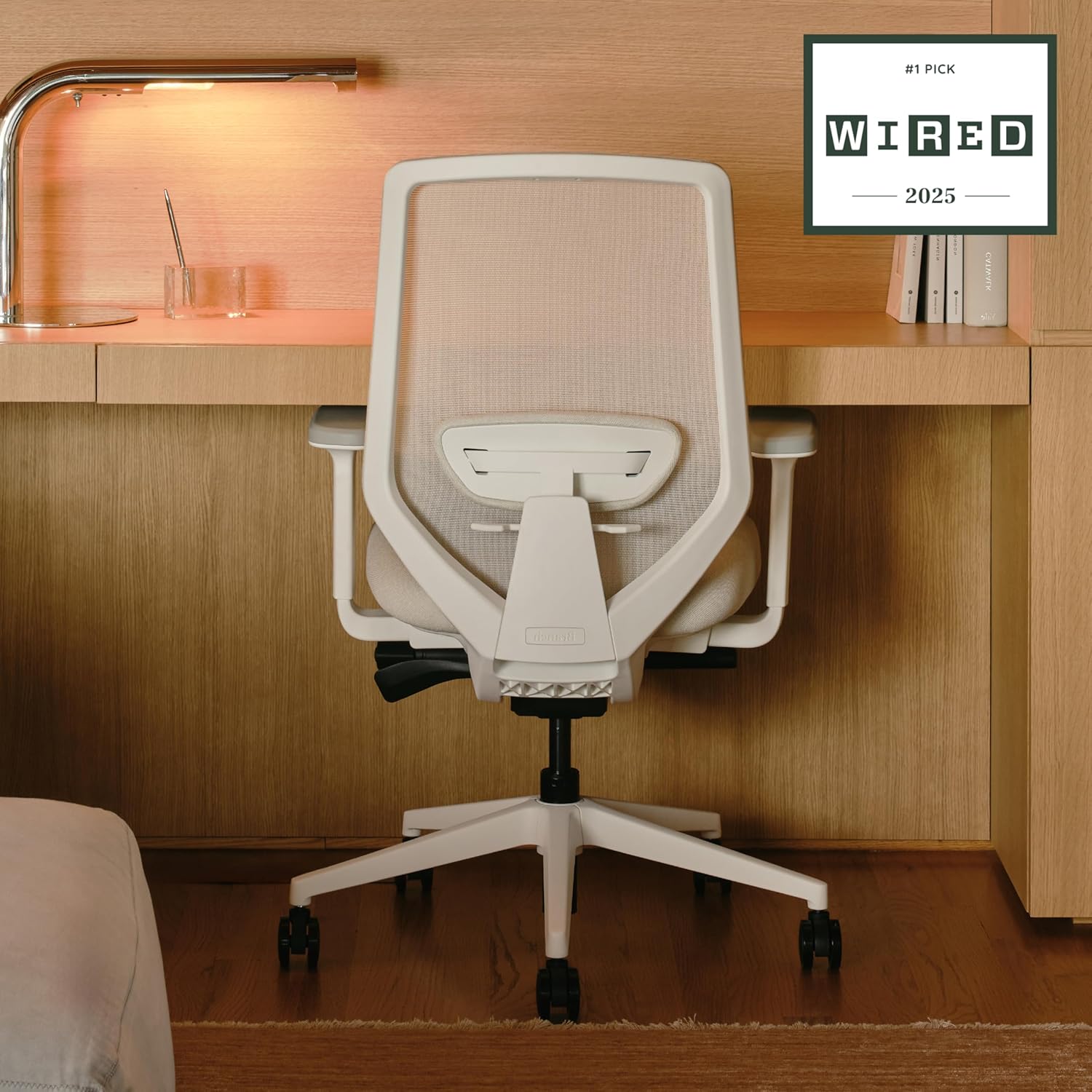
The Branch Ergonomic Chair Pro is, quite simply, a beautiful chair. Creative Bloq called it “chic” and noted that it “adds a real design flourish to my home office.” Architectural Digest praised its “elegant profile with a high back” and “soft curves to create an airy feel.”
Unlike many ergonomic chairs that prioritize function over form, the Branch Pro manages to do both. The design is understated and minimalist, available in nine neutral colorways across three material types: fine‑weave mesh, vegan leather, and genuine leather. The lighter color options, like the creamy “Shore,” offer a welcome deviation from the army of black office chairs that dominate the market.
Build quality is exceptional for the price. The chair uses a powder‑coated aluminum base (not plastic, like many competitors), and the fixtures and fittings “ooze quality,” according to CNET. TechRadar noted that “the quality of the seat is undeniable — there’s no wobbles or flimsiness, and you can definitely feel the care that has gone into the design.”
One minor aesthetic complaint: the backrest fabric can feel “the slightest bit scratchy” against bare skin, though this is only noticeable when wearing sleeveless tops.
⚙️ Adjustability: The Chair’s Superpower
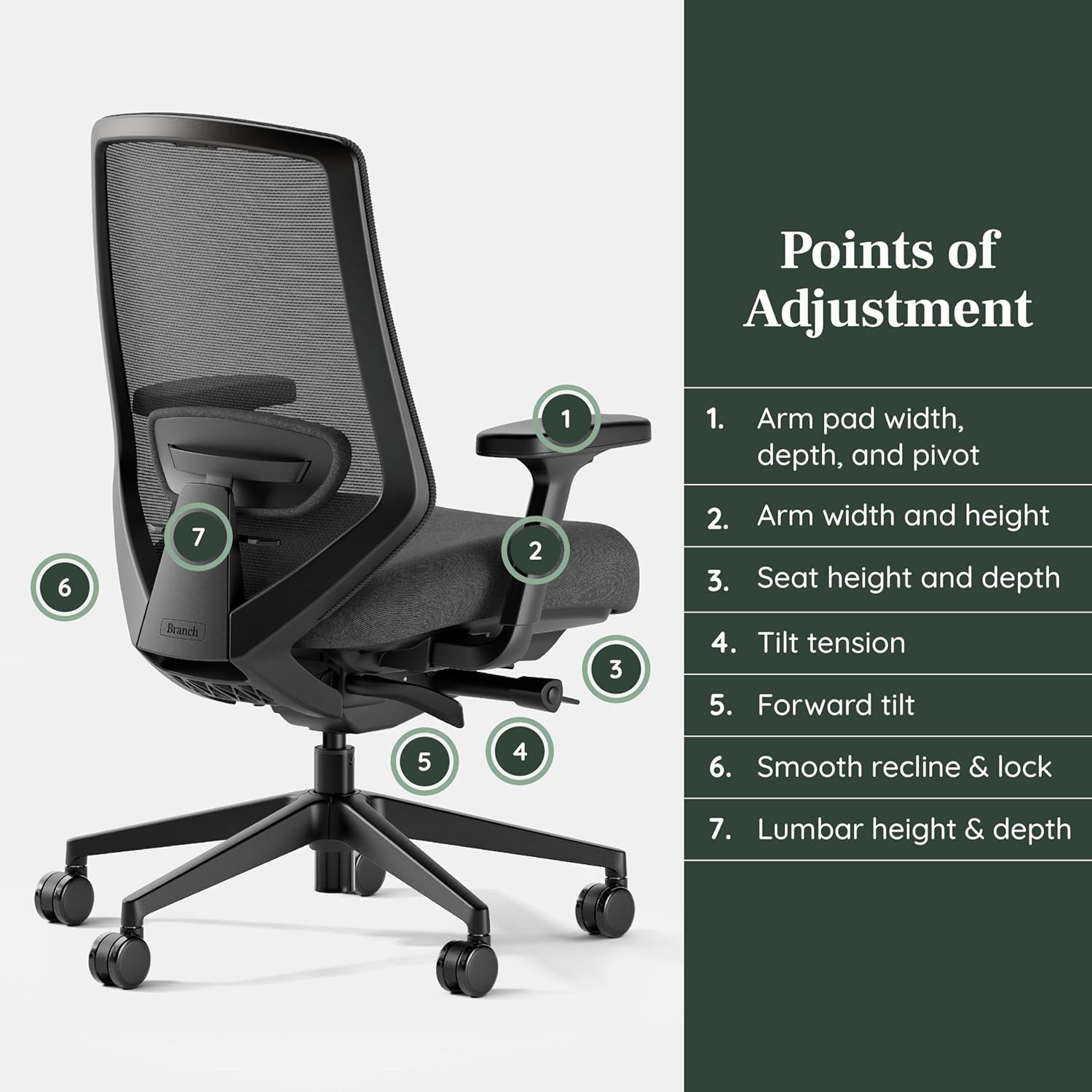
The Branch Ergonomic Chair Pro offers 14 points of adjustment — the most in its price class. This is where the chair truly shines.
5D Armrests (Industry‑Leading)
Most premium chairs offer 4D armrests (height, width, depth, pivot). Branch adds a fifth dimension: lateral movement. This allows you to slide the armrests even closer together or farther apart, accommodating narrow and broad shoulders with precision.
One tester noted: “The arms can move in almost any direction — up and down, forward, back, and even twist to get the perfect angle for support. It helps to reduce wrist strain when you get the arm position right.”
However, the armrests are “a little too easy to adjust” — they can rotate by accident if knocked.
Two‑Way Adjustable Lumbar Support
The lumbar cushion is padded and removable. It adjusts in both height (up/down) and depth (in/out), allowing you to control exactly how much pressure you feel. Architectural Digest’s commerce producer, who has chronic lower back pain, described it as “a friendly hand on the curve of my spine supporting me throughout the workday.”
If you prefer no lumbar at all, the cushion is completely removable — the mesh back still provides natural support.
Seat Depth and Tilt Adjustments
The seat slides forward/backward to accommodate different leg lengths — crucial for proper thigh support without knee pressure. The seat also tilts independently, and the recline tension is adjustable, allowing you to dial in exactly how much resistance you feel when leaning back.
One editor praised the tilt tension: “It was a feature I haven’t found in many other chairs I’ve tested, but now I can’t imagine going without it. The tilt tension provides just enough give so I get the ability to lean without compromising my spinal alignment.”
Headrest (Optional, Sold Separately)
The headrest is not included — it’s a $50 add‑on. Reviewers note that it offers limited adjustability and may sit awkwardly for shorter users. One 5’7″ tester removed it entirely, finding it unnecessary.
🛋️ Comfort: The “Goldilocks” Experience
Comfort is where the Branch Ergonomic Chair Pro truly excels. Multiple reviewers used the word “Goldilocks” to describe how it fits a wide range of body types and preferences.
Seat Comfort: Thick, Cushy, and Supportive
The high‑density foam seat is noticeably thicker and more forgiving than most office chairs. Architectural Digest editors concurred that “the cushion feels noticeably more forgiving on your glutes than those on typical seats.” CNET similarly noted that “the well‑padded seat makes long‑term sitting a breeze.”
The seat is firm but not hard — it strikes a balance between support and softness. One tester described sinking into “plush yet supportive cushioning” with an “oh yeah — that’s nice” first impression.
Back Support: Breathable and Responsive
The mesh back is breathable and keeps you cool even during long sessions. One editor noted: “The soft, breathable back opened my eyes to how comfortable I can truly feel to lean back as I work.”
Multiple testers reported that after 8–9 hours of use, their backs did not hurt — which, for many, is the ultimate test.
Comfort for Different Body Types
- A 5’4″ editor found that “I can adjust the height just right so my feet don’t dangle.”
- A 5’7″ tester found the maximum height perfect for them.
- A taller editor appreciated the high back.
- A 100‑lb tester found height adjustment “a tad difficult” but workable.
The seat is wide enough to sit cross‑legged — a surprising plus for flexible sitters.
🔧 Assembly: The Biggest Drawback
Assembly is the most consistent complaint about the Branch Ergonomic Chair Pro. TechRadar called it “difficult to assemble” and noted that “undoubtedly the chair takes two people to put together.” The process took about 30 minutes, and the instructions “weren’t as clear as they could’ve been.”
Architectural Digest’s commerce editor found the assembly “relatively headache‑free” at around 30 minutes, though Branch does recommend teaming up with a buddy. The chair arrives flat‑packed in a box about 28″ x 14″ x 24″.
One reviewer noted that they assembled the chair back‑to‑front on their first attempt (user error, they admitted), underscoring that careful attention to the instructions is necessary.
If you are not handy, budget 30–45 minutes and recruit a second person. The effort is worth it — but be prepared.
🛡️ Durability and Warranty
Branch offers a 7‑year warranty (10 years on the frame, 5 years on parts). This is significantly better than most competitors at this price point — Autonomous offers only 2 years, for comparison.
Build quality feels solid and durable. The aluminum base is powder‑coated and should resist scratches. The mesh holds up well over time — one reviewer noted that after years of use, the mesh had no sagging.
One caveat: TechRadar reported that “a small piece of the back support did snap off quite soon after unboxing the chair, which looked to have been damaged in transit.” This appears to be an isolated shipping issue, but it is worth noting.
📊 Branch Pro vs Competitors
Branch Pro vs Herman Miller Aeron
The Aeron costs $1,500+ — three times the price. The Branch Pro offers comparable adjustability (14 points vs Aeron’s 9) and better armrests (5D vs 4D). The Aeron wins on breathability (Pellicle mesh is superior), durability (15+ years vs 7+), and resale value. But for most people, the Branch Pro delivers 85% of the Aeron experience for 33% of the price.
Branch Pro vs Steelcase Leap v2
The Leap v2 costs $1,200+ new (or $500–700 refurbished). The Leap has superior lumbar adjustability (height + depth + firmness vs Branch’s height + depth) and better seat padding. The Branch Pro has better armrests (5D vs 4D) and is significantly less expensive new. If you can find a refurbished Leap, it is competitive; new, the Branch Pro offers better value.
Branch Pro vs Autonomous ErgoChair Pro
Both are $499. The Branch Pro has more adjustments (14 vs 9), better armrests (5D vs 4D), a longer warranty (7 years vs 2 years), and premium material options (vegan leather, leather). The Autonomous includes a headrest (Branch’s is optional) and has a higher weight capacity (300 lbs vs 275 lbs). Branch wins for most users.
Comparison Table
| Feature | Branch Ergonomic Chair Pro | Autonomous ErgoChair Pro | Herman Miller Aeron (Size B) |
|---|---|---|---|
| Price | $499 | $499 | $1,500+ |
| Adjustments | 14 points | 9 points | ~9 points |
| Armrests | 5D | 4D | 4D |
| Lumbar Adjustability | Height + depth | Height only | Height + depth (PostureFit) |
| Headrest | Optional ($) | Included | Aftermarket only |
| Warranty | 7 years | 2 years | 12 years |
| Weight Capacity | 275 lbs | 300 lbs | 350 lbs |
| Material Options | Mesh, vegan leather, leather | Mesh or foam fabric | Mesh only |
🎯 Who Is the Branch Ergonomic Chair Pro For?
✅ Buy if:
- You sit 6+ hours a day
- Your budget is $400–600
- You want 5D armrests, seat depth, and padded lumbar
- You value aesthetics and color options
- You are between 5’2″ and 6’2″ (standard) or up to 6’6″ (tall cylinder)
- You want a 7‑year warranty
- You prefer a firm, supportive seat
❌ Avoid if:
- Your budget is under $300
- You are over 6’6″
- You are under 5’2″
- You need a built‑in headrest
- You weigh over 275 lbs
- You hate assembling furniture
✅ Pros & Cons
✅ Pros
- 14 adjustments — most in class
- 5D armrests — industry‑leading
- Thick high‑density foam seat
- Two‑way adjustable lumbar (height + depth), removable
- Breathable mesh back
- Premium material options (mesh, vegan leather, leather)
- Powder‑coated aluminum base
- 7‑year warranty (10 years frame, 5 years parts)
- Named “Best Overall” by WIRED, Popular Science, CNET
- Attractive, minimalist design with multiple colors
- Wide enough for cross‑legged sitting
- Tall cylinder option available for $30
❌ Cons
- Assembly is fiddly — 30 min, two people recommended
- Headrest is optional (extra cost) and limited adjustability
- Weight capacity 275 lbs — lower than some competitors
- Standard cylinder fits up to ~6’2″ (tall cylinder available)
- Armrests can rotate accidentally
- Backrest fabric can feel scratchy against bare skin
- Heavy (42 lbs) — not easy to move
- Recline mechanism can be “sticky”
- Wheels are not great on carpets
❓ Frequently Asked Questions
Is the Branch Ergonomic Chair Pro worth the money?
How does it compare to the Herman Miller Aeron?
Is the Branch Ergonomic Chair Pro good for tall people?
Is the Branch Ergonomic Chair Pro good for short people?
Does it come with a headrest?
How long does assembly take?
What is the weight capacity?
What material options are available?
Where can I buy it?
🏆 Final Verdict: Should You Buy It?
Yes — the Branch Ergonomic Chair Pro is one of the best ergonomic chairs you can buy under $600.
After researching hundreds of reviews, analyzing technical specifications, and compiling expert opinions, here is my honest conclusion: the Branch Ergonomic Chair Pro strikes an exceptional balance of adjustability, comfort, build quality, and aesthetics. The 14 adjustments, 5D armrests, thick foam seat, and 7‑year warranty are features you would expect to find on chairs costing twice as much.
Is it perfect? No. The assembly is fiddly, the optional headrest is underwhelming, and the weight capacity (275 lbs) is lower than some competitors. For very tall or very heavy users, premium options like the Aeron Size C or Steelcase Leap are better fits. For budget‑conscious buyers, the Ticova or Hbada are solid alternatives under $300.
My recommendation: If your budget allows $500 and you sit long hours, buy the Branch Ergonomic Chair Pro. Get the mesh version if you run hot, or the vegan leather version if you prefer a premium look. Skip the headrest unless you know you need it. And if you are over 6′, spend the extra $30 on the tall cylinder. Your back will thank you.
📚 You May Also Like
- Branch vs Autonomous – Which $500 chair is right for you?
- Best Ergonomic Chairs Under $500 – Top picks at this price point
- How to Choose an Ergonomic Chair – Complete buyer’s guide
- Do 4D Armrests Matter? – Understanding armrest adjustability
- Steelcase Leap vs Gesture – Comparing premium options