
DIY Workspace Guide
Best Standing Desk Frames for DIY Desk Builds
Build a custom sit-stand workstation with the right electric frame, desktop dimensions, lifting capacity, and height adjustment.
Quick answer: The best standing desk frame is one that fits your chosen desktop, reaches a comfortable seated and standing height, and supports the combined weight of the desktop and your equipment. For a straightforward DIY build, compare established electric frames such as the FlexiSpot E5 frame-only model and the UPLIFT V3 2-leg frame.
Before buying, confirm the frame’s supported desktop dimensions, minimum assembled height, lifting capacity, warranty, and included controller. A frame sold without a desktop gives you flexibility, but it also makes compatibility your responsibility.
A DIY standing desk can be a good way to create a workspace that fits your room and working habits. You can choose a solid-wood top, reuse an existing tabletop, select a custom width, or build a desk around equipment that doesn’t fit standard configurations.
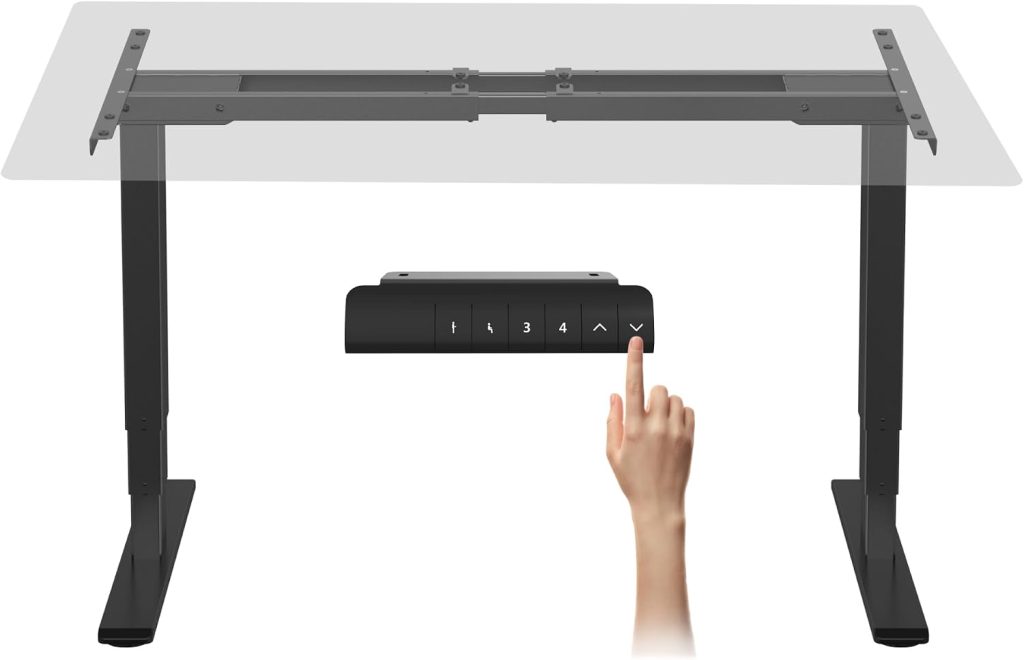
The most important component is the adjustable frame. It determines how the desk moves, how much weight it can lift, how low and high the finished surface can go, and how stable the workstation feels during everyday use.
This guide focuses on standing desk frame only options rather than complete desks. We’ll explain what to compare, review two manufacturer frame options, and cover the measurements you should take before purchasing separate components.
Best Standing Desk Frames at a Glance
These are two established options to investigate for a DIY standing desk. They serve different budgets and build preferences; verify the current specifications and included components on the manufacturer’s product page.
| Frame | Why consider it | Best fit | Check before buying |
|---|---|---|---|
| FlexiSpot E5 Frame Only | Dual-motor frame with adjustable width and programmable height presets | DIY builders seeking a configurable frame | Published compatible desktop range, load limit, and warranty coverage |
| UPLIFT V3 2-Leg Frame | Premium frame option with a published height range and C-frame or T-frame configurations | Buyers prioritizing frame options and a long-term workstation build | Desktop compatibility, selected frame style, current price, and included accessories |
These are candidates to compare, not a claim that either frame is best for every DIY build. If your desktop is unusually small, thick, heavy, or deep, compatibility should come before brand preference.
1. FlexiSpot E5 Frame Only: A Configurable DIY Option
The FlexiSpot E5 frame-only model is worth considering if you want an electric frame but prefer to select your own desktop. FlexiSpot’s published US specifications list a dual-motor lifting system, adjustable frame width of approximately 43.4–66.9 inches, and a stated lifting capacity of up to 220 pounds.
The manufacturer’s specifications also list an adjustable height range of approximately 24.4–50 inches, three programmable height presets, a sit-stand reminder, and an anti-collision feature. Confirm the exact model designation and specifications on the product page before purchasing, as product details can change.
Why it may suit a DIY build
- Lets you choose a separate desktop rather than using a bundled top.
- Dual motors raise the desk through a powered lifting system.
- Programmable presets make it easier to return to saved heights.
- The published adjustable width provides a defined range for desktop planning.
Potential limitation: The listed 220-pound lifting capacity is not a reason to ignore the desktop’s weight. Include the top, monitors, computer, monitor arms, and other accessories when calculating the load.
If you are considering a less expensive alternative, compare the full frame specification rather than looking only at the motor count. Desktop compatibility, minimum height, lifting capacity, control features, warranty, and replacement-part support can make a meaningful difference over the life of the desk.
Check FlexiSpot Frame Listings
2. UPLIFT V3 2-Leg Frame: A Premium Frame to Compare
The UPLIFT V3 2-Leg Frame is another option for buyers who want a separate adjustable frame for a custom desktop. The manufacturer lists a height range of approximately 22.6–48.7 inches and offers C-frame and T-frame configurations.
These configurations affect the placement of the lifting columns relative to the desktop. UPLIFT describes the C-frame as an option that maximizes under-desk space for accessories, while the T-frame provides a more symmetrical side-view appearance. The manufacturer notes that the T-frame is not compatible with 24-inch-deep desktops, so check the current configuration details carefully if you’re planning a shallow DIY build.
What makes it worth comparing?
- Published height specifications to compare against your preferred sitting and standing positions.
- Different frame configurations for different desktop and workspace preferences.
- A separate-frame purchasing option for buyers who want to select their own desktop.
- Manufacturer documentation to review before choosing a custom tabletop.
A premium frame may make sense if you’re building a workstation intended to last for years, but it isn’t automatically the right choice for every budget. Compare the complete cost of the frame, tabletop, mounting hardware, delivery, and any accessories you need.
Compare electric standing desk frame listings on Amazon
How to Choose the Right Electric Standing Desk Frame
Before comparing features, write down your intended desktop dimensions, the approximate weight of your equipment, and the sitting and standing heights you need. Those requirements will help you eliminate incompatible frames before spending time comparing extras.
1. Check the Compatible Desktop Width and Depth
Frame width adjustment does not mean that every desktop width is supported. Manufacturers specify compatible desktop dimensions based on the frame structure and mounting design. A frame that adjusts to a certain width may still require the desktop to be wider than that measurement.
Confirm both the minimum and maximum supported desktop dimensions. Also check the permitted desktop depth, mounting-hole placement, and any restrictions on tabletop thickness. If you plan to reuse a tabletop, measure it rather than relying on an old product listing.
2. Calculate the Total Weight
A frame’s advertised lifting capacity should not be treated as the weight available for equipment alone. Your desktop contributes to the total load, as do monitors, monitor arms, speakers, computers, and accessories.
DIY desk load checklist
- Desktop or butcher-block top
- Monitor or monitors
- Monitor arm or arms
- Computer, docking station, and speakers
- Keyboard tray and other mounted accessories
- Everyday items that remain on the desk when it moves
Use the manufacturer’s definition of lifting capacity and follow its installation instructions. Do not assume every product uses the same load-rating method or that a frame can safely support an unusually heavy or off-center load simply because the total weight appears acceptable.
3. Check the Minimum and Maximum Finished Desk Height
The height of the frame alone is not the final height of your desktop. A thicker wooden top raises the working surface, so account for tabletop thickness when checking whether the desk can go low enough for comfortable seated work.
For the standing position, consider your height and preferred elbow position while typing. The correct setup should let you work with relaxed shoulders and your elbows near your sides rather than forcing you to reach upward or hunch forward.
4. Compare Single-Motor and Dual-Motor Designs
Many electric standing desk frames use either a single-motor or dual-motor lifting system. Dual-motor designs use a motor at each lifting column and may offer advantages for lifting performance, depending on the model. However, motor count alone does not establish stability, reliability, or lifting speed.
Compare the complete specifications, including synchronization, rated load, adjustment speed, noise information, warranty, and replacement-part availability. If you use a large desktop or heavy equipment, look for credible evidence about stability under a load similar to yours.
5. Look for Useful Controller Features
A basic up-and-down controller can be sufficient if you adjust the desk only occasionally. Programmable presets are more convenient if you switch between sitting and standing several times a day.
Depending on the model, useful features may include:
- Programmable height presets
- Anti-collision or obstruction-response features
- Sit-stand reminders
- Locking or child-lock functions
- Clear height display and simple controls
These features vary by frame and controller. Confirm which are included in the exact product you’re buying rather than assuming every frame from the same brand offers the same controls.
DIY Standing Desk Frame vs. Complete Standing Desk
Buying a frame only can provide more freedom over desktop material and dimensions, but a complete desk is usually simpler to configure. Use this comparison to decide which approach fits your project.
| Consideration | Frame only | Complete desk |
|---|---|---|
| Desktop choice | High flexibility | Limited to available configurations |
| Compatibility work | You must verify dimensions and mounting | Usually easier because components are sold together |
| DIY effort | More measuring and assembly planning | Generally more straightforward |
| Custom wood top | A natural fit for this approach | Depends on the product range |
| Budget planning | Frame and desktop costs must be combined | The complete configuration is easier to price |
If you already own a suitable tabletop or want a particular wood finish, a frame-only purchase may be worthwhile. If you want a quick setup with less compatibility work, a complete electric standing desk may be the more practical option.
How to Build a DIY Standing Desk: Step by Step
STEP 01
Measure the workspace
Decide on the desktop width, depth, thickness, and intended placement.
STEP 02
Choose a compatible frame
Check the manufacturer’s approved top dimensions, load rating, and height range.
STEP 03
Mount the frame
Use the supplied hardware and instructions, and protect the tabletop finish during assembly.
STEP 04
Test before loading
Check fasteners, cable clearance, controller operation, and movement through the full height range.
Before drilling into a tabletop, confirm the mounting positions and screw requirements in the frame’s manual. Use screws of the correct length for the top’s thickness, and avoid drilling through the surface. If you are reusing a tabletop, check for cracks, damaged mounting areas, or other structural weaknesses.
After assembly, test the desk without unnecessary equipment on the surface. Watch for cable snags, contact with nearby furniture, uneven movement, or unusual noises. Add equipment only after confirming that the desk moves correctly and that the total load is within the manufacturer’s specifications.
Common Mistakes When Buying a Standing Desk Frame Only
- Assuming every desktop fits: Frames have specified width and depth requirements.
- Ignoring tabletop thickness: A thick top raises the finished desk height and adds weight.
- Choosing by maximum load alone: Height range, stability, mounting compatibility, and warranty also matter.
- Forgetting accessories: Monitor arms, trays, and computers contribute to the overall load.
- Ignoring the underside: Crossbars, motors, and control boxes may affect legroom and accessory placement.
- Overlooking warranty exclusions: Confirm which parts are covered and whether using a third-party desktop affects coverage.
- Buying an unverified frame: Check documentation, support availability, and replacement parts before committing to a low-cost option.
Frequently Asked Questions
What is the best standing desk frame for a DIY build?
The best frame depends on your desktop dimensions, height requirements, equipment load, budget, and desired features. FlexiSpot E5 and UPLIFT V3 are two options to compare, but verify the current model specifications and desktop compatibility before choosing.
Can I use any tabletop with an electric standing desk frame?
No. The desktop must meet the frame manufacturer’s requirements for width, depth, thickness, mounting, and weight. A tabletop that appears to fit may still be incompatible with the frame or its mounting points.
Is a dual-motor standing desk frame better?
A dual-motor frame can offer useful lifting performance, but the motor count alone doesn’t determine overall quality. Compare the rated load, lifting synchronization, stability, height range, noise information, warranty, and support for the exact model.
How much weight should a standing desk frame support?
Choose a frame whose published lifting capacity accommodates the desktop and all equipment placed on it. Include monitors, arms, computers, and accessories, and follow the manufacturer’s instructions about load distribution.
Can I build a standing desk with a solid-wood tabletop?
Often, provided the frame supports the tabletop’s dimensions and weight. Solid wood can be heavy, so calculate the complete load and follow the frame manufacturer’s mounting guidance. Check the wood’s condition and use suitable hardware.
Is buying a frame only cheaper than buying a complete desk?
It can be, especially if you already have a suitable tabletop. However, the total cost includes the frame, desktop, hardware, delivery, and any tools or accessories you need. Compare the final build cost with a complete desk before deciding.
Final Verdict: Choose the Frame Around Your Desktop
The best standing desk frame is not necessarily the one with the highest advertised load capacity or the most features. It is the frame that fits your chosen desktop, reaches a comfortable working height, supports your complete setup, and has specifications and support you can verify.
For a configurable DIY project, start by comparing the FlexiSpot E5 frame-only model with the UPLIFT V3 2-leg frame. Then narrow your choice based on desktop compatibility, finished height, load requirements, stability, controller features, and total project cost.
Measure first, verify the manufacturer’s specifications, and only then order your tabletop and frame. That simple process can prevent an expensive mismatch and help you build a workstation that fits your room and working style.
Explore More Workspace Guides
Continue planning your sit-stand workstation with these related SitBetterLab resources.
Disclosure: SitBetterLab may earn a commission from qualifying purchases made through affiliate links, at no additional cost to you. Product specifications, included components, availability, and prices can change. Verify the current manufacturer’s specifications before purchasing.