
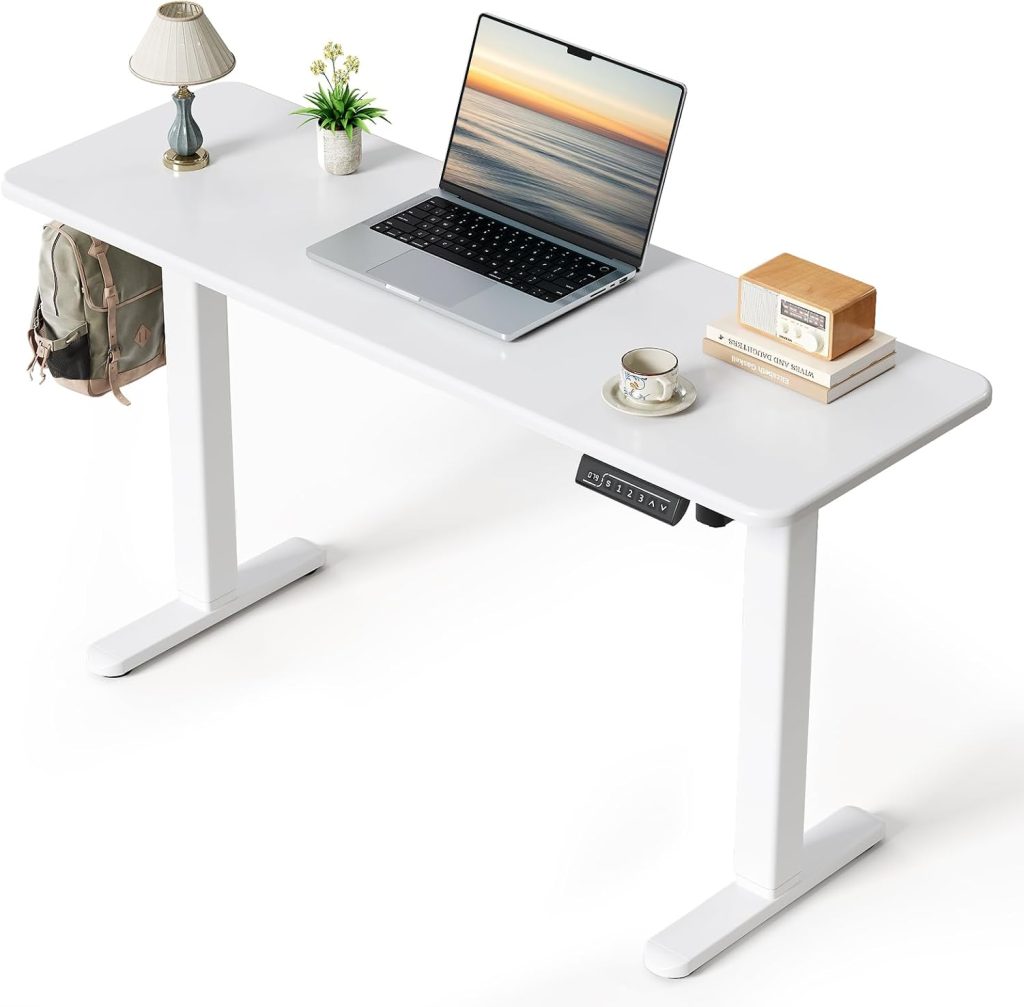
Compact Workspace Guide
Best Narrow Standing Desks for Tight Spaces
A practical guide to choosing a slim sit-stand desk for apartments, small home offices, bedrooms, and compact workstations.
Quick answer: The best narrow standing desk is one that fits your available wall space without leaving you short of room for your keyboard, pointing device, and screen. For many compact workstations, a desktop around 40–48 inches wide and 20–24 inches deep is a useful starting point. A laptop-only setup may need less space, while a monitor-and-keyboard setup generally benefits from greater depth.
Before buying, check the desk frame’s supported desktop dimensions, leg and foot placement, minimum and maximum height, and stability when raised. A narrow top does not automatically mean a small base or a wobble-free standing desk.
Finding a standing desk for a tight space can be harder than choosing one for a full-size home office. A desk that looks compact in a product photo may still have long feet, a wide lifting frame, or a desktop that projects too far into a narrow room. At the same time, choosing the smallest desk available can leave too little room for comfortable typing and screen placement.
This guide explains how to choose the best narrow standing desk for your layout, whether you use a laptop, one external monitor, or a compact desktop setup. Instead of treating every small desk as interchangeable, we’ll look at desktop width, front-to-back depth, frame footprint, height adjustment, and stability.
Best Narrow Standing Desk Options at a Glance
There isn’t one ideal narrow desk for every room. These configurations are useful starting points; confirm the exact desktop dimensions and frame compatibility before ordering.
| Desk configuration | Useful starting size | Best for | Main trade-off |
|---|---|---|---|
| Compact electric desk | About 40–42″ W × 20–24″ D | Small rooms and basic workstations | Limited space for accessories |
| Narrow 48-inch desk | 48″ W × 20–24″ D | One monitor, keyboard, and mouse | May be too wide for very tight alcoves |
| Shallow laptop desk | About 36–42″ W × 18–20″ D | Laptop-only use and minimal equipment | Can feel cramped with a separate keyboard and monitor |
| Adjustable frame with a compatible top | Depends on the frame’s specifications | Buyers who need a specific desktop size | Compatibility and assembly require extra checking |
These dimensions are planning ranges, not guarantees that every frame will support every desktop size. Always check the manufacturer’s minimum and maximum desktop width and depth.
1. Compact Electric Standing Desks for Everyday Work
A compact electric standing desk is a good starting point if you want to alternate between sitting and standing but don’t have room for a traditional 55- or 60-inch workstation. Look for a complete desk sold in a smaller size, rather than assuming a standard frame can safely support any narrow tabletop.
For example, the FlexiSpot EC1 is a height-adjustable desk line with desktop options listed in 48 × 24-inch and 48 × 30-inch sizes on its product page. That makes the 48 × 24-inch configuration a useful reference point for a compact one-monitor setup, although it may still be too wide for a very narrow alcove. Check the current model, available sizes, and regional specifications before purchasing.
What to check before buying
- Does the complete desk fit the width and depth available in your room?
- Does the lifting frame support the exact tabletop size?
- Is the height range suitable for your seated and standing positions?
- Is the lifting capacity sufficient for the desktop, monitor, computer, and accessories?
- Does the controller offer memory presets if you want to switch positions frequently?
2. Narrow 48-Inch Standing Desks for One Monitor
A 48-inch-wide desktop is a practical middle ground if you need a dedicated keyboard and mouse alongside one external monitor. It can provide more usable workspace than an extra-small laptop desk without taking up as much width as many full-size office desks.
Depth matters just as much as width. A 48 × 24-inch desktop offers more front-to-back room for positioning a monitor and keyboard than a shallower top of the same width. If your room is especially narrow, however, a 20-inch-deep desktop may help preserve walking space, provided it still accommodates your equipment comfortably.
When comparing narrow electric standing desks, inspect the frame beneath the top. Crossbars, motor housings, feet, and control boxes can affect how close the desk sits to a wall and how much knee room remains underneath.
- Best for: A single monitor, external keyboard, mouse, and a few everyday accessories.
- Look for: A stable frame, a suitable height range, and enough depth to place the screen at a comfortable distance.
- Avoid: Choosing a top based on width alone when the room’s limiting dimension is its depth.
Compare 48-inch narrow electric standing desks on Amazon
3. Shallow Standing Desks for Laptop-Only Setups
If you primarily work from a laptop, a shallow desktop can free up valuable floor space. A top around 18–20 inches deep may work for a minimalist setup, but measure your laptop, stand, keyboard, and mouse together rather than judging the size from the laptop alone.
There is an ergonomic trade-off: raising a laptop screen to a comfortable viewing height can make its built-in keyboard awkward to use. If you elevate the laptop, plan for an external keyboard and mouse. That arrangement needs more usable depth than a laptop sitting flat on the desktop.
Space-saving laptop setup
- Use a laptop stand or riser to position the screen higher.
- Place an external keyboard and mouse where your elbows can remain close to your sides.
- Keep only frequently used items on the desktop.
- Use a compact USB-C hub or cable organizer to reduce desktop clutter.
If you regularly use an external monitor or need paper documents beside your computer, consider a deeper top instead of forcing everything onto a very shallow surface.
Browse small shallow electric standing desks on Amazon
4. Standing Desk Frames for Custom Narrow Desktops
Buying a frame separately can be useful if standard desk sizes don’t fit your room. You can select a compatible tabletop with the width and depth you need, but this approach requires more careful measurement than buying a complete desk.
Do not assume that a frame advertised as adjustable can shrink to any width. For example, FlexiSpot’s published EC1 specifications list an adjustable frame width of approximately 33.5–50.8 inches and desktop options beginning at 48 inches wide. Other frames have different minimum desktop requirements. The manufacturer’s specified range—not the frame’s appearance—should determine which tabletop you buy.
Before ordering a separate frame and tabletop, verify:
- Minimum and maximum desktop width: The tabletop must fit the frame’s approved range.
- Minimum desktop depth: The feet and lifting columns must fit beneath the chosen top as intended.
- Mounting points: Confirm that the tabletop can be attached securely without placing screws too close to its edges.
- Load capacity: Account for the top’s weight as well as your computer equipment and accessories.
- Return policy: Separate components may be harder to return if the dimensions are incompatible.
Compare compact adjustable standing desk frames
How to Measure a Narrow Standing Desk Before Buying
Measure the actual space where the desk will sit, including skirting boards, nearby furniture, door swings, and any cables or outlets that could interfere with placement. Then compare those measurements with the full desk footprint, not just the desktop dimensions shown in the product title.
Measurement 1
Available width
Measure between walls or furniture. Leave practical clearance for installation and movement.
Measurement 2
Available depth
Measure from the wall to the nearest obstruction, including the room needed for your chair.
Measurement 3
Base footprint
Check the length and position of the feet, columns, and any frame parts that extend beyond the top.
Remember that a desktop measuring 42 inches wide does not necessarily mean the complete desk occupies exactly 42 inches of space. Frame feet or other components may extend beyond the tabletop, depending on the design.
How Deep Should a Narrow Standing Desk Be?
The right desk depth depends on what you use and how you arrange it. These ranges are general planning guidance rather than strict ergonomic standards.
| Desktop depth | Typical use | What to consider |
|---|---|---|
| 18–20 inches | Minimal laptop setup | Limited room for a raised laptop plus separate input devices |
| 20–24 inches | Laptop with accessories or one monitor | A useful balance between desk space and room clearance |
| 24 inches or more | Monitor, keyboard, mouse, and extra equipment | More room to arrange equipment, but a larger projection into the room |
Regardless of depth, position the screen so you can view it without repeatedly leaning forward. Your keyboard and mouse should be close enough that you can work with relaxed shoulders and your elbows near your sides.
Do Narrow Electric Standing Desks Wobble More?
Not necessarily. Stability depends on the frame design, materials, desktop size, construction quality, load distribution, and how high the desk is raised. A narrow desk can be stable, but a compact footprint does not guarantee that it will remain steady at standing height.
Pay particular attention to these factors:
- Frame compatibility: Use a desktop within the manufacturer’s recommended size range. An unsuitable top can change the intended support and balance.
- Foot design: Check the feet’s dimensions and orientation, especially if the desk will sit close to a wall or furniture.
- Height range: Some desks feel less rigid at their maximum extension. Look for credible reviews that discuss stability at standing height.
- Equipment placement: Keep heavy equipment centered and avoid concentrating weight near an unsupported edge.
- Assembly and floor level: Tighten fasteners as instructed and ensure the desk stands on a reasonably level surface.
If you plan to use a large monitor arm, several monitors, or heavy desktop equipment, check the total load and the manufacturer’s guidance for clamp mounting. A narrow desktop may offer less room for a monitor-arm clamp and cable routing.
How to Make a Small Standing Desk More Functional
You don’t necessarily need a larger desktop to improve a compact workstation. A few well-chosen accessories can free up usable surface area, as long as they are compatible with the desk.
Monitor arm
Can free up desktop space and make screen positioning easier. Verify clamp clearance and tabletop compatibility.
Laptop stand
Raises the laptop screen; pair it with an external keyboard and mouse for a more flexible setup.
Cable management
Keeps cables organized as the desk moves. Leave enough slack for the full height-adjustment range.
Before adding a tray, monitor arm, or other accessory, confirm that the desktop and frame can support the added load. Avoid accessories that interfere with the lifting columns, crossbars, power cables, or moving parts.
Common Mistakes When Buying a Narrow Standing Desk
- Measuring only the desktop: The feet and frame may need more room than the top itself.
- Choosing the shallowest option automatically: A tiny footprint isn’t useful if you can’t arrange your screen and input devices comfortably.
- Ignoring minimum desktop dimensions: Some adjustable frames are not designed for very narrow custom tops.
- Assuming every desk has the same stability: Check the design, load limits, and reviews at standing height.
- Forgetting chair clearance: Measure the space needed to sit down, move the chair, and get up safely.
- Overloading the surface: Add the weight of the desktop and equipment when checking lifting capacity.
Frequently Asked Questions
What is considered a narrow standing desk?
There is no universal definition. For home-office shopping, desks around 40–48 inches wide are often worth comparing for compact layouts. The best size depends on your available space and equipment, and a desk can be narrow in width while still being relatively deep.
Can I use a 36-inch-wide electric standing desk?
Possibly, especially for a minimalist laptop setup, but you must find a complete desk or frame specifically compatible with that width. Many standard electric frames require a wider desktop, so don’t assume a 36-inch top will fit a frame designed for larger desks.
Is a 20-inch-deep standing desk enough?
It can be enough for some laptop-based setups, but the available space can become tight if you use a laptop stand, external keyboard, mouse, and monitor. Measure the equipment layout before choosing a shallow desktop.
Are narrow electric standing desks stable?
They can be. Stability depends on the frame, construction, desktop compatibility, assembly, load distribution, and extension height. Check independent reviews for wobble at standing height, particularly if you type forcefully or use a monitor arm.
Should I buy a complete desk or a frame and desktop separately?
A complete desk is generally simpler because the components are sold as a compatible configuration. A separate frame and desktop offer more flexibility, but you need to verify the approved top dimensions, mounting points, weight, and frame footprint.
Can I put a monitor arm on a narrow standing desk?
Often, but check the desktop thickness, clamp requirements, rear-edge clearance, and total supported load. A narrow desk may have limited room for the clamp or for positioning the monitor far enough back.
Final Verdict: Which Narrow Standing Desk Should You Choose?
The best narrow standing desk is the smallest configuration that still gives you enough room to work comfortably. For a laptop-only setup, a shallow top may be a practical space saver. For one external monitor with a keyboard and mouse, a desktop around 40–48 inches wide and 20–24 inches deep is a sensible range to investigate. If you need a custom size, verify the frame’s specifications before buying a separate tabletop.
Most importantly, don’t sacrifice stability or working posture just to save a few inches. Measure the room, check the complete footprint, and make sure the desk fits both your equipment and your seated and standing positions.
Explore More Workspace Guides
Build a compact, comfortable workstation with these related SitBetterLab topics.
Disclosure: SitBetterLab may earn a commission from qualifying purchases made through affiliate links, at no additional cost to you. Product sizes, features, availability, and prices can change. Confirm current specifications with the seller before purchasing.