
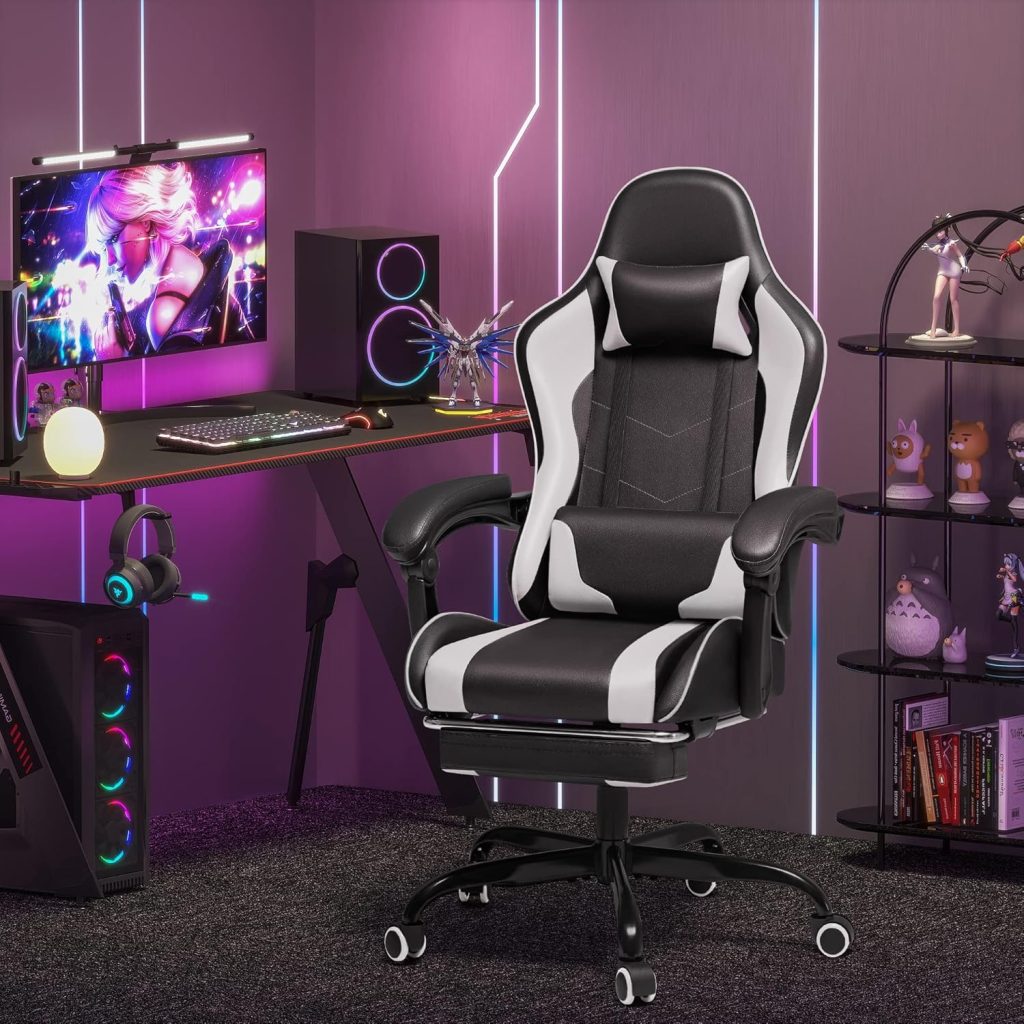
Best Gaming Chairs for Lower Back Pain
Compare gaming chairs with adjustable lumbar support, better seat fit, reclining options, and features designed for longer gaming and desk sessions.
The best gaming chair for lower back comfort is usually the one that fits your body and lets you adjust the lumbar area, seat position, armrests, and recline. Premium gaming chairs such as the Secretlab TITAN Evo and Razer Iskur V2 NewGen offer more advanced lumbar systems, while options from GTPLAYER, Dowinx, and Homall can provide useful features at lower prices.
If you spend several hours gaming, working from home, or watching content at the same desk, the right chair can make a noticeable difference in how comfortable your lower back feels throughout the day.
However, not every gaming chair is designed the same way. Some rely heavily on removable lumbar pillows, while newer models use integrated lumbar mechanisms that can be adjusted or move with your posture.
When choosing a gaming chair for lower back pain, focus on fit and adjustability first. A chair with more RGB lighting, a larger footrest, or a more aggressive racing design is not necessarily better for your back.
For our broader recommendations, visit the Gaming Chairs Hub.
Best Gaming Chairs for Lower Back Pain: Quick Comparison
| Chair | Best For | Lumbar Support | Size / Capacity | Amazon |
|---|---|---|---|---|
| Secretlab TITAN Evo | Best overall | 4-way L-ADAPT integrated system | Multiple sizes; XL up to 395 lb maximum load | Check Amazon |
| Razer Iskur V2 NewGen | Adjustable lumbar support | HyperFlex 360° integrated lumbar | Recommended 5’3″–6’6″; up to 299 lb | Check Amazon |
| AutoFull M6 Ultra 2.0 | Dynamic lumbar support | 6-way adaptive dynamic support | Check current model specifications | Check Amazon |
| GTPLAYER Big & Tall Fabric | Breathable seating | Lumbar cushion system | Up to 400 lb on applicable models | Check Amazon |
| Dowinx Big & Tall | Larger users | Adjustable lumbar-focused design | Check current model rating | Check Amazon |
| AndaSeat Kaiser 3E XL | Tall users | Integrated lumbar support | XL configuration | Check Amazon |
| Homall Ergonomic Gaming Chair | Budget shoppers | Adjustable lumbar pillow | Up to 300 lb on applicable model | Check Amazon |
Product specifications, availability, configurations, and prices can change. Always check the current Amazon listing and manufacturer specifications before purchasing.
Why Your Gaming Chair Can Feel Uncomfortable After Long Sessions
Lower back discomfort during gaming does not necessarily mean that gaming chairs are inherently bad for your back. More often, problems come from a combination of chair fit, limited adjustment, desk setup, and staying in one position for too long.
Racing-style gaming chairs can also create fit issues for some users. Their pronounced side bolsters and fixed seat dimensions may feel restrictive, especially when the chair does not match your body size.
1. Fixed Lumbar Pillows Can Be Difficult to Position
Many budget gaming chairs use a removable lumbar cushion. A pillow can provide useful support, but it may move when you change position or may simply not match the natural curve of your lower back.
Integrated lumbar mechanisms offer a different approach because the support is built into the backrest and, on some models, can be adjusted for height and depth.
2. Aggressive Side Bolsters Can Restrict Movement
Many racing-style chairs use pronounced side bolsters around the backrest and seat. Some users like this feeling because it creates a more enclosed seating position. Others prefer a flatter seat that allows more freedom to change positions.
If you frequently shift between upright gaming, leaning forward, and reclining, a less restrictive design may feel more natural.
3. Heat Can Affect Long-Session Comfort
Many gaming chairs use synthetic leather upholstery. It is easy to clean and gives the chair a traditional gaming aesthetic, but some users may find it warmer than fabric or mesh during long sessions.
If you tend to run hot, consider breathable fabric or mesh designs rather than choosing upholstery based only on appearance.
4. Seat Depth Affects Lower-Back Support
Seat depth is frequently overlooked when buying a gaming chair. If the seat is too deep, you may naturally slide forward to keep your feet comfortable. Once you move away from the backrest, the lumbar support may no longer sit where you need it.
For that reason, seat depth should be considered alongside seat height, rather than treating weight capacity and backrest height as the only important measurements.
A gaming chair cannot guarantee pain relief. Persistent or severe back pain should be evaluated by an appropriate healthcare professional. A chair is one part of a comfortable workstation, not a medical treatment.
What to Look for in a Gaming Chair for Lower Back Support
1. Adjustable Lumbar Support
For buyers specifically concerned about lower-back comfort, lumbar adjustability should be near the top of the list.
Look for a system that lets you change the position of the support rather than relying only on a loose cushion. Height adjustment is useful because people have different torso proportions. Depth adjustment can help you control how much support you feel.
2. Dynamic Lumbar Support
Some newer gaming chairs use dynamic lumbar mechanisms designed to move as the user changes position.
This can be particularly useful if you frequently switch between sitting upright, leaning forward while gaming, and reclining. The goal is to maintain contact with the lower back rather than forcing you to remain in one fixed posture.
3. Correct Seat Height and Depth
Your feet should be supported by the floor or an appropriate footrest, and your knees should be in a comfortable position. When you sit fully back against the backrest, the seat should not force the front edge tightly against the back of your knees.
Seat depth adjustment is particularly valuable for users whose legs are shorter or longer than average.
4. Adjustable Armrests
Armrests affect more than your arms. If they are too low, you may allow your shoulders to drop excessively. If they are too high, you may raise your shoulders and create unnecessary upper-body tension.
Look for enough adjustment to keep your elbows comfortably supported while your shoulders remain relaxed.
5. Breathable Upholstery
If you spend many hours in the chair, upholstery can have a significant effect on comfort.
Fabric can be a good choice for users who prefer a softer and more breathable surface. PU or EPU-style synthetic leather can be easier to wipe clean and offers a different feel. The better option depends on your room temperature, preferences, and maintenance needs.
6. A Backrest That Fits Your Body
Do not automatically assume that the tallest or widest backrest is best. Compare the backrest dimensions with your height and shoulder width.
For larger users, our Big and Tall Gaming Chairs guide provides a more targeted comparison.
7 Best Gaming Chairs for Lower Back Pain
1. Secretlab TITAN Evo — Best Overall
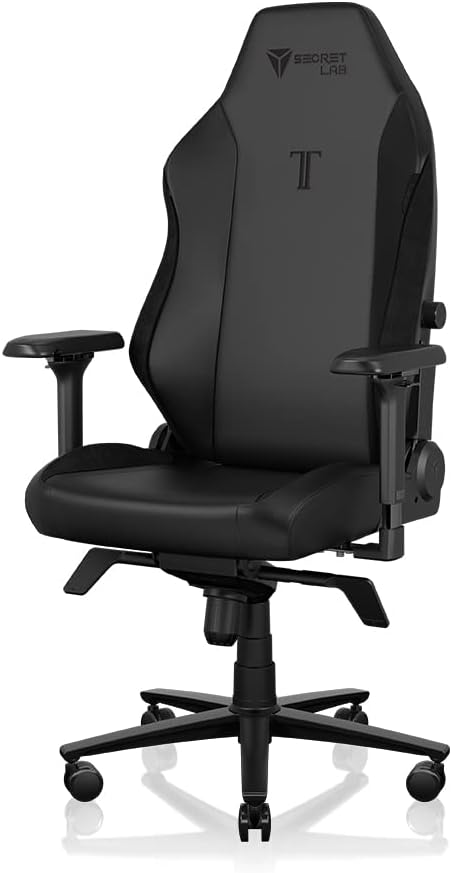

The Secretlab TITAN Evo is one of the strongest options for buyers who want an integrated lumbar system rather than a conventional removable pillow. Its 4-way L-ADAPT system is designed to provide adjustable support as you change position.
The chair is available in different sizes, which is important because body fit is one of the biggest factors in determining whether a gaming chair feels comfortable.
Pros:
- Integrated 4-way L-ADAPT lumbar system
- Multiple size options
- Firm cold-cure foam seat construction
- Adjustable armrests
- Strong overall build and premium finish
Cons:
- Premium pricing
- Firm seat feel may not suit everyone
- Large and relatively heavy
Best for: Gamers and remote workers who want a premium gaming chair with advanced integrated lumbar support.
Check Secretlab TITAN Evo on Amazon →
2. Razer Iskur V2 NewGen — Best Adjustable Lumbar System
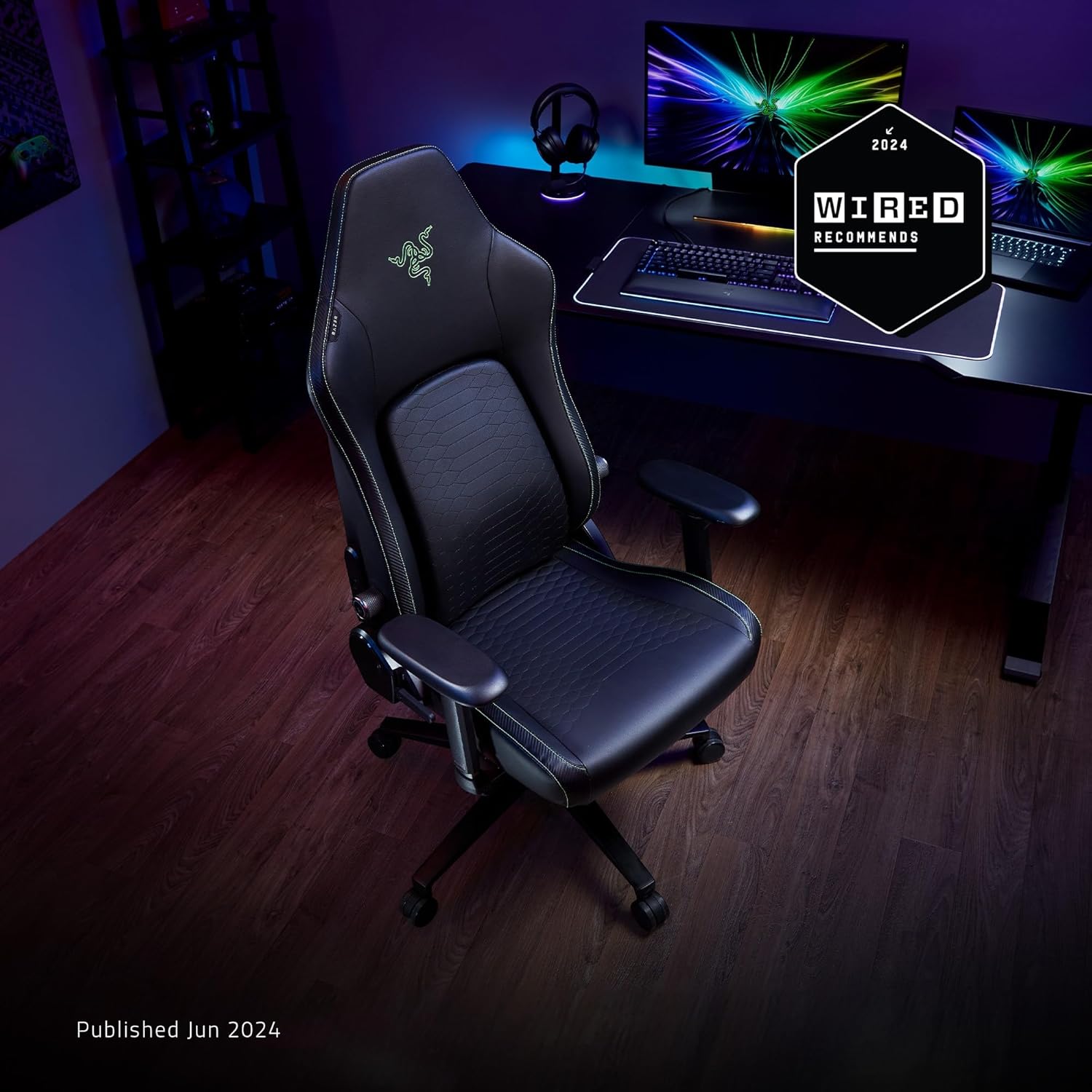

The Razer Iskur V2 NewGen is particularly interesting for users who want a highly adjustable lumbar system. Its HyperFlex design is integrated into the chair rather than relying on a loose lumbar pillow.
The system can be adjusted in multiple directions and is designed to follow changes in posture, making it a strong choice for users who frequently shift between upright and reclined positions.
Pros:
- Integrated HyperFlex lumbar support
- Height and depth adjustment
- 360° movement of the lumbar mechanism
- Designed for extended gaming and desk use
- Strong steel-reinforced construction
Cons:
- Premium price
- Lower maximum load than some XL gaming chairs
- Racing-style design may not suit users who prefer an open seat
Best for: Users who want precise lumbar adjustment and a more adaptive support system.
Check Razer Iskur V2 NewGen on Amazon →
3. AutoFull M6 Ultra 2.0 — Best Dynamic Lumbar Technology
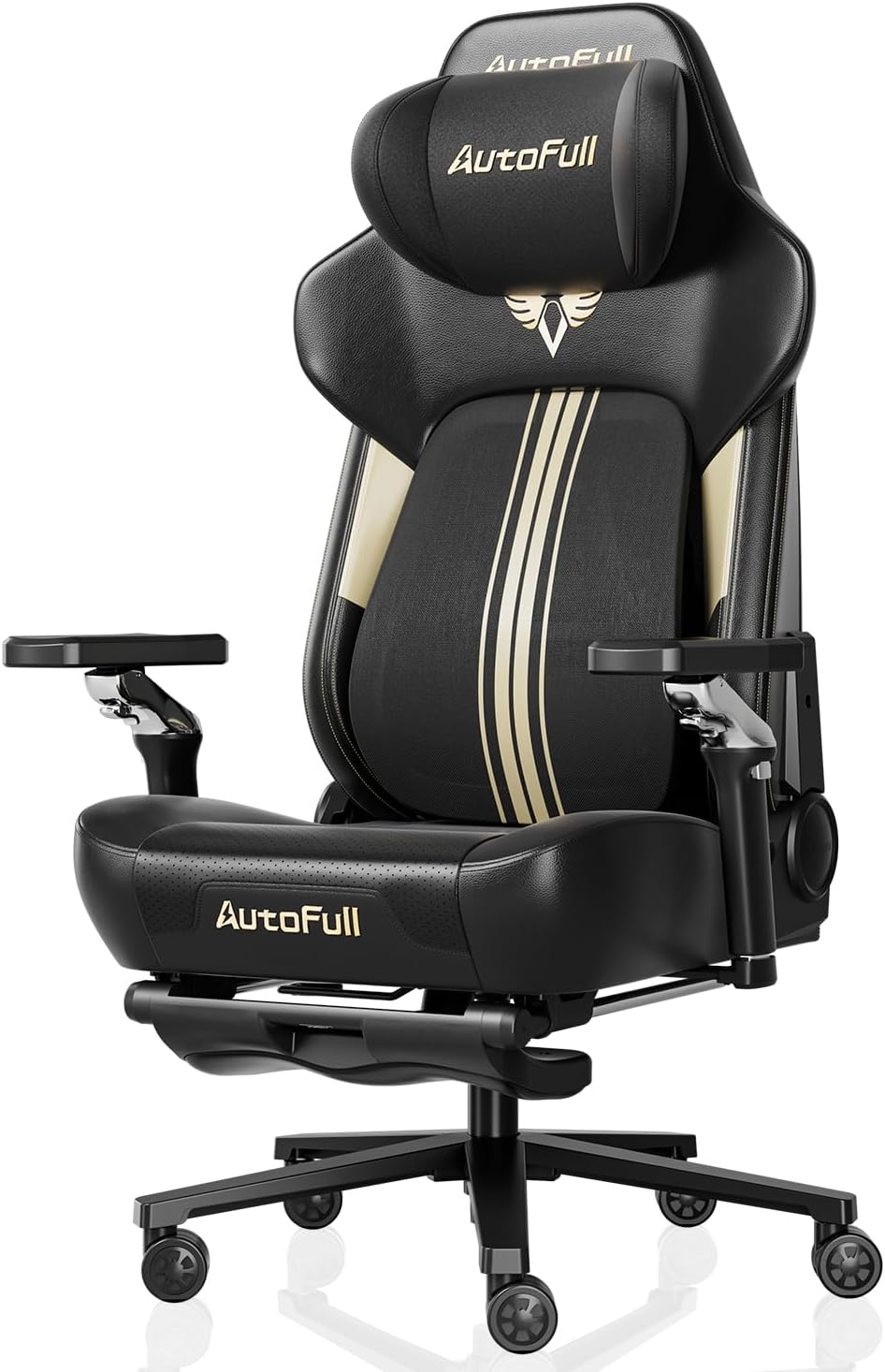

The AutoFull M6 Ultra 2.0 takes a more technology-focused approach to gaming-chair ergonomics. Its dynamic lumbar system is designed to adapt as the user changes posture rather than remaining in one fixed position.
It also combines lumbar support with active cooling, heating, massage, an adjustable headrest, and highly adjustable armrests. These features make it one of the more feature-rich options in this category.
Pros:
- Dynamic 6-way lumbar support
- Active cooling and heating
- Integrated massage functionality
- Highly adjustable armrests
- Designed for gaming and desk work
Cons:
- Expensive compared with basic gaming chairs
- Electronics add complexity
- Large and heavy
- Exact specifications vary by configuration
Best for: Buyers who want advanced lumbar technology plus cooling, heating, and massage features.
Check AutoFull M6 Ultra 2.0 on Amazon →
4. GTPLAYER Big & Tall Fabric Gaming Chair — Best for Breathable Seating
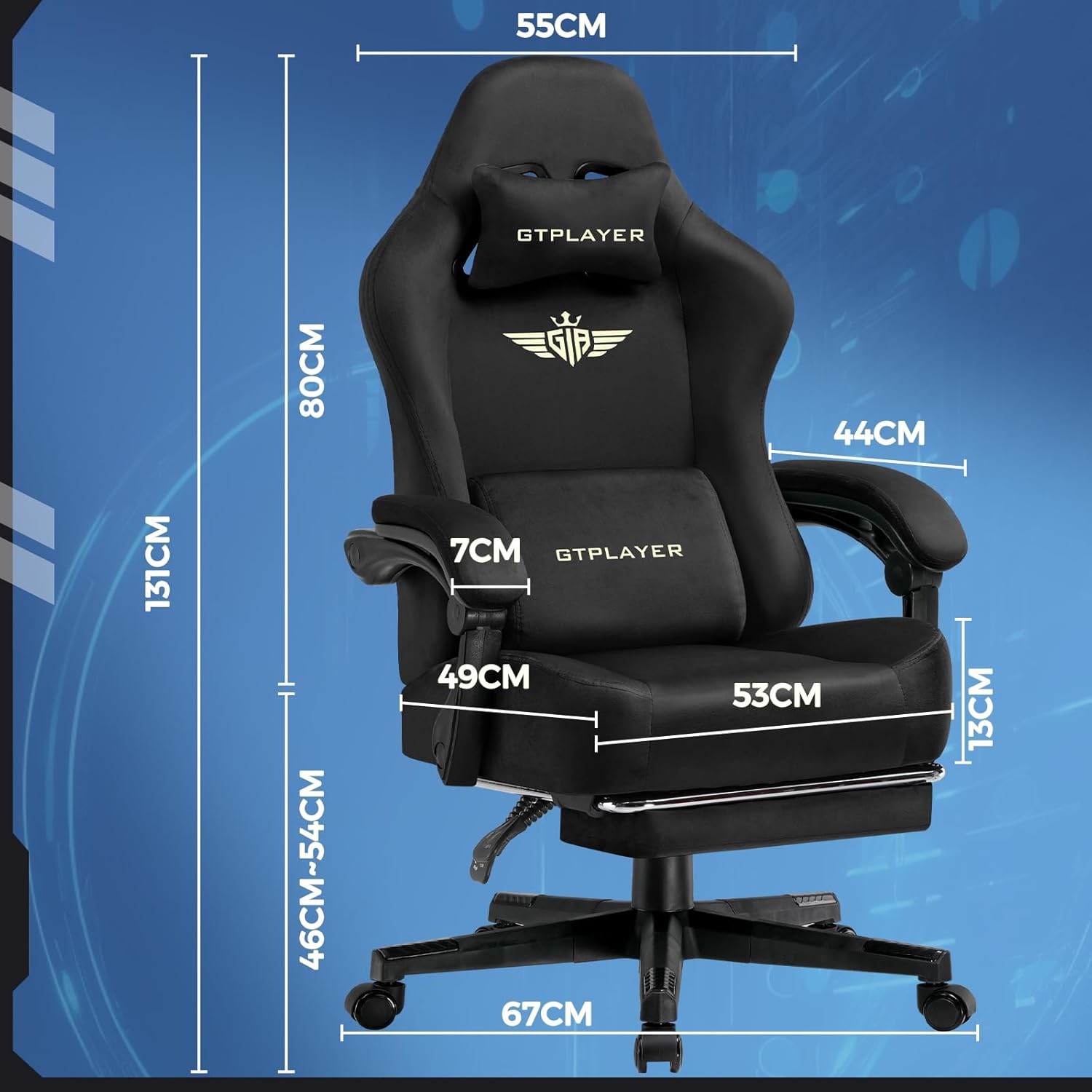

The GTPLAYER Big & Tall fabric models are worth considering if heat and seating space are major concerns. Fabric upholstery can feel cooler than synthetic leather in warm environments, while the wider design gives larger users more room to change position.
GTPLAYER also offers models with different combinations of lumbar cushions, armrest adjustments, recline mechanisms, and weight capacities, so buyers should verify the exact configuration before ordering.
Pros:
- Breathable fabric option
- Wide seating design
- Higher-capacity configurations available
- Reclining backrest
- Suitable for gaming and desk work
Cons:
- Exact specifications vary by model
- Fabric can collect lint and debris
- Lumbar support is less sophisticated than premium adaptive systems
Best for: Larger users and gamers who prioritize breathable upholstery and a roomier seat.
Check GTPLAYER Big & Tall Chairs on Amazon →
5. Dowinx Big & Tall Gaming Chair — Best for Larger Users
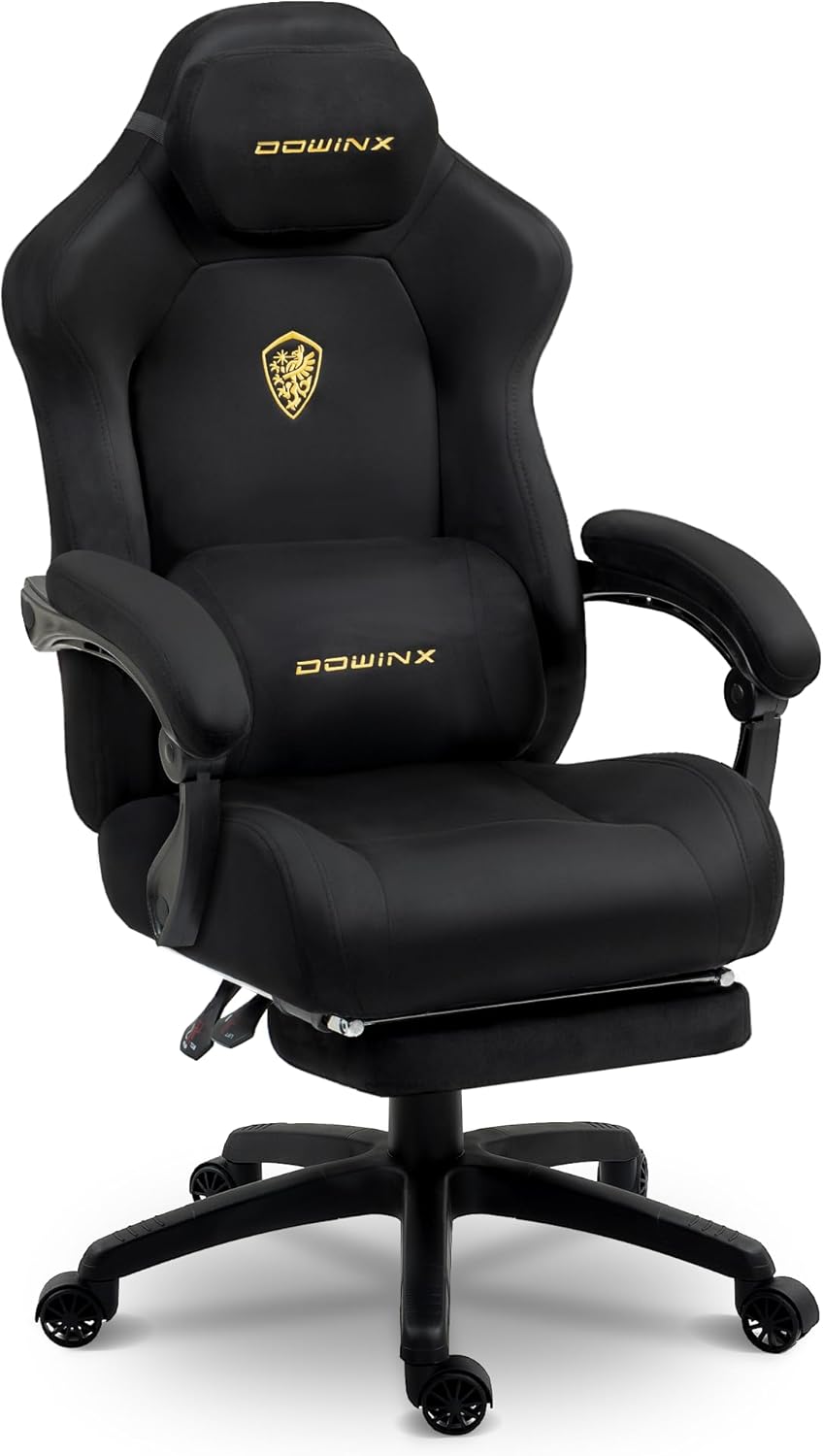

Dowinx offers several larger gaming chair configurations aimed at users who need more seating space and a higher weight rating than typical compact racing-style chairs.
For this type of buyer, overall chair dimensions matter just as much as the stated weight capacity. Check the seat width, seat depth, backrest width, and recommended height before purchasing.
Pros:
- Designed for larger users
- Wide seating on applicable models
- Reclining backrest
- Lumbar-focused design
- Some configurations include footrests and massage features
Cons:
- Specifications vary considerably between models
- Some configurations use less breathable upholstery
- Extra features should not replace proper chair fit
Best for: Larger gamers who need more space and a higher-capacity chair.
Check Dowinx Big & Tall on Amazon →
6. AndaSeat Kaiser 3E XL — Best for Tall Users
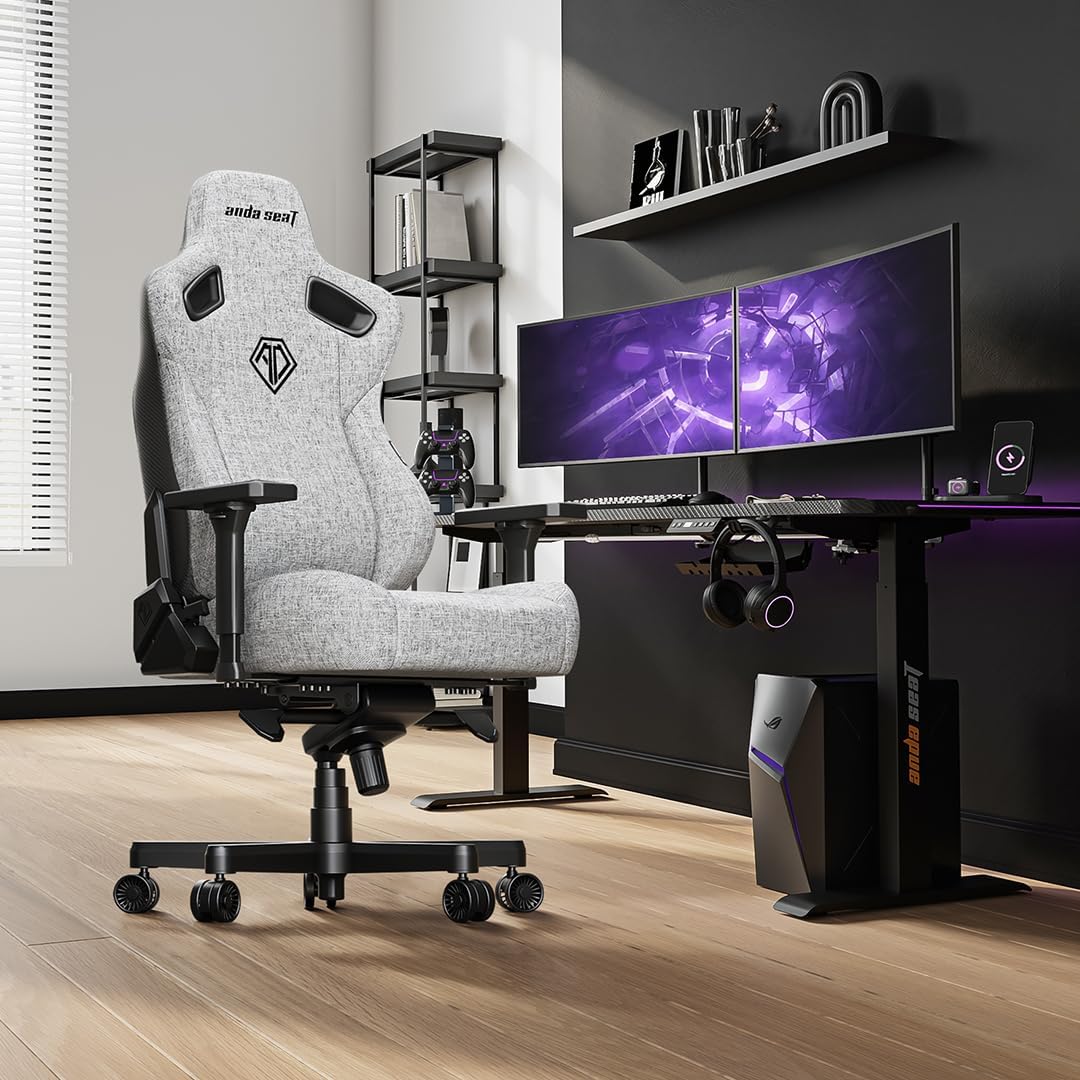

The AndaSeat Kaiser 3E XL is aimed at users who need a larger gaming chair without moving into the most expensive segment of the market.
Its XL configuration and adjustable armrests make it particularly relevant for taller users. However, buyers who need highly precise lumbar adjustment should compare it carefully with chairs such as the Secretlab TITAN Evo and Razer Iskur V2 NewGen.
Pros:
- XL-oriented design
- 4D armrests
- Solid overall construction
- High-density foam seating
- Good option for taller users
Cons:
- Lumbar adjustment is less sophisticated than the leading adaptive systems
- Large footprint
- May be more chair than smaller users need
Best for: Tall gamers who want a substantial XL gaming chair with useful armrest adjustment.
Check AndaSeat Kaiser 3E XL on Amazon →
7. Homall Ergonomic Gaming Chair — Best Budget Option
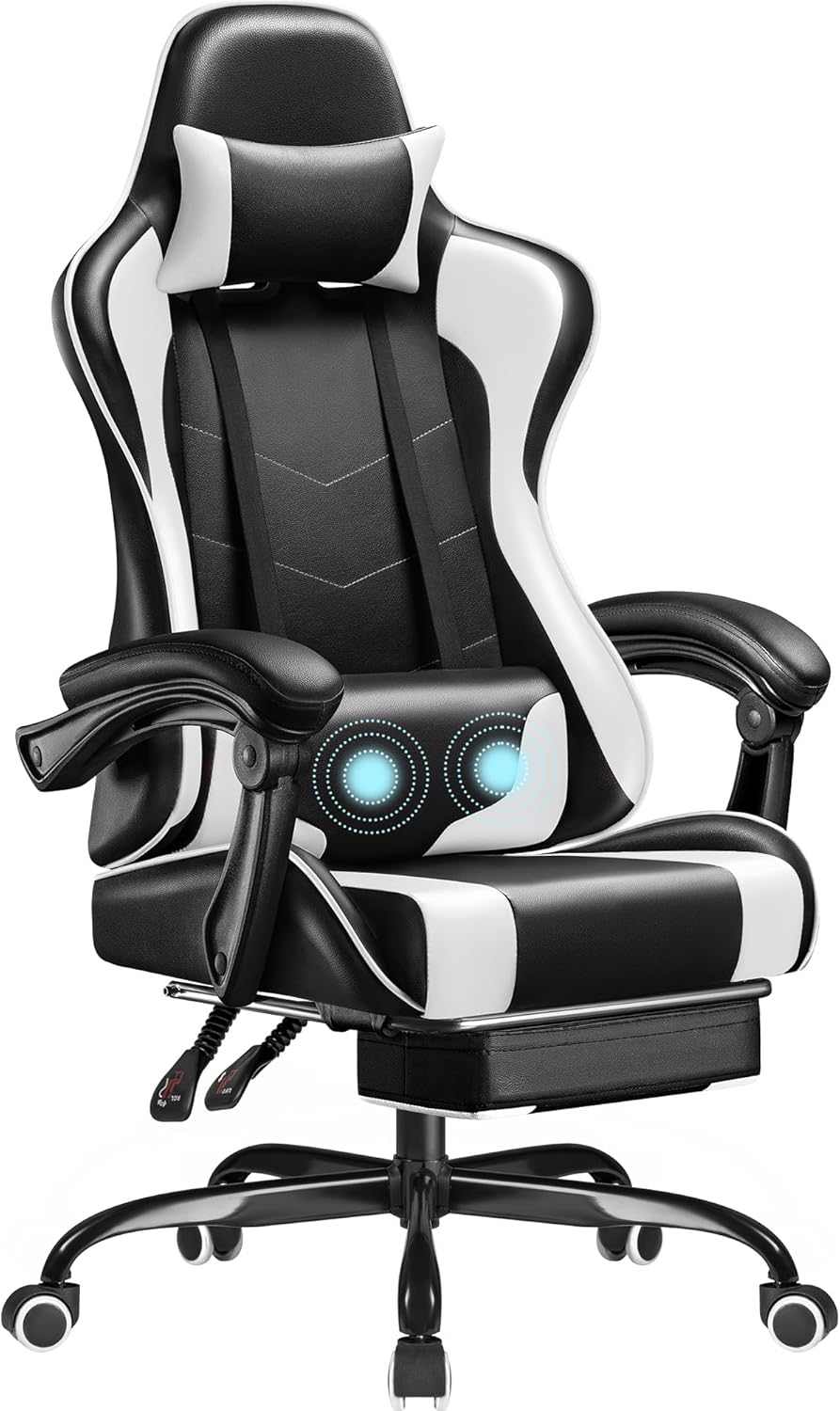

The Homall Ergonomic Gaming Chair represents the budget end of this list. Its appeal is straightforward: you can get a reclining gaming chair with basic lumbar support without moving into premium pricing.
The trade-off is that its lumbar support is still based on a removable cushion rather than the integrated adaptive mechanisms found on higher-end chairs.
Pros:
- Budget-friendly
- Adjustable lumbar pillow
- Deep reclining capability on applicable models
- Footrest available on applicable configurations
- Simple gaming-chair design
Cons:
- Removable lumbar pillow can move
- PU-style upholstery can feel warm
- Less sophisticated adjustment than premium chairs
- Build quality may not match more expensive models
Best for: Budget-conscious buyers who want basic lumbar support and reclining features.
Check Homall Gaming Chair on Amazon →
Gaming Chair vs. Ergonomic Office Chair for Lower Back Pain
A gaming chair is not automatically more ergonomic than an office chair. The two categories have increasingly overlapped, but they still tend to emphasize different features.
| Feature | Gaming Chair | Ergonomic Office Chair |
|---|---|---|
| Lumbar support | Ranges from removable pillows to advanced integrated systems | Often a major design priority |
| Seat depth | Often fixed | Adjustable on many premium models |
| Recline | Often a major feature | Varies by chair |
| Appearance | Gaming-oriented styling | Usually more understated |
| Footrest | Available on many models | Less common |
If your main priority is back support rather than gaming aesthetics, it is worth comparing both categories before purchasing.
See our dedicated Gaming Chair vs. Ergonomic Chair guide for a more detailed comparison.
How to Adjust a Gaming Chair for Better Lower-Back Support
Position the chair so your feet are comfortably supported and your knees remain in a natural position.
Use the backrest instead of perching toward the front edge of the seat.
Position the lumbar support around the natural curve of your lower back rather than forcing it upward.
Keep your shoulders relaxed while your elbows receive comfortable support.
Use a comfortable reclined position rather than remaining rigidly upright for every task.
Even a well-adjusted chair works best when you regularly stand, walk, and change posture.
Gaming Chair Size Matters for Lower-Back Comfort
A chair can have excellent lumbar technology and still feel uncomfortable if it is the wrong size.
| Measurement | Why It Matters |
|---|---|
| Seat width | Determines how freely you can change positions. |
| Seat depth | Affects thigh support and whether your lower back remains against the lumbar area. |
| Seat height | Affects foot support and your relationship with the desk. |
| Backrest height | Important for taller users and overall upper-body support. |
| Weight capacity | Should comfortably exceed your body weight rather than being treated as an exact target. |
If you are over 6 feet tall, our Best Gaming Chairs for Tall People guide may be more useful than choosing solely from a general gaming-chair list.
Gaming Chairs for Lower Back Pain: FAQs
Can a gaming chair help with lower back discomfort?
A well-fitting chair with appropriate lumbar support can make sitting more comfortable for some users, but a gaming chair should not be considered a treatment for back pain. Fit, workstation setup, movement, and individual health factors all matter.
What is the best gaming chair for lower back pain?
For most buyers seeking advanced lumbar support, the Secretlab TITAN Evo and Razer Iskur V2 NewGen are strong options. The AutoFull M6 Ultra 2.0 is another choice for buyers interested in dynamic lumbar technology and additional comfort features.
Is a gaming chair better than an ergonomic office chair for back pain?
Not necessarily. Ergonomic office chairs often provide more extensive adjustment options, especially for seat depth and lumbar positioning. Premium gaming chairs have narrowed that gap, but the better choice depends on fit and the specific features you need.
Are lumbar pillows good for lower back support?
They can be useful when positioned correctly, but a removable pillow may move when you change posture. Integrated adjustable lumbar systems generally provide more control.
Is fabric better than PU leather for long gaming sessions?
Fabric can feel more breathable, especially in warm rooms. PU or EPU-style synthetic leather can be easier to clean. Choose based on your climate, comfort preference, and maintenance needs.
Will a massage gaming chair fix lower back pain?
No chair should be presented as a guaranteed fix for back pain. Massage may be a comfort feature, but it does not replace proper chair fit, lumbar support, movement, or professional medical advice when needed.
Why does my back hurt after buying a new gaming chair?
The chair may be incorrectly adjusted, the seat may be too deep or too high, the lumbar support may be in the wrong position, or the chair may simply be a poor fit for your body. Check the basic adjustments before deciding that a chair is unsuitable.
Final Verdict: Which Gaming Chair Should You Choose?
Secretlab TITAN Evo — A strong all-around choice for buyers who want multiple size options and integrated 4-way lumbar support.
Razer Iskur V2 NewGen — A good fit for users who want highly adjustable integrated lumbar support.
AutoFull M6 Ultra 2.0 — Designed around dynamic lumbar support plus cooling, heating, and massage features.
GTPLAYER or Dowinx Big & Tall models — Worth considering when seat width, capacity, and room to move are priorities.
AndaSeat Kaiser 3E XL — A substantial XL option with adjustable armrests.
Homall Ergonomic Gaming Chair — A basic choice for shoppers who want lumbar support and reclining features at a lower entry price.
The Most Important Thing Is Fit
The best gaming chair for lower back comfort is not necessarily the most expensive model. It is the chair that fits your body, places the lumbar support correctly, lets you adjust your arms and seat position, and allows you to change posture comfortably throughout the day.
If you want to explore more gaming chair recommendations by body size, room size, budget, and use case, continue to the SitBetterLab Gaming Chairs Hub.
Related Gaming Chair Guides
Gaming Chairs Hub
Explore gaming chairs by size, budget, space, and support needs.
Gaming Chairs for Long Hours
See what to prioritize when gaming or working for extended sessions.
Gaming Chairs for Tall People
Compare size and fit considerations for taller gamers.
Big & Tall Gaming Chairs
Find higher-capacity gaming chairs with more seating space.
Gaming Chair vs Ergonomic Chair
Compare the two chair categories for desk and gaming use.
Gaming Chairs Under $300
Compare budget-friendly gaming chairs and the features that matter most.
Affiliate Disclosure: SitBetterLab may earn a commission from qualifying purchases made through affiliate links. This does not increase the price you pay.
Editorial Note: Product specifications, availability, and pricing can change. Always verify current specifications and pricing before purchasing.