Ergonomic Seating Guide
The right office chair should let you keep your shoulders relaxed, your elbows close to your body, and your back comfortably supported.
For neck and shoulder discomfort, chair adjustability matters—but desk height, monitor position, and regular movement matter too.
If your neck feels stiff or your shoulders ache after a long day at your desk, your office chair and workstation setup may be worth reviewing. The best ergonomic chairs for neck and shoulder pain are not necessarily the most expensive models. They are the ones that fit your body and allow you to work without constantly reaching forward, raising your shoulders, or leaning awkwardly.
Look for adjustable armrests, a supportive backrest, a seat that fits your body, and enough clearance to move close to your desk. These features can help you establish a more comfortable working position, although no chair can guarantee relief from neck or shoulder pain.
In this guide, we compare several office chair models to consider, explain the features that matter most, and show you how to adjust your chair for a more comfortable desk setup.
Quick Answer: What Should You Look For?
- Adjustable armrests: Support your forearms without forcing your shoulders upward.
- Suitable backrest: Lets you sit back comfortably instead of leaning toward the screen.
- Correct seat height: Helps you keep your feet supported and your upper body relaxed.
- Desk clearance: Allows you to sit close enough to reach the keyboard without stretching.
- Flexible sitting positions: Makes it easier to change position throughout the day.
In This Guide
What Makes an Ergonomic Chair Good for Neck and Shoulder Pain?
Neck and shoulder discomfort during desk work can have many causes. A chair may contribute to awkward positioning, but the monitor, keyboard, mouse, work habits, and underlying health conditions can also play a role.
1. Adjustable Armrests That Keep Your Shoulders Relaxed
Armrests are one of the first things to check when choosing an ergonomic chair for neck and shoulder discomfort. If they are too high, you may unconsciously lift your shoulders. If they are too low, you may lean to one side or allow an arm to hang without support.
Ideally, the armrests should support your forearms lightly while your upper arms stay close to your body. Your shoulders should feel relaxed rather than pushed upward.
- Height adjustment: Helps match the armrests to your natural elbow position.
- Width adjustment: Helps keep your arms near your torso instead of reaching outward.
- Forward and backward adjustment: Can improve access to the desk and keyboard.
- Comfortable arm pads: Help avoid unnecessary pressure on your forearms.
Do not assume that a chair with more armrest adjustments is automatically better. The important question is whether the available adjustments suit your body and desk.
2. A Backrest That Supports Comfortable Sitting
A supportive backrest can help you sit back instead of leaning forward toward your screen. Look for a backrest that fits your torso and allows you to change positions comfortably.
Lumbar support is primarily intended to support the lower back. It does not directly treat neck or shoulder problems, but a well-fitting chair may make it easier to sit comfortably without constantly shifting or slouching.
Consider whether the backrest feels supportive when you are working, reading, or reclining slightly between tasks. Avoid choosing a chair based on a headrest alone: a headrest is optional for many desk tasks and cannot compensate for a poorly positioned monitor.
3. Seat Height and Depth That Fit Your Body
Your seat should allow your feet to rest on the floor or a footrest while your knees remain comfortably positioned. The chair should also let you sit with your back supported without the front edge pressing uncomfortably behind your knees.
If the seat is too high, your feet may lose support. If the chair is too deep, you may slide forward or lose contact with the backrest. Either situation can make it harder to maintain a relaxed working position.
Check the chair’s adjustment range and seat dimensions before buying. If you are shorter or taller than average, fit and adjustability may be more important than the chair’s overall size or appearance.
4. Enough Clearance to Sit Close to Your Desk
A chair can have excellent features and still be a poor fit if its armrests hit the desk before you can move close enough to reach the keyboard.
Check whether the armrests can fit beneath your desk or adjust out of the way. You should not have to lean forward or reach your shoulders toward the keyboard simply because the chair cannot get close enough.
5. Adjustments That Encourage Position Changes
Even a well-fitted chair can become uncomfortable if you remain in one position for hours. A backrest with a comfortable recline or adjustable tension can make it easier to change your sitting position throughout the day.
Think of ergonomics as a combination of fit, workstation layout, and movement—not a single perfect posture that you must hold continuously.
3 Ergonomic Office Chairs Worth Comparing
These three models are starting points for comparing chair styles and adjustment options. They are not clinically proven treatments for neck or shoulder pain, and the precise features may vary by model or configuration. Check the current Amazon listing carefully before purchasing.
Option 1 · Everyday Home Office
SIHOO M18 Ergonomic Office Chair
The SIHOO M18 is a mesh-back office chair worth comparing if you want a high-back design for a home workstation. It is a useful candidate for shoppers who want to evaluate a conventional ergonomic chair before considering more expensive seating.
Why consider it: Compare its backrest, seat fit, and available adjustments against your needs.
Check before buying: Confirm the exact version’s armrest adjustability, seat dimensions, and whether its height range works with your desk. Do not assume that all listings offer identical features.
Option 2 · More Adjustment Choices
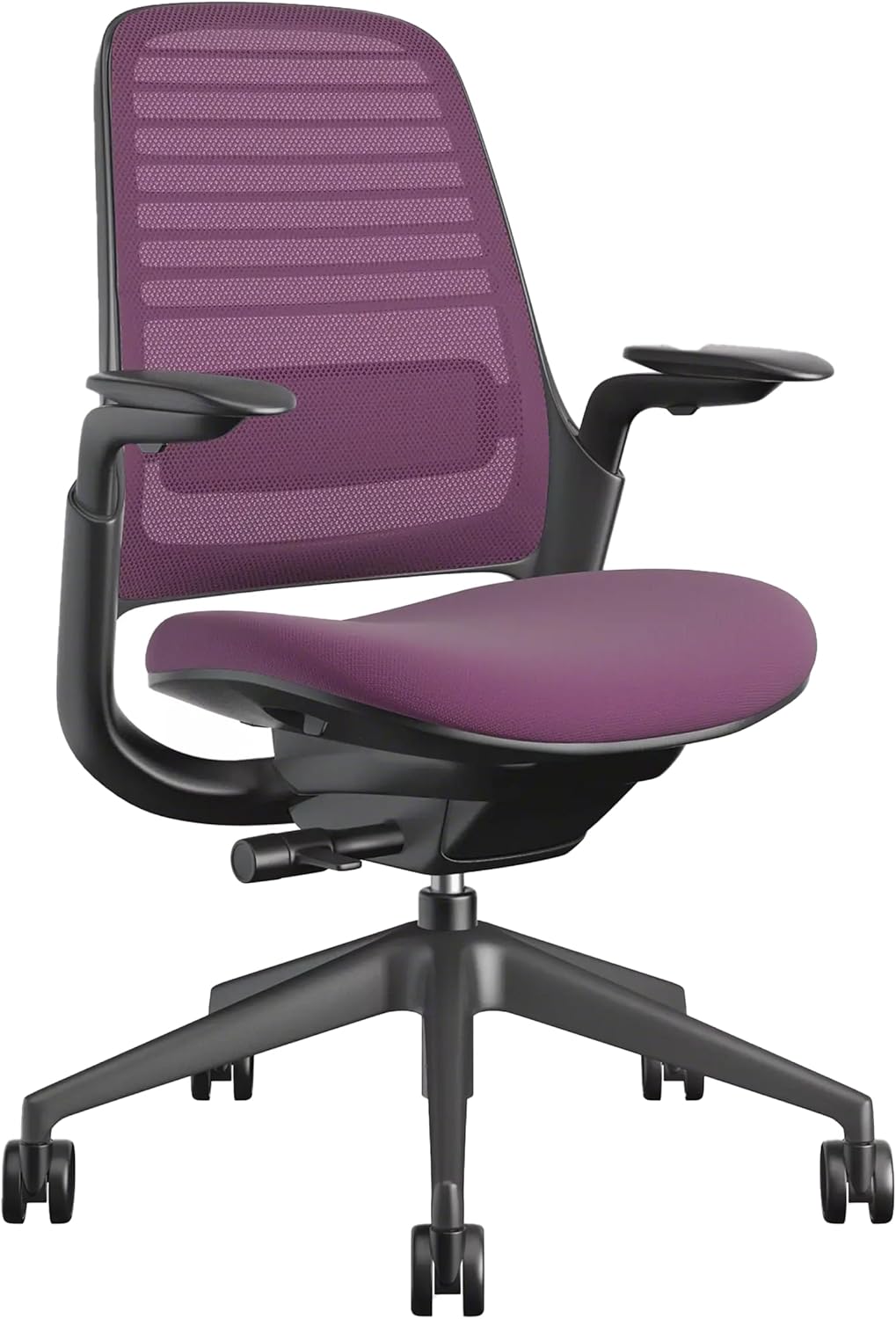
Steelcase Series 1 Office Chair
The Steelcase Series 1 is another model to compare if you want to explore a more adjustable task-chair design. When comparing configurations, pay particular attention to the armrests and how easily you can maintain a comfortable position at your desk.
Why consider it: It is worth evaluating if you prioritize chair fit and adjustment options over choosing a chair based on appearance alone.
Check before buying: Verify which armrest, seat, and backrest adjustments are included in the exact configuration. Premium pricing does not guarantee that a chair will fit your body better.
Option 3 · Configurable Task Chair
HON Ignition 2.0 Office Chair
The HON Ignition 2.0 is a task-chair range worth comparing if you want to investigate different configurations and adjustment options for a dedicated workstation.
Why consider it: Compare available arm styles, back options, and controls to find a configuration that fits your work habits.
Check before buying: HON offers different configurations, so inspect the exact listing rather than assuming every Ignition 2.0 chair includes the same adjustments. Make sure the selected version works with your desk height and body dimensions.
Which Chair Should You Choose?
| Model | Best Starting Point | What to Verify |
|---|---|---|
| SIHOO M18 | Everyday home-office use | Armrest fit and seat dimensions |
| Steelcase Series 1 | Comparing adjustable task chairs | Exact configuration and controls |
| HON Ignition 2.0 | Comparing task-chair configurations | Arm style and included adjustments |
Whenever possible, try a chair before committing to it. If that is not practical, compare the manufacturer’s dimensions, confirm the return policy, and check whether the adjustment range suits your body and workstation.
How to Adjust Your Office Chair for Neck and Shoulder Comfort
Before replacing your chair, try adjusting your current setup. A few small changes may help you identify whether the chair, desk, or monitor position is contributing to discomfort.
- Set the seat height. Keep your feet supported by the floor or a footrest. Avoid raising the chair so high that your feet dangle.
- Relax your shoulders. Let your upper arms hang near your torso. Avoid holding your shoulders up to reach the armrests or keyboard.
- Adjust the armrests. Set them so your forearms receive light support without pushing your shoulders upward or forcing your elbows outward.
- Move close to the desk. Your chair should allow you to reach the keyboard and mouse without stretching forward.
- Sit back comfortably. Use the backrest rather than hovering over the desk. Change your position as needed instead of holding yourself rigidly upright.
- Check your head position. Keep the monitor directly in front of you so you do not need to turn or tilt your head for extended periods.
- Take movement breaks. Stand, walk briefly, or change tasks regularly, especially during long periods of computer work.
Your Desk Setup Matters as Much as Your Chair
If you still feel neck and shoulder discomfort after adjusting your chair, look at the rest of your workstation. A well-fitted chair cannot compensate for a monitor that is poorly positioned or a keyboard that forces you to reach.
Monitor Height
Position the monitor in front of you at a comfortable viewing height so you do not repeatedly tilt your head up or down.
Keyboard and Mouse
Keep frequently used devices close enough to avoid reaching forward or holding your arms away from your body.
Desk Clearance
Make sure the desk provides room for your legs and lets the chair move close enough for comfortable typing.
Movement Breaks
Break up long periods of sitting and repetitive work. No single sitting position is ideal for every task all day.
If you work on a laptop for hours, consider a separate keyboard and mouse with a laptop stand or an external monitor. This can make it easier to position the screen and input devices independently.
Also check whether you are frequently cradling a phone between your ear and shoulder. Using a headset or speakerphone can help you avoid that awkward position while working.
Frequently Asked Questions
Can an ergonomic chair relieve neck and shoulder pain?
A well-fitted and properly adjusted chair may help you work in a more comfortable position. However, neck and shoulder pain can have many causes, and a chair cannot guarantee relief or replace medical assessment when needed.
Are adjustable armrests important for neck and shoulder discomfort?
They can be useful because they help support your forearms while keeping your shoulders relaxed. The correct height and width depend on your body and desk. Armrests that are too high, too low, or too far apart may encourage uncomfortable positioning.
Is a headrest necessary for an ergonomic office chair?
Not necessarily. A headrest may be useful for some people or tasks, especially when reclining, but it is not essential for every desk setup. Monitor placement, armrest adjustment, and the ability to sit close to the desk are important considerations for computer work.
Is a mesh chair better than a padded chair?
Neither material is automatically better for neck and shoulder comfort. Focus on fit, adjustment options, comfort, and whether the chair allows you to work without reaching or raising your shoulders.
Should I buy a more expensive office chair?
Not automatically. A more expensive chair may offer additional adjustments, but those features only help if they fit your body and workstation. Compare the exact model, adjustment range, dimensions, return policy, and warranty rather than relying on price alone.
When should I seek medical advice for neck or shoulder pain?
If your symptoms persist, worsen, interfere with daily activities, or are accompanied by numbness or weakness, seek advice from a qualified healthcare professional. Sudden or severe symptoms—particularly with chest pain, breathing difficulty, or new neurological problems—require urgent medical evaluation.
Health note: This article provides general workstation and shopping guidance, not a diagnosis or treatment plan. Neck and shoulder symptoms can have different causes. Seek professional advice for persistent or worsening discomfort.
Final Thoughts
The best ergonomic chairs for neck and shoulder pain are those that fit your body and allow you to work with relaxed shoulders, supported forearms, and a comfortable backrest position. Adjustable armrests and suitable seat dimensions are useful starting points, but the entire workstation needs to work together.
Before buying a new chair, review your current seat height, armrests, monitor, keyboard, and mouse placement. If you decide to upgrade, compare the exact chair configurations and choose one that suits your body and desk rather than assuming the most expensive option is the best.
For a wider comparison of chair types and features, visit our guide to the best ergonomic chairs. If your hand or wrist discomfort is also affecting computer work, read our guide to ergonomic chairs for carpal tunnel concerns.
Affiliate disclosure: As an Amazon Associate, SitBetterLab may earn from qualifying purchases. This does not affect the price you pay.
2 thoughts on “Best Ergonomic Chairs for Neck and Shoulder Pain”