
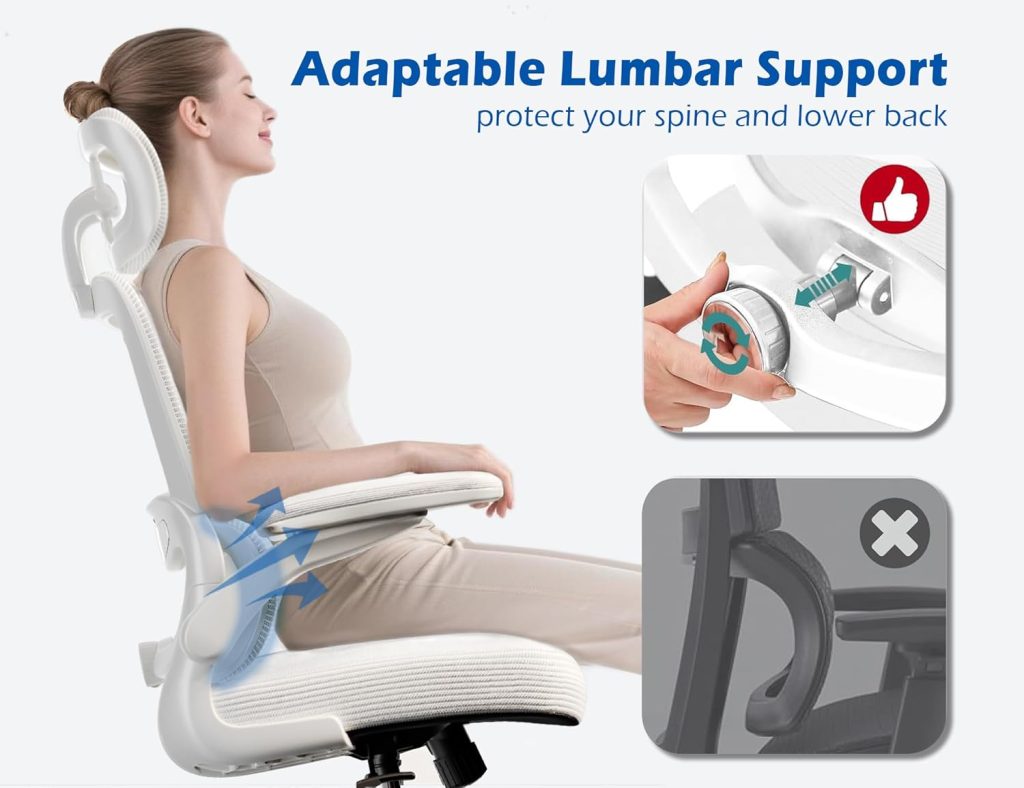
You want a comfortable, supportive chair — but you also have a budget. The good news is that you do not necessarily need to spend $500+ to find an ergonomic office chair with useful adjustment features.
The $200–$300 range includes many chairs with features such as adjustable lumbar support, breathable mesh, adjustable armrests, headrests, and reclining mechanisms. In this guide, we compare 7 ergonomic chairs under $300 based on their features, intended users, and overall design.
Budget Office Chairs Hub
for more guides covering chairs by price, body size, and use case.
Quick Answer
There is no single ergonomic chair under $300 that fits everyone. The right choice depends on your height, preferred seat material, lumbar-support needs, armrest adjustment, and weight capacity. The chairs below cover different priorities, including full-mesh designs, wider seats, adjustable lumbar support, and more flexible armrests.
Quick Comparison: Best Ergonomic Chairs Under $300
Use this table as a starting point. Amazon prices, ratings, availability, and product configurations can change, so check the current product listing before purchasing.
| Model | Best For | Max Weight | Lumbar | Material | Price | Link |
|---|---|---|---|---|---|---|
| Ticova | Overall value | 300 lbs | Adjustable | Mesh + foam | Check listing | Amazon |
| Hbada E3 | Mesh design | 275 lbs | Adjustable | Full mesh | Check listing | Amazon |
| SMUG Ergonomic | Taller users | 300 lbs | Adjustable | Mesh + foam | Check listing | Amazon |
| Flash Furniture Marcus | Wider seating | 300 lbs | Built-in | Mesh | Check listing | Amazon |
| Bowthy | Lower budget | 250 lbs | Adjustable | Mesh + foam | Check listing | Amazon |
| Nouhaus Ergo3D | Armrest adjustment | 275 lbs | Adjustable | Mesh + foam | Check listing | Amazon |
| KERDOM | Lumbar adjustment | 300 lbs | Height + depth | Mesh + foam | Check listing | Amazon |
1. Ticova Ergonomic Chair – A Strong All-Around Option Under $300
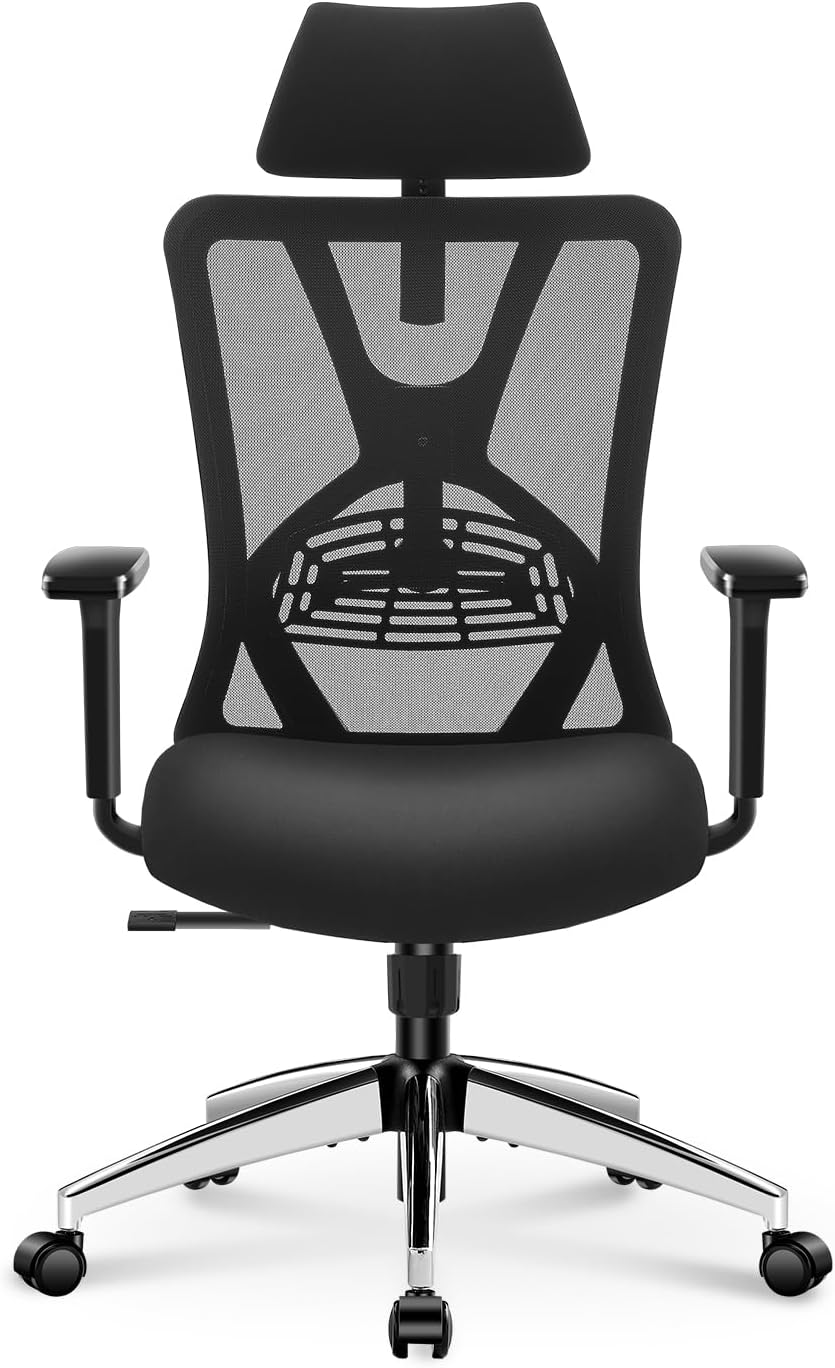

The Ticova Ergonomic Chair combines several features that shoppers commonly look for in a budget ergonomic office chair, including an adjustable lumbar system, mesh backrest, padded seat, adjustable armrests, and a reclining mechanism.
Its combination of adjustability and relatively straightforward design makes it worth considering for students, home-office users, and people buying their first ergonomic office chair.
Specifications
- Weight capacity: 300 lbs
- Seat cushion: High-density foam
- Backrest: Breathable mesh
- Lumbar support: Adjustable
- Armrests: Height adjustable
- Recline: Up to approximately 130° according to the manufacturer
Pros
- Adjustable lumbar support
- Breathable mesh backrest
- Padded foam seat
- Useful adjustment range for a budget chair
Cons
- Armrest adjustment is more limited than on premium ergonomic chairs
- Fit can vary depending on the user’s height and preferred seat position
- Current price and configuration should be checked before purchase
Who should consider the Ticova?
The Ticova is worth considering if you want a relatively feature-rich ergonomic chair without moving into premium-chair pricing. It is particularly relevant for home offices, study areas, and general computer work.
2. Hbada E3 – Full-Mesh Ergonomic Chair
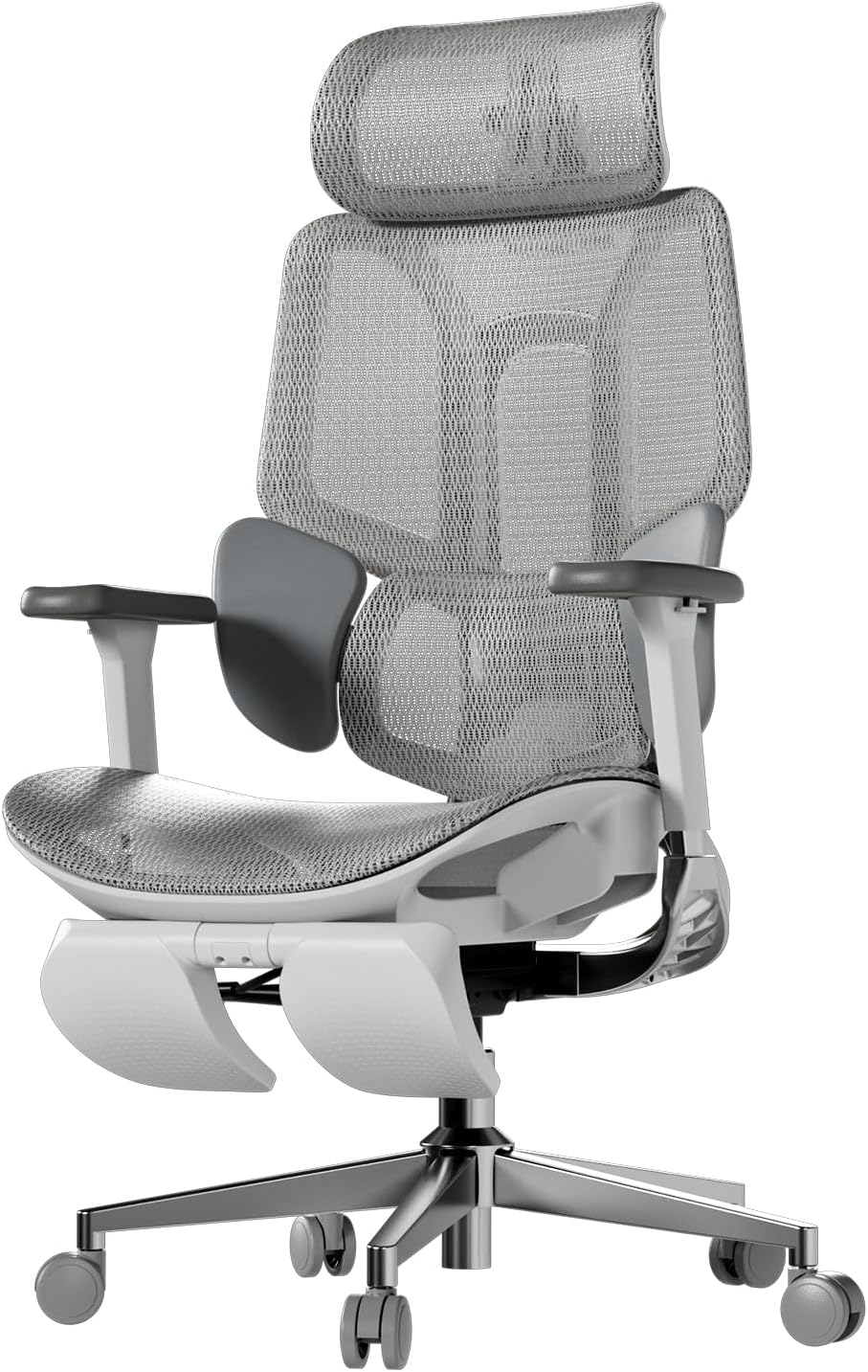

The Hbada E3 is designed around a mesh-heavy construction and includes features aimed at users who prefer airflow and a more adjustable workstation chair.
Depending on the specific E3 configuration, features can vary, so check the Amazon listing carefully before purchasing. In particular, verify the exact armrest, headrest, lumbar, and weight-capacity specifications for the version being sold.
Specifications
- Weight capacity: Check current product configuration
- Seat: Mesh design on applicable E3 configurations
- Backrest: Mesh
- Lumbar support: Adjustable on applicable configurations
- Headrest: Available on applicable E3 configurations
- Armrests: Configuration dependent
Pros
- Mesh construction can provide good airflow
- Multiple adjustment features depending on configuration
- Headrest available on applicable versions
- Modern office-chair design
Cons
- Different E3 versions can have different specifications
- Mesh seats can feel firmer than padded foam seats
- Shorter users should check seat depth carefully
Who should consider the Hbada E3?
The Hbada E3 is worth considering if you prefer a mesh-oriented office chair and want features such as a headrest and adjustable components. Because the E3 name covers multiple configurations, always confirm the exact model before ordering.
3. SMUG Ergonomic Chair – An Option for Taller Users
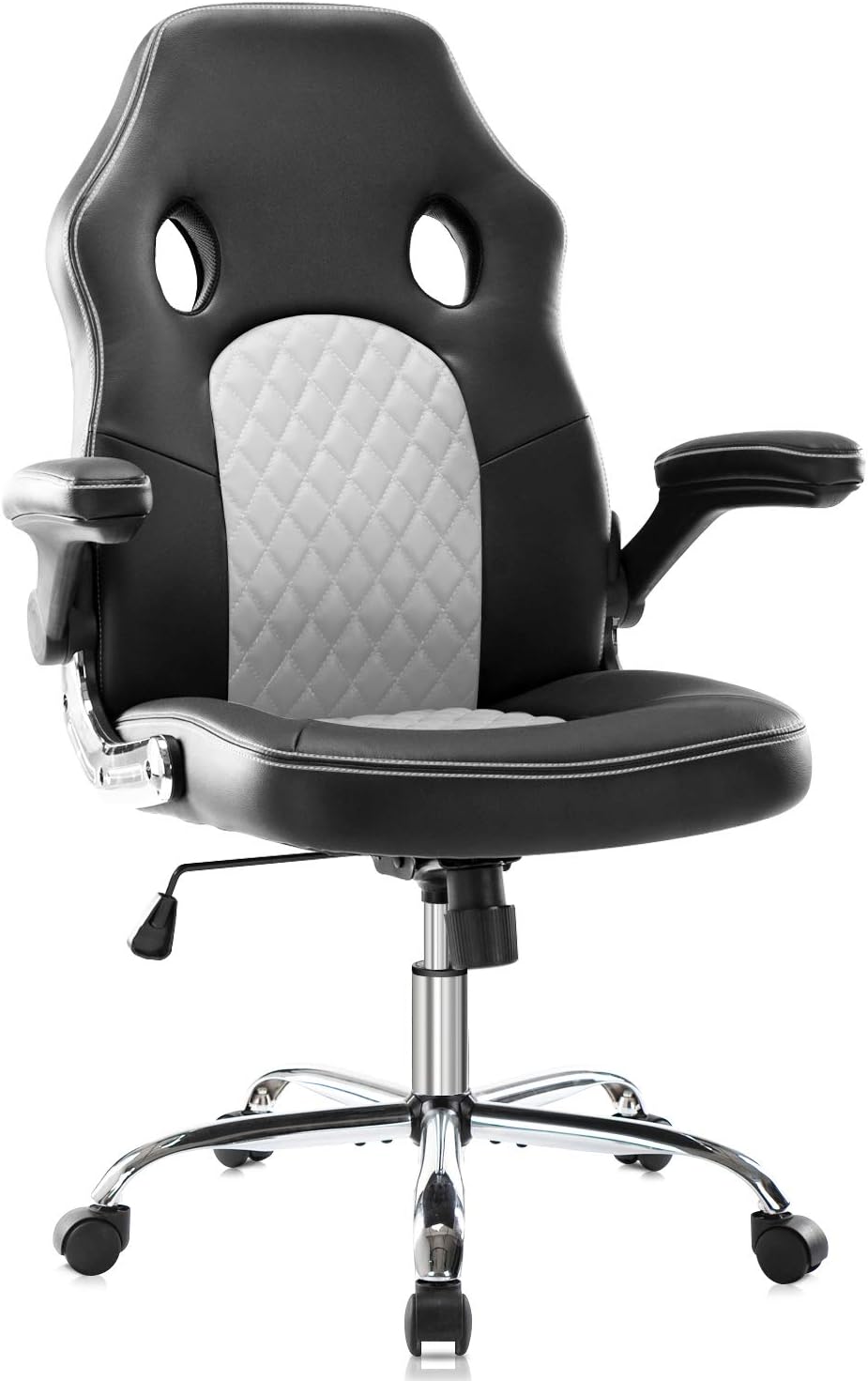

Chair fit becomes increasingly important as you move away from average body dimensions. Taller users often need enough seat height, backrest height, and lumbar positioning to avoid feeling constrained by a smaller office chair.
The SMUG Ergonomic Chair is worth considering for shoppers looking for a taller-oriented budget chair. Rather than assuming that a chair fits every user up to a particular height, check the current manufacturer’s dimensions and compare them with your own measurements.
Specifications
- Weight capacity: Check current listing
- Seat cushion: Padded foam
- Backrest: Breathable mesh
- Lumbar support: Adjustable on applicable configuration
- Armrests: Adjustable
- Recline: Check current configuration
Pros
- Taller users have more reason to consider a taller backrest
- Mesh backrest provides airflow
- Adjustable components are available
- Suitable for home-office and computer work
Cons
- Exact dimensions should be checked before purchase
- Armrest adjustability may be more limited than premium chairs
- Seat depth is important for taller users
Who should consider the SMUG?
Consider the SMUG if you are taller and frequently find that budget office chairs feel too small. Before purchasing, compare the seat height, seat depth, and backrest dimensions with a chair that already fits you well.
4. Flash Furniture Marcus – Wide-Seating Option
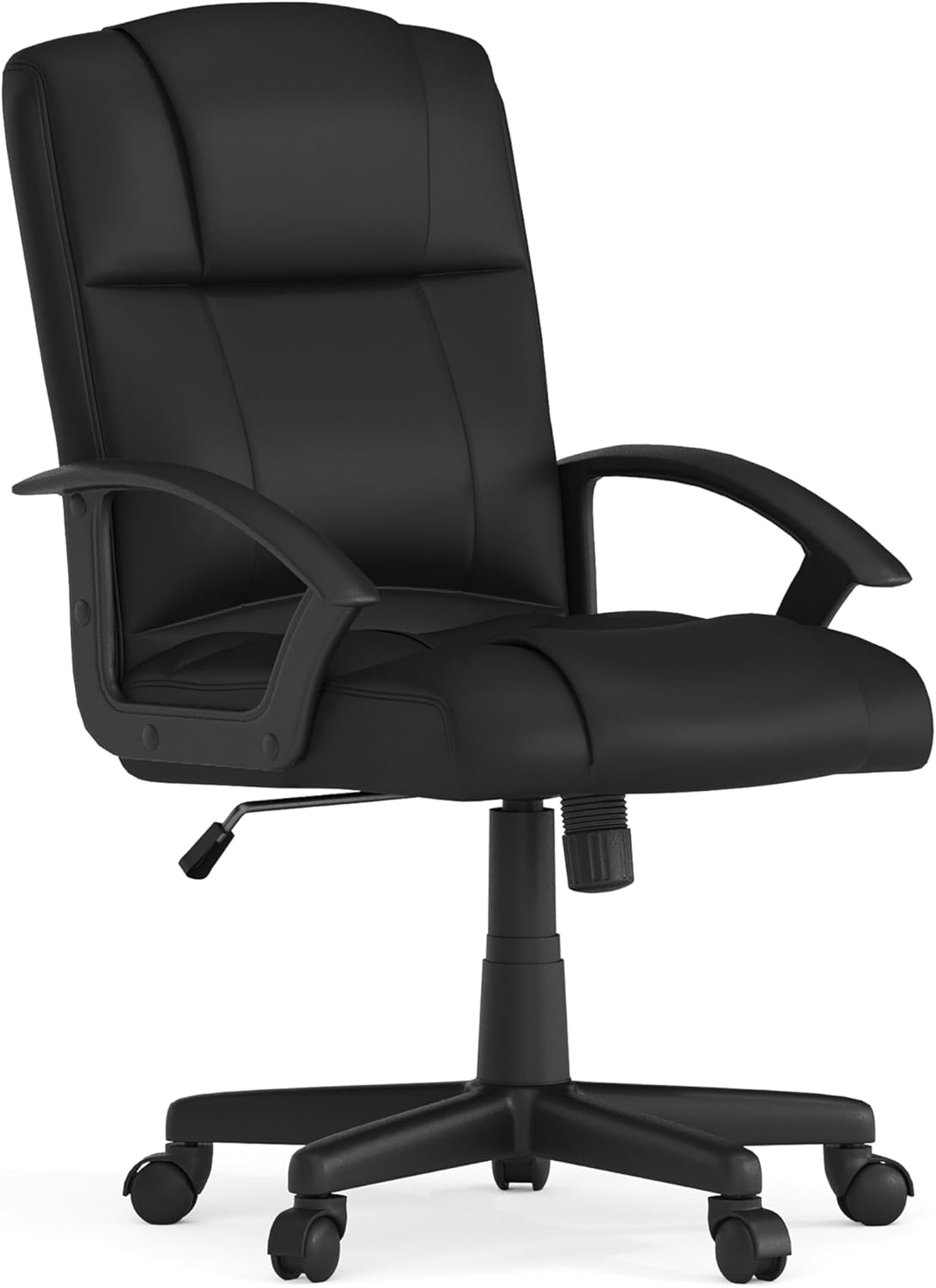

The Flash Furniture Marcus is a high-back office chair designed around a wider seating area and mesh construction. This makes it relevant to shoppers who prioritize a more spacious seat over extensive ergonomic adjustments.
Specifications
- Weight capacity: 300 lbs
- Seat width: Check current listing
- Seat material: Mesh
- Backrest: Mesh
- Lumbar support: Built-in support
- Armrests: Adjustable depending on configuration
Pros
- Spacious seating design
- Mesh construction provides airflow
- 300-lb listed capacity for the referenced model
- High-back design
Cons
- Lumbar support is less adjustable than on some alternatives
- Less suitable for shoppers seeking highly adjustable ergonomics
- Exact specifications can vary by model
Who should consider the Flash Furniture Marcus?
This chair is worth considering if you want a wider high-back office chair and prefer mesh construction. If precise lumbar or armrest positioning is your priority, compare it with more adjustable models such as the Ticova or Nouhaus Ergo3D.
5. Bowthy Ergonomic Chair – Lower-Budget Option

The Bowthy Ergonomic Chair is positioned toward shoppers who want ergonomic-style features at a lower price. The referenced model includes features such as an adjustable lumbar system, mesh backrest, padded seat, and adjustable armrests.
For shoppers whose budget is closer to $200 than $300, it can be useful to compare this type of chair with the options in our
Budget Office Chairs Hub
.
Specifications
- Weight capacity: 250 lbs
- Seat: Padded foam
- Backrest: Mesh
- Lumbar support: Adjustable on referenced configuration
- Armrests: Adjustable
- Headrest: Included on referenced configuration
Pros
- Lower price positioning
- Adjustable ergonomic features
- Mesh backrest
- Headrest on referenced configuration
Cons
- 250-lb listed capacity on the referenced model
- Exact features should be confirmed on the current listing
- Lower-priced chairs may offer fewer adjustment options
Who should consider the Bowthy?
The Bowthy is worth considering if your main goal is keeping the purchase price down while still getting several ergonomic-style features. Pay particular attention to the listed weight capacity and dimensions before ordering.
6. Nouhaus Ergo3D – Adjustable Armrest Design
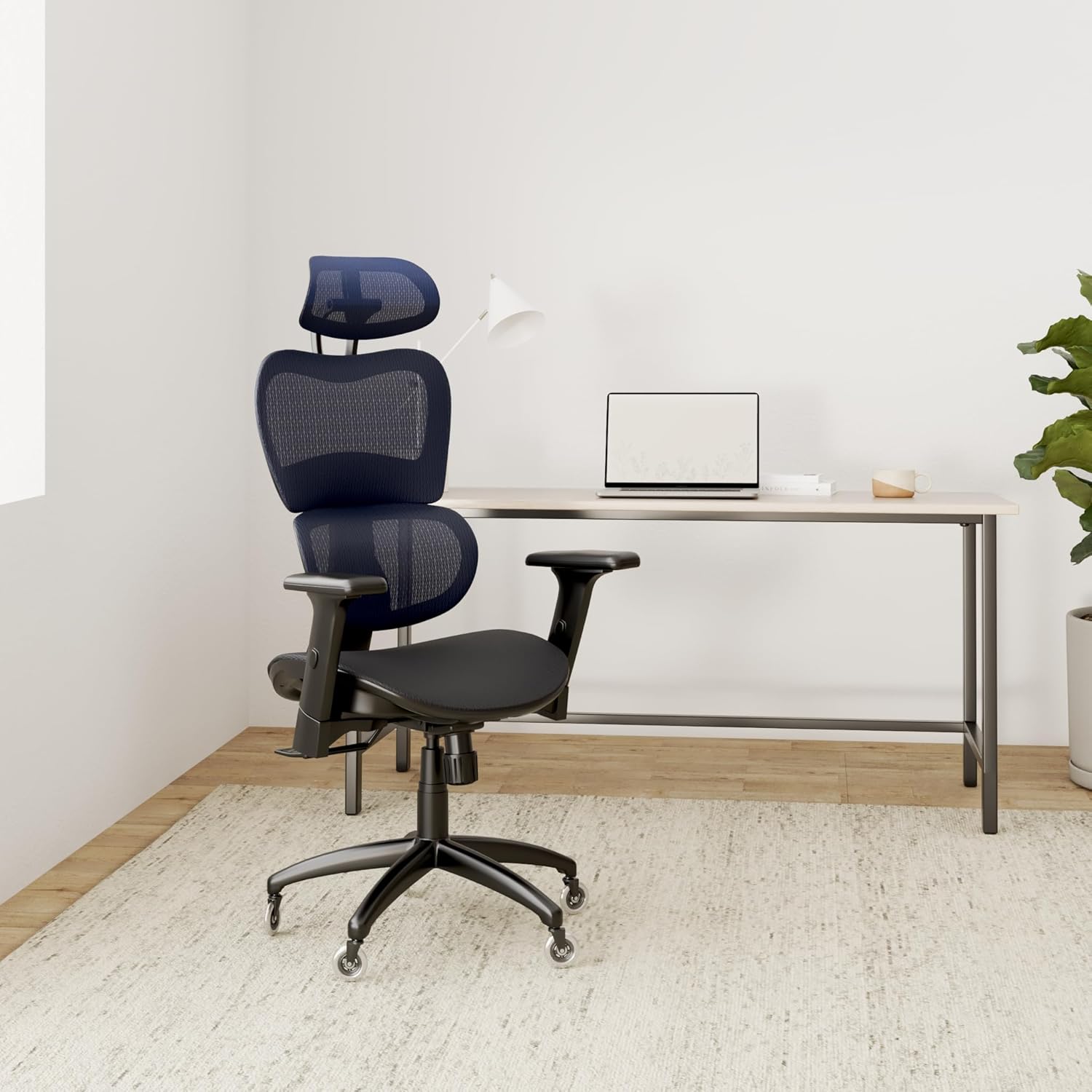

The Nouhaus Ergo3D focuses heavily on adjustability. For people who spend many hours at a desk, armrest positioning can be important because it allows the user to bring the arms closer to a comfortable working position.
The chair is particularly relevant for shoppers who want more armrest flexibility than a basic height-only office chair.
Specifications
- Weight capacity: Check current listing
- Seat: Padded seat
- Backrest: Breathable mesh
- Lumbar support: Adjustable
- Armrests: Multi-directional adjustment
- Headrest: Configuration dependent
Pros
- More armrest adjustment than basic office chairs
- Breathable mesh back
- Adjustable lumbar support
- Suitable for users who want more workstation adjustment
Cons
- Exact configuration should be checked before purchase
- May cost more than basic budget chairs
- More adjustment features can mean a more involved setup
Who should consider the Nouhaus Ergo3D?
Consider the Nouhaus Ergo3D if armrest positioning is an important part of your desk setup. It can also be compared with the Ticova when lumbar support and overall adjustment range are the main priorities.
7. KERDOM Ergonomic Chair – Lumbar Adjustment Focus
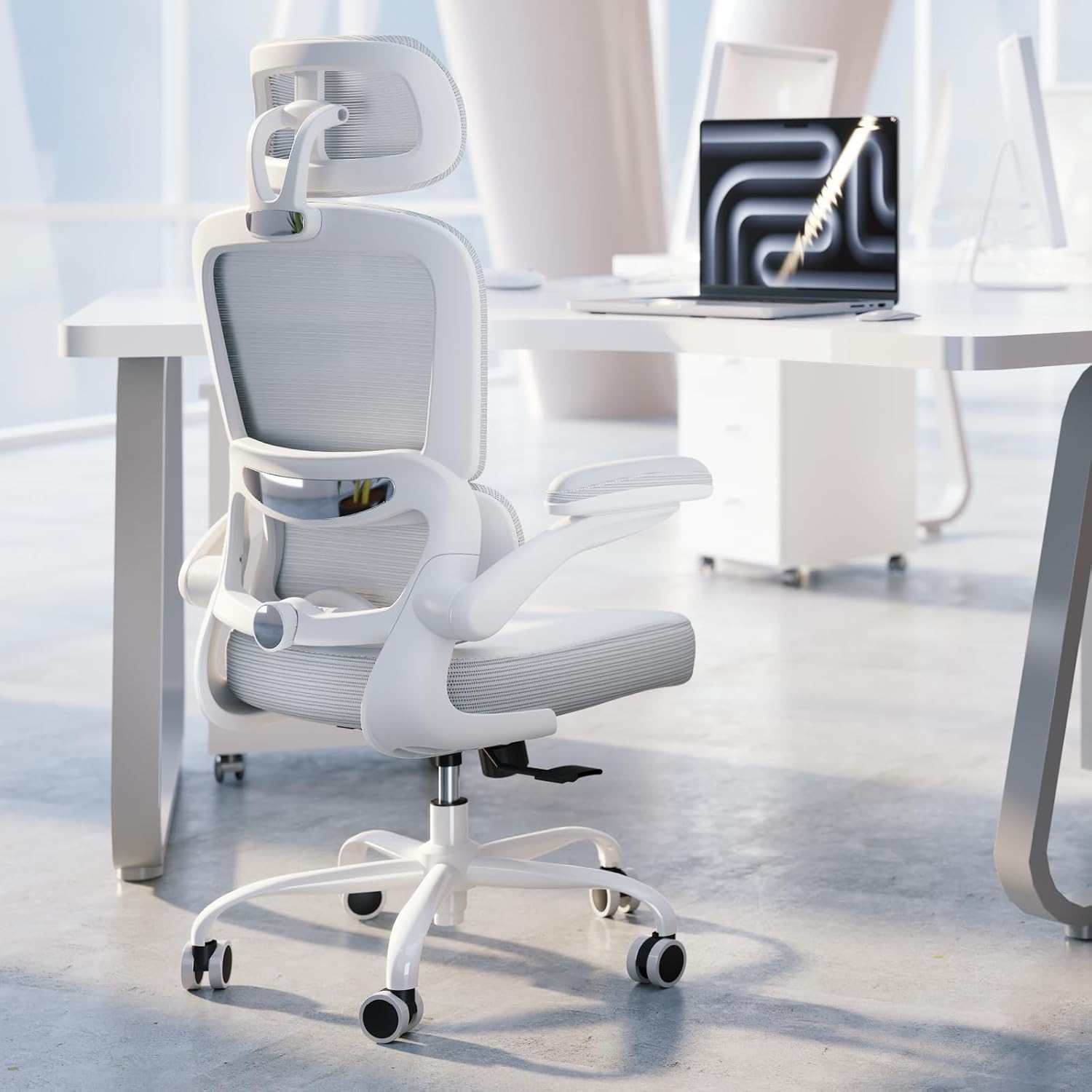

The KERDOM Ergonomic Chair is another option for shoppers who want more control over lumbar positioning. The referenced configuration provides adjustable lumbar support, while the overall chair combines a mesh backrest with a padded seat.
Lumbar support is highly dependent on individual body shape, so an adjustment feature is not automatically better for every user. The important consideration is whether you can position the support comfortably relative to your lower back.
Specifications
- Weight capacity: 300 lbs on the referenced configuration
- Seat: Padded foam
- Backrest: Breathable mesh
- Lumbar support: Height and depth adjustment on the referenced configuration
- Armrests: Adjustable
- Headrest: Height adjustable on the referenced configuration
Pros
- Adjustable lumbar positioning
- 300-lb listed capacity on the referenced configuration
- Mesh backrest
- Headrest included on the referenced configuration
Cons
- Exact specifications can vary by model
- Armrest adjustment may be less extensive than premium ergonomic chairs
- Always verify dimensions before purchase
Who should consider the KERDOM?
The KERDOM is worth considering if lumbar positioning is one of your main priorities. Compare its seat dimensions and adjustment range with other ergonomic chairs under $300 before making a decision.
Explore More Budget Office Chair Guides
If you are still comparing chairs by price, body size, or use case, continue with our
Budget Office Chairs Hub
.
What to Look for in an Ergonomic Chair Under $300
At this price point, you usually have to prioritize certain features rather than expect every adjustment found on a premium ergonomic chair. The following factors are worth checking before you buy.
1. Adjustable Lumbar Support
Lumbar support should be positioned relative to your lower back rather than simply being present on the chair. Height adjustment can help users position the support more appropriately, while depth adjustment provides another way to control how strongly the support contacts the lower back.
2. Seat Comfort and Seat Depth
Seat comfort is highly subjective. Some people prefer padded foam seats, while others prefer mesh because of its airflow and firmer feel.
Seat depth is also important. A seat that is too deep can make it difficult for shorter users to maintain a comfortable position, while a shallow seat may provide insufficient thigh support for taller users.
3. Armrest Adjustability
Basic office chairs often provide height-adjustable armrests, while more expensive ergonomic chairs may add width, depth, or pivot adjustment.
If your desk setup requires precise arm positioning, compare the actual adjustment range rather than simply looking for a chair advertised as having “ergonomic” armrests.
4. Height Compatibility
Chair fit should be evaluated using your own measurements whenever possible. Check seat height, seat depth, backrest height, and headrest position rather than relying only on a general recommended-height range.
If you are shorter than average, our guide to
office chairs for short people
may be more useful than a general under-$300 list.
For taller users, compare the dimensions with our
budget office chair guide for tall people
.
5. Weight Capacity
Always check the manufacturer’s listed weight capacity for the exact chair configuration you are purchasing. A chair rated for 250 lbs should not be treated as equivalent to a model rated for 300 lbs simply because both are marketed as ergonomic chairs.
Frequently Asked Questions
Is a $300 ergonomic chair worth it?
A chair around $300 can provide useful ergonomic features without the price of many premium office chairs. Whether it is worth the money depends on the chair’s fit, adjustment range, materials, warranty, and how well those features match your needs.
What is the best ergonomic chair under $300 for lower back support?
Look for a chair with adjustable lumbar support rather than choosing solely based on price or brand. The Ticova and KERDOM are two options in this guide that emphasize adjustable lumbar positioning.
Can I get a mesh ergonomic chair under $300?
Yes. Several chairs in this price range use mesh backrests, and some models use mesh for more of the seating surface as well. Mesh can provide airflow, but the feel is generally firmer than a traditional foam seat.
What is the best ergonomic chair under $300 for tall people?
Rather than choosing a chair based only on a stated height range, taller users should compare seat height, seat depth, backrest height, and headrest position. The SMUG is one option to investigate, while our
budget office chair guide for tall users
covers the issue in more detail.
What is a good ergonomic chair under $300 for gaming?
For gaming, look for the same ergonomic characteristics as an office chair: appropriate seat depth, lumbar positioning, armrest adjustment, and a recline mechanism. A chair does not need to be marketed specifically as a gaming chair to work well at a gaming desk.
Are chairs under $300 durable?
Durability varies considerably between models. Before purchasing, check the manufacturer’s specifications, warranty, weight capacity, materials, and recent customer feedback. Avoid assuming that a high review count automatically proves long-term durability.
What is the difference between a $200 and $500 ergonomic chair?
Higher-priced ergonomic chairs often provide more adjustment options, more refined materials, longer warranties, and more extensive fit customization. A $200–$300 chair can still provide useful ergonomic features, but buyers generally need to be more selective about which adjustments matter most to them.
Which Ergonomic Chair Under $300 Should You Consider?
Instead of treating one chair as universally “best,” match the chair to the feature that matters most to you:
- Ticova: A balanced option for shoppers looking for adjustable lumbar support and a padded seat.
- Hbada E3: Worth considering if mesh construction and adjustable workstation features are priorities.
- SMUG: An option to investigate if you are taller and need a larger overall fit.
- Flash Furniture Marcus: Relevant for shoppers who prioritize a wider high-back seating design.
- Bowthy: A lower-budget option for shoppers who want several ergonomic-style features without moving toward the top of the $300 range.
- Nouhaus Ergo3D: Worth considering if armrest adjustability is particularly important to your setup.
- KERDOM: An option for shoppers who want more control over lumbar positioning.
If none of these options quite matches your requirements, start with our
Budget Office Chairs Hub
to explore additional price- and use-case-specific guides.