
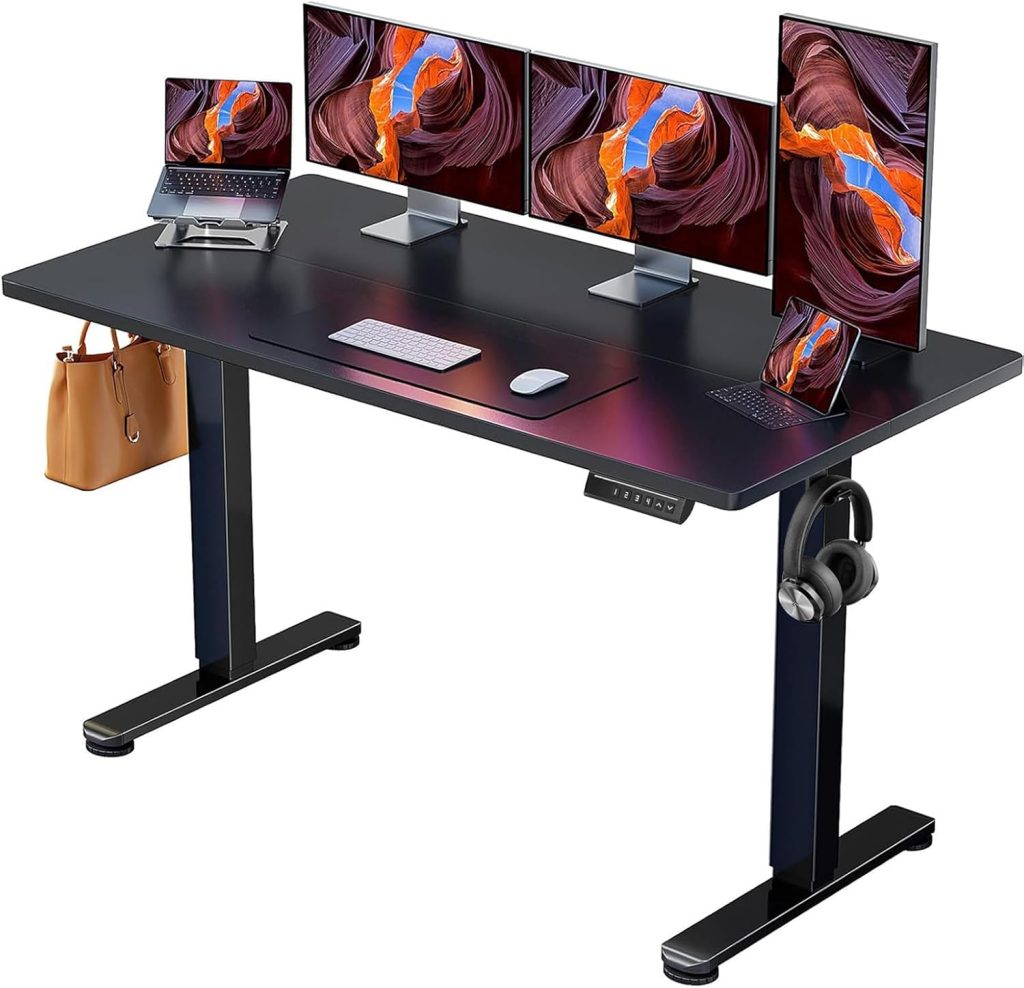
🔍 Features to Check Before Buying
The sweet spot for affordable standing desks is between $200–$300. This price range gets you electric height adjustment, decent build quality, and enough desktop space for most setups. Here’s what to prioritize:
⚡ Electric vs. Manual
- Prioritize electric height adjustment over manual crank desks
- Manual crank desks require stopping work, crouching, and turning a crank for 30 seconds every time you want to change position — enough friction that most people stop bothering within a week
- Electric desks with memory presets make the transition between sitting and standing instantaneous
- Entry-level desks under $300 — like the Vivo at $199.99 — often lack stability and motor quality
📏 Desktop Size & Weight Capacity
- Desktop size: 40–48 inches wide is the sweet spot for most home offices, accommodating a monitor, laptop, keyboard, and accessories
- Weight capacity: At least 110 lbs is essential — but some budget desks like the NearHub OD20 only support 130 lbs, while FlexiSpot models handle 300+ lbs
- Desktop construction: Two-piece desktops (common under $300) feel less premium than solid panels but work fine
- A small frame may work with a laptop but struggle once dual monitors and monitor arms enter the setup
📋 Memory Presets
- Memory presets store your preferred sitting and standing heights so switching positions takes a single button press
- Four presets are ideal for shared users
- This low-friction feature is what makes the difference between a desk you actually use and one that becomes a fixed-height desk after the first month
- Available even on budget models — some under $100 include 4 presets
🔌 Cable Management
- Visible cable clutter accumulates over time and makes the desk feel frustrating
- Some budget desks include cable management (NearHub OD20, Veken 55″)
- Others (like some FlexiSpot models) don’t include it, requiring separate purchase
- Built-in cable grommets and trays help keep cords out of sight and off the floor
💡 The hidden issue most budget guides miss: Many people underestimate how much time they spend at their workstation. A setup that feels acceptable during the first week can become frustrating after months of daily use. Tiny sources of workflow friction — unstable monitors, cramped posture, visible cable clutter, awkward sit-stand transitions — accumulate over time. The smartest affordable sit-stand setups prioritize long-term usability instead of chasing the absolute lowest upfront price.
🪨 Stability: The #1 Differentiator at This Price
Almost every standing desk feels fine at sitting height. The differences emerge when the columns are fully extended — which is where thin steel and missing crossbars become obvious. Here’s what to look for:
🔴 What Causes Wobble in Budget Desks
- Thin steel columns — cheaper desks use lighter-gauge steel that flexes at full height
- Missing crossbars — crossbars connect the legs and dramatically reduce side-to-side movement; many budget desks omit them to save cost
- Single motor designs — can struggle with uneven lifting, especially under load
- Rear-set legs — some designs (like VIVO’s) prioritize legroom but sacrifice stability
- A desk can technically lift enough weight while still wobbling violently during heavy typing
🟢 What to Look For
- Aerospace-grade lifting columns — some budget desks now use these, improving stability even at max height
- Steel construction — robust steel frames resist flexing better than lighter materials
- Crossbar design — models with crossbars (like Titan Fitness A2) are more stable than those without
- Load testing: Look for desks tested to 50,000–100,000 lift cycles
- Long-term user reports — stability often degrades after months of use in cheaper models
📊 The stability reality check: The Titan Fitness A2, a sub-$300 desk, has noticeable stability issues at standing height. Front-to-back wobble becomes apparent at just 39 inches of height. This is the difference between a desk that works and one that frustrates you every time you type at standing height.
⚙️ Motor Quality: The Most Failure-Prone Component
The motor system is the most failure-prone component in any electric standing desk. Here’s what to know about motor quality at this price point:
🔹 Single vs. Dual Motor
- Single motor — common under $300; can be reliable but may struggle with heavier loads or uneven lifting
- Dual motor — provides smoother, quieter lifts with longer operational lifespans
- Some budget desks (like the $94 Amazon deal) use a single motor with aerospace-grade lifting columns
- Dual motor desks under $300 are rare but exist — the FlexiSpot dual-motor model is a notable exception
🔹 What Can Go Wrong
- Left leg motor failure — some budget desks develop left leg motor failure after about a week of use, causing uneven height adjustment
- High pitch sounds — cheap motors can be noisy and irritating
- No overload protection — cheaper desks lack protection that prevents motor burnout
- Controller glitches — some budget desks have finicky control panels
- Motor strain — a $199 desk may work for a few months, then the motor starts straining under a dual-monitor setup
💡 What to look for in motor quality:
- Quiet operation — under 55 dB is good; some budget desks are near-silent
- Lift cycle rating — 50,000–100,000 cycles indicates durability
- Branded vs. generic motors — brands using established motor manufacturers tend to deliver smoother, quieter lifts with longer operational lifespans
- Warranty coverage — VIVO offers 3–6 years on budget desks; FlexiSpot offers 5–15 years depending on model
🌟 5 Recommended Standing Desks Under $300
1. FlexiSpot E2 / EN1 — Best Overall Value
The FlexiSpot E2 (sold as EN1 on Amazon) is consistently rated as the best budget standing desk. Priced around $161–$200, it offers a spacious desktop, quiet operation, and solid stability. The frame moves quickly, smoothly, and quietly to reach your desired height.
- ✅ Price: ~$161–$200
- ✅ Desktop sizes: 42×24″ up to 71×30″
- ✅ Quiet, smooth height adjustment
- ✅ Very stable — one of the most stable budget options
- ✅ Multiple desktop finishes (bamboo, solid wood, chipboard, gaming)
- ✅ Available in white, black, and gray frames
- ❌ Difficult to assemble
- ❌ Control panel can be glitchy
- ❌ No built-in cable management
- ❌ Amazon version (EN1) has limited add-on options vs. buying direct from FlexiSpot
Verdict: The best all-around budget standing desk. Spacious, stable, and quiet — perfect for home offices.
2. Veken 55″ Electric Standing Desk — Best Large Desktop
The Veken 55-inch desk offers a spacious desktop and reliable electric adjustment. It’s a solid choice for budgets under $300, offering reliable ergonomics that justify the investment for daily productivity gains. The desk is stable and supports full home office setups.
- ✅ Price: Under $300
- ✅ Height range: 28.3″ to 46.5″
- ✅ 55-inch desktop — fits dual monitors comfortably
- ✅ 4 memory presets
- ✅ Smooth electric motor for effortless height changes
- ✅ Cable clips keep wires hidden
- ❌ Two-piece desktop — feels less premium than solid wood
- ❌ Motor noise noticeable in very quiet environments
- ❌ Requires nearby power outlet
Verdict: If you need a spacious desktop for dual monitors and a full home office setup, the Veken 55″ is a strong choice under $300.
3. ErGear Electric Standing Desk — Best Stability Under $300
The ErGear Electric Standing Desk has been tested to withstand 50,000 lifting cycles, speaking volumes about its durability. With a 4.5-star average from over 8,200 ratings, it offers outstanding stability thanks to its robust steel frame and aerospace-grade lifting columns.
- ✅ Price: ~$99–$120
- ✅ Desktop size: 47.2″ × 23.6″
- ✅ Height range: 28″ to 47″
- ✅ 3 memory presets
- ✅ Quiet motor
- ✅ Rock-solid build stays steady at max height
- ✅ Low-VOC surface for healthier air quality
- ✅ Easy assembly in under an hour
- ❌ Barely fits in very tight corner spaces
- ❌ Desktop surface attracts fingerprints
- ❌ No built-in cable management tray
Verdict: The most stable budget desk under $100. Excellent choice for users who prioritize durability and a firm, wobble-free surface.
4. NearHub OD20 — Best for Cable Management & Scratch Resistance
The NearHub OD20 is praised for its solid construction, quiet operation, and clean design. Around $250, it offers a scratch-resistant desktop, built-in cable management, and a stable 2-stage steel frame.
- ✅ Price: ~$250
- ✅ Height range: 28.7″ to 46.5″
- ✅ 2 memory presets
- ✅ Scratch-resistant desktop
- ✅ Stable 2-stage steel frame — wobble-free at max height
- ✅ Built-in cable management (grommet + tray)
- ✅ Quiet, smooth motor
- ❌ Weight capacity: only 130 lbs
- ❌ Single motor vs. dual-motor competition
- ❌ Less suited for heavy dual-monitor setups
Verdict: The best choice for users who prioritize a clean workspace, scratch-resistant surface, and don’t need to support heavy equipment.
5. Sweetcrispy Mobile Small Standing Desk — Best for Compact Spaces
The Sweetcrispy Mobile Small Standing Desk offers a compact build that fits seamlessly into small rooms, making it the perfect solution as a small standing desk. It’s a top choice for home office users seeking comfort and productivity in limited spaces.
- ✅ Compact design — fits tight spaces
- ✅ Quiet operation
- ✅ Affordable — under $300
- ✅ Mobile / rolling design
- ❌ Limited desktop space — laptop only
- ❌ Smaller weight capacity than full-size desks
Verdict: The best choice for tiny apartments, dorm rooms, or anyone who needs a standing desk that can move around and fit in tight spaces.
📋 How to Choose the Right Desk for You
Ask yourself these questions before buying:
- What’s your primary use? Laptop only → compact desks work. Dual monitors + accessories → look for 48–55″ desktops with 150+ lbs capacity.
- How important is stability? If you type heavily or have multiple monitors, prioritize desks with crossbars and steel frames (ErGear, FlexiSpot).
- Do you care about cable management? The NearHub OD20 and Veken 55″ include cable management. FlexiSpot and ErGear generally do not.
- What’s your budget? Under $120 → ErGear or the $94 Amazon desk. $160–$200 → FlexiSpot E2. $200–$300 → Veken 55″ or NearHub OD20.
- Do you have limited space? The Sweetcrispy compact desk is your best bet.
❓ Frequently Asked Questions: Budget Standing Desks
🏆 Final Verdict: Best Budget Standing Desk Under $300
Yes — you can get a genuinely good standing desk for under $300 in 2026. But you need to know what to look for.
Our recommendations:
- 🥇 Best overall value: FlexiSpot E2 / EN1 — spacious, stable, quiet, and around $160–$200. The most recommended budget standing desk.
- 🥈 Best large desktop: Veken 55″ — spacious 55-inch surface, 4 memory presets, and reliable electric adjustment under $300.
- 🥉 Best stability under $100: ErGear Electric Standing Desk — rock-solid build, 50,000-cycle rating, and a 4.5-star average from 8,200+ reviews.
- 📦 Best cable management: NearHub OD20 — scratch-resistant desktop with built-in cable management at ~$250.
- 🏠 Best compact: Sweetcrispy Mobile Small Standing Desk — fits tight spaces and is mobile.
The biggest takeaway: the goal is not simply spending less money upfront. The goal is building a setup that removes as much friction from your daily work as possible — even six months down the road. Prioritize stability, motor quality, and a desktop size that fits your setup. A desk that wobbles or has a noisy motor will frustrate you every single day. Choose wisely, and your back — and your productivity — will thank you.
📚 You May Also Like
- Are Standing Desks Worth It? Complete Ergonomic Analysis (2026)
- Standing Desk vs Sitting Desk: Which Is Better? (2026 Ergonomic Comparison)
- Best Premium Standing Desks in 2026: 5 High-End Picks That Are Worth the Investment
- Best Standing Desk for Small Spaces (2026 Guide)
- How Long Should You Stand at a Standing Desk? (2026 Guidelines)