Ergonomic Seating Guide
When choosing a desk chair for scoliosis, prioritize a comfortable fit, adjustable support, and the ability to change positions throughout the day.
No office chair can correct scoliosis, but a well-fitted workstation may help make desk work more comfortable.
Finding the best desk chair for scoliosis can be challenging because scoliosis affects people differently. Some people sit comfortably in a conventional ergonomic chair, while others may find that a particular seat shape, backrest, or fixed lumbar support feels uncomfortable during long work sessions.
The goal is not to find a chair that claims to straighten your spine. Instead, look for a chair that fits your body, allows comfortable sitting, and provides enough adjustability to accommodate your needs. Seat depth, armrest position, backrest design, and desk height are all worth considering.
This guide explains which chair features to compare, reviews several office chair models worth investigating, and offers practical tips for setting up your desk.
Quick Answer: What Should You Look For?
- Comfortable seat fit: Choose a seat that supports your thighs without uncomfortable pressure.
- Adjustable backrest: Look for support that feels comfortable for your body rather than forcing a rigid position.
- Adjustable armrests: Keep your shoulders relaxed and your arms comfortably supported.
- Suitable seat height: Make sure your feet are supported and your desk is easy to reach.
- Position changes: Choose a chair that lets you move and change sitting positions throughout the day.
In This Guide
What to Look for in a Desk Chair for Scoliosis
Scoliosis involves a sideways curvature of the spine, and individual experiences vary. A chair that feels comfortable for one person may not work well for another. Rather than relying on marketing claims about posture correction, focus on fit, comfort, and practical adjustments.
1. A Backrest That Feels Comfortable
A backrest should allow you to sit comfortably without feeling that it pushes your torso into an awkward position. Pay attention to the shape of the backrest and where its support contacts your back.
Some chairs provide fixed lumbar support, while others offer adjustable support. Neither design is automatically better for everyone with scoliosis. If a pronounced lumbar curve feels uncomfortable, a different backrest shape or adjustment range may be a better fit.
Whenever possible, try the chair before buying it. If you order online, check the return policy in case the backrest does not suit your body.
2. Seat Depth and Width
Seat dimensions affect how comfortably you can sit back against the backrest. A seat that is too deep may press behind your knees or encourage you to slide forward. A seat that is too narrow may feel restrictive.
Choose a seat that supports your thighs while allowing a comfortable gap behind your knees. If your leg length or body proportions make standard chairs difficult to fit, adjustable seat depth may be particularly useful.
3. Adjustable Seat Height
Your feet should be supported by the floor or a footrest, and the chair should allow you to work at your desk without raising your shoulders or reaching forward.
If your desk is too high, simply lowering the chair may leave your feet unsupported. A footrest or a better-matched desk arrangement may help, but the entire setup should be assessed together.
4. Adjustable Armrests
Armrests can help support your forearms and reduce the need to hold your arms unsupported while typing. Ideally, they should allow your shoulders to stay relaxed and your elbows to remain near your body.
Look for adjustment options that match your desk height and body dimensions. Armrests that are too high or too wide can make a chair less comfortable, even if the backrest feels supportive.
5. Recline and Movement
Staying in one position for a long time can become uncomfortable, regardless of the chair. A backrest that reclines comfortably may make it easier to vary your sitting position throughout the day.
You do not need to maintain one perfectly upright position continuously. Aim for a comfortable setup that lets you change positions, take movement breaks, and work without persistent strain.
4 Office Chairs Worth Comparing
The following models are comparison candidates, not medical recommendations. No chair listed here has been established as a treatment for scoliosis. Check the precise model, configuration, dimensions, adjustment options, and return policy before buying.
Option 1 · Adjustable Task Chair
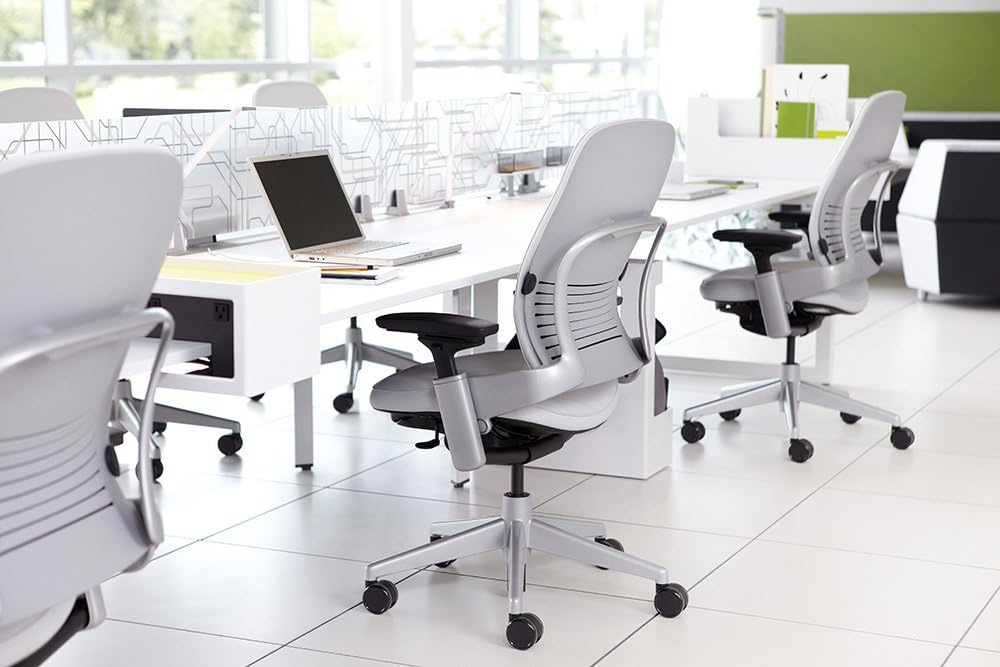
Steelcase Leap
The Steelcase Leap is worth investigating if you want a task chair with multiple adjustment options. Its seat-depth adjustment is particularly relevant if you struggle to find a chair that lets you sit back comfortably.
Why consider it: A more adjustable chair may give you additional ways to fine-tune seat fit and working position.
Check before buying: Confirm the configuration, seat dimensions, armrest range, and whether the backrest feels comfortable for your body. More adjustment options do not guarantee a better fit for every person with scoliosis.
Option 2 · Adjustable Ergonomic Chair
Herman Miller Aeron
The Herman Miller Aeron is a mesh task chair available in different sizes. It is worth comparing if you prefer a mesh seat and backrest and want to investigate different size options.
Why consider it: Selecting the appropriate size is important when assessing seat width, seat depth, and overall fit.
Check before buying: Review the manufacturer’s sizing guidance and confirm which adjustments are included. The mesh seat and frame shape will not feel comfortable to everyone, so try the chair if possible.
Option 3 · Configurable Task Chair
HON Ignition 2.0
The HON Ignition 2.0 is another office-chair range worth comparing if you want to evaluate different task-chair configurations for daily desk work.
Why consider it: Compare the exact model’s seat, armrests, and backrest options to determine whether it suits your dimensions and preferences.
Check before buying: Verify the precise configuration and adjustment range rather than assuming every version includes the same features. Consider whether you can sit back comfortably without pressure in an uncomfortable area.
Option 4 · Home Office Alternative
SIHOO M18 Ergonomic Office Chair
The SIHOO M18 is a mesh-back office chair worth comparing if you are looking at a more budget-conscious home-office option.
Why consider it: It provides another price and design point to compare with premium task chairs.
Check before buying: Pay attention to seat depth, minimum seat height, armrest adjustments, and the shape of the backrest. If its fixed contours do not feel comfortable for your body, consider another model.
How to Compare These Models
| Model | What to Compare | Important Check |
|---|---|---|
| Steelcase Leap | Seat and backrest adjustment | Comfortable seat depth and backrest fit |
| Herman Miller Aeron | Mesh design and sizing | Size and frame comfort |
| HON Ignition 2.0 | Available configurations | Exact adjustments included |
| SIHOO M18 | Home-office fit and value | Seat depth and backrest comfort |
How to Set Up Your Desk Chair for Comfortable Sitting
Once you have a chair that fits, make small adjustments and evaluate how comfortable the complete workstation feels. Avoid forcing your body into a rigid position just because it is described as ideal posture.
- Set the seat height. Keep your feet supported on the floor or a footrest while maintaining a comfortable seated position.
- Check the seat depth. Sit back against the backrest and make sure the seat does not press uncomfortably behind your knees.
- Adjust the armrests. Position them so your shoulders remain relaxed and your forearms can rest comfortably when appropriate.
- Position the monitor. Place it directly in front of you at a comfortable viewing height so you do not need to turn your torso or repeatedly tilt your head.
- Keep input devices within reach. Position your keyboard and mouse close enough to avoid prolonged reaching.
- Change positions regularly. Use short movement breaks and vary your sitting position during the day.
If a particular chair adjustment increases discomfort, do not assume you need to get used to it. Try a different setting or consider whether another chair shape would be more suitable.
Buying Tips Before You Choose a Chair
Check the Measurements
Review seat depth, seat height, width, and adjustment ranges instead of relying on product photos alone.
Review Return Terms
A chair may feel different after several hours of use. Check return costs, eligibility, and warranty conditions.
Avoid Medical Claims
Do not rely on marketing claims that a chair can correct spinal curvature or treat scoliosis.
Consider Professional Advice
If sitting is painful or your needs are complex, ask a qualified healthcare professional or occupational therapist about workstation modifications.
Frequently Asked Questions
What is the best desk chair for scoliosis?
There is no single best chair for everyone with scoliosis. The right choice depends on your body dimensions, comfort preferences, desk setup, and any specific advice from your healthcare professional. Prioritize fit and adjustability over claims that a chair can correct spinal curvature.
Can an ergonomic chair correct scoliosis?
No. An ergonomic office chair cannot correct scoliosis. A suitable chair may help you sit more comfortably during desk work, but it should not be treated as a corrective or medical device unless specifically prescribed for a clinical purpose.
Is adjustable lumbar support necessary?
Not for everyone. Adjustable lumbar support gives you more control over where the chair contacts your lower back, but some people may prefer a different backrest shape. Choose the configuration that feels comfortable and allows you to sit naturally.
Is a mesh chair better than a padded chair?
Neither material is automatically better for scoliosis. Focus on seat fit, backrest shape, adjustment options, and personal comfort. Mesh and padded chairs can both be suitable if their dimensions and design work for you.
Should I use a lumbar pillow with my office chair?
A lumbar pillow may help some people feel more comfortable, but it can also push the back forward or alter the way the chair fits. If you try one, check that it does not create additional pressure or make sitting less comfortable. Seek professional guidance if you are unsure what support is appropriate for your situation.
When should I seek professional advice?
If sitting causes persistent or worsening pain, or you experience new weakness, numbness, or other concerning symptoms, seek advice from a qualified healthcare professional. Do not rely on a chair change alone to manage significant symptoms.
Health note: This article provides general seating and shopping information, not medical advice. Scoliosis and related symptoms vary between individuals. Consult a qualified healthcare professional for personalized recommendations.
Final Thoughts
The best desk chair for scoliosis is the one that fits your body and supports comfortable desk work without forcing you into an uncomfortable position. Seat depth, backrest shape, armrest adjustment, and desk height are useful starting points when comparing models.
Rather than choosing a chair because it claims to correct posture, focus on comfort, adjustability, and the ability to change positions. If you have persistent pain or specific medical needs, professional guidance can help you determine which workstation changes are appropriate.
For a broader comparison of chair styles and ergonomic features, explore our guide to the best ergonomic chairs. You can also read our guide to ergonomic chairs for neck and shoulder pain for more workstation adjustment tips.
Affiliate disclosure: As an Amazon Associate, SitBetterLab may earn from qualifying purchases. This does not affect the price you pay.