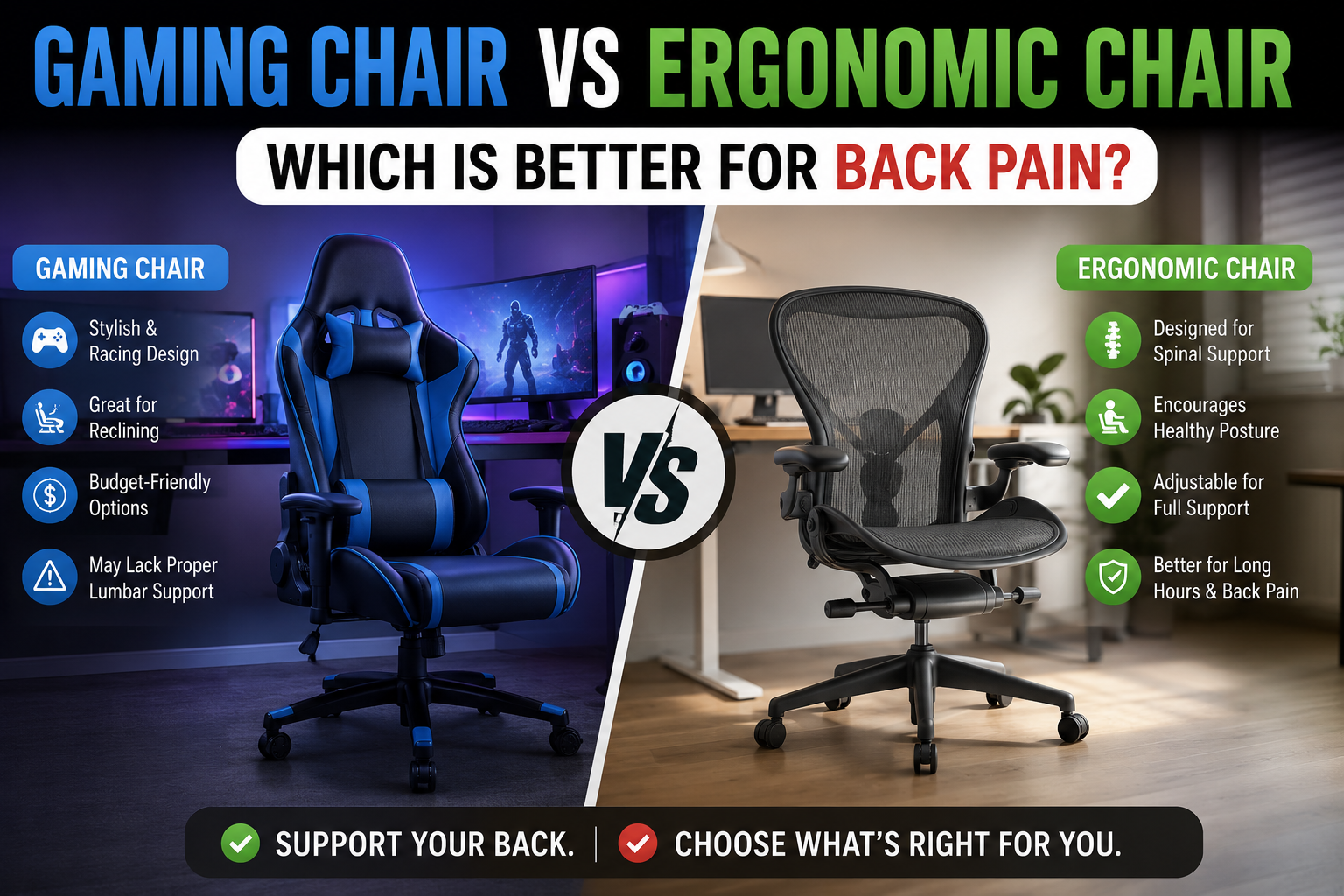
You have seen them everywhere: flashy racing-style gaming chairs with bright colors and bucket seats, and sleek, understated ergonomic office chairs that look like they belong in a corporate boardroom. Both claim to support your back, but which one actually prevents or reduces back pain after an 8‑hour workday (or gaming marathon)?
After researching dozens of chairs, analyzing user reviews, and consulting ergonomic guidelines, the answer is clear: ergonomic chairs are significantly better for back pain relief and long‑term spinal health. Gaming chairs prioritize aesthetics and a “cockpit” feel, but their design—borrowed from race cars—directly contradicts the needs of a seated human spine for hours on end.
In this guide, I will break down the key differences in lumbar support, adjustability, seat comfort, and build quality, and help you decide which type actually fits your body and your pain.
Quick Comparison: Gaming Chair vs Ergonomic Chair
| Feature | Gaming Chair | Ergonomic Chair |
|---|---|---|
| Lumbar Support | Static pillow (often too low/high); loses contact when you lean forward or recline | Height‑ and depth‑adjustable; some models have dynamic self‑adapting support or firmness dial |
| Seat Depth Adjust | Rarely adjustable; often too deep, forcing knees into seat edge | Standard feature on many models; allows proper thigh support without pressure behind knees |
| Armrests | Often 2D or 3D (up/down, forward/back); can be too wide for smaller frames | 4D (height, width, depth, pivot) common; 5D on some models |
| Backrest Shape | Flat or slightly contoured; aggressive side bolsters restrict movement | S‑curve to follow natural spine; many have flexible backrests that move with you |
| Material | PU leather (traps heat, peels in 1–3 years) or cheap fabric | Breathable mesh or high‑quality fabric/leather options; mesh stays cool |
| Weight Capacity | Typically 250–300 lbs | 300–500+ lbs on many models |
| Warranty | 1–3 years | 5–12 years (premium brands) |
| Best For | Short sessions, immersive racing/flight sims, aesthetics‑focused users | 8+ hour workdays, back pain relief, long‑term health |
Why Gaming Chairs Cause Back Pain (The Anatomy Problem)
Gaming chairs are modeled after racing car seats. Racing seats are designed to keep a driver’s body in place during high‑G turns and sudden deceleration — not to support a relaxed, upright posture for hours of typing or mouse movement. The bucket shape forces your shoulders forward, your pelvis back, and your spine into a C‑curve. Over time, this aggravates disc issues, tightens hip flexors, and causes chronic lower back pain.
Several specific design flaws make gaming chairs problematic for back pain:
- Static lumbar pillow: It stays where it is when you lean forward or recline, creating a painful “lumbar gap.”
- Flat or overly firm seat: Often made of cheap foam that flattens within months, leaving you sitting on a hard surface.
- No seat depth adjustment: If your legs are short, the front edge digs into your knees; if they’re long, your thighs lack support.
- Non‑breathable PU leather: Traps heat and moisture, leading to sweat and skin irritation, and inevitably cracks and peels after 1–3 years.
Many users report that after switching from a gaming chair to an ergonomic office chair, their back pain “disappeared almost immediately” or significantly decreased within a week.
What Makes an Ergonomic Chair Better for Back Pain
Ergonomic chairs are designed from the ground up for human anatomy, not vehicle dynamics. Key features that actively reduce back pain include:
1. Adjustable Lumbar Support
You can move the support up/down to match your lumbar curve, and often in/out to control pressure. Some premium chairs (like the Steelcase Leap v2) even have a firmness dial. Dynamic lumbar systems (e.g., Sihoo Doro C300’s Domino 3D) move with you as you shift positions, eliminating the “lumbar gap.”
2. Adjustable Seat Depth
Proper seat depth ensures your entire thigh is supported without pressure behind your knees. This keeps your pelvis in neutral position and your lower back against the lumbar support.
3. Synchro‑Tilt Recline
As you lean back, the seat pan tilts and slides forward, keeping your feet on the floor and your eyes level with the screen. This reduces shear forces on your spine and allows you to change postures throughout the day.
4. Breathable Mesh Material
Mesh backs (and seats) allow air to circulate, keeping you cool and dry. This is especially important for long workdays in warm climates.
Best Ergonomic Chairs for Back Pain (Top Picks)
If you decide to switch to an ergonomic chair, here are two proven champions for back pain relief, both available on Amazon US.
1. Steelcase Leap v2 – Most Adjustable Lumbar
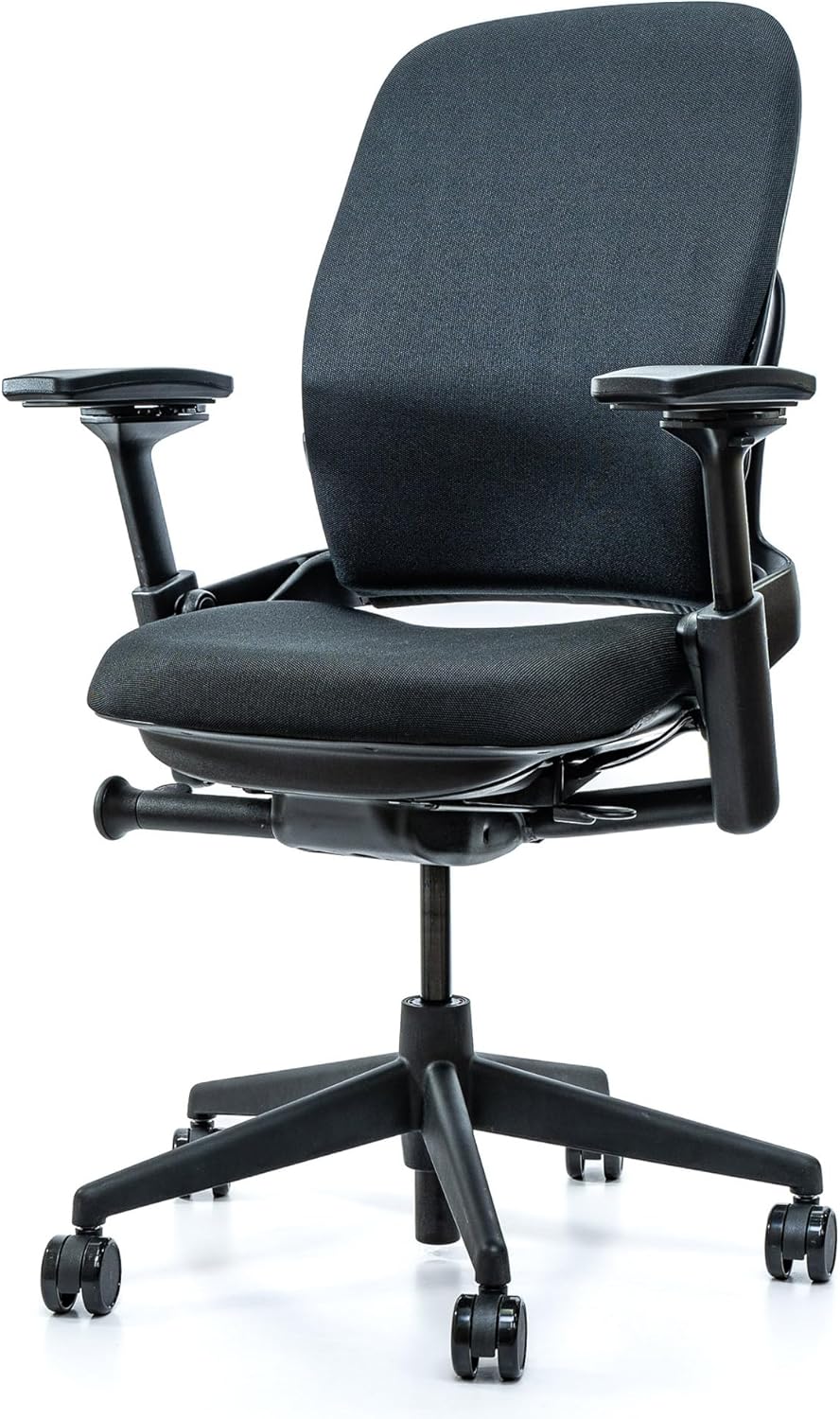
Price: ~$500–700 (refurbished) / ~$1,200 (new) | Weight capacity: 400 lbs | Warranty: 12 years
The Steelcase Leap v2 is widely considered the best chair for lower back pain. Its LiveBack technology flexes with your spine, and the lumbar support adjusts in height, depth, and firmness. It also features adjustable seat depth and 4D armrests. The chair is built to last 15+ years and is often available refurbished at half the new price.
✅ Pros: Unmatched lumbar adjustability; adjustable seat depth; 12‑year warranty; high resale value.
❌ Cons: Expensive new; fabric upholstery less breathable than mesh.
👉 Check price for Steelcase Leap v2 on Amazon →
2. Herman Miller Aeron – Best Breathability
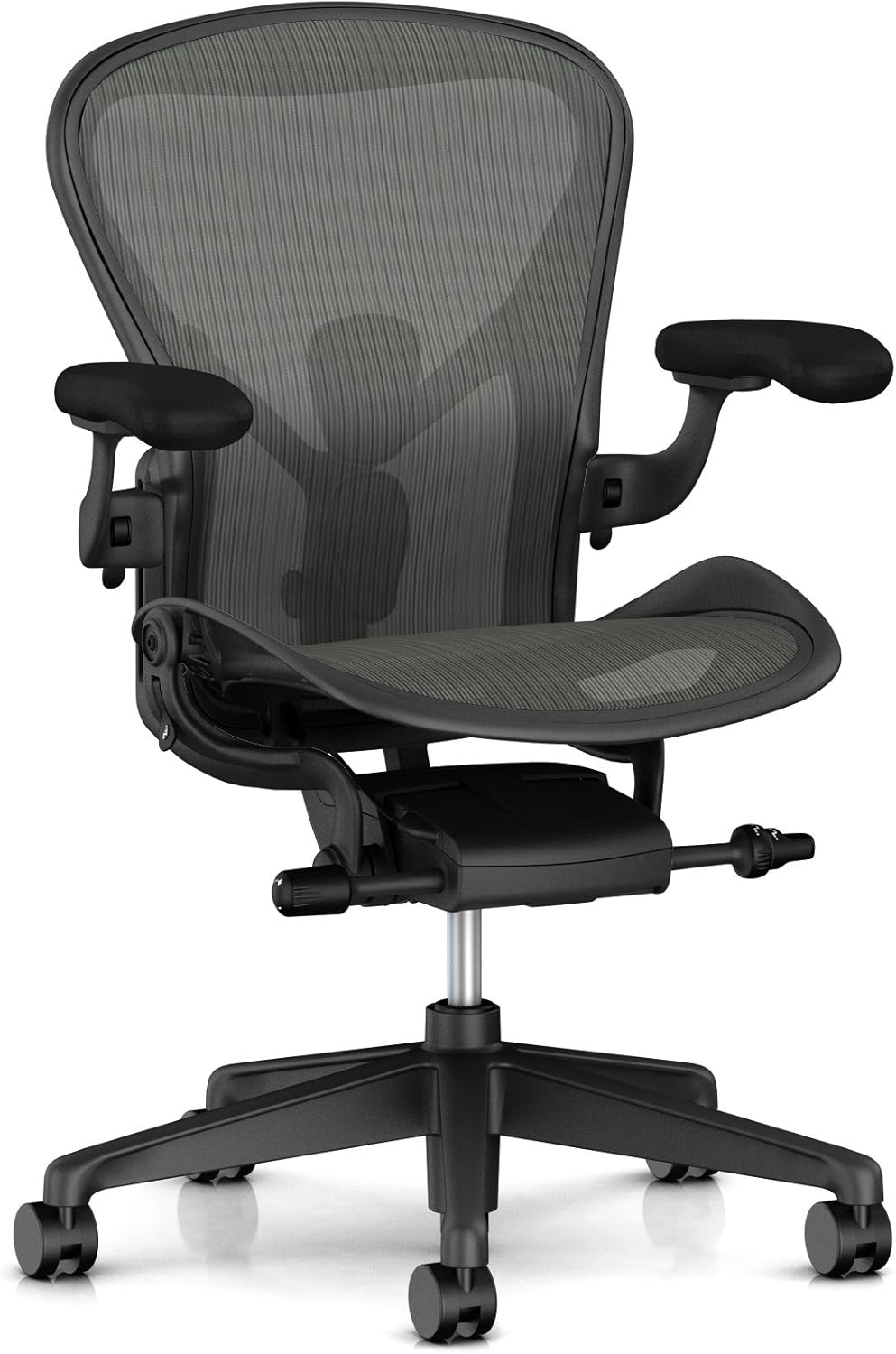
Price: ~$1,500+ (new) | Weight capacity: 350 lbs (Size C) | Warranty: 12 years
The Aeron’s Pellicle mesh seat and back provide unmatched airflow, making it ideal for hot climates. The PostureFit SL lumbar support (optional but recommended) uses two pads to support your sacrum and lower back, maintaining a natural S‑curve. The chair comes in three sizes; Size C is best for taller or heavier users.
✅ Pros: Excellent breathability; highly durable; 12‑year warranty; iconic design.
❌ Cons: Very expensive; fixed seat depth; no headrest.
👉 Check price for Herman Miller Aeron on Amazon →
When a Gaming Chair Might Still Make Sense
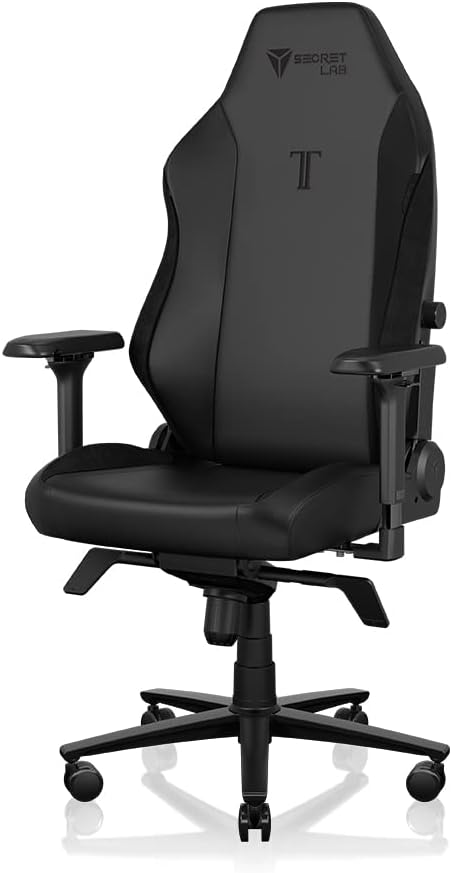
Gaming chairs are not entirely without merit. They can be acceptable if:
- You sit for only 2–4 hours at a time and take frequent breaks.
- You strongly prefer the aesthetic and the immersive “cockpit” feel.
- Your budget is very tight (under $200) and you cannot find a decent ergonomic chair used.
- You are using the chair for racing or flight simulators where the bucket shape actually helps with immersion.
If you fall into one of these categories, consider the Secretlab Titan Evo (one of the better gaming chairs with adjustable lumbar). However, even the Titan Evo falls short of a proper ergonomic chair for all‑day sitting.
👉 Check price for Secretlab Titan Evo on Amazon →
Frequently Asked Questions (FAQ)
Can a gaming chair cause back pain?
Yes – the flat or bucket backrest, static lumbar pillow, and lack of seat depth adjustment often force the spine into a C‑curve, leading to lower back pain after prolonged sitting.
Are gaming chairs good for posture?
Generally, no. They promote a slumped, rounded‑shoulder posture due to the side bolsters and forward‑pushing lumbar pillows. Ergonomic chairs are designed to keep your spine in a neutral, healthy alignment.
Why do streamers use gaming chairs?
Sponsorships and aesthetics. Many streamers are paid to use specific gaming chairs. If they had to choose purely for comfort, most would switch to an ergonomic office chair.
What is the best ergonomic chair for back pain under $500?
The Steelcase Leap v2 (refurbished) can often be found for $500–700. For new under $500, consider the Clatina Mellet or a refurbished Herman Miller Aeron.
Can I add lumbar support to a gaming chair?
You can add a separate lumbar pillow, but it will still be static. It cannot replace a fully adjustable, integrated lumbar system that moves with you.
Final Verdict: Which One Should You Buy?
If you value your spinal health and sit for more than 4–6 hours a day, choose an ergonomic chair. The investment pays for itself in reduced pain, better productivity, and fewer medical bills. For occasional gaming or short sessions, a gaming chair may suffice, but it is a compromise.
👉 Best overall for back pain (premium): Steelcase Leap v2 (refurbished for value, new for warranty).
👉 Best breathability: Herman Miller Aeron (Size B or C).
👉 Best budget ergonomic: Clatina Mellet or a refurbished Steelcase Leap v2.
👉 See today’s price for Steelcase Leap v2 on Amazon →