
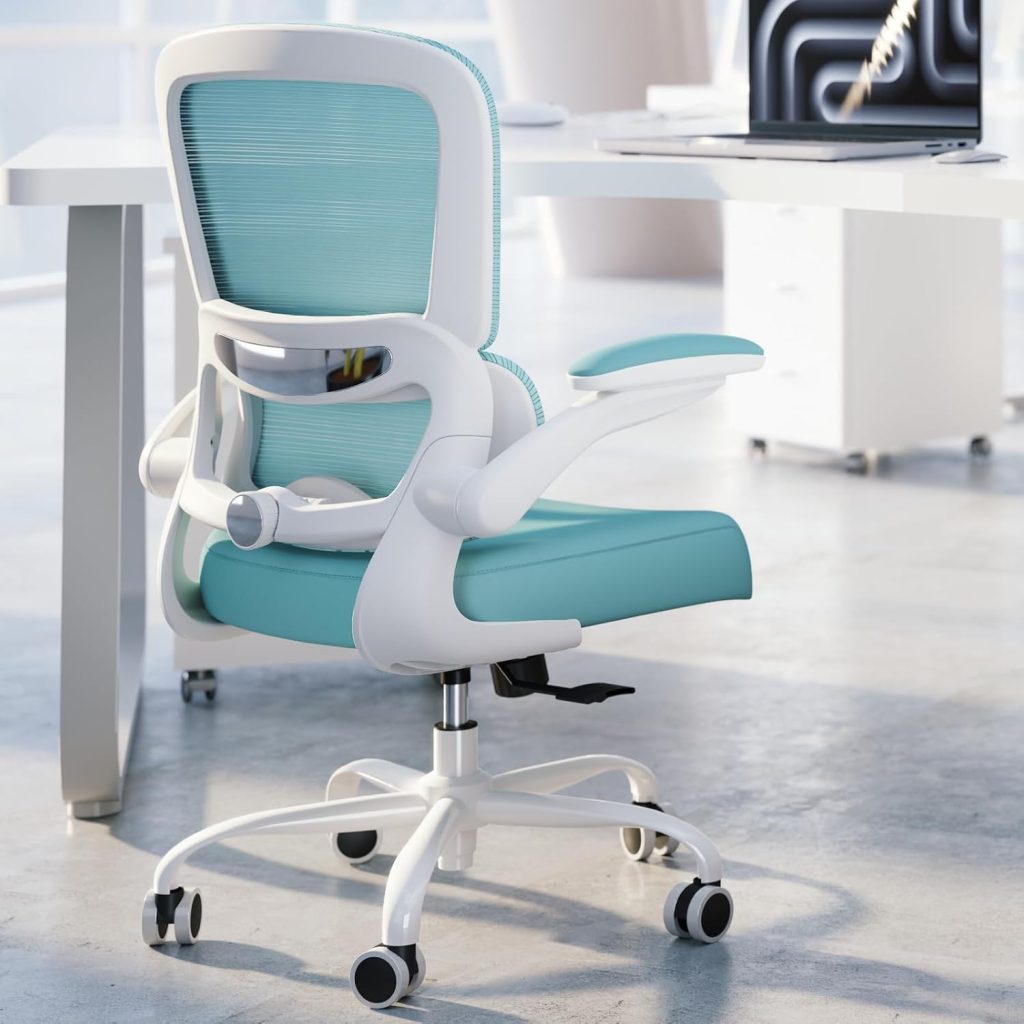
Dealing with an office chair lumbar support too hard to sit against can force you into a slouch or make you perch on the edge of the seat. It’s a common complaint, especially with chairs that use fixed, overly curved plastic backrests.
The fix usually isn’t a new spine — or even a new chair. You can often adjust the depth, reposition the pad, or add a softer cushion. Below, I’ll break down why that pressure builds up, how to soften built-in lumbar, and what alternatives actually feel supportive.
I’ve tested this with chairs ranging from basic mesh models to high-end ergonomic seats, so you get practical fixes rather than generic advice.
📌 Why Your Office Chair Lumbar Support Feels Too Hard
A lumbar pad that feels too hard usually isn’t broken — it’s a mismatch between the chair’s shape and your body. The most common culprit is an aggressive curve that pushes your spine forward too forcefully.
Common causes include:
- Aggressive curvature: A deeply S-shaped backrest can force a pronounced arch. If your lower back is naturally flatter, that curve presses into your spine like a hard lump.
- Fixed-depth lumbar support: Many chairs have a pad that protrudes a set amount. You can’t reduce the pressure, so it digs in harder if you’re smaller or larger than the design assumes.
- Seat depth and height mismatch: A seat that’s too deep or set too high slides your hips forward. That shifts the lumbar pad onto a bony area instead of the muscle band.
- Stiff mesh or dense padding: High-tension mesh and closed-cell foam feel supportive at first. After 30–60 minutes, that constant pressure can create sore spots.
Firm support should feel like a broad, even push across your lower back. Painful pressure, by contrast, focuses on one point — usually the spine or hip bones. If you feel a sharp or bruised sensation after sitting, that’s not support.
Prolonged sitting makes it worse. Stiff internal padding or mesh with little give may feel fine for 15 minutes, then turn uncomfortable as your back muscles fatigue and push against the hard surface.
📌 Is Too-Hard Lumbar Support Bad for Your Back?
Yes, a lumbar pad that presses too firmly into your lower back can cause more harm than good. Excessive pressure restricts blood flow to the surrounding muscles, which leads to localized soreness and fatigue after even a few hours of sitting. That tight, achy feeling you get right where the pad touches is often the first warning sign.
A too-aggressive lumbar curve can also tilt your pelvis forward. This pulls your spine out of its neutral alignment and places extra strain on the facet joints and discs in the lumbar region. Over time, that strain may show up as stiffness when you stand or difficulty bending forward after a long workday.
Healthy lumbar support should feel like a broad, gentle pressure that fills the gap behind your lower back. Harmful pressure feels different. Watch for these signs:
- Sharp or focused pressure on one spot, usually around the L3–L5 vertebrae, rather than even contact across your lower back.
- Redness or bruising on your skin after sitting, which means the pad is firm enough to damage soft tissue.
- Numbness, tingling, or radiating pain down one leg — these are not normal muscle soreness and can indicate nerve compression made worse by the chair.
If you feel numbness, tingling, or pain that radiates, stop using the chair immediately. Persistent back pain lasting more than a few days — even after removing the lumbar pad or switching chairs — warrants a visit to a doctor or physical therapist. They can determine whether the chair is the real problem or if there’s an underlying issue like a disc bulge or facet joint irritation.
🔑 How to Adjust or Soften Built-In Lumbar Support
Start by locating the three adjustments most built-in lumbar supports offer: height, depth, and tension. On Steelcase, herman miller, and Branch chairs, the height control is usually a small lever or sliding tab on the backrest. Depth is often a knob or paddle below the lumbar pad. Tension, when present, changes how firmly the mechanism pushes forward.
A common fix is reducing depth first. If the support presses too hard, turn the depth knob toward the minus or thinner setting. Then move the pad higher or lower to shift pressure away from your spine’s hot spot. I usually start with the pad centered on the small of the back, then move it up 1–2 inches if the pressure feels concentrated.
If your chair has a removable lumbar insert or pad, unclip it and test the chair without it. Some inserts can be flipped or repositioned between the backrest and mesh. Others can be removed entirely to create a flatter back surface.
For chairs with aggressive built-in curves that won’t adjust enough, try these buffers:
- Folded towel: Fold a hand towel into a 1-inch layer and drape it over the lumbar area to soften the peak.
- Thin foam pad: A ½-inch closed-cell foam sheet taped behind the mesh or fabric spreads pressure evenly.
- Seat cushion shift: Adding a flat seat cushion pushes your torso forward slightly, changing how the lumbar curve contacts your back.
These small adjustments often make a firm support feel supportive instead of painful.
🔍 Best Softer Lumbar Support Cushions and Ergonomic Alternatives
Softer lumbar support doesn’t mean zero support. It means less aggressive pressure while still encouraging a neutral lower-back curve. I’ve found four practical options that work well.
- Memory foam lumbar pillows with a gentle curve. Look for medium-soft density (usually around 3–4 lbs per cubic foot if the brand lists it). A gradual slope feels less pokey than a hard foam ridge.
- Mesh back supports. These give lighter contact and better airflow. I often recommend them if you run warm or dislike the heat build-up of solid foam.
- Inflatable lumbar cushions. You control the firmness by adding or releasing air. Great for dialing in just a little relief without buying multiple pillows.
- Simple alternatives. A rolled hand towel about 3–4 inches thick can reduce hard contact almost immediately. Small travel pillows or wedge cushions may also work, but test them before relying on them all day.
When shopping, prioritize adjustable straps so the cushion stays at the right height. A breathable, removable cover helps with heat and cleaning. Avoid anything that feels like a hard foam block — medium-soft density, not mushy, is the target. If the cushion sags flat within a minute, it won’t do much for your back.
📌 DIY Fixes for an Uncomfortably Hard Chair Lumbar Pad
If your chair’s built-in lumbar pad is too firm, a few simple DIY tweaks can soften the pressure point without buying a new chair. Most of these fixes take under 15 minutes and use materials you likely already have at home.
- Add an egg-crate or memory foam layer. Cut a piece of 1–2 inch thick memory foam or egg-crate mattress topper to roughly 10 x 14 inches. Place it over the existing lumbar support and secure it. The layer adds cushioning while keeping the original support curve intact.
- Use Velcro straps or fabric ties. Thread 1-inch wide Velcro straps through any gaps in the chair back and around the foam pad. Fabric ties or even shoelaces work in a pinch. Pull them snug, but not so tight that the foam flattens.
- Wrap the built-in support with a folded fleece blanket. Fold a small fleece throw into a 1–2 inch thick pad and drape it over the lumbar area. Tuck the edges behind the backrest or use a strap. This is the quickest zero-cost fix, and you can adjust the thickness by adding more folds.
- Replace stiff internal foam or plastic inserts. If your chair has a zippered backrest cover, check inside for removable foam or a hard plastic lumbar plate. You can swap the stiff insert for softer upholstery foam of similar thickness. Only attempt this if the cover opens cleanly without forcing or cutting anything.
Safety checks before you start: Never cut or drill into the chair frame, gas lift, or tilt mechanism. Removing a backrest cover may void the warranty on some brands, so check your manual first. If the lumbar support is wired into the chair’s adjustment system or has exposed cables, leave it alone. In those cases, a strap-on cushion or padded cover is the safer, fully reversible option.
🔑 When to Replace Your Office Chair or Choose a More Adjustable Model
If you’ve already tried padding, repositioning, and loosening the tension but still feel a hard lump pressing into your spine, the chair itself is likely the problem. Three red flags tell me it’s time to replace it: non-adjustable lumbar support, a broken or stuck tension knob, and sharp pressure points that don’t go away after sitting for 10–15 minutes.
When shopping for a replacement, prioritize these three adjustability features:
- Lumbar depth adjustment — lets you reduce how far the pad pushes forward.
- Lumbar height adjustment — keeps the curve aligned with your lower back, not your mid-back.
- Tension control — softens the resistance so the support gives instead of digging in.
If you can test a chair in person, sit for at least 15 minutes and notice whether you naturally arch away from the backrest. Online, check the return window before buying. Many ergonomic brands offer 30-day risk-free trials, which is enough time to catch a too-hard pad on a chair you can’t try first.
Budget-friendly options with softer or removable lumbar support include the Ticova ergonomic chair (around $150–$180), Hbada E3 (often under $250), and FlexiSpot Soutien (around $300). Their lumbar pieces can be adjusted or removed entirely if the curve feels too aggressive for your lower back.
❓ FAQ: Office Chair Lumbar Support Too Hard
Can a lumbar support that is too hard cause back pain?
Yes. A too-firm pad can press into vertebrae and surrounding muscles, causing soreness or even a numb feeling. It may also force an exaggerated lower-back arch, which strains your spine over time.
How do I know if my lumbar support is too high or too low?
The support should sit in the natural curve of your lower spine, around your waistline. If you feel pressure on your ribs or tailbone, it’s too high or too low. Red marks or sore spots after sitting are a good clue.
Can I remove the built-in lumbar support from my office chair?
Many chairs let you remove or slide out the pad. Check for a horizontal bar, velcro strap, or plastic clip behind the backrest mesh. If it’s stitched in, you can’t remove it cleanly, but you can cover it with a softer cushion.
What is the softest type of lumbar support cushion for office chairs?
Memory foam cushions are usually the softest and contour to your back. Look for low-density foam or a gel-infused layer. Avoid firm mesh or rigid plastic supports if you want maximum softness.
Should I use an additional cushion if my chair already has built-in lumbar support?
Yes, if the built-in support feels too hard or doesn’t fit. A thin memory foam pillow can sit over the built-in pad. Just make sure it doesn’t push you too far forward and reduce seat depth or thigh support.
How long does it take to adjust to a new lumbar support setting?
Most people adapt within one to two weeks of daily use. If your back still hurts after 10–14 days, the support likely doesn’t fit your body. Don’t force it — adjust or replace the pad.