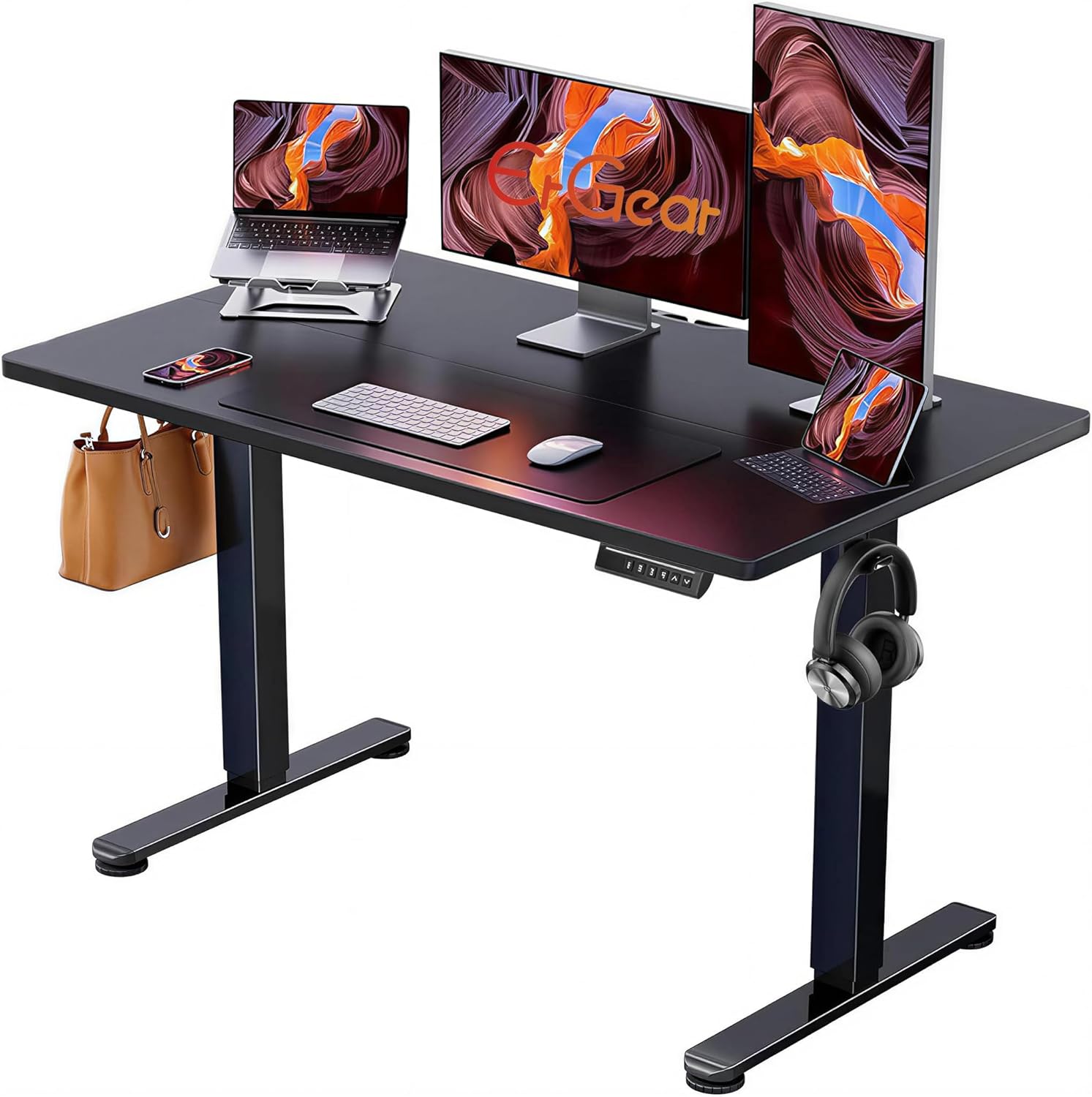
Finding the right desk height for a 5’2 person is less about finding one magic number and more about matching the desk to your seated elbow height, chair, keyboard, and monitor.
A standard fixed desk around 29 to 30 inches high can feel too tall for some shorter users. If you raise your chair to compensate, your feet may lose contact with the floor. If you keep the chair low, your shoulders and arms may have to work around a desktop that sits too high.
The solution is to set up the entire workstation as a system. In this guide, we’ll cover a practical 5’2 desk setup, how to measure your ideal desk height, when a keyboard tray or footrest helps, and what to look for in an adjustable standing desk.
📌 Quick Answer: What Desk Height Is Right for a 5’2 Person?
For many people around 5’2″, a desk in the roughly 23 to 26 inch range may be worth considering for seated computer work, but body proportions vary enough that height alone should not determine the final setting.
A better target is the height that allows you to keep your shoulders relaxed, elbows comfortably bent, wrists reasonably neutral, and your feet supported. If a fixed desk is too high, a keyboard tray can lower the actual typing surface without replacing the entire desk.
Starting point for a 5’2 user:
- Seated desk: approximately 23–26 inches as a starting range
- Standing desk: set the keyboard surface based on relaxed elbow position rather than height alone
- Chair: feet supported, shoulders relaxed, and no excessive pressure behind the knees
- Monitor: positioned so you can view the screen without repeatedly bending your neck forward
Think of these numbers as a starting range, not a prescription. Arm length, leg length, torso length, chair design, keyboard thickness, and desk accessories can all shift the ideal position.
📌 Why Desk Height Matters for a 5’2 Person
A desk that is too high can create a mismatch between your chair and your work surface. You may raise your chair to reach the keyboard, but that can make it harder for your feet to remain comfortably supported.
The opposite problem can happen with a desk that is too low. You may have to bend your elbows excessively or lean toward the work surface. That is why the correct desk height for a 5’2 person should be based on actual working posture rather than a generic height chart.
Signs that your current desk may be too high include:
- Raised shoulders while typing or using the mouse.
- Wrists positioned awkwardly because the keyboard sits too high.
- Dangling or unsupported feet after raising the chair.
- Frequent forward leaning to get closer to the monitor or keyboard.
- Difficulty keeping your elbows comfortably close to your sides.
These signs do not automatically mean the desk is the only problem. Chair height, seat depth, monitor position, keyboard placement, and individual comfort all matter.
📏 How to Measure Your Ideal Desk Height
Instead of relying entirely on your height, measure your working position. This gives you a more personalized target for your 5’2 desk setup.
- Set your chair first.
Adjust the chair so your feet are supported and your legs feel comfortable. If your feet cannot reach the floor at a desk-friendly chair height, plan to use a footrest. - Sit naturally.
Keep your back supported without leaning heavily forward. Let your shoulders drop naturally rather than deliberately pulling them backward. - Bend your elbows comfortably.
A roughly 90-degree elbow angle is a useful starting point, but you do not need to maintain an exact angle throughout the day. - Measure the working surface.
Measure from the floor to the area where your keyboard and mouse actually sit. If your keyboard is on a tray, measure the tray rather than the main desktop. - Fine-tune by comfort.
Make small adjustments and spend several minutes typing and using the mouse. Your final height may differ from a theoretical measurement by an inch or more.
The key measurement: Your keyboard height matters more than the physical height of the desktop itself. If a 29-inch desk has a keyboard tray that puts the keyboard at the right level, the setup can still work for a shorter user.
🪑 How to Adjust Your Chair for a 5’2 Desk Setup
Desk height and chair height should be adjusted together. A desk that works perfectly on paper can still feel wrong if the chair does not fit your legs or torso.
- Lower the chair until your feet are supported.
Avoid choosing chair height solely by trying to make your knees exactly 90 degrees. Stable foot support and comfortable leg positioning are more useful goals. - Check seat depth.
Sit against the backrest and make sure the front edge of the seat is not pressing uncomfortably into the back of your knees. - Adjust lumbar support.
Position the support where it feels appropriate for your lower back rather than assuming every user needs the same position. - Set the armrests.
Lower or reposition the armrests so your shoulders can stay relaxed while your hands reach the keyboard and mouse.
If you need to raise the chair to work comfortably at a fixed desk, a footrest can restore stable foot support. If the desk itself is too high for your arms, however, a keyboard tray may be a more direct solution.
⌨️ Keyboard Tray vs. Lower Desk: Which Is Better?
A keyboard tray is one of the simplest ways to adapt a standard desk for a shorter user. Instead of lowering the entire desktop, you lower the keyboard and mouse to a more comfortable working height.
| Solution | Advantages | Limitations |
|---|---|---|
| Keyboard tray | Lower cost; works with existing desk; easy to adjust | Reduces leg clearance; mouse and keyboard area is smaller |
| Height-adjustable desk | Changes the entire work surface; useful for sitting and standing | Higher upfront cost; requires adequate clearance |
| Fixed low desk | Simple; no motors or adjustment mechanism | Not flexible if you share the desk or want to stand |
If you already own a good desk, a keyboard tray can be a cost-effective experiment. If several people use the desk or you regularly alternate between sitting and standing, an adjustable desk offers more flexibility.
🖥️ Monitor Height and Distance for a 5’2 User
Once the desk and keyboard are set, adjust the monitor separately. A monitor that sits too high can be especially noticeable for shorter users.
- Height: Start with the top portion of the screen around eye level or slightly below, then adjust according to screen size and viewing comfort.
- Distance: Place the monitor far enough away that you can read text without leaning forward. An arm’s-length starting point is useful; adjust based on screen size and visual comfort.
- Position: Keep the screen centered with your primary working position so you do not repeatedly rotate your neck.
- Laptop users: Consider a laptop stand with a separate keyboard and mouse if the built-in screen forces you to compromise between screen and hand position.
There is no need to force a specific monitor distance such as 18–22 inches. Screen size, text scaling, eyesight, and personal comfort all affect the useful viewing distance.
🔍 Best Adjustable Desks for Short People
If you are shopping for an ergonomic desk for short people, the most important specification is the desk’s minimum height. A standing desk that starts too high may not solve the problem simply because it is height adjustable.
Look for a model that reaches low enough for your actual seated keyboard position. Three-stage legs are often worth considering because their design can provide a wider adjustment range, but always check the manufacturer’s current specifications rather than assuming every three-stage desk has the same range.
What to Compare
- Minimum height: The most important number for seated work.
- Maximum height: Important if you want to alternate between sitting and standing or share the desk with a taller person.
- Stability: Check reviews and frame design, especially when the desk is raised.
- Desktop depth: Make sure the keyboard, mouse, monitor, and other equipment fit without forcing you too far forward.
- Cable management: Useful for maintaining clear legroom in a compact workstation.
- Return policy: Especially important because desk fit depends on your individual proportions.
You can also see our broader standing desk buying guide for additional desk-selection considerations.
🐾 Pet-Friendly Desk Setup for Short Users
A low desk can create a compact workspace underneath, so cable management becomes especially important when you work around dogs or cats.
- Keep cables off the floor. Use a cable tray, clips, or sleeving to reduce loose cords around your feet.
- Secure power strips. Mount them to the underside of the desk or another stable location rather than leaving them where a pet can easily reach them.
- Protect your legroom. Avoid storing pet toys, boxes, or other objects directly underneath the area where your feet need to move.
- Create a nearby pet zone. A small bed or mat beside the workstation can give your pet a comfortable place to stay without occupying your foot space.
For homes with pets, the goal is not simply a “pet-proof desk.” It is a workstation where cables, power equipment, and moving desk components are managed safely.
📌 Buying Guide: What to Look for in a Desk for a 5’2 Person
- Check the minimum height first.
For a shorter user, the lowest setting is often more important than the advertised maximum height. - Compare the keyboard position, not just the desktop.
If the desk includes a keyboard tray, measure where your hands will actually sit. - Check leg clearance.
Crossbars, drawers, cable trays, and keyboard mechanisms should not interfere with your knees or feet. - Consider stability.
A desk should remain reasonably stable at both your seated and standing settings. - Measure your monitor setup.
A deep desktop can be useful, but excessive depth may encourage you to place the monitor farther away than is comfortable. - Check current warranty and return terms.
These vary substantially between brands and retailers, so verify the current policy before purchasing.
❓ FAQ: Desk Height for a 5’2 Person
What is the ideal desk height for a 5’2 person?
For seated computer work, roughly 23 to 26 inches is a useful starting range for many people around 5’2″, but there is no universal ideal height. Your seated elbow height and the position of your keyboard are better guides than height alone.
Is a 29-inch desk too high for someone who is 5’2?
It can be. A standard-height desk may require a shorter user to raise the chair or compromise arm position. However, a 29-inch desktop can still work if you use a suitable keyboard tray or another setup that brings the keyboard to a comfortable height.
What is the best standing desk height for a 5’2 person?
There is no single standing height for everyone who is 5’2″. Start with the keyboard surface around elbow height while standing, with shoulders relaxed and elbows comfortably bent. Measure your own position rather than choosing a setting based only on body height.
How do I measure my desk height?
Sit in your normal working position with your feet supported and shoulders relaxed. Bend your elbows comfortably and measure from the floor to the surface where your keyboard will sit. If you use a keyboard tray, measure the tray rather than the main desktop.
What chair height should a 5’2 person use?
There is no single chair height that works for every 5’2 user. Choose a setting that gives you stable foot support and comfortable leg positioning while allowing you to work at the correct keyboard height. If your chair must be raised because of the desk, a footrest can provide additional foot support.
Do I need a footrest if I’m 5’2 and my desk is too high?
A footrest can be helpful when your chair needs to be raised to match a desk that cannot be lowered. It gives your feet a stable surface while you maintain a workable arm position. If the keyboard itself remains too high, however, a keyboard tray or lower desk may address the underlying problem more directly.
Is a standing desk better than a fixed desk for short people?
Not automatically. A standing desk is useful when its adjustment range actually fits you. For a shorter user, the critical specification is often the minimum height. A fixed desk can work just as well when its height matches your seated position.
✅ Bottom Line
The right desk height for a 5’2 person is the height that lets your keyboard, arms, shoulders, chair, and feet work together comfortably. A generic chart can give you a starting point, but your own seated elbow height is a better final reference.
If you are buying a new desk, pay particular attention to the minimum height. If you already own a desk that is too high, you may be able to improve the setup with a keyboard tray, footrest, or monitor adjustment instead of replacing everything.
For a compact home office, especially one shared with pets, the best setup is the one that combines appropriate height with stable furniture, clear legroom, sensible cable management, and a monitor position that works for your actual viewing habits.
Ergonomic note: Desk and chair adjustments can improve workstation comfort, but they are not a diagnosis or treatment for medical conditions. If you experience persistent or worsening pain, numbness, weakness, or other concerning symptoms, consider speaking with a qualified healthcare professional.