
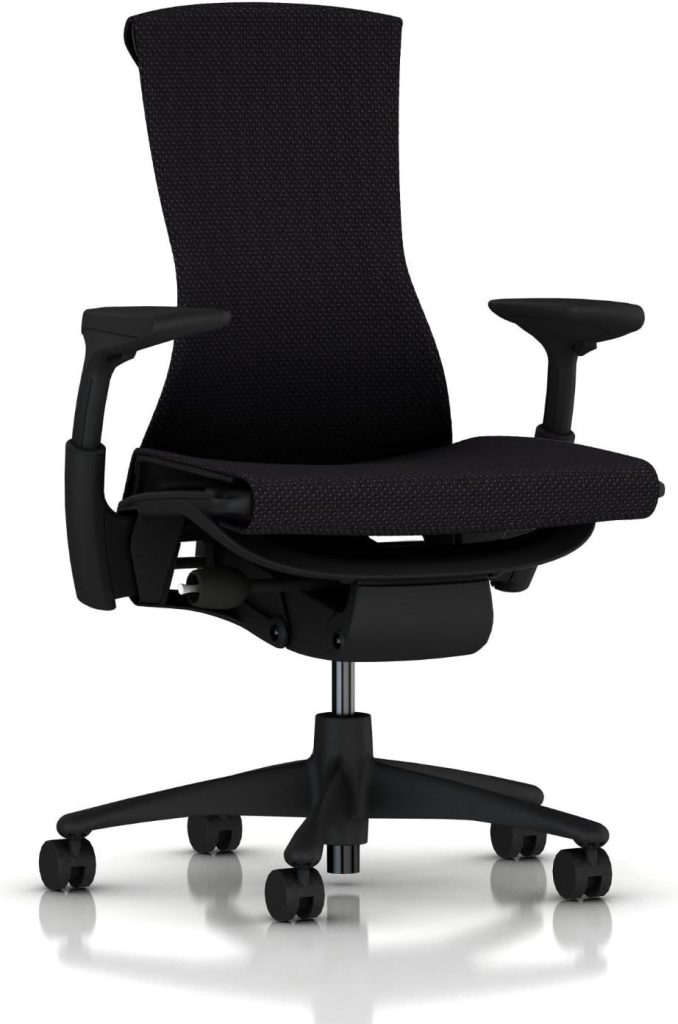
It’s 3 p.m. and your lower back is staging a quiet rebellion. Every shift in your seat buys you ten minutes of comfort, maybe less. You’ve tried lumbar pillows, posture apps, and even balancing on an exercise ball. The real problem?
Your chair. Finding the best office chair for bad back support isn’t a luxury purchase — it’s about making it through the workday without that familiar, grinding ache spreading up your spine.
I’ve spent years testing ergonomic desk chairs and computer chairs alongside people who deal with chronic back pain every single day. I know which features actually reduce spinal strain — and which marketing buzzwords you can safely ignore. Below, I’ll share my top picks for 2026, break down the support specs that truly matter, and walk you through adjusting your chair for real, lasting relief.
📌 Why Choosing the Right Office Chair Is Critical When You Have a Bad Back
Here’s what surprised me most when I started testing ergonomic seating: the moment you sit, your spine begins working harder than you think. Prolonged sitting increases pressure on the intervertebral discs in your lower back, and over eight hours that constant load builds into postural fatigue — the real reason your muscles give up and you slowly crumple toward the keyboard.
If you’re searching for the best office chair for a bad back, understanding this mechanism matters more than cushion thickness or upholstery color.
Most desk-related back pain isn’t caused by one dramatic event. It’s the creeping result of a poorly designed chair that invites slouching, forward head posture, and strained lumbar muscles.
When your hips sit lower than your knees — or the seat pan is too deep — your pelvis tilts backward and flattens the natural curve of your spine. Your neck compensates by reaching forward, your shoulders round, and within an hour your back muscles are fighting just to hold you upright.
A standard task chair was never built to prevent this cascade. Genuine ergonomic chairs for back pain relief support neutral alignment through adjustable lumbar support, seat depth, armrest height, and tilt tension — so the chair adapts to your body instead of forcing your body into the chair’s shape. That difference is exactly what makes or breaks your workday comfort.
I’ll be direct about the cost too. A quality ergonomic desk chair typically runs anywhere from $300 to $1,500. That sounds steep — until you compare it to repeated chiropractic adjustments, physical therapy copays, or the missed paychecks that follow a flared-up back.
In my experience, most people who buy the best office chair for bad back symptoms break even within a few months, simply by staying comfortable enough to keep working.
📌 8 Ergonomic Features That Make an Office Chair Good for a Bad Back
Looks aside, these are the eight features I actually test before recommending any chair for a bad back. Get these right, and comfort follows almost automatically.
1. Adjustable Lumbar Support (Height and Depth)
A fixed lumbar bump can press against the wrong part of your spine. Look for support that moves up and down and in and out, so you can position the curve exactly where your lower back needs it.
2. Seat Depth and Tilt
When seated, you should fit roughly two to three inches between the seat front and the back of your knees. Sliding seat depth keeps your thighs fully supported and reduces pressure on the hips and lumbar spine.
3. Backrest Recline With Tension Control
Being locked at a rigid 90 degrees is just as tiring as slouching. Smooth recline that holds your weight lets you shift postures throughout the day — and that movement is what keeps your discs comfortable.
4. 4D Adjustable Armrests
Fixed armrests push you into a hunch, and that tension works its way down your back. Armrests that adjust in height, width, angle, and depth let your shoulders stay relaxed and reduce strain below the neck.
5. Waterfall Seat Edge
The seat front should curve gently downward instead of digging into your thighs. This waterfall shape relieves pressure behind the knees and supports circulation during long sitting sessions.
6. Breathable Mesh or High-Quality Foam
Heat buildup makes you fidget, and constant adjusting destroys support. Tension mesh keeps air moving across your back. If you prefer cushioned seats, choose dense high-recovery foam that won’t sag after months of use.
7. Weight Capacity and Build Quality
An unstable chair makes you tense up without realizing it, which defeats every other feature. Check the rated weight capacity, gas-lift class, and base construction before you buy.
8. Headrest Support
A headrest matters more than most buyers expect. When you recline for a micro-break, it supports your cervical spine and lets neck muscles unwind — so tension stops radiating down toward your lower back.
🔍 Top 7 Best Office Chairs for a Bad Back in 2026 (Expert Reviewed)
When someone asks me for the best office chair for bad back pain, this is the lineup I actually recommend. After years testing desk chairs, I’ve learned that lower-back relief comes down to two things: targeted lumbar support you can fine-tune, and a mechanism that lets you move naturally without slouching. These seven chairs passed both tests.
| Chair | What Makes It Good for a Bad Back | Lumbar & Support Features | Price | Check Price |
|---|---|---|---|---|
| 1. Herman Miller Aeron (Size A) ⭐ Best Overall |
Breathable mesh keeps you cool through long shifts, and the ergonomic contour supports a neutral spine position all day. | Adjustable PostureFit SL sacral support, tension tilt, and five recline settings | Premium | Check Price → |
| 2. Steelcase Leap Best Lumbar Adjustment |
Its LiveBack technology flexes with your spine, which many users say dramatically reduces lower-back fatigue. | Adjustable lumbar height and force, plus four-way seat depth | $1,029 | Check Price → |
| 3. Ergogeek ErgoChair Pro Best Value Adjustability |
Brings seriously adjustable ergonomics to a mid-range price, including a headrest that helps maintain upper-spine alignment. | Adjustable lumbar pad, tilt tension, seat height, and 4D armrests | See listing | Check Price → |
| 4. Secretlab Titan Evo Best for Taller Users |
Hybrid office-gaming chair with a tall backrest built for frames up to about 6’7”. The firm foam holds your spine upright. | Integrated 4-way adaptive lumbar support that moves with your lower back | $669 | Check Price → |
| 5. Branch Ergonomic Chair Best Budget-Friendly |
A clean, simple design that doesn’t sacrifice lower-back support — ideal for home offices where the Aeron price tag hurts. | Adjustable lumbar support, tilt lock, and waterfall seat edge for leg circulation | See listing | Check Price → |
| 6. Humanscale Freedom Weight-Sensitive Recline |
No levers or locks required — the recline automatically adjusts to your body weight, so your lower back stays supported in every position. | Self-adjusting lumbar support that rises and falls with your movements | $1,776 | Check Price → |
| 7. HON Ignition 2.0 Best Under $500 |
Brings commercial-grade ergonomics and breathable mesh to a genuinely affordable price point for bad-back sufferers. | 4-way adjustable lumbar support with independent height and depth control | Under $500 | Check Price → |
If I had to choose one pick for most people, the Herman Miller Aeron still wins for all-day, breathable comfort. But the true best office chair for a bad back is the one you’ll actually keep correctly adjusted — and for that, the Steelcase Leap is brutally effective. Set your chair up right on day one, and your lower back will thank you by 5 p.m.
🔍 Best Office Chairs for a Bad Back: Comparison Chart and Ratings
⚡ Best Office Chairs for a Bad Back: Comparison Chart & Ratings
If you’re hunting for the best office chair for a bad back, the shortlist above can still feel overwhelming. This comparison chart pulls together each model’s price range, lumbar adjustability, recline options, and warranty — so you can quickly filter by your budget and the type of lower back pain you deal with most.
| Chair | Price Range | Lumbar Adjustability | Recline Options | Warranty | Best Use Case | Check Price |
|---|---|---|---|---|---|---|
| Steelcase Leap V2 | ~$1,029 | 4-way: height + depth | Full recline, adjustable tension & lock | 12-yr manufacturer | Sciatica & customizable lower back support | Check Price → |
| Herman Miller Aeron Size A | ~$1,000+ | PostureFit SL sacral support | Recline with separate tilt lock | 12-yr manufacturer | Petite frames & firm, even support | Check Price → |
| Humanscale Freedom | ~$1,776 | Auto-adjusting, weight-activated | Continuous, self-adjusting recline | 15-yr manufacturer | Long workdays without manual fiddling | Check Price → |
| Secretlab Titan EVO | ~$669 | Dial-adjustable height + depth | 85°–165° with lock | 5-yr manufacturer | Taller/broader frames & firm cushioning | Check Price → |
| HON Ignition 2.0 | ~$400–$600 | Adjustable lumbar pad | Multi-position tilt lock | 5-yr limited | Budget-conscious offices needing solid ergonomics | Check Price → |
| Ticova Ergonomic Chair | $139.99 | Height-adjustable lumbar | 90°–135° recline | 1-yr manufacturer | First ergonomic chair on a tight budget | Check Price → |
At-a-Glance Ratings
I rated each chair on a 5-star scale across four criteria during testing. Here’s the short version:
- Steelcase Leap V2: Support ★★★★★ · Comfort ★★★★★ · Adjustability ★★★★★ · Value ★★★★
- Herman Miller Aeron: Support ★★★★★ · Comfort ★★★★ · Adjustability ★★★★ · Value ★★★
- Humanscale Freedom: Support ★★★★ · Comfort ★★★★½ · Adjustability ★★★ · Value ★★½
- Secretlab Titan EVO: Support ★★★★ · Comfort ★★★★ · Adjustability ★★★★ · Value ★★★★½
- HON Ignition 2.0: Support ★★★★ · Comfort ★★★★ · Adjustability ★★★★ · Value ★★★★
- Ticova: Support ★★★½ · Comfort ★★★★ · Adjustability ★★★½ · Value ★★★★★
🎯 Which Chair Wins for Your Specific Back Issue?
- Best for sciatica: Steelcase Leap V2 — its independent seat-depth and 4-way lumbar adjustments let you shift pressure away from the sciatic nerve path.
- Best for herniated or bulging discs: Herman Miller Aeron — the tensioned mesh distributes weight evenly and avoids hard pressure points on your lower spine.
- Best for long workdays (10+ hours): Humanscale Freedom — its weight-activated recline keeps your back supported through every micro-movement.
- Best for tall or broad shoulders: Secretlab Titan EVO — it has the widest seat pan and tallest backrest in this roundup.
- Best value under $160: Ticova — a genuinely adjustable lumbar pad at a fraction of the premium price.
One honest reminder: no office chair “fixes” a bad back. But the right best office chair for your bad back stops adding strain, supports your spine’s natural curve, and makes eight hours at a desk far more tolerable. Start with the table above, match the features to your pain pattern, and you’ll cut the shortlist down fast.
🔑 How to Set Up Your Ergonomic Chair for Maximum Back Pain Relief
Even the best office chair for a bad back won’t do anything if it’s adjusted wrong. After years of testing ergonomic desk chairs, I can tell you that most seated back pain comes from small setup mistakes — not the chair itself. Walk through these six steps once; the whole routine takes about five minutes.
- Set seat height first. Put your feet flat on the floor with knees bent near 90 degrees. Raise the seat until your thighs slope gently downward — this instantly takes load off your lower back.
- Set the seat depth. Two to three finger widths should fit between the seat edge and the back of your knees. If the pan is too deep, it presses into your hamstrings and pushes you into a slouch.
- Position the backrest and lumbar support. Your lumbar support belongs in the natural inward curve of your lower back, around your belt line — not up near your shoulder blades. Lock it in place, and re-check it whenever you switch between leaning forward and reclining.
- Set recline tension, then seat tilt. Lean back with your feet flat; the chair should recline smoothly without feeling spring-loaded. Then tilt the seat 5–10 degrees so your hips sit slightly higher than your knees, keeping your spine stacked while you type.
- Match armrest height to your body. Relax your shoulders; your elbows should rest at 90 degrees with wrists straight over the keyboard. If the armrests can’t reach your desktop level, raise the seat and add a footrest.
- Finish with footrest and monitor position. Dangling feet strain your hips and pelvis. Once everything else fits, place the top of your monitor at or just below eye level, about an arm’s length away, so you stop craning your neck forward.
One last thing: even with the best office chair for a bad back, your body wants to move. Take micro-breaks every 30–45 minutes — stand, stretch, and walk a few steps — and your spine will feel dramatically better by the end of the day.
📌 Frequently Asked Questions About Office Chairs for Bad Backs
Here are the questions I hear most from desk workers searching for the best office chair for a bad back — answered straight, with no marketing fluff.
Can an office chair alone fix lower back pain?
No single chair can “fix” back pain, and beware of any ad that claims otherwise. What a properly adjusted ergonomic chair can do is reduce daily strain, support your natural lumbar curve, and remove the slouch that aggravates sensitive discs. You’ll still need movement breaks and often core-strengthening work, but the right seat makes a measurable difference.
Should I choose a high-back or mid-back office chair for a herniated disc?
For a herniated disc, most ergonomists recommend a high-back chair because it supports your upper back and shoulders too, keeping the whole spine aligned during long sitting sessions. That said, don’t buy on back height alone — seat depth, forward tilt, and adjustable lumbar support matter far more. When in doubt, check with your doctor or physical therapist before committing.
Are gaming chairs as good as ergonomic office chairs for back pain?
Generally, no. Many gaming chairs borrow a bucket-seat design from race cars, which can force your hips into a narrow, fixed position and limit movement. Ergonomic office chairs are built around spinal neutrality, breathable materials, and adjustable contact points. If you love the gaming aesthetic, pick one with real lumbar height adjustment — otherwise, choose a dedicated ergonomic model.
How much should I spend on the best office chair for a bad back in 2026?
For genuine, adjustable back support, plan to spend $300 to $600 — that range delivers solid lumbar control and durable mechanisms. Spending $800 to $1,500 buys premium builds like the Herman Miller Aeron or Steelcase Leap V2 with 12-year warranties. Be skeptical of sub-$150 chairs claiming medical-grade support; their foam and mechanisms rarely hold up past a year.
Is a mesh back or foam back better for lower back support?
For lower back support specifically, I lean toward mesh backs with firm, adjustable lumbar. Mesh conforms to your spine dynamically and breathes well in warm offices, while soft foam can compress and lose its supportive shape within months. Foam isn’t bad if it’s high-density and contoured, but mesh with tension control typically wins for all-day comfort.