
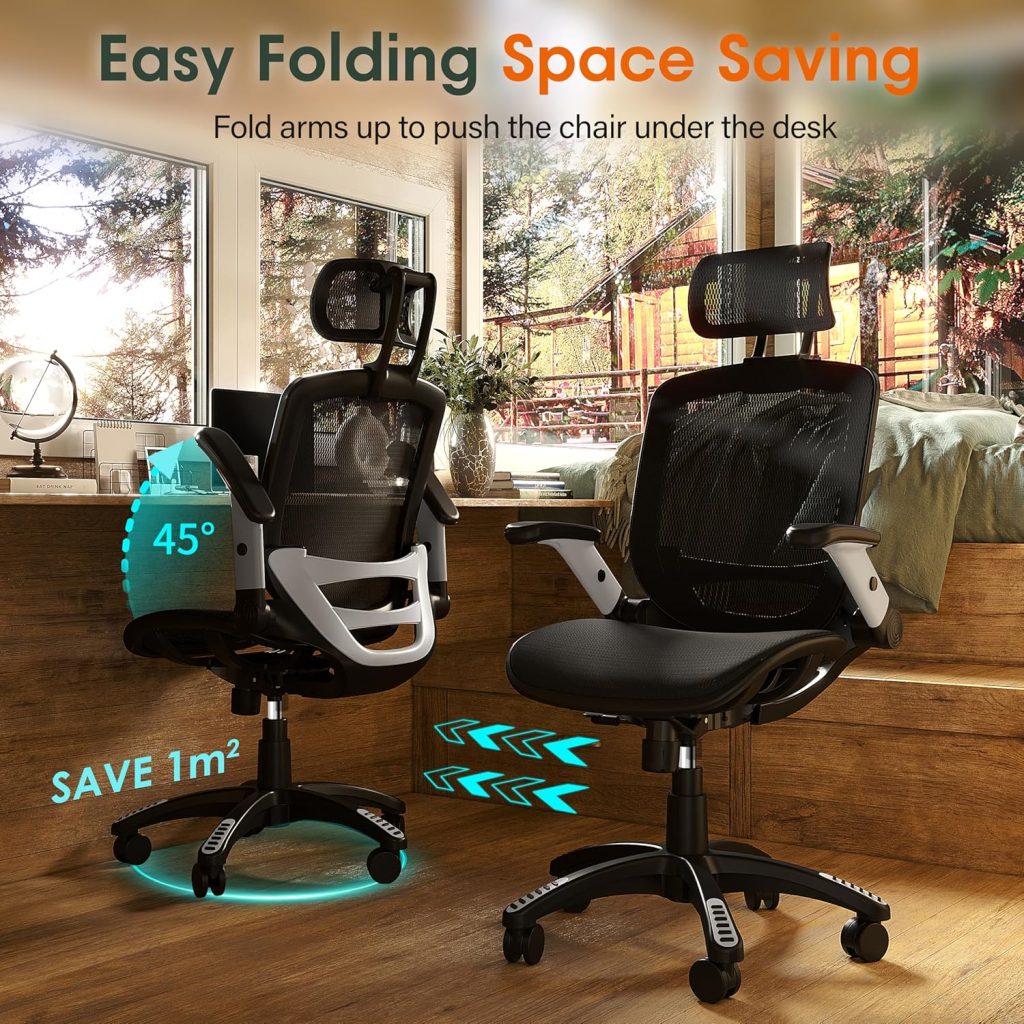
Accountants sit longer than most professionals. During tax season, a standard 8-hour desk day can stretch to 10 or 12 hours — often hunched over spreadsheets, receipts, and dual monitors. The best office chair for accountants isn’t a luxury. It’s the difference between finishing a return with a clear head and ending the day with a stiff lower back, numb legs, or neck strain.
I’ve tested and compared chairs built for long, seated focus. Below you’ll find five top picks for 2026, plus the specific adjustments and materials that matter most when you’re parked at a desk all day.
📌 Why Accountants Need a Specialized Office Chair
Accounting work isn’t physically demanding in the traditional sense, but it’s brutal on your spine over time. During tax season, many CPAs and bookkeepers sit for 8 to 10 hours straight, leaning toward monitors while reconciling accounts or scrolling through audit workpapers. That static posture puts sustained pressure on the lower back, and a chair with weak lumbar support can make things worse.
Poor lumbar support may contribute to lower back pain and sciatica-like symptoms. Without a curve that matches your lower spine, your pelvis tilts backward and your discs absorb more load. Many users report that a chair with non-adjustable lumbar support leaves them stiff and sore by mid-afternoon. It doesn’t have to be that way.
Generic task chairs fail accountants for a few specific reasons. The seat pan is often too long, which forces you to perch forward and lose back contact. The lumbar pad sits at a fixed height that doesn’t match your frame. The armrests may be too wide or too low for keyboard work. After a month of daily reconciliations, those small mismatches add up to constant fidgeting.
Ergonomic seating helps you stay focused. When you’re not shifting around every few minutes, you can hold your attention on tax prep or data entry for longer blocks. A chair that supports your lower back and keeps your feet flat on the floor can reduce strain, which means fewer breaks for stretching and more efficient work sessions.
📌 Key Features to Look for in an Accountant’s Office Chair
When you spend eight or more hours in front of spreadsheets, small ergonomic details decide whether you finish the day feeling fine or end up with a stiff lower back by mid-afternoon. Here are the features I prioritize when evaluating an office chair for accountants.
- Adjustable lumbar support and seat depth. Your lower back curve isn’t identical to anyone else’s. Look for lumbar support that moves up and down as well as in and out, plus a seat pan that slides forward or back so the front edge doesn’t press behind your knees.
- Synchro-tilt and recline tension. A chair that locks you bolt-upright all day encourages stiffness. Synchro-tilt lets the seat and backrest move together as you lean back, while adjustable recline tension keeps the movement controlled for your body weight.
- Breathable mesh or high-density foam. Long sitting sessions trap heat, especially under the thighs. Mesh backs breathe better in warm offices, while high-density foam seats retain their shape and support far longer than cheap polyfill.
- Sturdy base and commercial-grade casters. Aluminum bases resist flexing and cracking better than plastic. Casters rated for all-day use roll smoothly on carpet or hard floors without wearing out prematurely.
- Armrest adjustability. Armrests that adjust for height, width, and pivot let you support your elbows while typing or using a 10-key, which can reduce shoulder and neck strain during long data-entry sessions.
You don’t need every feature on the market, but the first two are non-negotiable if you want real lower back relief through tax season.
📌 Top 5 Office Chairs for Accountants in 2026
I evaluated these chairs based on lumbar adjustability, seat depth, build quality, warranty, and real-world comfort during 10+ hour workdays. These are my top five for accountants in 2026.
1. Steelcase Leap V2 – Best Overall for CPAs
The Leap V2 uses LiveBack technology that flexes with your spine and a seat edge that relieves pressure on your thighs. It supports up to 400 lb and carries a 12-year warranty.
- Adaptive lumbar curve
- Natural glide recline
- Expensive
- Fabric can run warm
2. SIHOO M57 – Best Budget Pick for Home Accounting Offices
For under $250, the M57 gives you adjustable lumbar support, a breathable mesh back, and a 275 lb weight capacity. It’s a solid starter chair for home offices.
- Inexpensive
- Good lumbar for the price
- Armrests aren’t 4D
- Seat cushion runs firm
3. Steelcase Gesture – Best Premium for Maximum Adjustability
Built for long-term heavy use, the Gesture offers 3D armrests, 360-degree movement, and adjustable seat depth. It accommodates a wide range of body sizes up to 400 lb.
- Outstanding arm adjustability
- Very durable build
- High price
- Heavy to move
4. Serta Smart Layers Big & Tall – Best Heavy-Duty for Larger Accountants
With a 400 lb weight capacity and deep layered foam cushions, this chair keeps larger accountants comfortable through tax season. The bonded leather is easy to wipe clean.
- Sturdy, wide seat
- Plush cushioning
- Less lumbar adjustability
- Chair is heavy
5. Herman Miller Aeron – Best Mesh for Breathability During Busy Season
The Aeron’s 8Z Pellicle mesh distributes weight evenly and lets air circulate, so you stay cool during 12-hour close weeks. It comes in three sizes for a tailored fit.
- Exceptional airflow
- Three size options
- Firm seat edge
- Expensive
Here’s how they compare side by side:
| Chair | Lumbar Support | Weight Capacity | Adjustability | Price | Check Price |
|---|---|---|---|---|---|
| Steelcase Leap V2 | Adaptive LiveBack | 400 lb | High: seat depth, armrests, recline | $1,000+ | Check Price → |
| SIHOO M57 | Adjustable | 275 lb | Moderate: height, tilt, lumbar | $200 | Check Price → |
| Steelcase Gesture | Adjustable | 400 lb | Very high: 360 arms, seat depth, recline | $1,400+ | Check Price → |
| Serta Smart Layers Big & Tall | Fixed | 400 lb | Moderate: height, recline | $300+ | Check Price → |
| Herman Miller Aeron | Adjustable PostureFit SL | 350 lb | High: seat angle, armrests, size A/B/C | $1,395+ | Check Price → |
🔑 How to Adjust Your Chair for Optimal Posture
Proper chair setup starts with your feet, not your back. I walk through the same order every time I adjust an accountant’s chair, because each setting affects the next.
- Seat height: Raise or lower the chair until your feet rest flat on the floor and your knees bend at roughly 90–100 degrees. Your thighs should be parallel to the floor or sloping slightly down, so the seat edge doesn’t press into the back of your knees.
- Seat depth: Sit back fully against the backrest. You should fit two to three fingers between the front edge of the seat and your calf. If not, slide the seat pan forward or backward.
- Armrests: Set the height so your elbows rest at about 90 degrees and your shoulders stay relaxed. Keep the armrests close enough that you don’t hunch or flare your elbows while typing.
For lumbar support, position the curve right at your lower back — around belt line — not mid-back. It should fill the natural gap without pushing you forward. If the support feels like a lump, lower it or reduce the depth.
Your monitor should sit at arm’s length, with the top of the screen at or just below eye level. Keep the keyboard at elbow height so your wrists stay flat, and place the mouse directly beside it. That prevents the reach-and-twist strain many accountants feel during long spreadsheets.
Finally, don’t stay frozen in one posture. Loosen the tilt tension so you can recline to about 100–110 degrees for reading or phone calls, then return upright for keying. Even a small shift every 30–45 minutes helps reduce lower back and neck fatigue.
⚡ Budget vs. Premium Options: What’s Worth It
In the $300–$500 range, you get real ergonomic features: adjustable lumbar support, seat depth, 4D arms, and a breathable mesh back. Most also include a 5-year parts warranty. Premium chairs at $1,000+ refine those adjustments and use denser materials that hold up better over 8+ hours. The gap is less about day-one comfort and more about consistency in year four.
| Feature | $300–$500 chairs | $1,000+ chairs |
|---|---|---|
| Frame & base | Nylon or basic glass-filled plastic | Reinforced polymer or aluminum |
| Seat cushion | Molded polyurethane foam, 2–3 inches thick | Multi-density HR foam or high-tension mesh |
| Back mesh | Standard polyester mesh | Elastomer or pellicle mesh with even tension |
| Cylinder | Class 3 gas lift, rated ~250 lb | Class 4 gas lift, smoother and often rated to 350+ lb |
| Warranty | 3–7 years, limited parts | 10–12 years, often includes fabric and labor |
For a full-time accounting professional logging 40–50 hours a week, spending more makes sense if you already have back or hip discomfort, or if you find yourself replacing budget chairs every two or three years. Cylinder quality is a real difference — budget lifts often develop play or sag within 18 months, while premium class 4 cylinders stay smooth for years.
Cushion foam matters too. Cheaper polyurethane can pack out after 12–18 months and lose support. Denser HR foam or high-end mesh like Herman Miller’s pellicle keeps its shape much longer. Replacement parts tilt the long-term value equation: premium brands usually sell individual arms, cylinders, casters, and seat pans, so you can fix instead of replace.
If you’re full-time and plan to keep the chair for 8+ years, I’d lean toward a premium model. If you’re on a tighter budget or use the chair less than 30 hours a week, a well-built $300–$500 chair is still a huge upgrade from a generic task chair.
❓ FAQ: Common Questions About Office Chairs for Accountants
What is the best office chair for accountants who sit 10+ hours a day?
Look for a chair with adjustable seat depth, lumbar support, and recline tension, not just thick padding. Chairs like the Steelcase Series 1 or Herman Miller Aeron work well because they let you shift positions without fighting the mechanism. You want something that supports movement, not locks you into one static posture.
How much lumbar support do accountants really need?
Enough to keep your lower spine in a neutral curve, but not so aggressive that it pushes you forward. Height-adjustable lumbar is the key feature here. It should sit in the small of your back, not your mid-back. If the chair forces an exaggerated arch, dial it back or look elsewhere.
Are mesh or cushioned seats better for long hours of accounting work?
Mesh stays cooler and spreads pressure more evenly, so I lean toward mesh for 8–10 hour days. Cushioned foam feels plush at first but can compress by hour six. If you run hot or work in a warm office, mesh beats foam. A hybrid — mesh back with a medium-firm foam seat — also works for many people.
Can an ergonomic office chair eliminate back pain completely?
No. A good chair can reduce strain and support better posture, but it won’t fix underlying issues, weak glutes, or a bad desk setup. Pair it with movement breaks and a monitor at eye level. Think of the chair as one piece of the equation.
What is a reasonable budget for a quality accountant’s office chair?
Spend $400–$800 for something with a 10-year warranty and real adjustability. Below $300, you usually lose durable lumbar support or seat depth adjustment. Above $1,000, you’re paying for brand prestige and premium materials, not necessarily more comfort.
How long should a good office chair for accounting professionals last?
Expect 7–12 years from a chair in the $500+ range. The cylinder, arm pads, and mesh typically wear first. Replacing a worn cylinder is cheaper than buying a new chair, but if the frame or mechanism fails, it’s time to upgrade.