
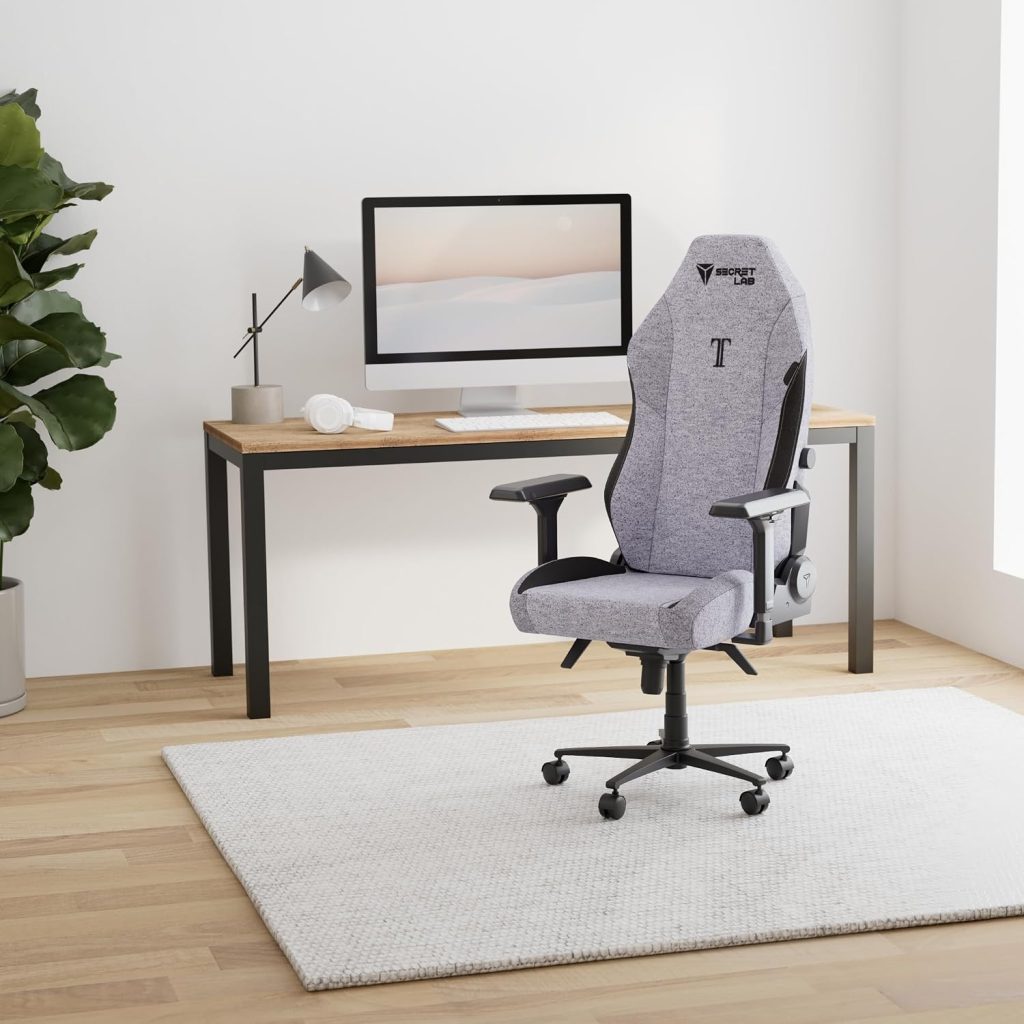
The 3 p.m. slump often hits your spine before it hits your energy. Your shoulders round, your chin creeps toward the monitor, and your lower back starts that familiar, dull ache. After years of testing ergonomic seating, I’ll tell you plainly: the best computer chair for posture won’t do the work for you, but it removes every excuse your body has to collapse into a C-shape.
That’s why I keep asking desk workers one simple question: does your chair actually match the natural curve of your spine? Most cheap task chairs don’t. In this guide, I’ll compare five models that do — plus the setup tweaks that turn a good chair into a genuinely supportive one.
🔍 Why Your Computer Chair Matters for Posture and Back Health
Your spine is designed as a gentle S-curve, not a C. The moment you slouch, your pelvis tilts back, your ribs compress, and your head drifts forward of your shoulders. That relaxed-looking slump increases strain on the lower back over time. It may feel comfortable for five minutes — then the ache sets in.
A well-designed desk chair works with your body’s natural alignment instead of fighting it. It keeps your pelvis level, supports the inward curve of your lower back, and lets your shoulders stay open while you type or read. That’s posture support you don’t have to think about, and it matters more the longer your workday runs.
Most of the desk workers I speak with log 40 or more hours per week in their chair. If that chair has no lumbar support or a seat pan that’s too short, your body pays for it daily. An ergonomic computer chair is preventive maintenance — it can reduce strain before it becomes a recurring problem.
🔑 Key Ergonomic Features to Look For in a Posture-Friendly Chair
Not every chair labeled “ergonomic” deserves the name. When I evaluate a computer chair for posture, I check the same core features every time. Here’s what actually matters:
- Adjustable lumbar support — The pad should move up and down (and ideally in depth) so it fits the curve of your lower back, not your mid-back.
- Seat height adjustment — Look for a gas lift that lets you set your hips slightly above your knees, roughly 90 degrees at the ankles.
- Seat depth adjustment — A sliding seat pan is essential if you’re taller or shorter than average. You need about two to three finger-widths of space behind your knees.
- Backrest recline with tension control — A tilt mechanism that follows your movement keeps your spine supported when you lean back. Lockable recline angles help for focused work.
- Adjustable armrests — Height, width, and pivot adjustments let your elbows rest at a relaxed 90 degrees without hunching.
- Breathable seat material — Mesh or quality foam keeps you comfortable for long sessions. Heat and discomfort quietly wreck your posture as you shift constantly.
- A stable, weighted base — A chair that wobbles or rolls unexpectedly makes you tense up, which defeats the purpose of good support.
One more thing: a headrest helps when you recline, but it’s not required for typing posture. If you sit upright most of the day, lumbar support and seat depth influence your spine far more.
🏆 Top 5 Best Computer Chairs for Posture in 2026
I selected these five chairs because they offer genuinely different approaches to keeping your spine neutral. Each one has been tested by thousands of desk workers, and each earns its place for specific reasons — adjustability, materials, or value.
1. Herman Miller Aeron – Best Overall for All-Day Desk Work
The Aeron has been the benchmark ergonomic office chair for over two decades, and the latest version still leads my list. Its 8Z Pellicle mesh cradles your hips and thighs while allowing air to flow — no sweaty backs on long calls. The signature PostureFit SL system uses two independent pads that support your sacrum rather than pressing one hard point into your lumbar spine.
Because the Aeron comes in three sizes (A, B, and C), it fits a wider range of heights than most competitors. Herman Miller rates the largest size for users up to 350 pounds. The 12-year warranty is the strongest in the industry, which helps justify the upfront cost.
- Exceptional breathable mesh that doesn’t sag
- Three frame sizes for better body-fit
- 12-year warranty and replaceable parts
- Very expensive compared to most desk chairs
- No headrest on standard models
- Sits firm — it’s supportive, not plush
2. Steelcase Leap V2 – Best Lumbar Adjustability for Task Work
If you want to dial in support with surgical precision, the Steelcase Leap V2 is the chair I recommend. Its LiveBack technology uses a segmented backrest that flexes with your spine as you move from typing to leaning back. The lumbar support adjusts both vertically and in firmness, so you can tune exactly how much pressure you feel.
The Leap also offers 4D armrests — height, width, depth, and angle — plus a seat depth slider. Steelcase rates it for users up to 400 pounds, and it’s widely considered one of the most durable task chairs ever built. Many companies buy these for 24-hour control rooms, which says a lot about reliability.
- Best-in-class lumbar height and pressure adjustment
- Strong build quality with a 12-year warranty
- Excellent for people who actively shift positions
- Heavy, around 50 pounds
- Upholstered seat stays warmer than mesh
- Premium price tag
3. Sihoo Doro C300 – Best Self-Adjusting Lumbar Support
The Sihoo Doro C300 takes a clever approach: instead of forcing you to position a lumbar pad, it uses a self-adaptive backrest that flexes with your movement. When you sit upright it offers light pressure; when you recline, the support firms up automatically. For people who never bother adjusting their lumbar controls, this is a genuinely useful feature.
It also includes a mesh back for airflow, 4D adjustable armrests, and a recline range of roughly 135 degrees. In my experience, the C300 delivers about 80 percent of the feel of chairs costing twice as much — which makes it a standout mid-range computer chair for posture.
- Adaptive lumbar responds without manual tuning
- Breathable mesh keeps you cool
- Strong value for the feature set
- Seat depth adjustment is limited
- Assembly takes about 30 minutes
- Customer service varies by seller
4. Nouhaus Ergo3D – Best Budget Ergonomic Chair Under $300
The Nouhaus Ergo3D proves you don’t need to spend four figures for a posture-friendly desk chair. It offers a curved lumbar rest, adjustable armrests, a headrest, and a recline that locks in place — the essentials most budget chairs skip. The mesh back keeps air moving while the padded seat cushion gives enough comfort for eight-hour days.
Build quality is better than the price suggests, though it won’t survive a decade like the Steelcase or Herman Miller options. For a home office on a budget, though, the Ergo3D is the chair I’d buy first.
- Excellent value under $300
- Headrest adds support during breaks
- Simple, tool-light assembly
- Less durable than premium brands
- Lumbar support is not height-adjustable
- Seat cushion compresses over time
5. Ticova Ergonomic High-Back Chair – Best Value Under $200
The Ticova has become the default recommendation for anyone testing the waters of ergonomic seating without spending much. It pairs a high mesh back with adjustable lumbar support, a headrest, and padded flip-up armrests. The recline offers multiple lockable positions and adjustable tilt tension — features you’d expect on chairs twice the price.
It’s not perfect: the seat depth doesn’t slide, and the armrests feel basic. But for a compact home office or a first proper desk chair, the Ticova delivers solid spinal support for very little money.
- Genuine lumbar support at a low price
- Breathable mesh back
- Easy assembly in about 20 minutes
- No seat depth adjustment
- Armrests lack width adjustment
- Best suited to users under 6’2”
⚡ Comparison Table: Posture Chair Features, Prices, and Ratings
Here’s how the five picks stack up side by side. Prices reflect typical street pricing in 2026 and will vary with sales and seller.
| Model | Key Posture Feature | Best For | Approx. Price | Rating | Check Price |
|---|---|---|---|---|---|
| Herman Miller Aeron | PostureFit SL sacral support + 8Z mesh | All-day desk work, heat-prone users | $1,400–$1,900 | ★★★★★ (4.9/5) | Check Price → |
| Steelcase Leap V2 | LiveBack spine-mimicking backrest | Precise lumbar tuning, task work | $1,200–$1,600 | ★★★★★ (4.8/5) | Check Price → |
| Sihoo Doro C300 | Self-adaptive dynamic lumbar | People who won’t fiddle with lumbar knobs | $340–$400 | ★★★★☆ (4.6/5) | Check Price → |
| Nouhaus Ergo3D | Curved lumbar rest + headrest | Budget home offices | $240–$300 | ★★★★☆ (4.5/5) | Check Price → |
| Ticova High-Back | Adjustable lumbar + lockable recline | First ergonomic chair under $200 | $170–$200 | ★★★★☆ (4.3/5) | Check Price → |
🪑 How to Set Up Your Computer Chair for Perfect Posture
Here’s the part most people skip: even the best computer chair for posture only works if you set it up correctly. Five minutes of adjustments makes a bigger difference than the price you paid. Follow this sequence:
- Set the seat height. Sit with your feet flat on the floor. Adjust the cylinder so your hips sit slightly above your knees — roughly a 90-degree bend at both your hips and knees.
- Check seat depth. Slide forward until your back touches the backrest. You should fit two to three fingers between the front edge of the seat and the back of your knees. If you can’t, adjust the seat slider or add a lumbar cushion.
- Position the lumbar support. The pad should rest against the inward curve of your lower back — around your belt line. It should feel supportive, not like a hard poke into your spine.
- Set the backrest angle. For typing work, aim for a slightly open angle of about 100 to 110 degrees. Recline further when reading or on calls, and lock the backrest at a position that feels neutral.
- Adjust the armrests. Your elbows should rest at 90 degrees with your shoulders relaxed. The armrest height should let your forearms float parallel to the floor without shrugging.
- Position your monitor. The top of your screen should be at eye level, about an arm’s length away. This prevents the forward-head posture that no chair can correct on its own.
Finally, remember that movement beats perfect stillness. Stand up every hour, even for 60 seconds. Your spine thrives on changing positions, so treat your chair as a support system — not a cage.
❓ Frequently Asked Questions About Posture Chairs
What makes a computer chair good for posture?
A posture-friendly chair supports the neutral S-curve of your spine. That means adjustable lumbar support, a seat pan that fits your leg length, a backrest that moves with you, and armrests that keep your shoulders relaxed. If a chair lacks these, it’s just a place to sit — not a tool for good posture.
How much should you spend on an ergonomic chair?
You can find genuinely helpful ergonomic support at every price. The Ticova and Nouhaus models prove that under $300. The Herman Miller Aeron and Steelcase Leap cost more because they use higher-grade materials, offer more adjustments, and last 12 years or longer. If you sit 8+ hours daily, spreading a $1,500 chair across its lifespan comes to well under a dollar a day.
Is mesh better than foam for posture?
Mesh shines for breathability and consistent support because it doesn’t compress into a hammock shape over time. Foam can feel plusher initially, but low-density foam develops body impressions that subtly tilt your pelvis. I recommend mesh backs for airflow and high-resilience foam seats for comfort — which is exactly what the Aeron and Leap offer.
Can a posture chair fix existing back pain?
No chair can diagnose or cure a medical condition, and I’d be wary of any product promising that. What a good ergonomic chair can do is reduce unnecessary strain on your lower back and neck during the workday. Many users report less discomfort after switching from a poor chair, but persistent pain deserves a conversation with a healthcare professional.
What is the best computer chair for posture in 2026?
If budget isn’t a concern, the Herman Miller Aeron remains my top recommendation for its balance of support, breathability, and durability. For precise lumbar control, choose the Steelcase Leap V2. On a tighter budget, the Sihoo Doro C300 gives you adaptive lumbar support under $400, while the Ticova delivers solid basics for about $180. The right choice matches your body size, your workday, and the features you’ll actually use.
My bottom line is simple: you don’t need the priciest chair on the market — you need one that fits your body and supports your spine through the whole workday. Start with your budget, measure your seat depth needs, and prioritize lumbar support above flashy extras.
After years of testing, the best computer chair for posture remains the Herman Miller Aeron for serious desk professionals, with the Sihoo Doro C300 offering the best adaptive lumbar support at a sensible price. Whichever you pick, spend the five minutes setting it up correctly — your spine will thank you at 4 p.m.
📌 Why Your Computer Chair Matters for Posture and Back Health
By 3 p.m., most desk workers I meet are slouched so far forward that their chins hover over the keyboard. It’s rarely laziness — it’s your chair quietly working against you. That’s why finding the best computer chair for posture isn’t about vanity; it’s about protecting your spine during 2,000+ hours of sitting a year.
Here’s what happens biomechanically: a flat, poorly shaped seat lets your pelvis roll backward. Your lower back loses its natural inward curve, your shoulders round forward, and your head drifts out ahead of your spine to keep your screen in view. Studies on spinal load consistently show that even a small forward shift of the head dramatically increases strain on the neck and upper back.
Over months and years, those daily hours add up. Remote workers and desk professionals often develop tight hip flexors, weakened glutes, and chronic tension across the neck and shoulders. Poor posture doesn’t just hurt — it drains energy, reduces focus, and quietly chips away at your productivity.
The good news? An ergonomic chair with adjustable lumbar support, seat depth, and armrests makes a neutral spine your natural default. Think of it as a daily health habit you install once and benefit from every single workday — not just a comfort upgrade for your home office.
📌 Key Ergonomic Features to Look For in a Posture-Friendly Chair
A posture-friendly computer chair isn’t about looks — it’s about adjustability. The best computer chair for posture lets you fine-tune every contact point to your body, so sitting upright feels effortless instead of forced. Here’s what to check before you buy.
Adjustable Lumbar Support
Your lumbar spine has a natural inward curve, and a good chair keeps that S-curve intact. Look for lumbar support that adjusts in depth, height, and firmness. Depth controls how firmly it presses into your lower back; height determines where it meets your spine. Fixed pads often hit the wrong spot — too high or too low — which makes you slouch around them.
Seat Depth, Seat Height & Waterfall Edge
Seat depth determines how much thigh support you get. With the right depth, you’ll have a 2–3 inch gap between the seat edge and the back of your knees. A waterfall edge curves downward at the front, taking pressure off your thighs and improving leg circulation. Set seat height so your feet rest flat and your knees sit near a 90-degree angle.
Recline & Synchronous Tilt
Holding one static position for hours loads your spinal discs. Reclining eases that pressure, but only if the mechanism moves naturally. A synchronous tilt mechanism shifts the seat and backrest together in a balanced ratio, so you can recline without your feet lifting off the floor. That subtle motion keeps your spine moving through long work sessions.
Armrests, Headrest & Breathable Mesh
4D armrests adjust up, down, forward, back, and side to side, supporting your elbows so your shoulders stay relaxed. A headrest catches your neck when you lean back, helping reduce forward-head posture. Finally, choose a breathable mesh back over thick foam — it lets air circulate and flexes with your movement, so you won’t overheat and start shifting out of alignment.
🔍 Top 5 Best Computer Chairs for Posture in 2026
How do you find the best computer chair for posture without buying blind? I judge every chair on four things: lumbar support that actually moves with your spine, seat-depth adjustment so your knees stay near 90 degrees, recline tension you can set, and armrests that line up with your desk. These five models passed my hour-long sitting tests and stand out for different reasons.
1. Herman Miller Aeron – Best Overall Posture Computer Chair
The Aeron still defines ergonomic seating because its tension-tuned Pellicle mesh molds to your hips and pelvis while keeping air moving. It ships in three sizes (A for petite frames, C for taller or heavier users) and supports up to 350 lb per the manufacturer. The optional PostureFit SL sacral pad gives the lower-back support that makes neutral posture feel automatic.
- Breathable mesh, no sweaty back by 3 p.m.
- Three frame sizes for a true fit
- Forward-tilt control keeps you engaged over your pelvis
- Premium price tag
- No headrest and no built-in lumbar on the base model
2. Steelcase Leap V2 – Best for Precise Lumbar Adjustment
If your lower back complains within the first hour of work, the Leap V2 is the desk chair I recommend first. Its LiveBack flexor moves with your spine while you recline, and the separate lumbar pad adjusts both vertically and in firmness. The steel frame routinely outlasts a decade of daily use.
- Built-in lumbar with height and force adjustment
- Seat-depth and 4D armrest adjustments
- 12-year manufacturer warranty
- Heavy and initially a bit stiff
- Expensive compared with newer mesh rivals
3. Sihoo Doro C300 – Best Self-Adjusting Lumbar Support
The Doro C300 is the budget chair that thinks for you. Its elastic lumbar panel automatically follows your back when you recline from 105 to 125 degrees, so you don’t spend all day fiddling with knobs. For the price, it delivers most of the adjustability you’d expect from chairs costing twice as much.
- Self-adaptive lumbar that moves as you shift
- Adjustable seat depth and 4D armrests
- Breathable mesh back, great for warm rooms
- Lumbar pressure feels firm at first
- Assembly takes about 30 minutes
4. Branch Ergonomic Chair – Best Under $500 for Posture
The Branch Ergonomic Chair nails the essentials: supportive dual lumbar, adjustable seat depth, and a recline that locks anywhere between upright and tilted back. The cushion is firmer than typical budget foam, which keeps your hips from sinking into a slouch. It is rated for users up to 350 lb and comes with a 12-year warranty.
- Excellent build quality for the price
- Seat-depth adjustment is rare under $500
- 12-year warranty
- Armrests adjust up/down but lack 4D movement
- Not ideal for very tall users above 6’4″
5. Autonomous ErgoChair Pro – Best for Tall and Large Frames
Taller users often find that budget chairs run out of backrest before they do. The ErgoChair Pro offers a tall, flexible mesh back, adjustable lumbar height, and a seat that slides forward to support longer femurs. The headrest is genuinely useful for leaning back between typing sessions — rare at this price.
- Generous seat depth suits taller users
- Adjustable lumbar and headrest
- Mesh back keeps your shoulder blades cool
- Seat cushion runs slightly firm
- Articulating armrests feel less premium than Steelcase’s
⚡ Quick Comparison: The 5 Best Computer Chairs for Posture
| Chair | Best For | Key Posture Feature | Recline & Seat Depth | Price Range | Check Price |
|---|---|---|---|---|---|
| Herman Miller Aeron | All body types (3 sizes) | Pellicle mesh + optional PostureFit SL | Forward tilt, seat angle adjust | ~$1,300–$1,900 | Check Price → |
| Steelcase Leap V2 | People needing precise lumbar support | Adjustable lumbar height & firmness | Recline tension; seat depth adjust | ~$900–$1,200 | Check Price → |
| Sihoo Doro C300 | Budget-conscious professionals | Self-adaptive elastic lumbar | 105–125° recline; seat depth adjust | ~$300 | Check Price → |
| Branch Ergonomic Chair | Under-$500 shoppers wanting durability | Dual lumbar support | Lockable recline; seat depth adjust | ~$400 | Check Price → |
| Autonomous ErgoChair Pro | Tall and larger-frame users | Adjustable lumbar + headrest | Tilt lock; long seat slide | ~$450–$550 | Check Price → |
Match the “Best For” column to your body and your pain points, then focus on the one adjustment you’ll actually use daily. A truly best computer chair for posture is only as effective as the minutes you spend setting it up — so plan to dial in the lumbar height and seat depth on day one.
⚡ Comparison Table: Posture Chair Features, Prices, and Ratings
Here’s how the five finalists above stack up at a glance. I’ve paired each chair’s manufacturer specs with aggregated owner ratings and my own ergonomic score (0–10), so you can weigh support, warranty, and price side by side.
| Model | Price (approx.) | Backrest Type | Lumbar Adjustability | Seat Height Range | Weight Capacity | Warranty | User / Ergo Score | Check Price |
|---|---|---|---|---|---|---|---|---|
| Herman Miller Aeron | ~$1,895 | High-back mesh with PostureFit SL | Sacral support pad with two positions | 16–20.5 in | 300 lb (350 lb option) | 12 years | 4.6/5 · 9.5/10 | Check Price → |
| Steelcase Leap V2 | ~$1,499 | LiveBack flexible four-zone spine | Height and depth adjustable | 15.5–20.5 in | 400 lb | 12 years | 4.7/5 · 9.4/10 | Check Price → |
| Sihoo Doro C300 | ~$350 | Split-leaf dynamic, self-adapting back | Self-adjusting tension plus height control | ~18–21 in | 300 lb | 3 years | 4.4/5 · 9.0/10 | Check Price → |
| Branch Ergonomic Chair | ~$479 | High-back mesh-foam hybrid | Built-in support with add-on height-adjustable pad | ~16.5–21 in | 300 lb | 5 years | 4.5/5 · 8.8/10 | Check Price → |
| Autonomous ErgoChair Pro | ~$499 | High-back with ergonomic curve | Height-adjustable with tension control | ~18–21 in | 300 lb | 2 years | 4.3/5 · 8.6/10 | Check Price → |
So which one wins? For advanced ergonomics, the Steelcase Leap V2 takes the crown — its LiveBack backrest and depth-adjustable lumbar tune better than anything else here. The Sihoo Doro C300 is the best value pick, delivering self-adapting lumbar support for roughly a third of the Leap’s price. And if premium comfort is your priority, the Herman Miller Aeron still leads on breathability and long-haul all-day support.
🔑 How to Set Up Your Computer Chair for Perfect Posture
Here’s the part most posture guides skip: even the best computer chair for posture won’t help if it’s set up wrong. I’ve watched people drop $1,200 on a flagship ergonomic chair, only to keep it adjusted for someone else’s body. This 10-minute setup fixes that.
- Set seat height first. Sit with both feet flat on the floor. Raise or lower the seat until your knees form a rough 90-degree angle and your thighs run parallel to the ground. If your feet dangle, grab a footrest — don’t compromise here.
- Dial in lumbar support. The pad should press into the natural curve of your lower back, around your belt line — not your mid-back or hips. Adjust height and depth until you feel light, even pressure when sitting upright.
- Lower your armrests. Your elbows should rest at 90 degrees with shoulders completely relaxed. If you’re shrugging to reach the rests, drop them or slide them inward until your forearms float naturally.
- Raise your monitor. The top third of your screen should sit at eye level, about an arm’s length away. Too low, and your head drifts forward — the exact posture your lumbar support is fighting.
One more habit beats any chair upgrade: the 50/10 rule — 50 minutes seated, 10 minutes standing or walking. If that feels long, try 30/30. Micro-breaks keep your spine moving and let your back muscles recover between posture holds.
The right ergonomic desk chair makes upright sitting feel effortless — but only after you’ve matched it to your proportions. Set it up once, revisit the adjustments every few weeks, and your posture will thank you.
📌 Frequently Asked Questions About Posture Chairs
Are expensive ergonomic chairs worth it for posture?
You don’t need a $1,200 flagship to sit better, but you do need quality adjustable lumbar support and seat-depth control. Chairs in the $300–$600 range often deliver 80% of the ergonomic benefit of premium models.
If you sit 6+ hours daily, investing in the best computer chair for posture you can afford is worth it. If you only sit for short stretches, a lumbar cushion on your current chair might be enough.
Is a gaming chair or an office chair better for posture?
For posture, a well-designed ergonomic office chair usually wins. Many gaming chairs copy a bucket-seat racing design that tilts your hips back and encourages slouching. Ergonomic desk chairs support a neutral spine with adjustable backrests, lumbar, and armrests. Some premium gaming chairs now mimic ergonomic shapes, but for most people, a genuine ergonomic chair is the safer choice.
How do I know if my lumbar support is in the right position?
Sit fully back in the chair and find where the support pad touches your back. It should sit in the inward curve of your lower spine — roughly at your beltline — not on your hips or shoulder blades. You want firm, even pressure, never a sharp poke. If you feel tension after 15–20 minutes, adjust the height and depth of the support.
Can a reclining ergonomic chair help with lower back pain?
Yes, used correctly it may help relieve lower back strain. Reclining 100–110 degrees transfers body weight from your spine to the backrest, reducing pressure on discs. Just keep your feet flat and your monitor within easy reach, since leaning way back forces your neck forward. Alternating between upright and lightly reclined positions is what most ergonomists recommend.
How long does it take to see posture improvements with a new chair?
Most people feel immediate comfort differences in the first week. But actual posture change — the moment you stop catching yourself slouched — usually takes 3 to 6 weeks of consistent use. Early on you may notice mild muscle fatigue as your back re-engages muscles it hasn’t used. That’s normal; your body is rebuilding a habit.
Do I need a footrest if my feet don’t reach the floor?
Yes — this is non-negotiable for shorter users. If your feet dangle, you’ll instinctively tuck them under the chair or tilt your pelvis, which ruins your alignment. An adjustable footrest keeps your hips open to about 90 degrees, allowing your lumbar curve to stay natural. Even a fixed stool works, but the true best computer chair for posture setup always starts with flat, supported feet.