
SITBETTERLAB WORKSPACE GUIDE
Best 48-Inch Standing Desks for Small Home Offices
A practical guide to compact sit-stand desks, from budget-friendly electric models to desks with built-in storage and deeper work surfaces.
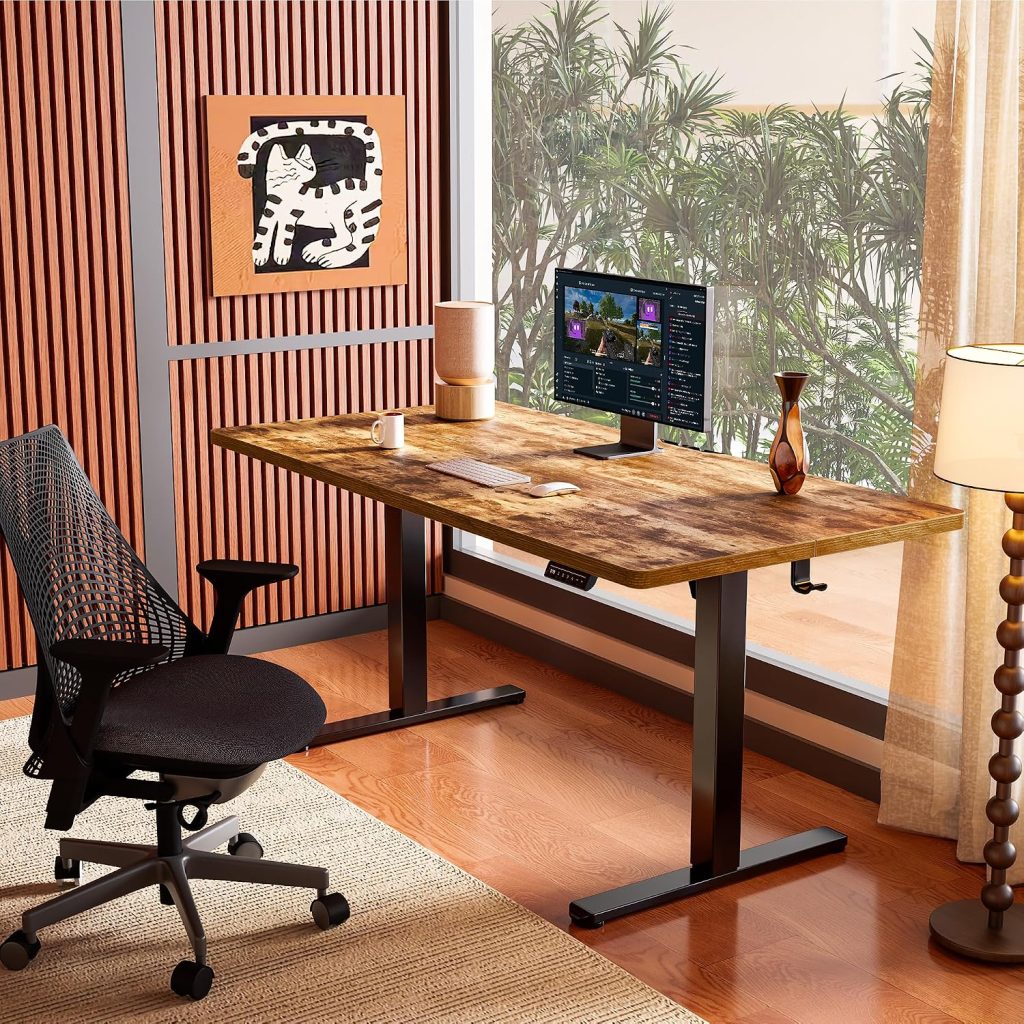
A small home office doesn’t need a full-size executive desk. A 48-inch standing desk provides enough width for many everyday work setups while taking up less wall space than a 60-inch or 72-inch workstation. For remote workers, apartment dwellers, and people converting a spare bedroom into an office, it can be a useful middle ground between a compact laptop table and a full-size workstation.
However, not every 48-inch electric standing desk offers the same experience. A 48 x 24-inch desktop has a different workspace feel from a 48 x 30-inch surface. Some models prioritize low prices, while others add drawers, programmable height controls, or more substantial frames. The right choice depends on your monitor setup, available floor space, height requirements, and budget.
In this guide, we’ll compare several 48-inch desk options, explain the specifications that matter most, and help you decide whether this size is large enough for your home office.
Quick Answer
For most compact home offices, a 48 x 24-inch electric standing desk is a sensible starting point. It can accommodate a laptop or a typical single-monitor workstation without taking up excessive floor space.
Choose a 48 x 30-inch surface if you need more front-to-back room for a monitor, keyboard, and accessories. Before buying, confirm the actual desktop dimensions, the desk’s assembled footprint, and whether its minimum and maximum heights fit your body.
Table of Contents
- Best 48-Inch Standing Desks at a Glance
- ErGear 48 x 24-Inch Electric Standing Desk
- FLEXISPOT E2 48-Inch Standing Desk
- FEZIBO 48-Inch Electric Standing Desk
- HUANUO 48-Inch Desk with Drawers
- When to Choose a Deeper 48-Inch Desk
- Is a 48-Inch Desk Big Enough?
- What to Look for Before Buying
- Frequently Asked Questions
Best 48-Inch Standing Desks at a Glance
The following options represent different buying priorities. Product configurations, desktop sizes, and included features can change, so verify the exact model before placing an order. These are research-based recommendations rather than results of hands-on testing by SitBetterLab.
| Desk | Best For | What to Check |
|---|---|---|
| ErGear 48 x 24 | Budget-conscious buyers | Height range, stability, control presets |
| FLEXISPOT E2 48-inch | Buyers who prefer an established desk brand | Exact desktop configuration and frame specifications |
| FEZIBO 48-inch | Simple home-office setups | Model-specific height range and controls |
| HUANUO 48-inch with drawers | Small offices needing storage | Drawer clearance and knee space |
| 48 x 30-inch desk configuration | Users who need extra desktop depth | Actual width, depth, frame compatibility, room clearance |
1. ErGear 48 x 24-Inch Electric Standing Desk
Best for Budget-Conscious Buyers
The ErGear 48 x 24-inch electric standing desk is worth considering if you want the basic sit-stand experience without investing in a premium workstation. Its compact rectangular footprint suits a laptop setup, a single monitor, or a straightforward home-office arrangement.
Some configurations in this product family advertise electric height adjustment, memory presets, and an anti-collision feature. However, available features and specifications can vary by model and listing. Check the precise configuration rather than assuming every ErGear desk includes the same controls or safety functions.
What We Like
- A 48-inch width offers a useful amount of workspace without requiring a large room.
- Electric height adjustment makes switching between sitting and standing easier than using a fixed-height desk.
- A relatively simple setup can work well for a laptop or one-monitor workstation.
- It is a reasonable starting point for buyers comparing entry-level electric desks.
Potential Drawbacks
- A 24-inch-deep surface may feel crowded with a large monitor, full-size keyboard, and multiple accessories.
- Budget-oriented frames may exhibit more movement at maximum height than heavier-duty designs.
- Confirm the minimum height, maximum height, lifting capacity, and warranty for the exact version.
Best fit: Someone who needs a compact electric desk for everyday computer work and wants to prioritize core functionality over premium finishes or built-in storage.
Check ErGear 48-Inch Desks on Amazon →
2. FLEXISPOT E2 48-Inch Standing Desk
Best for Buyers Comparing Established Desk Brands
The FLEXISPOT E2 is another option to compare when shopping for a 48-inch electric standing desk. FLEXISPOT sells desks in multiple configurations, so confirm whether the listing includes the desktop size, finish, controller, and frame you want.
For a small home office, the main consideration is not the brand name alone. You should compare the actual lifting range, weight capacity, desktop depth, and stability against similarly priced alternatives. A desk that fits your room but cannot lower enough for comfortable seated work is not a good fit, even if its finish looks appealing.
What We Like
- A useful candidate for comparing desk finishes and configurations.
- A compact width that can suit a bedroom office or apartment workspace.
- Electric adjustment supports alternating between sitting and standing during the workday.
Potential Drawbacks
- Do not assume specifications from another FLEXISPOT model apply to the E2.
- Check whether the selected desktop is 24 or 30 inches deep.
- Compare the final delivered price, warranty, and return terms with competing desks.
Best fit: Buyers who want to compare a familiar standing-desk brand and multiple desktop configurations before choosing a compact workstation.
Check FLEXISPOT E2 on Amazon →
3. FEZIBO 48-Inch Electric Standing Desk
Best for a Simple Home-Office Setup
FEZIBO is worth comparing for buyers who want a compact electric desk with a straightforward desktop and height-adjustable frame. Depending on the model, the product range may include different finishes and control features.
For a modest workstation, avoid paying extra for features you will rarely use. First determine whether the desk has enough room for your monitor, keyboard, mouse, and everyday accessories. Then compare its lifting capacity and height range against your needs.
What We Like
- A compact size for a laptop-focused office or a single-monitor setup.
- A practical alternative to compare against other entry-level electric desks.
- Different available finishes may make it easier to match an existing room.
Potential Drawbacks
- Features and dimensions differ across product variants.
- A compact desktop leaves less room for large monitor stands and accessories.
- Read the specifications and recent model-specific customer feedback before buying.
Best fit: Remote workers and students who need an uncomplicated sit-stand workspace and want to compare several budget-friendly configurations.
Check FEZIBO 48-Inch Desks on Amazon →
4. HUANUO 48-Inch Standing Desk with Drawers
Best for Small Offices That Need Storage
Storage becomes particularly valuable when your office is also a bedroom, living room, or multipurpose space. A 48-inch standing desk with built-in drawers can help keep notebooks, charging cables, pens, and other small items within reach without adding a separate drawer unit.
HUANUO has offered 48-inch desk configurations with drawers, but the exact storage layout and frame specifications depend on the listing. Before purchasing, check the drawer dimensions and how far the drawers extend beneath the desktop.
What We Like
- Built-in storage can reduce desktop clutter.
- Useful for offices without space for a separate filing cabinet.
- A compact width keeps the workstation manageable in smaller rooms.
Potential Drawbacks
- Drawers can reduce knee clearance, particularly for taller users.
- Storage compartments may be shallow and unsuitable for bulky office supplies.
- Check the desktop depth and the actual clearance beneath the drawer assembly.
Best fit: People who want a tidy workstation and need to store small office supplies without taking up additional floor space.
Check HUANUO Desks with Drawers on Amazon →
5. Consider a 48 x 30-Inch Standing Desk for More Workspace Depth
Best for Monitor-Heavy Workstations
If your room can accommodate a deeper desktop, a 48 x 30-inch configuration may be more comfortable than a 48 x 24-inch desk. Both are approximately four feet wide, but the extra six inches of depth can provide more room between your monitor and keyboard and leave space for everyday accessories.
Some standing desks are sold with different desktop sizes or as frames that support a range of compatible tops. Do not assume that a frame advertised for a 48-inch desk automatically includes a 30-inch-deep desktop. Check the exact product configuration and frame compatibility.
Why Choose More Depth?
- More front-to-back room for a monitor, keyboard, and mouse.
- More flexibility when positioning a monitor arm or laptop stand.
- More room for a notebook, desk mat, or speakers.
- Potentially more comfortable for users who find a shallow desktop restrictive.
The trade-off is floor space. A deeper desk projects farther into the room and may interfere with a chair, closet door, or walkway. Measure the available area before upgrading from a 24-inch to a 30-inch depth.
Best fit: People who use an external monitor and keyboard every day, or who need a more spacious work surface but cannot fit a wider desk.
Explore 48 x 30-Inch Standing Desks on Amazon →
Is a 48-Inch Standing Desk Big Enough?
For many people, yes. The important question is whether the available surface matches your equipment and daily work habits. Width alone does not tell you how comfortable a desk will feel.
48 x 24 Inches vs. 48 x 30 Inches
| Feature | 48 x 24 Inches | 48 x 30 Inches |
|---|---|---|
| Desktop area | 8 square feet | 10 square feet |
| Laptop-only setup | Usually sufficient | More room than many users need |
| Single monitor and keyboard | Suitable for many setups | More room for positioning |
| Dual monitors | Possible, but potentially crowded | More practical, depending on monitor sizes |
| Small-room footprint | Smaller front-to-back footprint | Requires more clearance |
These comparisons describe the nominal desktop dimensions, not a guarantee that every setup will fit comfortably. Monitor stands, clamp-mounted arms, speakers, and other accessories can affect the available workspace.
Can a 48-Inch Desk Hold Two Monitors?
It can, depending on the size of the monitors, their stands, and how much space you need for other equipment. Two compact monitors mounted on a suitable dual-monitor arm may fit more comfortably than two monitors with large individual stands.
Before buying, measure the total width of your monitors and check the arm’s mounting requirements. Confirm that the desk’s rear edge and frame support the clamp, and make sure the combined weight of the monitors, arms, and other equipment remains within the desk’s rated capacity.
How Much Room Should You Leave Around the Desk?
Measure more than the desktop. Include the chair, space for moving in and out, nearby drawers, wall outlets, and any doors that swing into the workspace. A desk that fits exactly between two walls may still be awkward to use if the chair cannot move freely.
If space is especially limited, see our guide to standing desks and workspace options for more ideas on choosing a setup that fits your room.
What to Look for When Buying a 48-Inch Electric Standing Desk
1. Check the Minimum and Maximum Height
The desk should fit both your seated and standing positions. For sitting, your feet should rest comfortably on the floor or a suitable footrest, with your shoulders relaxed and elbows near your working height. When standing, your shoulders should remain relaxed and your elbows should be approximately at a comfortable working angle.
Do not choose a desk based on its maximum height alone. Shorter users may need a lower minimum setting, while taller users may need a higher maximum setting. Also check whether the advertised height includes the desktop thickness.
If you are taller than average, our guide to standing desk options for different workspace needs can help you compare fit requirements before buying.
2. Evaluate Stability at Standing Height
Stability matters because a desk’s movement can become more noticeable when the legs are extended. Frame construction, leg design, desktop weight, floor conditions, and how the equipment is mounted can all influence the experience.
Look for a well-fitted frame, properly secured fasteners, and clear product specifications. Read customer feedback that specifically discusses wobbling at standing height rather than relying only on overall star ratings. A desk’s lifting capacity does not, by itself, guarantee that it will feel stable at maximum height.
3. Understand the Lifting Capacity
The rated lifting capacity indicates how much weight the mechanism is designed to raise, subject to the manufacturer’s conditions. Include your monitor, monitor arm, laptop, keyboard, speakers, and other items when estimating your load.
Leave some margin instead of selecting a desk that operates close to its stated limit. If you plan to use a heavy desktop or multiple monitors, pay particular attention to the frame specifications and any restrictions on desktop size.
4. Decide Whether Memory Presets Are Worth It
Programmable memory controls let you save preferred desk heights and return to them with fewer adjustments. They can be convenient if you alternate between sitting and standing several times a day or share the desk with another person.
Basic up-and-down controls can still work well if you rarely change positions or want to keep costs down. Prioritize fit, stability, and usable desktop space before paying extra for optional controls.
5. Check the Frame and Desktop Construction
A standing desk needs to support its desktop and equipment throughout repeated height adjustments. Review the materials, frame design, attachment points, and manufacturer’s assembly instructions. For a frame-only purchase, confirm the supported desktop width, depth, thickness, and mounting requirements.
Also consider the surface finish. Laminate can be practical for everyday use, while other finishes may suit different preferences and budgets. The most suitable choice is one that matches your intended workload and maintenance expectations.
6. Plan for Cables and Power
Electric desks move, so cables need enough slack to accommodate the full travel range without becoming trapped, stretched, or disconnected. Before installation, plan the location of your power strip, monitor cables, and charging devices.
Built-in cable management can make a small workspace look tidier, but simple clips or an under-desk tray may also work. Keep cords away from moving legs and follow the manufacturer’s instructions for attaching accessories.
7. Compare Warranty and Return Policies
A standing desk has moving mechanical and electrical components, so after-sales support matters. Compare coverage for the frame, motor, controller, and desktop, and check whether shipping or return fees apply to large furniture.
Warranty terms vary by model and seller. Review the policy for the exact product you intend to buy rather than relying on a general brand-level statement.
How to Set Up a 48-Inch Standing Desk Ergonomically
Buying the right desk is only part of creating a comfortable workstation. Once it is assembled, adjust the height and equipment layout to suit your body rather than forcing yourself to adapt to a fixed setup.
Monitor Position
Position the screen directly in front of you at a comfortable viewing distance, with the top of the display around eye level or slightly below, depending on the screen and your posture.
Keyboard and Mouse
Keep your shoulders relaxed, elbows close to your body, and wrists in a comfortable, neutral position while typing.
Sit-Stand Changes
Alternate positions according to your comfort and work demands. Avoid remaining in one posture for excessively long periods.
A standing desk does not need to be used while standing all day. The practical goal is to make it easier to vary your posture and move throughout the workday.
Frequently Asked Questions
Is a 48-inch standing desk good for a small home office?
Yes. A 48-inch-wide desk can provide enough room for a laptop or a typical single-monitor setup while taking up less width than a larger workstation. Measure the full desk footprint and chair clearance before buying.
Is a 48 x 24-inch standing desk large enough for two monitors?
It can work with appropriately sized monitors and a carefully arranged setup, particularly when using a compatible monitor arm. However, the depth may feel restrictive if you also need a large keyboard, speakers, notebooks, or other accessories. A 48 x 30-inch desktop offers more front-to-back room.
What is the difference between a 48 x 24-inch and a 48 x 30-inch standing desk?
Both are 48 inches wide. The 24-inch-deep version has a nominal desktop area of 8 square feet, while the 30-inch-deep version has 10 square feet. The deeper option provides 25% more desktop area but requires more room in front of the wall.
Are electric standing desks better than manual models?
Electric models make frequent height changes easier and may offer programmable presets. Manual models can be suitable when cost, simplicity, or occasional adjustment is more important. The better option depends on your budget and how often you expect to switch positions.
How high should a standing desk be?
There is no single height that suits everyone. Adjust the desktop so your shoulders stay relaxed and your elbows are near a comfortable working angle. Check the manufacturer’s height range and whether it accommodates both your seated and standing positions.
Should I choose a standing desk with drawers?
Choose drawers if you need storage for small supplies and want to reduce desktop clutter. Before buying, check that the drawer assembly leaves enough room for your knees and thighs at your preferred seated height.
How can I reduce wobbling on a standing desk?
Assemble the frame according to the instructions, tighten fasteners as directed, check that the floor is level, and avoid exceeding the desk’s rated capacity. If movement persists, review the manufacturer’s troubleshooting guidance and confirm that the desktop and frame are compatible.
Final Verdict: Which 48-Inch Standing Desk Should You Choose?
For a small home office, the best 48-inch standing desk is the one that fits your room, body, and equipment without sacrificing essential stability or comfort.
- For budget-focused buyers: Compare the ErGear and FEZIBO 48 x 24-inch configurations.
- For brand and configuration comparisons: Review the FLEXISPOT E2 listing and confirm the exact specifications.
- For built-in storage: Consider a HUANUO drawer model, provided it leaves sufficient knee clearance.
- For more workspace depth: Look for a compatible 48 x 30-inch configuration.
Before ordering, compare the actual desktop dimensions, minimum and maximum height, rated lifting capacity, stability feedback, warranty, and return policy. These details matter more than the 48-inch label alone.
Disclosure: SitBetterLab may earn a commission from qualifying purchases made through affiliate links, at no additional cost to you. Product availability, configurations, specifications, and prices may change. Always verify the current product listing before purchasing.