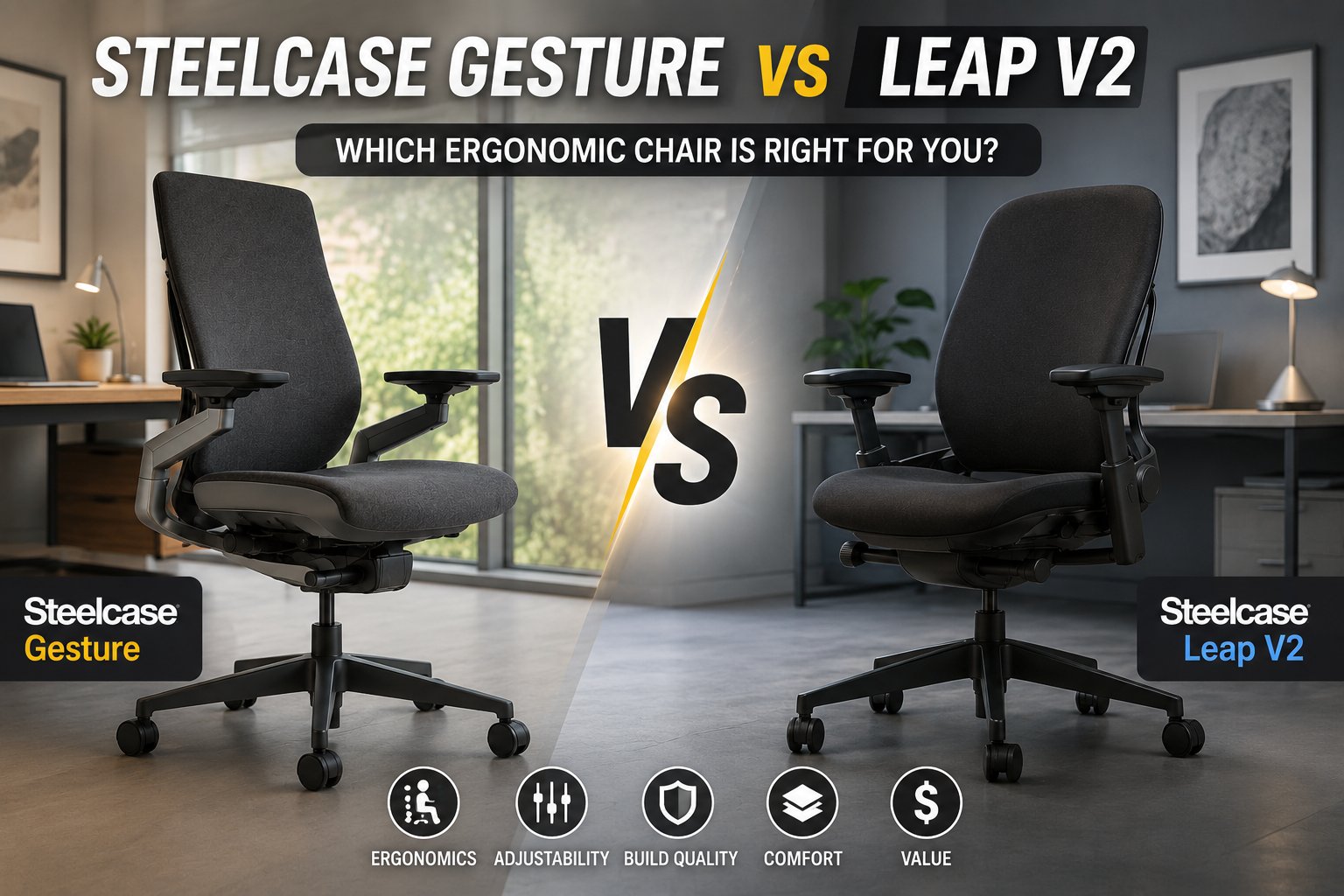
⚡ Quick Comparison: Gesture vs Leap V2 at a Glance
| Feature | Steelcase Gesture | Steelcase Leap V2 |
|---|---|---|
| Starting Price | ~$1,499 | ~$1,399 |
| Weight Capacity | 400 lbs | 400 lbs (500 lbs oversize) |
| Lumbar Support | Depth-adjustable knob | Height-adjustable |
| Seat Depth Adjustment | Dial knob — adjust while seated | Lever — lift to adjust |
| Armrests | 360° pivot, 4-way | 4-way, wider width range |
| Headrest Option | ✅ Yes (+$239) | ❌ No |
| Best For | Multi-device, varied postures | All-day desktop work |
| Warranty | Lifetime frame, 12-year parts | Lifetime frame, 12-year parts |
🎯 Design Philosophy: Adapt vs. Endure
🔹 Steelcase Gesture: The Adaptor
The Gesture was designed around one central insight: people don’t sit still. Modern work involves switching between phones, tablets, laptops, and desktop monitors throughout the day. The Gesture is built to adapt to you, supporting your body in virtually any position you adopt. Its defining feature is the 360-degree arm system — armrests that pivot, swing inward, and raise high enough to support a phone or tablet. The chair’s 3D LiveBack technology flexes with your spine as you move, and the Core Equalizer keeps consistent lumbar tension even as you recline, preventing that awkward floating feeling.
🔸 Steelcase Leap V2: The Workhorse
The Leap V2 is Steelcase’s flagship task chair and the model most often cited as the personal daily-driver by reviewers. It’s designed for endurance — all-day comfort for people who spend 8+ hours at a traditional desktop setup. The LiveBack technology features a backrest that flexes with the spine, combined with height-adjustable lumbar and 4-way adjustable arms. The Leap V2 offers independent upper and lower back adjustability to accommodate micro-movements throughout the day.
🛋️ Comfort & Support: Two Different Approaches
🔹 Steelcase Gesture
The Gesture’s comfort comes from its adaptability. The 3D LiveBack system maintains contact with your spine in every posture — leaning forward, reclining, or sitting upright. The Core Equalizer keeps lumbar tension consistent as you move.
Key strengths:
- ✅ Unmatched arm versatility — 360° arms that follow your forearms
- ✅ Supports every posture — phone, tablet, laptop, desktop
- ✅ Seat depth dial — adjusts while seated
- ✅ Optional headrest — adds neck support
Potential drawbacks:
- ❌ Firm seat pad — some find it lacks padding in the tailbone region
- ❌ Average lumbar — even with the optional adjustable lumbar
- ❌ Higher starting price — ~$1,499
🔸 Steelcase Leap V2
The Leap V2’s comfort is built for endurance. The LiveBack technology flexes with your spine, and the combination of adjustable lumbar tension, height-adjustable lumbar pad, and independent upper/lower back control produces one of the most supportive backrests in the lineup.
Key strengths:
- ✅ Best-in-class back support — LiveBack technology
- ✅ Excellent lumbar support
- ✅ Wider arm width range — 12.75″ to 20″
- ✅ Lower starting price — ~$1,399
- ✅ Independent upper/lower back adjustments
Potential drawbacks:
- ❌ No headrest option — the available headrest is not recommended
- ❌ Less arm versatility — no 360° pivot
- ❌ Clunkier seat depth adjustment — lever, lift to adjust
🛠️ Adjustability: Where They Diverge
Both chairs offer extensive adjustability, but they excel in different areas.
🔹 Steelcase Gesture
- Armrests: 360° pivot — height, width, depth, and angle
- Seat depth: Dial knob — adjust while seated
- Tilt: Upright lock + tension control
- Lumbar: Depth-adjustable knob
- Headrest: Optional, height and angle adjustable
- Arm width: 17″ fixed between arms (4-way adjustable pads)
🔸 Steelcase Leap V2
- Armrests: 4-way — height, width, depth, pivot
- Seat depth: Lever — lift to adjust
- Tilt: 5 tilt lock positions
- Lumbar: Height-adjustable
- Headrest: ❌ No option (not recommended)
- Arm width: 12.75″ to 20″ — wider range
- Independent upper/lower back adjustment — most adjustable Steelcase
🎯 Who Should Buy Which?
✅ Choose the Steelcase Gesture if:
- You frequently switch between devices — phone, tablet, laptop, multiple monitors
- You change postures often — leaning, reclining, sitting sideways
- You want unmatched armrest versatility — 360° arms that follow your movements
- You need a headrest — the Gesture offers an optional headrest
- You prefer intuitive, on-the-fly adjustments
- You want the most versatile chair for a wide range of work styles
✅ Choose the Steelcase Leap V2 if:
- You spend 6+ hours a day at a traditional desktop setup
- You suffer from back pain — the Leap is known for lower back relief
- You want superior lumbar support — height-adjustable with independent upper/lower control
- You prefer a lower starting price (~$1,399)
- You want a chair that has proven longevity — used for 8+ years
- You don’t need a headrest — the Leap’s headrest is not recommended
- You want wider arm width range — 12.75″ to 20″ accommodates broader frames
❓ Frequently Asked Questions
🏆 Final Verdict: Which One Should You Buy?
The Steelcase Gesture and Leap V2 are both exceptional chairs — but they serve different needs.
Choose the Steelcase Gesture if: You’re a dynamic, multi-device worker who switches between phones, tablets, laptops, and desktop monitors throughout the day. You want the most versatile armrests on the market and the option of a headrest. You prefer a chair that adapts to your every posture rather than one that expects you to sit a certain way.
Choose the Steelcase Leap V2 if: You spend 6+ hours a day at a traditional desktop setup. You suffer from back pain and want a chair with proven lumbar support. You value independent upper and lower back adjustments and a wider arm width range. You don’t need a headrest and want a slightly lower starting price.
Our guidance: If you can, try both chairs in person. The feel of an ergonomic chair is highly personal — what works for one person may not work for another. Both chairs are long-term investments in your health and productivity, backed by Steelcase’s industry-leading 12-year warranty and lifetime frame coverage. Taking the time to test them is well worth the effort.
📚 You May Also Like
- Herman Miller Embody vs Steelcase Gesture: The Ultimate Ergonomic Showdown (2026)
- Best Executive Office Chair Under $300: 7 Picks That Look and Feel Premium (2026)
- Best Ergonomic Chair Under $300: 5 Picks That Punch Above Their Weight
- Executive Office Chair vs Ergonomic Chair: Which One Is Right for You?
2 thoughts on “Steelcase Gesture vs Leap V2: The Ultimate 2026 Ergonomic Showdown”